
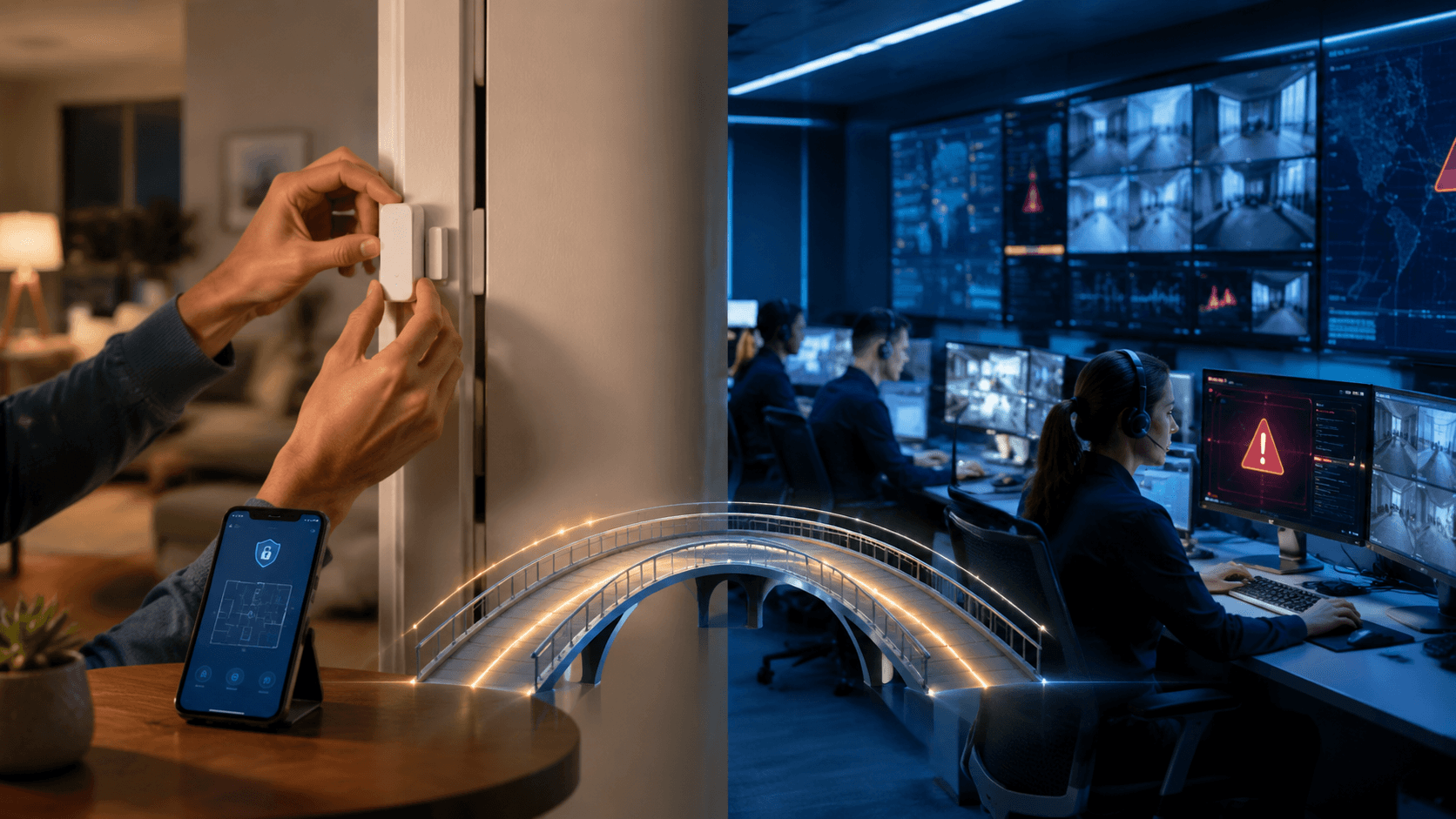
For the first time in 2026, self-installation is almost the center of the alarm market: 49% of alarm users said they installed their own system, compared with 42% who hired a professional installer, in SafeHome.org’s survey of 2,435 people.[1] That changes the question around smart home security systems. DIY is no longer the odd cheaper path for people willing to tinker. It is now ordinary enough that the real decision is narrower and more practical: which jobs should stay with the homeowner, and which jobs are worth paying someone else to handle?
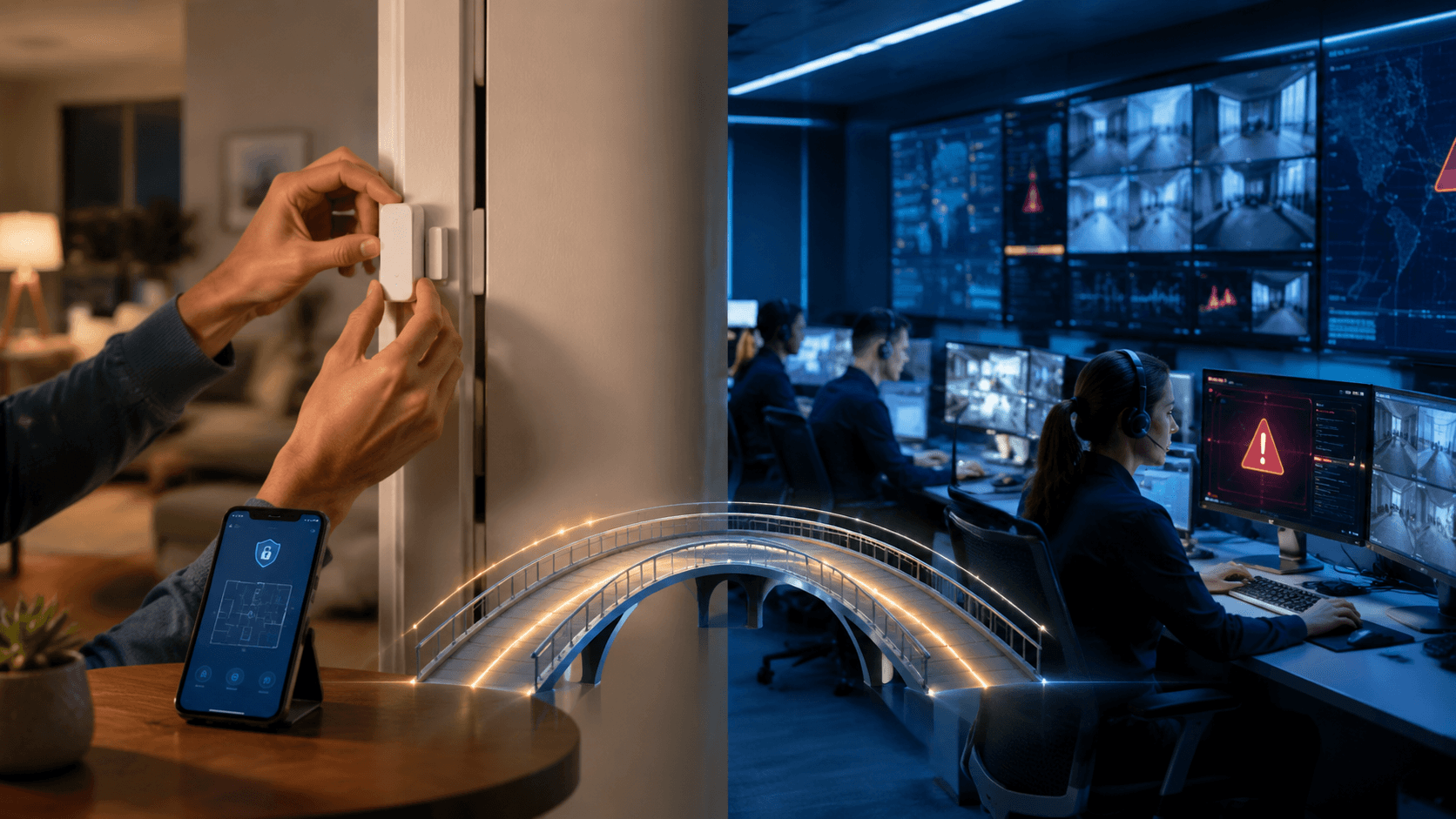
Those jobs get blurred in security marketing. Installation and monitoring are separate choices. A household can install sensors itself and still pay for 24/7 professional monitoring. It can pay for professional installation and still rely heavily on app alerts. It can also self-install, self-monitor, and accept that every alarm becomes its own interruption: wake up, unlock the phone, judge the alert, check a camera if one is available, and decide whether to call 911.
The Trade-Off Map
The cleanest way to compare DIY and professional security is to separate upfront friction from emergency response. Installation affects cost, time, and sensor placement. Monitoring affects what happens after the alarm. A system can be easy to mount on a Saturday afternoon and still leave the hardest decision to the person whose phone buzzes at 2:17 a.m.
| Path | Upfront cost and time | Monthly cost | What you gain | What you give up |
|---|---|---|---|---|
| DIY install + self-monitoring | Can save about $100-$200 in installation fees; some systems benchmark around 30 minutes for setup.[2] | Free to low-cost app plans; Ring Basic is listed at $4.99/month. | Lowest recurring cost; renter-friendly wireless setup; full control over where devices go. | Emergency response depends on your phone, attention, judgment, and ability to call 911. |
| DIY install + professional monitoring | Same self-install savings and shorter setup window for compatible systems.[2] | Examples include Ring Alarm Pro at $20/month and SimpliSafe Core at $32.99/month. | Avoids a professional installation appointment while adding a monitoring center, dispatch workflow, and often backup features. | Monthly fee remains; some advanced features may still sit behind higher subscription tiers. |
| Professional install + professional monitoring | Professional visits can cost more and take longer; CNET lists installation fees including SimpliSafe at $125, ADT at $150, Ring at $160, and Vivint at $100+, with ADT installs around 2 hours and Vivint around 3 hours.[2] | Commonly about $23-$50/month for full professional monitoring with stronger backup and detection features. | Less setup burden; better chance that sensors, panels, cameras, and backup equipment are placed and configured correctly. | Higher total cost; appointments; less hands-on control over the setup. |
Those figures are useful, but they should be read as current-market benchmarks, not permanent price tags. Security companies change promotions often, and the difference between a sale price and a standard plan can erase a neat comparison. The important shape is still clear: DIY mainly lowers installation cost and scheduling friction, while professional monitoring buys response infrastructure after the alarm.
Installation Is the Easier Part to Price
Self-installation has become credible because the hardware changed. Wireless contact sensors, peel-and-stick motion detectors, app-guided pairing, and battery-powered keypads removed much of the old argument for bringing in an installer for every household. Security.org’s 2026 DIY guide places self-installed equipment in a broad consumer price range, which reinforces the point that a homeowner can now assemble a workable system without buying into a full-service installation model from the start.[3]
The savings are not imaginary. CNET’s comparison found that skipping professional installation can save roughly $100 to $200, with listed installation costs including $125 for SimpliSafe, $150 for ADT, $160 for Ring, and $100 or more for Vivint.[2] For a renter trying to cover a front door, balcony door, and hallway motion area, that can be the difference between buying the extra sensor now or postponing it. For a homeowner adding cameras, locks, and leak sensors on top of the alarm, it is one more line item in a subscription-heavy smart home budget.
Time matters too. CNET and SafeHome benchmarks put some DIY systems, including SimpliSafe and Cove, at about 30 minutes for setup, while ADT professional installation is listed around 2 hours and Vivint around 3 hours.[2] That does not mean every DIY install takes half an hour. A clean ranch house with obvious entry points is different from an older rental with metal frames, weak Wi-Fi in the back room, and a door that never quite closes the same way twice. But it does mean the baseline burden has shifted. A normal household can now expect to do a basic install without treating it as a renovation project.
Professional installation still earns its fee in specific homes. Large houses, detached garages, unusual window layouts, weak wireless coverage, and camera placement problems all increase the chance that a self-installed system works in the app but misses the physical reality of the building. The cost is not only the visit. It is also the second evening spent moving a sensor because the first placement created false alerts, or the camera that catches the top of a delivery driver’s hat but not a usable face.
Monitoring Is Where the Monthly Fee Changes the Job
Self-monitoring is often described as if it simply removes the middleman. In calm conditions, that is fair enough. A door opens, the phone gets an alert, the owner checks the app, and the situation turns out to be a family member, a pet, or a sensor that needs attention. The difference appears when the owner is asleep, driving, presenting in a meeting, on a plane, in a hospital, or somewhere with poor cellular coverage.
Professional monitoring buys a defined response process. SafeHome testing reports average monitoring response times of under 35 seconds for ADT, under 40 seconds for SimpliSafe, and about 45 seconds as an industry average.[4] Self-monitoring does not have an equivalent number because the response time is the homeowner’s reaction time plus the time needed to verify the alert and call emergency services. That can be fast if the phone is in hand. It can also be several missed notifications.
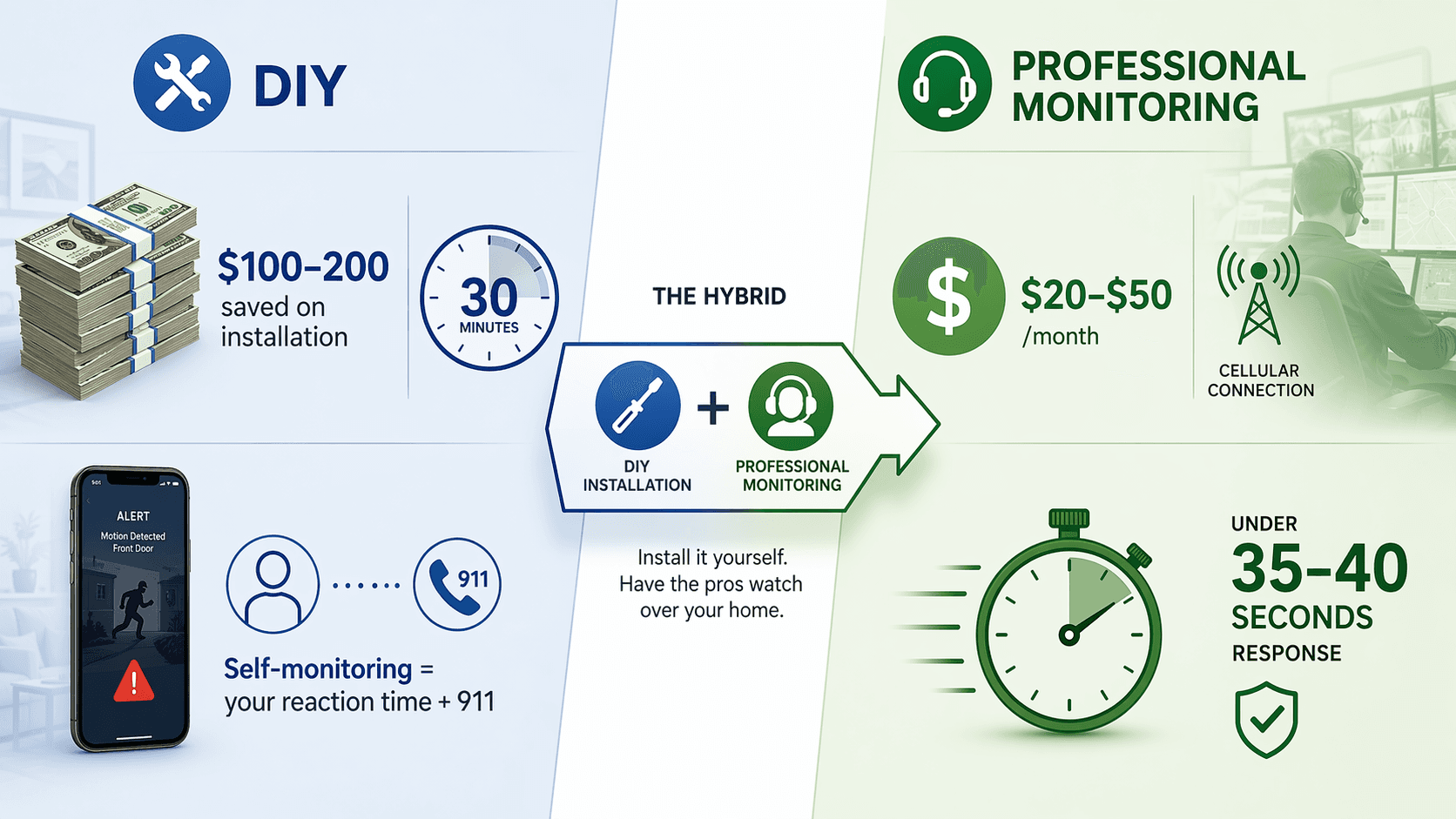
This is the point that gets hidden when the comparison stops at monthly price. Free self-monitoring means the household is the monitoring center. Someone has to notice the alert. Someone has to decide whether it is real. Someone has to call 911, explain the address, and stay reachable. If the alarm is false, that same person absorbs the annoyance. If the alarm is real, the delay belongs to the household too.
The gap is not only human response. Full professional monitoring commonly falls in the $23-$50/month range when cellular backup and more advanced detection features are included. Those backup layers matter because a smart security system is only as strong as the conditions it can survive. If the home internet drops, a plan with cellular backup can keep alarm communication alive. If a camera or sensor feature depends on a paid cloud tier, the cheaper plan may leave the owner with a less capable system than the box implied.
Video Verification Is Becoming More Than a Nice Feature
Video verification deserves separate attention because some cities are moving toward verified response policies. Seattle is one example: police response may depend on video or other confirmation rather than an unverified alarm signal alone. That does not mean every self-monitored alarm will be ignored, and it does not mean every professionally monitored system gets the same priority everywhere. Local dispatch rules vary. But it does mean the practical value of video evidence is rising.
Here again, the subscription detail matters. AI person detection, package detection, cellular backup, and video verification are often tied to professional or higher-tier plans. A household comparing a free app plan with a $30 monitoring plan is not always comparing the same system with and without a call center. It may also be comparing different detection, storage, backup, and verification capabilities.
The Burglary Statistic Should Not Do Too Much Work
One widely repeated figure says homes without security systems are 300% more likely to be burglarized, which SafeHome attributes to 2023 Alarms.org data.[1] It is a useful context point, mainly because it supports the basic idea that visible security can matter. It should not be stretched into a precise promise that any one system will cut a particular household’s risk by a fixed amount.
Deterrence, detection, and emergency response are different functions. A yard sign, camera, or keypad may discourage some attempts. A contact sensor detects an opened door. A monitoring center may shorten the path from alarm to dispatch. A self-monitored camera may help the owner verify what happened after the fact. Those are related, but they are not interchangeable.
Who Should Choose DIY Self-Monitoring
DIY self-monitoring makes the most sense when the household’s main goal is awareness, not delegated emergency response. It fits renters who cannot drill into trim, people covering a small apartment, owners who are usually reachable, and households where the monthly difference between free monitoring and a $20-$50 plan is not abstract. Over a year, that range can become meaningful money, especially when camera subscriptions, cloud storage, smart locks, and other smart home services are already stacking up.
- Choose this path if you can place sensors correctly, keep batteries replaced, and test alerts without needing a service visit.
- Choose it if phone alerts are enough for your risk level and you are comfortable making the call yourself.
- Be cautious if the home is often empty, your phone is frequently silenced, or you travel through areas with unreliable coverage.
- Check which features disappear without a paid plan before assuming the hardware can do everything advertised on the shelf.
A self-monitored system can still be a serious system. The owner just needs to be honest about the labor it creates. The app does not make the judgment call. It delivers the interruption.
Who Should Pay for Professional Installation and Monitoring
Professional installation and monitoring make more sense when the cost of a missed or delayed response is higher than the monthly fee. That can mean a larger home, a household with frequent travel, older family members living alone, a property with detached buildings, or anyone who simply does not want to be the only person responsible for interpreting an alarm under stress.
The installation fee is easiest to resent because it is visible. The better argument for paying it is not that a professional can stick a sensor to a door. It is that placement, signal testing, camera angles, keypad location, siren coverage, and backup configuration can be checked in one visit. A good install reduces the number of small uncertainties that become large at the wrong time.
Professional monitoring also gives the household a response benchmark that self-monitoring cannot promise. Under-35-second or under-40-second monitoring response times do not guarantee a specific police arrival time, and they do not replace local dispatch policy.[4] They do, however, describe a staffed process beginning almost immediately after the alarm signal reaches the monitoring center. That is different from hoping the right person notices the right notification.
The Hybrid Middle Path Is the Most Interesting 2026 Option
Hybrid systems are where the DIY-professional divide has narrowed the most. SimpliSafe Core at $32.99/month and Ring Alarm Pro at $20/month illustrate the appeal: install the equipment yourself, avoid or reduce the professional installation bill, then pay for professional monitoring and backup features. WIRED’s 2026 modular-security coverage also points toward this broader pattern, where the best setup is assembled around the home’s actual doors, cameras, sensors, and network needs rather than bought as one fixed bundle.[5]
This path is especially useful for people who trust themselves to mount hardware but do not want the emergency workflow resting entirely on their phone. It also lets a household start smaller. Install the base station, keypad, and entry sensors first. Add cameras or additional motion coverage after learning where alerts actually matter. Then decide whether the paid tier is buying enough response, backup, and verification to justify itself.
The danger is assuming hybrid automatically means best value. A $20 plan that lacks a feature the household needs is not better than a $33 plan that includes it. A beautifully installed DIY system without cellular backup may still be fragile during an outage. A pro-monitored plan that does not support useful video verification may be less helpful in a verified-response city than its monthly price suggests. The comparison has to happen feature by feature, not just brand by brand.
A Practical Decision Framework
Start with the part of the job you are actually trying to remove. If the burden is installation, professional setup may be worth paying for once, especially in a complicated home. If the burden is emergency response, professional monitoring is the more important purchase. If the burden is monthly cost, self-monitoring is a legitimate way to keep a system active without adding another recurring bill.
| Your priority | Best fit | Reason |
|---|---|---|
| Lowest total cost | DIY installation + self-monitoring | Avoids installation fees and can avoid monthly monitoring, but makes the household responsible for response. |
| Lower upfront cost with stronger response | DIY installation + professional monitoring | Preserves much of the installation savings while adding a staffed alarm response process. |
| Least setup burden | Professional installation + professional monitoring | Costs more, but reduces placement, configuration, and response responsibilities. |
| Renter-friendly coverage | DIY or hybrid wireless system | Minimizes drilling and can move more easily, but plan features still need checking. |
| Backup during outages or missed alerts | Professional monitoring with cellular backup | Adds a communication layer beyond home internet and phone notifications. |
Consumer Reports’ 2026 home security coverage is useful as a reminder that model-level performance still matters, although the detailed ratings are not fully accessible without a subscription.[6] That limitation is important. A cost-benefit decision should not rest on price tiers alone. The specific keypad, camera, hub, sensor range, app reliability, and backup options still determine whether the system behaves well in the house where it is installed.
For brand-by-brand shopping, a separate product comparison is the better place to decide between individual systems. For this decision, the more useful question is smaller: when the alarm goes off, who is responsible for doing the next thing? If the answer is “me,” DIY self-monitoring can be a rational bargain. If the answer needs to be “someone is already handling it,” the monthly monitoring fee is buying more than an app notification.
DIY smart home security systems have become good enough for many homes in 2026, and the 49% self-install milestone shows that buyers have noticed.[1] Hybrid setups are the clearest sign of progress because they let households keep control over hardware while paying for the response layer that matters under pressure. Professional monitoring still has the strongest case where missed alerts, outages, dispatch verification, or setup mistakes would carry real consequences.
References
- 2026 Home Security Market Report, SafeHome.org, link
- We Do the Math: How Much You Save With Self-Install Home Security vs. a Professional Visit, CNET, link
- Best Self-Installed (DIY) Home Security Systems of 2026, Security.org, link
- Best Home Security Systems of 2026, Expert Tested & Ranked, SafeHome.org, link
- The Best Home Security System Is Modular, WIRED, link
- Best Home Security Systems of 2026, Consumer Reports, link
Policy Updates & Reader Notes
Privacy policies, monitoring plan prices, and security disclosures change frequently. Report new data retention terms, updated plan pricing, or new vulnerability disclosures below. For formal editorial corrections, use the contact page.
Comments
Join the discussion with an anonymous comment.