
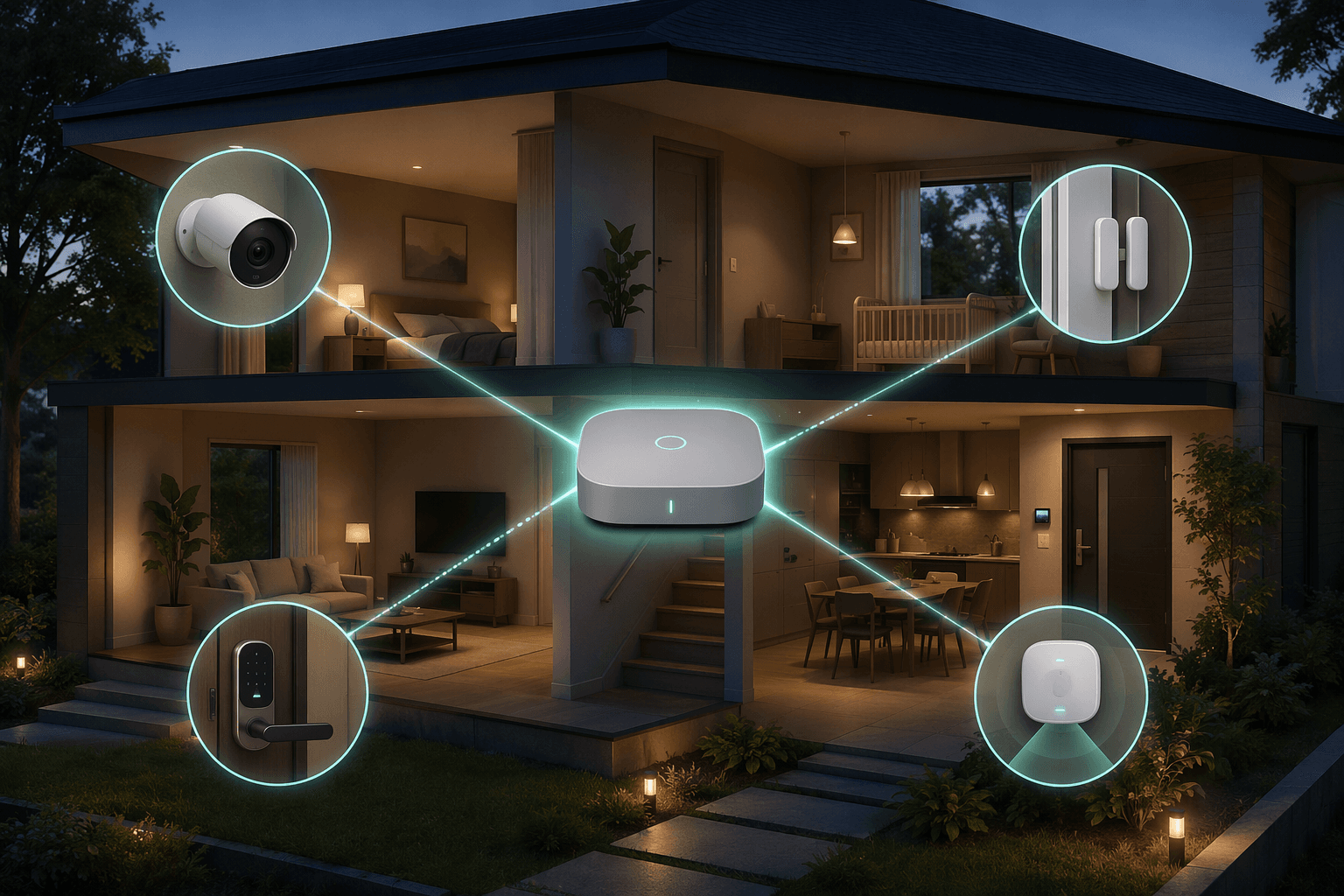
A smart home security setup in 2026 is no longer a niche weekend project for people who enjoy pairing devices at midnight. Security cameras are now in 61% of U.S. households, up from 42% in 2023, and DIY installation has moved ahead of professional installation, 49% to 42%, in SafeHome.org’s February 2026 survey of 2,435 U.S. adults.[1] Renters are moving quickly too: reported adoption rose from 42% to 54% in one year.[1]
That shift changes the buying question. It is not just “Which alarm kit should I buy?” It is “Which platform, protocols, storage model, and device layers will still make sense when I replace a camera, add a lock, move apartments, or stop paying for one cloud plan?” The wrong answer can leave you with five apps, duplicate notifications, a camera that cannot trigger the lights you actually own, and a door sensor that becomes less useful the moment one subscription lapses.
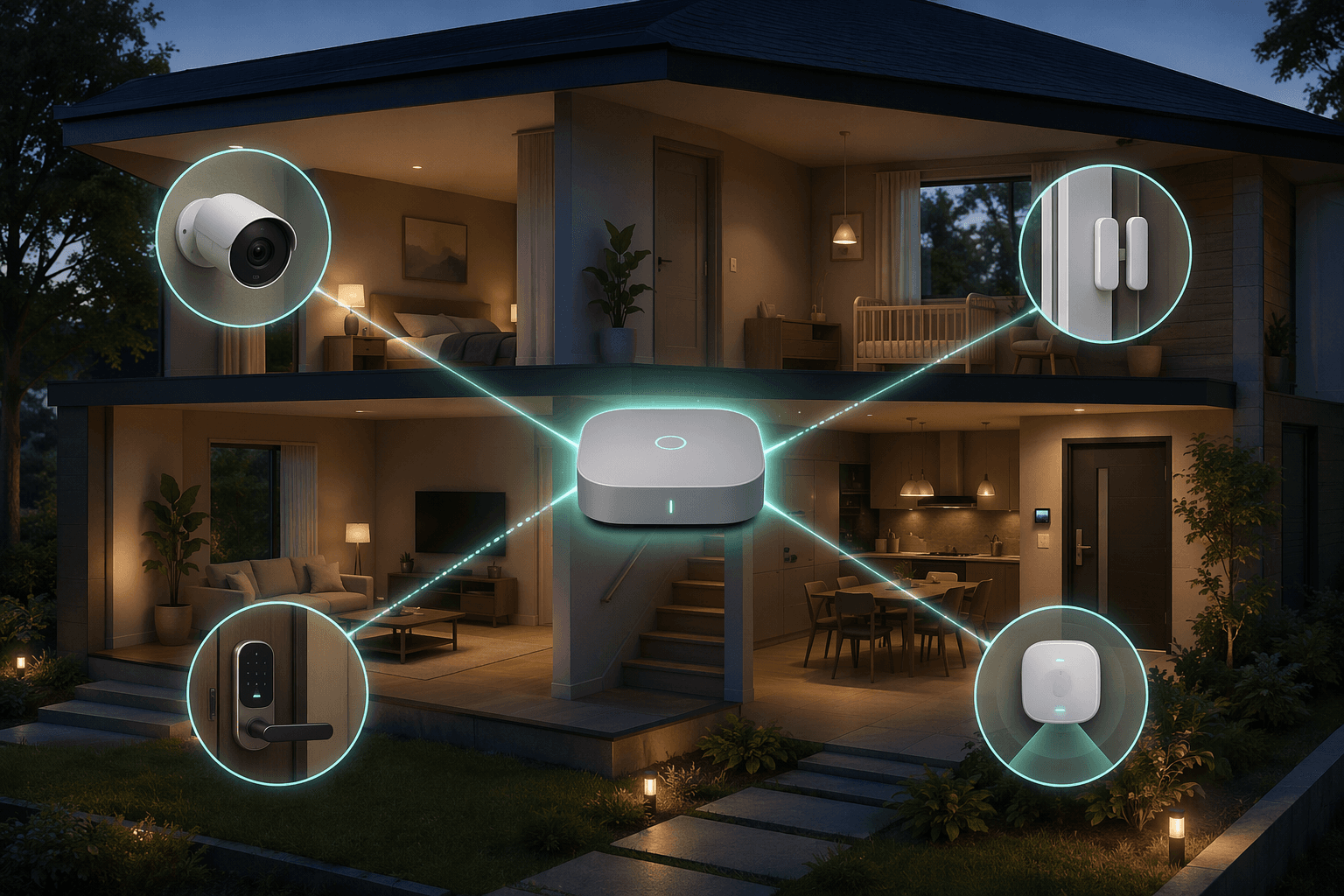
The practical goal is simple: the system should still detect, record, notify, lock, and trigger the right automations when the internet is slow, a vendor changes its plans, or one device needs to be replaced. Clean app screens matter less at 2:13 a.m. than whether the contact sensor, hallway camera, smart lock, and siren agree on what just happened.
Why the 2026 Decision Is Different
Security has become a normal smart-home layer. SafeHome.org found that 54% of households reported outdoor cameras, 22% reported smart locks, and 28% already use AI detection features.[1] The same report found that ease of use was a purchase priority for 50% of respondents, monthly cost for 46%, and self-installation for 31%.[1] Those priorities explain why a single-brand kit still wins so many real purchases: when someone wants a doorbell, two entry sensors, a keypad, and monitoring by Saturday, convenience is not a fake benefit.
But mainstream adoption also raises the penalty for buying into a silo. The global smart home security market is estimated at $46.56 billion in 2026 and forecast to reach $163.15 billion by 2035, according to Precedence Research.[2] More devices, more services, and more household dependence mean compatibility is not a power-user obsession. It is the difference between a system you can maintain and a pile of branded islands.
Ring’s 43% share in SafeHome.org’s survey shows how much a polished, familiar ecosystem still matters.[1] ADT followed at 10%, and Google Nest at 7%.[1] That kind of dominance is useful to acknowledge, not dismiss. A large ecosystem usually means easier shopping, broader support, and fewer setup decisions. It can also mean that your cameras, storage, alerts, and monitoring economics are all tied to the same company.
Start With the Control Backbone, Not the Camera
Most people start with the visible device: a doorbell camera, a floodlight camera, a keypad by the door. That is understandable, but it is backwards if the goal is an integrated system. The first decision is where the logic lives. If the camera sees motion, the entry sensor opens, and the lock changes state, which controller decides what happens next?
For many households, that controller will be Apple Home, Alexa, Google Home, Samsung SmartThings, Hubitat, Home Assistant, or a security vendor’s own hub. The right choice depends less on brand loyalty than on three boring but important questions: which radios it supports, which automations can run locally, and what still works when the internet connection fails.
If you are starting from scratch, compare hubs by protocol support before comparing dashboards. A hub that supports Matter, Thread, Zigbee, Z-Wave, and local automation gives you more exit doors later than a hub that only looks good with its own accessories. A guide to Matter hubs and Home Assistant hardware is worth reading before you fill a cart, because the hub quietly determines which devices can join the system and how much of the system keeps working without the cloud.
| Backbone Choice | What It Is Good At | Watch For |
|---|---|---|
| Single-brand security hub | Fast setup, vendor support, simple monitoring bundles | Feature loss or awkward integrations outside the brand |
| Mainstream smart-home platform | Voice assistant integration, broad consumer device support | Automation limits and uneven local behavior |
| Home Assistant or similar local controller | Local logic, mixed-brand control, repairable automations | More setup work and more responsibility when something breaks |
| Hybrid setup | Security vendor for monitoring plus local hub for automations | Duplicate alerts and extra configuration if not designed carefully |
A hybrid setup is often the realistic middle ground. You might keep professional monitoring through a vendor system for fire, intrusion, or emergency dispatch, while using a local controller for lighting, presence-aware automations, and device mixing. That is not ideological purity, but it does require deciding which system is authoritative for each job. The alarm should not depend on a fragile chain of cloud-to-cloud automations. The hallway light turning on after motion can be less mission-critical.
Matter, Z-Wave, Zigbee, and Local Control Are Reliability Decisions
Protocol talk gets dry quickly, but in a security system it is not trivia. A contact sensor is only useful if the hub hears it promptly. A lock is only reassuring if it can be controlled by the system you actually use. A motion sensor that needs a cloud round trip before it turns on a light is less convincing during an outage.
Matter matters because it is the industry’s attempt to make devices work across major ecosystems instead of trapping basic functions inside one app. Matter 1.5 adds camera functionality, including live streaming, motion detection, and event history across ecosystems, according to IoT Breakthrough’s 2026 smart home coverage.[3] That is a meaningful direction for home security, but it should not be treated as proof that every Matter camera will behave perfectly in every platform on day one.
Z-Wave still has a strong place in security because many locks, contact sensors, motion sensors, and sirens were built around it, and it uses a mesh network separate from crowded Wi-Fi. Zigbee remains common for low-power sensors and inexpensive accessories. Thread, used by many Matter devices, is also designed for low-power mesh networking. Wi-Fi is fine for bandwidth-heavy cameras, but it is not automatically the best choice for every tiny sensor in the house.
The practical build rule is to avoid choosing a protocol one device at a time. Decide which backbones your controller will support, then buy devices that fit that plan. A protocol compatibility guide can save you from the classic mistake: buying three excellent devices that are excellent only inside three separate ecosystems.
- Use Matter or Thread where cross-platform support is mature enough for the device category.
- Use Z-Wave or Zigbee for low-power security sensors when your hub supports them well.
- Use Wi-Fi mainly where bandwidth or direct app access matters, especially cameras.
- Prefer local automations for detection, lighting, sirens, lock routines, and household alerts.
- Keep cloud services for remote access, off-site storage, and monitoring when they add real value.
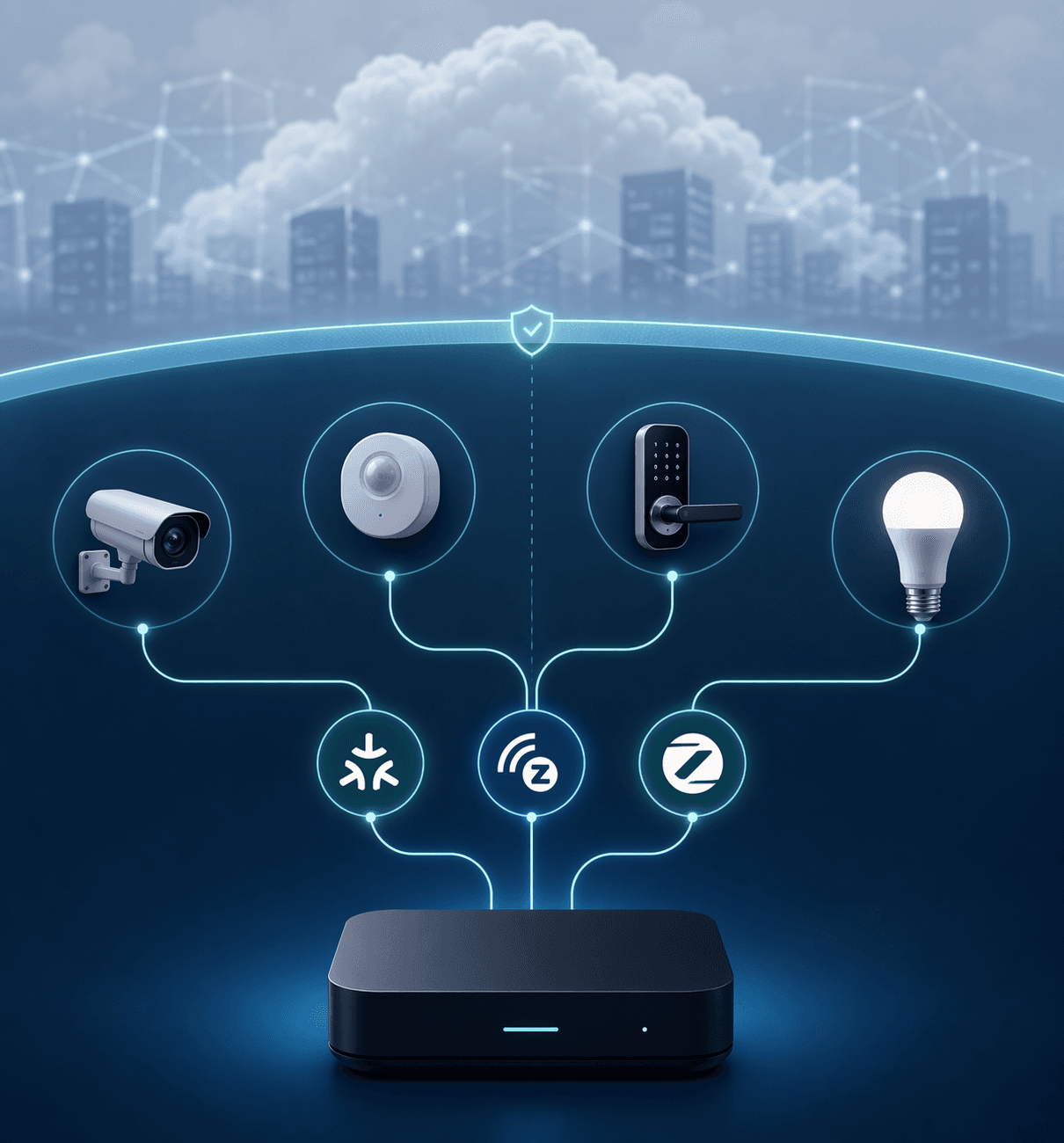
Local control is the unglamorous upgrade. It does not make a product box more exciting, but it decides whether a contact sensor can trigger a siren, turn on lights, and send an in-home alert without waiting for a vendor server. MySecureSystems’ 2026 trends coverage identifies interoperability and local control as central smart security principles, which matches where the device category is clearly heading.[4]
Build the Device Layers in the Order They Actually Help
A solid smart home security system is layered. Cameras are useful, but they should not be the only layer. A camera verifies. A contact sensor detects. A lock responds. A presence sensor understands occupancy without pointing a lens at someone’s bed. A siren, light, keypad, or control panel makes the system legible to the people living with it.
Entry Sensors Come First Because They Answer the Cleanest Question
Door and window sensors are not exciting, which is exactly why they belong at the foundation. They answer a narrow question: did this opening change state? That signal is cheap, fast, and easier to automate than camera-based motion. For renters, adhesive contact sensors also avoid the commitment of rewiring every entry point.
Start with exterior doors, then ground-floor windows or balcony doors, then interior doors that matter for household routines. A basement door, garage entry, medicine cabinet, or utility closet can be more important than a fourth camera watching the same driveway. If the sensor is part of a local mesh network, test it with the door closed, cracked open, and fully open before trusting it.
Cameras Verify, but They Should Not Own the Whole System
Cameras are widespread because they solve an emotional and practical problem: they show what happened. That matters for package theft, unknown visitors, driveway movement, and checking whether an alert is a real concern. SafeHome.org’s finding that 61% of households have security cameras helps explain why cameras often become the first smart security purchase.[1]
The mistake is letting the camera vendor become the entire architecture by accident. Before buying, check whether motion events can trigger your main controller, whether clips remain accessible if a plan changes, whether local storage exists, and whether the camera can be used without putting privacy-sensitive rooms under video. For a deeper comparison of plan limits and storage trade-offs, a security camera subscription guide is more useful than another spec-sheet comparison.
Locks Are Response Devices, Not Just Convenience Devices
A smart lock changes the system from “tell me something happened” to “let the house respond.” The useful automations are not complicated: lock the door when the system arms, unlock for a trusted person under controlled conditions, turn on entry lighting when the door unlocks at night, or warn the household when the door is left unlocked after bedtime.
The security trade-off is that locks are high-consequence devices. Do not buy one only because it works in the same app as your camera. Check battery behavior, physical key backup, guest access controls, local protocol support, and whether the lock state is available to your controller. If you are comparing models, a smart lock buyer’s guide should be read with your hub compatibility list open.
Presence Sensors Fill the Rooms Where Cameras Do Not Belong
Presence detection is one of the more interesting 2026 security developments because it solves a real privacy problem. A bedroom, bathroom, nursery, or home office may need occupancy-aware automations without video. mmWave presence sensors can detect fine movement better than older motion sensors and can support automations such as “someone is still in the room” rather than only “motion happened recently.”
CES 2026 coverage highlighted devices such as the Aqara FP400 and SwitchBot presence sensing, with mmWave sensors described as capable of tracking up to 10 bodies in a room.[5] That is promising, especially for privacy-sensitive security routines, but it is still a product category to test carefully. Room layout, pets, furniture, mounting location, and platform support can all change the result.
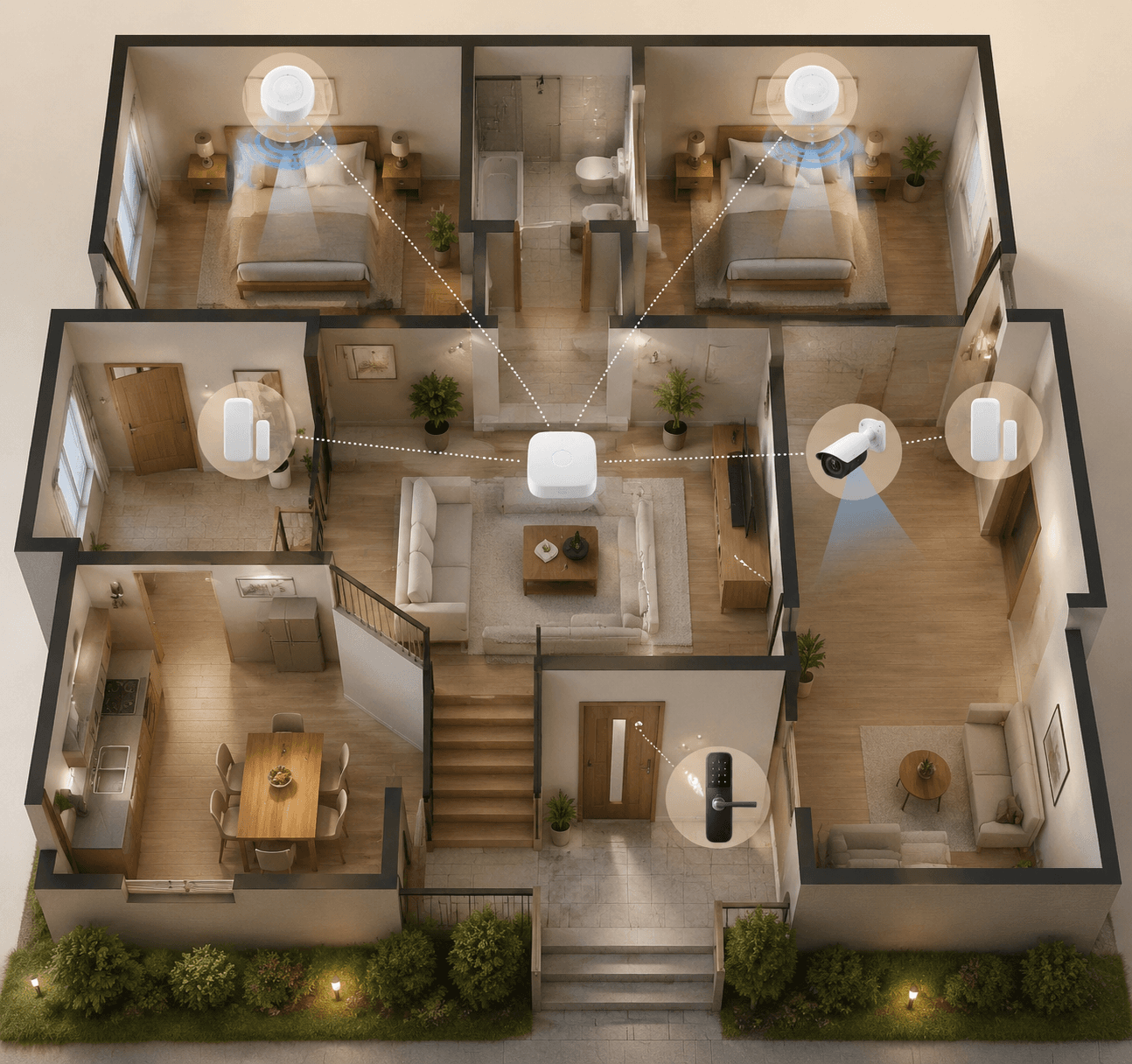
The best use is not replacing every motion sensor. Use mmWave where presence state matters: a hallway that should stay lit while someone is still nearby, a bedroom routine that arms perimeter sensors while people sleep, or a home office where a camera would be intrusive. Use cheaper motion and contact sensors where a simple event is enough. Forbes’ CES 2026 smart home coverage also pointed to inexpensive Matter-compatible sensors, including IKEA sensors under $10, as signs that basic detection hardware is becoming cheaper and more interoperable.[6]
Decide Storage and Monitoring Before the Subscription Surprise
Subscriptions are not automatically bad. Remote access, cellular backup, off-site video storage, emergency dispatch, warranty support, and polished app features cost money to operate. The problem is discovering after installation that the system you thought you bought is only the system you want if the monthly plan stays active.
SafeHome.org found that 32% of users rely on cloud-only storage, while 49% prefer hybrid cloud plus local storage.[1] That split is the sane middle of the debate. Local storage helps preserve access to clips and reduce dependence on the vendor cloud. Cloud storage helps if a camera is stolen, damaged, or unreachable. For many homes, the right answer is not local-only or cloud-only; it is local first for everyday access, with cloud backup for the footage that would hurt to lose.
Monitoring deserves the same practical treatment. Self-monitoring is cheaper and often enough for renters or smaller homes. Professional monitoring can be worth paying for when dispatch, smoke or CO alerts, travel, or family coverage matters. If you are deciding between the two, a DIY versus professional home security comparison should be read before you assume the cheaper path is automatically better.
- For cameras, confirm whether live view, event history, person detection, and clip downloads require a plan.
- For alarms, separate monitoring fees from app access, cellular backup, and hardware financing.
- For local storage, check whether footage is stored on the device, a hub, a microSD card, a NAS, or a base station.
- For hybrid storage, decide which events deserve cloud backup instead of uploading everything by default.
A Build Sequence That Avoids Rework
A clean build sequence prevents the usual mess: buying a discounted camera, then a lock that needs another bridge, then a sensor that only works in its own app, then discovering the automation you wanted is cloud-only. The sequence below is not the only way to build, but it puts the hard decisions before the impulse purchases.
- Choose the control platform and decide which automations must run locally.
- Choose the protocol backbone: Matter, Thread, Z-Wave, Zigbee, Wi-Fi, or a deliberate mix.
- Map entry points, camera zones, lock locations, and privacy-sensitive rooms.
- Install contact sensors and basic motion sensors before buying extra cameras.
- Add cameras for verification, not as the only source of truth.
- Add smart locks, sirens, keypads, control panels, and presence sensors where they change household behavior.
- Set storage, monitoring, notification, and failure rules before calling the system finished.
The mapping step is where most systems improve quickly. Draw the home as zones instead of devices: perimeter, entry path, private rooms, shared rooms, garage or utility area, outdoor approach, and remote access points. Then assign the lightest reliable device to each job. A door contact sensor on the back door may be more valuable than another outdoor camera. A presence sensor in a bedroom may be more appropriate than video. A smart lock on the main entry may matter more than one on a rarely used side door.
After devices are installed, test behavior rather than pairing status. Open the door while the internet is disconnected. Walk past the hallway sensor while the hub is online but the camera cloud is unreachable. Let the lock battery run low enough to confirm warnings. Trigger a nighttime routine and check whether the household gets one useful alert or six noisy ones. If Zigbee or mesh devices behave inconsistently, work through hub troubleshooting before blaming the sensor.
Where Single-Brand Bundles Still Make Sense
There is no virtue in building a fragile custom system just to avoid a bundle. A single-brand kit can be the right call for someone who wants fast setup, one support number, simple monitoring, and fewer compatibility decisions. That is especially true for households that will not maintain a hub, troubleshoot mesh coverage, or audit which automations are local.
The trade-off is long-term leverage. Bundles tend to be easiest on day one and more constraining on day 900. A mixed, protocol-aware system asks for more planning up front, but it lets you replace the camera without replacing the sensors, change the lock without changing the alarm logic, and add presence detection without turning every private room into a video zone.
A reasonable compromise is to let a security bundle handle the narrow jobs it is good at, then connect the broader smart home through carefully chosen integrations. If the bundle’s sensors cannot expose useful states to your controller, treat it as a standalone alarm and do not pretend it is the backbone. If it can share reliable events locally or through a stable integration, it can become one layer in a larger system.
The Practical 2026 Standard
A good 2026 smart home security system does not need to be exotic. It needs a controller you can live with, protocols chosen on purpose, cheap sensors doing cheap-sensor jobs, cameras used for verification, locks treated as high-consequence devices, and storage that does not collapse into uselessness when a plan changes. Matter camera support, lower-cost compatible sensors, and better presence detection all make that easier, but announced products and standard updates still need real-world testing before they deserve blind trust.
If you want the fastest path and vendor-managed support, a single-brand bundle is still a rational purchase. If you want the stronger long-term system, build around interoperability and local control wherever the device category allows it. The system should be able to change as the household changes, without turning every future device choice into a compatibility negotiation.
References
- SafeHome.org 2026 Home Security Market Report, SafeHome.org, February 2026.
- Smart Home Security Market, Precedence Research.
- The Smart Home in 2026: What’s Actually Sticking and What’s Not, IoT Breakthrough.
- 2026 Home Security Trends, MySecureSystems.
- All the Head-Turning Security Tech I Saw at CES 2026, CNET.
- Six Top Smart Home Trends From 2026 CES Tech Expo, Forbes, January 27, 2026.
Policy Updates & Reader Notes
Privacy policies, monitoring plan prices, and security disclosures change frequently. Report new data retention terms, updated plan pricing, or new vulnerability disclosures below. For formal editorial corrections, use the contact page.
Comments
Join the discussion with an anonymous comment.