
Set Up Your Ambient Weather WS-2000 for Tropical Storm Alerts
Configure the Ambient Weather WS-2000 to deliver multi-layered tropical storm alerts — on-console alarms, AWN+ push/SMS notifications, Alexa voice queries, and optional IFTTT or Home Assistant automations — with honest guidance on the limits of station-based threshold alerts vs. NWS-issued warnings.
A smart home weather station for tropical storm alerts starts with one plain correction: the Ambient Weather WS-2000 does not have a magic “tropical storm warning” switch. It measures conditions at your property, lets you set alarms for those measurements, and can send those measurements through Ambient Weather Network, Alexa, IFTTT, or Home Assistant. Official tropical storm watches and warnings still come from the National Weather Service, not from the sensor array in your yard.
That distinction matters at 2 a.m. A wind-gust alarm from your WS-2000 means your station has crossed a threshold you chose. An NWS tropical storm warning means a public weather authority has issued an alert for a defined area. Both can belong in the same household storm setup, but they are not the same kind of signal.
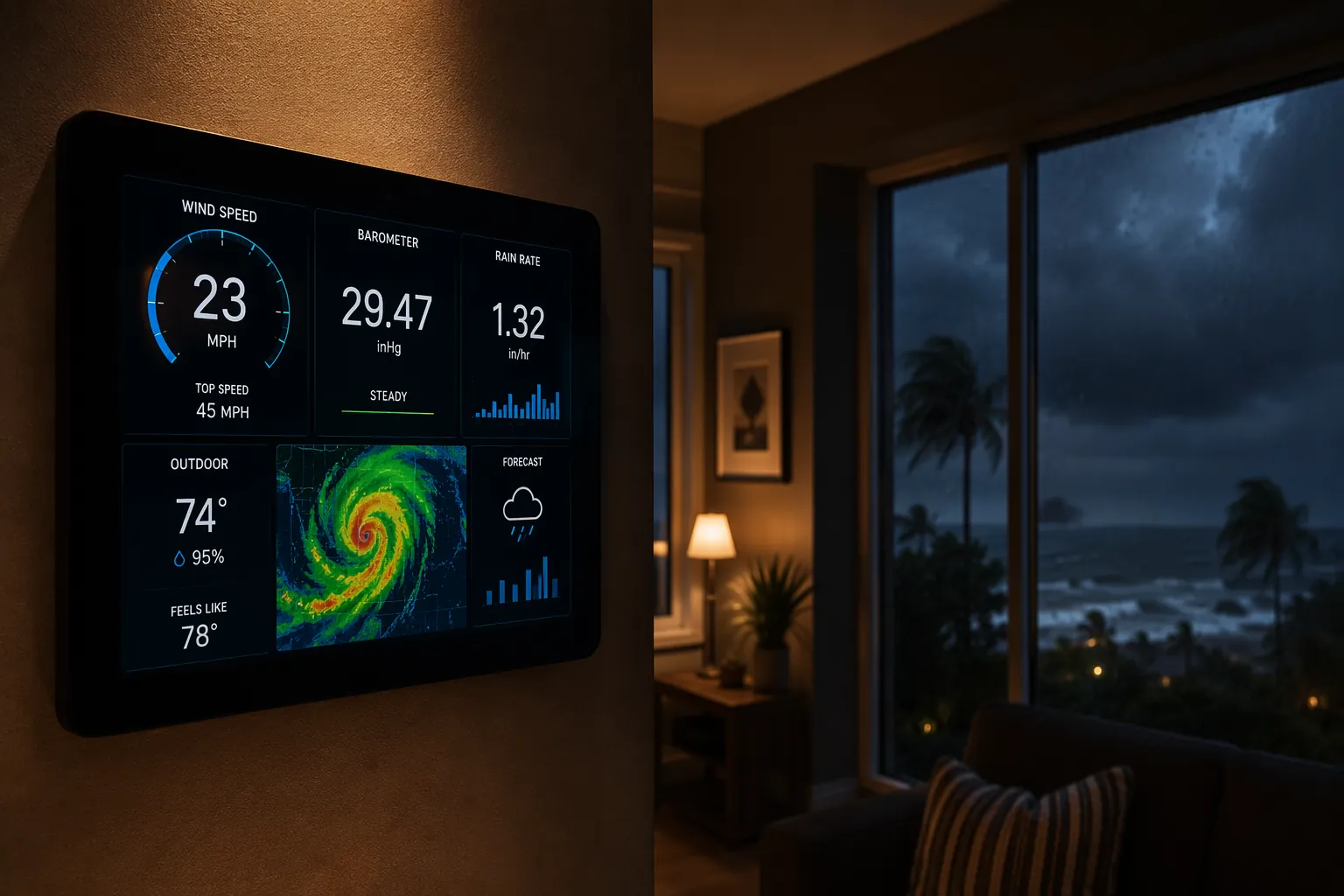
The WS-2000 is useful because it gives you local signals that a county forecast cannot: the gust in your own yard, the rain rate over your own roofline, the pressure trend at your own address. Ambient Weather has positioned better home monitoring as part of hurricane-season preparation, and the WS-2000 product line supports both a local console and cloud-connected weather data for that kind of setup.[1][2]
Build the alert stack in the order it fails
Do not start with the prettiest automation. Start with the path that still has a chance when the internet is down, then add the paths that reach you when you are away from the console.
| Layer | What it is good for | What can break it |
|---|---|---|
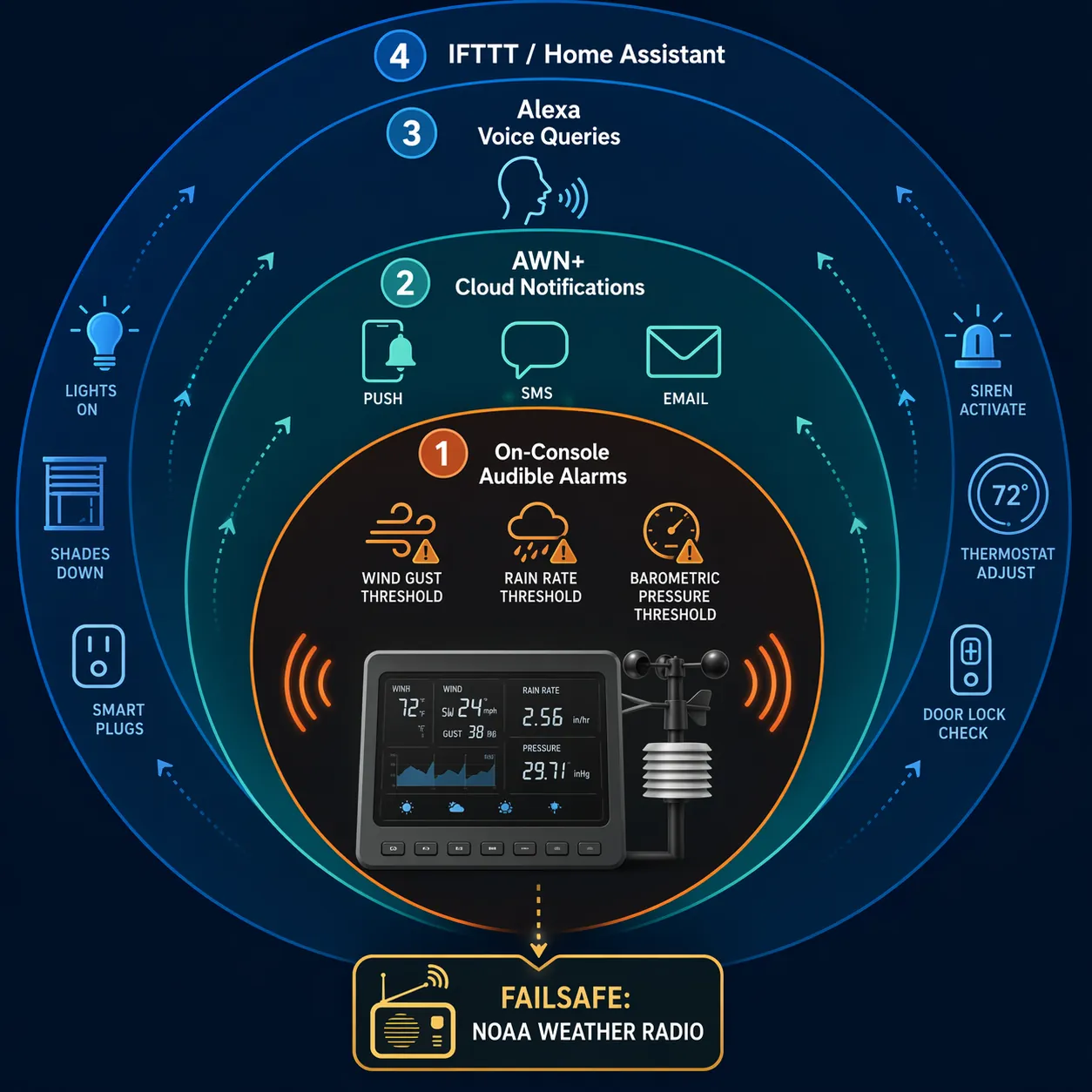
| WS-2000 console audible alarms | Local wind, rain, and pressure thresholds inside the house | Dead console batteries, muted volume, bad placement, ignored alarms |
| AWN+ push, SMS, and email notifications | Remote notice while cloud service and connectivity are working | Power outage, internet outage, phone settings, subscription limits |
| Alexa voice queries | Hands-free checks of current outdoor conditions | Wi-Fi outage, skill limitations, no proactive alert unless paired with another trigger |
| IFTTT or Home Assistant automations | Lights, speakers, dashboards, and household cues | Cloud dependencies, subscription limits, integration maintenance |
| NOAA Weather Radio | Official emergency alerts independent of the smart-home stack | Bad batteries, poor reception, disabled alert tones |
The default recipe is the first three layers: console alarms, AWN+ notifications, and Alexa voice queries. IFTTT and Home Assistant are useful upgrades, but they should not be required for the system to make noise in the hallway when local conditions are getting ugly.
Layer 1: Set the WS-2000 console alarms first
The console is the part of the WS-2000 setup that earns its keep during a storm. The WS-2000 supports on-console high and low alarms for measured weather values, including wind gust, rain rate, and barometric pressure, so it can alert on the physical conditions your own station is seeing without needing a phone notification to arrive first.[2]
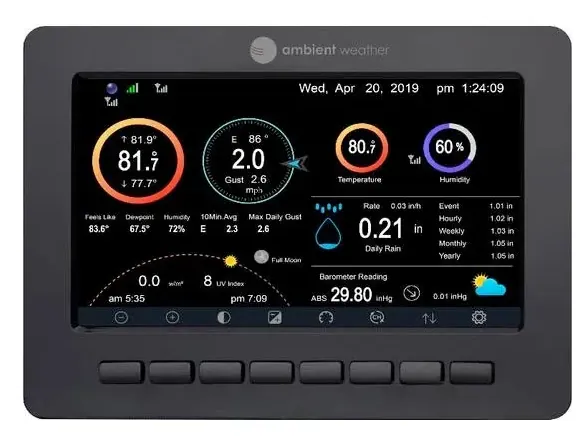
For tropical storm readiness, three console alarms deserve attention before the rest:
- Wind gust: Use this as the cleanest station-based trigger for damaging local wind. If you want the alarm to correspond to tropical-storm-force conditions, use the official threshold as your reference point rather than inventing a “stormy enough” number.
- Rain rate: Use this for sudden downpours that may matter before the storm center is anywhere near you, especially if your driveway, sump area, or street drainage has a history.
- Barometric pressure: Use this as a trend signal. Falling pressure by itself is not an emergency alert, but it belongs on the same screen as wind and rain when a tropical system is nearby.
The key is to set alarms you will respect. A threshold that chirps all summer for ordinary afternoon weather will get silenced. A threshold that is too extreme may never wake anyone until the decision window has narrowed. If the station is new, run a few normal storms through it before hurricane season and adjust the values so the alarm separates routine weather from conditions that need action.
Also treat the console like storm gear, not decor. Put it where the alarm can be heard from sleeping areas, keep backup batteries in the same labeled bin as the station manual, and confirm the console still receives the outdoor sensor after you close shutters, move patio furniture, or change anything near the mounting point.
Layer 2: Add AWN+ notifications for when you are not staring at the console
Once the console alarms are sane, add Ambient Weather Network notifications. AWN+ extends the station’s cloud features with remote access, SMS alerts up to 10 per day, tropical cyclone map layers, and 3-year data history.[2] The SMS limit is worth noticing now, not during a long feeder-band afternoon when every gust and rain burst is trying to become a notification.
Use AWN+ for the alerts that need to leave the house. If you are at work, picking up plywood, or checking on family across town, the console alarm in the kitchen is no longer enough. Push, SMS, and email give the station a path to your pocket while power, internet, and cellular service are still holding.
A practical AWN+ threshold set usually mirrors the console instead of becoming a second, more complicated weather desk:
- Wind gust threshold for local escalation: secure loose items, stop outdoor work, or move people away from exposed glass.
- Rain rate threshold for drainage checks: watch flood-prone spots while it is still safe to look.
- Pressure threshold or trend review for context: confirm whether the station’s local readings match the broader storm setup.
- Battery and connectivity checks before the season: a notification pipeline is only reassuring if the station, router, and phone permissions are not already misconfigured.
Do not make AWN+ carry every job. It is excellent for remote notice, but it is still a cloud path. If the router loses power, the ISP drops, or your phone is in a focus mode that buries alerts, the notification layer can fail quietly. That is why the console alarm came first.
Use the tropical cyclone map as context, not as your siren
AWN+ includes tropical cyclone map layers, which are useful for seeing storm context around your station data.[2] Treat that as a visual planning layer. It is not the same thing as having an NWS tropical storm warning automatically trigger every light, speaker, and phone in your home.
This is where a lot of smart-home storm setups get sloppy. A map layer can help you understand where the system is. A station threshold can tell you what your property is experiencing. An official warning tells you what emergency weather authorities have issued for your area. If you want all three, you have to build all three.
For the broader expectation-setting problem, see Can a Smart Weather Station Really Track a Hurricane?. The short version for this recipe: the WS-2000 can be an excellent local alert backbone, but it is not a forecast office.
Layer 3: Use Alexa for fast condition checks, not as the main alarm
The Ambient Weather Alexa skill lets you ask for real-time outdoor conditions from the station.[2] That is genuinely useful during storm prep: hands full, coffee on the counter, radar on the phone, and you just want to know what the station says the gusts are doing.
Set expectations correctly. Alexa voice access is a query layer. It helps when someone is awake and asks. It does not, by itself, become a proactive tropical storm alert system. To make Alexa announce or trigger something, you need a separate routine, applet, or automation path that feeds it an event.
The best use is simple and repeatable: before taking outside action, ask for current wind, rain, and pressure. If the station says gusts are climbing, that may end the debate about whether it is still safe to move bins, tie a gate, or check a drain. Voice convenience earns its place when it shortens a decision, not when it adds another dashboard to admire.
If you are comparing voice assistants and hubs for proactive severe-weather behavior, Which Smart Home Platform Gives the Best Severe Weather Alerts? is the better place to make that platform decision.
Optional: Let IFTTT make the house harder to ignore
IFTTT is the practical middle step for people who want the station to nudge connected devices without building a full Home Assistant system. Ambient Weather documents the connection path for using IFTTT with Ambient Weather stations, and the integration can use station data to trigger other smart-home devices.[3]
A useful tropical storm applet is boring on purpose: if wind exceeds your chosen threshold, flash selected smart bulbs or turn on a visible indoor lamp. Another reasonable applet could respond to heavy rain rate by turning on a utility-room light near a sump area. These cues help because they reach people who may not hear a phone or may not be near the console.
Keep IFTTT in its lane. It depends on cloud services, account permissions, and the current IFTTT subscription model, where the free tier limits applet count and complexity. That makes it a good escalation layer, not the foundation of the storm alert plan.
Advanced: Bring WS-2000 data and NWS alerts into Home Assistant
Home Assistant is where the setup becomes cleaner and easier to reason about, provided you already run it or are willing to maintain it. The Home Assistant Ambient Weather Station integration is a cloud-push integration that exposes Ambient Weather station data as Home Assistant entities, and the integration page reports 2,208 active installations.[4]
That lets you use WS-2000 sensor values in automations alongside the rest of the house. Wind gust can change a dashboard badge, rain rate can trigger a utility-room reminder, and pressure can sit in the same storm view as battery status, leak sensors, and generator monitoring. For readers still choosing hardware, Smart Home Weather Stations That Track Hurricanes for Your Hub compares the WS-2000 with other station options for hurricane-relevant data.
Home Assistant also gives you the right place to close the official warning gap. The Weather Alerts custom component documents a v2026.5.0 config-flow approach and includes an alert blueprint for bringing weather alert logic into Home Assistant automations.[5] That is a different job from reading your WS-2000 wind sensor. One handles official alert events; the other handles local measured conditions.
A sensible advanced automation does not need to be dramatic. For example, a hypothetical Home Assistant setup could use an official tropical storm warning event to put the house into storm mode, while local WS-2000 gust and rain thresholds decide when to flash an indoor light, pause outdoor irrigation, or raise a dashboard warning. The exact entities and automations depend on the installation, so do not copy someone else’s thresholds without testing your own station data.
For a more general notification build that does not depend on the WS-2000, use Set Up Severe Weather Notifications on Any Smart Home Hub. For a full storm-prep system that goes beyond alerts, Build a Smart Home Storm and Flood Preparedness System is the wider recipe.
A reliable WS-2000 tropical storm alert setup
The finished configuration should look less like a smart-home demo and more like redundancy:
- WS-2000 console audible alarms for wind gust, rain rate, and pressure thresholds inside the house.
- AWN+ push, SMS, or email alerts for remote notice while internet and phone service are available.
- Alexa voice queries for quick hands-free checks of current station conditions.
- Optional IFTTT cues for simple lights or device triggers from station data.
- Optional Home Assistant automations that combine WS-2000 sensor readings with separate official weather alert logic.
- A battery-powered NOAA Weather Radio for official emergency alerts when smart-home and cloud paths fail.
That is the honest shape of the system. The WS-2000 can be the local backbone: it sees your wind, your rain, and your pressure, then hands those signals to the console, the cloud, voice assistants, and automations. It still needs official warnings beside it, and it still needs a battery-powered alert device that does not care whether your router survived the first feeder band.
References
- Hurricane Season Preparation Starts with Better Weather Monitoring, Ambient Weather, May 2026.
- WS-2000 Smart Weather Station, Ambient Weather.
- IFTTT: The Basics - How to Connect Your Ambient Weather Station to Other Smart Home Devices, Ambient Weather.
- Ambient Weather Station, Home Assistant.
- Weather Alerts, GitHub.