
Automate a Smart Air Purifier for Wildfire Smoke
Set up your smart air purifier to turn on automatically when wildfire smoke arrives, with graduated fan speeds by AQI severity and a delay to prevent rapid cycling. Includes platform-by-platform steps for Home Assistant, IFTTT, and native app integrations.
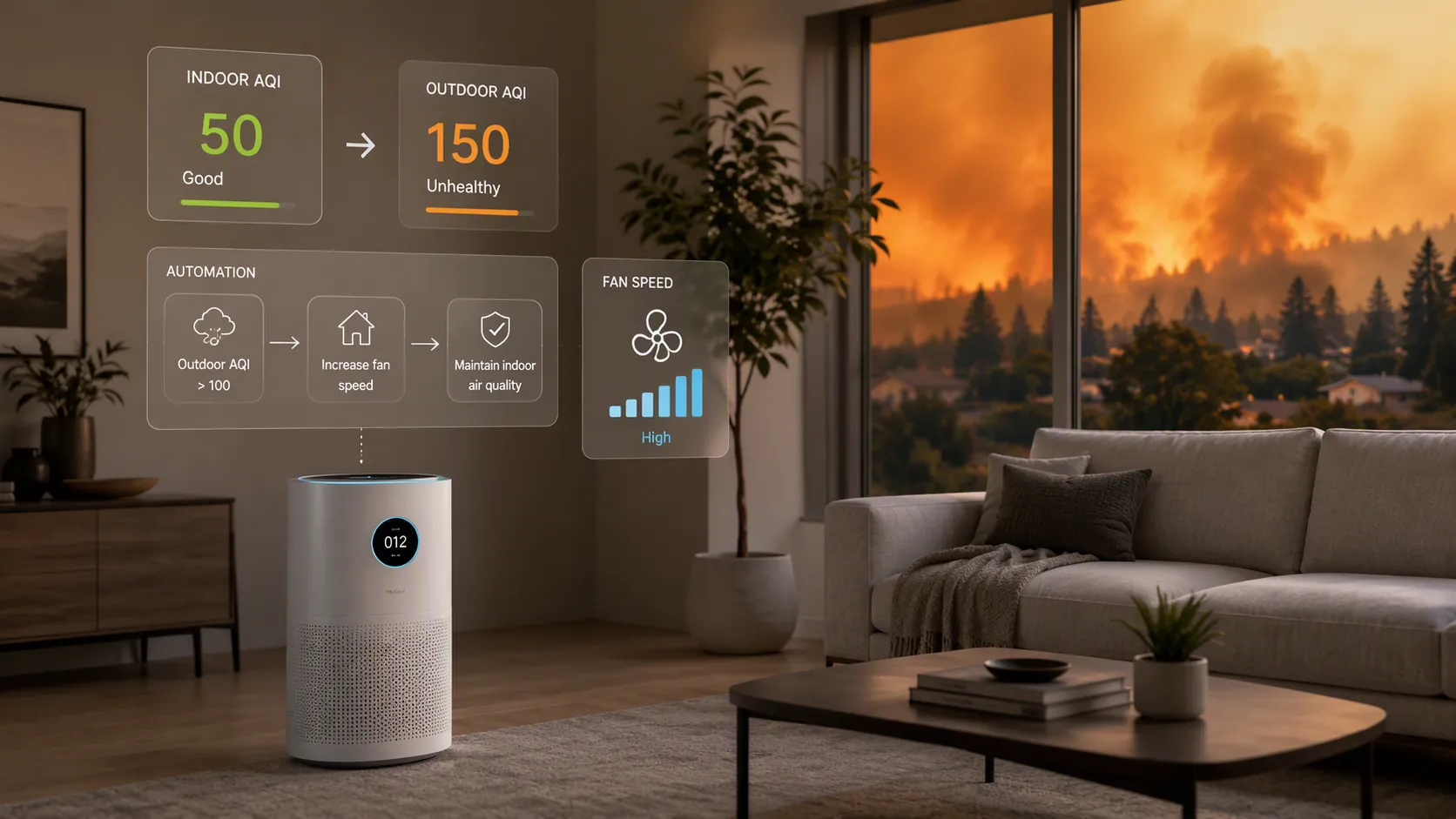
The best smart air purifier setup for wildfire smoke is not the one with the prettiest app screen. It is the one that keeps working after the first clean-air dip: turn on when outdoor or indoor smoke crosses AQI 100, or when PM2.5 crosses 50 micrograms per cubic meter; raise fan speed as the air gets worse; and do not shut down until the air has stayed good for 30 minutes.[1]
That last delay is not polish. It is the difference between a room that stays protected and a room that quietly gives back the improvement while everyone is asleep.
The Rule Before the Product
A wildfire-smoke automation should be boring enough to trust. The purifier should not wait for a phone notification, a person checking an app, or someone remembering to switch from auto to high before bed. The basic rule is:
- Start cleaning when AQI rises above 100 or PM2.5 rises above 50 micrograms per cubic meter.
- Use low speed for moderate air, medium for Unhealthy for Sensitive Groups, high for Unhealthy, and max for Very Unhealthy.
- Keep running until the air has stayed below the chosen shutoff threshold for 30 minutes.
- Block obvious false triggers, especially cooking spikes.
- Test the automation before smoke season, not during the first bad night.
The Home Automation Cookbook publishes the same core trigger logic: AQI above 100 or PM2.5 above 50 micrograms per cubic meter, graduated fan speed by severity, and a 30-minute quality-stable delay before shutoff.[1] That recipe is a better starting point than most product rankings because it describes what the system must actually do.
Why Shutoff Logic Matters More Than App Auto Mode
Smart Air’s rebound experiment is the uncomfortable part of this setup. In one Beijing room, a DIY Cannon purifier cut 0.5-micron particulate by 50% in 10 minutes. After the purifier was turned off, PM2.5 rebounded to near its original level within roughly 2 hours, even though the windows and doors were closed.[2]
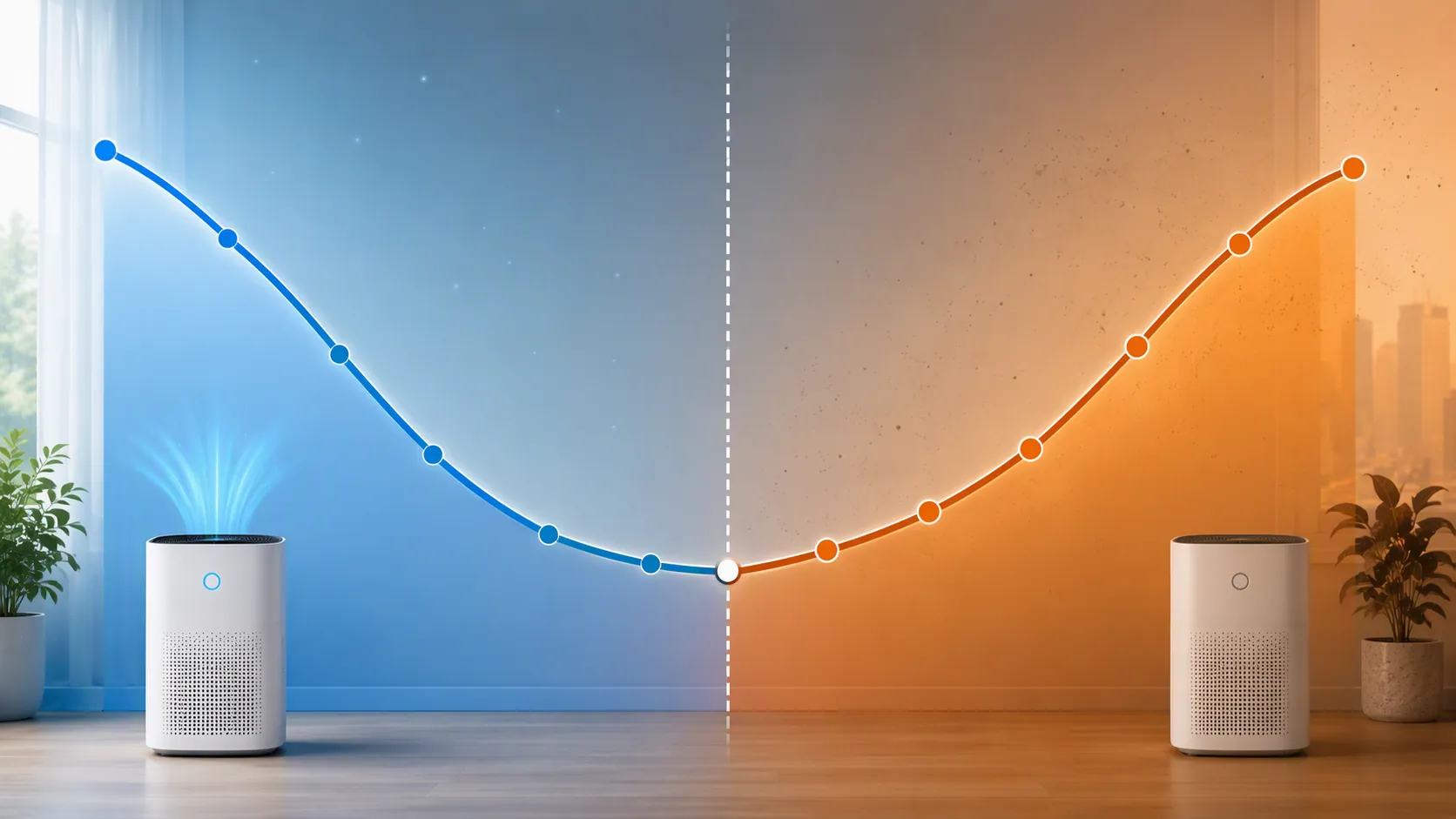
That is one room, one experiment, and not a controlled map of every U.S. home during every wildfire event. Building leakage, HVAC operation, filter fit, room size, and outdoor smoke concentration all change the result. Still, the pattern is enough to make premature auto-off a bad default. If the room rebounds after the purifier rests, the automation has to care about stability over time, not just the first moment a sensor reading looks acceptable.
This is where many “smart” purifiers become hard to judge. An app may say auto mode, but if it does not expose thresholds, delay behavior, fan-speed mapping, or sensor readings to the hub, the household has to trust a black box. That may be fine for routine dust. During wildfire smoke, especially with someone sleeping, away from home, or sensitive to particulate exposure, inspectable logic is worth more than a glossy dashboard.
The Complete Smoke Automation Flow
Before choosing a platform, define the rule once in plain language. Then translate it into Home Assistant, IFTTT, a native purifier app, SmartThings, Hubitat, Alexa, Google Home, or HomeKit as far as that platform allows.
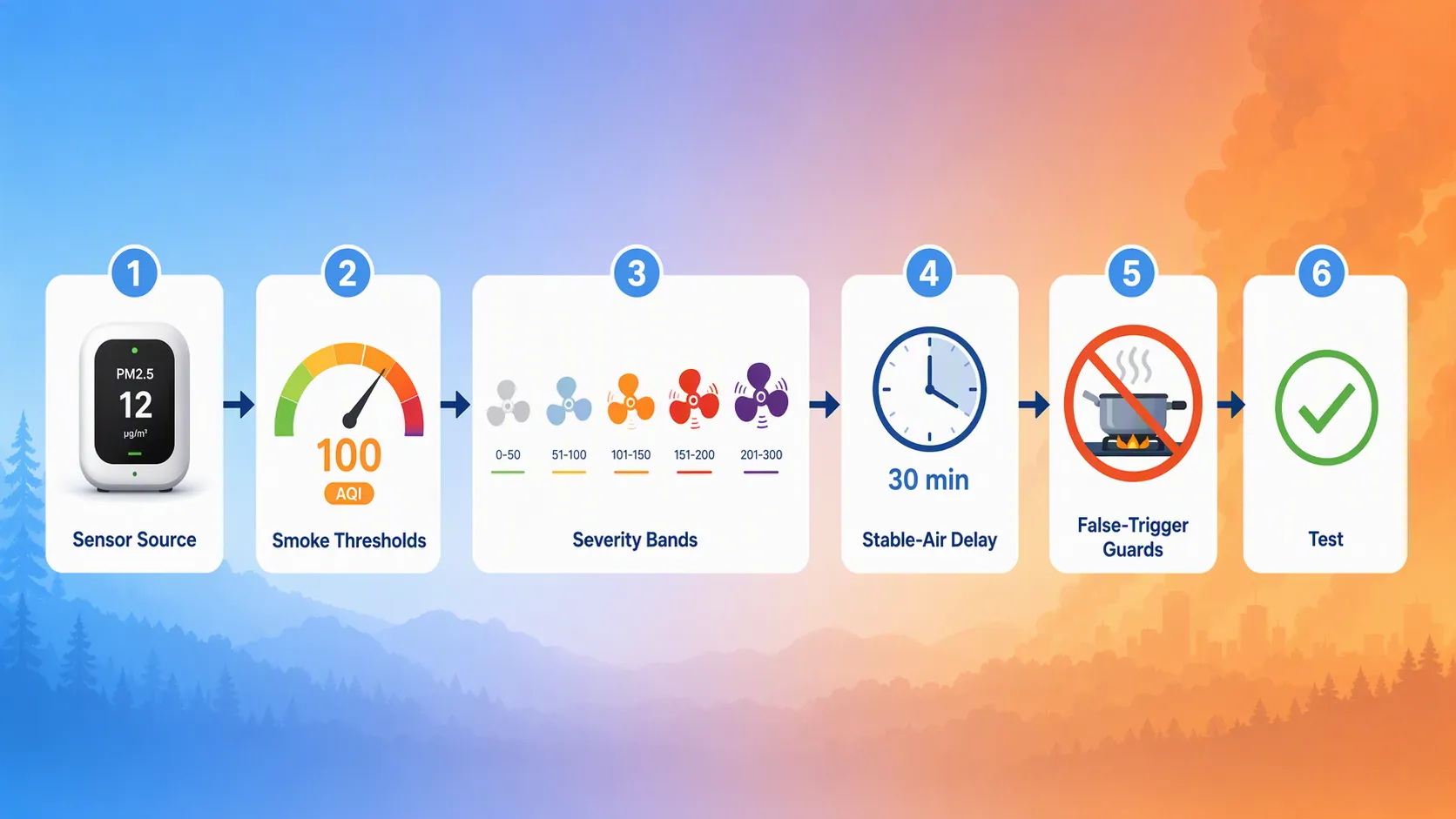
| Step | Decision | Good Default |
|---|---|---|
| Choose the sensor source | Use a purifier’s onboard PM2.5 sensor or a separate monitor visible to your hub | Separate PM2.5 monitor when you want auditable cross-platform control |
| Define smoke thresholds | Decide when smoke mode starts | AQI > 100 or PM2.5 > 50 micrograms per cubic meter |
| Map fan speed | Increase airflow as severity rises | Low, medium, high, max by AQI band |
| Delay shutoff | Avoid stopping on a brief clean reading | Require 30 stable minutes before turning down or off |
| Guard against cooking | Prevent short PM2.5 spikes from hijacking the room | Use time delays, occupancy context, or cooking-hour rules |
| Test | Confirm every action happens without phone prompts | Watch sensor value, fan action, and shutoff delay in the log |
The important split is sensor visibility. A purifier with an onboard PM2.5 sensor can often react by itself. A separate monitor, such as an Airthings View Plus, PurpleAir, or AirGradient ONE, is more useful when the purifier lacks a good sensor or when you want the same PM2.5 value to drive automations across a hub instead of staying trapped inside one brand app.[3]
Pick a Sensor Source You Can Audit
Onboard PM2.5 sensors reduce setup friction. Coway Airmega ProX, Levoit Vital 200S, and Airthings Renew are examples of purifiers with onboard PM2.5 sensing that can support closed-loop behavior through their own apps.[4][5][6] For a beginner path, that is a reasonable place to start: enable the purifier’s auto mode, confirm that the sensor reading changes when air quality changes, and check whether the app allows any threshold or schedule control.
The limitation is not that onboard sensors are useless. The limitation is visibility. If the purifier’s app decides when to run, but your hub cannot read the PM2.5 value or control the speed reliably, you cannot easily add a 30-minute stable-air delay, cooking guard, or separate escalation rule for a bad smoke night.
A separate monitor is a little more work and often a better automation source. It gives the hub a sensor entity independent of the purifier. That means one PM2.5 reading can turn on a purifier, raise an HVAC fan if appropriate, notify someone if the room does not improve, and show whether the purifier actually held the room below the chosen threshold.
Use AQI Bands to Set Fan Speed
For smoke automation, a single on/off threshold leaves too much performance unused. It may work on a mild day, then underreact when smoke jumps from nuisance to serious. A better mapping is simple:
| AQI Band | Air Quality Category | Purifier Action |
|---|---|---|
| 0-50 | Good | Off or normal auto |
| 51-100 | Moderate | Low |
| 101-150 | Unhealthy for Sensitive Groups | Medium |
| 151-200 | Unhealthy | High |
| 201-300 | Very Unhealthy | Max |
If your sensor reports PM2.5 instead of AQI, use PM2.5 above 50 micrograms per cubic meter as the smoke-mode trigger and then create your own local speed bands around the readings your sensor exposes.[1] Do not pretend those local PM2.5 bands are official AQI conversions unless your platform or sensor explicitly provides that conversion. For automation, the practical need is consistent escalation: worse readings should produce more airflow, and improved readings should not immediately stop the machine.
Home Assistant: The Most Transparent Recipe
Home Assistant gets the most precise version of this recipe because it can expose the pieces: sensor entity, trigger, conditions, fan action, delay, and log history. Home Assistant also documents an air-quality PM2.5 changed trigger, which is useful when an integration provides air-quality entities rather than a plain numeric sensor.[3]
The exact entity names will differ. Replace the PM2.5 sensor, optional cooking helper, and fan entity with the ones in your system. If your purifier only supports named presets instead of percentage speed, swap the fan actions for preset-mode actions.
alias: Wildfire smoke purifier control
mode: restart
trigger:
  - platform: numeric_state
    entity_id: sensor.living_room_pm25
    above: 50
    id: smoke_detected
  - platform: numeric_state
    entity_id: sensor.living_room_pm25
    below: 35
    for: "00:30:00"
    id: air_stable
condition: []
action:
  - choose:
      - conditions:
          - condition: trigger
            id: smoke_detected
          - condition: state
            entity_id: input_boolean.cooking_mode
            state: "off"
        sequence:
          - choose:
              - conditions:
                  - condition: numeric_state
                    entity_id: sensor.living_room_aqi
                    above: 200
                sequence:
                  - service: fan.set_percentage
                    target:
                      entity_id: fan.living_room_purifier
                    data:
                      percentage: 100
              - conditions:
                  - condition: numeric_state
                    entity_id: sensor.living_room_aqi
                    above: 150
                sequence:
                  - service: fan.set_percentage
                    target:
                      entity_id: fan.living_room_purifier
                    data:
                      percentage: 80
              - conditions:
                  - condition: numeric_state
                    entity_id: sensor.living_room_aqi
                    above: 100
                sequence:
                  - service: fan.set_percentage
                    target:
                      entity_id: fan.living_room_purifier
                    data:
                      percentage: 55
            default:
              - service: fan.set_percentage
                target:
                  entity_id: fan.living_room_purifier
                data:
                  percentage: 35
      - conditions:
          - condition: trigger
            id: air_stable
        sequence:
          - service: fan.set_percentage
            target:
              entity_id: fan.living_room_purifier
            data:
              percentage: 25
This example turns the purifier up when PM2.5 crosses the smoke threshold, then uses AQI to choose the fan speed. When PM2.5 stays below the chosen recovery threshold for 30 minutes, it drops the purifier to a low maintenance speed instead of turning it fully off. That is intentional. If your room holds clean air well, you can change the final action to off. If rebound is obvious in your logs, leave a low speed running during the smoke event.
If Your Integration Uses PM2.5 Events
Some air-quality integrations expose a PM2.5 change trigger rather than a normal numeric sensor. In that case, use the documented Home Assistant PM2.5 changed trigger to wake the automation, then put the actual threshold check in the conditions or action branch.[3]
trigger:
  - platform: air_quality.pm25_changed
    entity_id: air_quality.living_room
The useful test is not whether the YAML saves. The useful test is whether the trace shows the right branch at each severity level and whether the purifier action fires without a cloud prompt, phone confirmation, or manual app tap.
Use Helpers for Cooking Guards
Cooking can create PM2.5 spikes that look like smoke to a sensor. The purifier should usually run during those spikes too, but you may not want a full wildfire escalation every time someone sears food. The cleanest Home Assistant guard is an input helper such as `input_boolean.cooking_mode`, turned on by a kitchen scene, range hood automation, occupancy pattern, or manual dashboard button.
- If cooking mode is on, allow low or medium purifier speed but block max-speed smoke escalation.
- If PM2.5 stays high after cooking mode ends, let the smoke automation take over.
- If a bedroom sensor rises while the kitchen sensor spikes, treat that as a stronger whole-home smoke signal.
- If the bad reading lasts beyond a short delay, stop assuming it is a harmless cooking event.
Avoid guards that simply disable purification during cooking hours. A sensor cannot tell motive; it only sees particles. The better guard changes the response level until duration and location make the event clearer.
IFTTT: A Useful Starter Path
IFTTT is the practical beginner route when your household already has Smart Life devices and you do not want to build a hub-first setup. IFTTT publishes an applet called “Turn on Smart Life air purifier when air quality is unhealthy,” which can serve as a starter template for a smoke-triggered purifier action.[7]
- Connect the air-quality trigger service available to your IFTTT account.
- Connect Smart Life or the purifier service that can turn the unit on.
- Use the unhealthy-air trigger as the start condition.
- Create a separate applet or native-app rule for turn-down behavior, if the platform supports it.
- Confirm whether speed control is available, not just power on/off.
The tradeoff is granularity. IFTTT may be enough to make a purifier wake up automatically when air becomes unhealthy, which is already better than waiting for someone to notice smoke. It may not give you a clean AQI-band speed map, a reliable 30-minute stable-air delay, or local behavior during internet outages. Treat it as a starter path, not as proof that the full wildfire recipe has been implemented.
Native App Automations: When They Are Enough
A native purifier app is enough when three things are true: the purifier’s own PM2.5 sensor is reasonably responsive, the room is not a high-risk sleeping or caregiving space, and the app’s auto mode keeps running long enough to avoid obvious rebound. For many households, that is the first setup to try because it takes minutes instead of an afternoon.
Coway Airmega ProX, Levoit Vital 200S, and Airthings Renew belong in this discussion because their onboard PM2.5 sensing can reduce the need for a separate trigger device.[4][5][6] The question is not whether they are “smart.” The question is whether their sensor and app behavior are enough for the room you are protecting.
CADR still matters. HouseFresh’s wildfire-smoke guidance points to a minimum CADR of 200 CFM and about 4.8-5 air changes per hour in the target room.[4] That is where a sensor-friendly purifier can still be the wrong smoke purifier for a larger space. Airthings Renew, for example, is useful to discuss because of its smart sensing, but its 140 CFM smoke CADR is a limitation for wildfire-smoke use in rooms that need more airflow.[6]
| Setup | Best Use | Main Limitation |
|---|---|---|
| Purifier native auto mode | Fast beginner setup with onboard PM2.5 sensing | Thresholds and delays may be hidden |
| Separate monitor plus hub | Auditable rules across brands and rooms | More setup work |
| IFTTT applet | Cloud-based starter automation | Less granular and more cloud-dependent |
| Home Assistant | Full threshold, speed, delay, and guard logic | Requires entity setup and testing |
Alexa, Google Home, SmartThings, Hubitat, and HomeKit
The same logic applies outside Home Assistant. The platform only changes how much of the recipe you can express. Start by checking whether your air-quality sensor appears as an automation trigger, whether the purifier appears as a controllable fan or switch, and whether the platform can wait for a condition to remain true before acting.
- If the platform supports sensor thresholds and fan speed, build the AQI-band map directly.
- If it supports only on/off control, use AQI > 100 or PM2.5 > 50 as the start trigger and handle fan speed in the purifier’s app.
- If it cannot require 30 stable minutes before shutoff, avoid aggressive auto-off rules.
- If the sensor and purifier live in separate ecosystems, test the cloud link before relying on it overnight.
For platforms with simpler routines, the safest compromise is often this: automate the turn-on, automate escalation if available, and leave turn-off manual or delayed through the purifier app. A bad auto-off rule is worse than no auto-off rule during a smoke event.
Matter Is Not the Shortcut Yet
In Q3 2026, do not buy a purifier assuming Matter will give you verified smoke-responsive automation across brands. Smart purifier features are still commonly tied to app or cloud ecosystems such as VeSync, Blueair’s app, Smart Life, or similar vendor paths, and major brands have not confirmed Matter-native smoke-response recipes. If Matter support appears on a spec sheet, check what is actually exposed: power, fan speed, air-quality sensor value, preset mode, or only a subset.
How to Verify the Setup
Verification is not a screenshot of a connected device. It is a short smoke-season rehearsal. Lower the thresholds temporarily, or use a safe sensor test method recommended by the sensor maker, and watch the automation path from reading to action.
- The PM2.5 or AQI value updates in the hub, not only in the vendor app.
- The purifier turns on without a phone prompt.
- Fan speed changes when the reading crosses a higher severity band.
- The purifier does not shut off until the clean-air condition has held for 30 minutes.
- Cooking or kitchen activity changes the response level without disabling protection entirely.
If one of those checks fails, fix that part before comparing another purifier model. The trustworthy wildfire-smoke setup is the one whose sensor source, AQI bands, fan-speed actions, delay, and false-trigger guards still work when nobody is watching.
References
- Air Quality Purifier Automation, Home Automation Cookbook, https://www.homeautomationcookbook.com/automation/climate/air-quality-purifier.html
- Do You Have to Run Your Purifier All Day?, Smart Air, https://smartairfilters.com/en/blog/do-you-have-to-run-your-purifier-all-day/
- PM2.5 changed trigger, Home Assistant, https://www.home-assistant.io/triggers/air_quality.pm25_changed/
- HouseFresh air purifier testing and wildfire smoke guidance, HouseFresh
- Air purifier product coverage, Consumer Reports
- Airthings Renew product information, Airthings
- Turn on Smart Life air purifier when air quality is unhealthy, IFTTT, https://ifttt.com/applets/zAW3SguP-turn-on-smart-life-air-purifier-when-air-quality-is-unhealthy