
Smart thermostat settings to run during a heat dome
Run a copyable heat-dome schedule instead of chasing one magic setpoint: ENERGY STAR's 78°F home / 85°F away / 82°F sleep benchmarks, a precool window only worth it under the right rate plan, and the Nest, ecobee, and generic-unit features that keep the schedule from overworking your system. Every claim is source-attributed and dated.
Updated July 31, 2026: use this as a field card, not a permanent comfort rule. The Department of Energy’s old Energy Saver thermostat page is no longer a stable page to quote; Newsweek reported in July 2026 that DOE had deleted a webpage that instructed people to keep thermostats around 75–78°F during the day, and the former energy.gov/energysaver/thermostats page now returns a 404.[1] For a heat dome, the safer move is to copy a defensible schedule, then verify whether your rate plan, house, occupants, and exact thermostat model can actually support it.
If you already use our heat-wave thermostat schedule, keep it as the baseline. If your area is under heat-advisory or high-temperature alerts, pair this with the heat-advisory thermostat safety recipe. This version is the heat-dome escalation: longer heat, warmer overnight recovery, more grid strain, and more reason to check the toggles instead of trusting one famous number.
Copy this heat-dome thermostat schedule first
Start with the ENERGY STAR-derived example settings cited by The Hill: 78°F when awake and home, 85°F when away, and 82°F when sleeping, with the away and sleep blocks described as 7°F and 4°F cooling setbacks from the 78°F home setting.[2] Those are starting points for the app screen. They are not proof that your bedroom will be safe at 82°F or that your bill will drop by a fixed percentage.
| Schedule block | Setpoint to enter | Use it when | Heat-dome adjustment |
|---|---|---|---|
| Home / occupied | 78°F cooling | People are awake and active at home. | If the house cannot hold 78°F without the system running constantly, keep 78°F for the schedule but plan to reduce aggressive away or sleep setbacks. |
| Away | 85°F cooling | No one heat-vulnerable is home, and the home can recover before people return. | Use a smaller setback, such as returning closer to the 78°F home block, if the home has poor insulation, upstairs bedrooms that overheat, or occupants who should not return to a hot house. |
| Sleep | 82°F cooling | Only if people can sleep safely and comfortably at that temperature. | Lower the sleep setpoint if anyone cannot sleep at 82°F, if humidity is high, or if a vulnerable occupant needs a tighter limit. |
| Conditional precool | Do not add by default. If conditions pass, run a modest lower-than-home block before your utility peak window, then raise during peak only as far as safe. | Time-of-use or demand-response rate plans, efficient homes, and thermostats that recover predictably. | Skip it on flat-rate plans, leaky homes, systems that already run continuously, or households that cannot tolerate the higher peak-window setting. |
| Fan | Auto | All blocks. | Do not leave the fan set to On as a comfort guess during sticky weather; it can make the house feel worse if it re-evaporates moisture from the coil after cooling stops. |
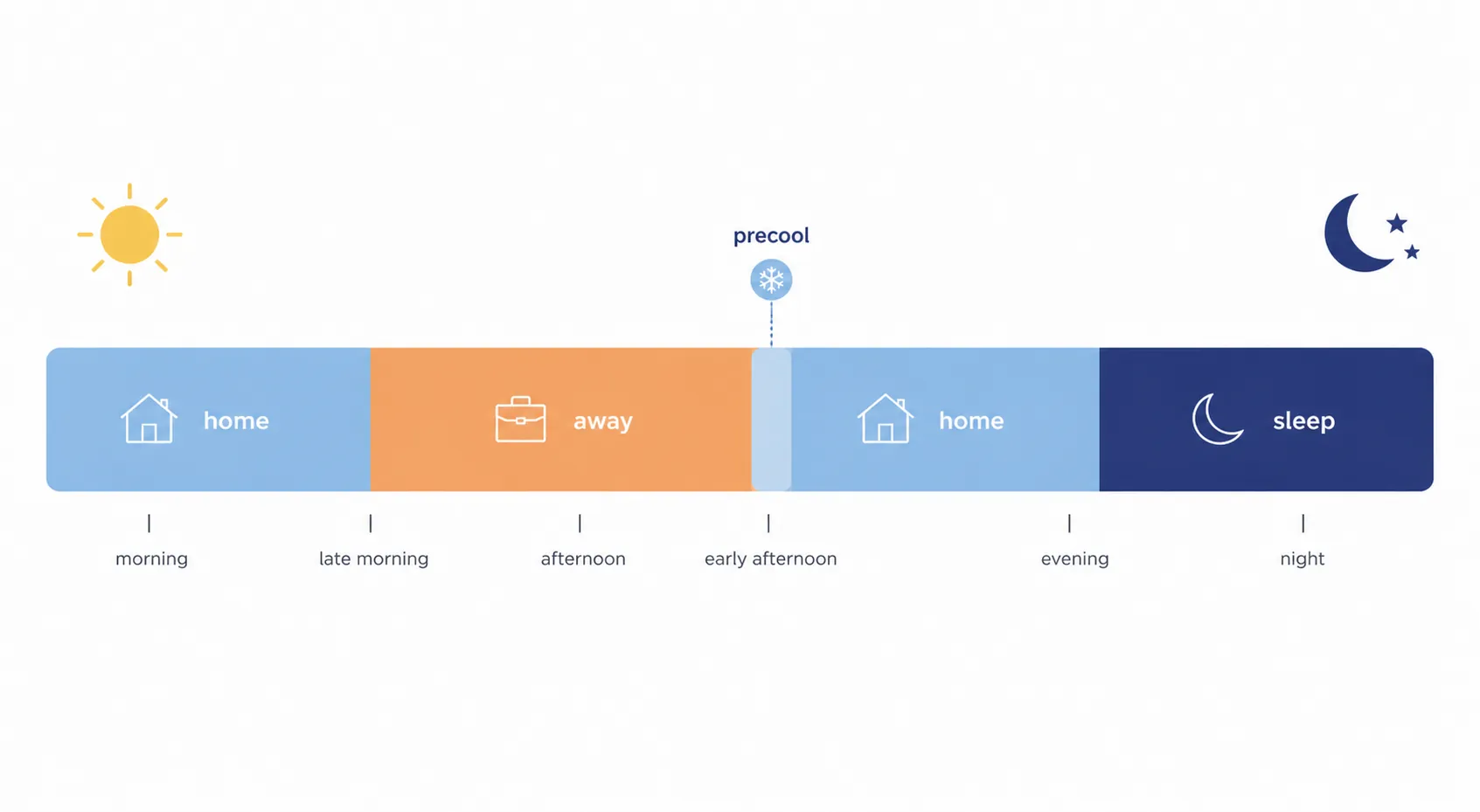
In most thermostat apps, the useful version looks like this: set your occupied comfort period to 78°F, set your true away period to 85°F, set sleep to 82°F only if the household can actually sleep and stay safe there, and leave the fan on Auto. Then decide whether the optional precool block belongs in your house at all. A heat dome is exactly the wrong time to add every energy-saving feature you have never tested.
Why 78 / 85 / 82 is a starting point, not a safety threshold
The trouble with the 78°F number is not that it is useless. It gives a clean starting point when the forecast is ugly and the app wants an answer. The trouble starts when it gets repeated as if it were a medical cutoff or a universal comfort setting.
Destenie Nock of Carnegie Mellon wrote in The Conversation that 78°F is neither universally comfortable nor a safety threshold, and noted that the average U.S. summer thermostat setting is about 72°F.[3] That gap matters in a heat dome because the person who has to correct the schedule at night is not arguing with a benchmark; they are standing in a bedroom that did not cool down.
For homes with older adults, people with chronic illness, infants, people taking medications that affect heat tolerance, or anyone who already shows heat stress, do not treat 82°F sleep or 85°F away as a prize for discipline. WHO’s heat-and-health guidance includes an 81°F indoor reference for vulnerable occupants, which should make aggressive setbacks look less attractive in those homes.[4]
When the default schedule can stand
- Healthy occupants can function and sleep at the scheduled temperatures.
- The thermostat reaches 78°F in the evening without hours of continuous catch-up.
- Humidity stays comfortable enough that 78°F does not feel clammy.
- The away block does not leave anyone returning to an overheated upstairs room.
- The household understands that the numbers may be changed for sleep, health, or recovery.
When to pull the cooling setpoint down
Lower the home or sleep setpoint when the risk is inside the house, not outside on the utility bill. That includes vulnerable occupants, poorly insulated rentals, top-floor bedrooms, homes with big west-facing glass, and any bedroom where 82°F means no one sleeps. A smaller setback that people can live with is better than an elegant schedule that gets manually overridden every night.
Savings claims deserve the same caution. Trane says setting the thermostat back 7–10°F for eight hours a day can save up to 10% annually, and it describes cooling savings of about 3% per degree.[5] Other publishers give different per-degree figures, so do not turn any one savings number into a promise for a heat dome. Your rate plan, insulation, humidity, and system recovery can easily matter more than the slogan.
The precool block is optional, and it has to earn its place
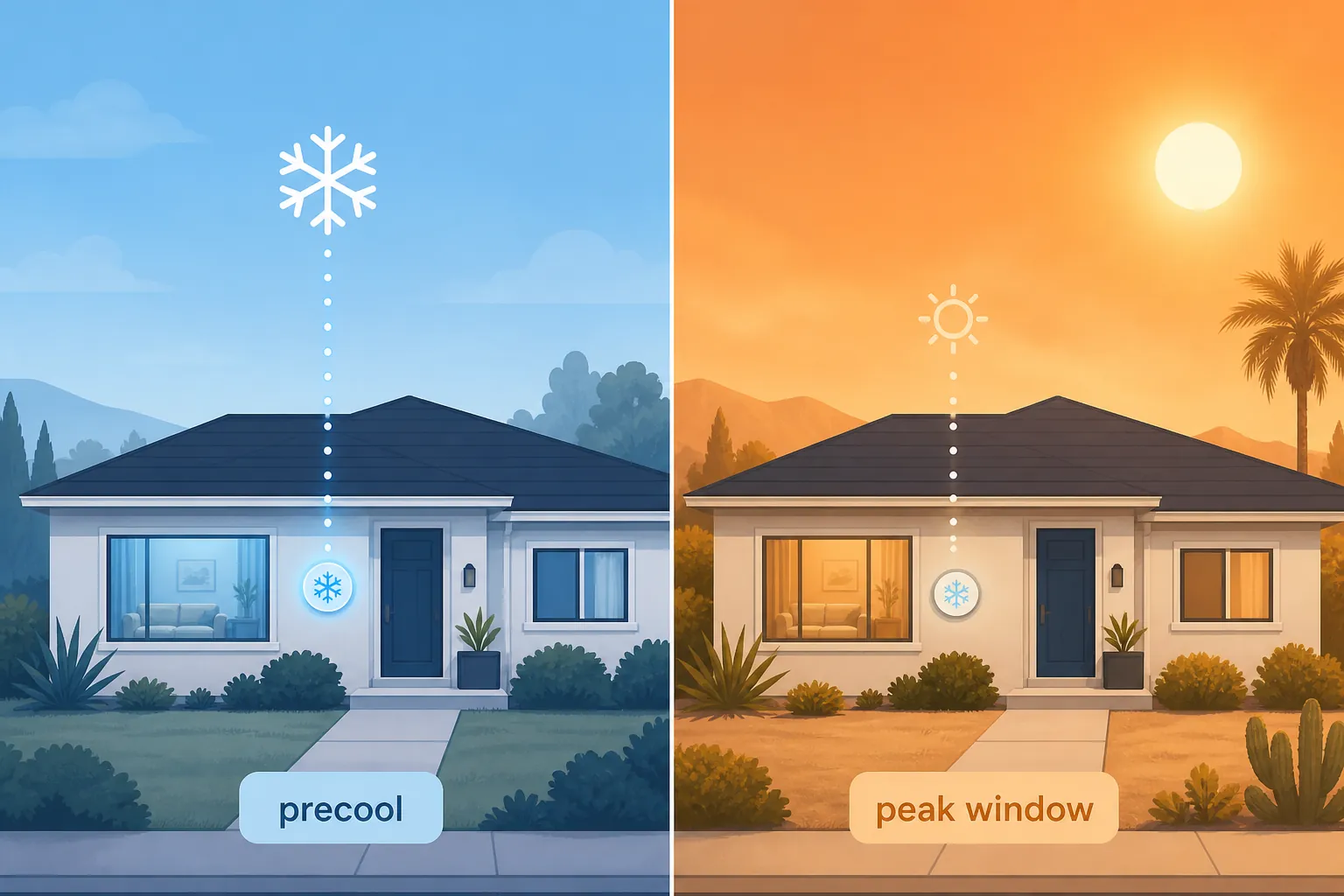
Precooling is the part of the recipe most likely to get oversold. NPR’s July 2025 reporting captured the split: Exelon warned that supercooling can increase energy use and strain systems, Georgia Power said it works well only in very efficient homes, and Arizona Public Service endorsed a lower-morning / higher-peak pattern.[6] That does not support a blanket order to crank the air conditioner before every hot afternoon.
| Question | If yes | If no |
|---|---|---|
| Do you have time-of-use pricing, a utility peak window, or demand-response events? | A modest precool test may make sense, especially if the utility peak rate is expensive. | Skip manual precooling. Use the normal home / away / sleep schedule. |
| Does the house hold cool air after the compressor cycles off? | Try a lower-than-home block before peak, then a higher but safe peak setting. | Precooling may just make the system run longer before the house heats back up. |
| Can the system recover without running continuously? | Keep the experiment narrow and watch evening recovery. | Reduce the setback instead of forcing a larger temperature swing. |
| Can everyone tolerate the peak-window setting? | Use the peak increase only as far as comfort and health allow. | Do not precool into a later setting that makes the home unsafe. |
A practical test is simple: if your utility peak window starts later in the day, let the thermostat cool modestly before that window, then raise the cooling setpoint during the peak period only as far as the household can tolerate. If the system never gets a rest, if the house gives the cool air back immediately, or if the evening recovery drags on after everyone is home, remove the precool block. The app did not fail; the house told you the strategy does not fit.
Nest settings to verify before the worst afternoon
On Nest, the schedule is only half the job. The quiet settings around it can decide whether the compressor rests sensibly or the thermostat chases comfort in a way you did not intend.
Airwave
Nest Airwave turns the compressor off before the target temperature is fully reached and keeps the fan running for about 5–10 minutes to use residual cold from the coil; Google says it works only when indoor humidity is low enough.[7] During dry heat, that can be useful. During sticky heat, check whether the house feels clammy after cooling cycles. If humidity comfort gets worse, turn Airwave off for the heat dome and reassess later.
Sunblock
If the thermostat sits where direct sun hits the wall, verify Sunblock. Google describes it as sunlight compensation for the thermostat’s sensor, and notes that Sunblock is not available on the Nest Thermostat 2020.[8] This is a model-limit setting, not a generic Nest promise. If your thermostat is in sun and your model lacks Sunblock, the better fix is shading or relocating the sensing point when possible, not lowering the whole schedule blindly.
Eco Temperatures
Check Eco Temperatures before relying on an away block. Google lists Nest cooling Eco Temperatures as a 76–90°F range.[9] For a heat dome, do not let an old Eco setting float up to a number that makes evening recovery miserable or unsafe. If your away target for this recipe is 85°F, make the Eco cooling setting match that judgment or stay lower for vulnerable households.
ecobee settings: useful, but check the live thermostat
ecobee can do useful heat-dome work, especially around utility events, but I would not label a threshold setting “confirmed” from a stale support page alone. ecobee support content for threshold settings is JavaScript-rendered, so verify against the live article or the thermostat’s Installer Settings menu before changing compressor-related values.[10]
Smart Recovery
Look at Smart Recovery before a peak-rate window. If it starts cooling early so the home reaches 78°F by the time people return, that may be exactly what you want. If it starts cooling during the expensive or grid-stressed part of the day because the schedule asked for an unrealistic recovery, change the schedule first: use a smaller away setback or move the occupied target later only if the household can tolerate it.
eco+ Community Energy Savings
If you are enrolled in ecobee eco+ Community Energy Savings, check how event adjustments appear in your app before the heat dome peaks. ecobee says the feature may precool or preheat before an event, adjust the setpoint by 1–4°F during energy events, and allow opt-out.[11] That is not automatically bad; it can be the utility-coordinated version of the precool strategy. But if your household includes someone who cannot tolerate the event setting, opt out of that event rather than waiting for complaints.
Thresholds and compressor protection
Do not change compressor minimum run time, minimum off time, staging, or temperature differential during a heat dome unless you know why you are doing it or an HVAC professional tells you to. The useful homeowner check is more modest: make sure the system is not rapid-cycling after you add setbacks, and if it is, back off the aggressive schedule before digging into installer menus.
Generic programmable thermostat: keep it boring
For a non-Nest, non-ecobee thermostat, do not try to recreate every smart feature manually. Program the four blocks you actually need: occupied, away, sleep, and optional peak-window adjustment. Leave the fan on Auto. If the thermostat has a “circulate” option, avoid turning it into an all-day fan substitute during humid weather unless you have checked that it improves comfort.
| Menu label you may see | Heat-dome setting |
|---|---|
| Cool / cooling setpoint | 78°F occupied, 85°F away, 82°F sleep if safe |
| Program / schedule | Use weekday/weekend blocks only if your household pattern really changes |
| Hold | Use temporary hold for a bad night; do not leave a permanent hold that cancels the schedule for the rest of the heat dome |
| Fan | Auto |
| Vacation / away mode | Do not use a high vacation temperature during a heat dome if anyone, pets, plants, medicines, or humidity-sensitive belongings remain at home |
The boring version is often the most reliable one: fewer automatic guesses, fewer recovery surprises, and less late-night detective work.
The 9 p.m. check that tells you whether the schedule worked
After the first full heat-dome day, check the schedule when the house has had time to recover but before everyone goes to bed. This is where a copied recipe becomes your house’s recipe.
- Is the actual indoor temperature close to the setpoint, or is the system still fighting hours after the away or peak block ended?
- Did anyone override the sleep setting? If yes, lower the scheduled sleep setpoint instead of forcing the same fight tomorrow.
- Did the compressor appear to run continuously through the hottest period? If yes, reduce the size of the setback or remove the precool experiment.
- Does the house feel humid even when the temperature looks acceptable? Check fan Auto, Nest Airwave, and any circulate setting.
- Did a utility event or eco mode move the setpoint more than the household can tolerate? Opt out of that event or narrow the allowed setting before the next one.
Copy the schedule, confirm your rate plan and household safety needs, verify the brand toggles on your exact thermostat, and adjust from what the house actually does. The numbers 78 / 85 / 82 are useful because they are typeable. They are not universal truth.
References
- DOE Deletes Webpage Instructing People to Lower Thermostat to 78, Newsweek
- What should your thermostat be set at during summer?, The Hill
- Why 78 degrees isn’t the right thermostat setting for everyone during a heat wave, The Conversation
- Climate change: Heat and health, World Health Organization
- Should You Really Set Your Thermostat to 78 in the Summer?, Trane
- Should you precool your home before a heat wave? It depends, NPR, July 23, 2025
- Learn about Airwave and how to change settings, Google Nest Help
- Learn about Sunblock and how to change settings, Google Nest Help
- Learn about Eco Temperatures and how to change settings, Google Nest Help
- Threshold settings for ecobee thermostats, ecobee Support
- eco+ Community Energy Savings, ecobee