
Make Your Smart Lights Flash Red for Tornado Warnings
Learn how to turn your color-changing smart lights into a visual tornado alert system that works when audible alerts fail. This guide covers Home Assistant, IFTTT, Alexa, and HomeKit setups with real reliability trade-offs.
A tornado warning is a bad time to discover that the loudest alert in the house was not actually loud enough. Phones can be muted, buried under a pillow, or left in another room. Sirens are outdoor warning tools, not bedroom speakers. A TV crawl helps only if the TV is on. A voice assistant helps only if someone hears it. Wireless Emergency Alerts are still a baseline channel to keep enabled, but even the National Weather Service describes them as short emergency messages sent to mobile devices in affected areas, not as a whole-house alert system that reaches every person in every room.[1]
That is where color-changing smart lights earn their keep. A bedroom turning red at full brightness can cut through headphones, sleep inertia, a noisy game, or a missed phone buzz in a way another beep may not. For a smart home tornado warning alerts setup, though, the bulbs are not the hard part. The trigger source is.
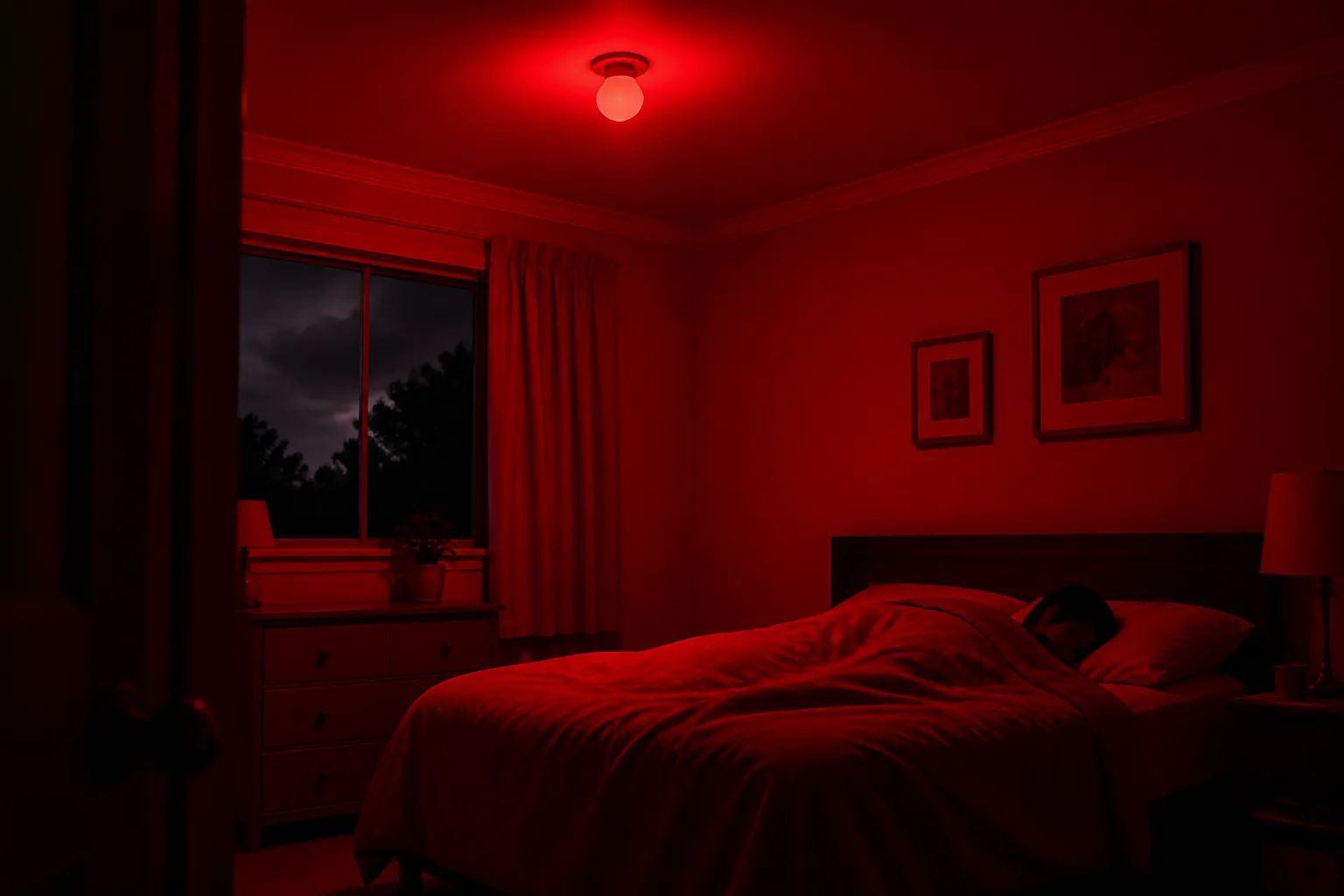
Most modern bulbs can change to red, jump to 100% brightness, and flash or pulse if the platform supports it. The real question is narrower and more important: what source tells the lights that an actual National Weather Service tornado warning exists for your area, how quickly does that source update, and what fails if the internet, Wi-Fi, a hub, or a bridge computer goes down?
Choose the trigger before you choose the light effect
Here is the practical map before the recipes. Treat it as a trust map, not a brand ranking. A simple red scene is useful only after the trigger path is honest about its weak link.
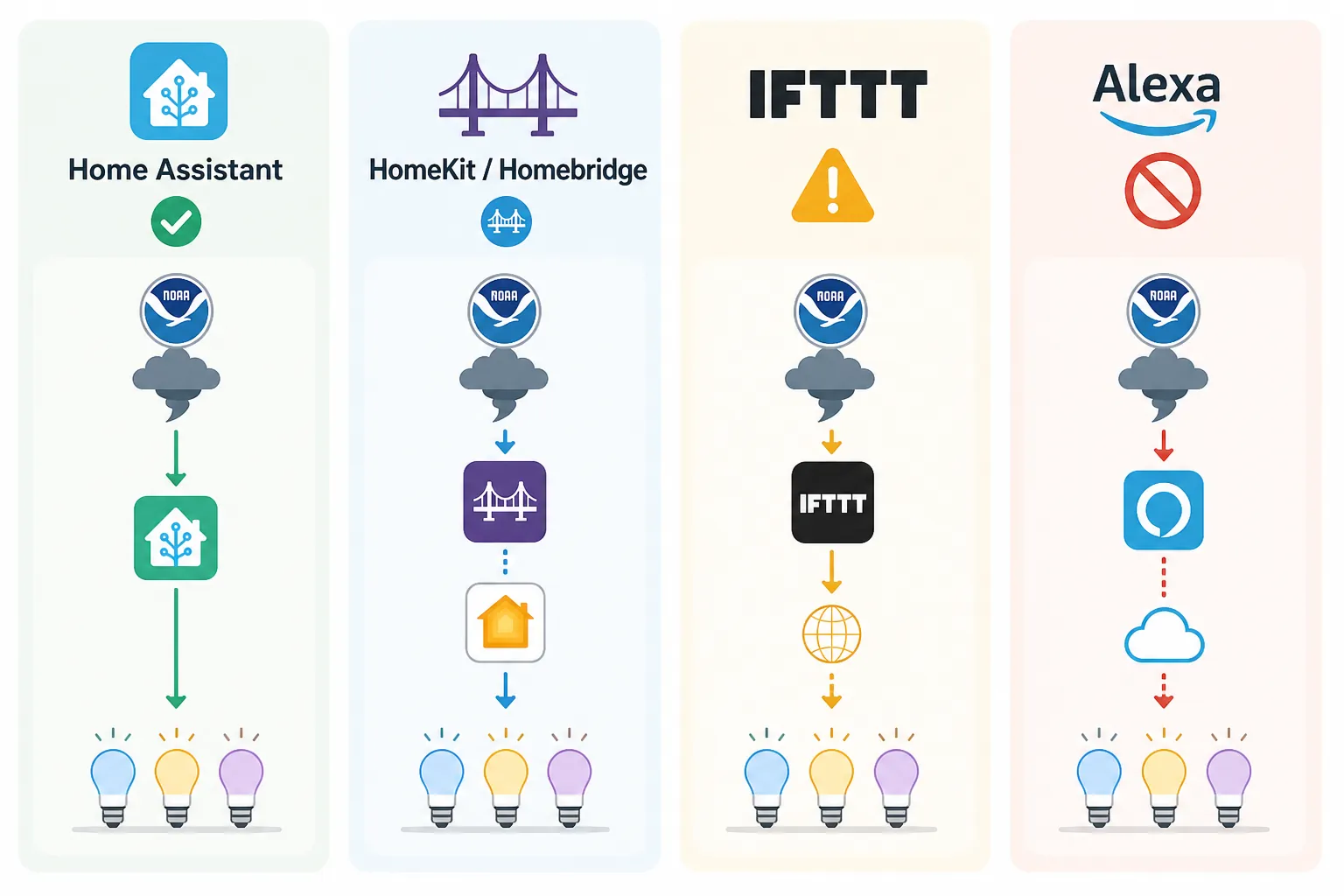
| Path | Best use | Main strength | Weak link to test |
|---|---|---|---|
| Home Assistant + weatheralerts | Best consumer-grade trigger for smart bulbs | Polls the NWS API every 90 seconds by default; interval is configurable from 30 to 600 seconds; no API key required.[2] | Requires Home Assistant, network, and controlled bulbs to stay online. |
| HomeKit through Homebridge or a similar bridge | Good for Apple households willing to maintain a bridge host | Can expose NOAA/NWS-style alert data into HomeKit automations through a bridge path.[5][6] | The Homebridge host becomes part of the safety chain. |
| IFTTT applets | Acceptable for experiments or non-primary visual cues | Easy to connect weather services to Hue-style lighting actions. | Latency can be long, and older Hue weather-alert applets produced false positives from sub-warning events.[3] |
| Alexa | Useful for Echo-native weather alerts and household announcements | Echo devices can provide weather-alert behavior through Alexa features. | The native path is centered on Echo behavior, including the device LED ring, and does not reliably provide a universal third-party-bulb tornado trigger in all regions.[4] |
The rest of the setup is just discipline: filter for tornado warnings, not watches; use a visible convention that nobody has to decode; and do not restore the room to normal until the warning condition clears or someone deliberately resets the alert.
Set the light behavior once
Before wiring any platform, make one emergency scene or action that every recipe can call. Use red, 100% brightness, and enough bulbs to change the room rather than decorate it. In bedrooms, hallways, basements, and common rooms, the goal is not ambiance. The goal is that someone notices the room before they understand why it changed.
- Color: red.
- Brightness: 100%.
- Pattern: steady red if flashing is unreliable; repeated on/off or strobe only if your platform and bulbs handle it consistently.
- Rooms: bedrooms first, then hallways, basement routes, and the main living area.
- Reset: manual reset or automated restore only after the warning condition is no longer active.
Do not make the reset too clever. If the trigger source briefly drops and comes back, you do not want the house relaxing itself while the warning is still relevant. A manual reset button, dashboard toggle, or deliberate “all clear” automation is less elegant and easier to trust.
Best route: Home Assistant with NWS weatheralerts
Home Assistant gets the most trust here because it exposes the parts that matter. The custom weatheralerts integration polls the National Weather Service API every 90 seconds by default, allows a polling interval from 30 to 600 seconds, and does not require an API key.[2] That does not make it magic, and it does not replace official alerts, but it gives you a much clearer timing model than most consumer automation paths.
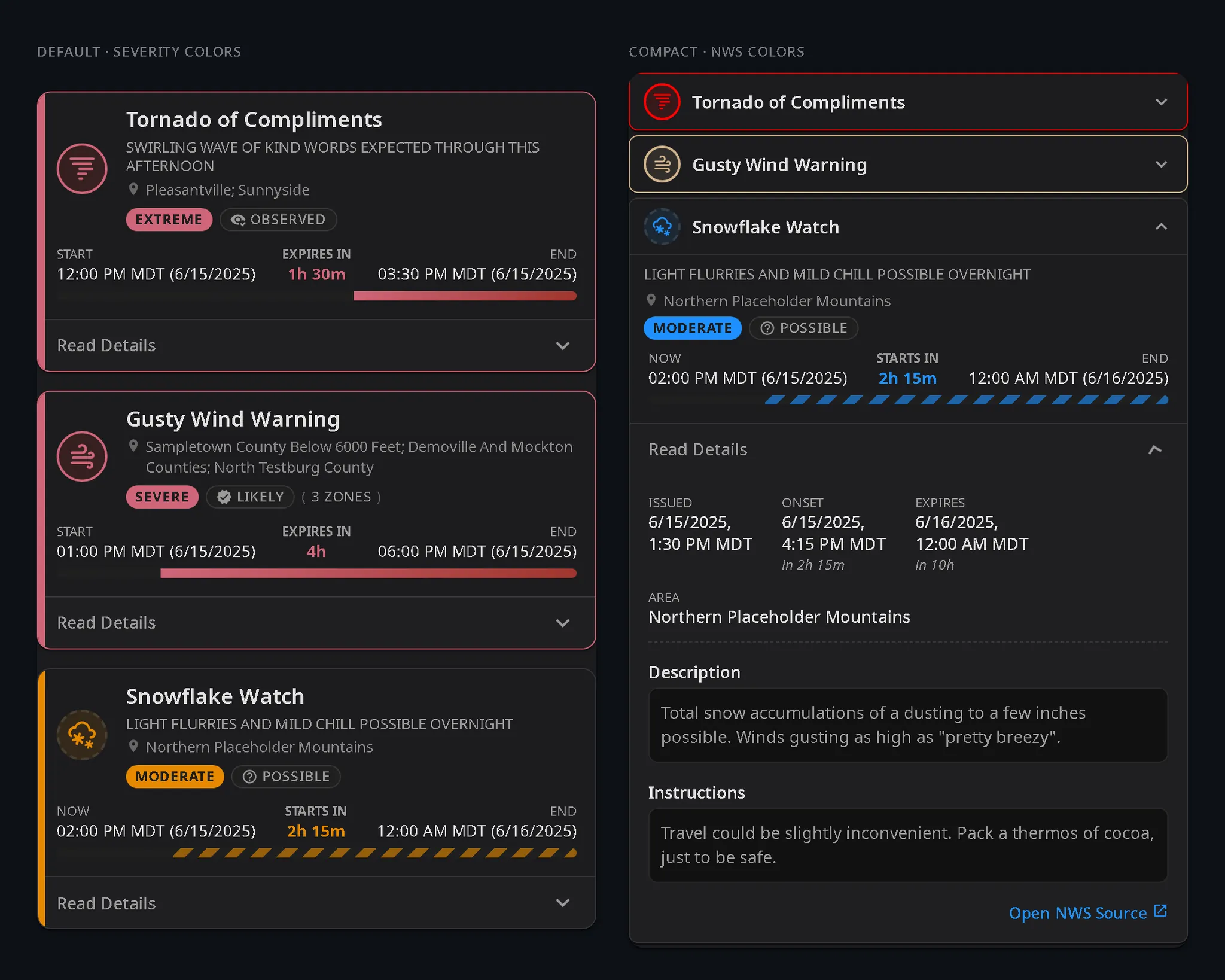
A useful Home Assistant recipe has three pieces: an alert entity or sensor from the weatheralerts integration, a condition that narrows the event to a tornado warning, and a lighting action that runs only for the affected household. If you already have a weather-alert dashboard, the same alert data can be displayed there; Home Assistant users have also shared NWS alert card approaches that prioritize and surface active warnings in the dashboard interface.[7]
Home Assistant setup path
- Install the weatheralerts custom integration and configure it for your location.
- Confirm that the integration is receiving NWS alert data and note the polling interval you are using.
- Create or identify your red emergency light scene.
- Create an automation that triggers when an active alert event matches “Tornado Warning.”
- Add a condition that prevents watches, advisories, thunderstorm warnings, or generic severe-weather alerts from using the tornado light scene.
- Add an action that turns selected bulbs red at 100% brightness, with flashing only if it remains reliable in testing.
- Add a manual reset helper, dashboard button, or separate clear-condition automation.
The filter is where many recipes get sloppy. “Tornado Watch” means conditions are favorable. “Tornado Warning” means the warning polygon is active for a tornado threat. “Severe Weather” can be too broad for this purpose. The automation should be boringly specific, because a visual tornado alert that fires for every lesser weather product teaches the household to ignore it.
alias: Tornado warning - red lights
mode: single
trigger:
  - platform: state
    entity_id: sensor.nws_alerts
condition:
  - condition: template
    value_template: >-
      {{ 'Tornado Warning' in (state_attr('sensor.nws_alerts', 'event') | string) }}
action:
  - service: scene.turn_on
    target:
      entity_id: scene.tornado_warning_red_lights
  - service: notify.mobile_app_your_phone
    data:
      title: Tornado Warning
      message: Smart lights have switched to the tornado warning scene.
Treat that YAML as a shape, not a drop-in guarantee. The exact entity name and attributes depend on how your integration exposes alerts. In a real setup, use Developer Tools in Home Assistant to inspect the alert entity during a test or a harmless active weather product, then adjust the template to match your entity’s actual fields.
If your bulbs support transitions, keep the transition short. A slow fade to red looks polished in a demo and loses urgency in a hallway at night. If your bulbs or hub sometimes miss rapid flashing commands, use steady full red. Reliability beats motion.
Apple Home setup: use Homebridge with eyes open
HomeKit does not become a strong tornado-warning platform just because the light scene is easy to build in the Home app. The practical route is usually a bridge: Homebridge, a weather plugin, and then HomeKit automations that react to the exposed alert state. Home automation users have documented this general Homebridge path for triggering HomeKit from NWS severe weather alerts, and the Homebridge NOAA Weather plugin exists to expose NOAA weather data into the Homebridge ecosystem.[5][6]
HomeKit/Homebridge setup path
- Run Homebridge on hardware that normally stays on, such as a small server, NAS, or Raspberry Pi-class device.
- Install and configure a NOAA/NWS-capable weather plugin.
- Expose the relevant alert state into HomeKit.
- In the Home app, create an automation that reacts only to the tornado-warning state.
- Set the affected bulbs to the same red, 100% emergency scene.
- Test what happens when the Homebridge host restarts, loses network, or fails to update.
The bridge host is not a technical footnote. It is now part of the alert chain. If Homebridge is running on a machine that sleeps, reboots for updates without notice, or sits on an unprotected power strip, the HomeKit automation may look finished while the actual warning path is fragile. If this is your primary visual cue, put the Homebridge host, router, and any required hub on backup power and test after reboots.
HomeKit still has a real advantage once the state is available: household members may already know the Home app, scenes are easy to edit, and Apple households can keep the visible part of the automation in a familiar place. Just do not confuse a clean Home app scene with a verified tornado-warning trigger.
IFTTT: easy to build, hard to trust as the only trigger
IFTTT is tempting because it turns the recipe into a familiar sentence: if a weather service reports an alert, then set the lights red. That is fine for a lab test and maybe acceptable as a backup visual cue. It is not a trigger I would make the only path for a tornado warning light.
The latency problem is the first reason. TidBITS warned in 2017 that IFTTT delays could reach 60 minutes in this kind of Hue weather-alert setup, and IFTTT’s own documentation has historically described applet checks in periodic terms rather than as an instant safety channel.[3] Current behavior may differ by plan, service, and applet type, so the fair conclusion is not that every IFTTT alert will be late. The fair conclusion is that you must measure your own applet before treating it as anything more than supplemental.
The false-positive problem is the second reason. The same TidBITS discussion noted that a Philips Hue Severe Weather Alert applet could react to many NWS events below the level of a tornado warning, causing unnecessary light changes.[3] In a real household, unnecessary midnight red lights are not harmless. They train people to wait, squint, ask what happened, and eventually distrust the signal.
IFTTT setup path if you still want it
- Create an applet using the most specific weather-alert trigger available to you.
- Connect the action to your bulb service or scene service.
- Set the action to red and 100% brightness.
- Record trigger time versus light-change time during non-emergency tests.
- Watch for alerts that are not tornado warnings and tighten the filter if the service allows it.
- Keep WEA, weather radio, local alerts, or another primary warning channel enabled.
If IFTTT is the only automation platform you are willing to use, build the scene anyway and label it honestly in your household plan: supplemental visual alert, not sole warning path.
Alexa: useful Echo alerts, limited bulb automation
Alexa can be helpful in severe weather, especially if your household already has Echo devices in the right rooms. Reviewed describes Alexa weather-alert behavior that can use voice interactions and the Echo device’s LED ring.[4] That is still not the same thing as a dependable, native, region-independent trigger that makes Hue, LIFX, Kasa, or Nanoleaf bulbs flash red for an NWS tornado warning.
The distinction matters because an Echo ring is a small indicator on one device. A smart-light tornado alert is supposed to change the room. If your Alexa app in your region offers a usable weather-alert Routine trigger that can drive your bulbs, test it carefully. If it does not, do not try to wish the missing trigger into existence by building a scene that has no reliable event behind it.
Alexa setup path
- Enable the most specific severe-weather or weather-alert features available for your Echo devices.
- Check whether your Alexa Routines screen offers a weather-alert trigger that can run smart-light actions in your region.
- If it does, create a routine that sets selected bulbs red at 100% brightness.
- If it does not, keep Alexa as an audio or Echo-device alert layer and use Home Assistant, Homebridge, or another trigger for the room lighting.
- Test on the actual Echo devices and rooms where people sleep, work, or wear headphones.
What to test before anyone relies on it
A tornado warning automation should be tested like a household system, not like a gadget scene. The demo question is “did it fire once?” The useful question is “what has to stay alive for it to fire at 2:17 a.m.?”
- Trigger specificity: confirm that “Tornado Warning” triggers the scene and that watches or generic severe-weather alerts do not.
- Latency: record how long the trigger path takes under normal conditions.
- Room coverage: stand where people actually sleep, shower, game, work, or watch TV and verify that the alert is visible.
- Failure behavior: restart Home Assistant, Homebridge, the hub, or the router and confirm whether the automation recovers.
- Power behavior: unplug a lamp or simulate an outage safely and verify what comes back online when power returns.
- Reset behavior: make sure the lights do not silently restore during an active warning because one intermediate service changed state.
Power is the uncomfortable caveat in every smart-bulb warning plan. Wi-Fi bulbs, bridges, routers, Home Assistant boxes, Homebridge hosts, and smart speakers all need electricity. If your storm plan assumes smart lights, your backup-power plan has to include the network pieces that make those lights smart. A battery-backed phone alert, NOAA weather radio-style device, or other independent channel still belongs in the plan.
This is also why the lights should be a second visual channel, not the only warning channel. Keep Wireless Emergency Alerts enabled. Keep local weather-alert sources available. Use the red lights for the gap that audible alerts leave: the person who cannot hear the phone, the teenager wearing headphones, the older relative asleep down the hall, the basement room where a voice assistant is too easy to miss.
The bounded recommendation
If you run Home Assistant, use the NWS weatheralerts path and make the tornado-warning filter explicit. Its documented 90-second default polling interval, configurable 30-to-600-second range, and no-API-key setup make it the strongest consumer route in this set.[2] If you live in HomeKit, use Homebridge only if the host is treated as safety infrastructure. If you use IFTTT, test latency and false positives before letting anyone trust it. If you use Alexa, take the Echo alerts for what they are and verify whether your region and app actually expose a bulb-capable weather trigger.
Red smart lights are worth building into a tornado plan. They do something a siren, phone buzz, and speaker announcement may not do: make the room visibly wrong. Just make sure the thing turning them red is worthy of that job.
References
- Wireless Emergency Alerts (WEA), National Weather Service, https://www.weather.gov/wrn/wea
- weatheralerts, GitHub, v2026.5.2, https://github.com/custom-components/weatheralerts
- Using Philips Hue Lights as a Hurricane and Tornado Alert, TidBITS, 2017, https://tidbits.com/2017/09/08/using-philips-hue-lights-as-a-hurricane-and-tornado-alert/
- 9 ways Amazon Echo can help in severe weather, Reviewed, https://reviewed.usatoday.com/smarthome/features/9-ways-amazon-echo-can-help-severe-weather
- Trigger HomeKit on NWS severe weather alert, Automators Talk, https://talk.automators.fm/t/trigger-homekit-on-nws-severe-weather-alert/13362
- homebridge-weather-noaa, GitHub, https://github.com/Phirtue/homebridge-weather-noaa
- NWS Alerts - How to get Alert not just Count, Home Assistant Community, https://community.home-assistant.io/t/nws-alerts-how-to-get-alert-not-just-count/863228