
Three Smart Home Tiers to Beat Your Rate Hike
After a rate increase, this tiered automation stack targets the three biggest energy waste sources—standby loads, HVAC inefficiency, and consumption blindness—with step-by-step instructions to save $300–$600 per year and pay back devices in 1–3 years.
A rate increase changes the smart-home question. The point is no longer whether a gadget is clever; it is whether it can remove enough waste from tonight’s bill cycle to keep the new rate from becoming the new normal. U.S. residential electricity rates rose from 15.04 cents per kWh in 2022 to 18.83 cents per kWh in April 2026, with a 7.4% year-over-year jump; the average monthly electric bill is now about $162.50.[1][2]
For someone trying to lower an energy bill after a rate increase, the order matters more than the brand. Start with the waste that can be cut without changing anyone’s comfort, then move to HVAC automation, then add monitoring so the next surprise is visible before the bill arrives.
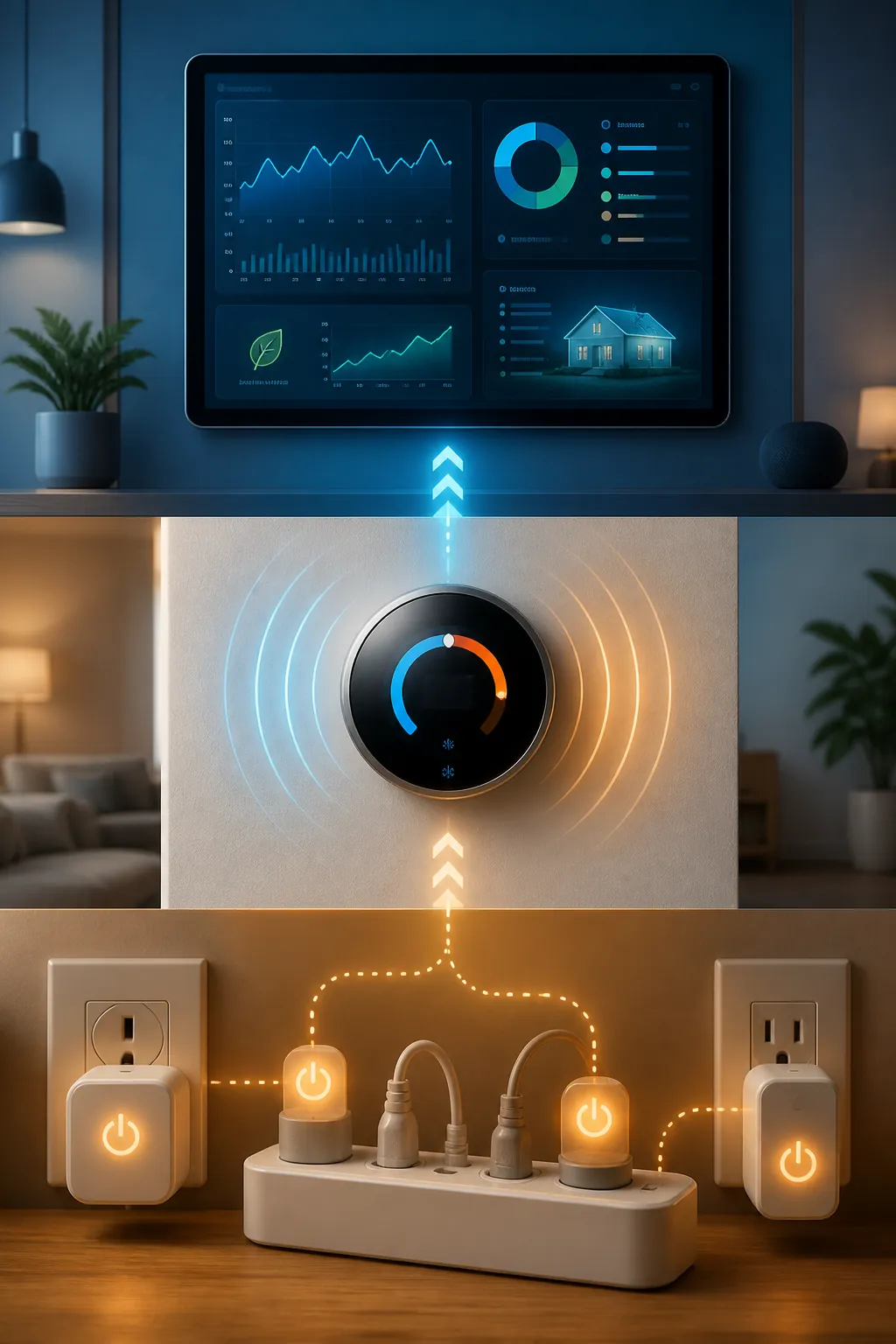
| Tier | What you install | What it attacks | Setup time | Why it comes here |
|---|---|---|---|---|
| 1 | Smart plugs or smart power strips | Standby vampire loads: entertainment center, office desk, kitchen counter, gaming console, chargers | About 15 minutes | Standby power accounts for 5-10% of residential electricity use and can cost $100-$200 per year.[3] |
| 2 | Smart thermostat | Heating and cooling waste from empty-home runtime, loose schedules, and missed eco settings | About 1 hour | HVAC is usually the largest energy category, but savings depend on climate, schedules, and home behavior.[6][7] |
| 3 | Whole-home or circuit-level energy monitor | Consumption blindness: hidden high-draw devices, bad schedules, and peak-rate habits | 2+ hours | Monitoring helps find the next waste source; Emporia reports average monthly savings of 10% or more from its own customer data.[9] |
Tier 1: Build the 15-Minute Nighttime Power-Down Scene
This is the first dollar to spend because it does not ask the household to be virtuous. A TV soundbar, printer, coffee station display, game console, and charger strip can keep drawing power after everyone has stopped using them. The fix is not a reminder; it is a cutoff.
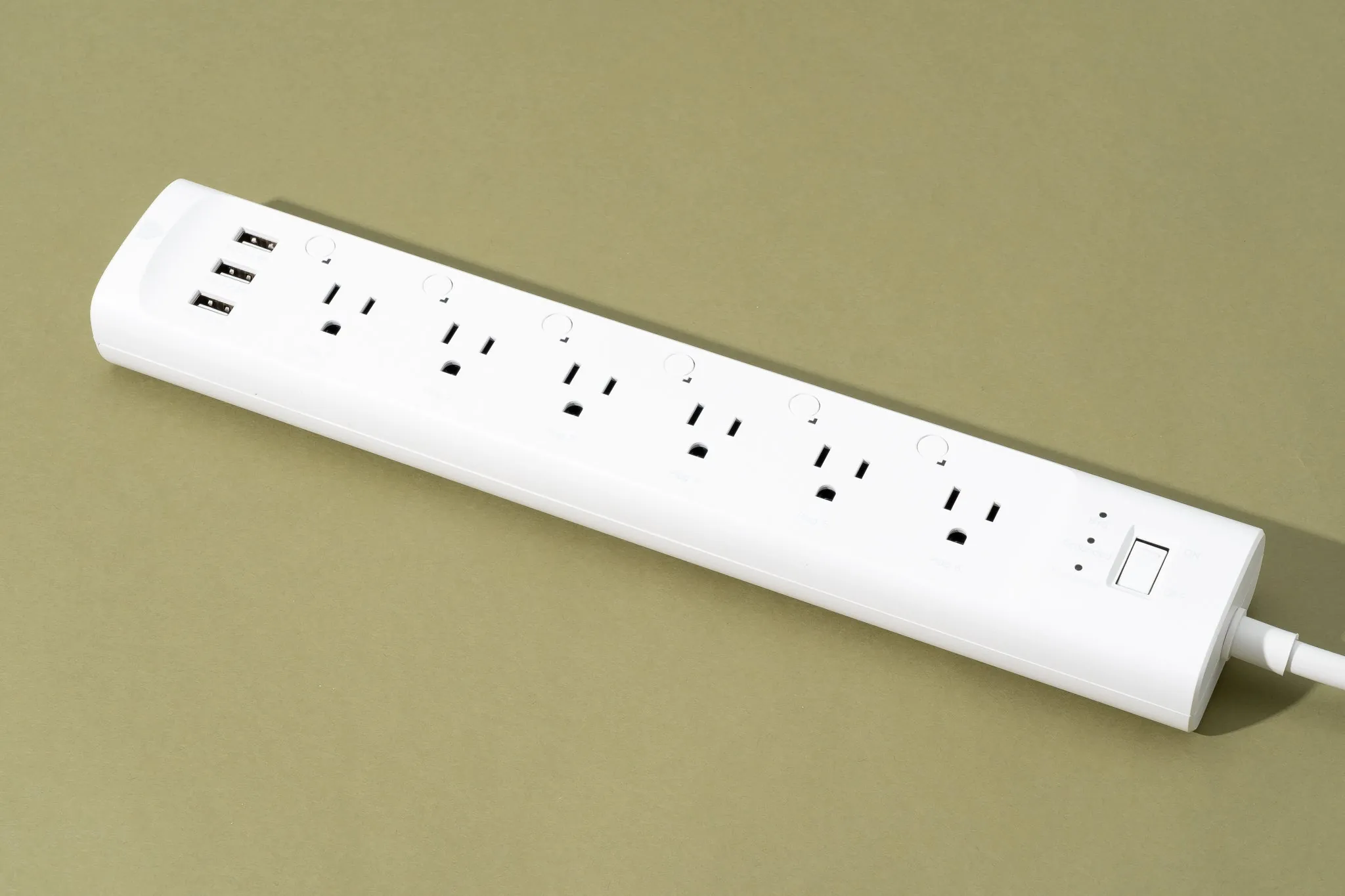
Standby power accounts for 5-10% of residential electricity use, and Columbia Climate School puts the typical household cost at $100-$200 per year.[3] BKV Energy’s payback analysis estimates $15-$30 smart plugs can cut standby waste by 80-90% and pay back in 8-12 months.[4] Smart power strips can also cut entertainment-center phantom load by 80-90%, which is why the TV area is usually the best first outlet to tame.[5]
Put plugs where the waste clusters
- Entertainment center: TV, soundbar, streaming box, game console, subwoofer, and media cabinet lights.
- Office desk: monitor, printer, speakers, dock, task lamp, and paper shredder.
- Kitchen counter: coffee maker, toaster oven with display, smart display, and rarely used small appliances.
- Gaming console: use a smart plug only if full power cutoff will not interrupt updates or downloads you actually need.
- Phone and laptop chargers: group them on a small smart power strip if the strip is easy to reach and label.
Label the devices by load group, not by brand: “TV Standby,” “Office Standby,” “Kitchen Counter,” “Console,” and “Chargers.” Six months from now, that label matters more than whether the plug came in a white box or a glossy one.
Alexa routine
- Open the Alexa app, then go to More > Routines > +.
- Name the routine “Night Power Down.”
- Under When, choose Schedule, then set the time for when the house is reliably finished with screens and chargers.
- Under Alexa Will, choose Smart Home, select each standby plug or power strip, and set it to Off.
- Add a second routine called “Morning Essentials” if the coffee station, desk, or charger strip needs power restored before people wake up.
Google Home schedule
- Open Google Home and choose Automations.
- Create a Household routine named “Night Power Down.”
- Choose Time as the starter and set the nightly cutoff.
- Add actions for Adjust Home Devices, then set the target plugs and strips to Off.
- Create a matching morning routine only for devices that should come back automatically; leave consoles and entertainment loads off until someone asks for them.
SmartThings routine
- Open SmartThings, tap Routines, then tap +.
- Under If, choose Time and set the nightly shutoff time.
- Under Then, choose Control Devices and select the standby plugs.
- Set each selected plug to Off and save the routine as “Night Power Down.”
- Use SmartThings device groups if you want one visible status tile for “Standby Loads” instead of five separate tiles.
The console deserves one manual check before it joins the routine. Changing a gaming console from “instant-on” to an energy-saving mode can reduce standby draw by up to 90%, but an aggressive plug cutoff may block background downloads or remote-play features some households use.[3] If the console causes arguments, change the power mode first and put the rest of the entertainment center on the strip.
Optional Home Assistant version
alias: Night Power Down
mode: single
trigger:
  - platform: time
    at: "11:30:00"
action:
  - service: switch.turn_off
    target:
      entity_id:
        - switch.tv_standby
        - switch.office_standby
        - switch.kitchen_counter
        - switch.chargers
Do not build a dozen clever exceptions on the first night. The useful test is simpler: tomorrow morning, did anything important fail because power was off? If not, the routine stays. If yes, move that one device off the plug instead of abandoning the whole tier.
Tier 2: Let the Thermostat Stop Heating and Cooling an Empty House
Thermostat automation has a bigger prize and a messier payback. Heating and cooling can account for up to 55% of home energy use, so small behavior changes here can matter more than a drawer full of plugs.[6] But the savings depend on the house, climate, insulation, equipment, utility rates, and whether people keep overriding the schedule.
This is where the numbers need clean labels. ENERGY STAR says certified smart thermostats save about 8% on heating and cooling, using a national average based on field data.[7] CNET’s analysis reports Nest field data at 12-15% savings, or about $131-$145 per year, while Ecobee has claimed savings up to 26%.[6] Those are not the same kind of evidence. Treat ENERGY STAR as the conservative floor, manufacturer-attributed numbers as possible upside, and your own schedule as the deciding variable.
Set geofencing first
Geofencing is the setting that rescues the household from forgetting. In the thermostat app, enable home/away detection or geofence-based eco mode, then add every regular resident whose phone should count as “home.” The useful rule is: when the last person leaves, switch to Eco or Away; when the first person approaches home, return to the comfort schedule.
- Use a wider geofence if the system returns to comfort too late and people arrive to an uncomfortable house.
- Use a narrower geofence if the system starts heating or cooling every time someone drives near home.
- Exclude work phones, tablets, and old devices that stay home and falsely tell the thermostat someone is there.
- Keep pets, humidity needs, medical equipment, and freeze protection ahead of energy savings.
Then put work hours on rails
A schedule still matters because phones die, people disable location access, and routines get messy. Set a weekday eco block for the hours the home is usually empty. If the house is occupied irregularly, use a gentler setback rather than a heroic one; the goal is fewer wasted runtime hours, not a daily fight with the thermostat.
| Situation | Automation choice | Why |
|---|---|---|
| Everyone leaves for school or work most weekdays | Scheduled Eco/Away block plus geofencing override | The schedule creates a default; geofencing fixes exceptions. |
| Hybrid or irregular work-from-home schedule | Geofencing first, lighter scheduled setbacks | Savings should not depend on someone manually canceling eco mode every Tuesday. |
| Household frequently overrides temperatures | Smaller setpoint changes and clear comfort windows | A routine that gets overridden daily is not an energy plan. |
| Heat pump or complex HVAC setup | Use manufacturer guidance and avoid extreme setbacks | Some systems lose efficiency if forced into aggressive recovery. |
The payback window is still attractive if the thermostat is a good fit. Research in the brief puts smart thermostat devices around $100-$250 with a 1-2 year payback period, while rebate availability can shorten that window.[6][8] The rebate part is local: check the thermostat maker’s rebate lookup and your utility’s efficiency page before buying, because a $50-$125 incentive changes which model makes sense, and some utilities require approved installation or enrollment terms.[8]
A thermostat routine worth copying
- Install the thermostat and confirm the HVAC system type, including heat pump, auxiliary heat, C-wire, and fuel type.
- Set comfort periods for the hours people are predictably home and awake.
- Set Eco/Away for predictable empty-home blocks.
- Enable geofencing or home/away assist for the last-person-leaves condition.
- After one full billing cycle, check runtime history before changing setpoints again.
That last step is where a lot of thermostat setups fail. People keep adjusting temperatures because the app makes it easy, then no one knows whether the bill changed because of weather, rate changes, or the new schedule. Runtime history is not perfect accounting, but it is better than guessing at the kitchen table after the utility email lands.
Tier 3: Add Monitoring When You Need Proof, Not Another Dashboard
An energy monitor is not the first purchase for most homes. It takes more setup, and it does not save anything by itself. Its job is to show which loads deserve automation next: the pool pump running during expensive hours, the EV charging at the wrong time, the old freezer cycling hard, the dehumidifier that never takes a break.
Whole-home and circuit-level monitors such as Emporia Vue, Sense, and Shelly EM can expose usage patterns that a monthly bill hides. Emporia says its customers save 10% or more per month on average and that most users find their first savings opportunity in the first week, but that is Emporia’s own reported customer data, not an independent field study.[9]
Use the monitor to move high-draw loads
If your utility has time-of-use pricing, monitoring becomes more useful because the target is not only using less energy; it is using flexible energy at cheaper times. Direct Energy’s smart-home scheduling guidance points to using schedules to reduce unnecessary energy use, and peak/off-peak automation strategies are especially relevant for loads that do not need to run immediately.[11][12]
| Load | What to look for | Automation move |
|---|---|---|
| EV charging | Charging starts as soon as the car is plugged in | Schedule charging for the off-peak window in the car app, charger app, or home platform. |
| Pool pump | Pump runs during peak-rate afternoon or evening periods | Move the pump schedule to the lowest-cost allowed hours while preserving required circulation. |
| Laundry | Washer or dryer regularly runs during peak periods | Use appliance delay start or a reminder routine for off-peak laundry windows. |
| Dehumidifier or space equipment | Long runtime with little occupancy benefit | Add a smart plug only if the device safely resumes after power loss and manufacturer guidance allows it. |
Lighting is usually not where the first rate-hike dollar should go unless the home still has old bulbs or lights are routinely left on. The Department of Energy says LED bulbs use at least 75% less energy than incandescent bulbs, and ACEEE research cited by IoT Now found smart lighting controls can save an additional 7-27% of lighting energy.[10] That is useful, but for many homes the faster recovery is still standby loads first, then HVAC runtime.
What the Payback Looks Like Against the Rate Hike
A 7.4% year-over-year increase around a $162.50 monthly bill is roughly an $11 monthly gap, or about $132 per year. That is the hole this stack has to fill before it starts feeling like savings rather than damage control.[1][2]
| Tier | Typical savings target | Payback logic |
|---|---|---|
| Smart plugs and power strips | $100-$200 per year in standby waste is the target range; smart plugs are estimated to pay back in 8-12 months.[3][4] | Best first move because the setup is fast and comfort barely changes. |
| Smart thermostat | ENERGY STAR’s certified-thermostat floor is about 8% heating/cooling savings; Nest field data and Ecobee claims are higher but should be read with attribution.[6][7] | Best second move because HVAC is large, but the result depends on home behavior and climate. |
| Energy monitor | Emporia reports 10%+ average monthly savings from its own customer data after users identify waste.[9] | Best third move because it guides the next automations, especially for high-draw and time-of-use loads. |
Using the ranges above, the full stack can plausibly recover $300-$600 or more per year in a home with meaningful standby loads, adjustable HVAC runtime, and at least a few schedulable high-draw devices. That is enough to offset a typical current rate increase, but it is not automatic. A household that already has disciplined thermostat settings, no time-of-use plan, and low standby waste will see less.
The practical order stays the same. Put smart plugs on the loads that should be dead at night. Give the thermostat permission to stop conditioning an empty house. Add monitoring when the bill still does not explain itself. That is a rate-hike response, not a gadget collection.
References
- Electricity Rates by State (July 2026), Electric Choice
- Electricity Bill Report: July 2026, SaveOnEnergy, July 2026
- The Energy Vampires Haunting Your Home, Columbia Climate School, April 2026
- Do Smart Home Devices Actually Save You Money?, BKV Energy
- Smart Home Energy Savings: A Complete Guide to Cost-Effective Automation and Payback Periods, Vesternet
- We Do the Math: How Much Money a Smart Thermostat Will Save Over Time, CNET
- ENERGY STAR Smart Thermostats FAQs, ENERGY STAR
- Can You Save Money With Smart Home Devices?, Palmetto
- How Much Can You Save With An Energy Monitor?, Emporia Energy
- Smart home technology saves money and helps protect the planet, IoT Now
- How to Create a Smart Home Schedule to Help Reduce Energy Use, Direct Energy
- Peak vs off-peak energy: smart home automation strategies, Reliant