
Home Assistant Tornado Watch vs Warning Alert Automation
Learn the difference between a tornado watch and a tornado warning, then build a Home Assistant automation that turns lights red and announces shelter for a warning, but only shows a yellow dashboard card for a watch — closing the gap that Alexa and Google Home leave open.
The smart-home behavior most people want is simple: a tornado watch should make the house aware, and a tornado warning should make the house act. In my setup, that means a watch gets a yellow tornado-only dashboard card and a push notification. A warning turns the selected lights red and announces that everyone should take shelter. If you have not installed the NWS Alerts integration yet, start with the foundational Home Assistant tornado warning alert setup first, then come back here for the watch-versus-warning split.
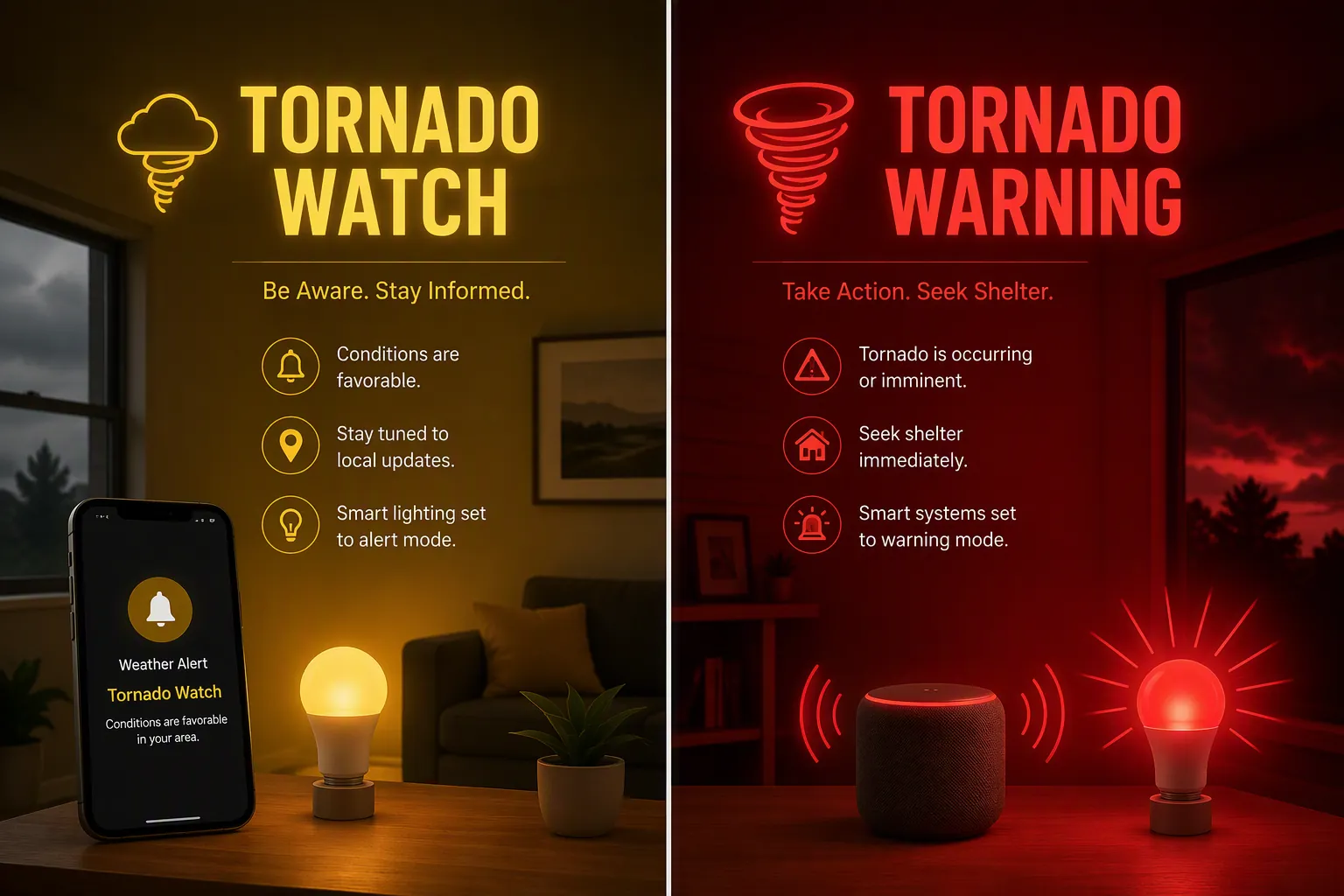
The split your house needs to make
A tornado watch and a tornado warning are not two wordings for the same household response. The National Weather Service describes a tornado watch as a broader, longer-fuse condition issued when tornadoes are possible, commonly covering counties or portions of states. A tornado warning is local and immediate: a tornado has been sighted or indicated by radar, and people in the warned area should move to shelter. NWS warning guidance describes tornado warnings as smaller-area products with a typical lead time of 30 to 60 minutes. A tornado emergency is a higher-end warning situation used when a violent tornado is confirmed and catastrophic damage is expected or occurring.[1][2]
| NWS alert | What it means for the automation |
|---|---|
| Tornado Watch | Stay informed: show the card, send a push notification, monitor radar and local sources. |
| Tornado Warning | Interrupt the house: lights red, shelter announcement, phones notified. |
| Tornado Emergency | Optional escalation tier: treat as at least a warning, with stronger wording if your local alert feed exposes it. |
That distinction is exactly where the usual consumer platforms get mushy. Wireless Emergency Alerts are still a baseline safety layer, and I would not turn them off, but they are built around urgent mobile warnings and do not cover tornado watches the same way this recipe needs to.[3][4] Alexa can surface severe weather alerts, but its native alert behavior is generic rather than a Home Assistant-style branch that says “if Tornado Watch, do this; if Tornado Warning, do that.”[5][6] Google Home and Nest speakers still do not provide a native severe-weather alert feature that can make this distinction as of Q3 2026; the practical workaround is routing the decision through Home Assistant and then using speaker TTS actions.[5][7]
Use the current NWS Alerts setup, not old YAML package examples
The useful part of the NWS Alerts custom integration is not merely that it says “there is an alert.” It exposes structured alert data such as Event, Severity, Headline, and Expires. Those attributes are the hinge that lets Home Assistant treat “Tornado Watch” and “Tornado Warning” as different operating states instead of one vague weather bucket.[8]
One cleanup note matters before any YAML appears: NWS Alerts moved from YAML configuration to a UI-based config flow in v2026.1.0. If you find an older forum post telling you to paste a weather-alerts package into configuration.yaml, do not build from that as your starting point. Install the integration through HACS if needed, then add and configure it from Settings → Devices & services in Home Assistant.[9]
- Confirm that your NWS Alerts entity exists. In examples below I use sensor.nws_alerts, but your entity ID may be different.
- Open Developer Tools → States and select the alert sensor.
- Look at the attributes before writing automations. You want to see alert text that includes Tornado Watch or Tornado Warning, commonly in Event, title, or Headline depending on the active alert structure exposed by your install.
- Replace every placeholder notify service, light, media player, and TTS service in this article with entities from your own Home Assistant instance.
Create two reusable tornado alert sensors
You can put the string check directly inside each automation, but I prefer template binary sensors. They give the rest of the system two plain-English entities: one for watch, one for warning. That makes dashboards, traces, testing, and later maintenance less annoying.
The core pattern is the same one Home Assistant users have used for NWS Alerts branching: inspect the alert attribute text and evaluate whether it contains a specific event name, such as Tornado Warning.[10]
template:
  - binary_sensor:
      - name: Tornado Warning Active
        unique_id: tornado_warning_active
        state: >
          {% set event = state_attr('sensor.nws_alerts', 'Event') | string %}
          {% set title = state_attr('sensor.nws_alerts', 'title') | string %}
          {% set headline = state_attr('sensor.nws_alerts', 'Headline') | string %}
          {{ 'Tornado Warning' in event or 'Tornado Warning' in title or 'Tornado Warning' in headline }}
        attributes:
          headline: "{{ state_attr('sensor.nws_alerts', 'Headline') }}"
          severity: "{{ state_attr('sensor.nws_alerts', 'Severity') }}"
          expires: "{{ state_attr('sensor.nws_alerts', 'Expires') }}"

      - name: Tornado Watch Active
        unique_id: tornado_watch_active
        state: >
          {% set event = state_attr('sensor.nws_alerts', 'Event') | string %}
          {% set title = state_attr('sensor.nws_alerts', 'title') | string %}
          {% set headline = state_attr('sensor.nws_alerts', 'Headline') | string %}
          {{
            ('Tornado Watch' in event or 'Tornado Watch' in title or 'Tornado Watch' in headline)
            and not is_state('binary_sensor.tornado_warning_active', 'on')
          }}
        attributes:
          headline: "{{ state_attr('sensor.nws_alerts', 'Headline') }}"
          severity: "{{ state_attr('sensor.nws_alerts', 'Severity') }}"
          expires: "{{ state_attr('sensor.nws_alerts', 'Expires') }}"
Change sensor.nws_alerts if your integration created a different entity ID. I check Event, title, and Headline because real alert payloads and card integrations do not always present the same field as the one you happen to be looking at in a screenshot. The important thing is not the exact attribute name from someone else’s install; it is that your template is reading the structured NWS alert text from your own entity.
The watch sensor also stays off when the warning sensor is on. That is intentional. During an active warning, the house should not be deciding whether to display a polite watch behavior just because a broader watch remains in effect for the same area.
Watch automation: notify without turning the house into an alarm
For a watch, I want awareness, not panic. This automation fires when the watch sensor turns on, sends a phone notification, and creates a persistent notification in Home Assistant. If you want one lamp to turn yellow in a kitchen or office, add it here, but I would not use whole-home sirens or wake-up announcements for a watch.
alias: Tornado Watch - Informational Notification
mode: single
trigger:
  - platform: state
    entity_id: binary_sensor.tornado_watch_active
    to: "on"
action:
  - service: notify.mobile_app_your_phone
    data:
      title: "Tornado Watch"
      message: >
        A tornado watch is active for your area. Stay weather-aware and keep an eye on radar and local alerts.

  - service: persistent_notification.create
    data:
      title: "Tornado Watch Active"
      message: >
        {{ state_attr('binary_sensor.tornado_watch_active', 'headline') or 'A tornado watch is active.' }}

  # Optional: turn one non-bedroom lamp yellow.
  # Remove this block if you only want dashboard + push behavior.
  - service: light.turn_on
    target:
      entity_id: light.your_status_lamp
    data:
      color_name: yellow
      brightness_pct: 40
If your household already gets too many phone alerts, remove the optional light block rather than making the warning automation quieter. Watches are where you can afford restraint. Warnings are not.
Warning automation: red lights and shelter announcement
This is the branch that should interrupt people. It is also the branch where sloppy entity placeholders are most likely to bite you, so replace the lights, speakers, notify service, and TTS service before enabling it. If you already built the older warning-only version from the smart home tornado safety automation, this is the same basic safety behavior, but now it is gated behind the Tornado Warning sensor instead of every tornado-related alert.
alias: Tornado Warning - Shelter Now
mode: single
trigger:
  - platform: state
    entity_id: binary_sensor.tornado_warning_active
    to: "on"
action:
  - service: notify.mobile_app_your_phone
    data:
      title: "TORNADO WARNING"
      message: >
        Tornado Warning for your area. Take shelter now. Move to a basement or interior room away from windows.

  - repeat:
      count: 6
      sequence:
        - service: light.turn_on
          target:
            entity_id:
              - light.your_living_room_lights
              - light.your_hallway_lights
          data:
            color_name: red
            brightness_pct: 100
        - delay: "00:00:01"
        - service: light.turn_off
          target:
            entity_id:
              - light.your_living_room_lights
              - light.your_hallway_lights
        - delay: "00:00:01"

  - service: light.turn_on
    target:
      entity_id:
        - light.your_living_room_lights
        - light.your_hallway_lights
    data:
      color_name: red
      brightness_pct: 100

  - service: media_player.volume_set
    target:
      entity_id:
        - media_player.your_kitchen_speaker
        - media_player.your_bedroom_speaker
    data:
      volume_level: 0.85

  - service: tts.cloud_say
    target:
      entity_id:
        - media_player.your_kitchen_speaker
        - media_player.your_bedroom_speaker
    data:
      message: >
        Tornado Warning. Take shelter now. Move to a basement or interior room away from windows.

  - service: persistent_notification.create
    data:
      title: "Tornado Warning Active"
      message: >
        {{ state_attr('binary_sensor.tornado_warning_active', 'headline') or 'A tornado warning is active. Take shelter now.' }}
Use whatever TTS service your system actually has. Some homes use tts.cloud_say, some use Piper, some route announcements through a speaker-specific notify service. The entity names in the example are deliberately boring placeholders because a polished-looking YAML block with the wrong media_player entity is worse than no recipe at all.
I leave this automation in single mode so a stream of attribute updates does not keep restarting the whole sequence. If you prefer a repeat announcement every few minutes while the warning remains active, build that as a separate reminder automation with a clear stop condition when binary_sensor.tornado_warning_active turns off.
Make the dashboard tornado-only
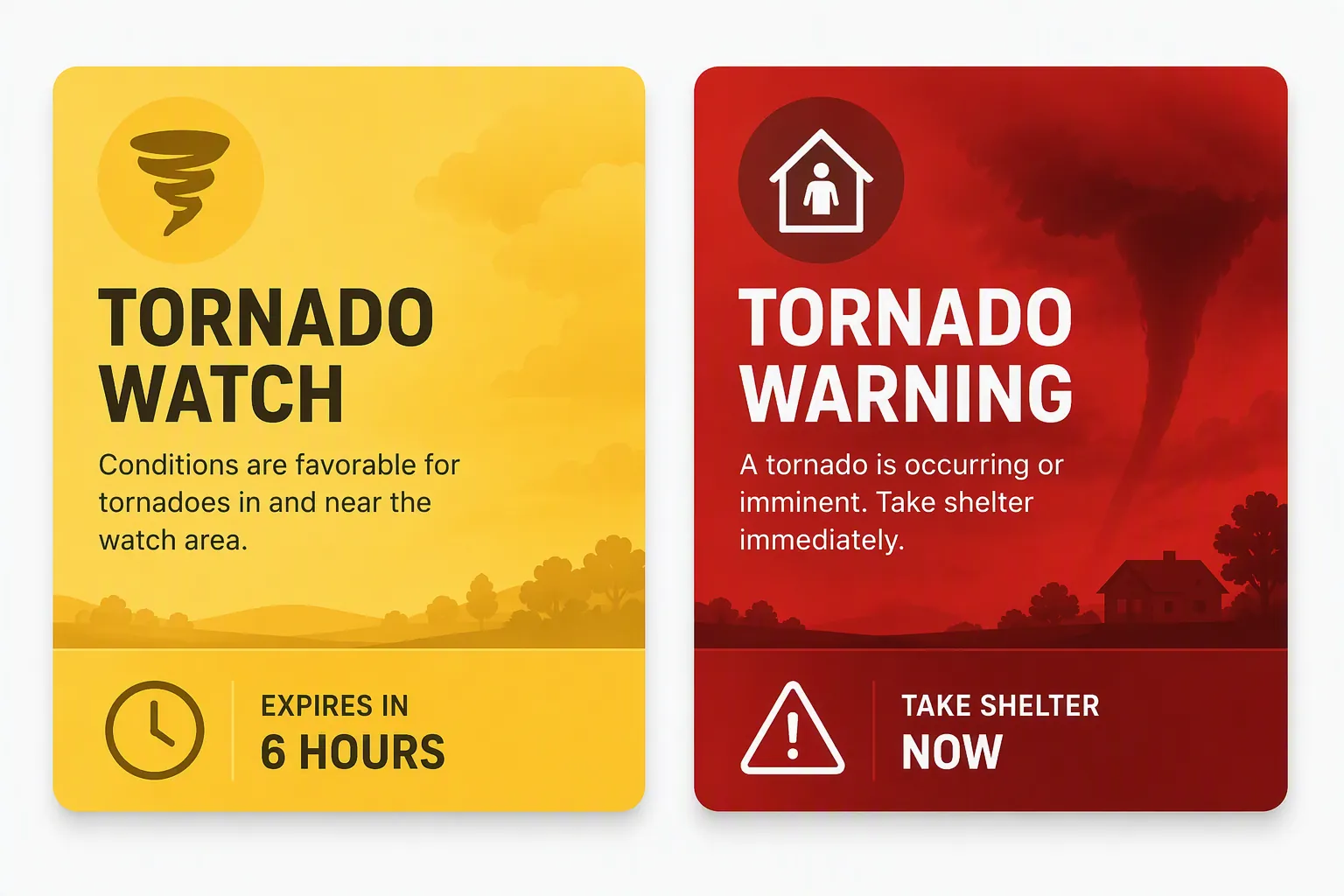
The dashboard is the right place for watch-level visibility. It can stay visible, yellow, and informative without hijacking every speaker in the house. The Weather Alerts Card is useful here because v2.5.0 and later supports event-code filtering, NWS-style severity colors, compact layouts, and progress bars for active alerts. For tornado-only display, the event-code filter is TOR.[11]
type: custom:weather-alerts-card
entity: sensor.nws_alerts
title: Tornado Alerts
filter:
  event-code:
    - TOR
Keep this card visually separate from the warning automation. A yellow card saying a watch is active is useful background state. A red warning automation is a household interruption. If those two things look and sound the same, the system has failed the most important part of the job.
If you want to reuse the pattern for other hazards later, the same watch-versus-warning idea also applies outside tornado season. The extreme heat watch versus warning automation uses the same basic separation: informational state for a watch, stronger action for a warning.
Optional: add a tornado emergency tier
A tornado emergency is not the common case this recipe is trying to solve, and I would not delay the watch/warning split just to perfect a third branch. If you do add one, treat it as an escalation layered on top of the warning behavior. In many setups, that means checking whether the Headline or alert text contains “Tornado Emergency,” then using stronger TTS wording or repeating the announcement more aggressively.
template:
  - binary_sensor:
      - name: Tornado Emergency Active
        unique_id: tornado_emergency_active
        state: >
          {% set headline = state_attr('sensor.nws_alerts', 'Headline') | string %}
          {% set title = state_attr('sensor.nws_alerts', 'title') | string %}
          {{ 'Tornado Emergency' in headline or 'Tornado Emergency' in title }}
Do not make the emergency tier the only path to your strongest safety action. A normal tornado warning is already shelter-now territory.
Test it before spring makes you test it for real
There are three things to test: the template logic, the actions, and the way the system fails. Do those separately. Waiting for a real warning to find out your bedroom speaker entity changed names after a re-pairing is not a plan.
- Template logic: in Developer Tools → Template, paste the watch and warning expressions and temporarily replace the state_attr calls with sample strings such as Tornado Watch or Tornado Warning. This confirms the branch behaves the way you think it does without touching lights or speakers.
- Action path: create temporary scripts from the watch and warning action blocks, then run them manually while people in the house know it is a test. Verify volume, red-light coverage, phone notifications, and whether any sleeping areas are missed.
- Live-data behavior: during development, the NWS public API can be used to inspect active alerts and their UGC, or Universal Geographic Code, data at api.weather.gov/alerts/active. That is useful for understanding real alert payloads without pretending your own county has an active tornado warning.[12]
- Failure behavior: decide what happens when Home Assistant is down, the internet is out, a speaker is unavailable, or a phone is on silent. This recipe should supplement WEA, NOAA Weather Radio, local sirens where available, and local meteorologists. It should not replace them.
For more layered alerting beyond this one Home Assistant recipe, use a full smart-home tornado warning setup as the broader plan. This article’s job is narrower: make one Home Assistant instance stop treating a watch and a warning like the same event.
Once the two binary sensors, the two automations, and the TOR-filtered dashboard card are working, the system has the practical distinction the consumer platforms still do not expose natively: informational watch behavior when conditions are favorable, and shelter-now behavior when the warning arrives.
References
- Tornado Watch vs Warning — National Weather Service
- Warnings Defined — National Weather Service Baltimore/Washington Forecast Office
- Wireless Emergency Alerts — National Weather Service Corpus Christi
- Alerts and Warnings — Ready.gov
- How to use your smart speaker in an emergency — Reviewed.com
- How to set up Alexa weather alerts — Asurion
- Google Home severe weather alert workaround — warrenschuitema.com
- NWS Alerts — GitHub
- How to Setup a Weather Alert in Home Assistant — This Smart House — 2025-09-29
- NWS Alerts custom component — Home Assistant Community
- Weather Alerts Card — Home Assistant Community
- NWS API Web Service — National Weather Service