
Build a Tornado Warning Safety Automation with Home Assistant
This recipe shows how to build a Home Assistant automation that responds to NWS Tornado Warnings by flashing lights, broadcasting voice alerts, closing the garage, and locking doors — giving homeowners a unified emergency response during the critical 10-15 minute warning window.
A Tornado Warning is not the moment to open four apps, hunt for the garage tile, check which speaker group is muted, and wonder whether the upstairs lamp is still on its decorative scene. NOAA’s tornado preparedness guidance says the average warning lead time is only 10 to 15 minutes, which is generous only if the household already knows what happens next.[1] For homeowners, the useful smart-home tornado-warning safety question is the handoff: the alert arrives, the house reacts, and the people move toward shelter.
That handoff matters most when someone is asleep, panicked, carrying a child, calling for pets, or trying to get downstairs while also remembering whether the garage door is open. Warren Schuitema’s May 2025 account of Michigan tornado safety work describes voice alerts waking sleeping households, practiced routines producing calmer responses, and smart speakers continuing to provide information when supported by backup power.[2] None of that turns a smart speaker into a weather radio. It does show why a loud, boring, repeatable household response is worth building before the warning.
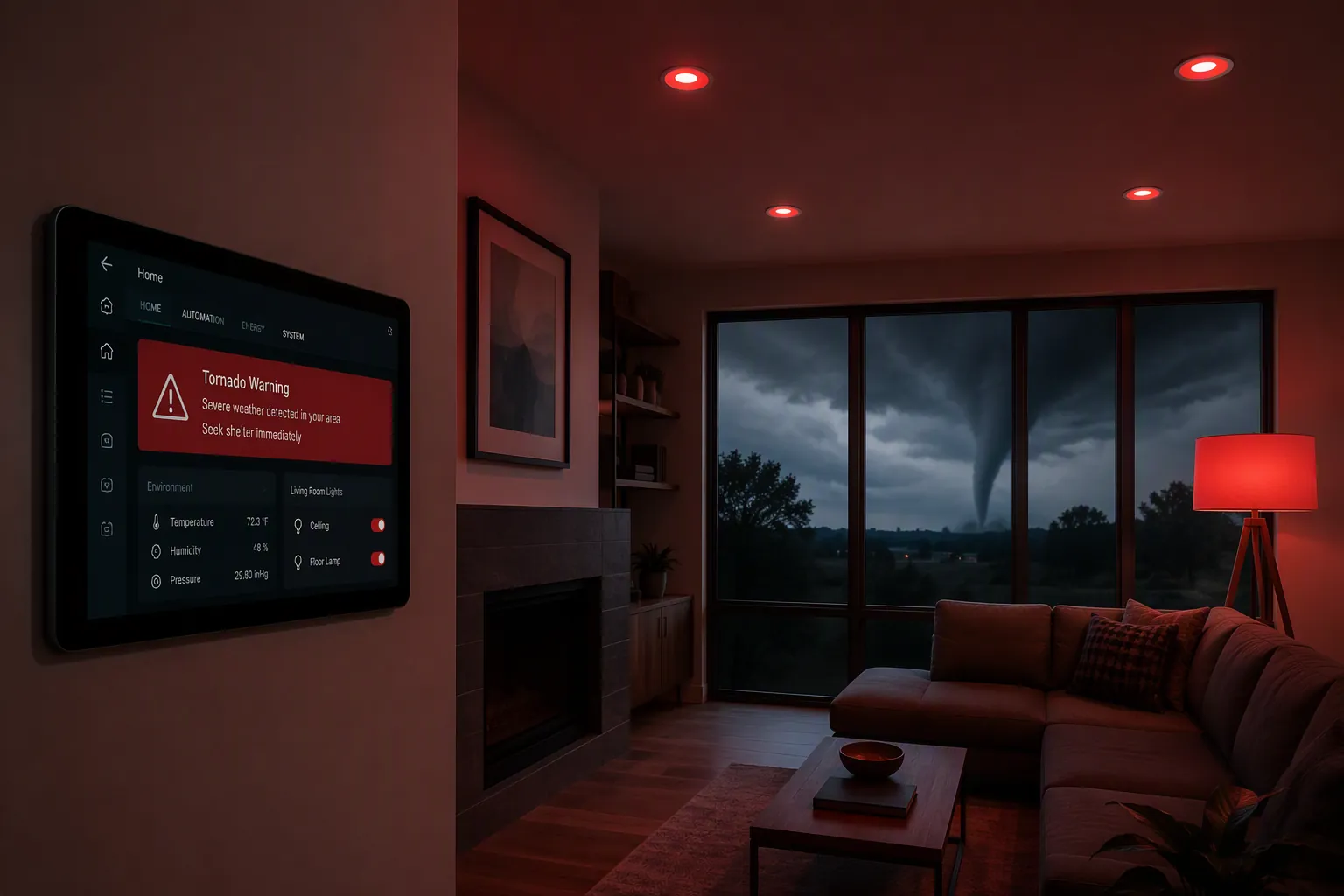
What this Home Assistant automation will do
The recipe below uses one active National Weather Service alert sensor as the trigger. When Home Assistant sees a Tornado Warning, it runs a coordinated sequence:
- Flash selected lights in an obvious red/white emergency pattern.
- Broadcast a voice alert through your chosen smart speakers.
- Close the garage door if it is open.
- Lock exterior smart locks.
- Optionally activate a siren, alarm relay, or warning chime.
- Show the warning details on a Home Assistant dashboard.
- Run a separate all-clear automation when the alert sensor returns to normal or zero.
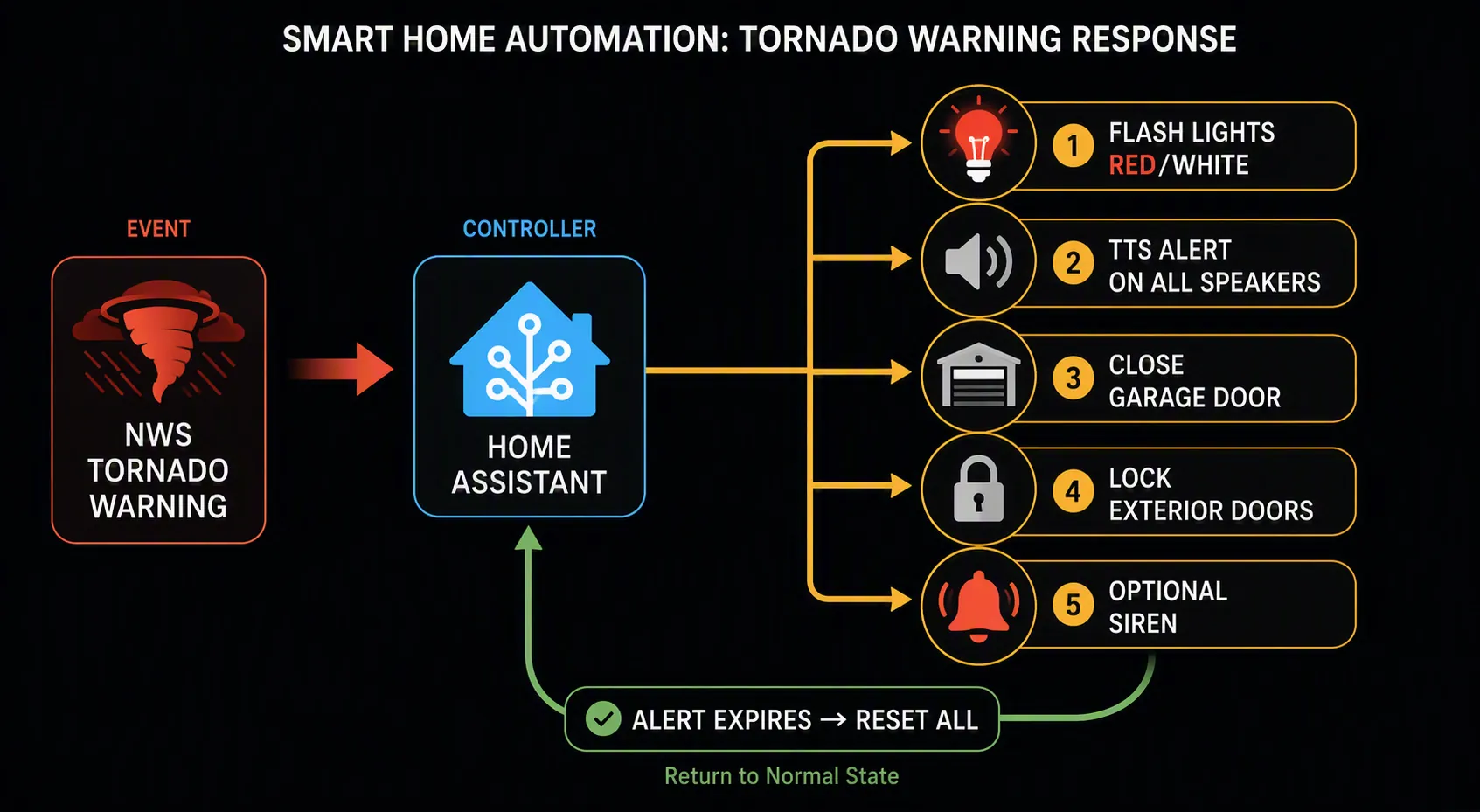
The automation is deliberately narrow. It responds to a Tornado Warning. It does not replace Wireless Emergency Alerts on phones, NOAA Weather Radio, local sirens where they exist, or a practiced shelter plan. Its job is to remove device-management chores from the first seconds of the warning.
Start with the alert sensor, not the devices
Use the Weather Alerts integration as the primary path for this recipe. It is a HACS-installable Home Assistant custom integration built to expose weather alert data as sensor state and attributes, including alert metadata that can be used for event filtering.[3] The competing NWS Alerts integration is also HACS-installable and can monitor National Weather Service alerts, but it exposes alert state differently enough that it deserves a separate adaptation note instead of being quietly swapped into the same YAML.[4]
Install and configure your chosen alert integration first, then open Home Assistant’s Developer Tools and inspect the entity. You are looking for three things: the entity ID, the state value during an active alert, and any attributes that contain the event name or event code. In the examples below, the Weather Alerts entity is written as sensor.weather_alerts. Rename it to match your actual entity.
| Item | Example used below | What to replace |
|---|---|---|
| Weather alert sensor | sensor.weather_alerts | Your Weather Alerts integration entity |
| Emergency lights | group.emergency_lights | A group or list of lights that should be visible from bedrooms, hallways, and the shelter route |
| Speakers | group.emergency_speakers | Your speaker group or individual media_player entities |
| Garage door | cover.garage_door | Your smart garage door cover entity |
| Exterior locks | group.exterior_locks | Your exterior lock group or individual lock entities |
| Optional siren | switch.emergency_siren | A siren, relay, alarm chime, or remove this action entirely |
| Latch helper | input_boolean.tornado_warning_active | A helper you create so the automation does not repeat every time the alert sensor refreshes |
Both Weather Alerts and NWS Alerts support state-based monitoring with configurable update intervals in the 60- to 90-second range, which is frequent enough for this kind of household response automation.[3][4] The important design choice is to trigger on the sensor changing, then use a condition to confirm the alert is actually a Tornado Warning before any lights, locks, or doors move.
Create the latch helper
Create a Toggle helper in Home Assistant named something like Tornado Warning Active. The examples assume its entity ID is input_boolean.tornado_warning_active. This helper prevents the automation from replaying the full emergency sequence every time the weather integration refreshes while the same warning is still active.
Weather Alerts trigger condition
The safest copy-and-adapt pattern is to let any state change wake the automation, then test the state and common alert attributes for the Tornado Warning label. That avoids tying the recipe to one exact display format before you have inspected your sensor.
condition:
  - condition: template
    value_template: >
      {% set alert_state = states('sensor.weather_alerts') %}
      {% set event = state_attr('sensor.weather_alerts', 'event') %}
      {% set event_code = state_attr('sensor.weather_alerts', 'event_code') %}
      {{ alert_state == 'Tornado Warning'
         or event == 'Tornado Warning'
         or event_code == 'Tornado Warning' }}
  - condition: state
    entity_id: input_boolean.tornado_warning_active
    state: 'off'
If Developer Tools shows that your Weather Alerts entity uses a different attribute name for the event text, change only the template lines that read the attribute. Do not change the device actions until you have the trigger condition working.
If you use the NWS Alerts integration instead
With the NWS Alerts integration, expect the sensor state and attributes to be formatted differently from the Weather Alerts example.[4] In many Home Assistant weather-alert setups, the state behaves more like an active-alert count while the event details live in attributes. For that pattern, keep the same action sequence, but replace the condition with a template that searches the entity’s attributes for the Tornado Warning text after confirming the active-alert count is above zero.
condition:
  - condition: template
    value_template: >
      {% set active_count = states('sensor.nws_alerts') | int(0) %}
      {% set attrs = state_attr('sensor.nws_alerts', 'alerts') | string %}
      {{ active_count > 0 and 'Tornado Warning' in attrs }}
  - condition: state
    entity_id: input_boolean.tornado_warning_active
    state: 'off'
Treat that NWS Alerts snippet as an adaptation point, not a universal drop-in. If your entity exposes a different alert attribute, substitute the attribute you see in Developer Tools. The rest of the automation can stay the same.
The main Tornado Warning automation
Paste this automation into Home Assistant, then replace the entity IDs. Leave the latch helper in place. If you do not have a siren, delete the siren action rather than leaving it pointed at a fake entity.
alias: Tornado Warning - coordinated shelter response
description: Flash lights, announce warning, close garage, lock doors, and optionally sound siren.
mode: single

trigger:
  - platform: state
    entity_id: sensor.weather_alerts

condition:
  - condition: template
    value_template: >
      {% set alert_state = states('sensor.weather_alerts') %}
      {% set event = state_attr('sensor.weather_alerts', 'event') %}
      {% set event_code = state_attr('sensor.weather_alerts', 'event_code') %}
      {{ alert_state == 'Tornado Warning'
         or event == 'Tornado Warning'
         or event_code == 'Tornado Warning' }}
  - condition: state
    entity_id: input_boolean.tornado_warning_active
    state: 'off'

action:
  - service: input_boolean.turn_on
    target:
      entity_id: input_boolean.tornado_warning_active

  - service: light.turn_on
    target:
      entity_id: group.emergency_lights
    data:
      brightness_pct: 100
      color_name: red
      flash: long

  - repeat:
      count: 6
      sequence:
        - service: light.turn_on
          target:
            entity_id: group.emergency_lights
          data:
            brightness_pct: 100
            color_name: red
        - delay:
            seconds: 1
        - service: light.turn_on
          target:
            entity_id: group.emergency_lights
          data:
            brightness_pct: 100
            color_name: white
        - delay:
            seconds: 1

  - parallel:
      - sequence:
          - service: media_player.volume_set
            target:
              entity_id: group.emergency_speakers
            data:
              volume_level: 0.85
          - service: tts.google_say
            data:
              entity_id: group.emergency_speakers
              message: >
                Tornado Warning. Move to shelter now. Bring people and pets to the lowest interior room away from windows.
      - sequence:
          - condition: state
            entity_id: cover.garage_door
            state: 'open'
          - service: cover.close_cover
            target:
              entity_id: cover.garage_door
      - sequence:
          - service: lock.lock
            target:
              entity_id: group.exterior_locks
      - sequence:
          - service: switch.turn_on
            target:
              entity_id: switch.emergency_siren

  - delay:
      seconds: 20

  - service: tts.google_say
    data:
      entity_id: group.emergency_speakers
      message: >
        Tornado Warning remains active. Stay in shelter and monitor official alerts.
What each action is doing
The first action turns on input_boolean.tornado_warning_active. That is the automation’s memory. Without it, a weather-alert sensor refresh could replay the entire sequence while the same warning is still active.
The light.turn_on call sets the emergency lights to full brightness and red. The repeat block then alternates red and white. If your bulbs do not support color_name, use RGB values or a scene that your hardware supports. If your lights do not support flash, the repeat block still creates a visible pattern.
The speaker branch raises the selected speaker group volume, then uses tts.google_say. If your system uses Amazon Polly, Piper, cloud TTS, or a media-file alert instead, replace that service call with your working TTS or media_player.play_media service. Test this branch by itself. A perfect automation that speaks to a muted display in the kitchen is not an alert.
The garage branch checks whether cover.garage_door is open before calling cover.close_cover. If your garage integration reports opening or unknown during transitions, keep the logic conservative. This is an emergency convenience, not a reason to defeat the door’s safety sensors.
The lock branch calls lock.lock on the exterior-lock group. It does not unlock anything later. After a Tornado Warning, the all-clear automation can restore lights and silence devices, but doors should remain a human decision.
The siren branch is optional. If you use it, choose a device and sound level that gets attention without creating confusion in the shelter area. In many homes, red lights plus repeated voice alerts will be enough; in a workshop, detached garage, or basement with loud equipment, a siren or chime may be justified.
Put the warning text where people can see it
The automation gets people moving; the dashboard gives context to anyone already looking at Home Assistant. The Weather Alerts Card is built for this job: it can show severity-coded badges, animated borders, time-progress bars, and expandable full-text alert details without making you build custom template sensors.[5] MostlyChris demonstrates the same practical pattern of displaying NWS alert information in Home Assistant rather than burying it inside an integration entity.[6]
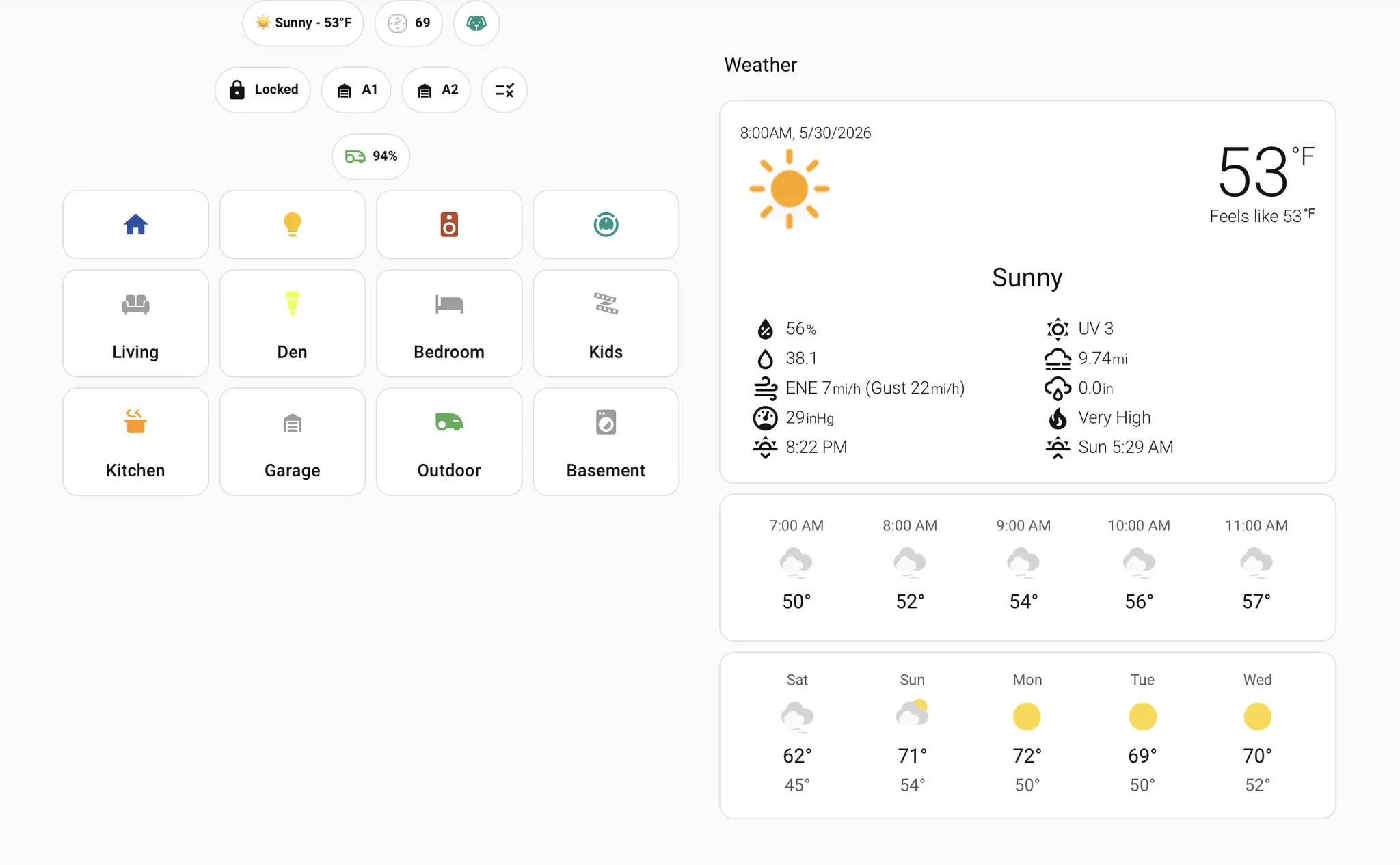
A minimal dashboard card can be as simple as this after the custom card is installed:
type: custom:weather-alerts-card
entity: sensor.weather_alerts
Put that card on a dashboard visible from the normal traffic path in the house: a wall tablet, kitchen dashboard, or the mobile dashboard people already open. Do not make the dashboard the only alert. During a real warning, someone may never look at a screen.
The all-clear automation should reset only what it owns
The reset automation listens for the alert sensor to return to a normal or zero state. It turns off the siren, restores the emergency lights to a normal white setting, announces that the automation sees the warning as cleared, and turns off the latch helper. It does not open the garage. It does not unlock doors. It does not tell anyone the weather is safe; it tells them the Home Assistant alert state has cleared.
alias: Tornado Warning - reset after alert clears
description: Reset devices controlled by the Tornado Warning automation when the alert sensor clears.
mode: single

trigger:
  - platform: state
    entity_id: sensor.weather_alerts

condition:
  - condition: state
    entity_id: input_boolean.tornado_warning_active
    state: 'on'
  - condition: template
    value_template: >
      {% set alert_state = states('sensor.weather_alerts') | lower %}
      {% set event = state_attr('sensor.weather_alerts', 'event') %}
      {% set event_code = state_attr('sensor.weather_alerts', 'event_code') %}
      {{ alert_state in ['0', 'normal', 'none']
         or event in [none, '', 'normal']
         or event_code in [none, '', 'normal'] }}

action:
  - service: switch.turn_off
    target:
      entity_id: switch.emergency_siren

  - service: light.turn_on
    target:
      entity_id: group.emergency_lights
    data:
      brightness_pct: 60
      color_name: white

  - service: tts.google_say
    data:
      entity_id: group.emergency_speakers
      message: >
        Home Assistant no longer shows an active Tornado Warning. Continue to monitor official alerts before leaving shelter.

  - service: input_boolean.turn_off
    target:
      entity_id: input_boolean.tornado_warning_active
Do not treat unavailable as all-clear. If the alert sensor becomes unavailable, that is a monitoring failure. It should be noticed, not converted into a reassuring message.
Test it before the sky does
The test is not finished when the YAML saves. It is finished when the right lights flash, the right speakers speak, the garage entity behaves as expected, the locks receive the command, the dashboard shows the warning card, and the reset automation returns only the devices it is supposed to return.
- Run the action branches manually first. Use Developer Tools → Services to call
light.turn_on, your TTS service,cover.close_cover, andlock.lockagainst the exact entities in the automation. - Check speaker volume and grouping. If one bedroom speaker is not in the group, the automation has a quiet hole.
- Simulate the trigger in Developer Tools by temporarily setting the alert sensor state to
Tornado Warning. The integration may overwrite that state on its next refresh, which is fine for a trigger test. - If your integration documents a supported test location or test event, use that method for a cleaner end-to-end test. Some setups use test-location patterns such as
000000for TEST events, but follow the current integration documentation you installed. - After the main automation fires, simulate the cleared state with
normalor0, matching the format your sensor actually uses, and confirm the all-clear automation runs. - Test at a humane volume first, then set the real emergency volume after everyone knows what the alert sounds like.
Older SmartThings and IFTTT-era discussions show that people have wanted “flash the lights on tornado warning” automations for years, including community attempts that depended on external alert chains and applets.[7] That history is useful as a warning: do not wait for the first real Tornado Warning to discover that an account link expired, a speaker group was renamed, or a garage entity changed after an integration update.
Power and network failure are part of the design
If the power fails before the automation runs, every dependency matters. The Home Assistant box needs power. The router needs power. If the alert reaches you through the internet, the modem or ONT needs power. If your lights, locks, or sensors ride on Zigbee or Z-Wave, the coordinator needs power. Phone battery packs help phones; they do not keep the household automation stack alive.
The Schuitema example is useful here because the smart-speaker alert layer was discussed together with backup power, not as a cloud trick floating above the electrical system.[2] If you expect this automation to work during a storm outage, put the Home Assistant host, network equipment, and radio coordinators on a UPS and test how long they actually stay online.
Also decide what should fail loudly. If the Weather Alerts entity becomes unavailable, send a persistent notification or a routine household alert during normal conditions. If a lock is jammed, do not hide that failure behind a successful TTS announcement. The automation is only helpful if the household can tell when part of the handoff did not happen.
Keep the boundary disciplined
A Home Assistant Tornado Warning automation can reduce the number of manual actions during a short warning window. It can make lights impossible to miss, put the warning in every room with a speaker, close a garage door that would otherwise be forgotten, and lock exterior doors while people move toward shelter. That is a useful layer.
It is still only a layer. Keep official phone alerts enabled. Keep a NOAA Weather Radio in the plan. Practice where the household goes. Put the infrastructure on backup power if you expect automations to run through an outage. The house can help with the handoff; it cannot be the whole warning system.
References
- Prepare! Don't let Tornados Take You by Surprise — NOAA/NWS
- Your Family's Lifeline: Using Google Home and Alexa for Tornado & Emergency Safety in Michigan — Warren Schuitema, May 2025
- Weather Alerts integration (custom-components/weatheralerts) — GitHub
- NWS Alerts integration (finity69x2/nws_alerts) — Github
- Weather Alerts Card — GitHub
- Easy way to Display Weather Alerts in Home Assistant — MostlyChris
- Tornado warning — SmartThings Community