
Automate Home Energy Savings for Texas Grid Emergencies
Three copyable, skill-tiered smart-home setups — demand-response enrollment, a pre-cool and setback schedule, and a Home Assistant ERCOT monitor — that cut home AC load before and during Texas grid emergencies, with the conditions and verification limits flagged.
The useful Texas heat-wave grid-emergency plan is not a panic list taped to the fridge. It is what your thermostat, utility program, and smart-home system can already do before ERCOT asks Texans to conserve.
That timing matters. On July 22, 2026, ERCOT hit a preliminary all-time peak of 91,308 MW around 5 p.m.; reserves still stayed above 10 GW, solar supplied more than 45% of generation at times, and batteries discharged a record 11,980 MW.[1][2] That is not a blackout story. It is the kind of late-afternoon squeeze where thousands of homes nudging cooling load down at the same time can matter without asking anyone to sit in an unsafe house.

Here is the working stack: enroll the thermostat in a utility demand-response program, add a plain thermostat schedule that pre-cools only when your house can hold it, and, if you are comfortable maintaining Home Assistant, monitor ERCOT operating reserves locally. Each layer is allowed to stop. Health, pets, older relatives, kids, medical equipment, a bad upstairs zone, changed program terms, or unverifiable ERCOT data are not edge cases; they are hard overrides.
| Layer | What it does before an alert | Best for | Stop condition |
|---|---|---|---|
| 1. Utility demand response | Lets the program adjust your enrolled smart thermostat during grid events | Most households with a compatible thermostat | Anyone in the house is uncomfortable; touch the thermostat to opt out |
| 2. Pre-cool + setback schedule | Moves some cooling earlier, then raises the setpoint during the late-day peak window | Homes that hold temperature well | The house reheats fast, humidity climbs, or bedrooms stay hot into the night |
| 3. Home Assistant ERCOT monitor | Watches reserve levels and nudges AC setpoints when reserves fall | Advanced users who maintain YAML and verify endpoints | ERCOT endpoint changes, thresholds are unclear, or the household cannot override it easily |
Layer 1: Enroll the thermostat in demand response
This is the least glamorous layer and the one I trust most for normal households, because it does not depend on someone remembering an alert at 4:47 p.m. while dinner, work, pets, and upstairs bedrooms are all competing for attention.
Texas thermostat programs documented by EnergyHub and Reliant describe events that can adjust the thermostat setpoint by up to 4°F for up to 4 hours, with roughly 2 to 8 events per season; participants can opt out during an event by readjusting the thermostat.[3][4] Compatible thermostat families vary by program, but the documented Texas materials include Nest, ecobee, Honeywell, Sensi, and Vivint support paths.[3][4]
That remote adjustment is not theoretical. FOX 4 reported smart thermostats being adjusted remotely during an ERCOT conservation call, which is exactly the point of enrolling: when the grid call happens, the response is already authorized and automated.[5]
Enrollment recipe
- Find the program attached to your retail electric provider, utility, or thermostat app. Search by your provider name plus “smart thermostat rewards,” “demand response,” or “Power Savers.”
- Confirm your exact thermostat model, not just the brand. A Nest, ecobee, Honeywell, Sensi, or Vivint thermostat may be supported in one program and not another.
- Read the current event terms before enrolling. The up-to-4°F, up-to-4-hour, 2-to-8-event pattern is useful planning guidance, but program terms should be re-verified in Q3 2026 before you rely on them.
- Set a household opt-out rule: if the house is not livable, anyone may touch the thermostat and override the event. No one should need the smart-home owner’s permission.
- Label the thermostat in the app with something obvious, such as “Grid event enrolled,” so the rest of the household understands why the temperature changed.
The practical advantage of this layer is not that a 4°F adjustment is always comfortable. It is that the program’s opt-out behavior is simple. If the upstairs bedroom is still hot at 9 p.m., nobody has to open Home Assistant, interpret an ERCOT chart, or wonder which automation fired. They change the thermostat.
Layer 2: Add a pre-cool and setback schedule the house can actually survive
The second layer is a schedule, not a dare. ERCOT conservation windows often land in the late afternoon and evening — commonly around 2–8 p.m., though windows can also be reported as 3–9 p.m. or 4–9 p.m. depending on the day.[6] The goal is to avoid starting that window with a house already drifting upward.
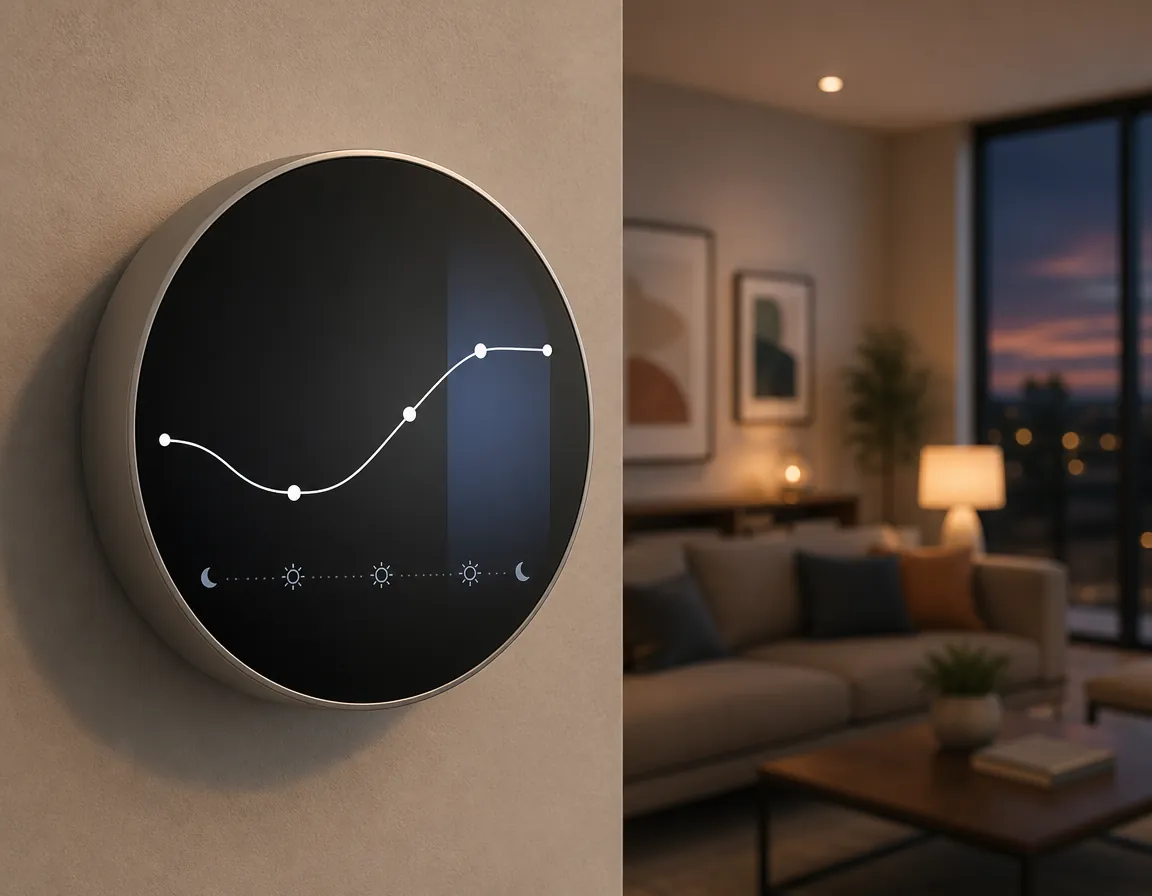
Setpoint changes are worth caring about because cooling demand is sensitive to each degree. ERCOT has said every degree of cooling increases energy use by about 6% to 8%.[7] That does not mean every home gets a clean 6% to 8% savings from every thermostat tweak, but it does explain why a 1°F or 2°F setback during the tight window is more than a symbolic gesture.
| Time | Thermostat action | What to watch |
|---|---|---|
| Morning, before the house is heat-soaked | Cool 1°F to 2°F below your normal occupied setting if the house holds temperature well | Humidity, compressor runtime, and whether rooms overcool uncomfortably |
| Midday | Return to your normal occupied setting | Avoid creating a long recovery run right before the peak window |
| 2–8 p.m. or the day’s ERCOT/requested window | Raise the setpoint 1°F to 2°F above normal, or allow your demand-response program to do it | Bedrooms, nurseries, older relatives, pets, and anyone heat-sensitive |
| After the window | Recover gradually instead of forcing an aggressive cooldown | Whether the system runs nonstop and still cannot catch up |
A reasonable starting point is the comfort range your household already uses, not a number copied from someone else’s house. DOE-linked summer guidance often lands around 75°F to 78°F indoors, but the safe setting depends on who lives there, how the rooms are zoned, and whether the AC can control humidity.[8]
The pre-cool caveat
Pre-cooling is not a universal energy saver. NPR reported disagreement among utilities, with Georgia Power and Exelon cautioning that it can backfire in leaky or poorly insulated homes.[8] If the house cannot hold the cooler air, the morning dip can become extra compressor runtime plus a still-hot house later.
Test the schedule on a normal hot day before trusting it during a grid call. If the house coasts through the afternoon with a shorter late-day recovery, keep the schedule modest. If the AC runs hard after lunch and the warmest rooms still climb into uncomfortable territory, remove the pre-cool and keep only a small setback. A ceiling fan can make a warmer occupied room feel better, but it does not cool an empty room, so do not leave fans running as a substitute for a working schedule.
This is also where the ordinary heat-wave checklist can support the automation without taking over the plan. Closing sunny blinds before the west side of the house bakes, avoiding the oven during the peak window, and delaying laundry can reduce the heat the AC has to fight. They are helpers, not the control system.
Layer 3: Build a Home Assistant ERCOT reserve monitor
This layer is for people who are willing to maintain it. The Home Assistant community has shared a Texas Electricity Grid Monitor using ERCOT supply-demand data, a reserve gauge, and automations that adjust thermostat behavior as reserves fall.[9] The same thread also documents endpoint breakages in February 2023 and June 2023, which is the part that should keep this from becoming a set-it-and-forget-it safety system.[9]
Status for this recipe: Last verified: July 31, 2026. Use this as a maintained pattern, not as proof that the ERCOT endpoint, JSON field names, or alert thresholds will still be correct during the next live emergency. Re-check ERCOT or TXANS directly before letting an automation make decisions you cannot supervise.
Reserve thresholds to use carefully
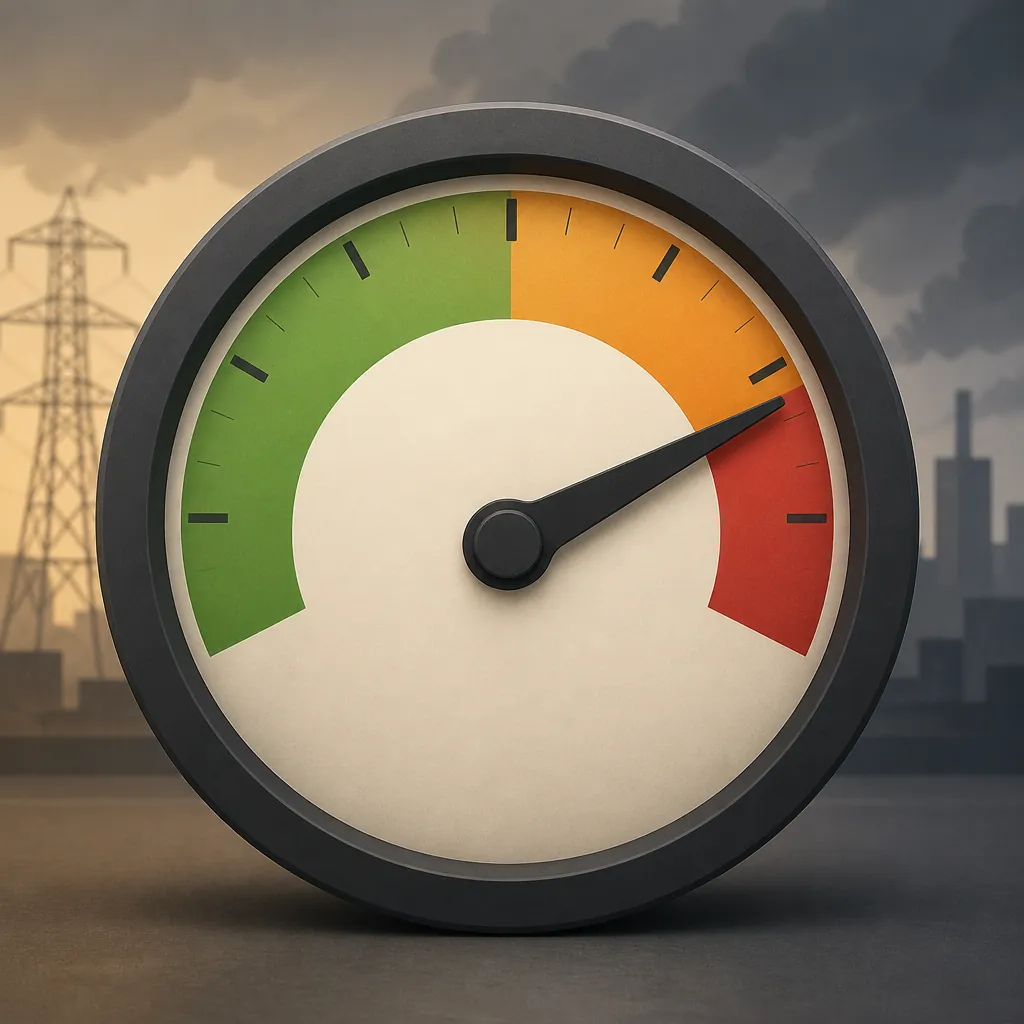
For the working automation below, use the lower EEA operating-reserve thresholds reported by NBC DFW and Arcobi: EEA 1 around 2,300 MW, EEA 2 around 1,750 MW, and EEA 3 around 1,430 MW.[2][6] CNET reports a higher set — 2,500 MW, 2,000 MW, and 1,500 MW — so treat these as operational recipe values, not a settled legal definition.[10]
| Reserve level | Working label | Thermostat behavior |
|---|---|---|
| Above 2,300 MW | Normal / watch | No automatic setback beyond your normal schedule |
| At or below 2,300 MW | EEA 1 working threshold | Nudge cooling setpoint up 1°F if safe |
| At or below 1,750 MW | EEA 2 working threshold | Nudge cooling setpoint up 2°F if safe |
| At or below 1,430 MW | EEA 3 working threshold | Nudge cooling setpoint up 3°F only if your household comfort cap allows it |
The late-evening transition is the reason this monitor is more than dashboard decoration. NBC DFW quoted Rice professor Daniel Cohan describing the tight window as solar fades before wind ramps up.[6] That is exactly when an automation should be conservative, visible, and easy to override.
Home Assistant package skeleton
Because the ERCOT endpoint has broken before, the REST sensor below deliberately uses a secret URL and a field placeholder. Pull the current supply-demand JSON URL and reserve field from the maintained Home Assistant community thread or from ERCOT’s current documentation, then paste them into your local secrets and template. Do not publish a household automation that hides this maintenance step.
# packages/ercot_grid_response.yaml
# Last verified: 2026-07-31
# Status: pattern confirmed; ERCOT URL and JSON field must be re-verified before live use.

input_boolean:
  ercot_grid_response_enabled:
    name: ERCOT grid response enabled
    icon: mdi:transmission-tower

input_number:
  ercot_max_cooling_setpoint:
    name: ERCOT maximum cooling setpoint
    min: 74
    max: 86
    step: 1
    unit_of_measurement: "°F"
    mode: slider

rest:
  - resource: !secret ercot_supply_demand_url
    scan_interval: 300
    sensor:
      - name: ERCOT Operating Reserves MW
        unique_id: ercot_operating_reserves_mw
        unit_of_measurement: "MW"
        value_template: >
          {{ value_json["PASTE_CURRENT_RESERVE_FIELD_FROM_VERIFIED_ERCOT_JSON"] | float(0) }}

template:
  - sensor:
      - name: ERCOT Reserve Stage
        unique_id: ercot_reserve_stage
        state: >
          {% set r = states('sensor.ercot_operating_reserves_mw') | float(99999) %}
          {% if r <= 1430 %}
            eea3
          {% elif r <= 1750 %}
            eea2
          {% elif r <= 2300 %}
            eea1
          {% else %}
            normal
          {% endif %}
        attributes:
          reserves_mw: "{{ states('sensor.ercot_operating_reserves_mw') }}"
          threshold_source_note: "NBC DFW and Arcobi lower threshold set; re-check ERCOT/TXANS before live use"
Add the maximum setpoint slider to a household-visible dashboard. Replace the default range with your own comfort limit. If 80°F is already too warm for someone in the house, the automation’s cap should be below that or the automation should stay off.
type: gauge
entity: sensor.ercot_operating_reserves_mw
name: ERCOT operating reserves
min: 0
max: 5000
needle: true
severity:
  green: 2300
  yellow: 1750
  red: 0
The automation below assumes one thermostat entity. Duplicate the action for upstairs and downstairs only if both zones can safely accept the same setback. A second-floor bedroom that cannot recover after sunset should not be treated like a downstairs hallway thermostat.
automation:
  - id: ercot_reserve_based_ac_setback
    alias: ERCOT reserve-based AC setback
    mode: single
    trigger:
      - platform: state
        entity_id: sensor.ercot_reserve_stage
    condition:
      - condition: state
        entity_id: input_boolean.ercot_grid_response_enabled
        state: "on"
      - condition: template
        value_template: >
          {{ states('sensor.ercot_reserve_stage') in ['eea1', 'eea2', 'eea3'] }}
    action:
      - variables:
          stage: "{{ states('sensor.ercot_reserve_stage') }}"
          current_setpoint: "{{ state_attr('climate.downstairs', 'temperature') | float(78) }}"
          max_setpoint: "{{ states('input_number.ercot_max_cooling_setpoint') | float(80) }}"
          bump: >
            {% if stage == 'eea3' %}3
            {% elif stage == 'eea2' %}2
            {% elif stage == 'eea1' %}1
            {% else %}0
            {% endif %}
          requested_setpoint: "{{ [current_setpoint + (bump | float), max_setpoint] | min }}"
      - service: climate.set_temperature
        target:
          entity_id: climate.downstairs
        data:
          temperature: "{{ requested_setpoint }}"
      - service: notify.mobile_app_your_phone
        data:
          title: "ERCOT AC setback active"
          message: >
            Reserves stage {{ stage }}. Downstairs cooling setpoint requested: {{ requested_setpoint }}°F.
            Override at the thermostat if the house is uncomfortable.
Do not let this automation silently restore a colder setpoint the moment reserves improve. A hard snap-back can create the same kind of synchronized load spike you were trying to avoid. Put recovery on a normal evening schedule or require a manual “resume comfort” button after the household confirms the rooms are livable.
Where the layers should stop
ERCOT conservation requests are commonly framed around doing what is safe, and that qualifier is not decoration.[11] Demand response is useful because it can be overridden. A thermostat schedule is useful because everyone can understand it. A Home Assistant reserve monitor is useful only if the endpoint is current, the thresholds are visible, and the comfort cap belongs to the household, not to the YAML.
The dependable setup is layered preparation: let the utility program handle the basic grid event, let the thermostat schedule shave the predictable late-day load, and let Home Assistant watch reserves only if you are willing to maintain it. When any layer conflicts with safety, comfort, changed program terms, or unverifiable data, that layer turns off.
References
- Texas ERCOT power grid record data center — Texas Tribune — July 29, 2026
- ERCOT Just Set a Forever Peak in July 2026. Here’s How It Went Down — Arcobi
- Power Savers Texas FAQ — EnergyHub
- Degrees of Difference — Reliant
- Some smart thermostats adjusted remotely during ERCOT’s call for conservation — FOX 4
- ERCOT calls for conservation Thursday after energy emergency alert Wednesday — NBC DFW
- Conserve energy during heat wave — ABC News
- Heat, air conditioning, forecast, supercooling and precooling — NPR — July 2025
- Texas Electricity Grid Monitor — Home Assistant Community
- What Do All of ERCOT's Energy Conservation Alerts Mean? — CNET
- What to Do With Your AC When ERCOT Calls a Conservation Alert — Houk AC — July 2026