
How to run DeepSeek V4 Flash locally in Home Assistant
A dated, status-labeled recipe for running DeepSeek V4 Flash locally and connecting it to Home Assistant as a conversation agent via llama.cpp and the HACS Local OpenAI LLM bridge — with the real hardware gate (roughly 128GB+ unified memory or 96GB+ VRAM) up front and the hosted-only Ollama shortcut ruled out. Includes fixes for both documented failure modes; verified July 31, 2026.
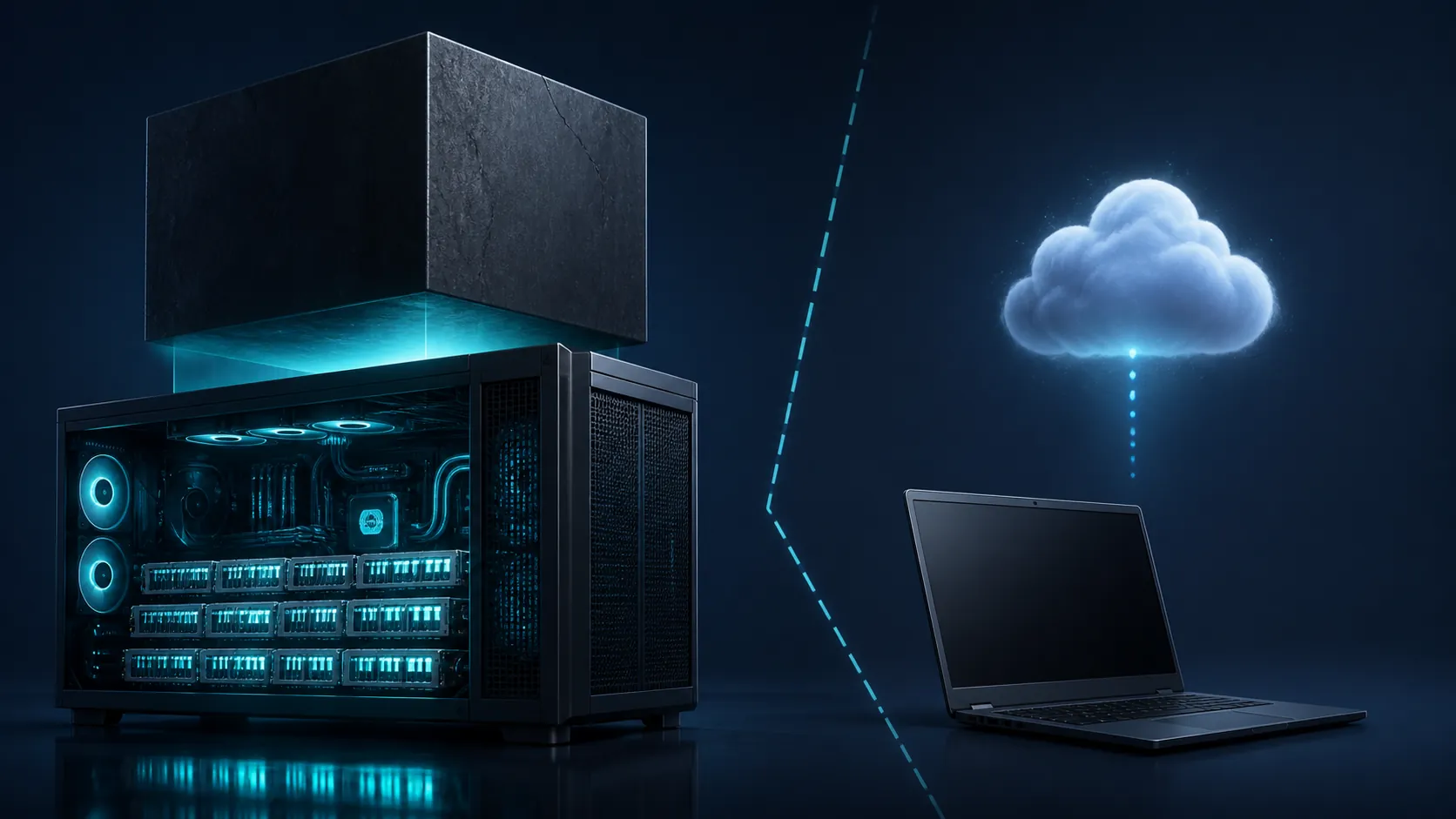
Verified 2026-07-31. Start with the hardware gate: DeepSeek V4 Flash is a 284B-parameter mixture-of-experts model with about 13B active parameters per token, a 1M-token context window, an MIT license, and a preview release dated April 24, 2026.[1][2] The 13B number is not a RAM requirement. For local inference, the model weights still have to be resident. In the current GGUF path, even the smallest practical quantization is an 80GB-plus-class download, Unsloth’s recommended UD-IQ3_XXS is about 103GB, and the lossless UD-Q8_K_XL is 162GB with roughly 169GB of RAM/VRAM needed.[3]
Also rule out the shortcut before you install anything: the Ollama library entry for DeepSeek V4 Flash is a :cloud hosted tag, not a local model tag you can pull onto your own machine.[4] If your plan was “install Ollama, paste the model name into Home Assistant, done,” that is not the local setup described here.
| If this is your machine | Use this route | Status on 2026-07-31 |
|---|---|---|
| Roughly 128GB+ unified memory or 96GB+ VRAM, and you are comfortable building llama.cpp | Local llama.cpp server plus HACS Local OpenAI LLM bridge | Reasonable to attempt |
| Below that memory line | Hosted DeepSeek-compatible API or another smaller local model | Do not spend the weekend forcing V4 Flash locally |
| Ollama-only Home Assistant stack | Not this model locally; Ollama’s V4 Flash tag is hosted-only | Ruled out for local inference |
The working route, narrowed down
As of July 31, 2026, the local path worth documenting is: serve a DeepSeek V4 Flash GGUF from a llama.cpp build that includes the July 7 V4 support merge, expose llama-server’s OpenAI-compatible /v1 endpoint, then point Home Assistant at that endpoint through the HACS Local OpenAI LLM integration.[3][6]
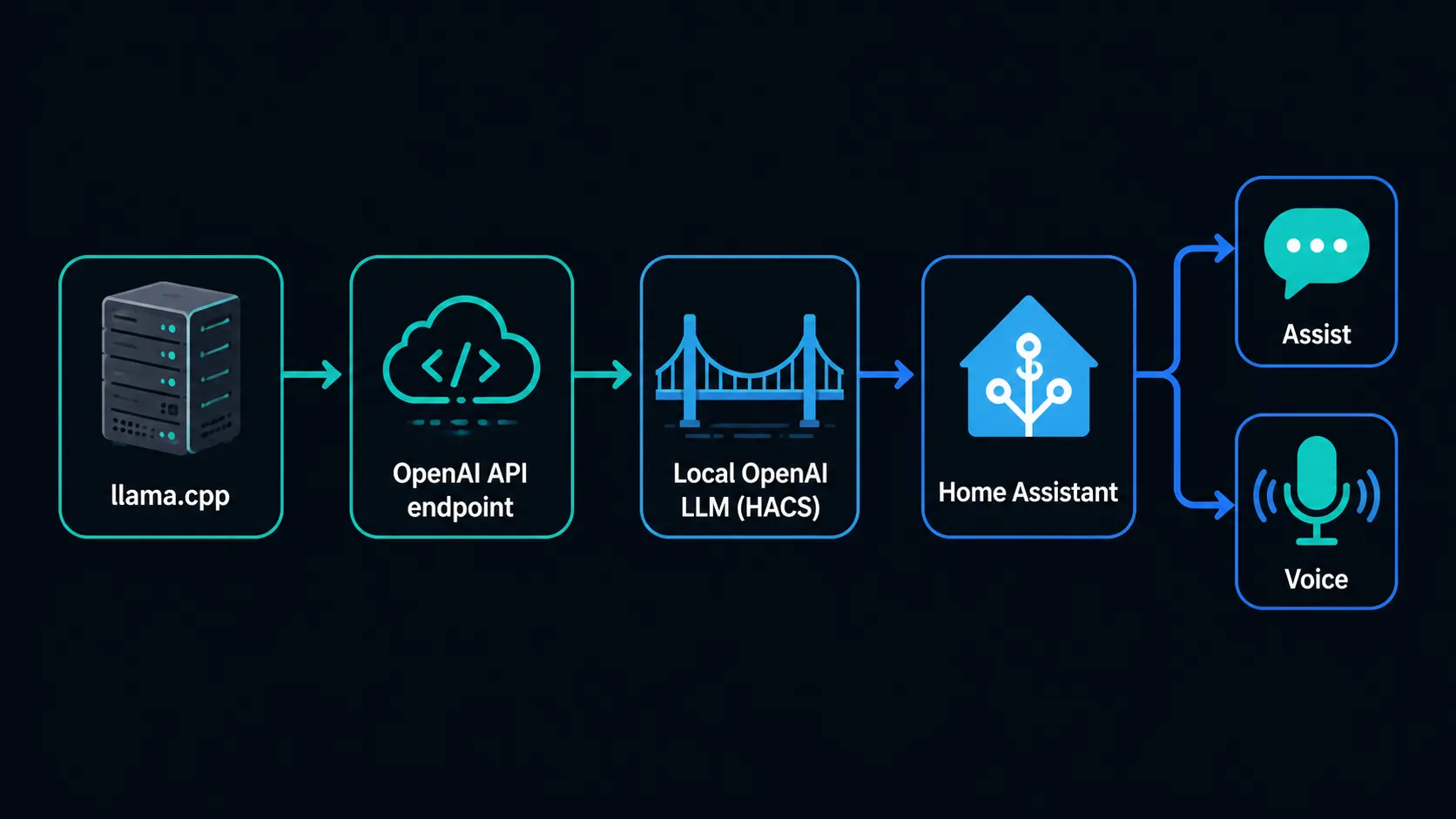
Home Assistant’s native Ollama integration is still useful for models Ollama can actually run locally, but it does not turn the hosted DeepSeek V4 Flash cloud tag into a local model.[7] LM Studio-style convenience wrappers are in the same caution bucket for this recipe unless they are clearly shipping the same current llama.cpp V4 support. For V4 Flash, the runtime date matters.
Before you build: choose a GGUF that fits the machine, not the wish list
The practical local choice is not between “13B” and “284B.” It is between quantizations of a 284B model. For this Home Assistant recipe, the useful starting point is Unsloth’s UD-IQ3_XXS at about 103GB. The smaller IQ2_XS-XL class exists around 81GB, but it is a harsher compromise. The UD-Q8_K_XL lossless option is a 162GB file and belongs on machines that can keep roughly 169GB available for the model path.[3]
| GGUF choice | Approximate size | How to treat it |
|---|---|---|
| IQ2_XS-XL | About 81GB | Smallest practical local class; use only if the hardware gate is already tight |
| UD-IQ3_XXS | About 103GB | Recommended starting point for this recipe |
| UD-Q8_K_XL | 162GB; roughly 169GB RAM/VRAM needed | Lossless path; not the default Home Assistant choice unless the machine is built for it |
Do not set the context window to 1M just because the model card says the model supports it. Home Assistant tool use benefits from a larger-than-chat context, but every extra token of context has a runtime cost. For an Assist agent, start at 16k if the machine can hold it; the Local OpenAI LLM project recommends at least 10k context for Assist-style tooling, and the entity list should stay small enough that the prompt does not become the workload.[6]
Step 1 — Build or update llama.cpp with V4 support
Status: Confirmed as of 2026-07-31. DeepSeek V4 support landed in llama.cpp on July 7, 2026, and a related multi-turn KV-cache quantization fix also landed that day.[3] If your llama.cpp checkout is older than that, update before testing Home Assistant. A first-turn success followed by broken second-turn behavior is exactly the kind of failure that wastes time if you start from an old build.
git clone https://github.com/ggerganov/llama.cpp
cd llama.cpp
git pull

# NVIDIA CUDA build
cmake -B build -DGGML_CUDA=ON
cmake --build build --config Release -j

# The server binary is usually here after build:
./build/bin/llama-server --help
On Apple Silicon, use the Metal build path instead of the CUDA line. On a CPU-only box, this model is the wrong target for Home Assistant interactivity even if the file technically loads. The question is not whether a process can start; it is whether Assist can answer before the person in the room gives up.
Step 2 — Put the GGUF somewhere boring and permanent
Status: Confirmed. Download the DeepSeek V4 Flash GGUF from the current Unsloth DeepSeek V4 page, then store it outside Home Assistant’s config directory. This is not an add-on asset; it is a workstation-scale model file. The path below is only an example layout.
sudo mkdir -p /models/deepseek-v4-flash
sudo chown "$USER":"$USER" /models/deepseek-v4-flash

# Place the selected GGUF here, for example:
# /models/deepseek-v4-flash/DeepSeek-V4-Flash-UD-IQ3_XXS.gguf

ls -lh /models/deepseek-v4-flash/
If the model lives on removable storage, a network share, or a drive that spins down aggressively, fix that before debugging Home Assistant. The first clean test should remove storage weirdness, permission errors, and disappearing paths from the list.
Step 3 — Start llama-server with the DeepSeek-friendly flags
Status: Confirmed route, with local tuning required. Unsloth’s V4 notes call out the llama.cpp path and DeepSeek-recommended settings including flash attention, fit behavior, Jinja templating, temperature 1.0, and top-p 1.0.[3] Start conservatively, confirm multi-turn chat, then raise context or change quantization only after the endpoint is stable.
./build/bin/llama-server \
  --model /models/deepseek-v4-flash/DeepSeek-V4-Flash-UD-IQ3_XXS.gguf \
  --host 0.0.0.0 \
  --port 8080 \
  --ctx-size 16384 \
  --flash-attn \
  --fit \
  --jinja \
  --temp 1.0 \
  --top-p 1.0
If your llama-server build uses a slightly different binary path, adjust the path, not the route. What matters for Home Assistant is that the server exposes an OpenAI-compatible API under /v1 and keeps the model loaded.
curl http://127.0.0.1:8080/v1/models

curl http://127.0.0.1:8080/v1/chat/completions \
  -H 'Content-Type: application/json' \
  -d '{
    "model": "local",
    "messages": [
      {"role": "system", "content": "You are a concise home automation assistant."},
      {"role": "user", "content": "Say ready in one sentence."}
    ],
    "temperature": 1.0,
    "top_p": 1.0
  }'
Run at least two turns against the endpoint before Home Assistant enters the picture. A single curl response only proves that the model loaded and produced a token stream once. It does not prove that the KV cache, chat template, and context handling are usable for an Assist session.
Step 4 — Add the Local OpenAI LLM bridge in Home Assistant
Status: Confirmed bridge path. The HACS Local OpenAI LLM integration is designed to connect Home Assistant to local or self-hosted OpenAI-compatible LLM endpoints and expose them as conversation agents.[6] That is the important fit here: llama-server speaks enough of the OpenAI-style API, and Home Assistant gets an agent it can assign to Assist.
- Install the Local OpenAI LLM custom integration through HACS, following the project’s current repository instructions.
- Restart Home Assistant if HACS asks for it.
- Add the Local OpenAI LLM integration from Settings → Devices & services.
- Use your llama-server endpoint as the API base URL, for example http://WORKSTATION_IP:8080/v1.
- If the integration requires an API key field for OpenAI compatibility, use a placeholder value unless your reverse proxy enforces a real key.
- Set the model name to the value your endpoint accepts. With llama.cpp, this is often not strict, but keep it stable once configured.
Do not point Home Assistant at localhost unless llama-server is running inside the same Home Assistant network namespace. For the common setup — Home Assistant on one box, model server on a workstation — use the workstation’s LAN address, then verify from the Home Assistant host that the /v1 endpoint is reachable.
# From the Home Assistant host or a shell add-on with network access:
curl http://WORKSTATION_IP:8080/v1/models
Step 5 — Give Assist enough context, but not your entire house
Status: Confirmed recommendation from the bridge documentation, with local tuning. Set the LLM context at 10k or higher for Home Assistant tool use, and expose fewer than 25 entities at first.[6] That second number is easy to ignore until the model spends its context budget reading every light, sensor, scene, and switch you forgot was exposed.
- Start with one room or one function: lights, climate, or media — not the whole installation.
- Prefer obvious entity names over clever aliases. The model has enough work to do without guessing that “north glow” means the office lamp.
- Add entities in batches only after successful tool calls, not after successful chat replies.
- Keep automations with real consequences behind normal Home Assistant safeguards. A local LLM should not be the only thing preventing a bad service call.
The right first test is not “tell me a joke.” It is a small, reversible command against one exposed entity, followed by a second-turn reference to the same entity. For example: turn on the office lamp, then ask it to turn it back off without repeating the full entity name. That tests the bridge, the tool call, and the model’s short conversation state.
Step 6 — Assign it to Assist and, optionally, a voice pipeline
Status: Confirmed Home Assistant configuration path, with model latency dependent on hardware. Once the Local OpenAI LLM agent is present, assign it under Home Assistant’s Assist or voice assistant settings as the conversation agent. If you already run local Whisper for speech-to-text and Piper for text-to-speech, keep them; the LLM swap is the middle of the pipeline, not a replacement for wake word, STT, or TTS.
| Pipeline piece | Local option | What to watch |
|---|---|---|
| Speech-to-text | Whisper | Audio capture and transcription latency before the LLM sees anything |
| Conversation agent | Local OpenAI LLM pointed at llama-server | Model load, context size, entity prompt size, and tool-call behavior |
| Text-to-speech | Piper | Streaming or near-streaming playback can hide some LLM latency, but it cannot fix slow reasoning |
Voice makes latency more obvious than chat. A reply that feels acceptable in a web UI can feel broken when someone is standing in a kitchen waiting for the lights to change. Get chat tool calls stable first, then move the same agent into a voice pipeline.
Troubleshooting the two failures that matter most
Second turn breaks, stalls, or produces nonsense
Status: Confirmed fix. Update llama.cpp. The July 7, 2026 V4 work included a fix for the multi-turn KV-cache quantization bug.[3] If your first prompt works and the second turn fails, do not start by rewriting Home Assistant prompts or reinstalling HACS. Confirm the llama.cpp commit date, rebuild, and retest directly against /v1/chat/completions before bringing Assist back into the loop.
cd llama.cpp
git pull
cmake --build build --config Release -j

# Restart llama-server after rebuilding.
HTTP 400: reasoning_content must be passed back
Status: Workaround for Home Assistant-style tool agents; documented outside HA. The specific HTTP 400 failure where “reasoning_content must be passed back” appears when a DeepSeek reasoning model is combined with tool use is documented in an n8n agent case, not as a reproduced Home Assistant bug.[8] The relevance to Home Assistant is cautious but practical: Assist agents also combine conversation, tool calls, and follow-up turns.
If you see this class of error through the bridge or through an adjacent automation stack, avoid thinking mode for tool-calling use. Use the non-thinking chat path for Home Assistant control unless your entire client chain preserves and returns the reasoning content exactly as the upstream API expects. A smart-home agent that cannot complete a tool call is worse than a less flashy model that reliably turns the device on.
The model loads, but Home Assistant feels slow
Status: Local tuning. Reduce the exposed entity count first, then reduce context, then reconsider quantization. Do not chase speed claims from unrelated hardware posts as if they were benchmarks. The available hardware reports are useful for deciding whether to attempt the setup, but they are still early community ballparks rather than controlled Home Assistant latency tests.[5]
- If chat is slow before Home Assistant is involved, the bottleneck is the model server or hardware.
- If raw chat is acceptable but Assist is slow, inspect entity exposure, prompt size, and tool-call retries.
- If first-token delay dominates voice, test chat and TTS separately instead of blaming the full pipeline.
When to use the hosted API instead
Below the memory line, the honest alternative is a hosted API or a smaller local model. That is not as satisfying as a fully local V4 Flash agent, but it is cleaner than pretending a 284B MoE becomes laptop-friendly because only 13B parameters are active per token. If privacy, availability, or cost rules out hosted inference, pick a smaller model that your machine can keep resident and make reliable inside Assist.
If you do use a hosted provider, separate that decision from this local recipe in your Home Assistant notes. Label the integration as hosted, record the endpoint, and keep any API key handling out of automations and dashboards that do not need it.
Status table — verified 2026-07-31
| Item | Status | What that means today |
|---|---|---|
| DeepSeek V4 Flash model identity | Confirmed | 284B total parameters, about 13B active parameters per token, 1M context, MIT license, preview released April 24, 2026.[1][2] |
| Local llama.cpp route | Confirmed | Use a llama.cpp build with the July 7, 2026 V4 support and KV-cache fix, serve a GGUF through llama-server, and expose /v1.[3] |
| Ollama local route | Ruled out | The Ollama DeepSeek V4 Flash tag is :cloud hosted-only, not a local pull for this recipe.[4] |
| Home Assistant bridge | Confirmed | Use HACS Local OpenAI LLM pointed at the llama.cpp OpenAI-compatible endpoint.[6] |
| Hardware threshold | Ballpark, not benchmark | Roughly 128GB+ unified memory or 96GB+ VRAM is the sensible attempt line; below it, use hosted inference or a smaller local model.[5] |
| Thinking mode with tool calling | Workaround / investigating | The documented reasoning_content error comes from n8n, not a direct HA reproduction; avoid thinking mode for tool-calling agents unless the client chain preserves the required reasoning payload.[8] |
References
- DeepSeek-V4-Flash, Hugging Face.
- DeepSeek-V4-Flash, DeepSeek API Docs, April 24, 2026.
- DeepSeek V4, Unsloth Docs.
- deepseek-v4-flash, Ollama.
- Run DeepSeek V4 Flash Locally: Hardware Reality Check, Modem Guides.
- skye-harris/hass_local_openai_llm, GitHub.
- Ollama, Home Assistant.
- DeepSeek AI Agent fails with 400 “reasoning_content must be passed back” when using tools, n8n Community.