
A Matter-enabled device is a smart home product certified to use Matter, the cross-platform language backed by the Connectivity Standards Alliance. The logo means the device can expose supported functions to major smart home platforms such as Apple Home, Google Home, Amazon Alexa, Samsung SmartThings, and Home Assistant. It does not mean the device is a new kind of Wi-Fi, a replacement for Thread or Zigbee, or a promise that every feature in the brand’s own app will appear everywhere else.
The useful way to read the logo in 2026 is this: Matter is an application-layer protocol that runs over Wi-Fi, Thread, or Ethernet, so the radio and the platform still matter before you buy.[1] A bulb, plug, sensor, lock, thermostat, or camera can be Matter-certified and still require a specific controller, a Thread border router, a platform update, or the manufacturer app for advanced settings.
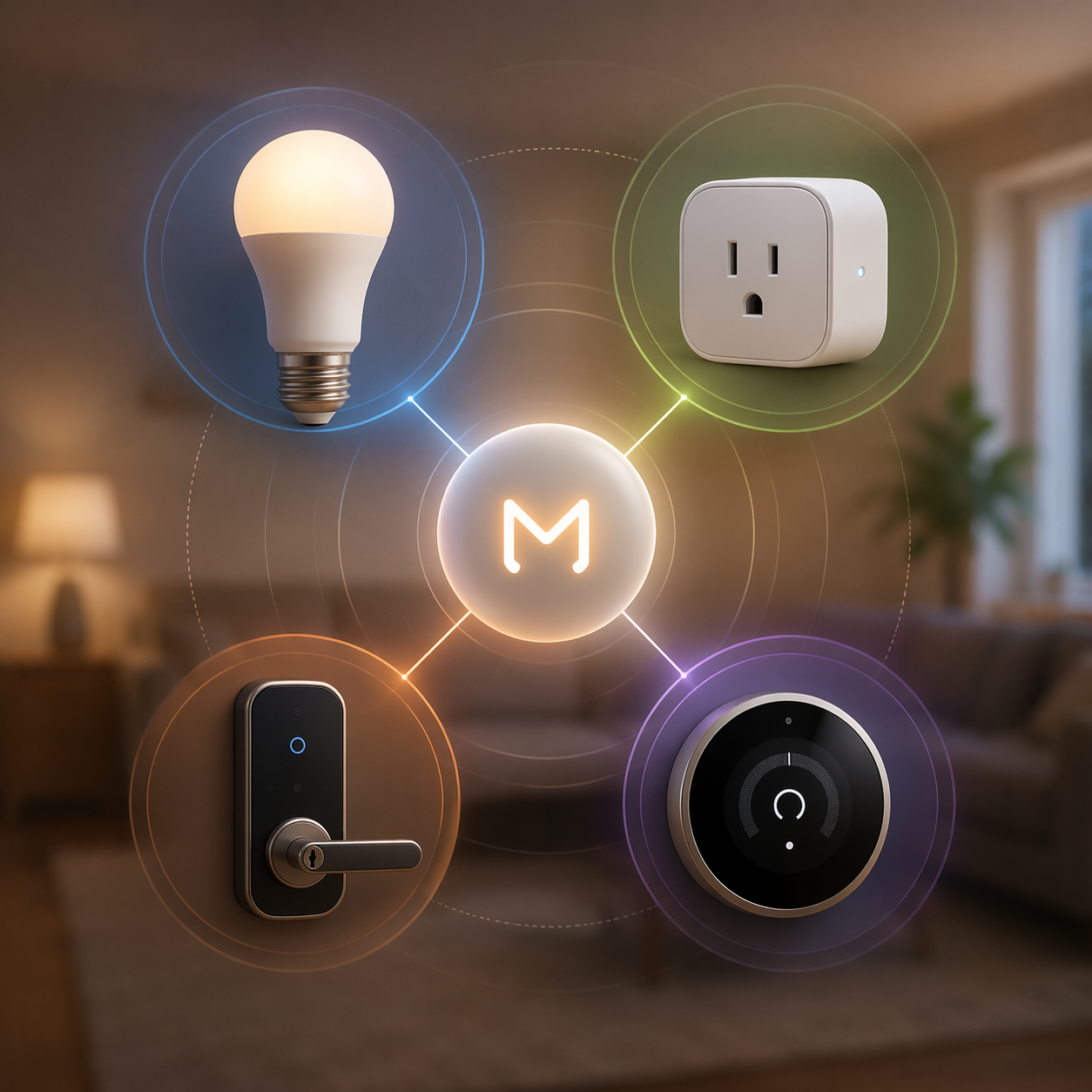
So the real buying question is not simply “Is this a Matter-enabled device?” It is “Is this Matter device the right transport, category, version, and platform match for my home?” That is the difference between a box that sets up cleanly and a box that sends someone back to the product page looking for the one sentence the retailer buried.
The quick check before buying any Matter-enabled device
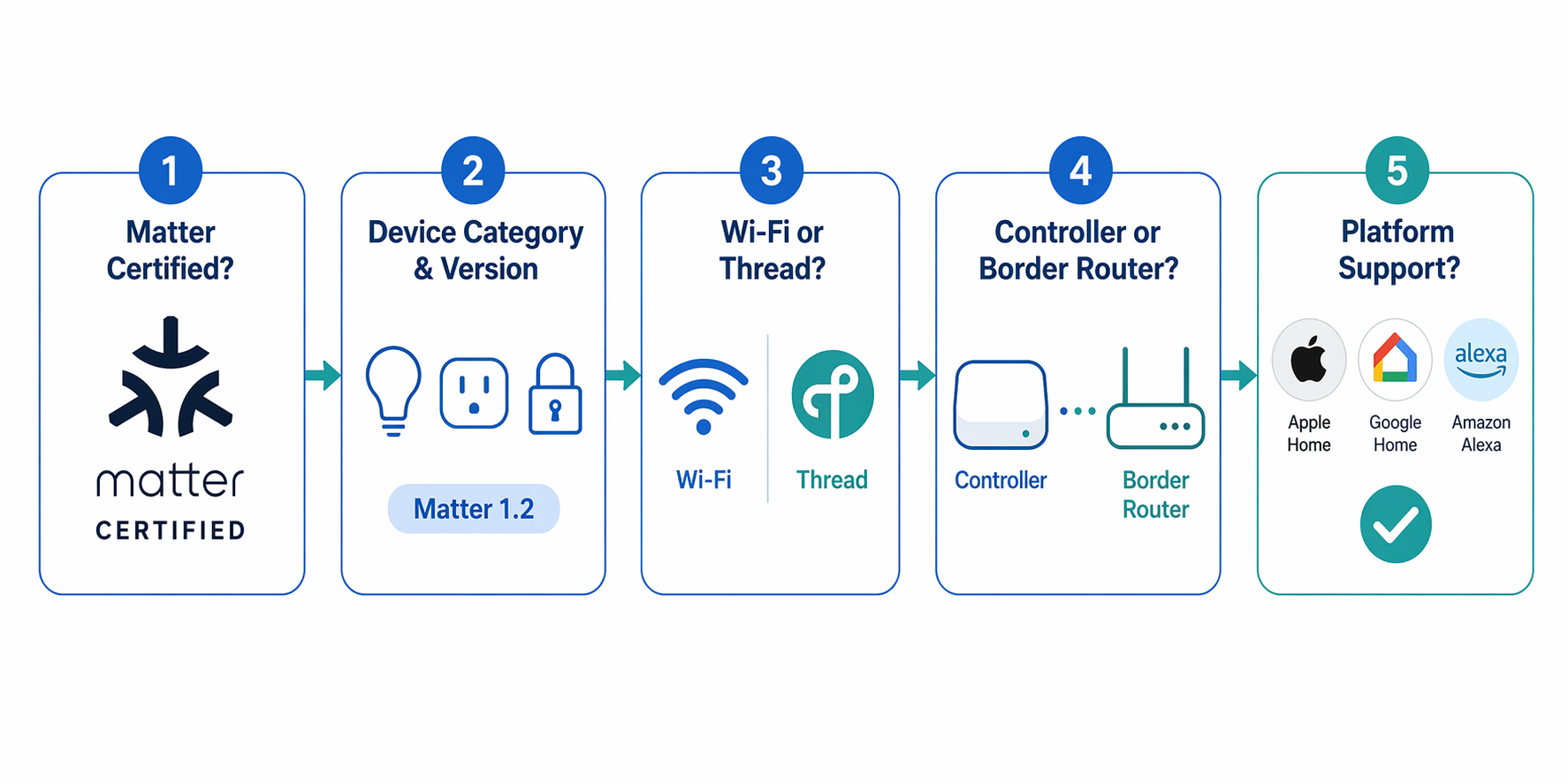
Before comparing brands, check the device in this order. It takes less time than returning the wrong version of a plug.
- Find the Matter certification, not just “works with” language. Look for the Matter logo or a clear statement that the device supports Matter, then confirm whether the exact model or bundle is the Matter version.
- Check the device category and Matter version. A Matter 1.2 platform may not fully understand a newer Matter 1.4 or 1.5 device type, even if setup begins normally.
- Identify the transport: Wi-Fi, Thread, or Ethernet. Wi-Fi Matter devices join your Wi-Fi network. Thread Matter devices need a Thread border router. Ethernet devices are usually hubs, bridges, or fixed equipment.
- Confirm that you already have a Matter controller. A phone alone is not the permanent home brain for Matter accessories.
- If the device uses Thread, confirm that your controller also includes, or is paired with, a Thread border router.
- Check your chosen platform’s support for that device type. Matter certification and Apple, Google, Amazon, SmartThings, or Home Assistant feature readiness do not always move on the same day.
- Read the app notes. Locks, cameras, thermostats, and presence sensors often keep advanced features in the manufacturer’s app.
That second step deserves more attention than it gets on product pages. Matter has expanded from early basic device types into a broader catalog, and the market now includes more than 750 certified products across more than 40 device types from Matter 1.0 through Matter 1.6, based on a database verified on June 30, 2026.[2] That growth is good news, but it also means a 2026 Matter badge can refer to more kinds of products than every platform handles equally well.
Matter is not Wi-Fi, Thread, Zigbee, or an app
Matter sits above the network layer. Wi-Fi, Thread, and Ethernet move the data; Matter defines how smart home devices describe themselves and respond to commands. That is why two Matter-enabled plugs can behave differently at setup: one may be a Wi-Fi plug that connects straight to your router, while another may be a Thread plug that needs a Thread border router nearby.[1]
Zigbee is different. A Zigbee device is not automatically a Matter device. Some hubs can bridge Zigbee devices into Matter, but then the hub is doing the translation. That can be useful, especially for existing bulbs and sensors, but it is not the same as buying a native Matter-over-Thread or Matter-over-Wi-Fi accessory.
The app is another separate layer. Apple Home, Google Home, Alexa, SmartThings, Home Assistant, and brand apps are control surfaces. Matter can let the same certified device appear in more than one of them, but each platform decides how much of the Matter version it supports and how it presents the device.
What hardware you need
Every Matter-enabled device needs a Matter controller. Common examples include a HomePod mini, Nest Hub 2nd Gen, Echo 4th Gen, or SmartThings Station.[1] The controller keeps the device available to your home after setup, handles automations, and gives other users or platforms a stable place to connect.
| Device transport | What it connects through | What you need |
|---|---|---|
| Matter over Wi-Fi | Your Wi-Fi router | A Matter controller |
| Matter over Thread | A Thread mesh network | A Matter controller and a Thread border router |
| Matter over Ethernet | Wired network | A Matter controller |
| Zigbee bridged to Matter | Manufacturer hub or bridge | A Matter-compatible bridge and a Matter controller |
A Thread border router is only required for Thread devices. It is the translator between the low-power Thread mesh and your home network. Some products are both Matter controllers and Thread border routers; others are only one of those things. That distinction is where many perfectly good Thread accessories become frustrating.
Thread’s rough edge in 2026 is not the radio idea itself; it is border-router coordination. Credential sharing between Thread border routers is the key friction point, and Thread 1.4 is designed to improve that, but rollout is not complete across homes and platforms.[3] If your home already has several platform hubs, the best Thread setup is the one that forms one reliable mesh instead of several confused ones.
Multi-admin is the feature that lets one Matter device be shared across ecosystems. The standard allows a device to be connected to up to five ecosystems at the same time.[1] That is genuinely useful when one person uses Apple Home and another prefers Alexa or SmartThings, but it is not a guarantee that every ecosystem will expose identical controls.
Why platform version support matters more than the box suggests
A Matter logo travels faster than platform support. That is the part shoppers feel as betrayal: the box says Matter, the setup code scans, and then the device appears with missing controls, a generic icon, or no useful interface in the preferred app.
The most practical warning is simple: do not assume a platform that supports Matter supports the newest Matter device type. A Matter 1.4 device may appear as a blank or generic device in a platform that is still effectively handling Matter 1.2 behavior.[4] That is not the device necessarily being fake; it is the platform lag showing up at the worst possible moment, after purchase.
Cameras make this especially visible. Matter 1.5, released in November 2025, added cameras and video doorbells, and Aqara’s Camera Hub G350 became the first certified unit, released in March 2026 at $139.99.[5] As of July 2026, SmartThings is the platform called out for Matter 1.5 camera support, while Apple, Google, and Amazon support remains behind that specific camera milestone in the available research. That makes the G350 interesting, but not a safe “buy it for any Matter home” recommendation yet.
Matter 1.6, released in June 2026, adds NFC commissioning and Joint Fabric for multi-ecosystem homes.[2] Those improvements point in the right direction because setup and multi-platform sharing are exactly where households notice friction. Still, a feature landing in the specification is not the same as every platform, controller, and device getting it on the same schedule.
Which Matter-enabled devices are safest to buy in 2026
The best Matter buys in 2026 are still the categories where the core function is obvious and cross-platform control matters more than brand-specific extras: bulbs, plugs, basic sensors, selected locks, and some thermostats. The encouraging change is price. Matter is no longer only showing up in premium experiments: bulbs have reached $7.99, plugs $15.99, and sensors $9.99 in the cited market examples.[6][7]
| Category | Example to consider | What the example teaches |
|---|---|---|
| Bulb | IKEA Tradfri bulb, $7.99, Wi-Fi | Cheap Matter lighting is now a reasonable first purchase when basic on/off, dimming, and platform sharing are enough. |
| Plug | Tapo P110M plug, $15.99, Wi-Fi | A low-cost Wi-Fi plug is the easiest Matter test device because it does not require a Thread border router. |
| Plug | Eve Energy, Thread | Thread plugs make more sense in homes that already have a reliable Thread border router. |
| Presence sensor | Aqara FP300, Zigbee or Thread | Check the exact variant and integration path before assuming the same behavior across platforms. |
| Lock | Level Lock+, $329, Thread | Matter can cover core lock behavior while advanced credentials may stay in the manufacturer or platform-specific app. |
| Thermostat | Nest Thermostat, Wi-Fi | Wi-Fi thermostats avoid Thread requirements, but platform controls may still be simpler than the brand app. |
| Camera | Aqara Camera Hub G350, $139.99 | A first certified Matter 1.5 camera is a milestone, but platform support is the buying constraint. |
Bulbs: the best place to start
A cheap Matter bulb is the kind of product that makes the standard feel real. If a household can buy an IKEA Tradfri Matter bulb for $7.99 and use basic lighting controls across more than one ecosystem, that is a meaningful interoperability win.[6] Lighting is forgiving because the core controls are easy to evaluate: power, brightness, color temperature, color if supported, rooms, scenes, and automations.
The main buying check is whether the bulb is Matter over Wi-Fi, Matter over Thread, or part of a bridged system. A Wi-Fi bulb has the simpler hardware path but can crowd a weak router if you add many devices. A Thread bulb can be elegant in a strong Thread home, but only if the border-router setup is already sorted.
Plugs: choose Wi-Fi for simplicity, Thread for mesh homes
Smart plugs are the cleanest Matter test because the job is narrow: turn something on, turn it off, maybe report energy use if the platform exposes it. A Tapo P110M at $15.99 shows why low-cost Wi-Fi Matter plugs are a good entry point.[7] They do not ask the buyer to understand Thread before seeing value.
Thread plugs such as Eve Energy are better judged by the home they join. In an Apple Home or multi-platform home with stable Thread border routers, Thread plugs can extend the mesh and keep low-power devices off Wi-Fi. In a home with no Thread border router, the same plug becomes an avoidable support call.
Sensors: cheap is good, exact variant still matters
Sensors are another place where Matter’s affordability matters. IKEA Matter sensors reaching $9.99 puts contact, motion, or simple environmental triggers within reach for more rooms.[6] For basic automations, that is exactly where a cross-platform standard should help: a pantry door opens, a hallway light turns on, a room becomes occupied.
Presence sensors need a closer read. The Aqara FP300 appears in Zigbee or Thread form in the research materials, which is the kind of detail that decides the entire setup path. A buyer who wants native Matter-over-Thread should not assume the Zigbee version behaves the same way without a bridge.
Locks: Matter covers the door, not always the whole keychain
Matter smart locks are useful, but they are also where the “every feature everywhere” assumption breaks quickly. Matter can expose lock and unlock behavior and basic passcodes, while fingerprint enrollment and Apple Home Key remain in the manufacturer app or platform-specific path in the cited lock coverage.[8] That boundary is not a minor footnote if the household is buying the lock for biometric access or phone-wallet keys.
Level Lock+ at $329 is the kind of device to evaluate feature by feature.[8] If the goal is a clean-looking Thread lock with basic Matter control across platforms, it may fit. If the goal is to manage every credential type from every smart home app, verify that exact workflow before purchase.
Thermostats and blinds: buy for the controls you will actually use
A Wi-Fi thermostat such as the Nest Thermostat avoids the Thread border-router question, which is useful for households that want fewer moving parts. The buying check shifts to control depth: temperature, mode, schedules, presence behavior, energy features, and whether the preferred platform exposes the controls the household actually touches.
Blinds and shades follow the same logic. Matter support can make open, close, position, and automations more portable, but calibration, motor settings, remote pairing, or solar accessories may still live in the manufacturer’s app. That is not a reason to avoid them; it is a reason to know which app will be used on installation day and which app will be used six months later.
Robot vacuums: check command depth, not just certification
Robot vacuums are advanced enough that Matter support should be treated as a control layer, not the whole product experience. Start, stop, pause, dock, and status may be enough for voice routines or basic automations. Mapping, room selection, no-go zones, cleaning history, mop settings, and maintenance alerts are exactly the kinds of features that can remain tied to the manufacturer app.
Cameras: interesting, but not yet casual buys
The Aqara Camera Hub G350 matters because it marks the first certified Matter 1.5 camera, not because every Matter home is now camera-ready.[5] Cameras involve video streams, event detection, privacy controls, storage, notifications, and platform permissions. Those are much harder to flatten into a universal experience than a lamp turning on.
As of July 2026, treat Matter cameras as platform-specific purchases. SmartThings support is the concrete green light in the available material for Matter 1.5 cameras; Apple, Google, and Amazon users should verify current support before buying because this is exactly the category where the certification badge can outrun the app experience.
How to identify the right version on a product page
Retail listings are not always written by people who understand the difference between “Matter,” “Thread,” “works with Alexa,” and “requires hub.” When a listing is vague, look for the model number, setup code photo, transport line, and platform notes. If the listing has multiple variants, assume the Matter version is not every variant until the page proves otherwise.
- Good sign: “Matter over Wi-Fi” or “Matter over Thread” is stated clearly.
- Good sign: the page names the required hub, controller, or Thread border router.
- Good sign: the model number in reviews matches the model number in the listing.
- Warning sign: the listing says only “compatible with smart home apps” without naming Matter.
- Warning sign: the listing mixes Zigbee, Thread, Wi-Fi, and Matter language without explaining which version is being sold.
- Warning sign: advanced features are shown only in brand-app screenshots.
For a deeper platform overview, an internal guide such as The Matter Smart Home Standard in Mid-2026 is useful background. For the transport decision specifically, compare Wi-Fi and Thread in Should Your Matter Accessories Use Thread or Wi-Fi in 2026? before filling a cart with one radio type.
A practical 2026 buying rule
In 2026, a Matter-enabled device is safest when the basic function matters most across platforms: lights that turn on, plugs that switch reliably, sensors that trigger automations, locks that expose core lock controls, and thermostats whose everyday settings appear where the household wants to use them. Those are the categories where Matter’s promise is closest to the checkout-level reality.
Be more cautious when the device is expensive, feature-heavy, or newly added to Matter. Cameras, advanced locks, robot vacuums, presence sensors, and sophisticated thermostats can be good purchases, but certification may cover only part of the experience. The manufacturer app may still handle setup details, special credentials, maps, calibration, firmware updates, or analytics.
Buy the Matter device when the core function needs to work across ecosystems. Before treating the logo as enough, check four things: transport, controller requirement, Matter version support in your platform, and which features stay in the manufacturer app.
References
- Matter FAQ, Connectivity Standards Alliance
- Matter devices database, matter-smarthome.de, June 30, 2026
- Thread 1.4: Fixing Border Router Fragmentation, Data Wire Solutions
- Matter 1.4 Device Shows as Blank Icon in Matter 1.2 Platform, Terry White’s Tech Blog
- Aqara Camera Hub G350 Is the First Matter 1.5 Camera, Forbes, March 2026
- Matter device pricing and availability, Matter Alpha
- Matter device pricing and availability, YourMatterHome
- Matter Smart Locks Work Everywhere — Here’s the Catch, Smart Locks coverage
Updates & Corrections
Protocol specifications and platform features change rapidly — especially with Matter version evolution. Report version changes, certification count updates, or platform policy changes that have occurred since the last editorial review.
Comments
Join the discussion with an anonymous comment.