
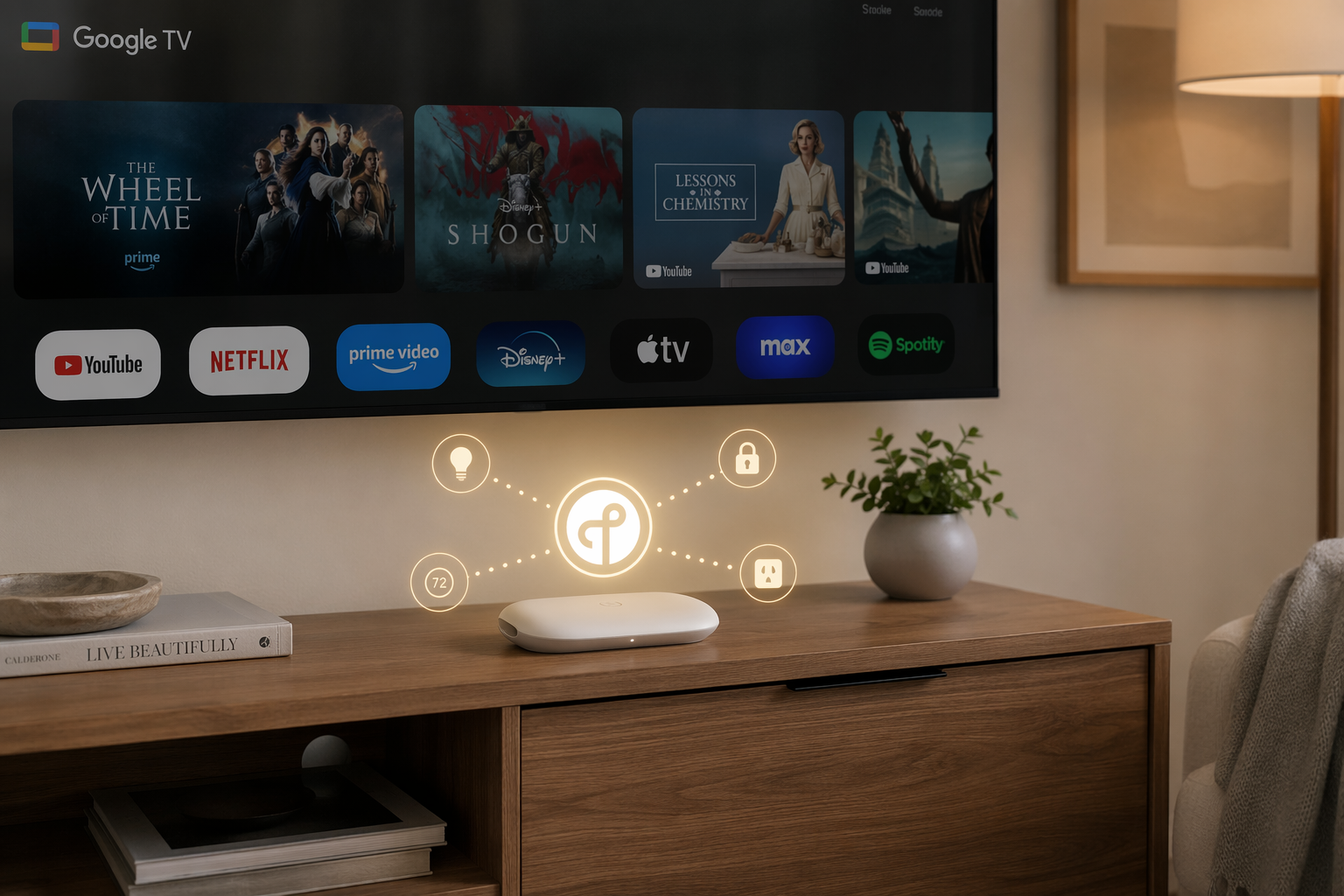
Yes: the Google TV Streamer (4K) can act as a Thread border router for Matter-over-Thread devices in Google Home. Google documents it as a Thread border router, and its Connectivity Standards Alliance listing identifies it as a certified Thread border router device.[1][2] The catch is that this is not a plug-it-in-and-forget-it feature. You need to turn Thread on manually, your home network needs IPv6, and the phone running the Google Home app should be on the same Wi-Fi network as the Streamer during setup.
That distinction matters because a Thread border router is not the same thing as a Matter controller. The Streamer can bridge low-power Thread devices onto your IP network, while Google Home handles the control layer. If that difference is still fuzzy, it is worth reading a quick explainer on what a border router does before you start moving plugs and sensors around the house.
Before You Turn Thread On
Start with the boring checks. They are the ones that save the most time.
- Confirm the device is the Google TV Streamer (4K), not an older Chromecast with Google TV. Google’s Thread border router documentation applies to the Streamer (4K).[1]
- Update the Google TV Streamer before setup. The Thread controls discussed here depend on the newer smart home update reported in June 2026.[3]
- Make sure the Streamer is connected to the same home network you use with the Google Home app.
- Check that IPv6 is enabled on your home network. Google’s Matter preparation guidance says Matter requires IPv6, which includes Matter-over-Thread setups.[4]
- Have a Matter-over-Thread device ready to pair, along with its Matter setup code or QR code.
The IPv6 requirement is easy to underestimate because Wi-Fi, streaming, and ordinary smart home controls can appear normal without it. A router setting, ISP gateway mode, mesh system option, or guest network can be enough to make Matter pairing look like a device problem when the actual failure is lower in the network stack.
Turn On the Thread Network Setting
On the Google TV Streamer, use the remote and go to:
Settings > Network & Internet > Thread networkSwitch Thread on from that screen. 9to5Google reported that the Thread network setting is not enabled by default and has to be turned on manually from Network & Internet.[3] That is the setup detail most likely to be missed if you bought the Streamer because the product page or a review said it “has Thread.”
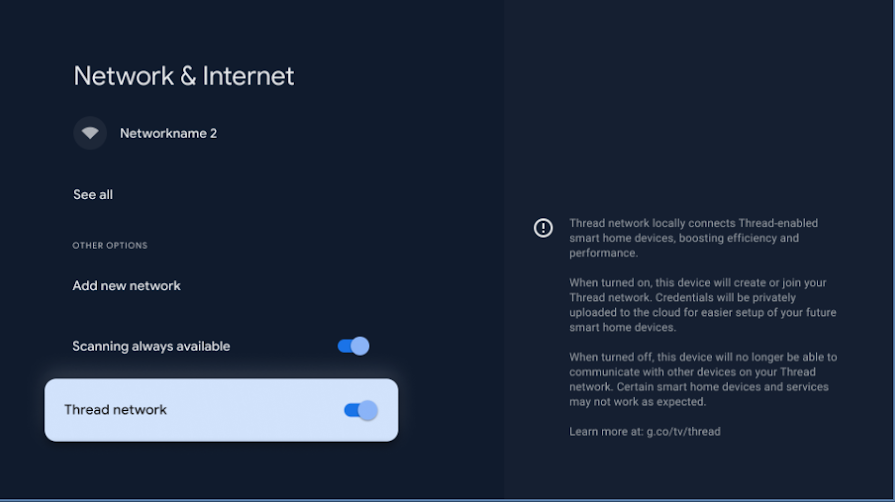
Once the toggle is on, leave the Streamer powered and connected. A Thread border router is useful because it stays in place and bridges Thread devices back to the rest of the home network. If you unplug the Streamer every night, place it on a switched outlet, or move it between rooms, it becomes poor infrastructure no matter how good the radio is.
Add a Matter-over-Thread Device in Google Home
With Thread enabled on the Streamer, move to the Google Home app on your phone. Keep the phone on the same Wi-Fi network as the Streamer rather than a guest network, VPN-isolated network, or cellular connection.
- Open the Google Home app.
- Tap the add-device flow and choose the option to add a Matter-enabled device.
- Scan the Matter QR code or enter the setup code from the device.
- Keep the Thread device close enough to the Streamer for first pairing, especially if it is the first Thread device in that part of the home.
- Assign the device to a room and wait for Google Home to finish setup before testing automations.
If the device was previously paired to another ecosystem, remove it cleanly from that app or factory-reset it using the manufacturer’s instructions before adding it to Google Home. Matter devices can support multi-admin sharing, but a half-removed accessory is a common way to lose an evening to repeated pairing failures.
If You Are Reconnecting an Existing Device
A device that already appears in Google Home may not automatically migrate to the Streamer’s Thread network just because you enabled the toggle. If the device is stable, do not disturb it just to prove a point. If it is offline or sluggish, remove it from Google Home, reset it according to the manufacturer’s instructions, and add it again with the Streamer powered on and Thread enabled.
This is also the moment to check whether another Thread border router already exists in the home. Nest Hub 2nd gen, Nest Hub Max, Nest Wifi Pro, Google TV Streamer (4K), and the 2026 Google Home Speaker are the five Google devices listed by Matter Alpha as including Thread border router capability, with the speaker’s status tied to Google’s announcement rather than broad independent availability at the time of reporting.[9]
Verify the Device Is Actually Using Thread
Google Home can show that a Matter device is added and responsive, but it does not always give the most satisfying view of the underlying Thread path. For devices that expose more diagnostics, use the manufacturer’s app. Matter Alpha points to apps such as Eve’s app for Eve Energy devices as a way to check Thread network status after setup.[5]
| What You See | What It Usually Means | What to Check Next |
|---|---|---|
| Device appears in Google Home and responds quickly | Pairing likely completed and the Thread path is usable | Check the manufacturer app if you want to confirm Thread status |
| Device appears but is slow or intermittently offline | The device may be on a weak Thread path or affected by multiple Thread networks | Move it closer, check IPv6, and review other border routers |
| Pairing fails before the device joins | Phone, network, IPv6, or setup-code state may be wrong | Use the same Wi-Fi network, disable VPNs, and reset the device if needed |
| No Thread option appears on the Streamer | The Streamer may not be updated, may be the wrong model, or may not have the feature available yet | Confirm model, update software, and restart the Streamer |
For a first test, use something simple: turn a plug on and off from Google Home, then wait a few minutes and try again. A one-time success immediately after pairing is less meaningful than boring repeatability after the network has settled.
Troubleshooting the Common Failure Points
The Thread Option Is Missing
First, confirm the hardware. The documented device is the Google TV Streamer (4K), not every Google TV or Chromecast product.[1] Then install available system updates, restart the Streamer, and return to Settings > Network & Internet. The Thread toggle reported in the June 2026 update lives there, so a missing menu usually points to model, software, or rollout state rather than a Matter device problem.[3]
Pairing Fails Repeatedly
Keep the phone, Streamer, and Matter device on the simplest possible path. Use the main home Wi-Fi network. Avoid guest Wi-Fi. Turn off VPNs or private relay features while pairing. Keep the device near the Streamer for setup, then move it after it has joined.
If the device was previously used elsewhere, reset it. Matter setup codes can fail in ways that look like network problems when the accessory is still commissioned to another fabric or sitting in a stale setup state.
IPv6 Is Disabled or Unclear
Google’s Matter preparation guidance says Matter requires IPv6 on the home network.[4] If your router or mesh app has an IPv6 toggle, enable it. If your ISP gateway is in bridge mode, check the downstream router rather than only the ISP box. If you have separate SSIDs or VLANs for smart home devices, make sure the phone and Streamer can still discover and reach each other during setup.
This is not a recommendation to flatten a carefully segmented network forever. It is a setup reality: Matter commissioning expects local discovery and IPv6 connectivity, and isolation rules can block that even when the internet works perfectly.
The Device Works, Then Becomes Unstable
Instability after a successful pairing is where the Streamer’s Thread feature becomes less tidy. If the home already has another Thread border router, the Streamer may not behave like a seamless extension of the existing Thread mesh in every setup. Community reports from Home Assistant users describe the Google TV Streamer creating its own separate Thread network instead of joining an existing one, with instability resolving after Thread was disabled on the Streamer.[8]
That is not laboratory proof that every multi-router home will break. It is still useful field evidence because the symptom is specific: multiple border routers, separate Thread networks, devices that become unreliable, and a clear improvement when one Thread source is turned off.
The Thread 1.4 Credential Sharing Catch
The June 2026 update is the part that sounds, at first, as if it should solve the multi-border-router problem. Thread 1.4 is meant to improve coordination between border routers, and reporting on Apple and Google’s support described QR-code-based credential sharing as part of the update.[6] HDTV Test likewise covered Google’s Thread 1.4 enhancement for the Google TV Streamer.[7]
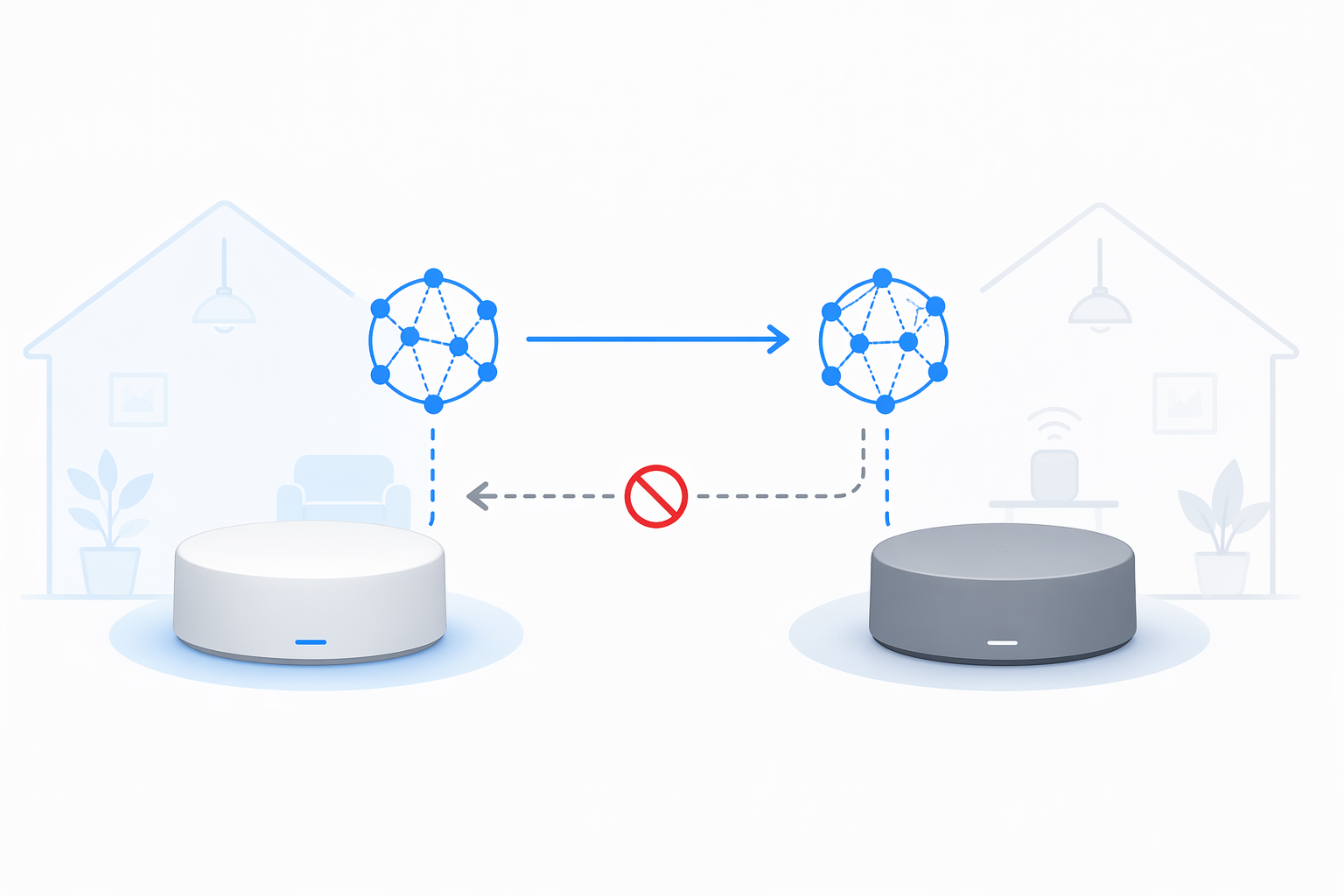
The practical limitation is direction. Current reporting says the Streamer can share its Thread credentials outward by QR code, but it does not reliably accept another border router’s credentials and join that existing Thread network.[6][7] In plain terms: the Streamer may be able to help another device learn about the Streamer’s Thread network, but that is not the same as the Streamer cleanly joining the Thread network you already built around a Nest Hub, Nest Wifi Pro, Apple device, or Home Assistant setup.
This is the difference between adoption and finished behavior. The Streamer supports Thread border router functionality. It has gained Thread 1.4-related credential sharing. But in Q3 2026, the available reporting and community cases do not support treating it as a frictionless Thread unifier for every home with more than one border router.
Should You Leave Thread Enabled on the Google TV Streamer?
Leave it enabled if the Streamer is your main or only Thread border router, your Matter-over-Thread devices pair successfully, and they stay responsive. That is the clean use case: an always-powered media box near the center of a living space quietly does useful smart home work in the background.
Be more cautious if you already have a stable Thread network built around another border router. In that case, enable the Streamer only if you are prepared to verify device behavior afterward. Watch for accessories that move from reliable to intermittent after the Streamer’s Thread network is enabled. If disabling Thread on the Streamer restores stability, leave it off and let the existing Thread border router keep doing the job.
| Home Setup | Recommended Approach |
|---|---|
| No existing Thread border router | Enable Thread on the Google TV Streamer and pair Matter-over-Thread devices through Google Home |
| Existing Google Thread border router, no instability | You can test the Streamer, but verify devices after setup |
| Existing Thread network with Home Assistant or another ecosystem | Proceed carefully; the Streamer may not join the existing network cleanly |
| Devices become unstable after enabling Streamer Thread | Disable Thread on the Streamer and retest before resetting every accessory |
If you are trying to understand why a device needs both a controller and a border router, the broader distinction is covered in Google Nest Matter controllers vs. devices and in the guide to why Matter devices still need a hub. For this setup, the decision is simpler: the Google TV Streamer is a real Thread border router, but it is not yet a safe assumption that adding it will merge every Thread network already in the house.
References
- Connect Thread smart devices with Google TV Streamer (4K) — Google TV Help — https://support.google.com/googletv/answer/15178609
- Google TV Streamer — MatterDevices.io — August 12, 2024 — https://matterdevices.io/thread/google-tv-streamer/
- Google TV Streamer gets a smart home update — 9to5Google — https://9to5google.com/2026/06/10/google-tv-streamers-new-update-turns-it-into-a-better-smart-home-device/
- Prepare your smart home for Matter — Google Home Help — https://support.google.com/googlehome/answer/12391458
- Your Google TV Streamer 4K just gets better for Matter and Thread users — Matter Alpha — https://www.matteralpha.com/industry-news/your-google-tv-streamer-4k-just-gets-better-for-matter-and-thread-users
- Apple, Google add support for Thread 1.4 — The Verge — https://www.theverge.com/tech/947888/apple-google-add-support-for-thread-1-4
- Google’s Google TV Streamer enhances smart home capabilities with Thread 1.4 — HDTV Test — https://www.hdtvtest.co.uk/news/google-s-google-tv-streamer-enhances-smart-home-capabilities-with-thread-1-4
- Issue Joining Google TV Streamer to existing Thread Network — Home Assistant Community — https://community.home-assistant.io/t/issue-joining-google-tv-streamer-to-existing-thread-network/870997
- A complete list of Thread Border Routers — Matter Alpha — https://www.matteralpha.com/frequently-asked-questions/complete-list-thread-border-routers
Updates & Corrections
Protocol specifications and platform features change rapidly — especially with Matter version evolution. Report version changes, certification count updates, or platform policy changes that have occurred since the last editorial review.
Comments
Join the discussion with an anonymous comment.