
Smart Home Lighting Systems Compared: Which Ecosystem Fits Your Home's Scale?
Choosing a whole-home smart lighting system depends on how many bulbs you plan to install. This comparison shows where the value and reliability shift between Wi-Fi, Zigbee, and Thread-based ecosystems and why the right pick changes as your home grows.
Last updated
A smart home lighting system is one of those purchases where the right answer changes after the first few rooms. Ten bulbs is a value problem. Twenty bulbs starts to become a network problem. Thirty bulbs, plus switches, motion sensors, remotes, and family members who expect the lights to work without troubleshooting, is a system-design problem.
For a small setup, WiZ and Govee make the most sense: inexpensive, no hub, quick to install, and much better than the old reputation Wi-Fi bulbs earned in their clumsier years. For a larger home, Philips Hue and Nanoleaf become stronger because Zigbee and Thread-style mesh networks do not lean on the router in the same way. Lutron Caséta belongs in a separate lane: it is not the best answer for people chasing color bulbs, but it is often the right answer for people who want the wall switch to remain the main control point.
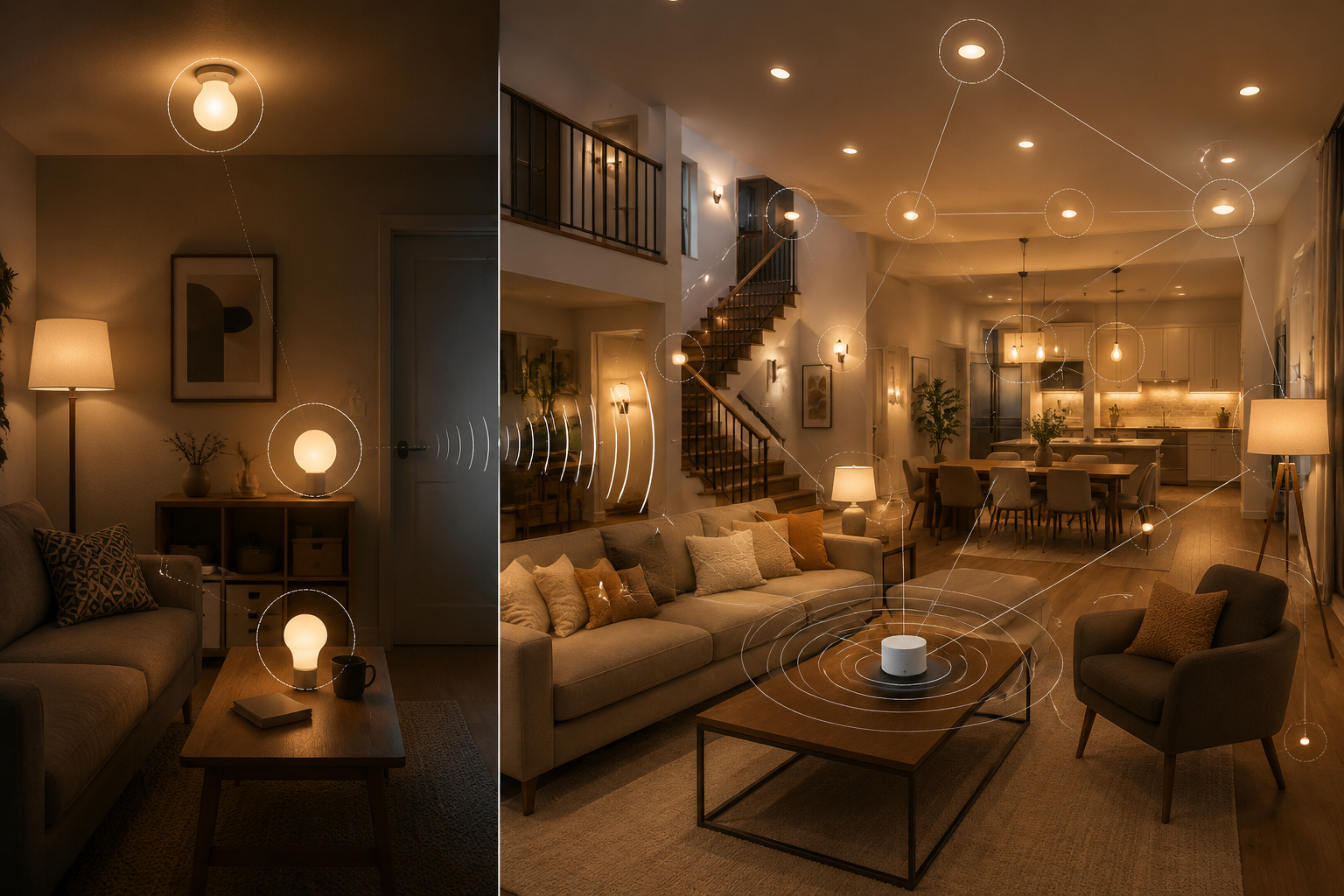
The Short Version by Home Size
| Planned lighting scale | Best fit | Why it fits | Watch before buying |
|---|---|---|---|
| Around 10 bulbs | WiZ or Govee | Lowest friction and best value for a few rooms; no hub required | Do not assume the same setup will feel clean at whole-home scale |
| Around 15-18 bulbs | Decision point | This is the rough crossover where Wi-Fi load and possible network upgrades start changing the real cost | Treat this as a rule of thumb, not a hard cutoff |
| 20+ bulbs | Philips Hue or Nanoleaf | Mesh lighting networks reduce router dependence and add headroom as powered devices participate | Native apps may still be needed for richer scenes and automations |
| Switch-first homes | Lutron Caséta | Keeps wall control familiar and works well for retrofit homes, including many no-neutral situations | The 75-device cap includes Pico remotes and shades, not only switches |
SmartHomeExplorer’s 2026 whole-home comparison is useful because it prices Philips Hue, Govee, Nanoleaf, and WiZ at 10, 20, and 30 bulbs rather than stopping at a starter pack. Its conclusion is not that one brand wins forever; it is that Wi-Fi systems tend to win early on price and simplicity, while hub or mesh systems gain strength as the installation grows.[1]
The crossover around 15-18 bulbs comes from combining that cost-at-scale view with The Verge’s guidance that standard ISP routers can become a ceiling for Wi-Fi lighting once a home pushes beyond roughly 15 smart bulbs.[1][2] That range is a buying checkpoint, not a law. A newer Wi-Fi 6 or 6E mesh setup can stretch a Wi-Fi system farther; an old all-in-one router in a cabinet can make trouble arrive earlier.
Why 10 Bulbs and 30 Bulbs Are Different Purchases
At 10 bulbs, the argument for WiZ or Govee is refreshingly boring. You buy bulbs, screw them in, connect them to Wi-Fi, and control them from an app or voice assistant. There is no bridge to place, no separate radio network to understand, and no immediate reason to pay a premium for capacity you may never use.
That is why older advice that treats every Wi-Fi lighting setup as fragile is no longer fair. Govee and WiZ reliability improved through 2025-2026 firmware work, so the old “stop at 10 bulbs” warnings are too blunt. A bedroom, office, basement media room, or small apartment can be a perfectly sensible Wi-Fi lighting project.
The trouble begins when “a few bulbs” quietly becomes every lamp, ceiling fixture, hallway, porch, and kid’s room. Wi-Fi bulbs each join the home network. They share airtime with laptops, phones, TVs, cameras, speakers, tablets, thermostats, and whatever guests bring through the door. The Verge’s smart lighting guide frames this as a protocol choice: Wi-Fi is easy, but a growing bulb count can make the router the weak point, especially on standard ISP equipment.[2]
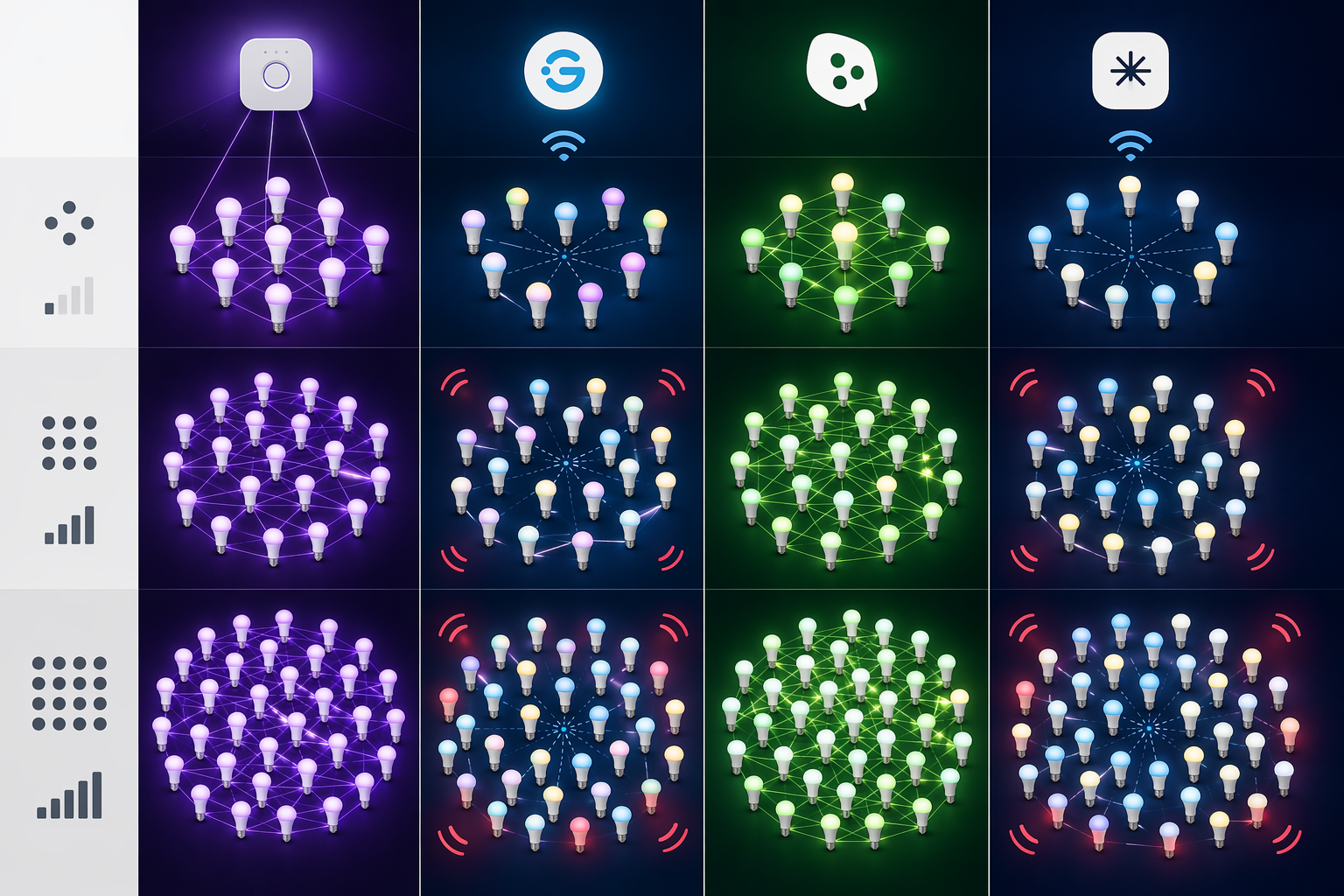
Once the home is moving toward 20 or 30 lights, the cheap bulb price is no longer the only cost. A no-hub system may push you toward a better mesh router, more careful access-point placement, or more troubleshooting than the product box suggested. SmartHomeExplorer’s comparison explicitly factors this kind of scale cost into its 10-, 20-, and 30-bulb methodology across Hue, Govee, Nanoleaf, and WiZ.[1]
The Reliability Difference Is Mostly About Traffic
A hub does not make a lighting system magically better. It changes where the traffic goes. Philips Hue uses a bridge and Zigbee lighting network, so the bulbs are not all behaving like ordinary Wi-Fi clients. Crutchfield’s guide describes the tradeoff plainly: hub-based systems add a box, but they can reduce Wi-Fi load and support more dependable whole-home lighting behavior.[3]
Crutchfield also gives a useful real-world scale marker: the author describes running 36 Hue bulbs alongside smart switches, while also noting Hue bridge capacity limits and the practical role of bridges in larger systems.[3] That kind of example matters more than a four-bulb review because it exposes the daily annoyances: whether hallway lights respond, whether automations fire, and whether the app still feels manageable after the novelty wears off.
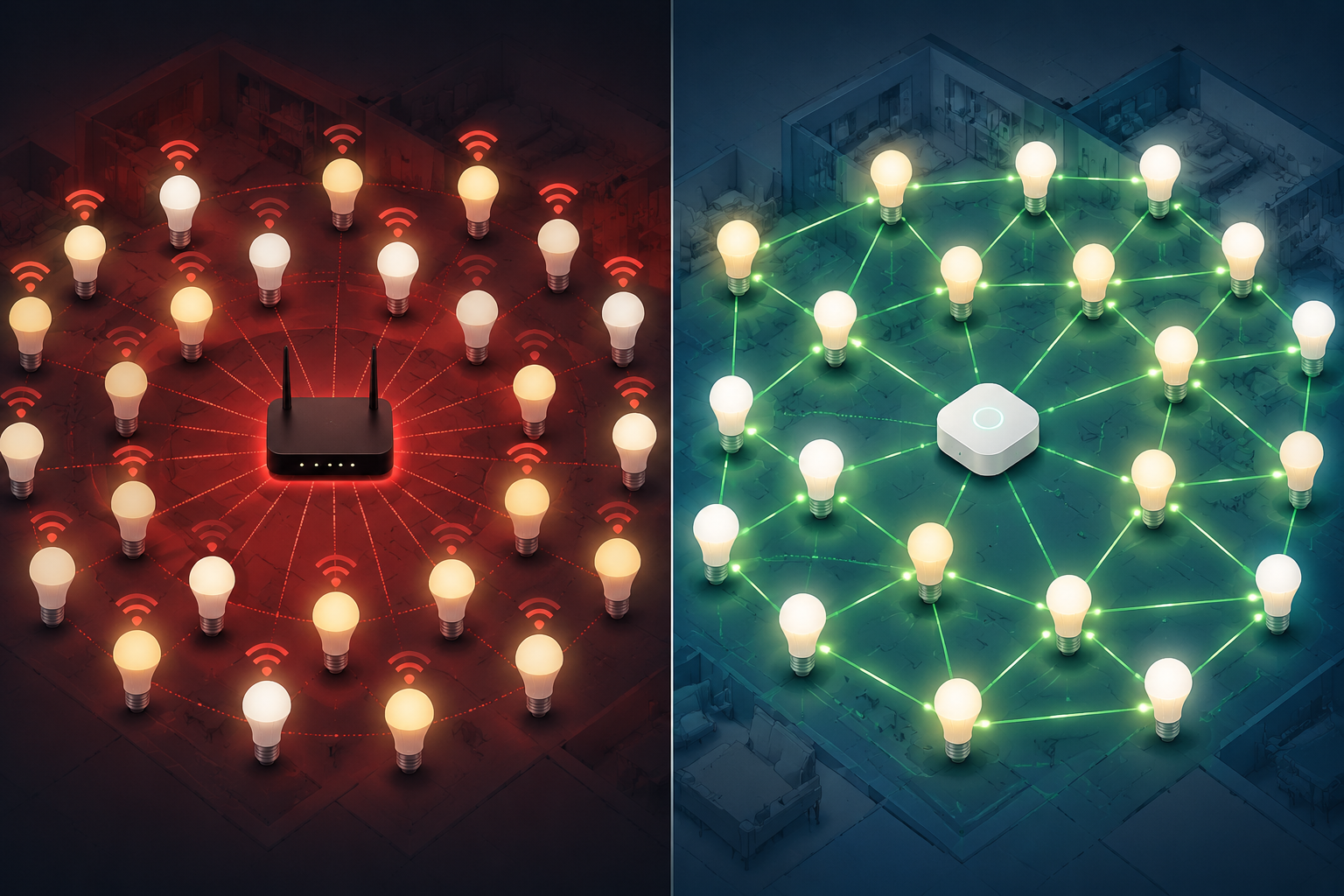
Mesh lighting works differently from a pile of independent Wi-Fi bulbs. In Zigbee and Thread-style designs, powered devices can help relay signals, so adding more well-placed powered nodes can improve coverage rather than simply adding clients to the router. Aqara’s protocol guide explains this mesh architecture distinction across Zigbee, Z-Wave, and Matter-related smart-home systems.[4]
That does not mean every mesh installation is immune to bad placement. A bridge buried behind a TV cabinet, a Thread network with too few powered routers, or a house with awkward construction materials can still cause misses. The better claim is narrower: for a whole-home smart home lighting system, mesh gives the lighting network a path to grow without making the main Wi-Fi router carry every bulb directly.
Philips Hue, Govee, Nanoleaf, and WiZ: What Each Is Really Good At
WiZ: the clean budget pick for ordinary rooms
WiZ is easiest to defend when the plan is modest: lamps, bedrooms, an office, or a handful of ceiling bulbs where low cost and fast setup matter more than deep scene layering. It avoids the hub purchase and keeps the system approachable for people who do not want lighting to become a hobby.
The buyer mistake is not choosing WiZ for a small system. The mistake is choosing it for a few rooms and then assuming the same no-hub logic will remain the best answer after the project spreads across the entire house. At that point the network, not the bulb, becomes the thing to evaluate.
Govee: best when effects and value both matter
Govee’s appeal is not subtle: it gives homeowners a lot of lighting personality for the money. Accent lighting, color effects, strips, lamps, and playful scenes are the reason people buy into it. In a small or medium setup with a decent router, that can be the right trade.
The whole-home caveat is the same one WiZ faces. If the plan is 20 or more bulbs plus other Wi-Fi smart devices, budget for the network honestly. Forbes’ 2026 smart-home guide calls Wi-Fi 6 or 6E mesh one of the most impactful upgrades for homes with 20-plus smart devices, which is a reminder that “no hub required” can still become “better network required.”[5]
Philips Hue: expensive until the house gets serious
Hue is easy to accuse of being overpriced if the comparison stops at a few bulbs. At starter-kit scale, the bridge and bulb prices can look like a toll booth. At whole-home scale, the bridge, accessory ecosystem, switch options, and Zigbee network start to look less like luxury and more like insurance against the family becoming unpaid tech support.
Crutchfield’s guide also matters here because it does not treat Hue as a showroom demo. It discusses bridge capacity and real installation choices, including mixing bulbs with switches, which is where many homes eventually land.[3] If you are comparing Hue bridge options specifically, the internal guide on Philips Hue Bridge Pro vs Bridge is the more focused follow-up.
Nanoleaf: strongest when Thread and Matter fit your platform plan
Nanoleaf is the more interesting choice for buyers who want to build around newer Thread and Matter assumptions rather than a traditional lighting bridge. That can be attractive if the home already has capable border routers and the owner is thinking in terms of platform interoperability from the beginning.
The risk is assuming that newer automatically means simpler. Thread needs a healthy mesh. Matter helps with baseline control, but it does not erase every manufacturer feature or make every scene portable. Nanoleaf is a better fit for people who are willing to understand the platform layer, not for someone who only wants the cheapest possible bulb.
Matter Helps, But It Does Not Pick the Ecosystem for You
Matter is valuable in 2026 because it makes basic cross-platform control less painful. Turning lights on and off, dimming, and getting devices into Apple Home, Google Home, Alexa, SmartThings, or another controller is less of a brand prison than it used to be. For a homeowner, that is real progress.
It is not the same as full feature equality. Adaptive lighting, rich scenes, entertainment sync, motion-triggered behavior, accessory pairing, and firmware management can still pull you back into the manufacturer’s native app or hub. This is why Matter should reduce regret, not excuse sloppy ecosystem planning. For a deeper protocol-level comparison, see Matter vs Zigbee vs Z-Wave in 2026.
The Switch-First Fork: Where Lutron Caséta Makes More Sense Than Bulbs
Smart bulbs are wonderful until someone turns off the wall switch. Then the expensive bulb is offline, the automation fails, and the next person in the room does what normal people do: they blame the system. A switch-first design avoids that fight by making the wall control smart and leaving ordinary fixtures in place.
This is where Lutron Caséta earns its reputation. Crutchfield’s guide highlights Caséta’s retrofit appeal, including its ability to work in many homes without a neutral wire, and discusses smart switches as a practical alternative to bulb-by-bulb control.[3] For older homes, that no-neutral point can matter more than app features.
Caséta is not infinitely scalable. Its 75-device cap includes Pico remotes and shades, not just light switches. A home with 38 dimmers, 18 Pico remotes, and several shades is not “only 38 devices” in Lutron math. Large homes that are likely to exceed that ceiling should look at higher Lutron tiers such as RadioRA 3 before buying deep into Caséta.
That device-count issue is the reason a switch-first buyer should map the whole home before ordering parts. The internal guide Smart Lighting Control System Buyer’s Guide: Match the Tier to Your Home is the better place to compare Caséta, RadioRA 3, and larger professionally installed tiers.
What to Check Before You Buy Anything
The least glamorous work saves the most money: count the lights before comparing brands. Include ceiling fixtures, lamps, sconces, closets, porches, under-cabinet strips, motion sensors, remotes, and shades if the system counts them. A 10-bulb shopping list can survive casual planning. A 30-device system punishes it.
- If you will stop near 10 bulbs, prioritize price, app quality, and whether the bulbs work with your preferred voice assistant.
- If you may pass 15-18 bulbs, compare the lighting system and the network together, not as separate purchases.
- If you are planning 20 or more smart devices across the home, assume router quality and access-point placement matter.
- If wall switches must remain intuitive, price smart switches before committing to smart bulbs everywhere.
- If you want advanced scenes, check whether they survive outside the native app before leaning on Matter as the answer.
Renovations and new builds deserve a separate pause. ListenUp’s 2026 guide emphasizes wiring paths, conduit planning, and access-point placement for reliable smart homes, while Vesternet’s lighting guide gets into practical device choices such as 2-wire versus 3-wire systems, pattress depth, plug-and-play controls, and inline modules.[6][7] SONOFF’s whole-house lighting guide also recommends planning neutral lines during renovation rather than discovering later that switch options are limited.[8]
That does not mean every homeowner needs a rack, conduit plan, and professional lighting processor. It means wiring and network placement are cheaper to consider before drywall, cabinetry, and finished paint turn every change into a small construction project.
A Brief Word on Energy Savings
Smart lighting can save energy, especially when schedules, occupancy, dimming, and LEDs replace wasteful habits. IoT Now, citing ACEEE-related analysis, reports estimated lighting energy reductions of 7-27% from smart automation and an estimated $225 per household per year from LED lighting plus smart controls.[9] The U.S. Department of Energy says residential LEDs use at least 75% less energy than incandescent lighting.[10]
Those numbers are worth knowing, but they should not hijack the purchase. The first decision is still control architecture. A lighting system that saves a little energy but annoys everyone at the wall switch will be bypassed, unplugged, or abandoned.
So Which Smart Home Lighting System Should You Buy?
Buy WiZ or Govee if the system is small, the router is decent, and the goal is affordable app-based lighting in a few rooms. That is not settling. It is sizing the system to the actual job.
Move toward Philips Hue or Nanoleaf if the plan is whole-home lighting, especially beyond the rough 15-18 bulb checkpoint. Hue is the safer mature ecosystem for people who want a deep accessory base and a proven bridge model. Nanoleaf is more appealing if Thread and Matter fit the platform strategy you are already building.
Choose Lutron Caséta if the wall switch matters more than individually colored bulbs, especially in a retrofit home where no-neutral support changes what is practical. Count every switch, Pico remote, and shade before assuming the 75-device ceiling is far away.
The best system is not the one that looks cheapest in a four-bulb cart. It is the one with enough headroom for the home you are actually building.
References
- Philips Hue vs Govee vs Nanoleaf vs WiZ: Whole-Home Smart Lighting Comparison — SmartHomeExplorer, 2026
- Smart lighting guide — The Verge
- Smart lighting guide — Crutchfield
- Zigbee vs Z-Wave vs Matter: Which Is Better for Your Smart Home? — Aqara
- How To Supercharge Your Smart Home In 2026 — Forbes, 2026-01-01
- 2026 Smart Home Guide: How to Build a Reliable, Future-Ready System — ListenUp, 2026
- Smart Home Lighting Guide — Vesternet
- A Beginner's Guide to Whole-House Smart Lighting — SONOFF
- Smart home technology saves money and helps protect the planet — IoT Now, 2024-04-22
- Lighting Choices to Save You Money — U.S. Department of Energy
Known issues with this device / protocol
Spec-version history
For active regressions on this protocol, see Update Watch.
No linked Update Watch entries yet.