
Lutron Caséta Smart Hub: The Mandatory Controller for Caséta Smart Lighting
The Lutron Caséta Smart Hub is the essential bridge that unlocks app control, voice assistants, schedules, and third-party integrations for all Caséta devices. This device profile covers the hub's specifications, 75-device limit, Clear Connect RF protocol, platform compatibility, and the differences between the standard and Pro models.
Last updated
The Lutron Caséta Smart Hub is the piece that turns Caséta from a set of very good wall controls into a smart lighting system. A Caséta dimmer and a Pico remote can still be paired and used locally without it, but app control, schedules, scenes, voice assistants, geofencing, Smart Away, and third-party integrations all depend on the hub being present.[1][2]
That makes the buying decision simpler than the packaging sometimes makes it feel: if you only want reliable in-wall dimming and a handheld or wall-mounted Pico remote, you can skip the hub. If you expect Caséta to behave like a smart-home lighting platform, the hub is not an accessory. It is the controller.
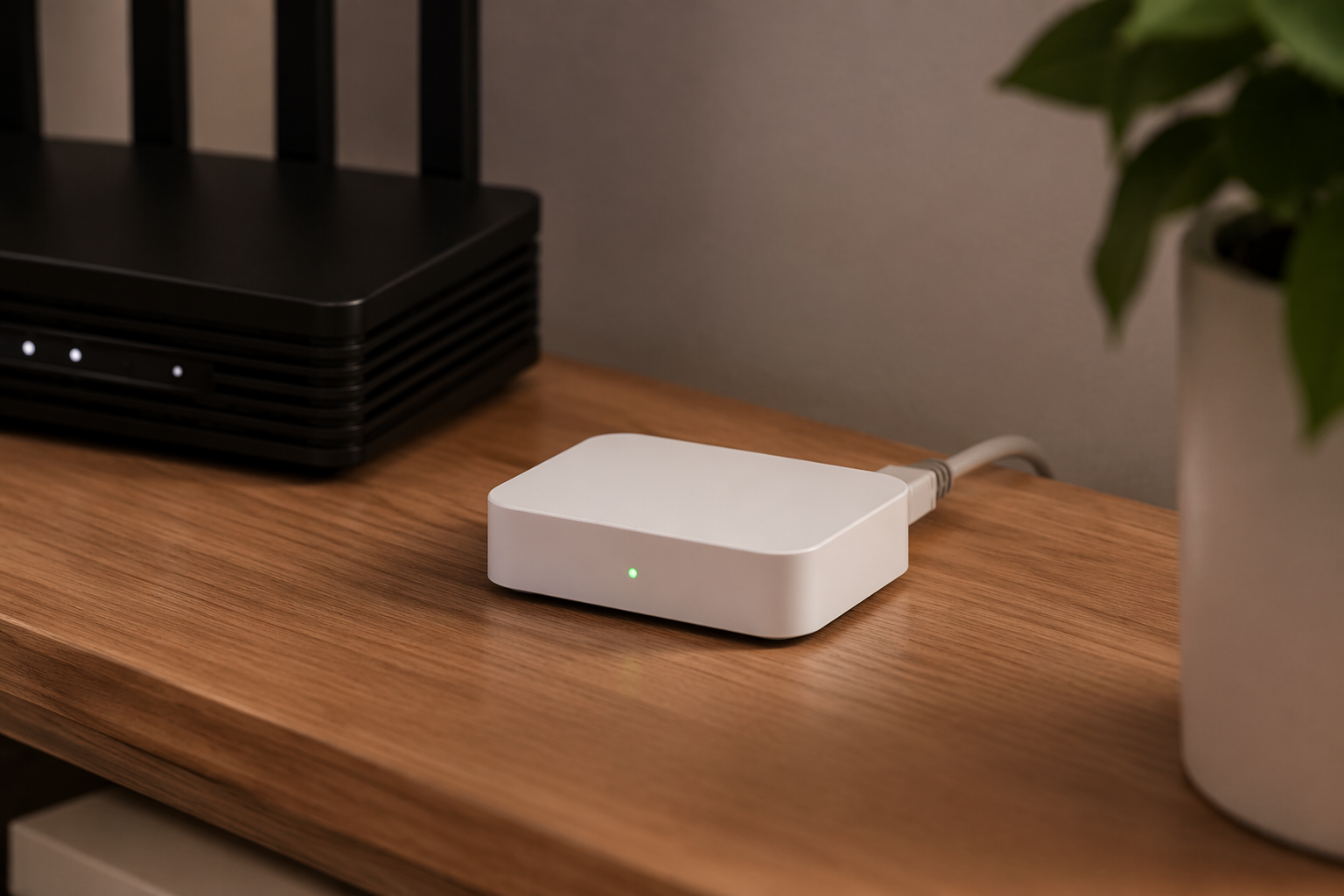
| Spec | Lutron Caséta Smart Hub L-BDG2-WH |
|---|---|
| Device type | Smart lighting hub / bridge for Caséta devices |
| Network connection | Wired Ethernet to router; no Wi-Fi connection option for the hub itself.[3] |
| Device communication | Lutron Clear Connect RF to Caséta dimmers, switches, remotes, plugs, fan controls, and compatible shades.[1] |
| Device limit | Up to 75 devices; older 50-device references apply to earlier bridge information, not the current supported limit.[1][2] |
| Typical standalone price | About $70–80, depending on retailer and timing.[4] |
| Starter-kit pricing | Hub bundles with a dimmer and Pico remote commonly appear around $100–120, with retailer variation.[4] |
| Voice and platform support | Alexa, Google Assistant, Apple Home/Siri, Sonos, Ring, ecobee, Honeywell, Carrier, SmartThings, IFTTT, Wink, and XFINITY Home.[5] |
| Matter support | No announced Caséta Matter support as of Q2 2026.[2] |
| Installation context | DIY-oriented smart lighting system; many Caséta dimmers are useful in older homes because they do not require a neutral wire.[2][6] |
| Last verified | Q2 2026 |
What the Hub Actually Does
Caséta devices do not join your home Wi-Fi one switch at a time. A wall dimmer, plug-in lamp dimmer, switch, fan control, Pico remote, or compatible shade talks over Lutron’s Clear Connect RF system. The hub receives that traffic, connects to your router over Ethernet, and then exposes the lighting system to the Lutron app, voice assistants, schedules, scenes, and supported partner integrations.[1][3][5]
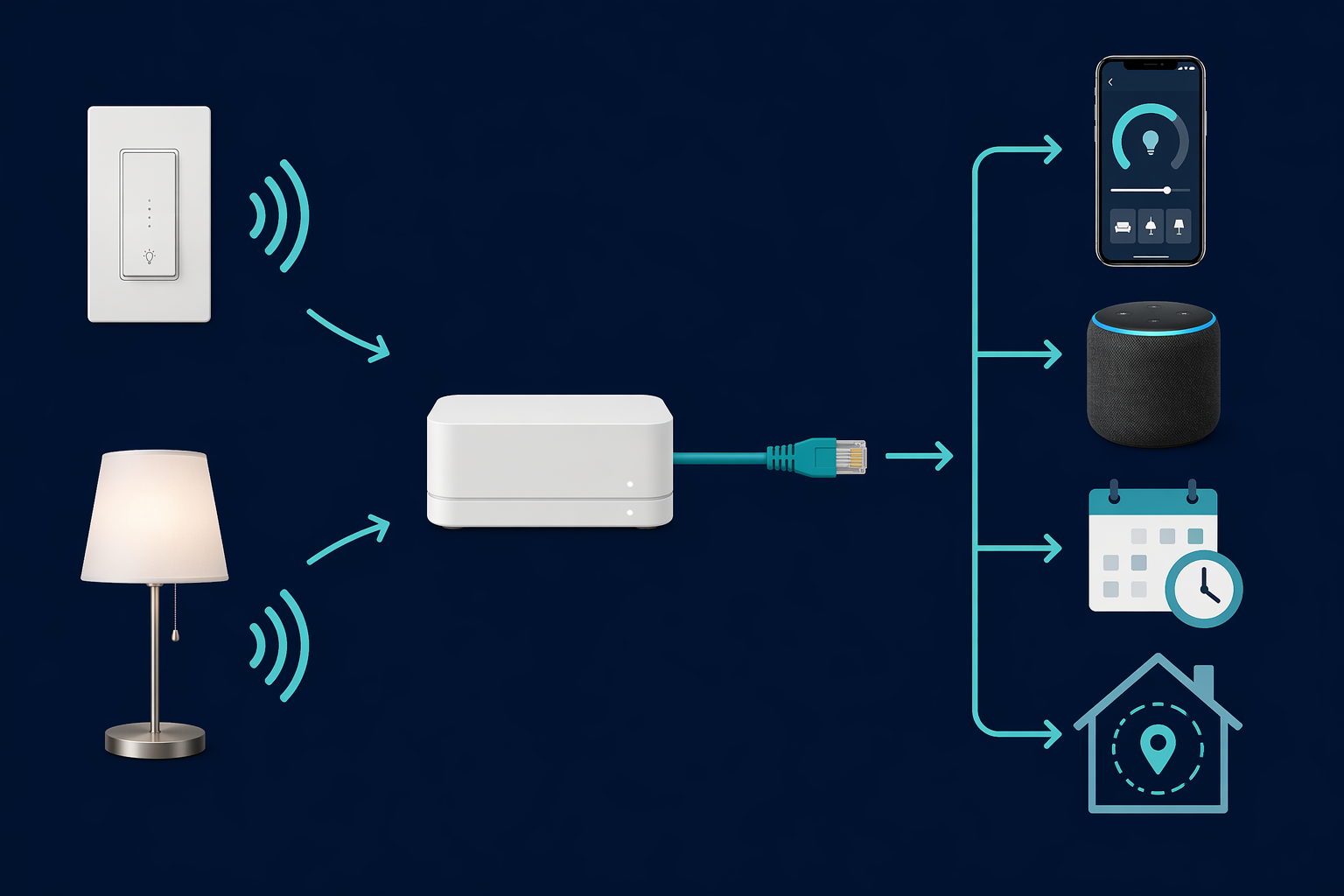
The useful consequence is that a house full of Caséta switches is not also a house full of Wi-Fi lighting clients. Your router still matters because the hub is wired to it, but the switches themselves are not competing with laptops, phones, cameras, TVs, and everything else on the wireless network. This is the part of the system that can look old-fashioned on a spec sheet and feel very sensible after the third Wi-Fi bulb misses a command.
The tradeoff is physical. Because the hub is not a cloud-only abstraction or a mesh of Wi-Fi devices, placement matters. Lutron’s repeater documentation frames the standard hub-to-device range around 30 feet, with expansion up to about 120 feet using one optional Smart Wireless Repeater, model PD-REP.[7] The repeater is not free capacity; it counts as one of the 75 supported devices.[7]
In a compact house, the hub often ends up near the router and quietly does its job. In a long ranch, a dense old home, or a layout where the router sits at one end of the building, the Ethernet requirement and RF range are worth thinking through before buying a pile of switches. A repeater can solve many placement problems, but it is still a design constraint, not a magic eraser.
The No-Neutral Detail Is a Big Reason Caséta Still Matters
A lot of older homes do not have neutral wires in every switch box. Consumer Reports specifically notes Caséta dimmers as an option for homes without neutral wires, including pre-mid-1980s construction, and Lutron spec materials support that no-neutral distinction for relevant Caséta dimmer models.[2][6]
That does not mean every Caséta device in every wall box is automatically compatible with every load. It means the system solves one of the most common smart-switch blockers without making the homeowner open walls or abandon in-wall controls for smart bulbs. If you are still deciding between switch-based lighting and bulb-based lighting, the neutral-wire question belongs near the top of the list, not buried after platform logos. For a broader switch-installation check, see the site’s guide to installing a smart light switch.
What Counts Toward the 75-Device Limit
The current Caséta Smart Hub limit is 75 devices.[1][2] That number is easy to misread because older 50-device references still circulate in forum posts, retailer copy, and outdated comparisons. For the current L-BDG2-WH hub, 75 is the number to plan around.
The limit is not just wall dimmers. The count can include Caséta dimmers, switches, plug-in lamp controls, Pico remotes, fan controls, compatible shades, and the optional Smart Wireless Repeater.[1][7] A small home rarely gets close. A whole-home lighting project with Picos mounted as extra wall stations can get there faster than expected.
A practical way to estimate is to count controls, not rooms. A kitchen might have multiple dimmers, a scene Pico, and a remote mounted near another doorway. A bedroom might have a dimmer, a bedside Pico, and a shade. None of that is excessive, but it is how a neat lighting plan turns into a real device count.
Platform Compatibility, Without Pretending Every Logo Matters Equally
With the standard Smart Hub installed, Caséta works with Amazon Alexa, Google Assistant, Apple Home/Siri, Sonos, Ring, ecobee, Honeywell, Carrier, SmartThings, IFTTT, Wink, and XFINITY Home.[5] For most households, the practical question is narrower: will the lights show up in the voice assistant or automation platform already being used? For Alexa, Google, and Apple Home homes, the standard hub covers the mainstream path.[5]
Caséta does not have announced Matter support as of Q2 2026.[2] Lutron’s membership in the Connectivity Standards Alliance is not the same thing as a Caséta Matter roadmap. If Matter is the organizing principle for a new setup, this matters. If the goal is reliable wall-switch lighting that already integrates with the major voice platforms, the lack of Matter is a constraint to note rather than a reason to dismiss the system automatically.
The cleaner way to think about it is that Caséta is its own lighting subsystem. The hub bridges that subsystem into larger platforms. That is different from buying Matter-over-Wi-Fi or Matter-over-Thread devices one by one, and it is why a general smart-home hub decision framework can be useful before mixing lighting ecosystems.
Standard Hub or Pro Hub
Most homeowners should start with the standard L-BDG2-WH Smart Hub. It has the same 75-device ceiling, supports the same general Caséta device family, and works with the same mainstream voice platforms as the Pro model.[1][5][8] If the plan is Lutron app control, Alexa, Google Assistant, Apple Home, schedules, scenes, geofencing, and normal third-party cloud integrations, the standard hub is the right default.
The Pro hub, L-BDGPRO2-WH, is for narrower cases. Community and dealer documentation identify telnet/Lutron Integration Protocol access as the key reason Home Assistant and Hubitat users seek the Pro model for local integration paths.[8][9][10] Alarm Grid also identifies Sivoia QS wired-shade support as a Pro distinction.[9]
| Choose | When it makes sense |
|---|---|
| Standard Smart Hub L-BDG2-WH | You want Caséta app control, schedules, scenes, geofencing, Smart Away, Alexa, Google Assistant, Apple Home/Siri, or mainstream integrations. |
| Pro Smart Hub L-BDGPRO2-WH | You need telnet/Lutron Integration Protocol access for local-control platforms such as Home Assistant or Hubitat, want static IP configuration through the app, or need Sivoia QS wired-shade support.[8][9][10] |
| No hub | You only want local dimmer operation and Pico-style control, with no app, voice, schedule, scene, or integration layer.[1][2] |
One small network-management distinction is worth calling out because it gets exaggerated in shopping discussions. Pro documentation and community reports point to static IP configuration through the app; with the standard hub, the usual approach is a DHCP reservation on the router.[8][9][10] That is a real difference, but it is not a reason for a typical Alexa or Apple Home household to buy the Pro model.
Pricing also moves around. The standard hub commonly sits around $70–80 standalone, starter kits with a hub, dimmer, and Pico remote often appear around $100–120, and the Pro hub is commonly closer to $100–120.[4][9] The Pro model was historically treated as more of a dealer-channel product, but current retailer availability can be broader, including Amazon listings.[4]
Setup Constraints to Check Before Buying
- Ethernet location: the hub must connect to the router by Ethernet, so do not assume it can sit anywhere with Wi-Fi coverage.[3]
- RF range: plan around the hub’s approximate 30-foot device range, with one optional repeater available for longer layouts.[7]
- Device count: use 75 as the current planning limit, including the optional repeater if used.[1][7]
- Neutral wires: many Caséta dimmers avoid the neutral-wire requirement, which is valuable in older homes, but individual model and load compatibility still need checking.[2][6]
- Matter expectations: do not buy Caséta on the assumption that Matter support is imminent; no Caséta Matter support has been announced as of Q2 2026.[2]
- Local API needs: if Home Assistant, Hubitat, telnet/Lutron Integration Protocol, or Sivoia QS wired shades are part of the plan, evaluate the Pro hub before buying the standard one.[8][9][10]
Some official Lutron pages were unavailable behind bot protection during source checks, so Pro-specific details were cross-checked against Home Assistant, Hubitat, and retailer or dealer sources. That is not the same as saying every forum claim should be treated as product documentation. It does mean the Pro choice should stay bounded to the features those sources consistently identify: local telnet/API-style integration paths, static-IP handling, and Sivoia QS wired-shade support.[8][9][10]
Buying Judgment
Buy Caséta switches without the Lutron Caséta Smart Hub only if you want local switch behavior and Pico remote control. Buy the standard L-BDG2-WH Smart Hub if you want the system to be smart in the ordinary sense: app control, schedules, scenes, voice assistants, geofencing, Smart Away, and integrations. Look at the Pro hub only when the project specifically depends on local telnet/API access, Home Assistant or Hubitat integration paths that require it, static IP configuration through the app, or Sivoia QS wired shades.
The hub requirement is not a flaw to route around. It is the architecture of the system. For most homes, the standard Caséta Smart Hub is the boring, correct purchase.
References
- Lutron Smart Hub Advantage page, Lutron
- Consumer Reports May 2024, Consumer Reports, May 2024
- Lutron Smart Hub product page, Lutron
- Amazon pricing, Amazon
- Lutron Works With page, Lutron
- Lutron spec sheets, Lutron
- Lutron Smart Wireless Repeater product page, Lutron
- Home Assistant Community thread, Home Assistant Community
- Alarm Grid product page, Alarm Grid
- Hubitat Community thread, Hubitat Community
Known issues with this device / protocol
Spec-version history
For active regressions on this protocol, see Update Watch.
No linked Update Watch entries yet.