
Smart Home System for Aging in Place: A Room-by-Room Safety Guide
Learn which smart home devices can help older adults stay safe and independent at home, organized room by room — from smart locks and voice-controlled lighting to stove shut-off and fall detection. This guide addresses common concerns about cost, complexity, and whether this technology works for people over 50.
Last updated
A useful smart home system for aging in place does not start with the flashiest hub or the newest camera. It starts with the awkward, very human question families often avoid: where is this home making everyday life harder or more dangerous than it needs to be?
That question matters because older adults are not rejecting technology as a group. A 2025 AARP and CTA report found that 80% of adults 50 and older own at least one AgeTech product, and it projected the AgeTech market could reach $120 billion by 2030.[1] At the same time, many people over 50 have good reason to be wary of products that seem built around surveillance, constant app-tapping, or a younger person's idea of convenience.
The best systems for aging in place respect both sides of that tension. They help with known home risks — falls, fires, leaks, medication mistakes, and slow emergency response — without making the person who lives there feel as if the house has been handed over to a monitoring team.
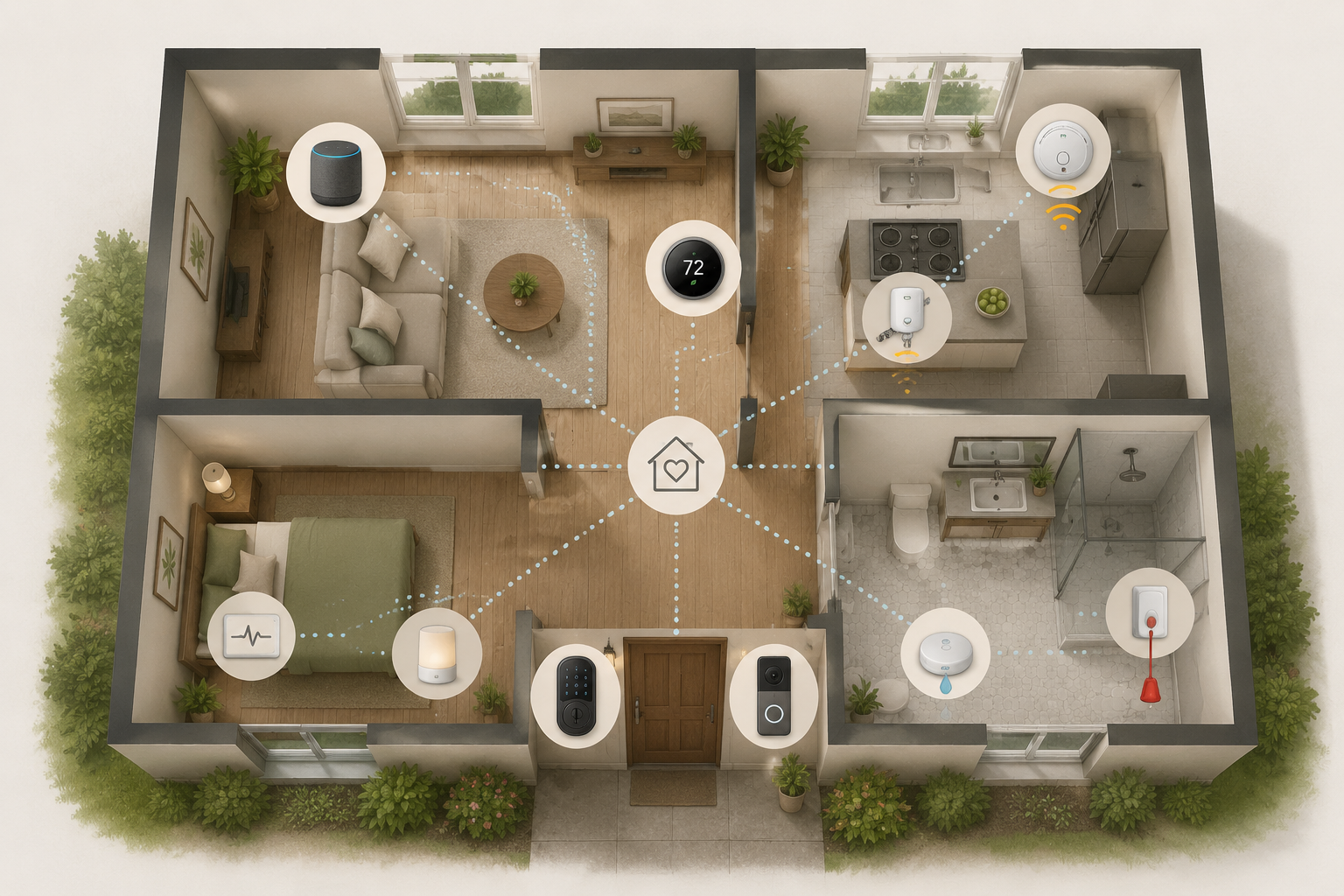
Start With Hazards, Not Gadgets
For a younger household, smart lighting may be a convenience. For an older adult walking to the bathroom at 2 a.m., it can be part of a safety plan. CDC-related fall data summarized by Carex reports that 1 in 3 adults 65 and older falls each year, and that two-thirds of those falls happen at home.[2] That does not mean a motion sensor or voice-controlled lamp “prevents falls.” It means lighting, floor transitions, bathroom surfaces, and emergency response deserve more attention than novelty features.
AARP's aging-in-place smart home guidance organizes the home by familiar rooms — front door, living spaces, kitchen, bedroom, and bathroom — which is a better way to shop than starting with brand ecosystems.[3] Rooms carry different risks. A front door problem may be about access and scams. A kitchen problem may be about fire. A bathroom problem may be about falls, water damage, and privacy all at once.
Before buying anything, walk the home at the times when trouble is most likely: evening, middle of the night, early morning, and when the person is tired. Notice where hands reach for support, where light switches are inconvenient, where water is used, where heat is generated, and where a phone might not be nearby.
| Area | Risk to Solve First | Smart Home Categories Worth Considering |
|---|---|---|
| Entrance | Missed visitors, lockouts, unsafe door opening | Smart lock, video doorbell, keypad access |
| Living spaces | Poor lighting, temperature discomfort, missed communication | Voice assistant, smart lights, smart thermostat, smart display |
| Kitchen | Unattended cooking, smoke, fire response delays | Stove shut-off, smart smoke alarm, voice timer |
| Bedroom | Nighttime falls, missed medication routines, delayed help | Motion lighting, voice assistant, medication reminders, optional monitoring |
| Bathroom | Falls, leaks, privacy-sensitive health changes | Leak sensors, motion lighting, humidity sensing, carefully chosen monitoring |
The Front Door: Access Without Taking Away Control
The front door is where caregiver worry often shows up first. An adult child wants to know whether a parent got home safely. The parent does not want to feel checked on every time the door opens. That distinction should shape the setup.
A smart lock can help when keys are hard to manage, when a trusted neighbor needs temporary access, or when emergency help may need to enter. Look for keypad access, temporary codes, physical key backup if appropriate, and a clear way to revoke access. A video doorbell can help screen visitors, but it should not become an excuse for family members to comment on every delivery, visitor, or outing.
If you are comparing lock types, a dedicated smart lock guide can help with questions such as deadbolt compatibility, battery life, and keypad design. For aging-in-place use, the most important feature is not a clever unlock method. It is whether the person can still enter the home easily on a cold, tired, distracted day.
Living Spaces: Make the Easy Things Easier
Living rooms, dens, and hallways are where small frictions accumulate. A lamp switch is behind a chair. The thermostat is hard to read. The phone is in another room. None of these problems sounds dramatic until someone is unsteady, recovering from surgery, or trying to avoid waking the whole house at night.
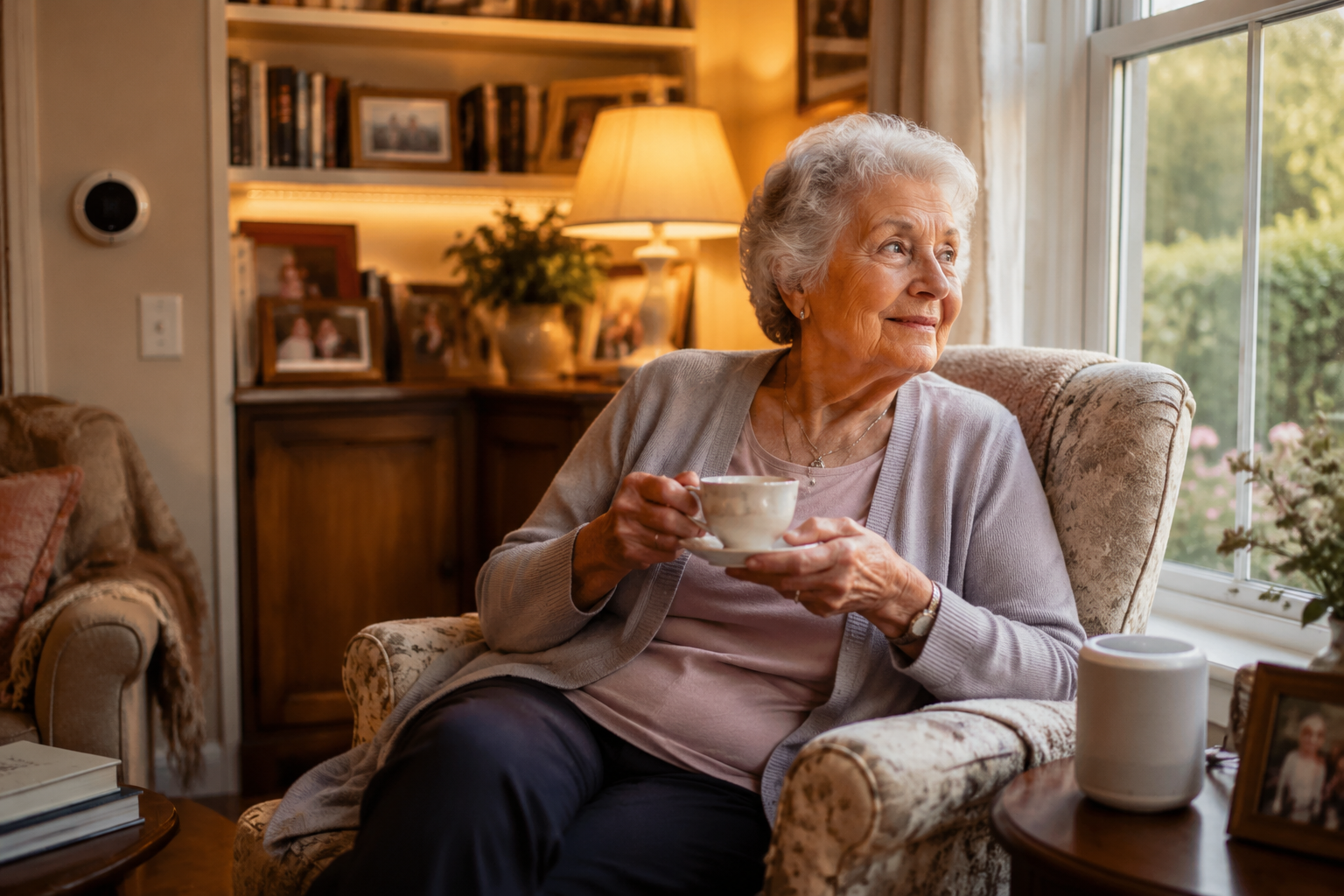
Voice-controlled lighting is often a better first purchase than a complicated automation scene. “Turn on the hall light” is easier to remember than opening an app, finding the right room, and tapping the right tile. Smart plugs can bring old lamps into the system without replacing fixtures. A smart thermostat can reduce the need to walk across the room or read a small display, especially if it also supports simple voice commands.
A smart display may help with video calls, medication reminders, calendars, and drop-in family check-ins if everyone agrees on boundaries. The word “agrees” is doing real work here. A screen in the living room should feel like a convenience for the person at home, not a window other people can open whenever they please.
If the household is new to platforms, start with one main voice assistant and a small number of compatible devices. A beginner's smart home automation guide is useful at this stage, but resist the urge to build clever routines before basic commands work reliably.
Kitchen: Treat Heat as the Serious Risk
The kitchen deserves more than a casual mention because it combines heat, water, sharp tools, and routines people perform while distracted. Forgetting a burner, missing a smoke alarm, or walking away from a pot can become serious quickly. This is one room where “nice to have” and “safer to have” are not the same category.
Stove shut-off devices are worth considering when there has already been a close call, when memory is changing, or when cooking is still important to independence. Age Safe America points to examples such as iGuardStove and FireAvert as stove shut-off technologies for aging in place, but those names should be treated as category examples rather than permanent product picks.[4] Verify current models, compatibility with the stove, installation requirements, subscriptions, and support before buying.
A smart smoke detector or connected alarm can alert someone elsewhere in the home and, depending on the system, notify a caregiver. That can be valuable if the older adult has hearing loss, sleeps deeply, or is outside when an alarm sounds. Still, a connected alarm does not replace basic fire safety: working detectors, clear exits, clean cooking areas, and appliances that are maintained.
Voice assistants are especially useful in the kitchen for timers. A spoken timer is less fiddly than a microwave keypad and easier than finding a phone with wet hands. If there is only one kitchen automation to set up, make it simple: a voice timer that is loud enough to hear from the next room, plus lighting that can be turned on without crossing a dark space.
When a Stove Shut-Off Device Makes Sense
- There has been an unattended-burner incident or repeated worry about whether the stove was left on.
- The person still wants to cook, and removing the stove would feel like an unnecessary loss of independence.
- A caregiver needs alerts or shut-off support, but not constant camera-style monitoring.
- The device can be installed safely and explained in one calm conversation, not a long technical training session.
The right kitchen technology should preserve normal cooking for as long as it is reasonable. If the system makes the person afraid to use the kitchen, it has solved one problem by creating another.
Bedroom: Nighttime Help Should Be Boringly Reliable
Bedrooms are where smart home systems should be quiet, predictable, and almost invisible. The main safety issue is not entertainment or gadget control. It is getting from bed to bathroom, reaching help, and keeping daily routines from slipping when someone is tired or unwell.
Motion-activated night lighting can be one of the least intrusive upgrades in the whole home. The light should be low, warm, and aimed at the path, not the eyes. A bedside voice assistant can call a contact, control lights, set reminders, and answer simple questions without requiring the person to find glasses or a phone.
Medication reminders can live on a smart speaker, display, phone, or connected dispenser. Choose the least complex option that the person will actually tolerate. A reminder that is ignored because it feels nagging, too loud, or embarrassing is not a working system.
Fall detection and passive monitoring require more care. Wearables, bed sensors, and other monitoring devices may help shorten emergency response time, but they should not be treated as guaranteed fall-prevention tools. For any health-related device, check what data is collected, who can see it, whether the vendor shares it, how alerts work, and whether a subscription is required.
Bathroom: Safety, Water, and Privacy Collide
The bathroom is the hardest room to handle gracefully. It is one of the places families worry about most, and it is also the place where people least want to feel watched. A good smart home system respects that by using environmental sensing before personal surveillance whenever possible.
Start with water leak sensors near the toilet, sink, tub, and water heater if it is nearby. These are small, relatively low-friction devices that can catch leaks before they damage flooring or create slippery conditions. They are especially useful for someone who may not notice a slow leak right away or who has a caregiver helping from another home.
Motion lighting matters here, too. The switch may be outside the room, across the doorway, or difficult to reach from a walker. A soft automatic light can make the first few steps safer without asking anyone to learn a new behavior.
Humidity sensors and smart fans can help reduce moisture, though they should be viewed as maintenance support rather than medical safety devices. If the bathroom already has poor ventilation, loose rugs, low toilets, or no grab bars, technology is not a substitute for fixing the physical hazard.
Some newer health-monitoring products move into very personal territory. Age Safe America mentions Casana's Heart Seat, a toilet-seat-based health monitor, as an example of aging-in-place technology.[4] That kind of device may be appropriate for some households, but it deserves a slower conversation than a leak sensor. Ask what it measures, whether it is regulated or clinically validated for the intended use, who receives alerts, how data is stored, and whether the older adult genuinely wants it in the bathroom.
Build the Smallest System That Solves Real Problems
Aging-in-place remodeling can be expensive and disruptive, especially when it involves bathrooms, entries, flooring, or structural changes. A smart home system is not a replacement for grab bars, ramps, good flooring, or medical care, but it can often address selected risks sooner and with less disruption than a major renovation.
The first purchase should usually come from the highest-risk, lowest-friction category in that particular home. For one person, that may be motion lighting between the bed and bathroom. For another, it may be a stove shut-off device after a cooking scare. For someone who is still active but often misplaces keys, it may be a smart lock with a keypad and a trusted backup code.
Do not judge the system by how much it can automate on day one. Judge it by whether the older adult can use it on a bad day, whether a caregiver can help without taking over, and whether the devices keep working without constant app maintenance.
A Practical Starting Setup
- One voice assistant in the room where it will be used most, tested with the older adult's normal speaking voice.
- Smart plugs or bulbs for the most awkward lamps and the main nighttime path.
- A smart lock or keypad lock only if access, lockouts, or emergency entry are real concerns.
- Kitchen fire support, such as connected smoke detection or stove shut-off, when cooking risk is present.
- Bathroom leak sensors and low-glare motion lighting before privacy-sensitive monitoring.
After the first devices are installed, leave the system alone long enough to see what actually gets used. Families often want to keep adding devices because worry is uncomfortable. More devices can also mean more batteries, more alerts, more passwords, and more chances for the older adult to decide the whole thing is too much.
When adding caregiver access, make each permission explicit. Who can unlock the door? Who receives smoke alerts? Who can see video clips? Who can drop in on a display? A setup that protects independence is not only about device choice. It is also about manners, boundaries, and the right to close the digital front door.
What to Check Before You Buy
- Compatibility: Confirm the device works with the chosen voice assistant, phone type, Wi-Fi setup, and any existing smart home hub.
- Daily usability: Test whether buttons, voice commands, alerts, and app screens are understandable without coaching.
- Caregiver controls: Prefer shared access that can be limited, revoked, and explained clearly.
- Backup behavior: Check what happens during a power outage, internet outage, dead battery, or missed alert.
- Privacy and data policies: Review vendor handling of video, audio, health data, location data, and subscriptions before installation.
- Installation limits: For renters or senior apartments, choose plug-in, removable, or landlord-approved options whenever possible.
The right smart home system for aging in place is not the one with the most impressive automation map. It is the one that quietly removes a few real hazards, lets help arrive sooner when needed, and still allows the person living there to feel that the home is theirs.
References
- New Report Finds Growing Interest in Tech for Aging Well At Home, AARP, January 8, 2025.
- Aging in Place Statistics, Carex.
- Smart Home Technology to Help You Age in Place, AARP.
- Smart Home Technologies for Aging in Place: Enhancing Safety and Independence, Age Safe America.
Known issues with this device / protocol
Spec-version history
For active regressions on this protocol, see Update Watch.
No linked Update Watch entries yet.