
A normal Home Assistant motion alert is useful until it becomes noise. It can tell you something moved near the porch. It cannot tell you whether the frame shows a package, a neighbor returning a tool, a raccoon, a delivery driver walking away, or a tree shadow that does not deserve a push notification during dinner.
That is the narrow place where using AI assistants like ChatGPT for smart home control starts to make sense. The motion sensor still detects motion. The camera still captures the frame. Home Assistant still decides whether to notify you. The model only handles the part YAML is bad at: interpreting messy context.
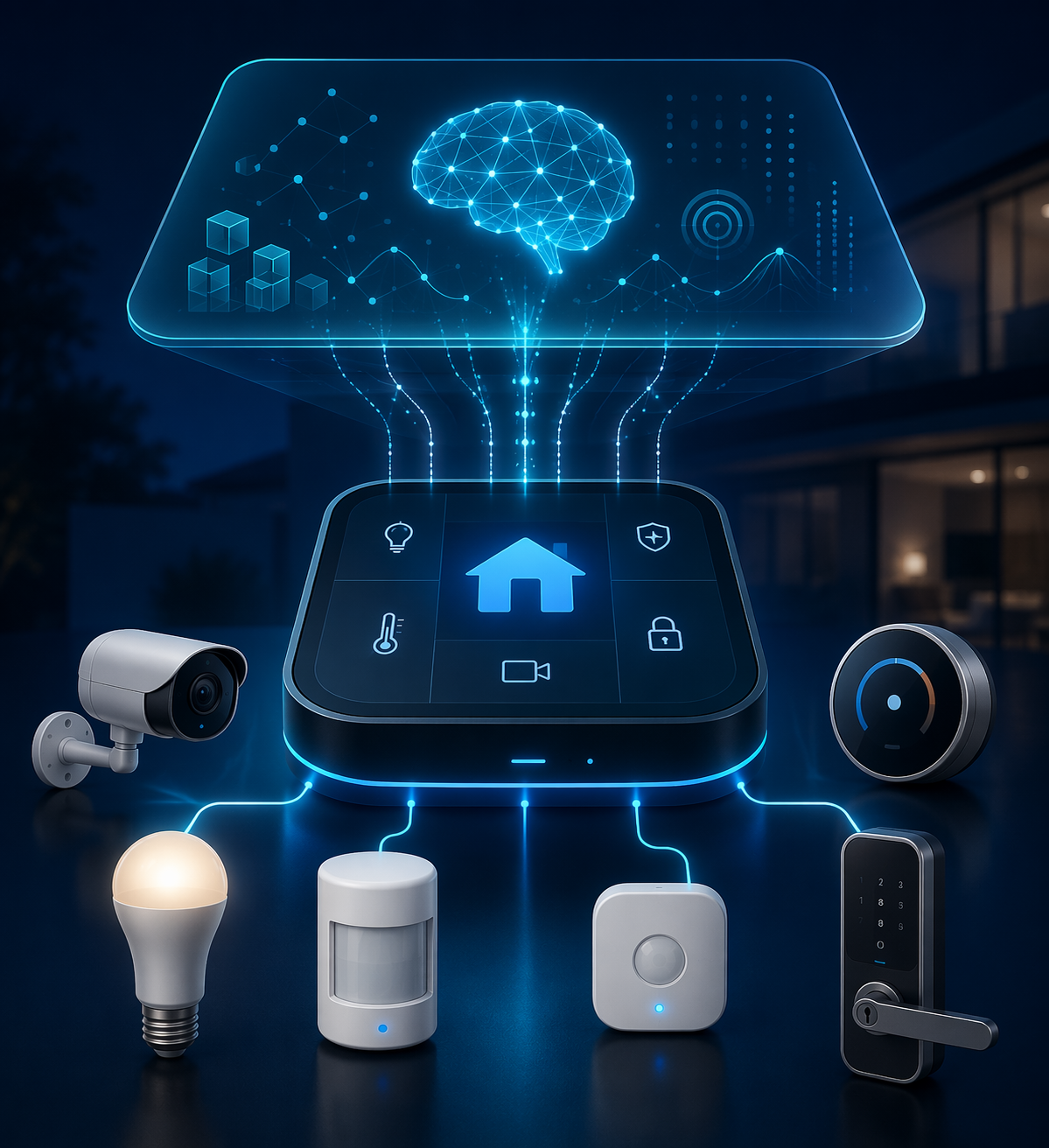
The recipes below treat ChatGPT as a reasoning layer, not as the thing that owns your locks, lights, thermostat, or notifications. That distinction matters because LLM-generated automations still need review: one cited source reports that generated automations contain errors roughly 20% of the time, and multi-step conditional commands can still fail silently often enough that they should not be trusted untested.[1]
AI camera notification that says what actually happened
This is the most useful first build because the division of labor is clean. A motion entity triggers the automation. Home Assistant takes a camera snapshot. The AI Tasks integration sends that image to a model such as GPT-4o-mini. The response becomes the notification text. SmartHomeScene’s Home Assistant ChatGPT guide describes this pattern with an estimated cost of about $0.01 to $0.03 per image analysis, and Home Assistant’s AI Tasks integration is the official mechanism for passing a task and attachments to an AI provider from an automation.[2][3]
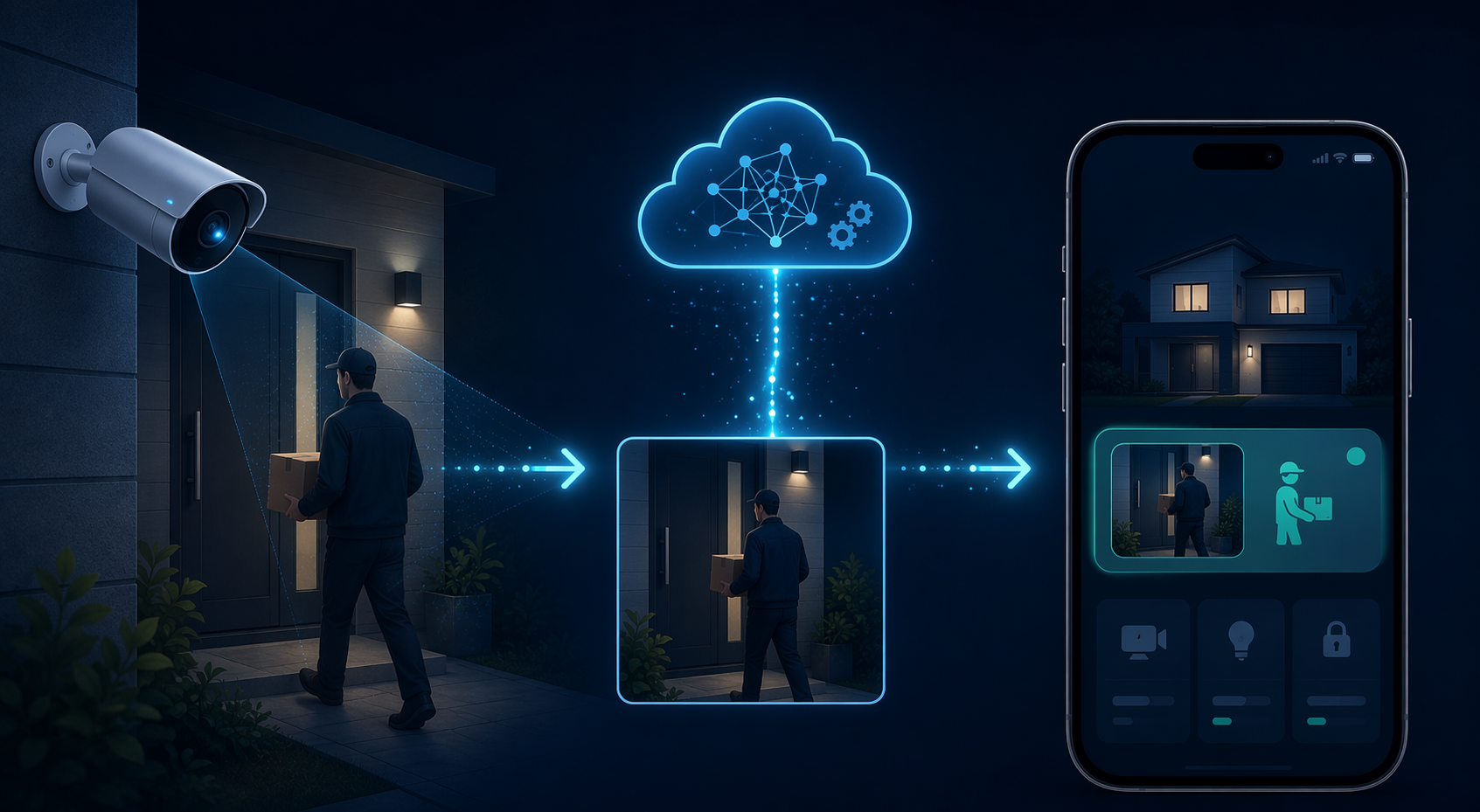
The instruction should be boring and constrained. Ask for a short description of what is visible, whether a person, package, animal, vehicle, or unclear motion appears, and whether the event seems worth interrupting the household. Do not ask the model to decide whether to unlock a door or disable an alarm. Let it write the sentence; let Home Assistant own the action.
alias: Porch AI motion summary
mode: single
trigger:
  - platform: state
    entity_id: binary_sensor.porch_motion
    to: "on"
action:
  - service: camera.snapshot
    target:
      entity_id: camera.porch
    data:
      filename: /config/www/snapshots/porch_latest.jpg
  - service: ai_task.generate_data
    data:
      task_name: porch_motion_summary
      entity_id: ai_task.openai_gpt_4o_mini
      instructions: >-
        Look at this porch camera image. In one short sentence, describe
        whether you see a person, package, animal, vehicle, or nothing important.
        If the image is unclear, say that it is unclear. Do not invent details.
      attachments:
        - media_content_id: /local/snapshots/porch_latest.jpg
          media_content_type: image/jpeg
    response_variable: ai_result
  - service: notify.mobile_app_phone
    data:
      title: Porch motion
      message: "{{ ai_result.data }}"
Treat that YAML as a pattern, not a paste-and-pray block. Entity IDs, service names, response fields, and provider IDs depend on your Home Assistant version and configured AI task entity. The useful part is the shape: trigger, snapshot, interpretation, notification.
| Part | Keep deterministic | Let the AI interpret |
|---|---|---|
| Trigger | Motion sensor, person detection, doorbell press | Nothing |
| Evidence | Camera snapshot path and timestamp | What appears in the frame |
| Action | Send or suppress notification based on fixed rules | Suggested human-readable message |
| Failure mode | Send generic motion alert | Possibly vague or wrong description |
The fallback is simple: if the AI task fails, sends no response, or the internet is down, Home Assistant should still send the old generic alert. That alert is less pleasant, but it is predictable. For a camera automation, predictability beats a clever message that silently disappears.
message: >-
  {% if ai_result is defined and ai_result.data is defined %}
    {{ ai_result.data }}
  {% else %}
    Motion detected on the porch camera.
  {% endif %}
The cost also belongs in the automation design. At $0.01 to $0.03 per analysis, a front door that fires ten times a day is a different project from a driveway camera that triggers on every passing headlight.[2] Add cooldowns, require a second sensor, or limit AI analysis to hours when you actually care.
Natural-language goodnight without handing over the house
“Goodnight” is where a language model feels tempting and dangerous at the same time. The useful part is not that ChatGPT can turn off a lamp. Home Assistant can already do that. The useful part is that a person may say “I’m going to bed,” “shut things down for the night,” or “goodnight, but leave the hallway on,” and expect the same household routine with a small contextual exception.
Home Assistant’s OpenAI Conversation integration can be used as a conversation agent, including with Assist, so a spoken command can be interpreted and mapped to exposed Home Assistant entities.[4] SmartHomeScene estimates frequent GPT-4o-mini voice usage at about $2 to $5 per month for roughly 20 to 30 daily voice commands, with a typical run in this kind of routine using about 500 to 1,500 tokens.[2]
The safe version keeps the model away from open-ended control. Expose a script such as `script.goodnight_mode`, not every entity in the house. If you want flexibility, expose a small set of allowed variants: hallway on, bedroom fan on, thermostat setback skipped, guest mode respected. The model can decide which script or script field matches the utterance; the script still contains the real device actions.
alias: Goodnight mode
sequence:
  - service: light.turn_off
    target:
      area_id:
        - kitchen
        - living_room
        - office
  - service: lock.lock
    target:
      entity_id:
        - lock.front_door
        - lock.back_door
  - condition: state
    entity_id: input_boolean.guest_mode
    state: "off"
  - service: climate.set_temperature
    target:
      entity_id: climate.downstairs
    data:
      temperature: 66
  - service: switch.turn_off
    target:
      entity_id:
        - switch.tv_power
        - switch.desk_outlet
mode: single
Then the Assist-facing instruction can be strict: when the user says a phrase meaning goodnight, call the goodnight script; if the user asks for an exception, only use one of the documented options; if the request is ambiguous, ask a follow-up instead of guessing. This is slower to set up than exposing everything, but it is much easier to debug three months later.
| Voice phrase | Allowed interpretation | Rejected interpretation |
|---|---|---|
| Goodnight | Run the standard goodnight script | Invent a new bedtime routine |
| Goodnight but leave the hallway on | Run goodnight and keep one named light on | Leave random circulation lights on |
| I’m going to bed early | Run goodnight if household mode allows it | Change tomorrow’s schedule without confirmation |
| Shut everything down | Run only approved shutdown entities | Power off network gear or safety devices |
Voice responsiveness matters here because a bedtime command that feels laggy will get abandoned. Home Assistant has reported that streaming text-to-speech reduced time-to-first-audio from 6.62 seconds to 0.51 seconds, which is the kind of latency change that makes a spoken assistant feel much less like waiting for a web request.[5]
Fallback should be explicit. If the OpenAI Conversation agent is unavailable, a local Assist sentence or dashboard button should still run `script.goodnight_mode`. The AI version may understand “leave the hallway on.” The fallback does not need to. It only needs to put the house into the known safe state.
Weather-aware morning scene
A morning scene is usually a pile of thresholds: if it is cloudy, brighten the kitchen; if it is hot, close blinds; if indoor humidity is high, avoid more heat; if someone is still asleep, do less. That works until the edge cases multiply.
This is a better place for LLM judgment than for LLM control. Feed the model a compact set of facts: forecast summary, outside temperature trend, indoor temperature, humidity, current light level, and household mode. Ask it to choose from approved scene presets such as `bright_cool_morning`, `warm_dim_rainy`, `pre_cool_sunny`, or `quiet_guest_morning`. Home Assistant’s recent AI-agent work emphasizes the assistant’s role in understanding home context, while local LLM guides show the same pattern can be moved away from cloud APIs when the hardware is capable enough.[5][6]
alias: AI suggested morning scene
trigger:
  - platform: time
    at: "07:00:00"
action:
  - service: ai_task.generate_data
    data:
      task_name: morning_scene_choice
      entity_id: ai_task.openai_gpt_4o_mini
      instructions: >-
        Choose exactly one scene from this list:
        bright_cool_morning, warm_dim_rainy, pre_cool_sunny, quiet_guest_morning.
        Use the weather forecast, indoor temperature, humidity, light level,
        and guest mode. Return only the scene name.
      data:
        forecast: "{{ states('weather.home') }}"
        indoor_temp: "{{ states('sensor.living_room_temperature') }}"
        humidity: "{{ states('sensor.living_room_humidity') }}"
        light_level: "{{ states('sensor.kitchen_illuminance') }}"
        guest_mode: "{{ states('input_boolean.guest_mode') }}"
    response_variable: morning_scene
  - choose:
      - conditions: "{{ morning_scene.data == 'bright_cool_morning' }}"
        sequence:
          - service: scene.turn_on
            target:
              entity_id: scene.bright_cool_morning
      - conditions: "{{ morning_scene.data == 'warm_dim_rainy' }}"
        sequence:
          - service: scene.turn_on
            target:
              entity_id: scene.warm_dim_rainy
      - conditions: "{{ morning_scene.data == 'pre_cool_sunny' }}"
        sequence:
          - service: scene.turn_on
            target:
              entity_id: scene.pre_cool_sunny
      - conditions: "{{ morning_scene.data == 'quiet_guest_morning' }}"
        sequence:
          - service: scene.turn_on
            target:
              entity_id: scene.quiet_guest_morning
    default:
      - service: scene.turn_on
        target:
          entity_id: scene.standard_morning
The important guardrail is the `choose` block. If the model returns a sentence, a typo, or a scene that does not exist, Home Assistant falls back to `scene.standard_morning`. You get contextual selection without letting a generated paragraph become an actuator command.
The cost profile is usually modest because this runs once a day and sends text, not images. Still, include the same protections: a default scene, a short instruction, and only the entities needed for the decision. Costs vary with model, provider pricing, prompt length, and how many Home Assistant entities you expose to the conversation or task.
Occupancy-based energy optimization with hard limits
Occupancy is where AI claims get sloppy fast. A model does not magically know who is home. It only sees the sensors you provide: motion, door events, mmWave presence, phone location, media activity, sleep mode, maybe a calendar signal if you choose to expose it. The model’s job is to make a bounded judgment from those signals, not to become the thermostat.
Home Assistant’s AI-agent posts frame the smart home as a place where an agent can use device context to assist with decisions, and Nexxteq discusses ChatGPT-style smart home control while also warning that generated automations require debugging.[7][1] Put those two ideas together and the sane version looks like this: sensors describe likely occupancy, the AI labels a zone state, and Home Assistant applies conservative energy rules.
| AI may decide | Home Assistant should enforce |
|---|---|
| Living room appears empty | Wait a fixed delay before reducing HVAC or switching plugs |
| Office likely occupied | Keep heat, cooling, lights, or desk power within preset limits |
| House appears away | Use existing away-mode conditions before changing thermostats |
| Conflicting signals | Do nothing or ask for confirmation |
A useful occupancy request does not ask, “What should my house do?” It asks for one of a few labels: `occupied`, `probably_empty`, `away`, or `uncertain`. The automation can then decide that `probably_empty` only matters after a delay, only during certain hours, and only for non-critical loads.
instructions: >-
  Based only on the supplied sensor states, return one label:
  occupied, probably_empty, away, or uncertain.
  If sensors conflict, return uncertain.
  Do not recommend device actions.

data:
  living_room_motion: "{{ states('binary_sensor.living_room_motion') }}"
  living_room_presence: "{{ states('binary_sensor.living_room_presence') }}"
  front_door: "{{ states('binary_sensor.front_door') }}"
  phone_home: "{{ states('person.owner') }}"
  media_playing: "{{ states('media_player.living_room') }}"
If you want energy automations that do not need an LLM at all, build those foundations first. A smart plug that turns off a desk setup after a fixed idle period is exactly the sort of deterministic job covered in these Home Assistant smart plug recipes. Add AI only when the missing piece is interpretation across messy signals, not when a threshold would do.
Fallback is again rule-based. If the AI label is missing, stale, or `uncertain`, do not optimize. Leave the HVAC schedule, smart plug rules, and manual overrides in charge. The worst failure should be a slightly less efficient house, not a cold room someone is sitting in.
Smart media skip and playlist suggestions
Media automations are lower stakes, which makes them a good place to experiment with local assistants. The useful inputs are already in Home Assistant: media player state, current title or artist if exposed, room presence, time of day, and voice intent. The action can be gentle: skip, pause, lower volume, or suggest a playlist.
The inspiration here is less “AI DJ” and more context repair. If the living room is empty and music is still playing, pause it. If someone says “play something calmer in here,” route that request through a constrained assistant that can choose from named playlists rather than inventing a music service capability you do not have. XDA’s local LLM automation write-up and John’s local LLM assistant project both point toward this pattern of using a local model for voice interaction and home-context decisions rather than treating a commercial voice assistant as the only interface.[8][9]
- Trigger: voice phrase, media state change, or room becoming empty.
- Context: current media state, room presence, time of day, and allowed playlist names.
- Allowed actions: pause, resume, skip, set volume within a range, or select one approved playlist.
- Fallback: keep normal media controls and do nothing if the assistant is unavailable.
Because this recipe can run locally, it is also a good privacy test bed. CreatingSmartHome describes local LLM setups for Home Assistant and notes that models such as Qwen3 8b and Phi-3 can run offline on capable hardware, including mini PCs with 12GB or more VRAM.[6] Claims about Phi-3 on a Raspberry Pi 5 at 2.8 tokens per second should be treated carefully because the available benchmark base is not fully independent; it is a caveat, not a capacity plan.
For media, local quality does not need to match a cloud model perfectly. If the assistant occasionally picks the wrong playlist, the consequence is mild. That makes it a safer proving ground before moving local LLMs into routines that touch locks, climate, or notifications.
The pattern that keeps these automations maintainable
The same checklist applies to each build: define the trigger, pass only the context the model needs, constrain the possible output, execute with normal Home Assistant logic, and keep a non-AI fallback. If an automation cannot be described that way, it is probably not ready to control real devices.
| Recipe | Best AI job | Fallback when AI is unavailable |
|---|---|---|
| Camera notification | Describe what is in the snapshot | Send generic motion alert |
| Goodnight routine | Map flexible speech to approved scripts | Run standard goodnight script |
| Morning scene | Choose one preset from weather and sensor context | Run standard morning scene |
| Occupancy energy | Label ambiguous occupancy state | Keep existing schedules and thresholds |
| Media assistant | Interpret voice and presence context | Leave normal media controls unchanged |
ChatGPT belongs in Home Assistant when interpretation is the missing layer. It is useful for a camera frame, a flexible bedtime phrase, or a messy set of occupancy clues. It is the wrong tool for deterministic work that a template, helper, script, or automation can already do cleanly.
Keep the boring parts boring. Let YAML lock the doors, switch the relays, enforce delays, check guest mode, and choose the default path when an API call fails. Let the assistant explain, classify, or translate intent. Then test every generated result as if one out of five may be wrong, because that is close enough to the reported error rate to design around rather than be surprised by.[1]
References
- ChatGPT and AI for Smart Home, Nexxteq
- Home Assistant ChatGPT Integration, SmartHomeScene
- AI Task, Home Assistant
- OpenAI Conversation, Home Assistant
- AI in Home Assistant, Home Assistant, September 11, 2025
- From Cloud to Local: Supercharging Home Assistant with Local LLMs, CreatingSmartHome, March 7, 2026
- AI agents for the smart home, Home Assistant, June 7, 2024
- My local LLM makes home automations smarter than Alexa, XDA
- Local LLM Assistant, John's Website
Implementation Notes
Share platform-specific tips, report that a recipe no longer works after a platform update, or contribute variations for different device combinations.
Comments
Join the discussion with an anonymous comment.