
The Hub-First Rule: Why You Cannot Buy Zigbee Devices Without a Coordinator
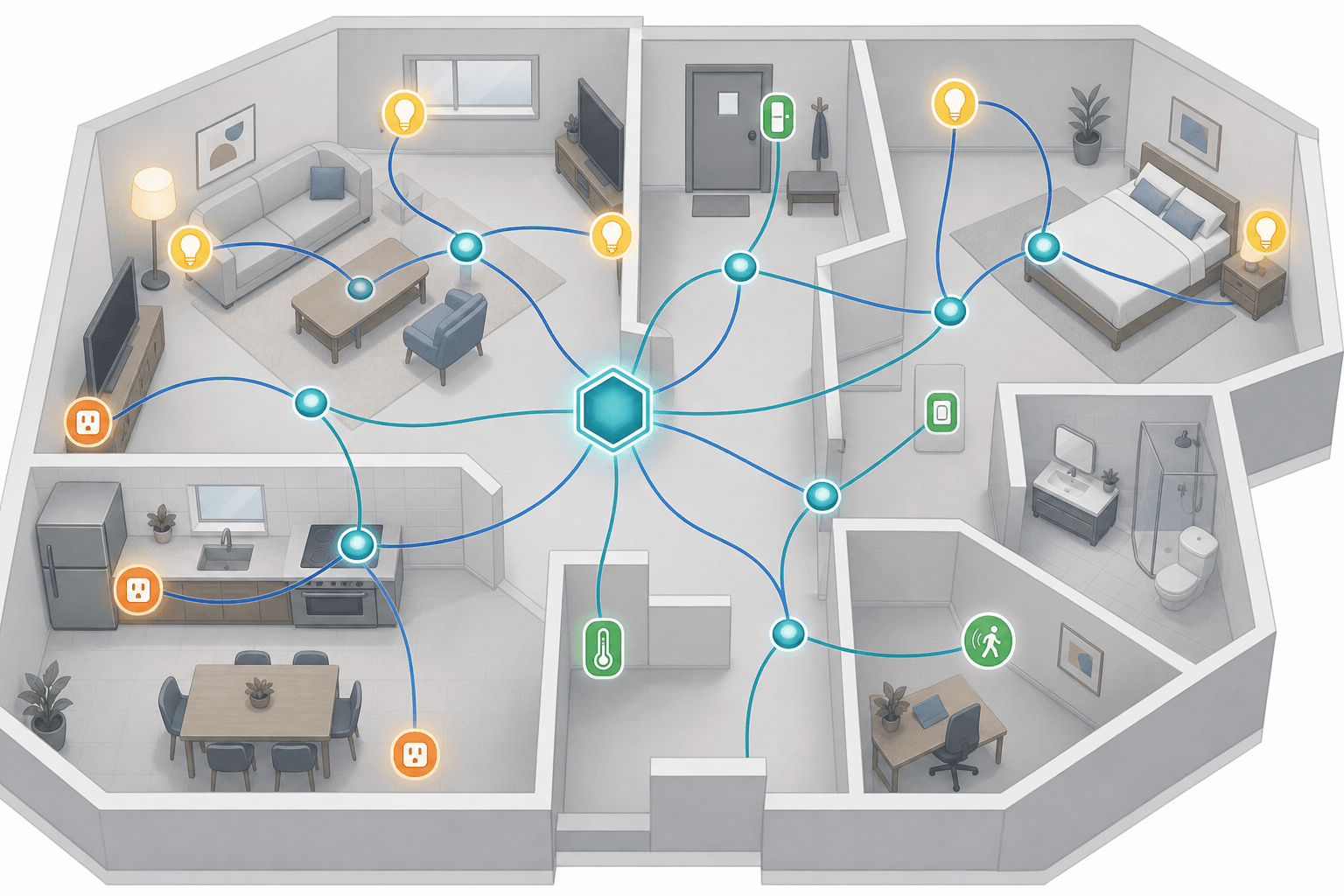
Before you buy a single Zigbee device, you need a coordinator hub. This is not optional and it is not something you can add later — without a coordinator, Zigbee devices cannot form a network, communicate, or be controlled. There is no Zigbee equivalent of a Wi-Fi bulb you plug in and connect directly to your phone.
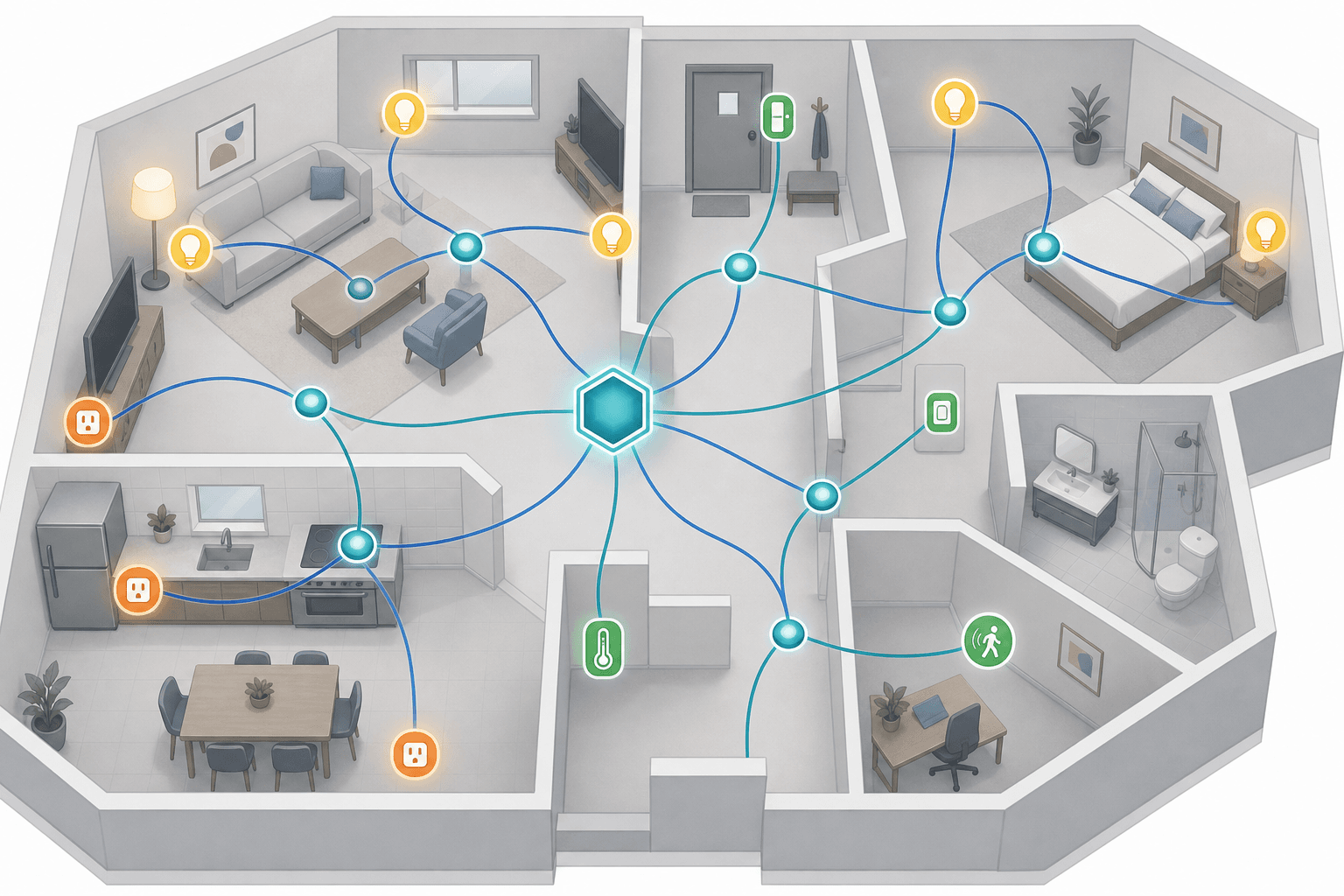
Wi-Fi and Bluetooth devices communicate directly with your router or phone, which is why they work without a separate hub. Zigbee uses its own mesh radio protocol, and every Zigbee network requires exactly one coordinator — the device that forms the network, assigns addresses, and manages security. Everything else on the network is either a router (a mains-powered device that relays traffic) or an end device (typically battery-powered, sleeps between transmissions, and passes messages through a parent router or the coordinator).
The coordinator you choose sets the ceiling on which devices you can pair, which features those devices expose, and how much of your setup depends on a manufacturer's cloud. That decision comes before the device shopping list.
Hub Compatibility Matrix: Which Hubs Support Zigbee and What Each One Offers
Not all Zigbee hubs are equal. The differences that matter most for buyers are: how many devices the hub can manage, whether it processes automations locally or depends on a cloud connection, whether it can act as a Matter bridge to future-proof your Zigbee devices, and how locked in you become once you have paired a full device roster.
One consistent caveat across all Zigbee hubs: migrating from one hub to another almost always requires re-pairing every device from scratch. Zigbee devices store network credentials from their original coordinator, so switching hubs is a full reset, not a transfer. Factor this into your initial hub choice.
| Hub | Device Support Breadth | Local Control | Matter Bridge | Ecosystem Lock-in |
|---|---|---|---|---|
| Amazon Echo (4th gen / Echo Hub) | Narrow — works with Alexa-compatible Zigbee devices, not all third-party profiles | Partial — some local routines; automations still route through Amazon cloud | No | High — tied to Amazon Alexa ecosystem |
| SmartThings / Aeotec Smart Home Hub | Broad — wide multi-brand Zigbee support across most device categories | Partial — cloud + local hybrid; local processing for some automations | Yes (Hub v4) | Medium — Samsung ecosystem, but open to many brands |
| Philips Hue Bridge | Lighting only — Hue bulbs, Hue fixtures, Hue accessories; not a general Zigbee hub | Full — all Hue automations run locally via Ethernet backhaul | Yes — Hue Bridge exports to Matter natively | Medium-High — optimized for Hue devices; non-Hue Zigbee pairings are unsupported |
| Aqara M3 | Broad — up to 127 Zigbee/Thread child devices; full Aqara catalog plus compatible third-party devices | Full — local automations, no cloud dependency for core functions | Yes — acts as Matter bridge for Aqara Zigbee devices | Medium — strong Apple Home integration; works without HomeKit too |
| Aqara M2 / E1 | M2: similar to M3 with Ethernet backhaul; E1: compact USB form factor for smaller setups | Full (both models) | No (M2/E1 do not bridge to Matter) | Medium |
| Home Assistant + USB Dongle (Sonoff ZBDongle-P/E, SkyConnect) | Widest — supports virtually all Zigbee 3.0 devices and many legacy profiles via ZHA or Zigbee2MQTT; 50 direct children per dongle, 200+ with routers | Full — entirely local, no cloud dependency | Yes — with Matter server add-on | Low — fully open, no vendor lock-in |
| Sonoff iHost | Broad — up to 128 Zigbee devices; full Sonoff catalog plus compatible third-party devices | Full — local hub with on-device processing | Optional — Matter bridge via add-on | Low-Medium — open enough to pair non-Sonoff devices |
| Tuya Multi-Mode Gateways | Large catalog — vast Tuya device ecosystem, most budget Zigbee devices | Limited — cloud-first by default; local control depends on firmware and platform configuration | Limited | High — most automations depend on Tuya cloud; non-Tuya pairing is inconsistent |
Amazon Echo's built-in Zigbee radio is a convenient entry point but supports a narrower slice of the Zigbee device catalog than open platforms. It works reliably for Alexa-certified Zigbee bulbs and plugs, but many Aqara sensors and specialty devices either will not pair or will pair with limited functionality.
Home Assistant with a USB Zigbee dongle gives you the widest device compatibility and complete local control, but it requires more initial configuration than plug-and-play hubs. The Sonoff ZBDongle-P and ZBDongle-E are the most commonly used coordinators, and the Home Assistant SkyConnect adds Thread support alongside Zigbee from a single USB stick.
Aqara's M3 hub stands out for buyers who want strong Apple Home integration alongside a capable Zigbee coordinator and a Matter bridge for the Aqara device catalog. For HomeKit-focused setups using Aqara hardware, see the Apple HomeKit Platform Overview 2026 for details on how HomeKit hub requirements interact with Zigbee devices.
Zigbee Device Ecosystem by Category
Zigbee's device catalog is one of its strongest arguments. Across sensors, lighting, plugs, switches, and remotes, the selection is broader and cheaper than any other protocol that requires a hub — and certainly cheaper than the current Matter device market.
Lighting
- Philips Hue — the most mature Zigbee lighting ecosystem. Bulbs, light strips, outdoor fixtures, and the Hue Dimmer Switch V2. Works best through the dedicated Hue Bridge; pairing Hue bulbs directly to a third-party coordinator often results in limited or no scene/color control.
- IKEA TRÅDFRI — budget-friendly bulbs and smart plugs with solid Zigbee 3.0 support across most coordinators including SmartThings and Home Assistant.
- Sengled — affordable bulbs available in E26 and BR30 form factors; compatible with SmartThings, Alexa, and Home Assistant. Sengled bulbs are end devices only — they do not act as Zigbee mesh routers.
- Gledopto — RGB+CCT LED strip controllers and bulbs that work with most Zigbee 3.0 hubs including SmartThings, Amazon Echo, and Home Assistant. Good option for LED strip setups where Hue is overpriced.
Sensors
- Aqara Motion Sensor P1 — one of the most reliable Zigbee motion sensors available, with configurable detection zones. Works with Aqara hubs, Home Assistant, and SmartThings.
- Aqara Door and Window Sensor — compact, long battery life, widely compatible with SmartThings, Home Assistant, and Aqara hubs.
- Aqara Temperature and Humidity Sensor — solid reporting accuracy, pairs well with most coordinators on the ZHA and Zigbee2MQTT stacks.
- Sonoff SNZB-02WD — temperature and humidity sensor with an integrated display, Home Assistant optimized, works with ZHA and Zigbee2MQTT.
- ThirdReality — US-based brand with door sensors, temperature sensors, and motion sensors. Good value in multi-packs, compatible with SmartThings and Home Assistant.
- Aqara Radiator Thermostat E1 — Zigbee TRV (thermostatic radiator valve) for in-room temperature control; pairs with Aqara hubs and Home Assistant.
Smart Plugs
Zigbee smart plugs serve double duty: they control whatever is plugged into them, and because they are mains-powered, they act as Zigbee mesh routers. Adding plugs to a large home is one of the most effective ways to extend network range and reduce dead zones for battery-powered end devices.
- Aqara Smart Plug (EU) — 10A load, energy monitoring, tight Apple Home integration via Aqara hubs.
- Sonoff Zigbee Smart Plug — Home Assistant and ZBDongle optimized, full energy metering, compact form factor.
- ThirdReality Smart Plug — available in 4-packs for cost-effective mesh router deployment; compatible with SmartThings and Home Assistant.
- Tuya-based plugs — lowest cost per unit, cloud-first by default but workable with compatible Tuya gateways or when paired directly to Zigbee2MQTT in Home Assistant.
In-Wall Switches and Dimmers
- Enbrighten Zigbee In-Wall Switch — compatible with SmartThings, Hubitat, Home Assistant, and Amazon Echo. Acts as a Zigbee mesh router. US paddle-style form factor.
Wireless Buttons and Remotes
- Aqara Wireless Mini Switch — single press, double press, and long press actions. Battery-powered, pairs with Aqara hubs and Home Assistant. Useful for triggering scenes without requiring a voice command.
- Philips Hue Dimmer Switch V2 — four-button remote, pairs with Hue Bridge or directly with Home Assistant; supports both Zigbee binding and hub-based control.
Zigbee vs Wi-Fi: Battery Life, Network Congestion, and Local Control
The most common alternative to Zigbee sensors and plugs is their Wi-Fi equivalents. Wi-Fi removes the hub requirement, which lowers the initial friction — but it introduces a different set of trade-offs that compound as your device count grows.
| Factor | Zigbee | Wi-Fi |
|---|---|---|
| Hub required | Yes — coordinator required before first device | No — connects directly to router |
| Battery life (sensors) | Multi-year — small sensors can last up to 7 years on a button cell | Months — continuous Wi-Fi radio drains batteries much faster |
| Network congestion | Separate 802.15.4 network; does not compete with Wi-Fi traffic | Adds to 2.4 GHz congestion alongside other Wi-Fi devices and Bluetooth |
| Local control | Full local control available with most hubs; works during internet outages | Typically cloud-dependent; automations often fail without internet |
| Device cost | Lower per device, especially for sensors and plugs | Comparable at individual device level but higher power requirements affect battery replacements |
| Setup complexity | Higher upfront — hub selection and pairing required | Lower upfront — scan and connect per device |
For a single smart plug or a smart bulb, Wi-Fi is perfectly reasonable. Where the calculus shifts is at scale: if you are adding 10 or more sensors, several plugs, and a handful of switches, a Zigbee network keeps all of that traffic off your router's 2.4 GHz band, and your motion sensors will run for years on a coin cell rather than weeks on AA batteries.
The local control difference is also meaningful for reliability. A Zigbee network paired to a hub with local automation capability continues to operate during internet outages. A cloud-dependent Wi-Fi setup may lose functionality entirely when the internet goes down or when the manufacturer's servers experience an outage.
Zigbee vs Matter: Device Availability, Bridging, and When to Mix Both
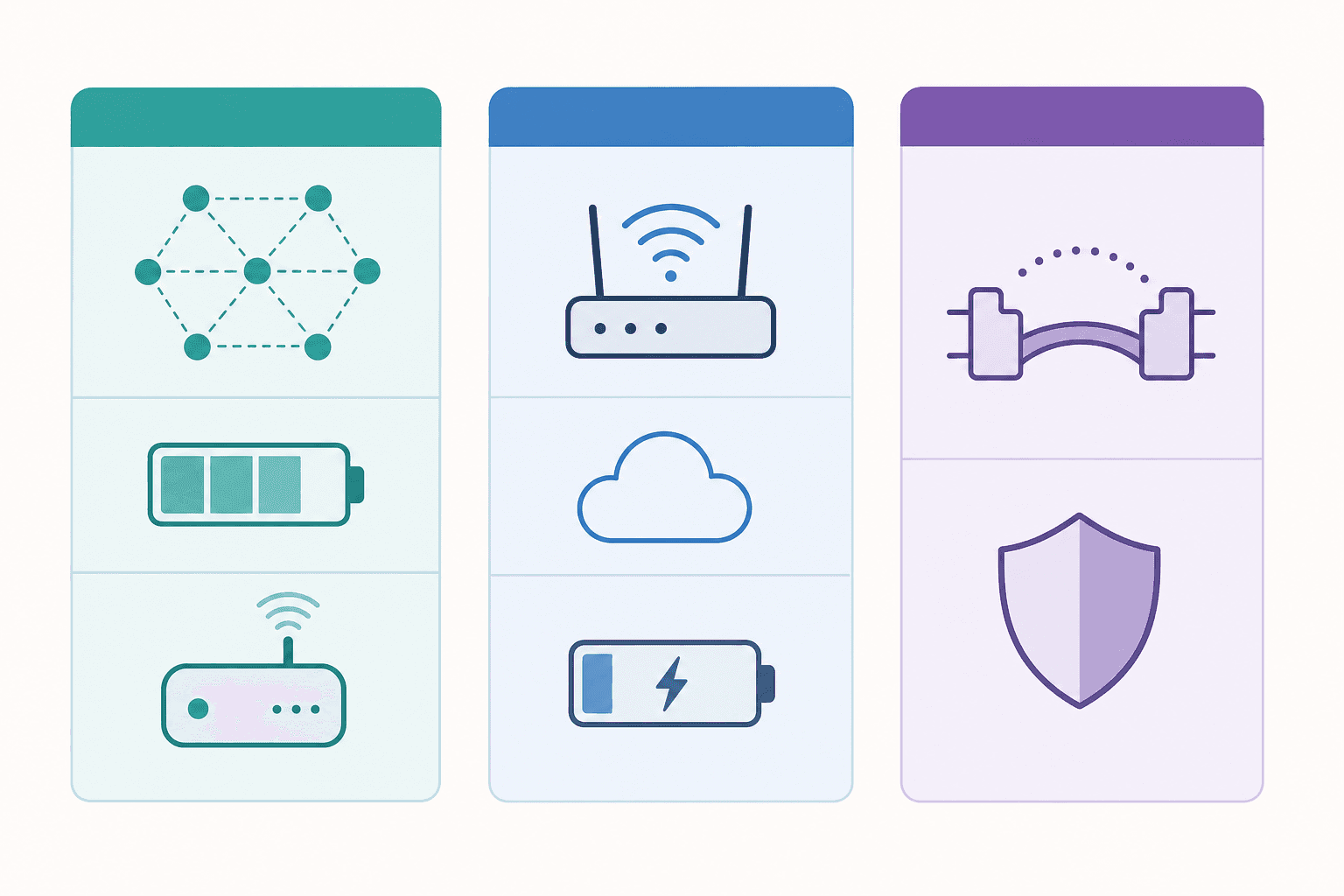
Matter and Zigbee address fundamentally different problems. Zigbee is a communication protocol — it defines how devices transmit data over a mesh radio network. Matter is a compatibility standard — it defines how devices from different manufacturers pair, behave, and remain compatible across platforms like Alexa, Google Home, and HomeKit. They are not competing replacements.
Matter bridging is the practical answer. Several current hubs can expose Zigbee devices to Matter controllers, making those devices visible inside Alexa, Google Home, or HomeKit even though they are not native Matter hardware:
- Aqara M3 — bridges Aqara Zigbee sensors and switches to Matter ecosystems
- SmartThings Hub v4 — acts as a Matter controller and can expose connected Zigbee devices via Matter bridge
- Sonoff iHost — optional Matter bridge add-on for its connected Zigbee devices
- Homey Pro — supports Matter bridging for Zigbee and Z-Wave devices across multiple ecosystems
- Home Assistant — Matter server add-on can expose Zigbee devices from ZHA or Zigbee2MQTT to Matter controllers
In practical terms, a Zigbee investment is not obsoleted by Matter adoption. You can add Matter-native devices to your setup alongside Zigbee devices, and a capable hub bridges them into a single ecosystem. For buyers choosing between building a Zigbee device base versus waiting for Matter equivalents: in 2026, Zigbee's device catalog — particularly for sensors, buttons, and low-cost repeater plugs — remains broader and cheaper than what is available as native Matter hardware.
For a full treatment of how Matter works and what to evaluate before building around it, see the Matter Protocol Explained: What It Is, How It Works, and What to Know Before You Buy in 2026.
Zigbee vs Z-Wave: Frequency, Cost, and Use-Case Differences
Z-Wave and Zigbee both require a coordinator hub and both form low-power mesh networks, but they are aimed at slightly different use cases and come with meaningfully different cost profiles.
| Factor | Zigbee | Z-Wave |
|---|---|---|
| Radio frequency | 2.4 GHz — same band as Wi-Fi and Bluetooth; susceptible to interference | Sub-GHz (908 MHz US / 868 MHz EU) — no 2.4 GHz interference, better wall penetration |
| Maximum devices per network | Up to 65,000 theoretical — practical hub limits typically 64–200+ | Up to 232 devices per network |
| Device catalog size | Very large — thousands of devices across all categories | Smaller — concentrated in switches, locks, and sensors |
| Device cost | Lower — especially for sensors, plugs, and bulbs | Higher — Z-Wave certification adds to per-unit cost |
| Primary use case | Battery-sensor-heavy setups, lighting, plugs; cost-efficient large deployments | Environments with heavy 2.4 GHz interference; premium smart locks and security sensors |
The single most practical differentiator: if you are in a location with significant 2.4 GHz congestion — a dense apartment building or an environment with many overlapping Wi-Fi networks — Z-Wave's sub-GHz operation avoids that interference entirely. For most single-family home environments, Zigbee's 2.4 GHz operation is not a problem in practice.
For a complete look at Z-Wave hubs, certification requirements, and device categories, see Z-Wave Explained: How It Works, Why It Always Requires a Hub, and Which Hubs Support It in 2026.
Quick Decision Checklist: Is Zigbee Right for Your Setup?
Work through these five questions before committing to Zigbee.
- Do you plan to deploy multiple battery-powered sensors? Zigbee's biggest practical advantage over Wi-Fi is battery life. If your planned setup includes door/window sensors, motion sensors, or temperature sensors in quantity, Zigbee's multi-year battery performance is a strong argument. Wi-Fi sensors drain batteries in months.
- Does local-first control matter to your household? If you want automations that run during internet outages, or if you have privacy concerns about cloud-processed commands, Zigbee with a locally capable hub (Home Assistant, Aqara M3, Sonoff iHost) gives you full local control. Cloud-dependent Wi-Fi platforms do not.
- Are you willing to choose and configure a coordinator hub before buying devices? Zigbee has a real upfront step that Wi-Fi skips. If you want the lowest-friction possible start, Wi-Fi or Matter devices require less setup. If you are willing to choose a hub and go through initial pairing, the long-term reliability and cost per device favor Zigbee.
- Is device cost efficiency a priority? Zigbee sensors, plugs, and buttons are generally cheaper than their Matter equivalents and available in more form factors. For large deployments — 15+ sensors, plugs in every room — the cost difference is significant.
- Do you need devices to work natively across multiple platforms (Alexa, Google Home, HomeKit) without a bridge? Zigbee devices do not natively appear in multiple platforms the way Matter devices do. If cross-platform compatibility without a bridge is a hard requirement, Matter-native hardware is a better fit. If you are primarily in one ecosystem and willing to use a Matter bridge for cross-platform access, Zigbee works well.
Updates & Corrections
Protocol specifications and platform features change rapidly — especially with Matter version evolution. Report version changes, certification count updates, or platform policy changes that have occurred since the last editorial review.
Comments
Join the discussion with an anonymous comment.