
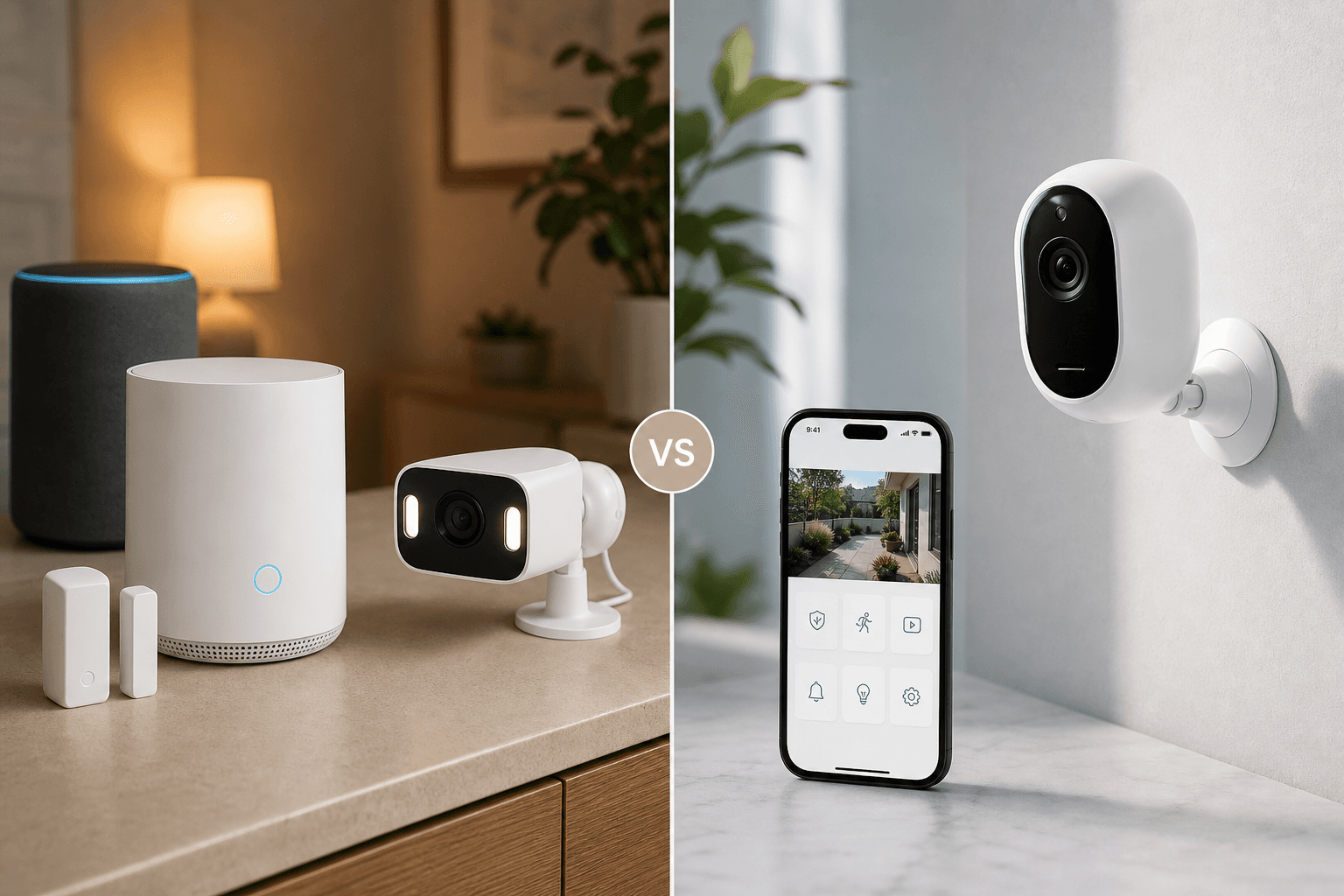
Ring Alarm vs Arlo: The Core Difference Before You Compare
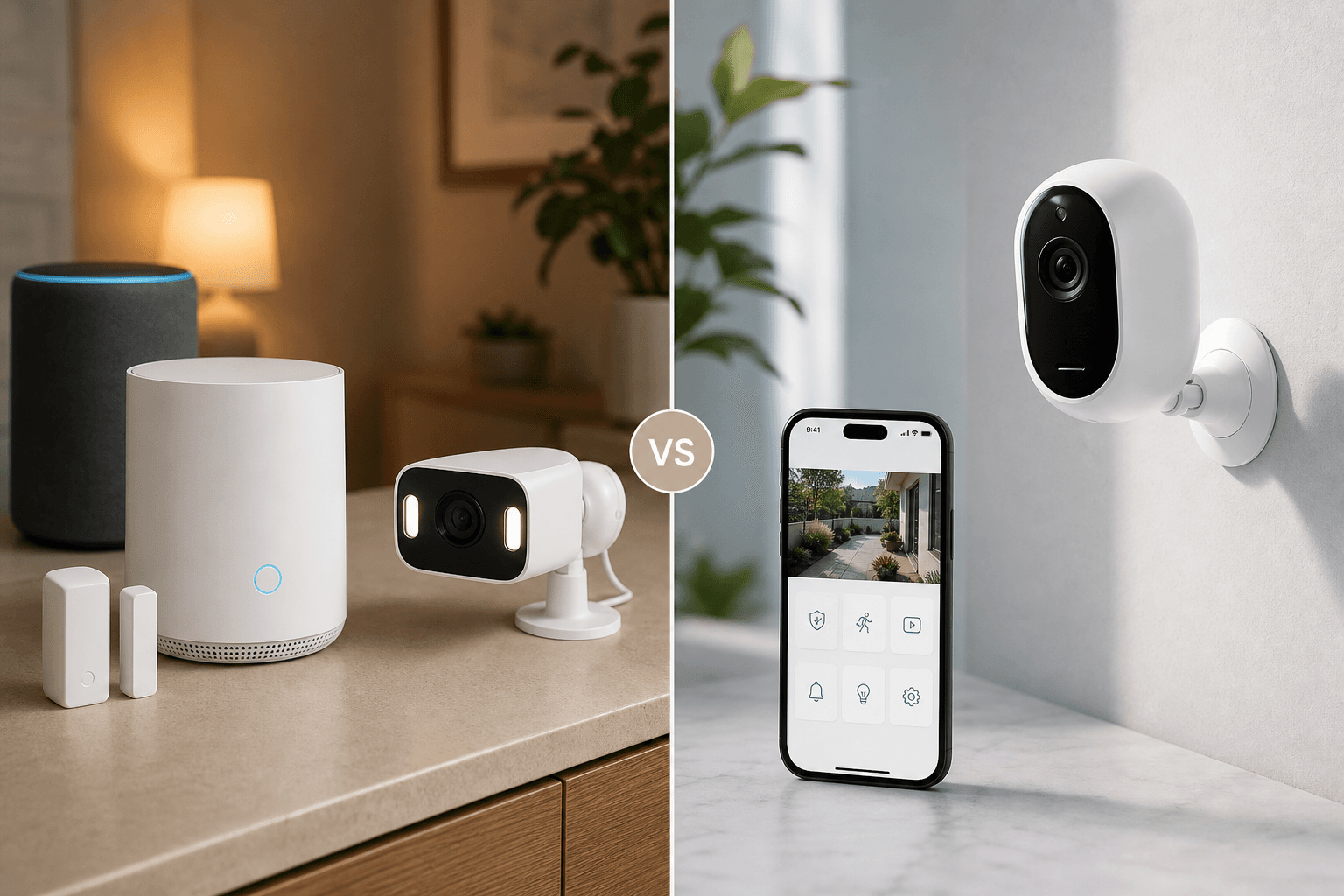
Most security system comparisons treat Ring and Arlo as direct competitors fighting over the same buyer. They are not. These two platforms are built on fundamentally different security philosophies, and understanding that difference is more useful than any feature-by-feature scorecard.
Ring Alarm is a sensor-first whole-home alarm system. Its foundation is intrusion detection: a Z-Wave base station communicating with door and window contact sensors, motion detectors, and a keypad. Cameras are an add-on layer — useful, but not the primary security mechanism. The system is tightly coupled to Amazon's ecosystem.
Arlo is a camera-first surveillance platform. Its primary product is a wireless camera with best-in-class video quality. The Arlo Home Security System exists as a sensor add-on, but it uses a multi-function all-in-one sensor rather than the dedicated contact sensors and motion detectors that Ring ships as standard. Arlo runs natively on multiple ecosystems including Apple HomeKit.
Quick Verdict: Which System Fits Your Situation
| Dimension | Ring Alarm | Arlo | Edge |
|---|---|---|---|
| Security depth | Dedicated door/window sensors, motion detectors, keypad, Z-Wave base station | All-in-one multi-sensor add-on; cameras as primary detection layer | Ring Alarm |
| Camera quality | 1080p–2K, 140°–160° FOV, 3D radar motion detection | Up to 4K HDR, 180° FOV, dual-spotlight color night vision | Arlo |
| Ecosystem fit | Native Amazon Alexa, Echo Show live view, Amazon Sidewalk; no native HomeKit | Native HomeKit, Google Home, Alexa, Samsung SmartThings | Arlo (multi-platform) |
| Subscription cost | From $4.99/mo (1 device) to $19.99/mo (all devices + pro monitoring) | From $17.99/mo (unlimited cameras) to $24.99/mo (with pro monitoring) | Ring Alarm |
| Video history | 180 days on Ring Multi and Pro plans | 60 days on Arlo Secure Plus and Premium plans | Ring Alarm |
| Local storage | Ring Edge on Alarm Pro only (specific hardware required) | USB hard drive via SmartHub (up to 2TB) | Arlo |
| Cellular backup | Included in base station hardware at no extra cost | Requires ~$79.99 add-on device | Ring Alarm |
| Professional monitoring | 24/7 monitoring for full alarm system on Ring Pro ($19.99/mo) | Monitors sensors via Arlo Home Security System hub; requires dedicated hardware | Ring Alarm (broader coverage) |
| Matter support | Not supported for cameras as of Q2 2026 | Not supported for cameras as of Q2 2026 | Tie |
| Best for | Alexa households needing full intrusion detection at lower subscription cost | HomeKit/multi-platform households prioritizing video quality and local storage | Depends on ecosystem |
What Ring Alarm Actually Is: Sensor-First Security
Ring Alarm is sold as a complete DIY security kit. The 5-piece kit ($199.99) includes a base station, keypad, contact sensor, motion detector, and range extender. The 10-piece kit ($259) adds more sensors to cover a larger home. Every component is designed to work together as a cohesive intrusion detection system from day one.
The base station uses Z-Wave to communicate with sensors and includes cellular backup hardware built in — no extra device required. If your internet goes down or someone cuts your power, the base station continues to communicate via cellular on Ring's Pro plan. This is a meaningful advantage for buyers who take alarm reliability seriously.
Ring's camera lineup — including the Ring Spotlight Cam, Floodlight Cam, and Video Doorbell — integrates with the alarm system but is purchased separately. Cameras show up in the Ring app alongside your sensors, and on the Pro plan, a triggered sensor can prompt a camera to begin recording. The integration is clean, but cameras are genuinely optional additions to a system that functions as a real alarm without them.
- Z-Wave base station with built-in cellular backup (no extra hardware cost)
- Dedicated door and window contact sensors included in starter kits
- Passive infrared motion detectors with adjustable sensitivity
- Keypad for arming/disarming with PIN codes
- Range extender for larger homes with Z-Wave dead zones
- Cameras sold separately; integrate with the alarm but are not required for intrusion detection
- Tightly integrated with Amazon Alexa — arm/disarm via voice, Echo Show live view, Amazon Sidewalk mesh connectivity
- No contracts; 30-day money-back guarantee; DIY installation throughout
What Arlo Actually Is: Camera-First Surveillance
Arlo's product identity is its camera hardware. The Arlo Ultra 2, Pro 5S, and Essential XL lines are engineered for video quality first — wide field of view, high resolution, color night vision, and rechargeable swappable batteries that make placement flexible without running cable.
The Arlo Home Security System is a real product, but it functions differently from Ring Alarm. Rather than shipping with dedicated contact sensors and motion detectors, Arlo's security add-on uses a multi-function all-in-one sensor that combines several detection modes in a single unit. This is a meaningful architectural difference: Ring's approach gives you purpose-built sensors optimized for specific intrusion detection tasks; Arlo's approach consolidates detection into a single device that covers multiple functions.
Arlo's platform advantage is ecosystem breadth. It supports native Apple HomeKit, Google Home, Amazon Alexa, and Samsung SmartThings — the only major DIY camera platform with true multi-ecosystem native support. If you have a mixed household or plan to change ecosystems, Arlo does not lock you in.
- SmartHub base station connects cameras to the network and enables local USB storage
- Wireless cameras are the primary product — available in multiple tiers from Essential to Ultra
- Arlo Home Security System uses a multi-function all-in-one sensor rather than dedicated contact sensors
- Professional monitoring requires the Arlo Home Security System hub — cameras alone are not sufficient
- Native support for HomeKit, Google Home, Alexa, and Samsung SmartThings
- Swappable rechargeable batteries on most camera models
- No contracts; 30-day money-back guarantee; DIY installation
Camera Quality Head-to-Head
On camera hardware, Arlo leads by a clear margin at the top of each lineup. The gap matters most for buyers who want to identify faces, read license plates, or capture detailed footage across a wide outdoor area.
| Spec | Arlo (top tier) | Ring (top tier) |
|---|---|---|
| Resolution | Up to 4K HDR | 1080p–2K (verify at ring.com for latest models) |
| Field of view | Up to 180° | 140°–160° |
| Night vision | Dual-spotlight color night vision | Color night vision (model dependent) |
| Motion detection | PIR sensor + cloud AI classification | 3D radar motion detection |
| Motion features | Person, vehicle, package, pet, audio event classification | Bird's-eye-view path mapping; reduces false alerts from street traffic |
| Power | Swappable rechargeable batteries | Wired and battery options vary by model |
| Alert latency | Slight delay (1–2 seconds) for AI cloud confirmation | Near-instant radar-triggered alerts |
The motion detection difference is worth understanding before you decide. Ring's 3D radar technology detects physical movement using radar waves rather than passive infrared, which means it can distinguish a car passing on the street from a person walking toward your door. This reduces the volume of false alerts significantly, and the bird's-eye-view path mapping shows you the actual trajectory of detected movement.
Arlo's PIR plus cloud AI approach works differently. The PIR sensor triggers an initial alert, and then Arlo's cloud AI analyzes the clip to classify what triggered it — person, vehicle, package, pet, or an audio event like a smoke alarm or glass break. The classification is more granular than Ring's, but the cloud confirmation step introduces a 1–2 second latency before you receive a categorized notification.
Smart Home Ecosystem Compatibility
Ecosystem compatibility is the single most decisive factor for many buyers. If you have already invested in an ecosystem, switching platforms to accommodate a new security system is a significant cost and inconvenience.
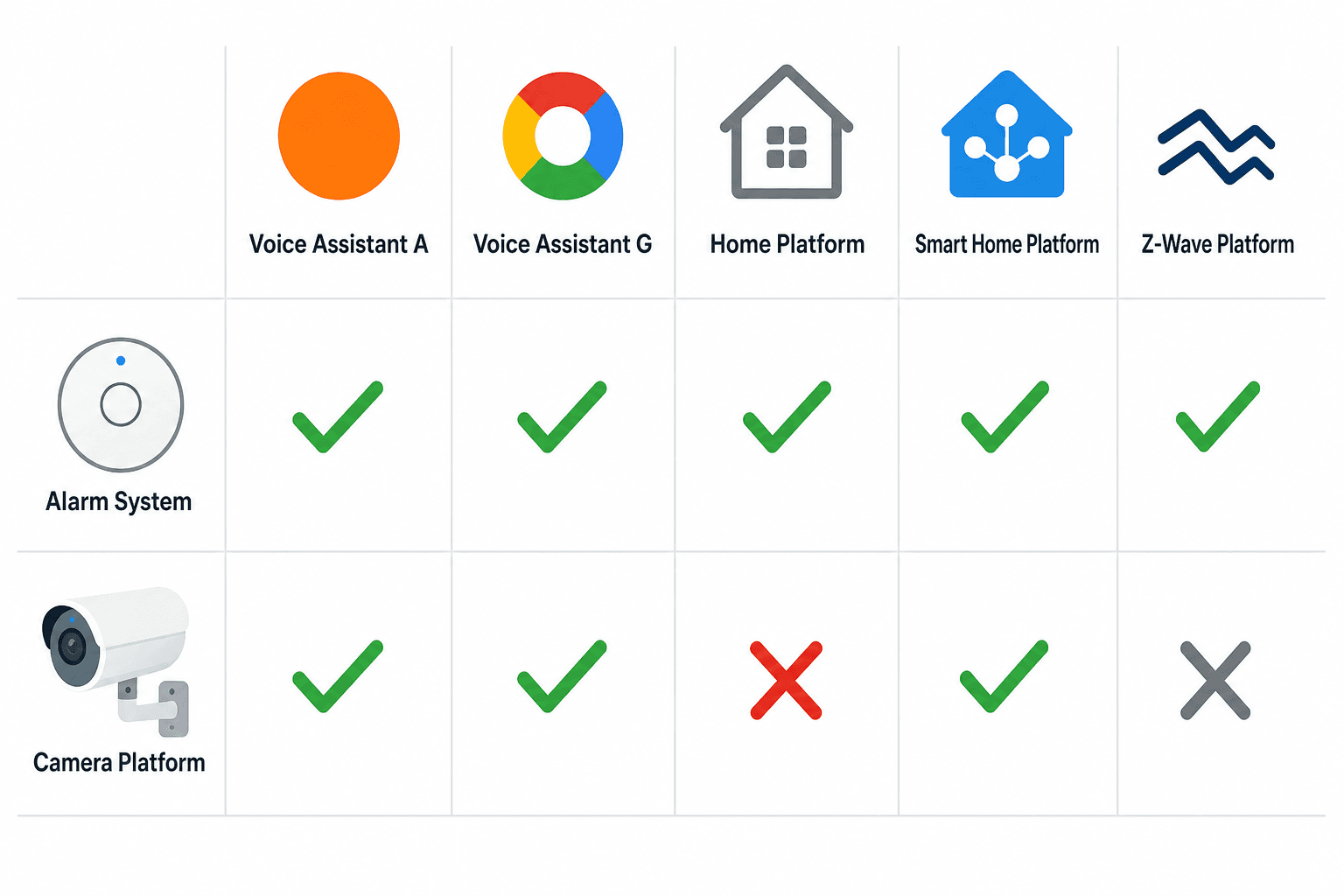
| Platform | Ring Alarm + Cameras | Arlo Cameras + Security System |
|---|---|---|
| Amazon Alexa | Native — arm/disarm, Echo Show live view, Sidewalk | Supported — camera control and routines |
| Apple HomeKit | Not natively supported | Native — cameras and sensors appear in Home app |
| Google Home | Limited — some camera integration only | Supported — camera control and automations |
| Samsung SmartThings | Limited third-party integration | Supported natively |
| Z-Wave | Yes — base station protocol for sensors | No |
| Matter (cameras) | Not supported as of Q2 2026 | Not supported as of Q2 2026 |
| Amazon Sidewalk | Yes — extends Z-Wave range via Amazon mesh | No |
The HomeKit gap is Ring's most significant ecosystem limitation. If you use an iPhone, rely on the Home app, or have HomePods as your primary smart home hubs, Ring does not integrate natively. You can work around this with third-party bridges, but that adds complexity and a potential point of failure.
Arlo's multi-platform support is genuinely rare at this price tier. The fact that Arlo cameras appear natively in the Apple Home app — with live view, motion alerts, and recording accessible directly from HomeKit — is a meaningful differentiator. For households that use multiple ecosystems or want the flexibility to change platforms later, Arlo avoids lock-in in a way Ring does not.
Subscription Plans and 5-Year Total Cost of Ownership
Hardware prices are visible and easy to compare. Subscription costs are where the real long-term cost difference lives, and they are often underweighted in the purchase decision. For a 4-camera household, subscription fees will exceed hardware costs within 2–3 years on either platform.
| Plan | Price | Devices covered | Video history | Pro monitoring | AI features |
|---|---|---|---|---|---|
| Ring Solo | $4.99/mo | 1 device | 180 days | No | Basic |
| Ring Multi | $9.99/mo | All Ring devices | 180 days | No | Standard |
| Ring Pro | $19.99/mo | All Ring devices | 180 days | Yes — 24/7 full alarm system | Advanced |
| Arlo Secure Plus | $17.99/mo | Unlimited cameras | 60 days | No | Full AI classification |
| Arlo Secure Premium | $24.99/mo | Unlimited cameras | 60 days | Yes — sensors via security hub | Full AI classification |
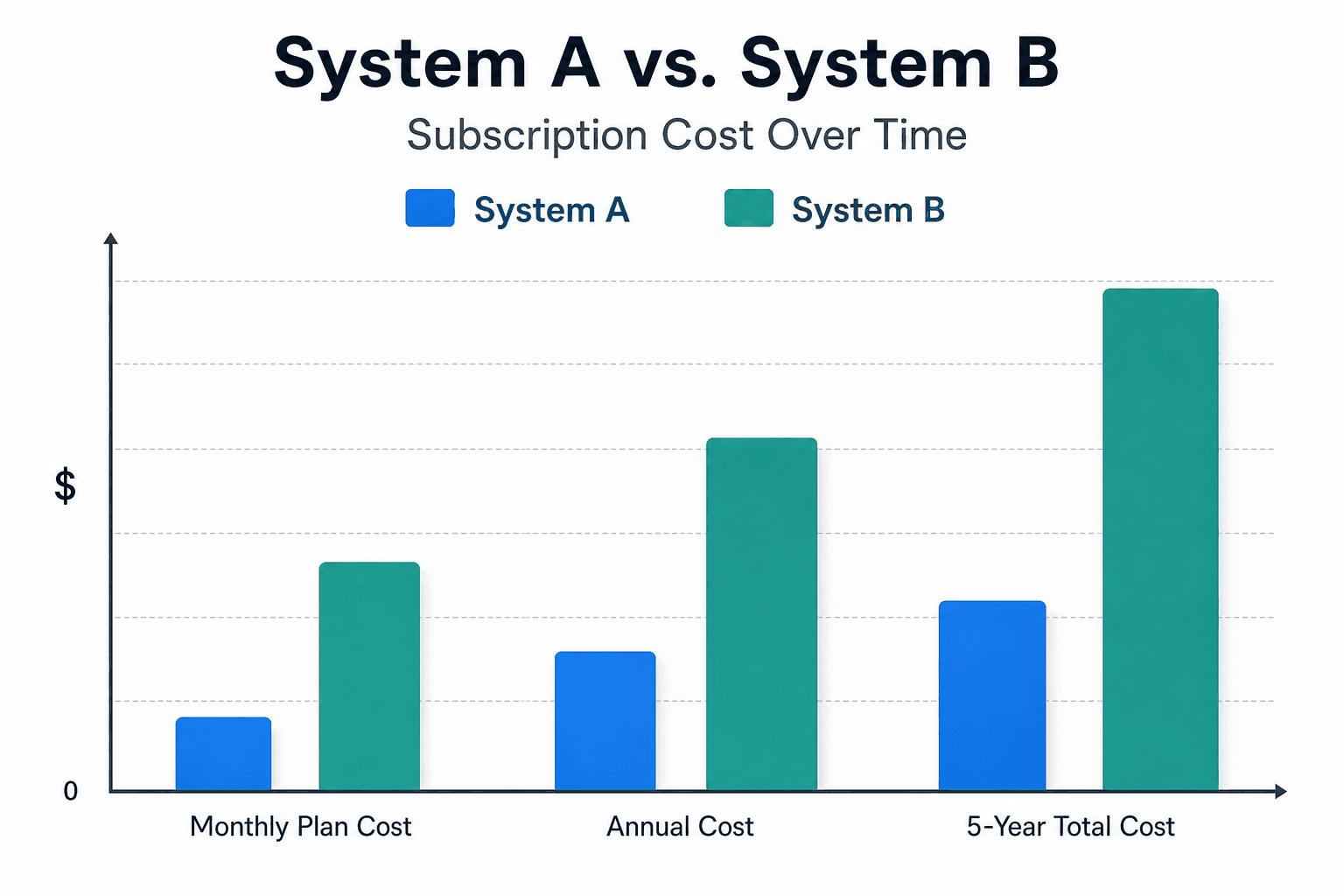
| Scenario | Ring cost (5 years) | Arlo cost (5 years) | Difference |
|---|---|---|---|
| 4 cameras, no pro monitoring | ~$600 (Ring Multi at $9.99/mo) | ~$1,080 (Arlo Secure Plus at $17.99/mo) | Arlo costs ~$480 more |
| 4 cameras, with pro monitoring | ~$1,200 (Ring Pro at $19.99/mo) | ~$1,500 (Arlo Secure Premium at $24.99/mo) | Arlo costs ~$300 more |
| 1 camera only | ~$300 (Ring Solo at $4.99/mo) | ~$1,080 (Arlo Secure Plus — unlimited cameras plan) | Arlo costs significantly more for single-camera setups |
Ring's video history advantage is also worth noting. Ring Multi and Pro plans retain footage for 180 days. Arlo Secure plans retain footage for 60 days. If you ever need to review footage from two months ago — for an insurance claim, a neighbor dispute, or a police report — Ring's longer retention window is practically meaningful.
Storage Options: Cloud, Local, and Cellular Backup
Storage architecture affects both your privacy posture and your resilience if the cloud service goes down or you cancel your subscription. Ring and Arlo have meaningfully different approaches here.
| Storage dimension | Ring Alarm | Arlo |
|---|---|---|
| Cloud storage | 180-day history on Multi and Pro plans | 60-day history on Secure Plus and Premium plans |
| Local storage | Ring Edge available on Alarm Pro only — requires specific hardware stack | USB hard drive via SmartHub (up to 2TB) — available on standard plans |
| Cellular backup | Built into base station hardware — no extra cost | Requires separate ~$79.99 cellular backup device (verify current pricing) |
| Footage access without subscription | Limited — live view only on most cameras | Limited — local storage accessible without subscription if SmartHub is set up |
Arlo's local USB storage is a genuine differentiator for privacy-conscious buyers. Connecting a USB hard drive to the SmartHub means footage is stored on hardware you own and control, not on Arlo's servers. This is particularly useful if you are concerned about cloud data retention policies or want a backup copy of footage independent of your subscription status.
Ring's cellular backup advantage is less glamorous but practically important. The Ring Alarm base station includes cellular backup hardware as part of the standard unit. If your internet connection drops — during a storm, a power outage, or a deliberate attempt to disable your network — the alarm system continues to communicate via cellular. Arlo requires purchasing a separate cellular backup device, which adds approximately $79.99 to the hardware cost.
Professional Monitoring: What Each Platform Actually Offers
Professional monitoring is one area where the architectural difference between Ring and Arlo produces a practical outcome that buyers frequently misunderstand.
Ring Pro's professional monitoring covers the full alarm system — sensors, motion detectors, smoke and CO detectors, and cameras — across all 50 US states. When a sensor triggers and you do not respond to the alert within a set time, a monitoring center agent contacts you and, if warranted, dispatches emergency services. This is equivalent to what you would get from a traditional monitored alarm system.
Arlo's professional monitoring monitors sensors via the Arlo Home Security System hub — not video. Arlo's monitoring agents do not watch your camera feeds; they respond to sensor-triggered events from the security hub. Critically, you must have the Arlo Home Security System hardware set up to access professional monitoring. Buyers who purchase only Arlo cameras and subscribe to Arlo Secure Premium will not receive professional monitoring coverage.
- Ring Pro monitoring: 24/7 coverage for full alarm system (sensors + cameras), available in all 50 US states, included in the $19.99/mo Ring Pro plan
- Arlo Secure Premium monitoring: Covers sensor events via Arlo Home Security System hub; requires dedicated security hardware purchase; cameras alone are not monitored
- Dispatch trigger: Both platforms dispatch based on sensor alerts, not video analysis — a monitoring agent will not watch your camera feed and proactively call police
- No contracts: Both platforms offer month-to-month monitoring with no long-term contract requirement
Who Should Choose Ring Alarm
Ring Alarm is the right choice when your security priority is comprehensive intrusion detection and your home ecosystem is already Amazon-centric.
- You use Amazon Alexa and Echo devices throughout your home. Ring integrates natively — arm and disarm by voice, view cameras on Echo Show, use Amazon Sidewalk for extended Z-Wave range.
- You want full intrusion detection coverage from day one. The 5-piece or 10-piece kit ships with dedicated contact sensors and motion detectors — you can cover every door and window in a standard home without sourcing sensors separately.
- You want professional monitoring at the lowest available subscription cost. Ring Pro at $19.99/mo covers your full alarm system including cameras. Arlo's equivalent plan costs more and requires additional hardware.
- Cellular backup reliability matters to you. Ring's base station includes cellular backup hardware at no extra cost. If your internet goes down, the alarm system keeps communicating.
- You want longer video history without paying more. Ring's 180-day retention on Multi and Pro plans is three times Arlo's 60-day retention.
- You are cost-conscious over a 5-year horizon. Ring's subscription costs are significantly lower than Arlo's, and the gap compounds over time.
Who Should Choose Arlo
Arlo is the right choice when camera quality and ecosystem flexibility are your primary requirements, and you are willing to pay more per month for both.
- You use Apple HomeKit or a mixed-ecosystem household. Arlo cameras appear natively in the Apple Home app with live view and motion alerts. Ring has no native HomeKit support.
- You want the best available wireless camera quality. Arlo's top-tier cameras offer 4K HDR resolution, 180° field of view, and dual-spotlight color night vision — a meaningful step above Ring's current standard lineup.
- Local storage is a privacy or resilience priority. Arlo's SmartHub supports USB hard drive backup up to 2TB — footage you control, stored on hardware you own.
- You want detailed AI-powered event classification. Arlo's cloud AI classifies motion events as person, vehicle, package, pet, or audio event — more granular than Ring's radar-based detection.
- You want platform flexibility for the long term. Arlo supports HomeKit, Google Home, Alexa, and SmartThings natively. If your ecosystem changes, Arlo adapts without requiring new hardware.
- Video surveillance is your primary security goal, not sensor-based intrusion detection. If you want to see and record what happens around your home in high detail, Arlo's camera platform delivers more than Ring's camera add-ons.
Frequently Asked Questions
- Does Ring Alarm work with Apple HomeKit? No. Ring does not offer native HomeKit support for its cameras or alarm system as of Q2 2026. Third-party bridges exist but add complexity and are not officially supported by Ring.
- Can Arlo function as a standalone alarm system? Only with the Arlo Home Security System hub and sensors — not with cameras alone. Cameras can send motion alerts, but they do not constitute a monitored alarm system without the dedicated security hardware.
- Can you mix Ring cameras with Arlo cameras in one system? Technically yes — both can run on the same network — but they operate in separate apps and ecosystems. There is no native integration between the two platforms, and mixing them adds management complexity without a meaningful benefit.
- Does either Ring or Arlo support Matter? Neither Ring nor Arlo supports Matter for security cameras as of Q2 2026. Matter adoption for cameras is progressing slowly across the industry. Verify current certification status for both platforms if this is a requirement.
- What happens to recorded footage if you cancel your subscription? On Ring, cloud footage is deleted when your subscription lapses — live view remains available on most cameras without a plan, but recorded clips are not. On Arlo, cloud footage is deleted, but footage stored on a local USB drive via SmartHub remains accessible.
- Does Ring Alarm work without a subscription? Yes. The Ring Alarm base station, sensors, and keypad function as a local alarm system without any subscription — the siren will sound on a trigger. You lose cloud video storage, professional monitoring, and some AI features, but the core intrusion detection hardware works without a paid plan.
Discussion
Share your experience with the compared products, flag outdated pricing or specs, or ask clarifying questions about the comparison verdict.
Comments
Join the discussion with an anonymous comment.