
Two Excellent Thermostats, One Fit Decision
The Ecobee Smart Thermostat Premium and the Google Nest Learning Thermostat (4th gen) are both ENERGY STAR–certified flagship devices priced within $30 of each other at MSRP. Neither is a budget compromise. If you're comparing these two, you've already made the right shortlist — the question is which one fits your home, not which one is better.
This comparison doesn't pick a single winner. It covers the real trade-offs — ecosystem integration depth, occupancy sensing, installation differences, scheduling philosophy, and air quality monitoring — and resolves into five explicit buyer scenarios. If you know your household's ecosystem and priorities, you'll have a clear answer by the end.
At a Glance: Ecobee Premium vs. Nest Learning Thermostat 4th Gen
| Feature | Ecobee Smart Thermostat Premium | Nest Learning Thermostat 4th Gen |
|---|---|---|
| MSRP | $249.99 | $279.99 |
| Display | 4-inch color LCD touchscreen (540×540px) | 2.7-inch crystal lens domed glass (600×600px) |
| Touch input | Yes — full touchscreen | No — rotating stainless steel dial |
| Matter support | No (as of June 2026) | Yes — Matter-certified |
| Included sensor type | SmartSensor: occupancy (radar) + temperature | Nest Temperature Sensor: temperature only, no occupancy |
| Indoor air quality monitoring | Yes — VOC, humidity, CO₂ proxy; alerts on unhealthy readings | No built-in indoor AQI sensors |
| Outdoor air quality awareness | No | Yes — Smart Ventilation responds to outdoor conditions |
| Built-in speaker / mic | Yes — Alexa Built-in + Siri/AirPlay on-device | No built-in speaker |
| C-wire requirement | Required; Power Extender Kit (PEK) included in box | Not required in most homes (Power Sharing technology) |
| Optional subscription | Ecobee Smart Security (~$14/mo) | Nest Renew Premium (~$10/mo) |
| Core features without subscription | Yes — full thermostat functionality free | Yes — full thermostat functionality free |
| ENERGY STAR certified | Yes | Yes |
| Warranty | 3 years | Not officially published for 4th gen |
| Body material | Die-cast zinc alloy frame, black front | Bezel-free domed glass, stainless steel dial ring |
| Wi-Fi | Dual-band: 2.4GHz + 5GHz (802.11 b/g/n/ac) | Wi-Fi (band details not officially published) |
| Bluetooth | Bluetooth 5.0 | Not specified |
Design and Hardware
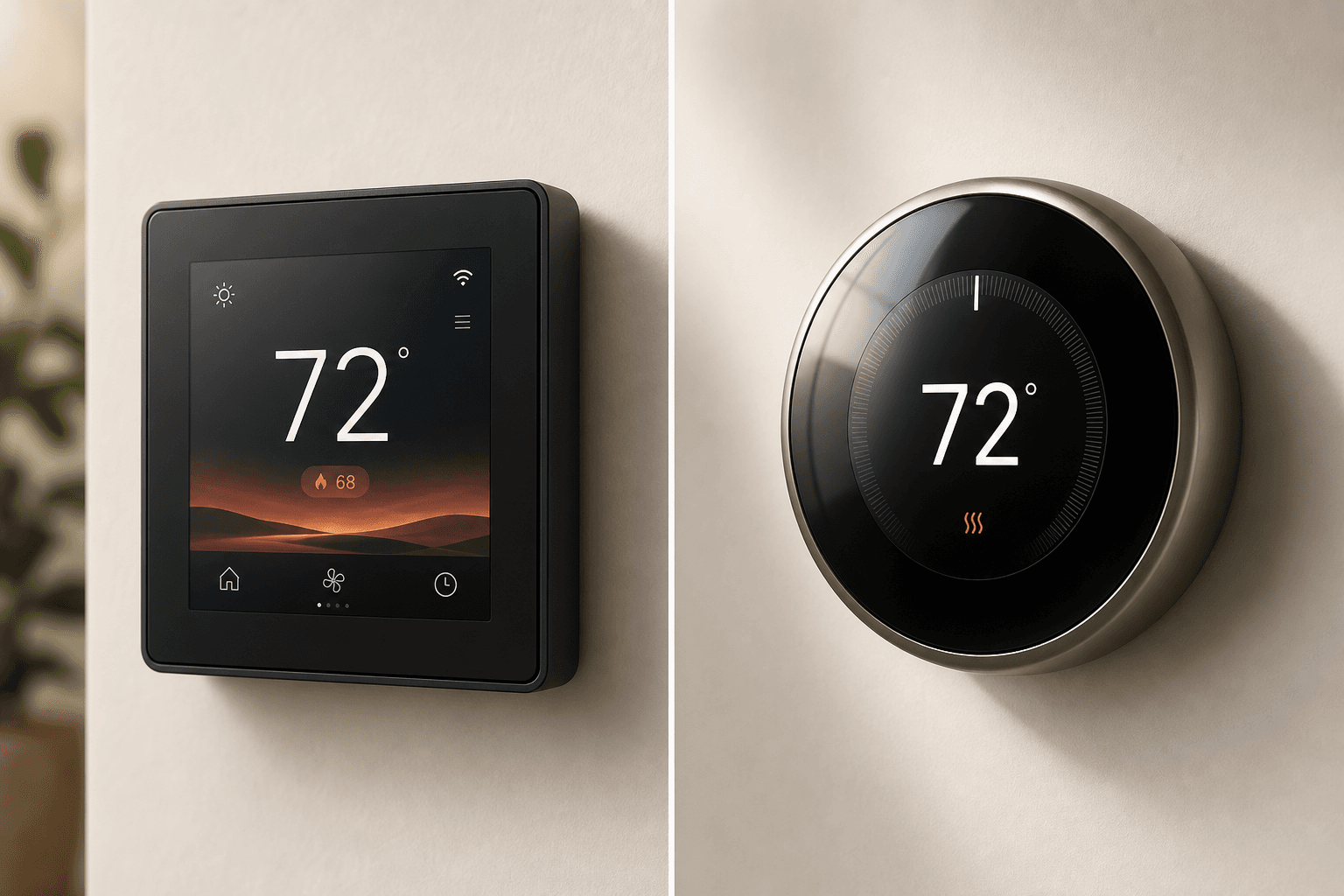
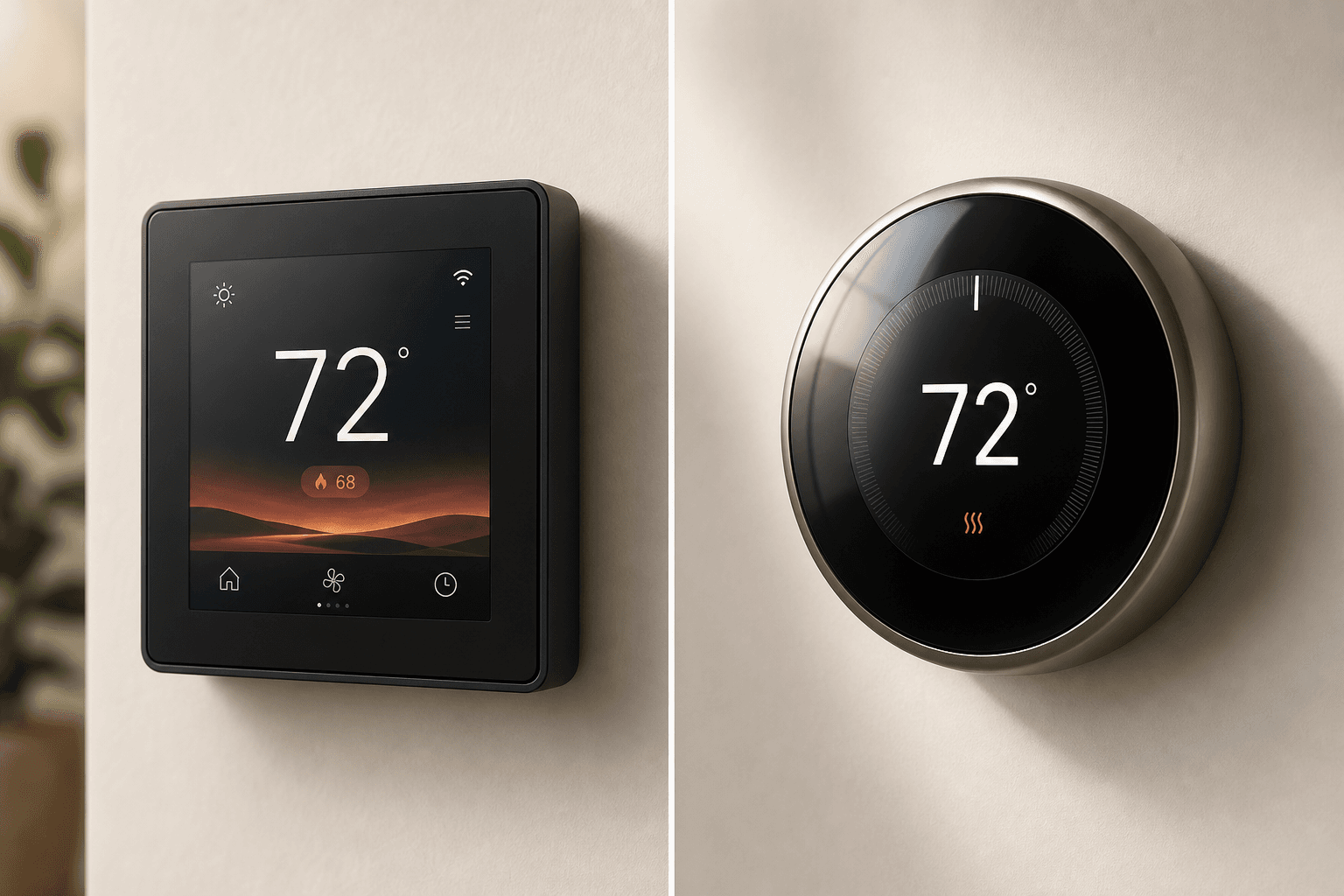
These two thermostats look nothing alike, and that's intentional. Each reflects a different philosophy about what a thermostat should be.
The Ecobee Premium is a square device — 103.89×103.89×25.9mm — with a die-cast zinc alloy metal frame and a 4-inch full-color LCD touchscreen at 540×540 pixels. It's built to be used directly: you tap the screen to adjust temperature, navigate settings, or interact with Alexa. The zinc body gives it a premium material feel that reads as more substantial than plastic-bodied competitors.
The Nest 4th gen takes the opposite approach. Its 2.7-inch crystal lens display sits inside a bezel-free domed glass housing — a design that prioritizes wall presence over direct interaction. At 600×600 pixels, the display is sharper than Ecobee's per inch, and Google's Dynamic Farsight feature uses a Soli radar chip to detect when you approach, waking the display to show time, temperature, or weather animations before you reach the thermostat. Adjustments happen via a rotating stainless steel dial, not a touchscreen.
- Ecobee Premium: square zinc body, 4-inch touchscreen, designed for direct on-device interaction including Alexa voice commands and Siri/AirPlay.
- Nest 4th gen: round domed glass, rotating dial, no touchscreen — adjustments require the dial or the Google Home app.
- Nest's Dynamic Farsight display activates on approach using Soli radar, but this presence detection is for the display only — it does not inform HVAC scheduling decisions.
- Both devices are available in dark and light colorways; Nest offers Polished Silver, Obsidian, and Gold finishes.
If you want a thermostat that functions as a wall-mounted smart home hub — with a screen you interact with directly — the Ecobee Premium is the more capable surface. If you prefer a device that recedes visually and is primarily controlled via app or voice, the Nest's design is more considered for that use case.
Smart Home Ecosystem Compatibility
Ecosystem compatibility is where these two devices diverge most sharply — and where the marketing framing most often misleads buyers.
The Nest 4th gen is Matter-certified, which means it can connect to Apple Home, Amazon Alexa, Samsung SmartThings, and Home Assistant via the Matter protocol. This is a genuine advantage for future-proofing and cross-platform flexibility. However, Matter-bridged integrations don't always expose the same feature depth as native integrations — particularly for HomeKit, where Nest's Matter path may surface fewer controls than a device with a native HomeKit implementation.
The Ecobee Premium does not support Matter as of June 2026, but it reaches a broader set of platforms natively. Alexa is built directly into the device — you can speak to Alexa without a separate Echo speaker. Siri and AirPlay are on-device as well. HomeKit integration uses Ecobee's native API, which typically provides deeper feature access than a Matter bridge. Google Assistant, Samsung SmartThings, and IFTTT are all supported natively.
| Platform | Ecobee Premium | Nest 4th Gen |
|---|---|---|
| Amazon Alexa | Native — Alexa Built-in on device | Via Matter |
| Apple HomeKit / Siri | Native — Siri/AirPlay on device, direct HomeKit API | Via Matter (may have feature-depth limitations) |
| Google Home / Assistant | Native integration | Native — primary ecosystem |
| Samsung SmartThings | Native integration | Via Matter |
| Home Assistant | Supported (via integration) | Via Matter |
| IFTTT | Native integration | Not confirmed via Matter |
| Matter | Not supported (as of June 2026) | Yes — Matter-certified |
The practical summary: if your home runs primarily on Google Home, Nest is the natural fit. If you run a mixed Apple/Alexa household, or rely on SmartThings or IFTTT for automation, Ecobee's native multi-platform support covers more ground without requiring Matter as an intermediary.
Room Sensors: The Biggest Functional Difference
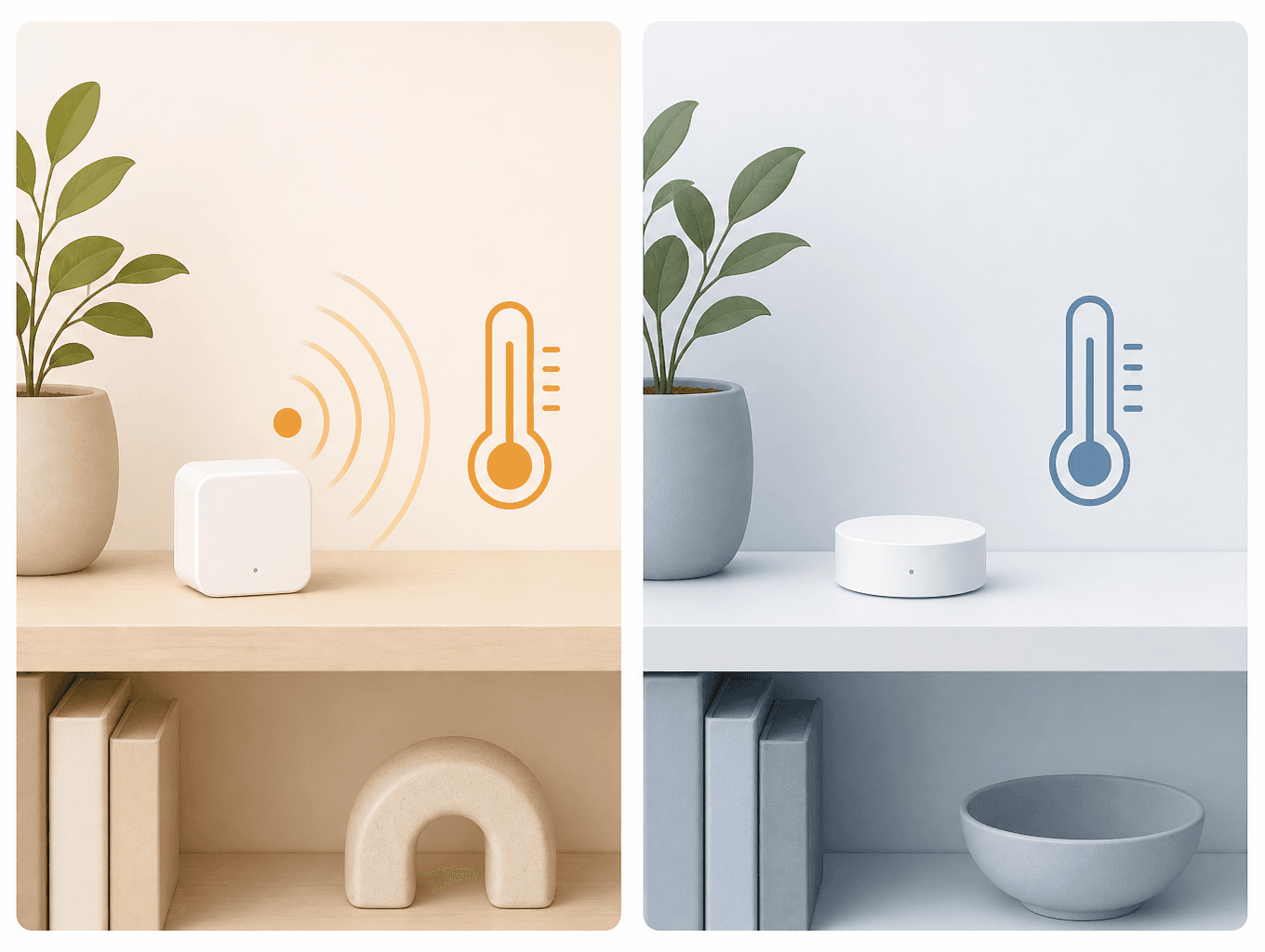
Both thermostats include a remote sensor in the box. But they are not equivalent devices, and the gap between them has real daily consequences.
The Ecobee SmartSensor uses radar-based detection to identify both temperature and occupancy in a room. When the sensor detects that a room is occupied, the thermostat can prioritize comfort in that space. When the room is empty, it can deprioritize conditioning there and avoid wasting energy. This happens automatically — you don't need to manually update a schedule to reflect where people actually are in your home.
The Nest Temperature Sensor measures temperature only. There is no presence detection. If you want the Nest to prioritize a specific room at a specific time, you have to set that manually in the schedule. The sensor tells the thermostat what the temperature is in that room — it doesn't tell it whether anyone is there.
- Ecobee SmartSensor: radar-based occupancy detection + temperature sensing. Automatically adjusts comfort priority based on where people are.
- Nest Temperature Sensor: temperature sensing only. No presence detection. Room priority must be set manually in the schedule.
- For multi-room homes — especially split-level houses or homes with rooms that see irregular use — Ecobee's occupancy-aware approach delivers measurably more consistent comfort without manual schedule management.
- Nest's Dynamic Farsight uses Soli radar for display wake-on-approach, but this is a display feature only and has no effect on HVAC operation or room prioritization.
Scheduling and AI: Hands-Off vs. User-Approved
Both thermostats offer intelligent scheduling, but they approach it from opposite directions.
The Nest Learning Thermostat observes your manual temperature adjustments during the first week or two after installation and builds an automatic schedule around those patterns. Once it has enough data, it runs that schedule without asking for confirmation. This is genuinely convenient when the learned schedule matches your actual preferences — but Wirecutter's testers documented real instances where the Nest overrode user temperature preferences in an attempt to save energy. If you make an adjustment and the thermostat decides it knows better, that's a friction point worth knowing about before you commit.
Ecobee takes a softer approach. The Schedule Assistant and eco+ features analyze your patterns and suggest schedule changes — but they never auto-apply them. You approve any changes before they take effect. Ecobee also includes Smart Recovery, which pre-conditions your home before a scheduled temperature change so the target temperature is reached on time rather than after the fact.
- Nest Auto-Schedule: learns from manual adjustments, then runs automatically. Convenient for set-and-forget users; documented cases of overriding user preferences.
- Ecobee Schedule Assistant + eco+: suggests changes based on patterns, but requires user approval before applying. No automatic overrides.
- Ecobee Smart Recovery: pre-conditions the home before scheduled temperature changes so the target is hit on time.
- Nest Adaptive Comfort: can adjust comfort temperature over time based on learned behavior — one real-world reviewer noted a 2°F auto-adjustment after two months of use.
Air Quality and Environmental Sensing
Both devices monitor environmental conditions beyond temperature, but they address different problems — and conflating them leads to a misleading comparison.
The Ecobee Premium includes built-in indoor air quality monitoring. It tracks VOC (volatile organic compounds), humidity, and a CO₂ proxy derived from VOC readings. When any of these measurements reach an unhealthy threshold, the thermostat sends an alert. This is useful for households where indoor air quality is a genuine concern — cooking fumes, cleaning products, or poor ventilation can all trigger readings.
The Nest 4th gen takes a different approach. It doesn't have indoor air quality sensors, but its Smart Ventilation feature monitors outdoor air quality conditions and automatically brings fresh air into the home when outdoor conditions are healthy. When outdoor pollutants are detected — wildfire smoke, high particulate days — it shuts ventilation off. This is an outdoor-aware ventilation management tool, not an indoor AQI monitor.
Nest also applies sun compensation (adjusting for solar heat gain through windows) and humidity-aware adjustments to reduce unnecessary heating and cooling load. Ecobee's eco+ similarly uses humidity data to reduce perceived temperature difference without running the system harder.
If indoor air quality alerts are a priority — particularly for households with allergy or asthma concerns — Ecobee's built-in monitoring is the more directly useful feature. If outdoor air quality management and smart ventilation are more relevant to your situation (wildfire-prone areas, for example), Nest's approach addresses that problem instead.
Installation and Wiring
Installation is one area where the two devices have genuinely different requirements — but neither requires professional installation in most standard HVAC setups.
The Nest 4th gen uses Power Sharing technology to draw power from existing heating and cooling wires, which means it doesn't require a dedicated C-wire in most homes. A typical install takes around 40 minutes. However, Wirecutter notes an important caveat: skipping the C-wire may risk damaging some sensitive modern HVAC systems, particularly those with variable-speed components or advanced electronics. If your system falls into that category, adding a C-wire is the safer path even with a Nest.
The Ecobee Premium requires a C-wire, but Ecobee includes the Power Extender Kit (PEK) in the box specifically for homes that don't have one. The PEK wires into your HVAC control board and creates a C-wire connection without running new wire. Most DIY-comfortable homeowners can complete the install in under an hour.
- Nest 4th gen: No C-wire required in most homes. Power Sharing draws from existing wires. ~40-minute install. Caveat: may stress sensitive modern HVAC systems without a C-wire.
- Ecobee Premium: C-wire required, but PEK is included in the box for homes without one. Straightforward DIY install for most standard HVAC setups.
- Professional installation is warranted for: multi-stage HVAC systems with complex wiring, homes where the PEK installation is impractical, or systems flagged by the HVAC manufacturer as requiring a C-wire.
Energy Savings and ROI
Both devices are ENERGY STAR certified and eligible for utility rebates through the ENERGY STAR rebate finder. But the headline savings figures from both manufacturers require context before you use them to justify a purchase.
Ecobee claims savings of up to 26% — approximately $284 per year — based on an internal analysis conducted in April 2021. That figure predates the current Premium model and reflects a specific set of usage conditions. Real-world savings will vary significantly based on your climate, home size, HVAC type, and prior thermostat behavior.
Nest's headline claim is up to 31% savings, but Nest's own published study data shows real-world averages closer to 12% on heating and 15% on cooling. Independent long-term performance data specific to the 4th gen is limited as of mid-2026, since the device launched in 2024 and widespread real-world testing is still accumulating.
| Ecobee Premium | Nest Learning Thermostat 4th Gen | |
|---|---|---|
| Manufacturer savings claim | Up to 26% (~$284/yr) | Up to 31% |
| Real-world data | Internal analysis, April 2021 — treat as estimate | Nest's own study: ~12% heating, ~15% cooling |
| ENERGY STAR certified | Yes | Yes |
| Rebate eligible | Yes — check ENERGY STAR rebate finder by ZIP | Yes — check ENERGY STAR rebate finder by ZIP |
| MSRP | $249.99 | $279.99 |
Optional Subscriptions: What's Gated and What's Free
Core thermostat functionality is free on both devices. Scheduling, remote control, energy reports, and ecosystem integrations do not require a paid plan on either the Ecobee Premium or the Nest 4th gen.
| Ecobee Premium | Nest Learning Thermostat 4th Gen | |
|---|---|---|
| Core thermostat features | Free | Free |
| Optional subscription | Ecobee Smart Security (~$14/mo) | Nest Renew Premium (~$10/mo) |
| What the subscription adds | Some security features (camera integration, professional monitoring) | Clean-energy grid shifting at a premium tier; base Nest Renew is free |
| Required for standard thermostat use | No | No |
Neither subscription is necessary for the thermostat to function fully as a thermostat. If you're evaluating total cost of ownership, these are optional add-ons rather than required ongoing costs.
Which One Should You Buy? Five Buyer Scenarios
There is no single correct answer here. The right thermostat depends on your ecosystem, household priorities, and how you want the device to behave day-to-day. Here are five scenarios with clear verdicts.
- Apple/Alexa multi-platform households → Ecobee Premium. Native HomeKit integration via direct API, on-device Alexa and Siri, and native SmartThings and IFTTT support make Ecobee the stronger fit when your home spans multiple ecosystems. Nest's Matter path reaches these platforms, but Ecobee's native integrations typically offer deeper feature access.
- Google-centric homes → Nest Learning Thermostat 4th gen. If Google Home is your primary platform and Google Assistant is your voice interface of choice, the Nest is the natural fit. It's designed around the Google ecosystem and works best within it.
- Multi-room comfort priority → Ecobee Premium. The SmartSensor's radar-based occupancy detection is the single biggest functional differentiator in this comparison. If you have a multi-level home or rooms with irregular occupancy, Ecobee's ability to automatically prioritize comfort where people actually are delivers consistent results that Nest's temperature-only sensors cannot match without manual schedule management.
- Hands-off AI scheduling priority → Nest Learning Thermostat 4th gen. If you want a thermostat that learns your patterns and runs automatically without requiring you to approve changes, Nest's Auto-Schedule is designed for that use case. Just understand that the AI can occasionally override your manual preferences — that's a feature, not a bug, from Nest's perspective.
- Matter and future-proofing priority → Nest Learning Thermostat 4th gen. If you're building a Matter-first smart home and want your thermostat to participate in that ecosystem natively, Nest is the only choice between these two today. Ecobee does not support Matter as of June 2026.
A Note on Long-Term Support
Longevity is a legitimate consideration when buying a thermostat at this price point. Ecobee has a 3-year warranty on the Premium and has a track record of providing tech support for its earliest models. Google ended software support for its 1st and 2nd gen Nest Learning Thermostats in October 2025 and has exited the European thermostat market entirely. Google has not published an official long-term support timeline for the 4th gen — buyers who prioritize long software support windows should factor this uncertainty into their decision.
Discussion
Share your experience with the compared products, flag outdated pricing or specs, or ask clarifying questions about the comparison verdict.
Comments
Join the discussion with an anonymous comment.