
Why Google Home Broke on Pixel Watch 5 (and How to Fix It)
Google Home app missing/stale or controls unresponsive on Pixel Watch 5 after Wear OS/Home app update
Last updated
The most misleading Pixel Watch 5 smart home control failure is not the one where Google Home vanishes. It is the one where the watch still shows the hallway light, thermostat, or camera tile, then ignores the tap. That looks like the house is connected when the command path is not, and it sends people into the same button press three or four times before they realize the watch is the broken surface.
Start with the symptom that appeared right after the update. Most failures fall into one of three buckets: the Home app on the watch is missing or stale, the local Home state on the watch is damaged, or voice control changed behavior during the Assistant-to-Gemini transition. The capability question is separate. If you need the normal feature map first, use What the Pixel Watch 5 can and can't control in Google Home instead of re-diagnosing expected limits as bugs.
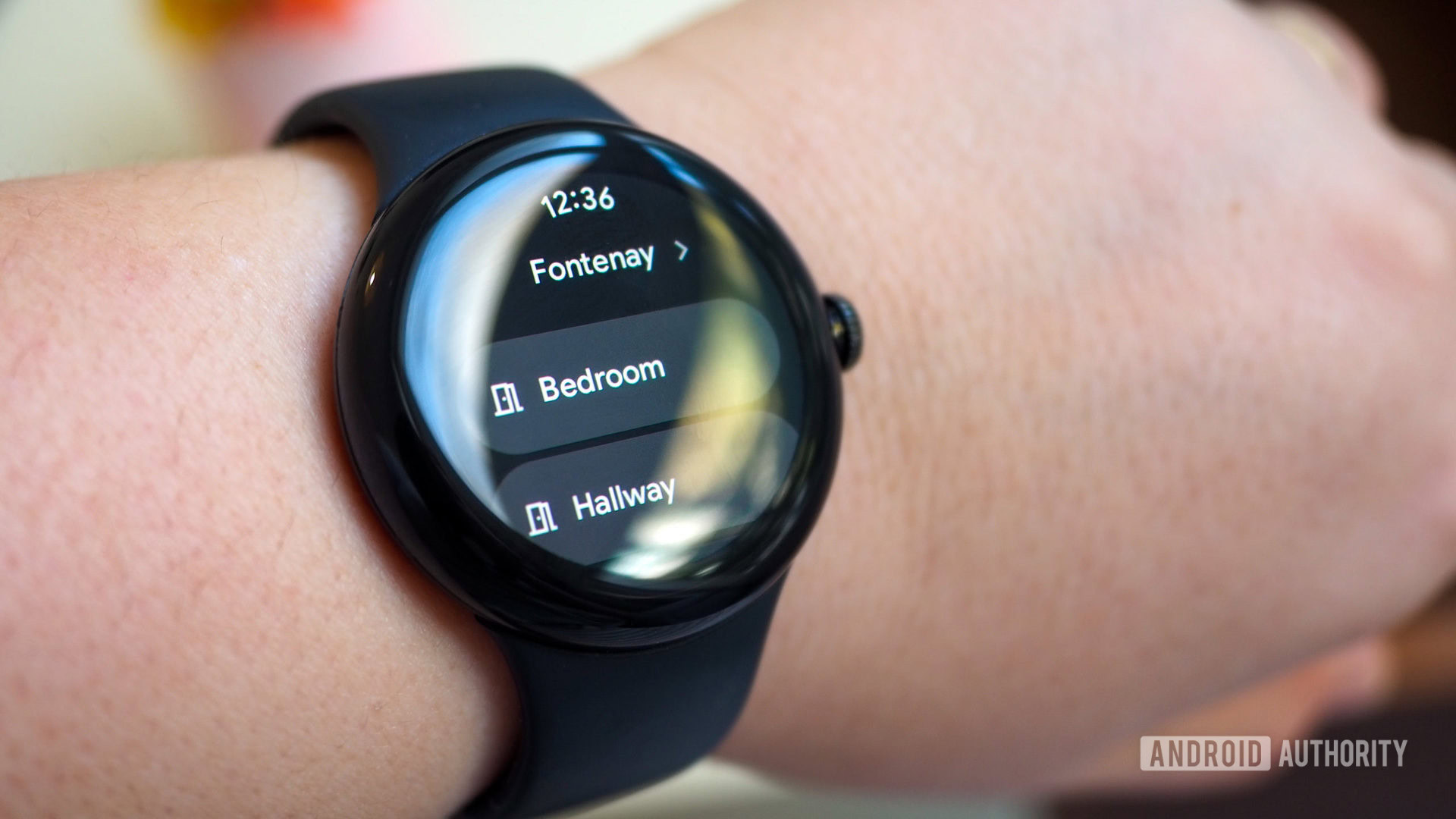
Sort the break by where it appears
| What you see on the watch | Most likely branch | Status | Verification |
|---|---|---|---|
| Google Home is missing, will not open, or looks older than the phone app | Install or update Home from the watch Play Store | Confirmed procedure | Google Pixel Watch Help, verified Aug. 25, 2026 [1] |
| Home opens, but favorites are stale, missing, or controls do not respond | Clear the Home app cache on the watch; clear data if cache is not enough | Confirmed procedure | Google Pixel Watch Community thread, verified Aug. 25, 2026 [2] |
| The watch says no system update is available, but behavior changed after an update window | Force-check Pixel Watch system updates | Workaround | Android Police update-check procedure, verified Aug. 25, 2026 [3] |
| Favorites disappeared after setup or after a Home app update | Use the same watch-side cache reset before rebuilding rooms or favorites | Workaround | Reddit corroboration, verified Aug. 25, 2026 [4] |
| Manual Home controls work, but voice commands no longer control lights or thermostats | Treat voice as a separate Assistant/Gemini branch | Investigating / Workaround | Assistant capability baseline, verified Aug. 25, 2026 [5] |
The labels matter. Confirmed here means the procedure is documented or directly sourced for Google Home on Pixel Watch or Wear OS. It does not mean every Pixel Watch 5 unit has been independently reproduced with that exact failure pattern. The watch is new enough that hardware-specific claims should wait for actual reproduction, not confidence borrowed from older Pixel Watch generations.
If Google Home is missing or stale, update it from the watch
Do not assume the Pixel Watch 5 copied everything from the phone during setup. Google’s own Wear OS Home guide gives the watch-side route for a missing Home app: press the crown, open Play Store, go to Manage apps, then choose Update all [1]. That is the first clean fix because it checks the actual surface you are tapping, not the phone app that happens to share the same Google account.
- Press the crown on the Pixel Watch 5.
- Open Play Store on the watch.
- Open Manage apps.
- Run Update all, then reopen Google Home from the watch app list.
Status: Confirmed procedure. Use this when Home is not present, launches to an old layout, or behaves differently from the phone immediately after setup. If the app appears only after the update, stop here and test one simple device command before changing anything else.
Then check the watch system update state
The system update screen can be too quiet. Android Police describes the Pixel Watch force-check behavior as tapping the watch icon in Settings > System > System updates more than ten times; there is no normal manual update button in that flow [3]. Treat this as a workaround, not a magic fix. It is useful when the watch is clearly behind the phone or another household watch, but it should not replace the Home app update path above.
Also update Google Home on the phone before testing again. The phone app working is not proof the watch app is current, but a stale phone-side controller can still leave the household state confusing while you are trying to isolate the watch.
If Home opens but favorites or controls are wrong, reset the watch app state
This is the branch for the watch that looks connected enough to be trusted. Rooms load. A thermostat may show a temperature. A light may show an on/off state. Then the tile refuses to do anything useful. Google’s Pixel Watch Community thread for Google Home not working on Pixel Watch prescribes clearing the Home app cache and data from Settings > Apps > App info > Home [2].

- On the watch, open Settings.
- Go to Apps.
- Open App info.
- Choose Home.
- Clear cache first.
- Reopen Google Home and test one device.
- If the same stale tiles or ignored commands remain, return to the same Home app info screen and clear data.
Status: Confirmed procedure. Clear cache is the lower-impact first move because it targets damaged local state. Clear data is the stronger reset for the Home app on the watch. Neither step should be confused with deleting the household from Google Home or factory-resetting the watch.
This is also the right branch for missing favorites. A r/PixelWatch thread tracks the same favorites-missing symptom and points back to clearing the Home app cache on the watch, but that is community corroboration rather than Google confirmation [4]. Its value is that the fix is the same one already worth trying for stale controls.
When status updates but commands fail
A status-only failure is the one most people misread. If the watch can display a device but cannot change it, do not immediately rebuild the Home structure, remove devices, or unlink services. First prove whether the watch app’s local state is bad by clearing cache, then data. Only after that should you move outward to account, room assignment, device compatibility, or a manufacturer cloud problem.
For a quick test, use a boring device: one light or one plug that normally responds from the phone app. Avoid cameras and custom automations for the first retest because they add more ways to fail and make the result harder to read.
If only the camera stream fails, do not treat it like a global Home outage
A camera tile that will not load is a narrower failure than a Home app that cannot control anything. If lights, plugs, and thermostats respond from the watch after the app update and cache reset, keep the diagnosis narrow: camera stream failure, not a broken Pixel Watch 5 Home setup.
The next check is expected behavior. Some watch controls are convenient because they are simple state changes; camera streaming is heavier and more sensitive to device support, account state, and network conditions. Use the dated capability table in Can the Pixel Watch 5 Control Google Home? We Tested It before calling a camera-only failure a post-update regression.
Status: Investigating after the app and cache paths are exhausted. If camera is the only thing broken, repeating the Home app reset five times is usually just burning time. Capture the camera model, whether the phone app streams it, and whether other watch controls still work.
If voice broke after Assistant changed, split it from the Home app
Manual Home controls and voice control do not fail in the same place. Google’s Assistant help page says Pixel Watch voice commands can control lights and thermostats when the watch is connected and the devices are compatible [5]. That is the baseline. If the Home app still controls the light from the watch but a spoken command no longer does, the Home app is not your first suspect.

Status: Investigating for Gemini-related regressions. User reports that home automation voice commands broke after Gemini replaced Assistant should not be written up as Google-confirmed unless Google documents the regression. Where the watch or account still offers a way to revert to Assistant, that is a workaround, not a confirmed fix for the underlying migration.
Keep custom routines out of the first pass, too. The Wear OS Home app does not surface a full phone-style list of custom routines or automations to tap-trigger from the watch [6]. If a routine is missing, that may be an interface limit rather than a broken post-update control.
What to do when none of the branches fixes it
Stop widening the claim. If the app is installed, both watch and phone apps are updated, cache and data have been cleared, simple devices still refuse commands, and the same devices work from the phone, the useful report is a tight one: Pixel Watch 5 model, watch build, Home app version on watch and phone, the exact device class, whether status displays, whether taps fail, and whether voice fails separately.
Send unresolved cases toward the matching status label: Confirmed procedure if the documented step worked, Workaround if force-checking updates or reverting voice assistant behavior changed the result, Investigating if the watch still shows correct state but will not send commands after the reset path. That is the correction path that helps separate a real Pixel Watch 5 regression from a stale Wear OS Home app.
References
- Google Home on Wear OS - Google Pixel Watch Help — Google Pixel Watch Help
- Google Home not working on Pixel Watch — Google Pixel Watch Community
- 5 reasons you should update your Pixel Watch to Wear OS 6 ASAP — Android Police
- Google Home app favourites missing — Reddit r/PixelWatch
- Google Assistant voice commands on Google Pixel Watch — Google Pixel Watch Help
- Google Home routines on Wear OS — Wear OS by Google Community
Corroborating context
For protocol background on why this failure happens, see Compatibility & Protocols.
Not currently linked to a known regression. Background on the underlying protocol lives in Compatibility & Protocols.