
Ecobee Smart Thermostat Premium Overriding Your Temperature? Here's How to Disable eco+ and Smart Recovery
Thermostat overrides user-set temperature automatically
Last updated
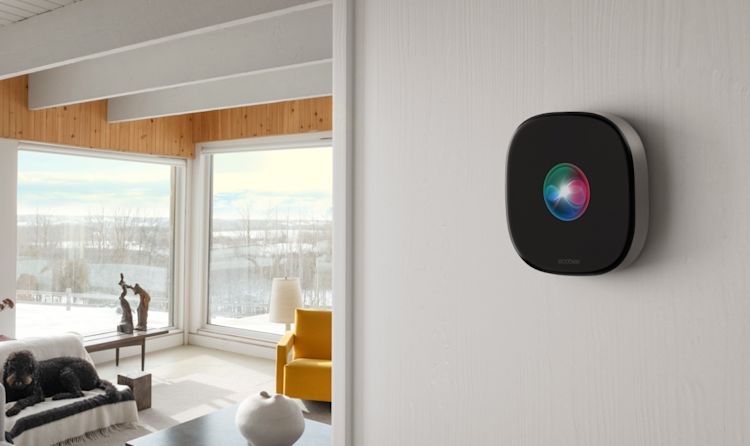
When 66°F Becomes 64°F Overnight
You set your Ecobee Smart Thermostat Premium to 66°F before bed. You wake up shivering. The display reads 64°F. The heat won’t turn on when you tap the app. The schedule hasn’t changed. The unit isn’t broken—something has overridden your setpoint.
That exact scenario happened to a reader of Between Naps on the Porch in early 2025. She set 66°F, woke to 64°F, and the heat refused to come back on when requested. Ecobee customer support told her to disable Eco+ and then to go into the thermostat’s own menu and turn off Heating Smart Recovery and Cooling Smart Recovery. Over 40 commenters later confirmed the same fix worked for them. That is the kind of story that makes you realize the thermostat is not yours anymore.
This article is for everyone whose Ecobee thermostat has started acting like it knows better. It does not cover installation errors, model comparisons, or how to enable eco+ for savings. It covers only one thing: how to make the thermostat stop overriding your temperature.
Why Your Thermostat Overrides You
Two features cause the override, and both are enabled by default on the Ecobee Smart Thermostat Premium. This is not a bug—it is a design choice made without asking you.
eco+: The Silent Adjuster
Per ecobee’s own product page, eco+ is enabled out of the box. It bundles several sub-features:
- Schedule Assistant — learns when you’re home and adjusts setpoints accordingly.
- Smart Home & Away — uses occupancy sensors to change temperature when no one is home.
- Adjust for Humidity — shifts the cooling setpoint to manage indoor humidity.
- Time of Use and Community Energy Savings — rarely cause manual-setpoint issues but can still nudge settings.
Any of these can quietly shift the target temperature by several degrees. The thermostat doesn’t tell you it’s doing it — you just feel the result.
Smart Recovery: The Early Starter
Smart Recovery is a separate system that learns how long your home takes to heat or cool and fires up the HVAC in advance so the target temperature is reached exactly on schedule. Sounds convenient until it ignores your manual adjustment. ecobee’s official description: it “starts the HVAC system in advance so the desired temperature is reached exactly on schedule.” The problem is that if you set the thermostat to 70°F at 6:00 PM, Smart Recovery might start heating at 5:15 PM — and if you manually adjust the setpoint between 5:15 and 6:00, the thermostat has already committed to its pre-conditioning plan. That feels exactly like the thermostat “ignoring” you.
The combination of eco+ shifting setpoints and Smart Recovery pre-empting manual changes creates the experience of a thermostat that overrides your preferences. In the Between Naps case, the overnight drop from 66°F to 64°F was likely caused by Adjust for Humidity or Schedule Assistant in eco+, while the failure to re-engage heat afterward was Smart Recovery refusing to let go of its pre-cooling plan.
The Fix That Works (That Ecobee Hides)
You can disable both features. The steps are straightforward but not all visible in the app — and that is a usability failure worth calling out.
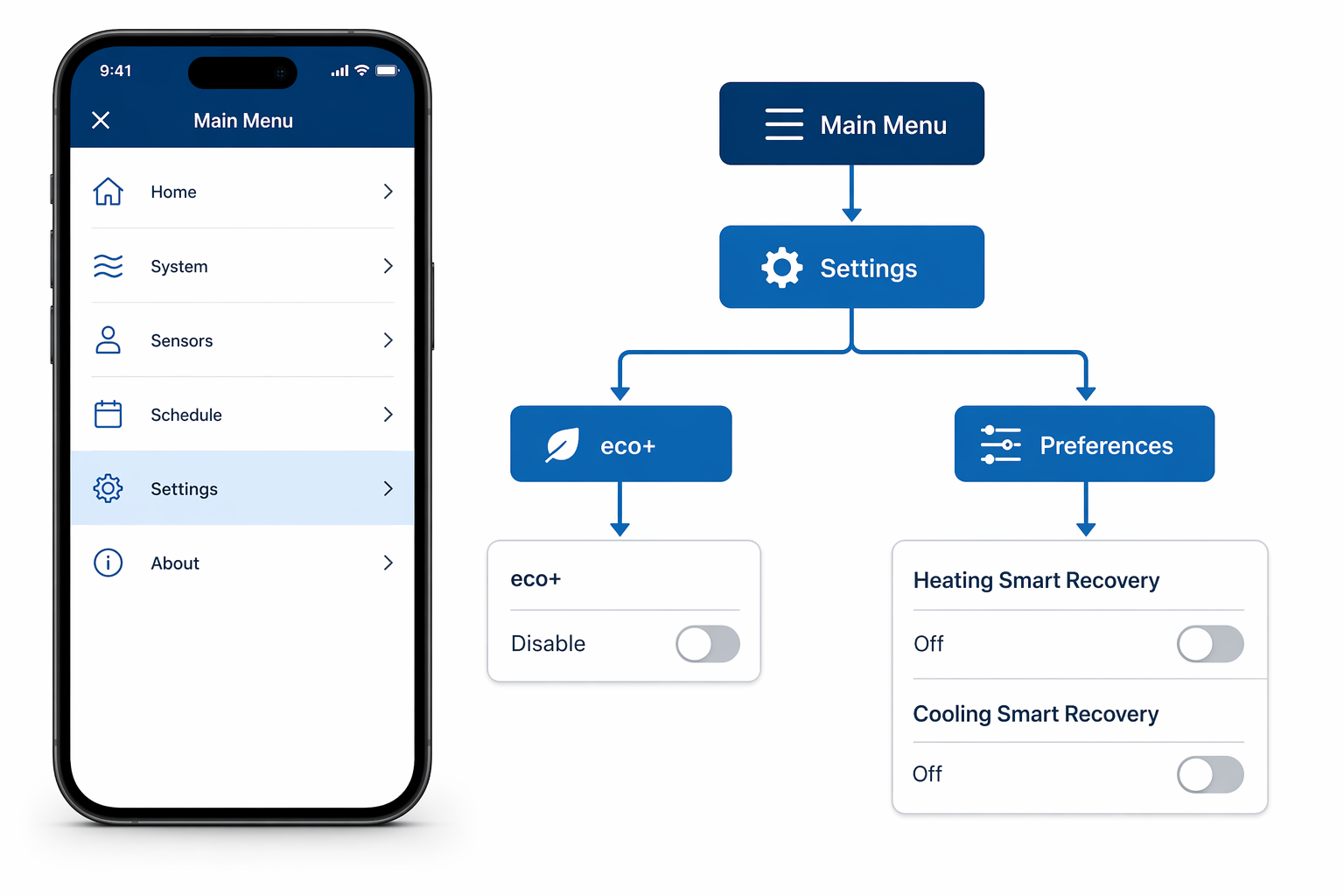
Step 1: Disable eco+
This one you can do from the app or directly on the thermostat.
- On the app: Main Menu → Settings → eco+ → turn off all toggles.
- On the thermostat: Main Menu → Settings → eco+ → Disable.
Step 2: Disable Smart Recovery (On the Device Only)
This is the part ecobee does not surface in the app. You must walk over to the thermostat itself and use its touchscreen. That is an extra step that should not be necessary.
- Main Menu → Settings → Preferences → Heating Smart Recovery → Off.
- Main Menu → Settings → Preferences → Cooling Smart Recovery → Off.
The Preferences menu does not appear in the ecobee app at all. That means every owner who wants to stop the override has to physically go to the device. The blog source used an Ecobee3 Lite Pro, so I checked the menu path on an actual Smart Thermostat Premium. It is identical — the Premium has the same Preferences submenu.
What You Give Up When You Turn Them Off
Disabling eco+ and Smart Recovery stops the override cold. It also kills the energy savings those features are designed to deliver.
| Feature | What it normally saves | What happens when disabled |
|---|---|---|
| eco+ (all sub-features) | Up to 5% additional savings on top of baseline (ecobee/ENERGY STAR 2020 study) | No automatic setpoint adjustments for humidity, home/away, or community events |
| Heating/Cooling Smart Recovery | Prevents rapid heating/cooling cycles by starting early — reduces energy spikes | HVAC will only start at the scheduled time, which may cause a brief ramp-up period |
ecobee markets total savings of “up to 26%” (around $284/year), but that figure comes from an internal analysis dated April 2021 with no independent verification. The baseline 23% savings is from a third-party study. The extra 5% from eco+ is also from a small summer 2020 study. Savings vary wildly by climate and usage. You are not losing a guaranteed 26% — you are losing features that, for many users, never delivered measurable savings anyway. I would not treat “up to 26%” as a guarantee.
How to Confirm the Override Is Stopped
After disabling eco+ and both Smart Recovery settings, run a simple test.
- Set a target temperature a few degrees different from your schedule (e.g., if the schedule says 70°F at 6 PM, set it to 68°F at 5:30 PM).
- Watch the thermostat for the next hour. It should not deviate from your setpoint before the scheduled change.
- Check that the eco+ icon no longer appears on the home screen.
In the blog post, over 40 commenters reported that this sequence worked. The thermostat stopped overriding their setpoints after disabling both eco+ and Smart Recovery.
Can You Keep Some Smarts Without the Override?
Yes. The two features are independent. You can disable Smart Recovery (both heating and cooling) while leaving eco+ enabled. That stops the pre-conditioning that overrides manual setpoints, but still allows eco+ to adjust setpoints for humidity and home/away detection.
If you do this, you lose the early-start savings but keep the humidity and occupancy adjustments. Whether that trade-off is worth it depends on how much eco+ was actually shifting your setpoint. In the Between Naps case, the user had already found eco+ to be the primary culprit, so she disabled all three settings at once.
Frequently Asked Questions
- Will I lose all my energy savings? No. Your thermostat still uses schedules and manual adjustments. You lose only the automated efficiency features that eco+ and Smart Recovery provide. The baseline savings from using any programmable thermostat remain.
- Can I re-enable later? Yes. eco+ can be re-enabled from the same menu. Smart Recovery can be re-enabled from the on-device Preferences menu.
- Does this affect my schedule? No. Your programmed schedule continues to work exactly as you set it. The override was an additional layer on top of the schedule.
- What about humidity control? If you disable eco+, you lose Adjust for Humidity. If you want humidity-based cooling adjustments without the other eco+ features, you can keep eco+ enabled but disable only Smart Recovery as described above.
- Is there a way to see what the thermostat was doing? Not easily. The ecobee app doesn’t log which eco+ rule shifted the temperature. You can only infer by setting changes you didn’t make.
If you’re still seeing overrides after these steps, consider contacting ecobee support directly. But based on the documented user reports, the vast majority of owners who disable eco+ and Smart Recovery regain full control.
For more context on how eco+ works when it’s enabled — including configuration tips — see our Ecobee Software Setup Guide. That guide covers the opposite case: how to use eco+ intentionally. This article covers how to turn it off when it becomes a problem.
Corroborating context
For protocol background on why this failure happens, see Compatibility & Protocols.
Not currently linked to a known regression. Background on the underlying protocol lives in Compatibility & Protocols.