
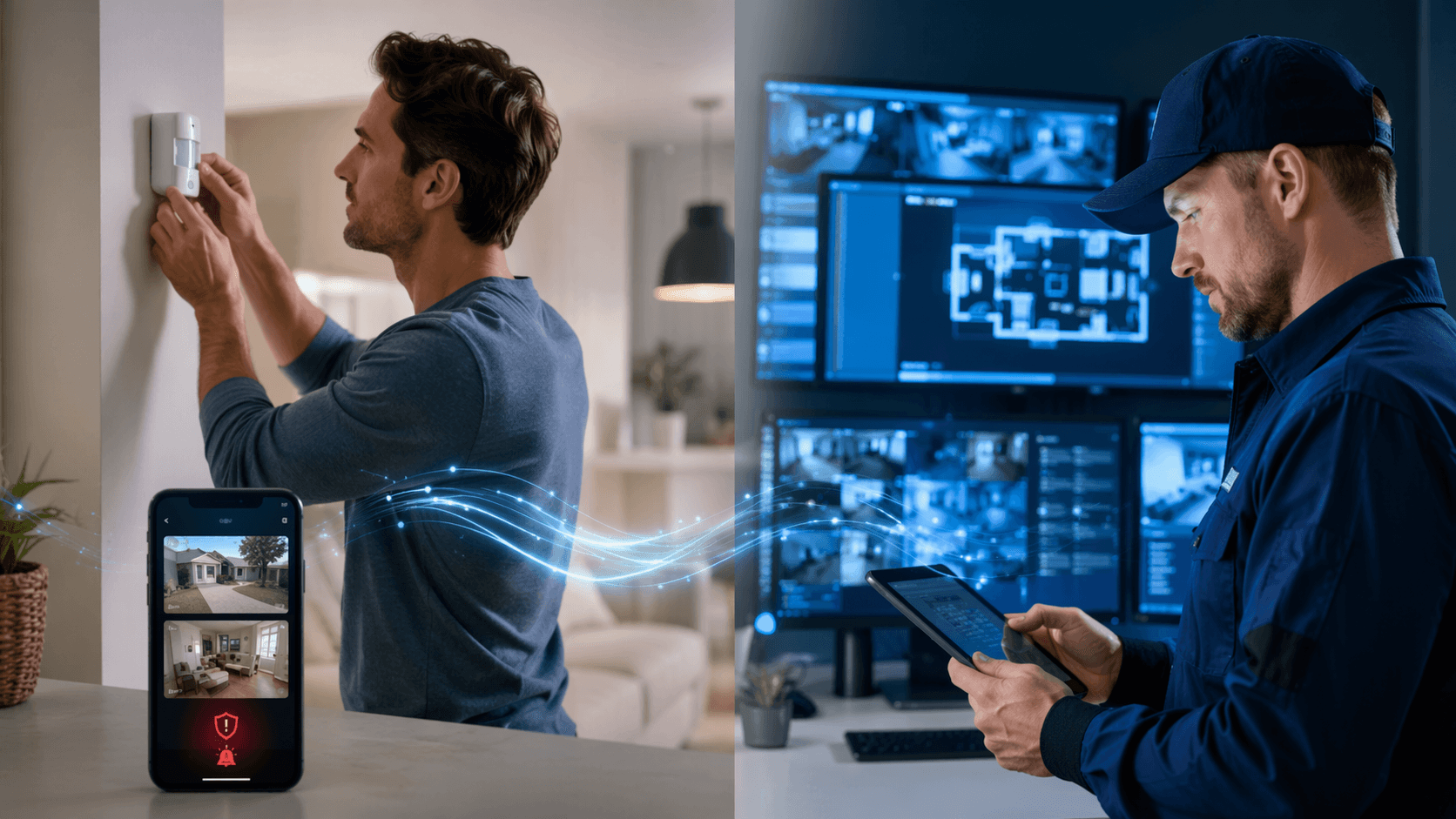
The DIY-versus-professional decision used to feel like a personality test: Are you handy enough to install your own smart home security system, or would you rather pay someone to do it? That framing is too thin for 2026. In SafeHome.org’s February 2026 survey of 2,435 U.S. adults, 49% of alarm users said they self-installed their systems, while 42% used professional installation; the report describes this as the first time self-installation moved ahead of professional installation in its data, with a ±2 percentage point margin of error.[1]
That shift matters because DIY is no longer the odd little side door into home security. It is now a normal buying path. But installation is only half the decision. The more annoying, more consequential question is what happens after a sensor trips: who gets the alert, who checks the camera, who decides whether it is a pet, a delivery driver, a teenager coming home late, or something worth escalating?
The category is large enough that the choice is not going away. Fortune Business Insights valued the global smart home security market at $33.2 billion in 2025 and projected $38.11 billion in 2026.[2] That number is useful mostly as confirmation that buyers are not dealing with a niche gadget category anymore. It does not tell you whether your phone should be the monitoring center while you are in a work meeting.
Separate Installation From Monitoring First
A smart home security system has two decisions that often get tangled together. Installation asks who puts the hardware in place. Monitoring asks who responds when the hardware reports trouble. Once those are separated, the options become less emotional and more practical.
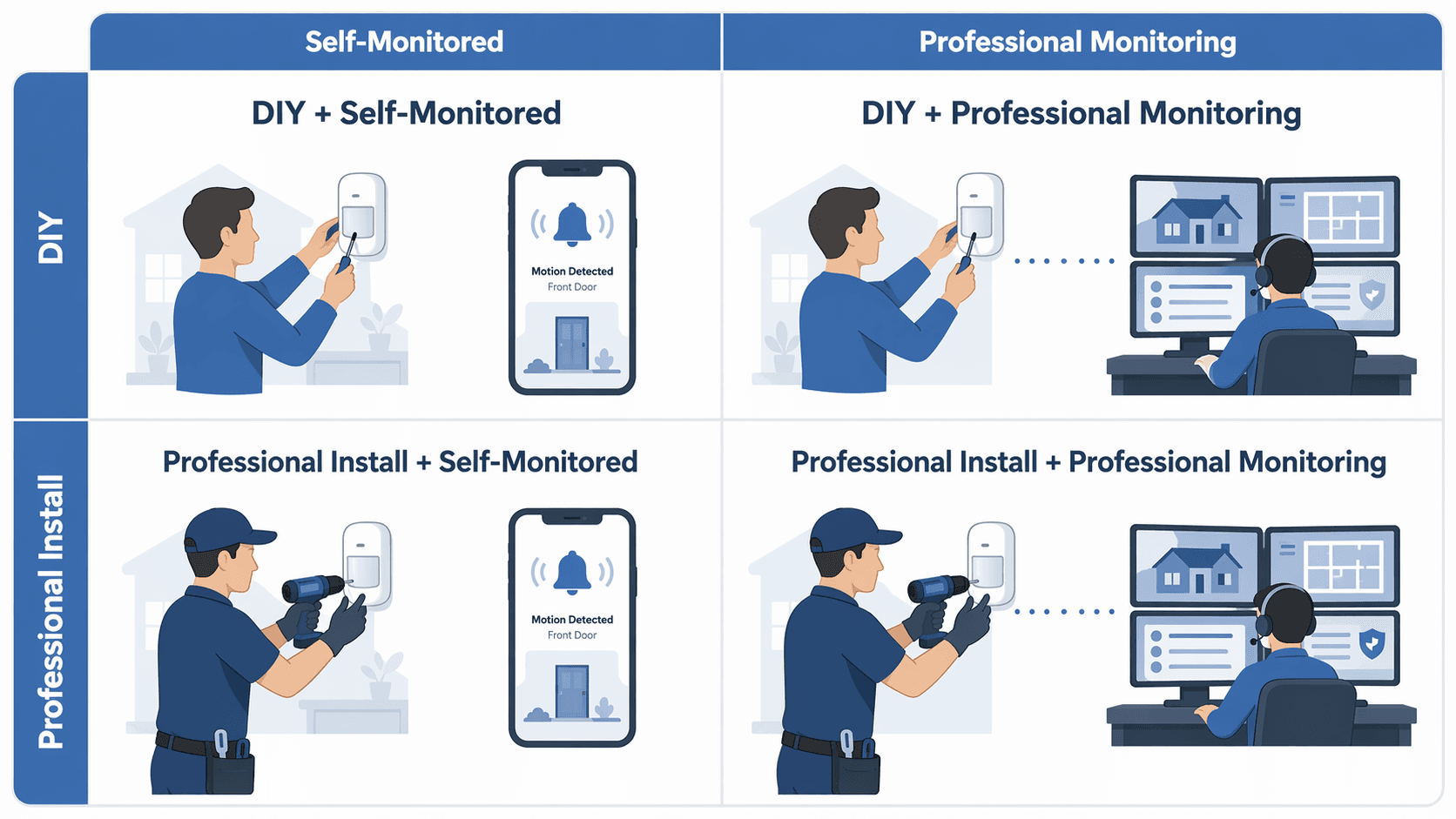
| Approach | Best fit | Main burden |
|---|---|---|
| DIY + self-monitoring | Renters, smaller homes, budget-focused households, people already comfortable with smart home apps | You install, tune, verify alerts, and decide when to call for help |
| DIY + professional monitoring | People who can handle setup but want a backup when traveling, sleeping, or unavailable | You still own placement and upkeep, but monitoring staff handle eligible alarm escalation |
| Professional install + self-monitoring | Homes where placement or wiring help matters, but the household still wants to avoid monitoring fees | You pay for setup help, then keep the alert workload yourself |
| Professional install + professional monitoring | Larger homes, frequent travelers, low tolerance for troubleshooting, households wanting one accountable provider | Higher recurring cost and less flexibility, depending on contract and equipment terms |
This matrix is more useful than asking whether DIY or professional security is “better.” A renter with one entry door, two windows, and a strict landlord does not have the same problem as a family in a multi-story house with a detached garage. A person who works from home and checks every phone alert quickly does not have the same monitoring need as someone who is often on flights, in court, teaching, or driving where alerts cannot be handled immediately.
When DIY + Self-Monitoring Actually Works
DIY with self-monitoring is the cleanest option on paper: buy the kit, mount the sensors, connect the app, skip the monthly monitoring bill. It can be a good fit when the home is small, the layout is simple, and the people who live there are realistic about the attention required. Apartment dwellers often land here because adhesive contact sensors, a plug-in hub, and a camera or two may be enough, and professional installation may be impossible or unnecessary.
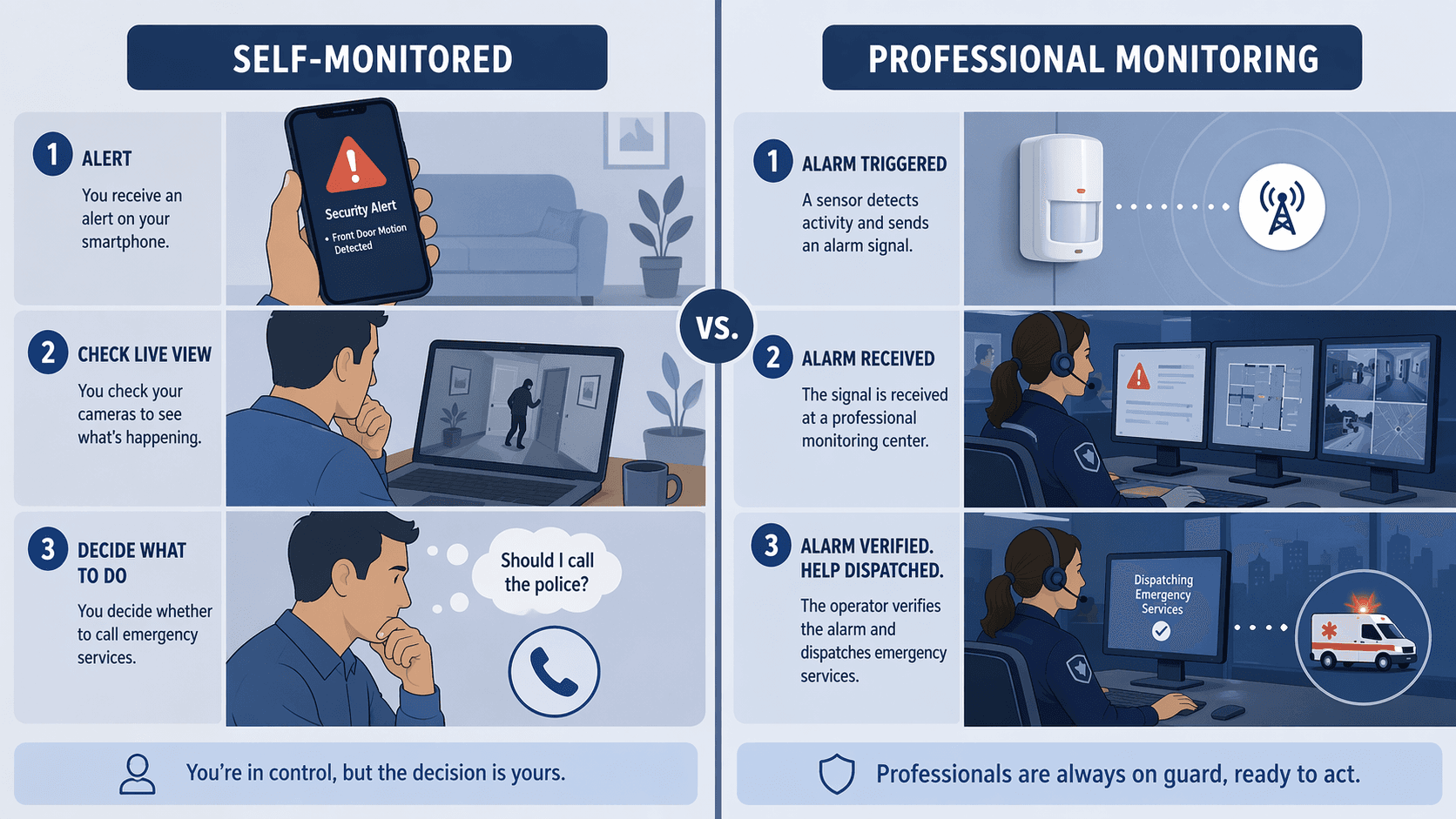
The tradeoff is that self-monitoring does not just mean “my phone tells me something happened.” Security.org notes that self-monitored users must verify alerts and call authorities themselves.[3] That is a workload, not a feature. Someone has to hear the notification, open the app, decide whether the alert is credible, check video if available, and make the call. If the alert comes during a presentation, while the phone is on silent, or while the household is asleep, the system may still detect the event, but the response chain has a human bottleneck.
This is also where camera storage deserves more attention than it usually gets. Consumer Reports warns that 32% of smart security camera owners rely only on cloud storage, which can mean losing access to recorded footage if the subscription lapses.[4] That does not make cloud storage bad. It does mean a self-monitored setup can quietly weaken if the person managing the system cancels a plan, misses a billing update, or assumes clips will remain available when they will not.
DIY + self-monitoring works best when the household can answer a few plain questions without hand-waving: Who receives alerts? Are there two people who can respond, or only one? Are alerts allowed to bypass Do Not Disturb? What happens during travel? How many false alarms will everyone tolerate before notifications get muted? If the answer is “we’ll just figure it out,” the system may still be technically installed but operationally unfinished.
The Middle Path: DIY Hardware With Professional Monitoring
For many households, DIY installation with professional monitoring is the quadrant that deserves the longest look. You still avoid scheduling an installer for basic sensors and hubs, but you are not pretending that your phone is always a reliable emergency desk. This can fit people who are comfortable placing sensors and using an app, yet travel often enough, sleep deeply enough, or work in enough uninterrupted blocks that alarm response should not depend entirely on them.
Testing details help here because the monitoring decision is about workflow, not just branding. Wirecutter reported that Ring Alarm Pro sent alerts within 4 seconds in its testing and measured a 113 dB siren; it also reported that SimpliSafe’s monitoring service called within 44 seconds.[5] Those are not universal guarantees for every home, network, or alarm event, but they show the kind of response facts worth comparing: how quickly the system notifies, how loud the local alarm is, and how fast a monitoring service tries to reach someone.
Pricing is the other part of the middle path. PCMag’s 2026 smart home security roundup listed DIY entry systems starting at $65 for Abode and $250 for SimpliSafe, while professionally installed equipment ranged from $199 to $404 with monitoring at $25 to $50 per month.[6] Subscription prices move, and promotional bundles can blur the real cost, so those figures should be treated as date-sensitive comparison points rather than permanent price tags.
This is where a monthly fee can be a service instead of a nuisance. If a monitored plan means someone else starts the contact workflow when an eligible alarm triggers, that can be worth paying for. The fee is harder to justify when the household is almost always home, alert-responsive, and mainly wants deterrence or basic awareness. For current plan-by-plan costs, a separate smart home subscription costs tracker is a better place to check exact monthly pricing before buying.
When Professional Installation Is Worth Paying For
Professional installation is not automatically safer, but it can prevent a very real kind of failure: a system that is technically purchased and barely usable. Larger homes create more placement decisions. A badly aimed motion sensor can turn a hallway into a nightly alarm trap. A door sensor on a warped frame can become the sensor everyone learns to ignore. Outdoor cameras may need power, Wi-Fi planning, and angles that avoid recording half the neighborhood while missing the side gate.
The professional-install + self-monitoring quadrant is narrower, but not imaginary. It can make sense when the homeowner wants expert placement, wired or semi-permanent equipment, or help integrating devices, but still does not want recurring monitoring. The catch is that after installation day, the alert burden still comes home. A professional can mount the sensor in the right place; they cannot make a sleeping person answer a phone alert.
Professional install + professional monitoring is the highest-support path, and it is valid for households that want fewer loose ends. Frequent travelers, people managing a second home, larger households with inconsistent routines, and anyone who knows they will not troubleshoot batteries, bridges, and app permissions may be better served by a provider-led system. Vivint is the common kind of case readers think of in this quadrant; a deeper professional-install case study belongs in a dedicated Vivint smart home security review rather than in a matrix that has to stay focused on fit.
The caution is that “premium” should not be allowed to stand in for “right.” A professionally installed, professionally monitored system can still be a poor fit if the contract is uncomfortable, the monthly fee crowds out other priorities, or the provider’s equipment locks the household into devices it would not otherwise choose. The right question is not whether the system feels more serious. It is whether the support solves a problem the household actually has.
Lifestyle Factors That Move You Between Quadrants
The same equipment can be sensible in one home and irritating in another. Before comparing brands, place the household on the matrix by looking at the conditions that will exist on an ordinary week, not the clean moment when the starter kit arrives.
- Travel frequency: frequent travel pushes the decision toward professional monitoring because self-monitoring depends on availability, attention, and a reliable way to verify alerts from away.
- False-alarm tolerance: pets, kids, house cleaners, guests, and awkward sensor placement all increase the risk that people will start ignoring notifications. If the household already has alert fatigue, monitoring and better installation support matter more.
- Home layout: apartments and small homes often favor DIY adhesive sensors; larger homes, detached garages, outdoor zones, and multiple entry paths make placement and coverage harder.
- Existing smart home devices: households already using smart locks, lights, cameras, and voice assistants may prefer systems that integrate cleanly. A broader smart home buyer’s guide is useful if the security system has to share a network and ecosystem with everything else.
- Renter restrictions: leases may rule out drilling, hardwired devices, or exterior cameras. That usually favors DIY, but monitoring can still be added if the household needs response support.
- Monthly budget: the cheapest-looking option at checkout can become expensive if cloud video, cellular backup, monitoring, or advanced alerts require separate plans.
False alarms deserve special attention because they change behavior. A motion sensor that trips every time a pet crosses the room does not merely create a nuisance; it trains the household to distrust the system. Battery problems do the same thing more slowly. If this is already a pain point, it is worth reading about why smart security sensors drain batteries and trigger false alarms before assuming a different brand alone will fix the issue.
Cost Is More Than the Starter Kit
Smart home security systems often look affordable because the starter kit is easy to understand. A hub, keypad, a few contact sensors, and a motion sensor make a tidy box. The full cost is less tidy: extra sensors, outdoor cameras, video history, cellular backup, alarm permits in some jurisdictions, monitoring, replacement batteries, and possible equipment financing all sit outside the simplest comparison.
PCMag’s 2026 figures show the gap clearly enough: DIY entry systems can start far below professionally installed packages, but professionally installed systems often pair equipment costs with $25 to $50 per month monitoring.[6] That does not make professional systems overpriced by default. It means the buyer should compare the cost of responsibility as well as hardware. If the household saves money by self-monitoring but repeatedly misses alerts, the savings are solving the wrong problem.
Camera-heavy setups need a separate subscription check. A sensor-first alarm system and a camera-first platform can feel similar in ads but behave differently after purchase. If the choice is between Ring and Arlo, for example, the better comparison is often whether the home needs an alarm system with cameras attached or a camera platform with security features attached. That distinction is covered more directly in a Ring Alarm vs. Arlo comparison and in a dedicated camera subscription cost comparison.
A Practical Way to Choose
Start with monitoring, because that is where the ongoing responsibility lives. If someone in the household can reliably receive alerts, verify them, and call for help, self-monitoring may be reasonable. If not, professional monitoring should move from “optional add-on” to “core requirement.” Only after that should installation type come into focus.
| If this describes you | Start your search here |
|---|---|
| You rent, have a small layout, dislike monthly fees, and can respond quickly to alerts | DIY + self-monitoring |
| You can install sensors but want backup when unavailable or traveling | DIY + professional monitoring |
| You want help placing equipment but still want to manage alerts yourself | Professional install + self-monitoring |
| You have a larger home, travel often, or want setup and response support from one provider | Professional install + professional monitoring |
After choosing the quadrant, verify three things before buying: the current monthly price, what features disappear without a subscription, and the exact alert workflow during an alarm. For broader brand-by-brand context, a head-to-head smart home security comparison can help narrow specific systems without turning the first decision into a spec-sheet contest.
There is a general case for having some kind of security system: Fortune Business Insights cites Alarms.org’s finding that homes without security systems are 300% more likely to be burglarized.[2] That statistic supports taking the category seriously, but it does not choose your quadrant. The system that works is the one whose installation burden, alert burden, response plan, and monthly cost match the people who have to live with it on a normal Tuesday.
References
- 2026 Home Security Market Report, SafeHome.org
- Smart Home Security Market Size, Share | Industry Report 2026–2034, Fortune Business Insights
- Best Smart Home Security Systems of 2026, Security.org
- Home Security Camera Buying Guide, Consumer Reports
- The 3 Best Home Security Systems of 2026, NYT Wirecutter
- The Best Smart Home Security Systems for 2026, PCMag
Policy Updates & Reader Notes
Privacy policies, monitoring plan prices, and security disclosures change frequently. Report new data retention terms, updated plan pricing, or new vulnerability disclosures below. For formal editorial corrections, use the contact page.
Comments
Join the discussion with an anonymous comment.