
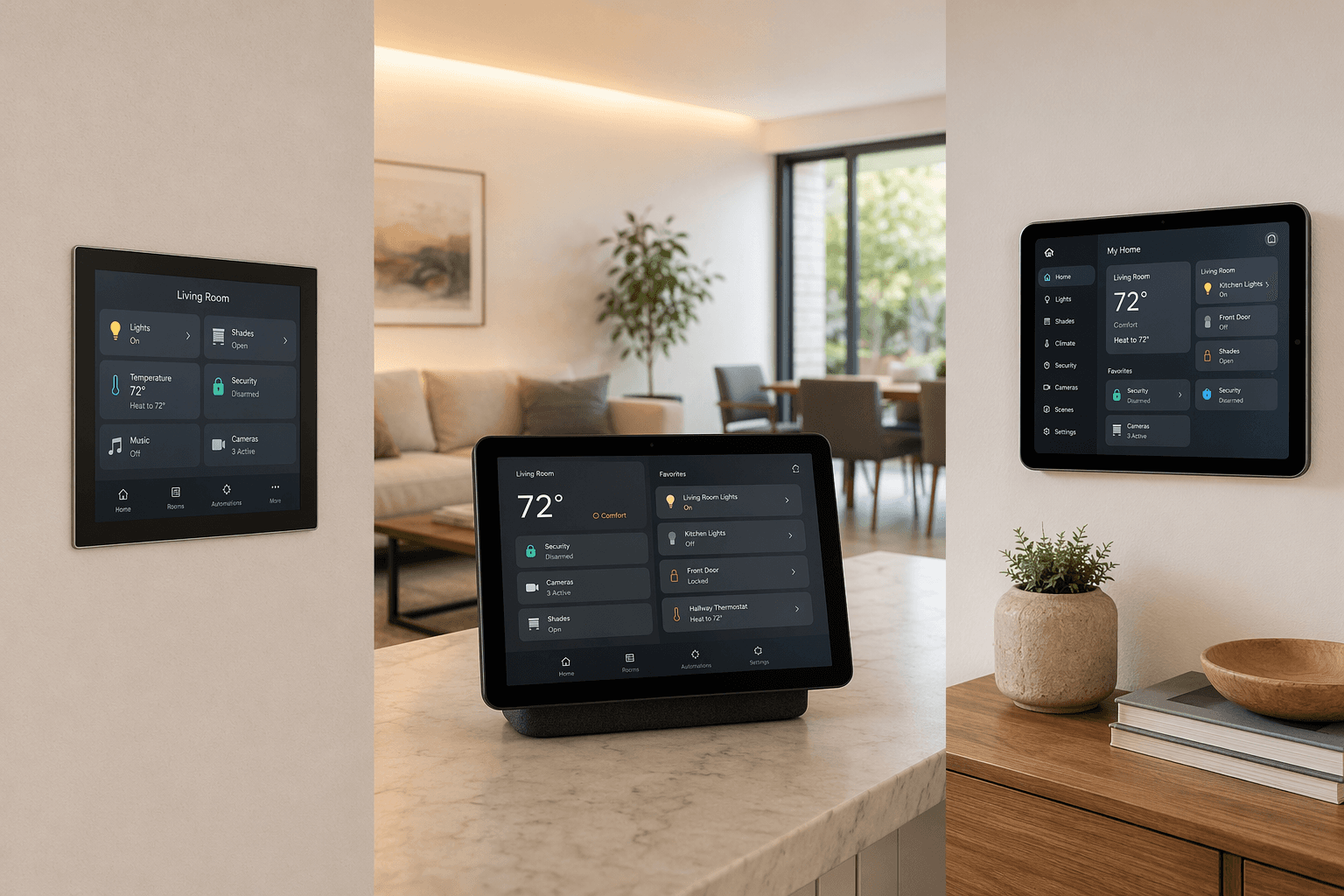
A smart home control panel sounds like one product category until you try to buy one. Then it splits into three very different things: a dedicated wall panel, a smart display that also happens to control devices, or a tablet dashboard you build and maintain yourself. All three can show lights, locks, cameras, and thermostats. They do not carry the same assumptions about privacy, offline reliability, protocol support, or who becomes tech support when the house stops responding.
That is why the right question is not simply “What is the best smart home control panel?” It is “Which compromise do I want permanently attached to my wall?” For most homes, the answer comes down to three trade-offs: ecosystem fit, protocol support, and local versus cloud processing.
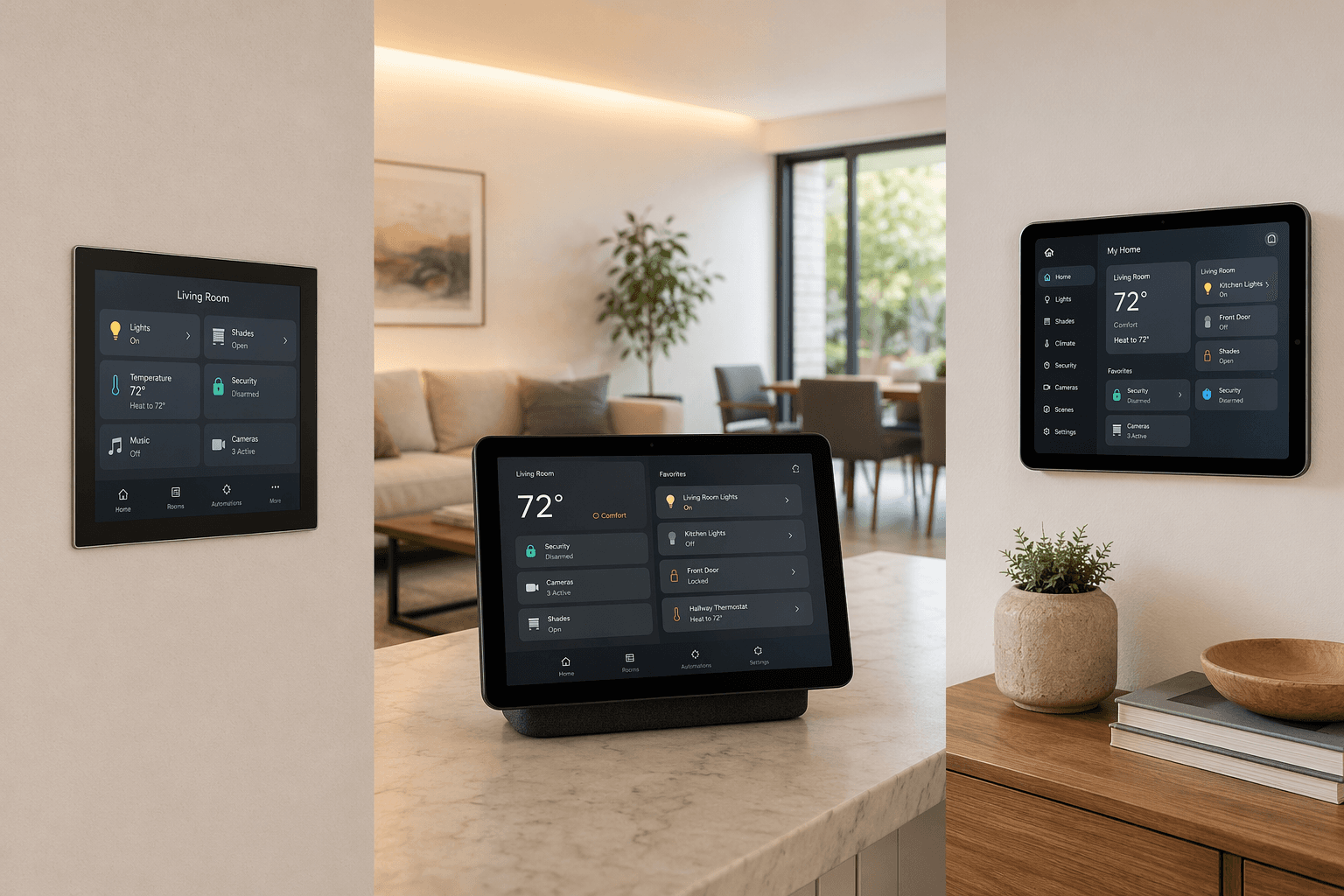
First, separate the three things people call a control panel
A dedicated wall panel is designed to live in one place and make the home legible at a glance. Amazon’s Echo Hub is the clearest current example for Alexa households: an 8-inch touchscreen intended for smart home control, priced at $180, with support for Wi-Fi, Matter, Thread, Zigbee, Bluetooth LE, and Amazon Sidewalk. It also omits a camera and uses infrared proximity sensors instead, which is a welcome choice for a device meant to sit in a hallway, kitchen, or entry area.[1]
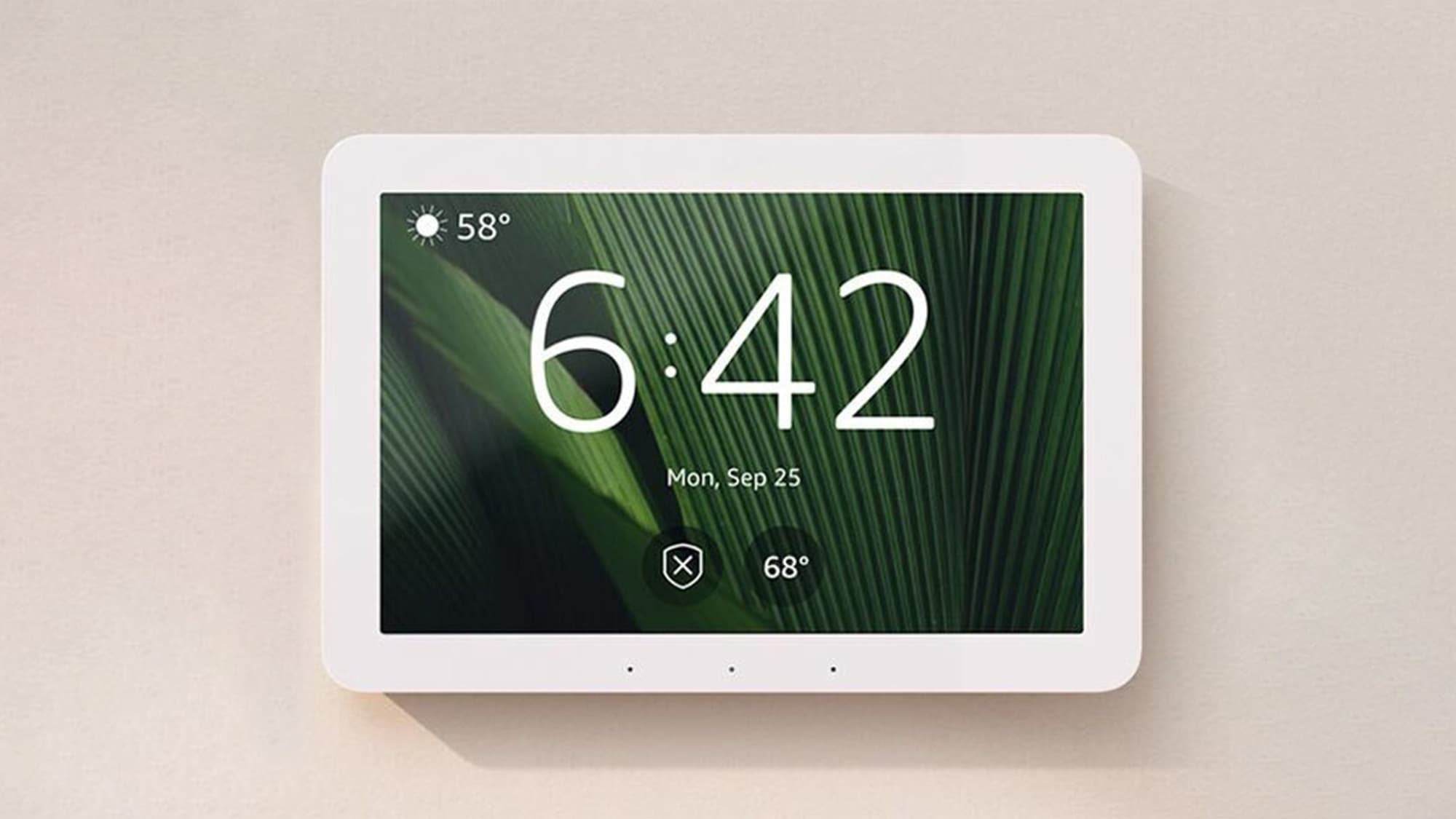
That does not make Echo Hub a universal answer. Alexa commands still depend on Amazon’s cloud, and Amazon removed local voice processing from Echo devices in March 2025.[1] Mozilla’s privacy guide gives Echo Hub a “Privacy Not Included” warning, citing Amazon’s data collection practices; that is an advocacy assessment rather than a technical security audit, but it is still relevant if the panel will become a daily interface for the household.[2]
A smart display is a different bargain. A Google Nest Hub or Echo Show can control smart devices, but the category is still built around voice assistant features, media, recipes, video, photos, and countertop convenience. CNET’s 2026 smart display roundup lists devices such as the Google Nest Hub 2nd gen at $100 and Echo Show 11 at $220 as smart displays, not dedicated wall-control systems.[3] They can be perfectly adequate if you want casual control from a kitchen counter. They are less convincing if you want a quiet, always-available wall interface that behaves like part of the house.
A DIY tablet dashboard is the third route. A used tablet, magnetic wall mount, and Home Assistant dashboard can cost far less than a commercial wall panel and can run with strong local control, broad device support through add-on radios, and no panel subscription. How-To Geek describes setups that can be built for under $50 using repurposed hardware, while also warning that the result can be unnecessary for many homes.[4] The hidden price is not always money. It is ownership: mounting, charging behavior, dashboards, automations, backups, dongles, updates, and the unpleasant moment when someone else in the house just wants the lights dimmed.
| Option | Best fit | Main strength | Main compromise |
|---|---|---|---|
| Dedicated wall panel | Households already committed to a matching ecosystem | Clean, permanent-feeling control point | Often tied to vendor cloud, radios, and roadmap |
| Smart display | Basic control plus media and voice assistant use | Lower-friction countertop convenience | Entertainment-first interface, less wall-panel discipline |
| DIY tablet dashboard | Home Assistant or technically comfortable owners | Maximum flexibility and local-control potential | You become the integrator and maintainer |
The decision matrix that matters
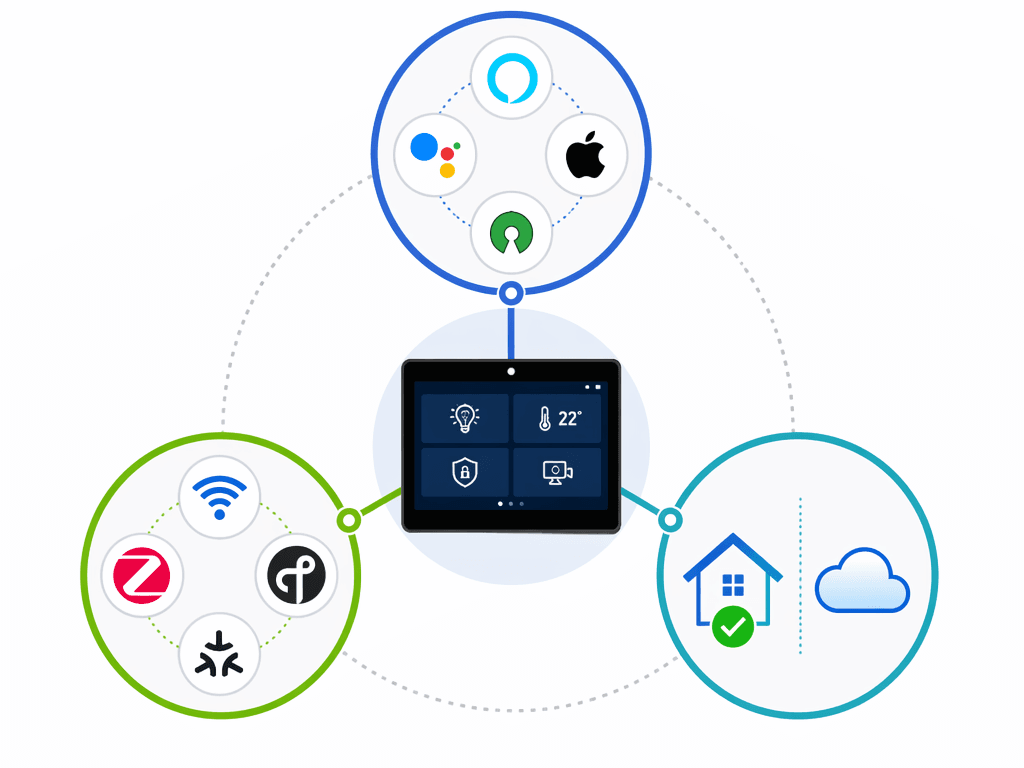
The cleanest way to evaluate a smart home control panel is to ignore the product beauty shot for a moment and ask three questions. Does it fit the ecosystem you already use? Can it speak to the devices you own now and may buy later? What keeps working when the internet, vendor cloud, or assistant behavior changes?
| Trade-off | What to check | Why it changes the answer |
|---|---|---|
| Ecosystem fit | Alexa, Google Home, Apple Home, Home Assistant, or a professionally installed system | The panel is only useful if it can see and control the devices your household actually uses |
| Protocol support | Wi-Fi, Matter, Thread, Zigbee, Z-Wave, Bluetooth LE, and whether extra dongles are possible | Protocol limits determine how much future device choice you keep |
| Local vs. cloud processing | What runs in the house, what depends on vendor servers, and what happens during an outage | This affects reliability, privacy exposure, and long-term control |
Those rows overlap in real life. An ecosystem choice affects protocols. Protocols affect whether devices can be controlled locally. Local control affects whether privacy is a policy preference or a practical reliability feature. A panel that looks simple can move a lot of complexity somewhere else.
Ecosystem fit: the panel has to belong to the house you already have
For an Alexa-centered home, Echo Hub is the most practical dedicated-panel answer available in the current mainstream DIY market. Its value is not only the screen. It is that the panel is built around Alexa smart home control rather than being a general-purpose display pressed into service. The absence of a camera also matters in a wall device. A camera can be acceptable on a video-calling display; it is harder to justify on a panel meant to sit quietly in a shared space.
The catch is that an Alexa panel still means an Alexa household. If your automations, family habits, speakers, plugs, and routines are already in Amazon’s world, Echo Hub reduces friction. If you are mixed across platforms or trying to move away from cloud-first assistants, it can become one more screen that looks central without actually being the center.
Google households have a less obvious dedicated-panel answer. A Nest Hub can be good enough for basic control, especially in a kitchen or bedroom, but it is still a smart display first. That may be fine. If the household mostly asks for lights by voice, checks cameras occasionally, and uses the display for timers or media, forcing a dedicated wall panel into the plan may be more installation ceremony than benefit.
Apple households have the most awkward decision. The rumored Apple “HomePad” or command-center-style device is not a product anyone can buy today. MacRumors’ guide describes expected features such as Face ID, a 7-inch display, a HomePod-style speaker base, a possible price around $350, and repeated delays tied to Siri AI software issues, with a possible fall 2026 timing.[5] Every part of that belongs in the rumor bucket until Apple announces hardware. It is a reason some Apple-heavy homes may wait; it is not a control panel to design a system around in Q2 2026.
Home Assistant changes the whole shape of the choice. Instead of asking which vendor panel is best, the question becomes whether you want a dashboard surface for a controller you already trust. A tablet running a Home Assistant dashboard can expose exactly the controls you want: a guest-safe lighting page, a thermostat view, a camera grid, or a room-by-room dashboard. That is powerful precisely because it is not trying to be a mass-market assistant display.
Professional systems such as Control4 and Savant sit outside this DIY decision for most readers. They are aimed at luxury homes and custom installation budgets. If you are in that market, the wall panel is part of a larger design and service relationship, not a standalone online purchase.
Protocol support: Wi-Fi-only is a real limitation
Protocol support is where a nice-looking wall panel can quietly age badly. Wi-Fi devices are common, but a Wi-Fi-only control panel is not the same as a controller environment that can work with Zigbee, Thread, Matter, Z-Wave, Bluetooth LE, or add-on radios. The difference becomes obvious when you add sensors, switches, locks, shades, or low-power devices that do not all want to live directly on Wi-Fi.
Echo Hub looks stronger here than many dedicated panels because it supports Wi-Fi, Matter, Thread, Zigbee, Bluetooth LE, and Sidewalk.[1] That does not mean every device pairing will be painless, or that Alexa is the best automation brain for every house, but the radio list gives an Alexa household more room to grow than a panel that only talks Wi-Fi.
Brilliant is the cautionary premium example. The Brilliant Plug-In Panel has appealing hardware, including physical dimmer sliders that solve a real household problem: sometimes the best interface is not a touchscreen at all. But The Ambient’s review describes it as Wi-Fi-only, cloud-dependent, and lacking Zigbee, Thread, or Matter radios, with that design contributing to lag.[6] CNET also confirms the Brilliant Plug-In Panel’s cloud dependency.[7] Its price was listed as $299 on sale from a $449 list price in April 2024, so the issue is not merely that it costs more; it is that the foundation is narrower than the wall-control experience suggests.[6]
A Home Assistant tablet flips the problem around. The tablet itself is usually just the screen. Protocol support comes from the Home Assistant setup behind it, where USB dongles can add Zigbee, Z-Wave, Matter, or Thread support depending on the hardware and configuration.[4] That is why a cheap tablet dashboard can outperform expensive-looking panels in flexibility. It is also why it can be a terrible choice for someone who does not want to learn what a coordinator, dongle, integration, or backup restore is.
Local versus cloud is about reliability as much as privacy
Cloud dependency is easy to frame as a privacy issue, and it is one. Commands, device state, usage patterns, voice interactions, and account relationships can all become part of a vendor-controlled system depending on the product and settings. But in daily life, cloud dependency also shows up as reliability and control. A switch on the wall feels permanent. A screen on the wall looks like infrastructure. If the important path runs through remote servers, it is not quite as local as it looks.
That distinction matters during ordinary annoyances, not just dramatic outages. The internet drops. A vendor changes an app. A voice assistant handles a phrase differently after an update. A cloud service slows down. A company changes pricing, support, or product priorities. None of those events means cloud products are automatically unsafe or unusable. It means the homeowner has accepted another dependency, and the wall panel may not be the place to hide that dependency from view.
Echo Hub is a fair example of the split. Its no-camera design is reassuring for a shared-space panel, and its protocol support is unusually broad for a mainstream dedicated device. Yet Alexa voice commands still rely on Amazon’s cloud after the removal of local voice processing from Echo devices in March 2025.[1] Mozilla’s warning does not mean every Echo Hub owner is making a reckless choice; it means privacy-conscious buyers should treat the device as part of Amazon’s data ecosystem, not just as a neutral switchboard.[2]
Brilliant shows a different version of the same concern. Its physical sliders are exactly the kind of feature that makes a control panel usable by guests, spouses, kids, and anyone who does not want to navigate a dashboard to dim a room. But when the panel’s control path is cloud-dependent and Wi-Fi-only, the tactile confidence of the hardware can overpromise the resilience of the system behind it.[6][7]
DIY Home Assistant dashboards can reduce cloud dependency, but they do not eliminate responsibility. A locally managed dashboard can keep core automations and device control inside the house, depending on how the system is configured. It can also leave one person responsible for the server, dashboard design, updates, device integrations, radios, and troubleshooting. Local control is not the same thing as low maintenance.
This is the part that often gets flattened in buying advice. Privacy, offline reliability, and maintenance burden are connected. A cloud-first product may reduce setup work but increase vendor dependence. A local-first setup may reduce data exposure and keep more functions working on the home network, but it asks for technical care. There is no free version of “set it and forget it” once a home has enough smart devices to need a central panel.
When a smart display is enough
A smart display is enough when control is occasional and the device’s other jobs matter. If the screen mostly sits on a counter for timers, music, weather, camera checks, and casual voice control, a Nest Hub or Echo Show can be the right answer. It avoids the wall-installation commitment and costs less than many dedicated panels.
The limitation is that a smart display usually behaves like a general assistant device, not a purpose-built house console. The interface may prioritize media, suggestions, rotating cards, or voice-first interactions. For some households, that is fine. For others, especially homes with many lights, scenes, locks, thermostats, and cameras, the display can feel like a remote control that keeps wandering away from the exact page you wanted.
When a DIY tablet panel makes sense
A DIY tablet panel makes sense when the smart home already has a real controller behind it, especially Home Assistant, and the homeowner is comfortable owning the details. The tablet is just the front end. The real value comes from being able to design a dashboard around how the house is used rather than how a platform vendor thinks a generic home should look.
A good DIY dashboard can be simpler than a commercial interface because it can show less. A hallway panel might only need entry lights, alarm state, door locks, and climate. A kitchen panel might need scenes, timers, cameras, and music. A guest mode page might remove everything except room lights and shades. That kind of restraint is hard to buy off the shelf.
The unglamorous parts decide whether the project remains pleasant. The mount has to look intentional. Charging has to be safe and reliable. The tablet battery may age. The screen may sleep at the wrong time. The dashboard needs upkeep as devices change. There may be no voice assistant on the panel itself. And unlike Brilliant’s physical sliders, a tablet gives you glass for everything, including actions that sometimes deserve a real button or dimmer.
How-To Geek’s caution around wall-mounted Home Assistant displays is useful here: they can be cool, but many people do not need one.[8] A tablet dashboard is a strong choice when it solves an actual control problem. It is a hobby project when the main goal is having a screen on the wall.
Match the panel to the household
For an Alexa household, Echo Hub is the easiest dedicated smart home control panel to justify right now. It fits the ecosystem, has broad protocol support, avoids a camera, and is designed for wall control rather than entertainment. Buy it with clear eyes about Amazon cloud reliance and data practices.
For a Google household, a Nest Hub or other smart display may be the more proportional choice unless the home has grown beyond basic control. If the display is already doing countertop jobs well, a dedicated wall panel may not add enough to deserve the installation and ecosystem friction.
For an Apple household, waiting may be reasonable if you are not in a hurry, but buying around an unannounced HomePad is not. If you need a control surface today, choose based on the system you can actually run now: a smart display compromise, a Home Assistant dashboard, or a simpler set of physical controls.
For Home Assistant users, a DIY tablet dashboard is often the most capable path. It keeps the screen separate from the controller, allows local-first design, and can adapt as the house changes. It is worth doing when you already accept the maintenance role.
For privacy-first buyers, prioritize local control, minimal sensors, and protocol flexibility over the prettiest panel. A no-camera design is a plus, but it is not the whole privacy story. The more important question is what must leave the house for a command to work.
For buyers with no technical interest, avoid anything that quietly makes you the system administrator. A polished wall tablet that depends on your dashboards, dongles, and troubleshooting patience is not simpler than a smart display. In that case, a mainstream ecosystem device or professionally installed system may be the more honest compromise.
References
- Amazon Echo Hub Is a Touchscreen Control Panel for Your Alexa Smart Home, CNET
- Amazon Echo Hub, Mozilla Foundation
- Best Smart Displays of 2026, CNET
- Smart Home Control Panels Will Be Big This Year, But I Wouldn't Buy Any, How-To Geek
- Apple Command Center, MacRumors
- Brilliant Plug-In Panel home control review, The Ambient
- Brilliant Smart Home Control Plug-In Panel Review, CNET
- Wall-Mounted Home Assistant Displays Are Cool, But You Don't Need One, How-To Geek
Policy Updates & Reader Notes
Privacy policies, monitoring plan prices, and security disclosures change frequently. Report new data retention terms, updated plan pricing, or new vulnerability disclosures below. For formal editorial corrections, use the contact page.
Comments
Join the discussion with an anonymous comment.