
How to Set Up Tornado Warning Smart Home Alerts
One smart-home channel is not a trustworthy tornado-warning plan. Layer the channels that actually alert you — phone WEA, Alexa announcements, the Google Home workaround, a Home Assistant automation, and a battery NOAA radio — with a verified setup path and an honest trust status for each.

If the National Weather Service issues a tornado warning for your location tonight, the planning question is not whether your smart home is “weather aware.” It is much narrower: which devices in the house will actually make noise, who will hear them, and which ones still work when the internet or power is gone?
A useful tornado warning smart home alert setup has layers. The phone Wireless Emergency Alert is the baseline. A whole-house voice announcement can help wake people in bedrooms and reach someone who does not keep a phone nearby. Home Assistant can add precise, repeatable automations if you are willing to maintain it. A battery NOAA Weather Radio remains the offline failsafe.
| Layer | Trust label | What it is good for | Main failure mode to plan around |
|---|---|---|---|
| Phone Wireless Emergency Alerts | Confirmed baseline | Free NWS-sourced tornado warnings sent through the national alerting system to compatible phones | Phone settings, no compatible device, no cell coverage, or targeting limits on older devices |
| Alexa severe-weather announcements | Native path available; verify locally | Native Echo voice announcements for severe-weather alerts when enabled | Power, Wi-Fi, Amazon cloud dependency, and feature behavior that should be verified on your account |
| Google Home / Nest speakers | Workaround only | Can be used for spoken alerts through third-party or automation paths | Community reports from 2023–2026 find no native emergency-weather announcement path |
| Home Assistant | Power-user confirmed path | Local automation logic, filtering for tornado warnings, volume boosts, repeat announcements, and multiple speakers | Depends on your server, internet for NWS alert data, integration maintenance, and your own testing |
| NOAA Weather Radio | Offline failsafe | Dedicated alert receiver with battery backup and county programming | Needs correct SAME programming, batteries, and a location where reception is reliable |
Start with the alert that is already designed to interrupt the phone
Wireless Emergency Alerts are the first layer because they are not a weather-app notification dressed up as an emergency system. The National Weather Service says WEA alerts are free, require no signup, are broadcast from cell towers, are not affected by normal cellular network congestion, and use a special tone and vibration repeated twice. NWS routes its most critical warnings through FEMA’s Integrated Public Alert and Warning System collection point for delivery to WEA-capable devices.[1]
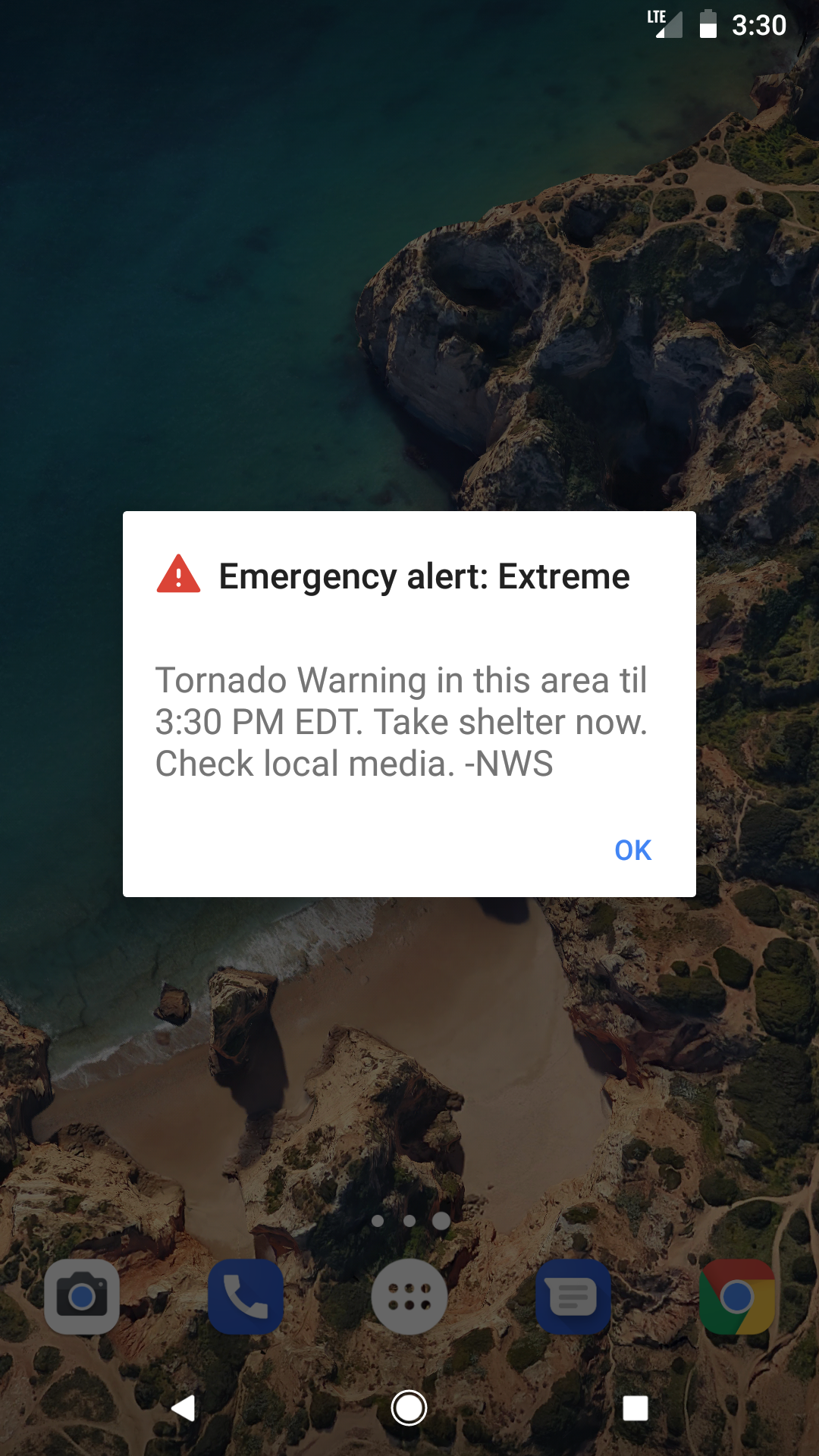
That does not make WEA perfect. It makes it the baseline. WEA messages are capped at 360 characters on 4G LTE devices and 90 characters on older 3G-era devices. WEA 3.0 can target alerts within 0.1 mile of the warning area, but older phones can still receive alerts outside the warning polygon because towers broadcast over an area rather than to a single household boundary.[1]
For a household setup, the practical check is simple: every adult’s phone should have emergency alerts enabled, charged overnight, and loud enough to be heard from where that person sleeps. On iPhone, Apple places government alert controls under Settings > Notifications, then the Government Alerts section near the bottom of the screen; availability and labels can vary by country or region.[2]
- Confirmed baseline: WEA is the official phone interruption layer.
- Do not silence it by accident: check emergency alert settings after phone upgrades, carrier changes, or giving a child an old phone.
- Do not treat it as whole-house audio: a phone on a dresser may not wake someone behind a closed bedroom door.
- Do not expect it to solve no-service areas: if your home has weak cellular coverage, add the radio layer early, not later.
Build the automation around warnings, not watches
The automation trigger matters. A tornado watch means conditions are favorable for tornadoes in and near the watch area. A tornado warning means a tornado has been sighted or indicated by weather radar and people should move to shelter. A tornado emergency is used for an exceedingly rare situation with a severe threat to human life and catastrophic damage from an imminent or ongoing tornado.[3]
For smart-home noise, use “tornado warning” as the primary trigger. Watches deserve attention, but they are not the event that should make every bedroom speaker shout at 2:17 a.m. The NWS also notes that tornado warnings typically provide around 30 minutes of lead time, which is useful only if the alert reaches people while they still have time to get to shelter.[3]
Alexa: the cleanest native smart-speaker layer, if you verify it on your account
Alexa is the most straightforward smart-speaker layer in the available material because Echo devices have a native severe-weather announcement path. Third-party setup guides document voice commands such as “Alexa, tell me about severe weather alerts” or “Alexa, tell me when there’s a severe weather alert,” and an Alexa app path through More > Settings > Notifications > Weather.[4][5][6]
The trust label here is not “guaranteed.” It is “native path available, verify before storm season.” The sources describing this feature include older consumer-tech articles, so the setup belongs in your own test checklist rather than in a vendor-trust drawer. Enable the alert, confirm your device location, and make sure the Echo that matters is in the room where a voice alert is actually useful.
- Open the Alexa app and confirm the location for the Echo devices you expect to announce weather alerts.
- Go to More > Settings > Notifications > Weather and enable severe-weather notifications where available.
- Use the supported voice command to turn on severe-weather alerts.
- Raise the nighttime volume on the Echo near sleeping areas, or create a separate routine that sets speaker volume before bedtime if your household tolerates it.
- During a non-emergency day, ask Alexa about severe-weather alerts and confirm the speaker uses the correct home location.
An Echo is useful because it can turn one alert into sound across a space where phones are ignored, charging, or buried under bedding. Its weak point is just as obvious: if the Echo has no power, no Wi-Fi, or no route to Amazon’s cloud service, it is furniture.
Google Home and Nest speakers: plan as a workaround, not a native warning system
This is the gap that catches people. A Nest speaker can answer weather questions, play media, run routines, and announce plenty of household events. That does not mean it will natively interrupt the house for an NWS tornado warning.
The available evidence for Google Home is community-reported, not an official Google support statement: Reddit discussions from 2023 through 2026 report that Google/Nest speakers do not sound emergency weather alerts natively, with users pointing instead to workarounds such as the AccuWeather action or text-to-speech pushed from Home Assistant.[7]
That distinction matters. “My Nest speaker can tell me the forecast” is not the same as “my Nest speaker will wake the house when the NWS issues a tornado warning.” If your home is built around Google speakers, label them Workaround Only until you have personally verified an alert path that starts with a trusted alert source and ends with audible speech on the exact speakers you care about.
| Google Home path | Status | Use it for | Do not assume |
|---|---|---|---|
| Ask Google for weather or forecast details | Not an emergency alert path | Manual weather checks | That it will proactively wake the house |
| AccuWeather action | Workaround | Weather-alert access through a third-party action where available | That it is equivalent to an NWS WEA or NOAA radio alert |
| Home Assistant text-to-speech to Google/Nest speakers | Workaround with verification | A controlled spoken announcement from an NWS-alert automation | That it works during internet, Wi-Fi, speaker, or Home Assistant failure |
The safe Google setup is therefore not “turn on emergency alerts in Google Home” unless a current Google setting on your account actually provides that behavior. The safer setup is: keep WEA enabled on phones, add NOAA Weather Radio, and use Google speakers only as an extra announcement endpoint fed by another alert source.
Home Assistant: powerful, but only if you use an alert integration
Home Assistant is where a smart home can become genuinely useful for distributing a tornado warning through the house. It is also where a sloppy setup can fool you. The official Home Assistant NWS integration provides forecast data; it is not the same thing as an active-alert event integration.[8]
For tornado-warning automations, the available alert-event paths in the research material are community custom integrations. The nws_alerts integration documents a default 1-minute poll and exposes an NWSCode field that can be filtered for TOR, the tornado warning code.[9] The weatheralerts custom integration uses a UI config flow, requires a zone code, and documents an approximately 90-second default poll.[10]
That is a reasonable power-user path, not a consumer guarantee. You are depending on your Home Assistant instance, your internet connection to NWS alert data, the custom integration, your speaker integration, and your automation logic. If any of those pieces breaks silently, the automation may not speak.
A practical Home Assistant tornado-warning flow
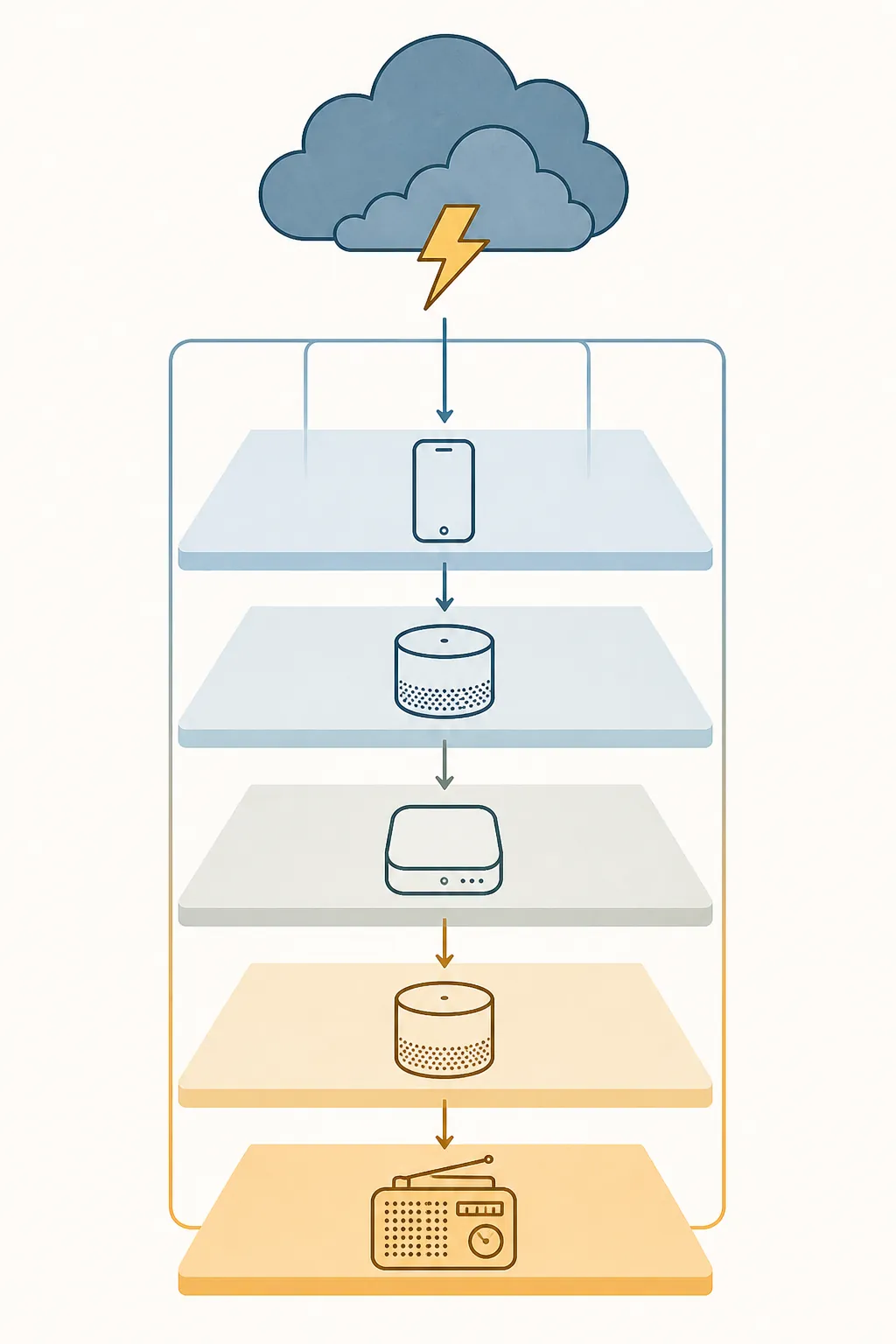
- Install and configure an active-alert integration, not only the official forecast integration.
- Use the correct NWS zone or county configuration for your home, then check it against your local NWS office information.
- Filter for tornado warnings rather than all weather headlines. With nws_alerts, that means checking for NWSCode TOR.
- Before speaking, set speaker volume high enough to wake people. Do this inside the automation, not as a setting you hope someone remembered.
- Repeat the announcement with a short delay. A single TTS sentence can be missed if someone is in a bathroom, hallway, or deep sleep.
- Send the announcement to the speakers that matter: bedrooms, hallway, kitchen, basement, or shelter route.
- Optionally flash lights as a secondary cue, but do not make lighting the primary tornado alert.
A community YAML example from the nws_alerts author shows the same general idea: detect a tornado warning condition, announce it through speakers, and use Home Assistant automation logic to repeat or escalate the message.[11] Treat that as a pattern to adapt, not as a paste-and-forget safety system.
alias: Tornado warning voice announcement
mode: single
trigger:
  - platform: state
    entity_id: sensor.nws_alerts
condition:
  - condition: template
    value_template: >
      {{ 'TOR' in state_attr('sensor.nws_alerts', 'NWSCode') | default([]) }}
action:
  - service: media_player.volume_set
    target:
      entity_id:
        - media_player.bedroom_speaker
        - media_player.hallway_speaker
    data:
      volume_level: 0.9
  - repeat:
      count: 3
      sequence:
        - service: tts.cloud_say
          target:
            entity_id:
              - media_player.bedroom_speaker
              - media_player.hallway_speaker
          data:
            message: "Tornado warning for this area. Move to your shelter location now."
        - delay: "00:00:20"
The entity names and TTS service above are illustrative. Your actual setup may use different sensors, media players, and speech services. The part that should survive translation into your own system is the sequence: detect the correct alert, raise volume, speak plainly, repeat, and send the message to rooms where people sleep or shelter.
Live-zone testing without waiting for a tornado warning
Do not wait for a real warning to discover that your zone code is wrong. The NWS API includes an active-alert count endpoint at api.weather.gov/alerts/active/count that can be used as part of a live sanity check for active alert data, though the presence or absence of a tornado warning on a calm day obviously does not prove your whole automation will fire during a future event.[12]
- Confirm the alert integration is updating on its documented polling interval.
- Confirm the attributes include event or code fields you can filter, such as TOR where supported.
- Temporarily test the action portion with a harmless manual trigger and a clearly non-emergency message.
- After Home Assistant, integration, or speaker firmware updates, run the manual test again.
- Keep the alert message short. A sleepy person needs the shelter instruction, not a paragraph of meteorology.
The battery NOAA radio is not old-fashioned. It is the part that still has a job when the smart home is down.
NOAA Weather Radio belongs in this setup because it does not need your router, voice assistant, phone app permissions, or a cloud account to announce a warning. NWS describes NOAA Weather Radio as a nationwide network broadcasting continuous weather information directly from the nearest National Weather Service office.[13]
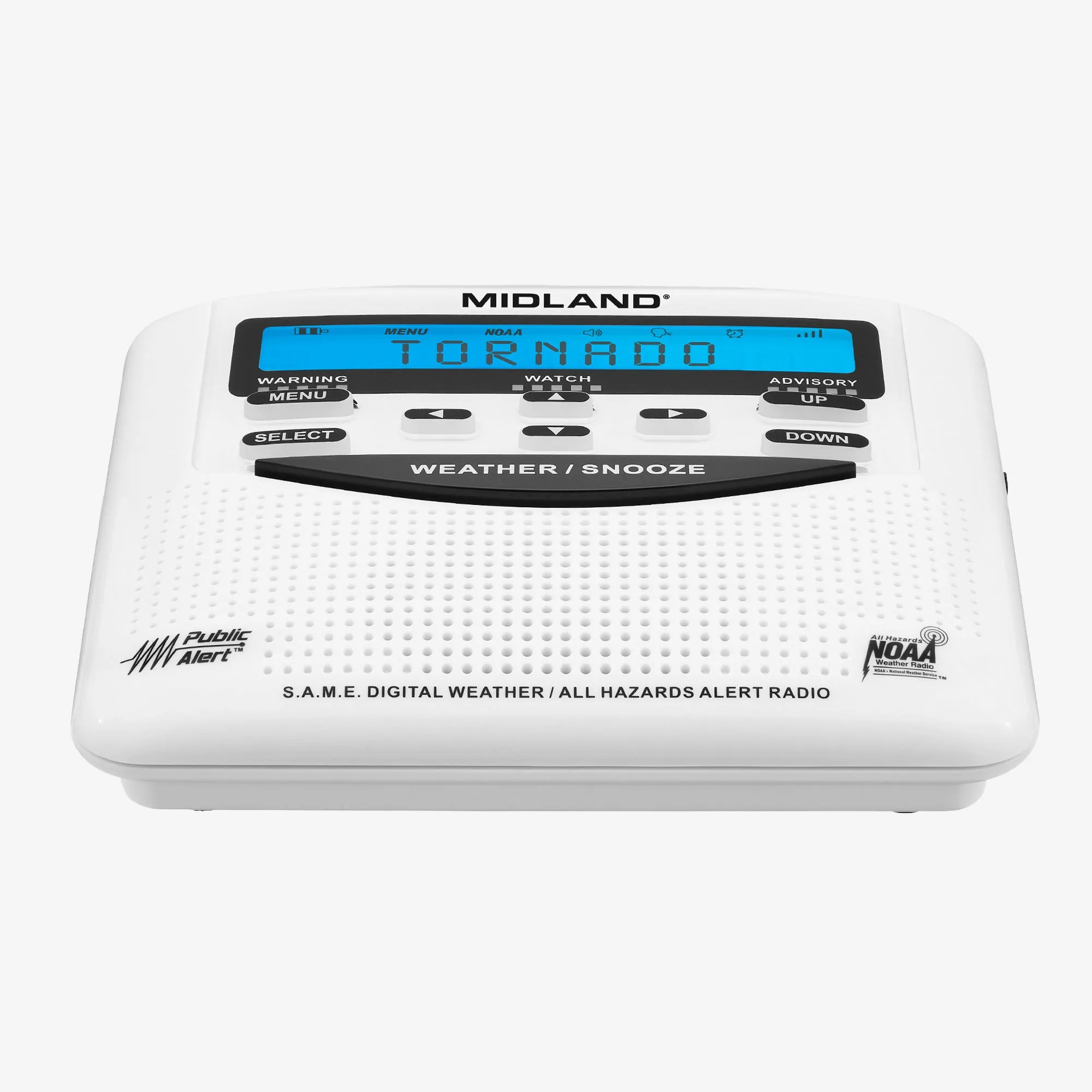
For household tornado alerts, buy a receiver that supports SAME programming. SAME lets you program county-specific alerts rather than listening to every alert the transmitter carries. NWS local guidance describes SAME county programming and weather-radio setup steps, including choosing the correct county code and alert mode.[14][15]
NOAA Weather Radio broadcasts on seven VHF frequencies from 162.400 MHz to 162.550 MHz.[14] That frequency detail is not trivia when you are placing the radio. The best location is the one where the receiver reliably hears your transmitter, not necessarily the prettiest counter. Test it in the bedroom hallway, kitchen, basement entry, or shelter area before deciding where it lives.
- Program the SAME code for your county or the counties you intentionally want to monitor.
- Select the alert mode that will sound for warnings, not just display them.
- Install fresh backup batteries and put battery replacement on the same schedule as smoke alarms.
- Use the radio’s test function or weekly test reception where available to confirm it still sounds.
- Place it where the alert tone wakes people or reaches the person most likely to miss a phone.
A household runbook that does not depend on one company behaving perfectly
Emergency-management advice commonly points households toward multiple alert channels because any single channel can fail. Team Rubicon’s tornado app guidance, for example, recommends layering WEA, government apps such as FEMA, radar apps, local notification systems, and NOAA Weather Radio rather than depending on one app or device.[16]
For a smart home, the runbook can be tighter than “install several apps.” Give each layer a job and a failure boundary:
| Job | Preferred layer | Verification gate |
|---|---|---|
| Official phone interruption | WEA on every household phone | Emergency alerts enabled; phone charged and audible overnight |
| Whole-house voice | Alexa native severe-weather alerts, or Home Assistant TTS to speakers | Speaker location and volume tested from sleeping areas |
| Google speaker homes | Home Assistant TTS or another verified workaround | Manual test proves a warning-like message speaks on the intended Nest speakers |
| Power-user filtering | Home Assistant with an active-alert custom integration | Correct zone, TOR filtering, polling observed, repeat announcement tested |
| Internet/power fallback | Battery NOAA Weather Radio | SAME code programmed, batteries installed, reception confirmed |
Then assign the human part. Decide where everyone goes for a tornado warning, who helps the child or grandparent, and which route avoids windows. A speaker announcement that says “move to your shelter location now” only helps if the household already knows what that location is.
Final pre-season test
- WEA: emergency alerts are enabled on every phone that sleeps in the house.
- Alexa: severe-weather announcements are enabled and the relevant Echo devices use the correct home location.
- Google Home: no native emergency-weather behavior is assumed; any workaround has been manually tested.
- Home Assistant: the automation filters for tornado warnings, raises speaker volume, repeats the message, and has been tested after the latest updates.
- NOAA Weather Radio: SAME county programming, batteries, alert mode, and reception are confirmed.
- Household drill: everyone knows the shelter location and the alert phrase means move now.
A smart home can spread an NWS tornado warning through rooms where a phone may not be heard. It should not be the source of truth, and it should not be the only thing standing between a sleeping household and a missed warning.
References
- Wireless Emergency Alerts FAQ, National Weather Service, https://www.weather.gov/wrn/wea
- About emergency and government alerts on iPhone, Apple Support, https://support.apple.com/en-us/102516
- Understand Tornado Alerts, National Weather Service, https://www.weather.gov/safety/tornado-ww
- Alexa can now warn of approaching severe weather — here's how to set it up, Gearbrain, 2020, https://www.gearbrain.com/alexa-proactive-severe-weather-alerts-2645436767.html
- 7 ways an Amazon Echo can help you in severe weather, Reviewed, 2022, https://www.reviewed.com/smarthome/features/7-ways-an-amazon-echo-can-help-you-in-severe-weather
- How to set up severe weather alerts on your phone, Asurion, https://www.asurion.com/connect/tech-tips/how-to-set-up-severe-weather-alerts-on-your-phone/
- Weather alerts, Reddit r/googlehome, 2023, https://www.reddit.com/r/googlehome/comments/12suu0u/weather_alerts/
- National Weather Service (NWS), Home Assistant, https://www.home-assistant.io/integrations/nws/
- nws_alerts, GitHub, https://github.com/finity69x2/nws_alerts
- weatheralerts, GitHub, https://github.com/custom-components/weatheralerts
- Tornado announcement YAML gist, GitHub Gist, https://gist.github.com/finity69x2/7b50d2ba8b9d504a144b8ba66e3f2b18
- Alerts, National Weather Service API, https://api.weather.gov/alerts/active/count
- NOAA Weather Radio, National Weather Service, https://www.weather.gov/nwr/
- NOAA Weather Radio Help, National Weather Service Mobile/Pensacola, https://www.weather.gov/mob/nwrhelp
- SAME Weather Radios, National Weather Service Fort Worth, https://www.weather.gov/fwd/sameweatherradios
- Tornado Warning Apps: How to Stay Safe During Severe Weather, Team Rubicon, https://teamrubiconusa.org/news-and-stories/tornado-warning-apps/