
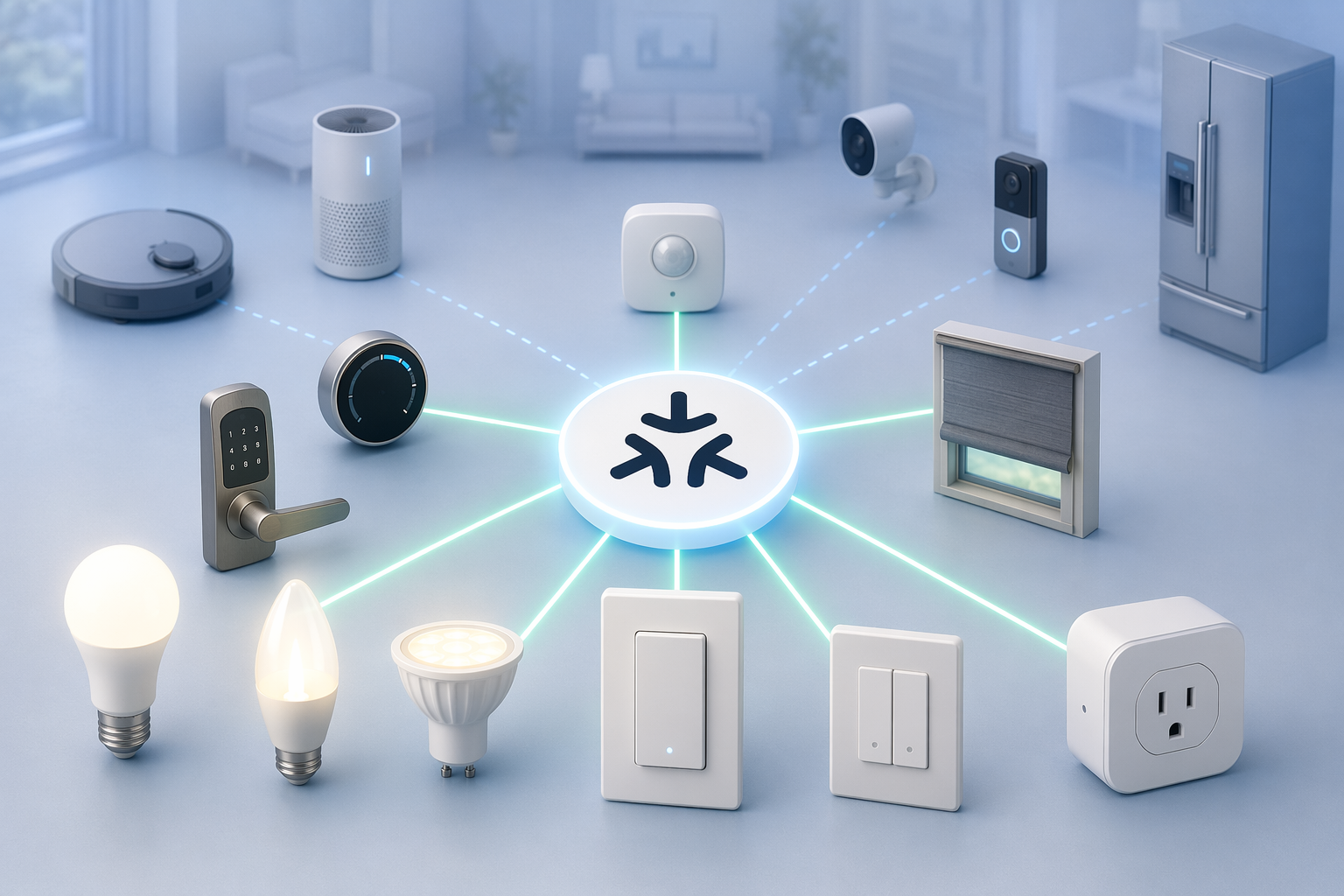
A shopper looking for matter support devices in 2026 has a better problem than they had a few years ago: the devices are real, numerous, and no longer limited to a few launch bulbs. Matter Alpha’s catalog shows 4,282 products across Matter categories, while matter-smarthome.de lists more than 860 Matter-compatible entries in its product overview.[1][2] That does not mean there are 4,282 boxes sitting on U.S. retail shelves today. Matter Alpha includes pre-certified and announced products, so the useful question is not simply “does it support Matter?” It is “what kind of Matter support, in which device category, through which connection, and in which app?”
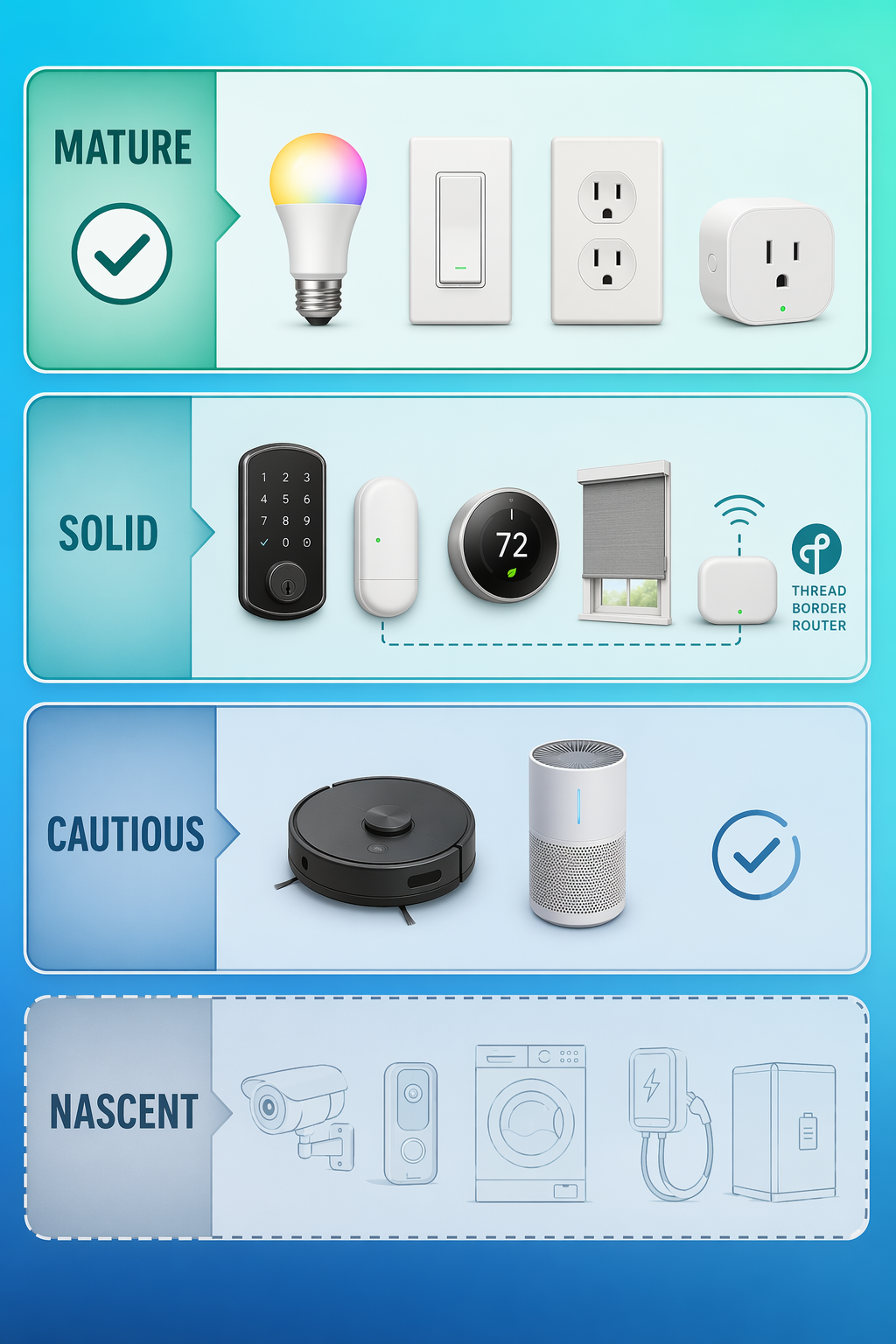
The shortest honest answer is this: buy Matter lights, plugs, switches, and outlets with confidence; buy locks, sensors, thermostats, and shades after confirming you have a Thread border router; buy robot vacuums and air purifiers only after checking your chosen platform; treat cameras, appliances, and energy devices as early categories with narrow expectations.
The 2026 Matter maturity map
Matter’s device list is now broad enough that a flat directory is almost misleading. A Matter bulb and a Matter camera do not carry the same buying risk. A bridged Zigbee light and a native Thread sensor do not behave the same way during setup. A device can be certified before your preferred platform exposes all of its useful controls.
| Tier | Best-fit categories | Buyer's read |
|---|---|---|
| Mature | Lights, plugs, switches, outlets | Safe first purchases; broad certification and retail availability |
| Solid | Locks, sensors, thermostats, shades | Good buys if your home already has Thread infrastructure |
| Emerging | Robot vacuums, air purifiers | Usable, but platform support can decide whether the device feels finished |
| Nascent | Cameras, video doorbells, appliances, energy devices | Spec support exists in parts of the category, but shopping should be cautious |
If you want model-by-model recommendations after sorting the categories, use the 2026 Matter device buyer’s guide. If you are still sorting out Matter, Thread, Zigbee, Z-Wave, and hub language, start with the home automation hub protocols explainer before buying hardware.
Mature: lights, plugs, switches, and outlets
Lighting is the least dramatic Matter success story, which is exactly why it is the best place to start. The category has depth, price competition, and relatively simple controls: on, off, dimming, color temperature, color, scenes, and schedules. matter-smarthome.de’s catalog shows more than 1,284 extended-color lights and more than 540 on/off plugs, and The Verge’s Matter device tracking has described lighting as roughly 60% of certified Matter devices.[2][3]
That matters because lighting is where the Matter logo most often means something a normal buyer can use this week. A Matter-over-Wi-Fi bulb can usually pair directly with a supported platform. A Matter-over-Thread bulb needs a Thread border router, but once the router is in place, the setup is still in the comfortable zone. A bridged Zigbee bulb can appear in Apple Home, Google Home, Alexa, SmartThings, or Home Assistant through a Matter bridge, but the bridge becomes part of the purchase decision.
What to check on the box or product page
- Connection type: Matter over Wi-Fi, Matter over Thread, or Matter through a bridge.
- Controller support: Apple Home, Google Home, Alexa, SmartThings, Home Assistant, or another Matter controller you actually use.
- Feature expectations: basic lighting controls are safer bets than brand-specific dynamic scenes or effects.
- Bridge dependency: if the device is Zigbee, confirm the bridge supports Matter, not just the bulb.
Matter bridges are not a compromise by default. Philips Hue, Aqara Hub M3, and IKEA Dirigera are useful because they keep existing Zigbee devices in service instead of turning a standards upgrade into a landfill event. The trade-off is that Matter usually exposes the common controls, not every manufacturer-specific feature. Hue dynamic scenes, vendor-only effects, or advanced app settings may still live inside the manufacturer’s own app rather than your main Matter platform.[2][3]
IKEA is worth separating from the generic lighting pile because its Matter story often runs through the Dirigera hub rather than each individual device behaving like a native Matter endpoint. If you are building around IKEA bulbs, remotes, sensors, or outlets, check the complete IKEA Matter device catalog before assuming that every feature shown in the IKEA app will map neatly into Apple Home, Google Home, Alexa, or SmartThings.
Switches, outlets, and smart plugs belong in the same confident tier because their job is also simple. A plug that turns a lamp on and off does not need a deep device model to feel useful. In this category, the biggest shopping mistakes are buying the wrong regional electrical format, confusing Matter support with voice-assistant-only support, or choosing a Thread device without owning anything that can route Thread.
Solid, but check Thread: sensors, locks, thermostats, and shades
The middle tier is where Matter starts to feel powerful and where returns start to happen if the buyer skips one line of fine print. Contact sensors, motion sensors, door locks, thermostats, and shades are often battery-powered. For many of those devices, Thread is the right radio because it is designed for low-power mesh networking rather than high-bandwidth traffic. Reporting from The Verge and Data Wire Solutions describes Thread-based sensors and locks as capable of multi-year battery life and fast local response, but only when the home has a working Thread border router.[3][4]
A Thread border router is not a special Matter hub that you buy for one brand. It can be built into devices such as HomePod mini, Apple TV 4K, Nest Hub 2nd gen, Nest WiFi Pro, and newer Echo models, depending on model and software support.[4] The practical move is to confirm the specific device you own, not just the product family name. “Apple TV 4K” or “Echo” is not enough if the Thread radio changed by generation.
If this is the first time your shopping list includes Thread devices, use a Thread border router guide before ordering locks or sensors. It is much easier to verify the router first than to diagnose a door sensor that only works when your phone is nearby or a lock that keeps falling back into a vendor app.
Sensors
Contact, motion, temperature, humidity, occupancy, and leak sensors are good Matter purchases when the platform supports the sensor type you need and the connection method matches your home. Thread is especially attractive here because these devices spend most of their lives waiting, waking briefly to report a change, and going quiet again.
The thing to avoid is buying a sensor only because the brand is familiar. Check whether it is native Matter over Thread, native Matter over Wi-Fi, or a Zigbee sensor exposed through a bridge. A bridged sensor can be perfectly useful, but automations may expose fewer attributes than the manufacturer’s own app.
Locks
Door locks are a stronger Matter category than they used to be, but they deserve more caution than bulbs. A lock is security hardware, battery hardware, and household-trust hardware at the same time. Matter can help a lock appear across ecosystems, but the manufacturer’s app may still handle firmware updates, access codes, fingerprints, keys, auto-unlock options, or detailed history.
Before buying, confirm three things: your platform supports Matter locks, your home has the required Thread border router if the lock uses Thread, and the feature you care about most is exposed where you expect to use it. For example, being able to lock and unlock in Apple Home does not automatically mean every access-management feature has moved out of the lock maker’s app.
Thermostats
Matter thermostats sit in the solid tier because the core controls are understandable: current temperature, target temperature, heating, cooling, mode, and schedules. The caution is not that Matter thermostats are unusable. It is that HVAC compatibility still comes before smart-home compatibility. C-wire requirements, heat pump behavior, auxiliary heat, multi-stage systems, and regional installation rules remain outside the Matter logo.
Shades and blinds
Shades, blinds, and other closure devices can be good Matter buys when you verify motor compatibility and platform controls. Here, the shopping risk is usually vocabulary. Some product pages talk about shades, blinds, curtains, covers, or closures, and not every platform labels the same device in the same way. For a deeper look at how closure support maps to smart blinds, use the Matter closure support guide.
Emerging: robot vacuums and air purifiers
Robot vacuums are no longer theoretical in Matter. Matter Alpha’s category catalog includes more than 222 robot vacuum products or entries, which is enough to treat the category as real rather than experimental.[1] The limitation is what “works” means. Starting, stopping, pausing, changing cleaning mode, or checking status is different from getting rich room maps, no-go zones, mop pad behavior, camera navigation features, or brand-specific cleaning routines.
For a robot vacuum, Matter is best understood as a cross-platform control layer, not a replacement for the manufacturer’s app. If you want the vacuum to appear in multiple ecosystems and participate in simple automations, that is a reasonable expectation. If you want your preferred smart-home app to become the full vacuum command center, check the exact platform before buying.
Air purifiers are in a similar position. A Matter-compatible purifier can expose useful controls such as power, mode, and sometimes status, but support varies by ecosystem. Platform compatibility changes as vendors push software updates, so device-type support should be verified against current platform documentation at purchase time. That warning is not boilerplate for purifiers; it is the difference between seeing a useful appliance tile and seeing a device that technically pairs but does less than expected.
Apple and Google users should be especially careful about assuming controller support equals device-type support. If you are building around Apple Home, check the current Matter on Apple Home compatibility notes. If you are using Nest hardware, the Google Nest Matter controllers vs. devices explainer is useful because a product can act as a Matter controller without being the type of Matter device you are shopping for.
Nascent: cameras, video doorbells, appliances, and energy devices
Cameras and video doorbells are the category where the Matter logo needs the most translation in 2026. Matter 1.5 added support for cameras and video doorbells in November 2025, and SmartThings has production-ready support, but Apple Home and Google Home are still catching up while retail availability ramps through mid-2026.[4][5] That combination makes cameras real in the standard and still risky as a casual shelf purchase.
This is not a reason to ignore Matter cameras. It is a reason to buy them only for a clearly supported use case. Video is harder than a light switch: live view, event history, recordings, person detection, package detection, local storage, cloud storage, doorbell chimes, privacy zones, and encrypted streaming are all places where platforms and manufacturers can differ. A camera may support Matter and still leave its best features inside the manufacturer’s app.
If camera support is the deciding factor in your smart home, do not rely on a generic Matter badge. Check the current Matter 1.5 camera support device list, then confirm your platform’s release notes before buying.
Appliances sit in the same cautious tier for a different reason. Refrigerators, dishwashers, laundry machines, and similar devices have had Matter specification coverage since Matter 1.2, but there are still only a handful of certified models rather than a mature retail field.[4] This is a category where the spec is ahead of the normal replacement cycle. Most people do not buy a dishwasher because it got a new smart-home standard.
Energy devices are also wait-and-see for most buyers. The useful future is obvious: meters, EV charging, solar, batteries, and load management all benefit from better cross-platform coordination. The shopping reality is narrower. Unless you are already choosing from a confirmed certified product and your platform exposes the controls you need, energy hardware should not be treated like a safe Matter impulse buy.
Native Matter, Thread, Wi-Fi, and bridges are not interchangeable
A Matter product page can hide three very different setups behind one friendly logo. Native Matter over Wi-Fi usually means the device joins your Wi-Fi network and pairs directly to a Matter controller. Native Matter over Thread means the device joins a Thread mesh and needs a Thread border router. Matter through a bridge means a non-Matter device, often Zigbee, is being translated into Matter by a hub.
| Label you may see | What it usually means | Best fit |
|---|---|---|
| Matter over Wi-Fi | The device connects to your Wi-Fi and pairs to a Matter controller | Plugs, bulbs, appliances, powered devices |
| Matter over Thread | The device joins a low-power Thread mesh through a border router | Sensors, locks, shades, battery devices |
| Matter via bridge | A hub exposes older devices, often Zigbee, to Matter platforms | Existing Hue, Aqara, IKEA, and similar ecosystems |
For new purchases, native Matter is cleaner when the category is mature. For existing gear, a bridge can be the better decision because it preserves a working setup. The mistake is treating bridged compatibility as identical to native compatibility. Matter may give you cross-platform on/off, dimming, or sensor state while the brand app keeps advanced scenes, calibration, firmware, grouping, or device-specific settings.
A practical buying rule for 2026
If you are buying this week, let the category decide how much trust to place in the Matter label. For lights, plugs, switches, and outlets, the market is deep enough that Matter support is a real buying advantage. For locks, sensors, thermostats, and shades, Matter is a good sign only after you verify Thread infrastructure and platform support. For robot vacuums and air purifiers, check whether your ecosystem exposes the controls you expect. For cameras, appliances, and energy devices, buy only when the exact model, platform, and feature set are already confirmed.
The badge is useful now. It is just not the whole answer. In 2026, the safer smart-home purchase comes from reading the Matter logo together with the device category, the radio, the bridge path, and the platform you actually plan to use every day.
References
- Matter Alpha Categories, Matter Alpha
- Overview: Products Compatible with Matter, matter-smarthome.de
- Every Device That Works with Matter, The Verge, December 2024
- Matter Smart Home Standard 2026 Update, Data Wire Solutions, June 2026
- Matter 1.5 Press Release, Connectivity Standards Alliance, November 2025
Updates & Corrections
Protocol specifications and platform features change rapidly — especially with Matter version evolution. Report version changes, certification count updates, or platform policy changes that have occurred since the last editorial review.
Comments
Join the discussion with an anonymous comment.