
A smart home air quality monitor for NYC’s worst air days has to do more than display a pleasant or ominous score. On smoke days, it needs to catch PM2.5 fast enough that an air purifier can respond before the apartment has already filled with fine particles. On ordinary city days, it should still make sense of the pollutants that come from traffic, heating systems, gas cooking, and sealed-up ventilation.
June 2023 is the reason this buying question stopped feeling abstract. During the Canadian wildfire smoke event, New York City’s daily average PM2.5 exceeded 117 µg/m³, while Airthings’ aggregated indoor sensor data showed citywide indoor readings averaging above 80 µg/m³; that indoor level was roughly 15 times the WHO daily safe limit of 5 µg/m³.[1][2] In July 2026, smoke is again an active concern: The City Reporter covered AQI above 150 in NYC on July 15, while the event was still unfolding.[3]
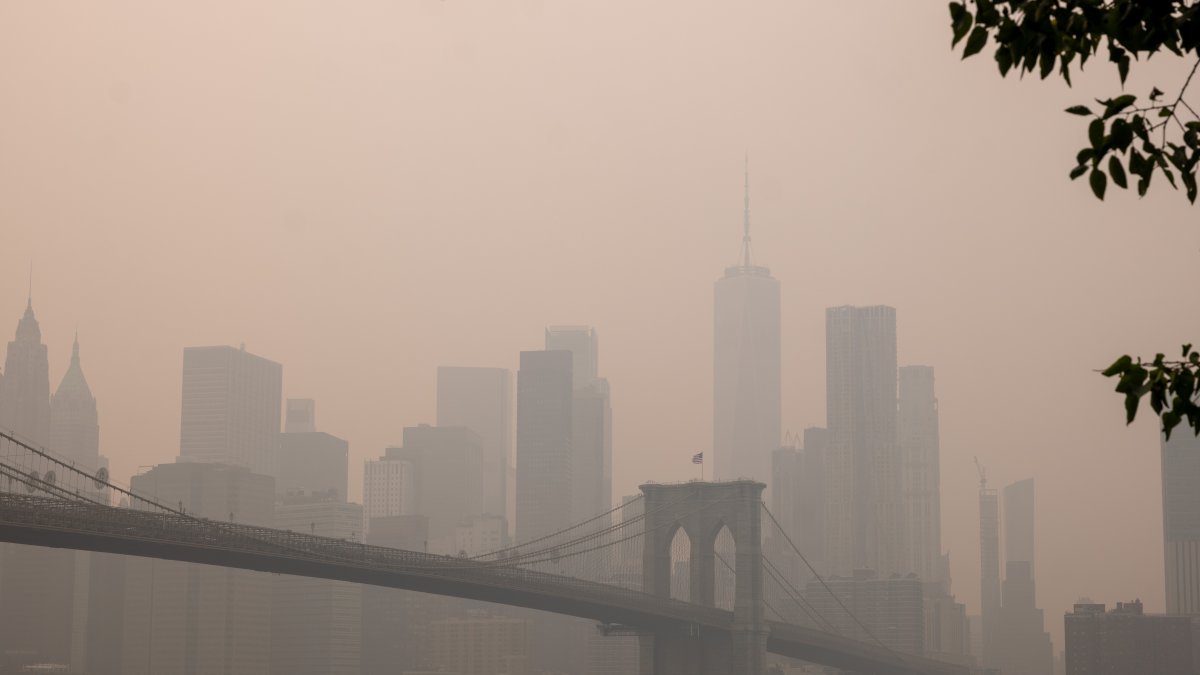
That changes the shopping criteria. A monitor that is good for curiosity is not necessarily good for a Queens apartment with the windows shut, a purifier running, and someone trying to decide whether the indoor air is getting worse or better. Consumer Reports found that the best monitors in its testing detected unhealthy PM2.5 levels in under 30 seconds, while some poorly rated models never triggered during cigarette-smoke tests.[4] For wildfire smoke, that response speed is not a luxury spec.
Start With The Pollutant, Not The Display
The first filter is simple: if a monitor does not measure PM2.5, it is not the right primary device for NYC smoke events. CO2 can tell you whether a room is under-ventilated. Temperature and humidity can explain comfort. VOC readings may flag cooking, cleaning products, or off-gassing. But the pollutant that turns wildfire smoke into an indoor emergency is fine particulate matter.
NYC’s problem is not only smoke drifting in from far away. The NYC Community Air Survey says more than 30% of the city’s PM2.5 comes from local sources, including building heating and traffic.[5] That matters for apartments near busy roads, buildings with older heating systems, and homes where the air changes block by block. A monitor bought for the worst days should not become useless on the days between them.
| Sensor | Why it matters in an NYC apartment | How much weight to give it |
|---|---|---|
| PM2.5 | Tracks wildfire smoke and fine particles from combustion sources. | Non-negotiable for the main monitor. |
| NOx | Adds context for gas-stove, boiler, and traffic-related combustion exposure. | Very useful if cooking, heating, or street exposure is a concern. |
| CO2 | Shows ventilation problems when windows are closed or rooms are crowded. | Useful, but not a smoke detector. |
| tVOC | Can flag chemical emissions from cleaning, cooking, furnishings, or products. | Helpful, but readings are often less directly actionable than PM2.5. |
| Radon | Can matter by building and apartment conditions. | Worth prioritizing if you want long-term apartment-specific screening. |
The second filter is automation. Multi-day smoke events punish manual checking. If the monitor can only tell you that the air was bad after you opened an app, it has not done enough. The useful setup is a monitor that can trigger an air purifier, send a warning, or feed a smart-home routine while everyone is sleeping, working, or trying not to stare at another number.
The Real Choice: AirGradient One Or Airthings View Plus
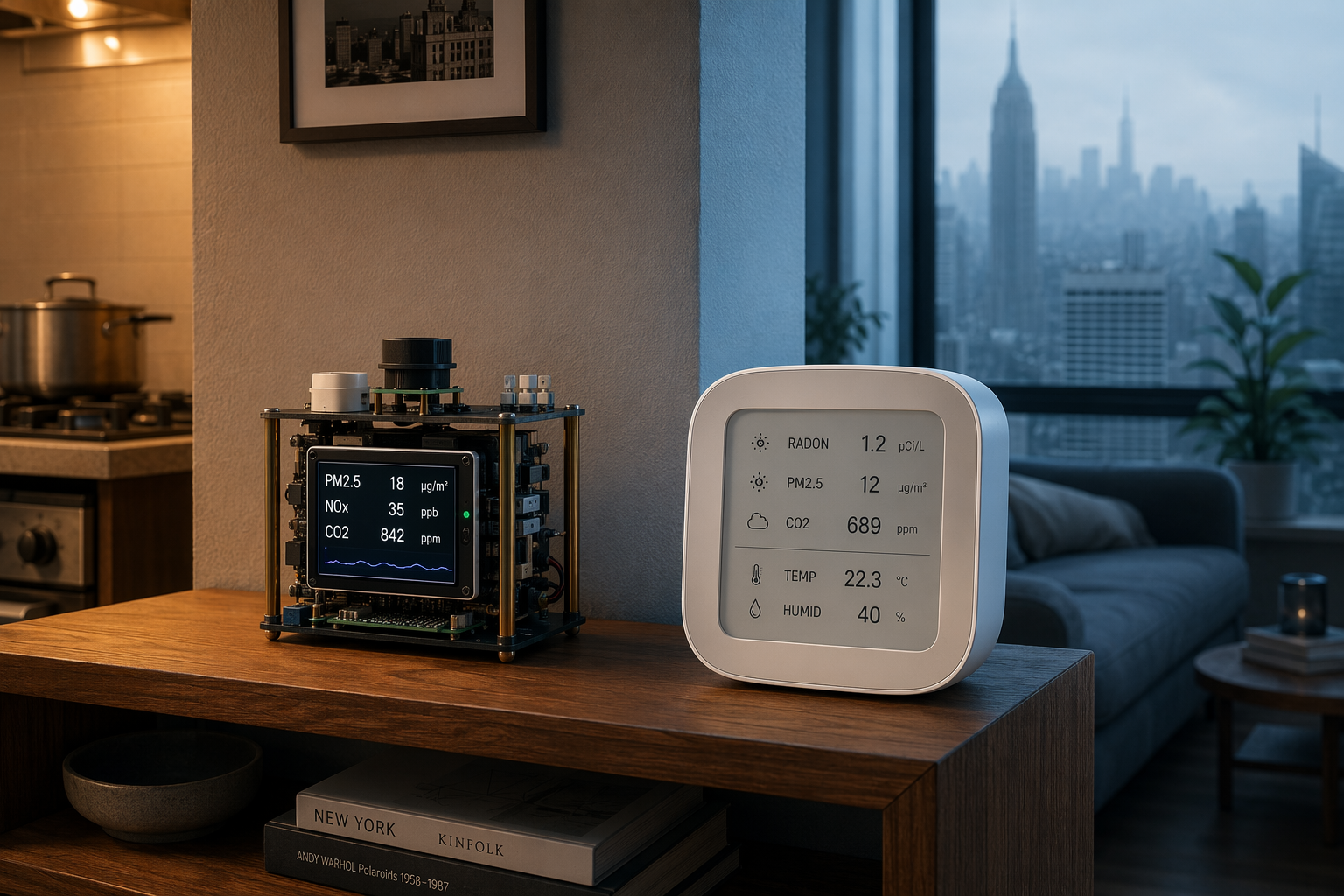
For NYC apartments, the strongest comparison is not between a dozen devices. It is between two different compromises: AirGradient One, at about $190, for broader pollutant sensing and open data; or Airthings View Plus, at about $300, for easier smart-home compatibility and radon alongside PM2.5 and CO2. Prices should still be checked before buying, especially because monitor pricing shifts.
AirGradient One: Better For Pollutant Breadth And Open Data
AirGradient One is the more interesting monitor for apartments where the air problem is not only smoke. Wirecutter named it its top home air quality monitor pick, pointing to its sensor value, NOx coverage, open data, and support for Home Assistant and Homey.[6] That combination fits NYC better than a prettier device that treats “air quality” as a single blended mood.
The NOx sensor is the differentiator. It will not matter equally to every renter, and it should not be sold as a universal requirement. But for a household using a gas stove, living above building equipment, or trying to separate traffic and combustion signals from general indoor stuffiness, NOx is the missing piece many consumer monitors skip.
AirGradient One also suits people who want their readings to be portable across systems and visible without being trapped in one company’s app. If you already run Home Assistant, that is a major advantage. You can build a rule that turns on a purifier when PM2.5 rises, changes fan speed at a higher threshold, and sends an alert if the purifier fails to bring the number down. For a smoke week, that is the difference between monitoring and babysitting.
The tradeoff is native mainstream platform support. AirGradient One does not have the same out-of-the-box Alexa and Google Home convenience as Airthings View Plus. If your household’s automation already lives in Alexa routines, Google Home, or SmartThings, that missing convenience can become the thing you notice every day.
Airthings View Plus: Easier For Mainstream Smart Homes
Airthings View Plus is the better fit when the monitor has to work with the smart home you already have. Its advantage is breadth of platform support: Alexa, Google, IFTTT, and SmartThings. That matters in apartments where the practical goal is not building an open dashboard, but getting a purifier to switch on when the air turns hazardous.
It also includes radon, PM2.5, and CO2. Radon is not the reason most New Yorkers start shopping during a smoke event, but it can become relevant once the device is sitting there year-round. The useful way to think about radon is apartment-specific: if you want long-term screening for your own unit, it adds value; if the immediate concern is gas-stove combustion or NOx, AirGradient One has the more directly relevant sensor mix.
The View Plus is the less nerdy answer in the best sense. It is easier to recommend to a household where nobody wants to maintain Home Assistant, troubleshoot integrations, or explain why an automation stopped working after an update. During a smoke event, the best monitor is often the one that the rest of the home will actually obey.
| If this is your apartment | Lean toward | Reason |
|---|---|---|
| You cook with gas or strongly care about combustion detail. | AirGradient One | NOx gives it a pollutant advantage that maps to gas-stove and boiler concerns. |
| You already use Home Assistant or want open data. | AirGradient One | It is stronger for local dashboards, custom automations, and sensor transparency. |
| You want Alexa, Google, IFTTT, or SmartThings with less setup. | Airthings View Plus | Its platform compatibility is the cleaner path to purifier automation. |
| You want radon included with PM2.5 and CO2. | Airthings View Plus | Radon adds long-term apartment screening that AirGradient One does not center. |
| You only want to know whether to open a window. | Neither as the only criterion | Ventilation awareness is useful, but NYC smoke days still require PM2.5 monitoring. |
Do Not Let CO2 Distract From Smoke
CO2 monitors became popular for good reasons: they make stale rooms visible, especially when windows are closed. But for the target problem here—NYC’s worst air days—they are secondary. A CO2-only monitor can tell you that the room needs ventilation at the exact moment outdoor air is the thing you are trying not to bring inside.
SwitchBot Meter Pro CO2, at about $55, fits that limited role. It is a budget ventilation tool with Alexa access through a Hub Mini, and it can be useful for people trying to understand stuffiness, humidity, and indoor comfort. It should not be treated as the main smoke monitor because it lacks PM2.5 sensing.
Qingping Pro Gen 2 is more sensor-rich, with CO2, PM2.5, PM10, and tVOC at about $150. Its problem is not the sensor list; it is the smart-home context. Xiaomi Home integration can make sense for some households, but it is a narrower fit in the U.S. than Alexa, Google, SmartThings, IFTTT, or Home Assistant-centered setups.
What To Pass Over
Aranet4 HOME is a respected CO2 monitor, but it has no particulate detection. That makes it the wrong primary purchase for wildfire smoke, even if it is excellent at its own job. Bluetooth-only monitors belong in the same caution pile for this use case: if someone has to be nearby, awake, and checking a phone, the device is not carrying enough of the burden.
The Consumer Reports smoke-response result is also a hard boundary. If a monitor fails to trigger during smoke testing, it should not be trusted as the device that decides whether a purifier runs during a hazardous event. Consumer Reports specifically noted that Ikea Alpstuga and uHoo never triggered during its cigarette-smoke tests.[4]
Matter deserves caution, too. It is worth checking before purchase, especially if your home is built around a Matter controller, but it should not be assumed from vague compatibility language. For air quality monitors, current support is inconsistent enough that the safer rule is to verify the exact device, exact sensor exposure, and exact automation options before relying on it.
Set The Monitor Up To Change Something
The monitor should live where it can answer an apartment question, not where it looks best. Put it in the room where people spend the most time, away from a purifier’s direct exhaust and not directly beside a stove unless you are intentionally testing cooking emissions. If you have only one device, the living room or bedroom usually matters more than a hallway.
Then connect it to an action. A basic smoke routine can turn on the purifier when PM2.5 rises, raise fan speed if the reading keeps climbing, and send a notification if the number does not fall after the purifier has been running. More advanced setups can compare rooms, pause window-opening reminders, or separate cooking spikes from outdoor smoke by watching how fast the reading rises and falls.
For a broader buying framework, use the general guide to choosing a smart home air quality monitor in 2026. Once you have chosen a monitor, the more important next step is automation: automating a smart home air quality monitor for wildfire smoke or, for deeper platform rules, automating for hazardous conditions. If your monitor has already detected smoke indoors, use the troubleshooting guide on what to do when a smart air quality monitor detects smoke before assuming the device is wrong.
Choose AirGradient One if gas-stove or boiler-related sensing, NOx, open data, and Home Assistant-style control matter most. Choose Airthings View Plus if broad platform compatibility, easier automation, and radon are more valuable in your apartment. Either way, the monitor has not finished its job until it can make the purifier respond without waiting for someone to keep watch.
References
- Record breaking PM2.5 pollution levels in NYC in early June 2023, Centre for Research on Energy and Clean Air
- Does New York City have the worst indoor air quality in the world?, Airthings
- Air Quality Smoke Weather Wildfire Safety Health, The City Reporter, July 15, 2026
- Best Indoor Air Quality Monitors of the Year, Consumer Reports
- Real-Time Air Quality, NYC Community Air Survey / NYC Health
- The Best Home Air Quality Monitor, Wirecutter
Corrections & Community Notes
Spotted an outdated spec, changed compatibility, or new firmware behavior? Submit a correction below to help keep this profile current. For formal editorial updates, use the contact page.
Comments
Join the discussion with an anonymous comment.