
USB Zigbee Dongle vs PoE Coordinator for Home Assistant: Which One You Need
If your Home Assistant Zigbee network is unstable even with a good dongle, the problem may be where you placed it. This article helps you decide between USB and PoE coordinators based on your server setup and RF environment.
Last updated
You can buy a perfectly good Home Assistant Zigbee hub, plug it into the machine running Home Assistant, and still end up with contact sensors that vanish every few days. That does not automatically mean the dongle is bad. It often means the Zigbee radio is being forced to live in the same terrible place as the server: behind a mini PC, inside a metal cabinet, next to USB 3.0 ports, beside Wi-Fi gear, or down in a rack where no tiny 2.4 GHz radio was ever going to have a pleasant life.
Before shopping for a newer chip, look at the physical setup. If the coordinator is plugged directly into a USB 3.0 port, the Home Assistant ZHA documentation treats that as a known interference problem, not forum folklore: USB 3.0 can create electromagnetic interference in the 2.4 GHz band, and ZHA recommends using a USB 2.0 port or a powered USB 2.0 hub with an extension cable instead.[1]
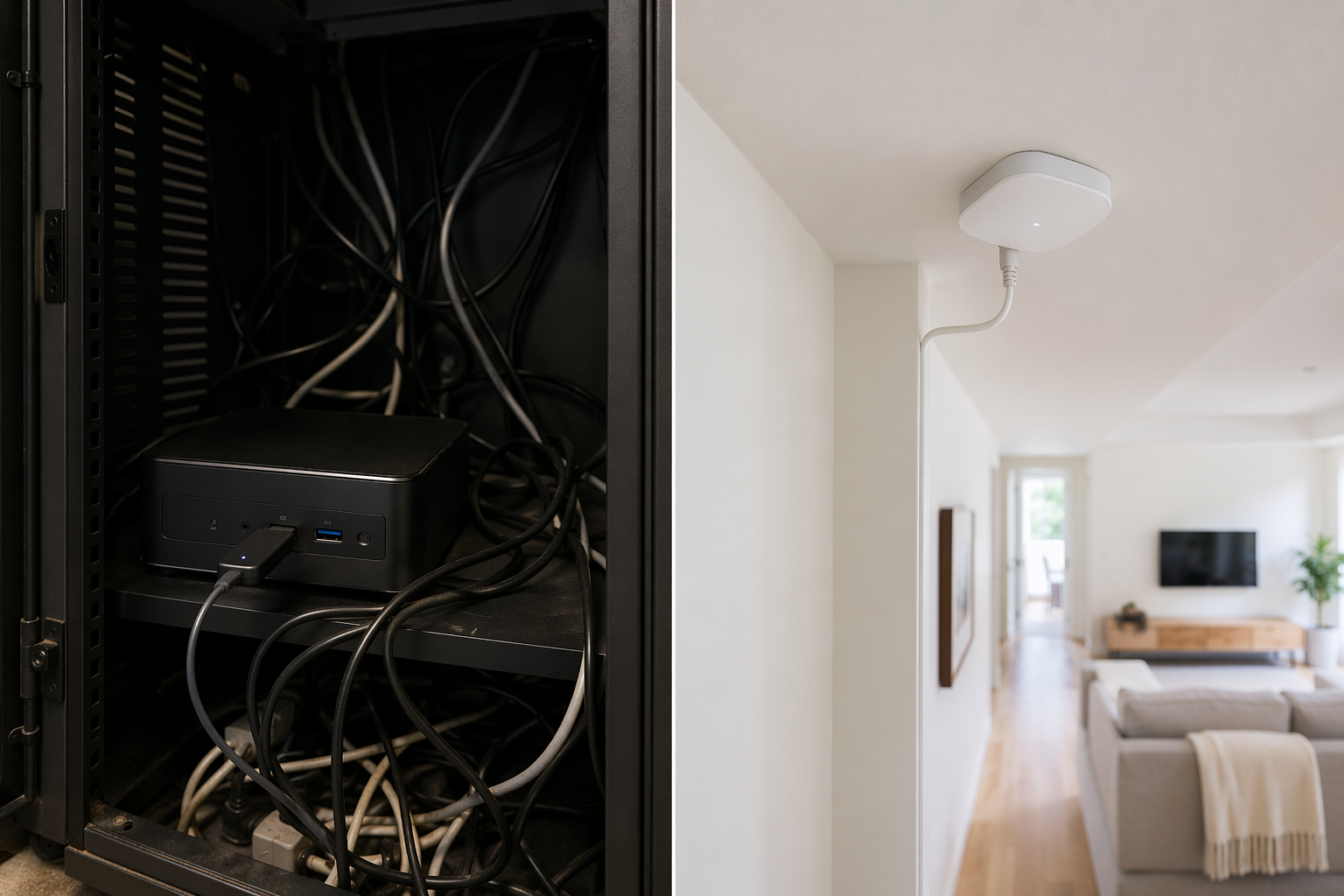
Start With Where the Radio Actually Sits
The first check is almost embarrassingly physical. Where is the coordinator? Not the server, not the dashboard, not the container. The coordinator.
- Is it plugged directly into a USB 3.0 port?
- Is it behind a mini PC, NAS, router, UPS, or external SSD?
- Is it inside a metal cabinet, rack, closet, or utility room?
- Is the server at one edge of the house while the weak sensors are on the other side?
- Is the antenna boxed in by shelving, appliances, ductwork, or dense cabling?
A USB Zigbee dongle can have a good radio and still fail this test. The problem is not that USB is primitive. The problem is that USB tethers the radio to the machine. If the machine lives in a bad RF location, the coordinator inherits that location unless you deliberately move it away.
That is why the cheapest fix should come before the clever one: put the dongle on a USB 2.0 extension cable, or use a powered USB 2.0 hub with an extension, and move it a few feet away from the noisy box.[1] Not across the house. Just out from behind the computer, away from the USB 3.0 ports, and into open air. Plenty of networks become boring after that, which is the highest compliment a Zigbee network can receive.
The Decision Is Mostly About Placement, Not Premium Hardware
A coordinator comparison matters after you know what form factor your house needs. If you want the full hardware-by-hardware breakdown, use the companion Zigbee coordinator comparison. For this decision, the shorter version is enough.
| Your setup | First move | When to consider PoE or Ethernet |
|---|---|---|
| Home Assistant server is central, open, and near a clean USB 2.0 port | Keep a USB dongle, preferably on a short extension | Usually unnecessary unless you need remote placement or cleaner management |
| Mini PC or Raspberry Pi sits near USB 3.0 devices | Move the dongle with a USB 2.0 extension or powered USB 2.0 hub | Consider PoE if the server area remains noisy or inconvenient |
| Server is in a cabinet, closet, rack, basement, or metal shelving area | Do not expect a direct USB dongle to overcome the room | PoE is the clean solution because the radio can live somewhere else |
| Detached garage, guest house, or far outbuilding | Treat it as a separate placement problem | Remote PoE over a tunnel may make sense if you want one Home Assistant instance |
This is also why “supports 350 devices” is not the question to lead with. Capacity claims describe a best-case hardware envelope. Real networks are shaped by router density, sleepy end devices, channel congestion, traffic patterns, and where the coordinator sits. A contact sensor on the far side of the hallway does not care what the box promised if the coordinator is zip-tied behind a server chassis.
When USB Is Still the Right Answer
USB is still the best value when the Home Assistant machine is already in a reasonable spot. A small server on an open shelf near the center of the home, with the coordinator on a USB 2.0 extension and away from other radios, does not need a PoE coordinator just to look more serious.
This is the setup where a basic USB coordinator can be entirely adequate: the radio has open space, the server is not buried in metal, and the weak devices are not all trying to cross the whole house through masonry and appliances. If you are building around a Raspberry Pi, mini PC, or NUC, the practical discipline is simple: keep the Zigbee stick off the body of the machine, away from USB 3.0 storage, and out from behind the cable nest. Readers still sorting out protocol basics may want the separate Zigbee protocol guide before worrying about coordinator form factors.
The Home Assistant Connect ZBT-2 belongs in this middle territory. It is not just another plain stick: its ESP32-S3 co-processor offloads serial bridging, which makes the architecture smarter than a bare USB dongle. At about $49, it is also priced like an official, tidy solution rather than a disposable adapter.[2] But it still plugs into USB. If the server is in a cabinet under the stairs, ZBT-2 does not magically move the Zigbee radio into the hallway.
When PoE Changes the Problem
PoE and Ethernet coordinators are useful because they stop making the Zigbee radio follow the server. The Home Assistant box can stay in the rack, cabinet, basement, or network closet. The coordinator can move to a central wall, hallway, upstairs landing, or open shelf where the mesh has a fair chance.
That is the real upgrade: being able to ask, “Where should the radio live?” instead of “Where did I happen to put the server?”
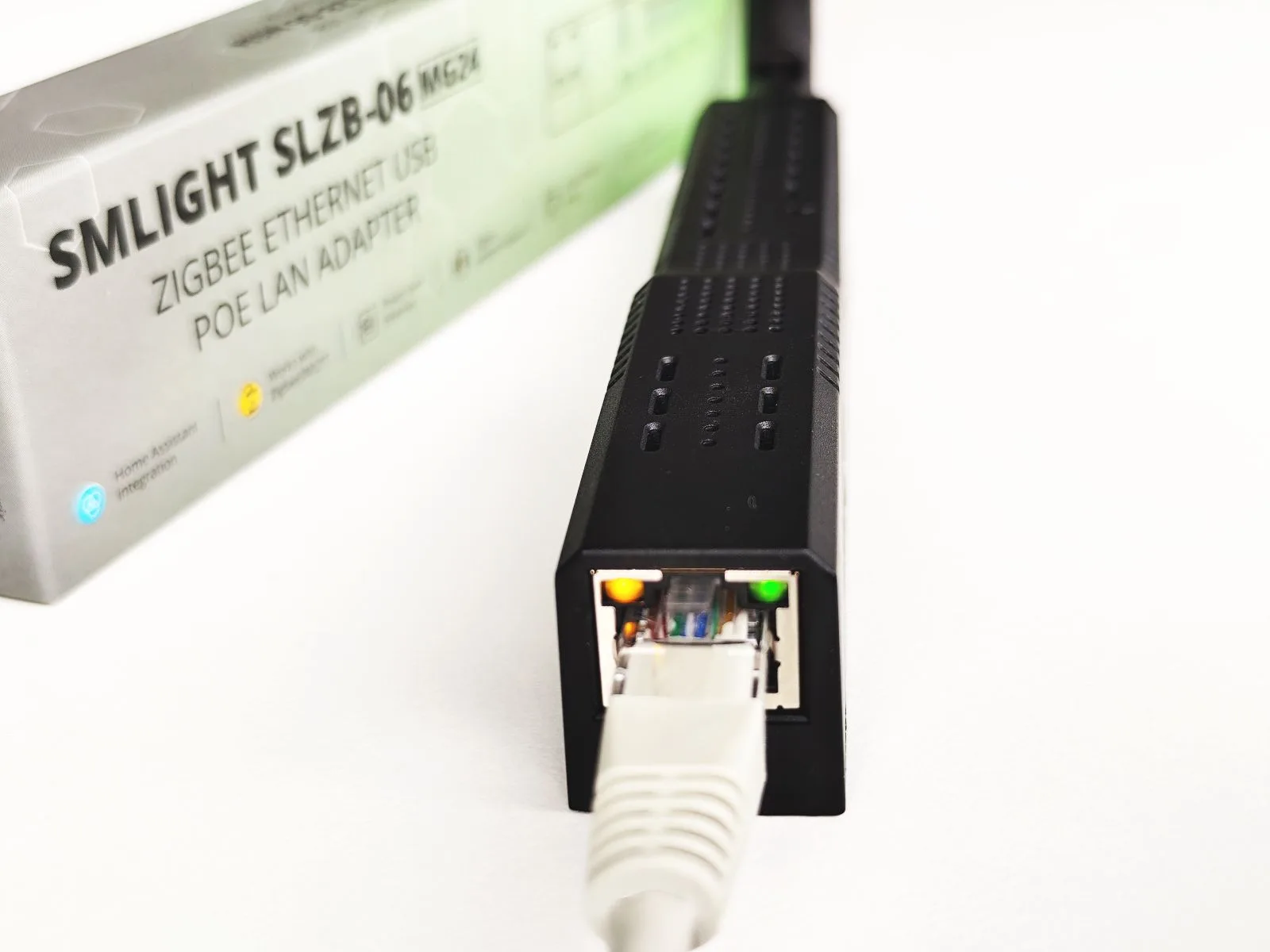
The SMLight SLZB-06MG24 is a good example of why this category has become interesting. It separates network duties from Zigbee duties: an ESP32 handles Ethernet and Wi-Fi connectivity, while the EFR32MG24 is dedicated to Zigbee. That means dashboard access, firmware updates, or remote rebooting of the connectivity side are separated from the Zigbee radio work.[2]
That architecture matters more in a serious install than another glossy device-count claim. If the coordinator is mounted where the mesh wants it and powered over Ethernet, you remove several dumb failure points at once: no loose USB stick hanging off a tiny PC, no radio trapped behind the server, no dependency on the only convenient USB port being the worst RF port in the room.
Where Newer Chips Actually Matter
Chip generation is not irrelevant. It is just usually not the first thing to fix. EFR32MG24-based coordinators have 256 KB of RAM and 1.5 MB of flash, compared with 96 KB of RAM and 1 MB of flash on EFR32MG21-based hardware, giving roughly three times the RAM headroom for larger networks.[2] That can matter once the mesh grows and traffic increases.
But headroom is not the same as guaranteed stability. A coordinator with a stronger spec sheet can still be placed badly. A smaller network with good router coverage and a clean coordinator location may behave better than a larger, newer-chip setup forced to radiate from a rack in the basement.
This is the right place to mention the Sonoff Dongle Max. It is a USB, Ethernet, PoE, and Wi-Fi-capable hybrid priced around $42–50 in the CNX Software review, and its built-in 2.4 GHz channel energy scan can visualize channel congestion so users can choose a cleaner Zigbee channel.[3] That is a genuinely useful diagnostic feature. It tells you something about the air around the coordinator instead of asking you to guess.
Even then, the same ordering applies. A channel scan helps once the coordinator is in a plausible place. It does not make a metal cabinet transparent.
A Practical Upgrade Path
If your Zigbee network is already unstable, do not change five things at once. Work through the setup in a way that lets you learn what actually helped.
- Move the existing USB coordinator away from the server with a USB 2.0 extension cable or powered USB 2.0 hub, especially if it is near USB 3.0 ports.[1]
- Give the mesh time to settle, then watch the devices that were actually failing: the hallway contact sensor, the far bedroom motion sensor, the leak sensor under the sink.
- If the server location is still physically hostile, stop trying to make USB solve a placement problem and move to Ethernet or PoE.
- If the network is large or growing quickly, prefer newer headroom such as EFR32MG24, but treat it as capacity margin, not a cure for bad RF.
- For detached spaces, consider a remote PoE coordinator over WireGuard only when the space is genuinely separate, such as a garage or guest house, and you still want it tied back to one Home Assistant instance.[2]
There are newer dual-radio boards such as SMLight’s SLZB-MR3 and SLZB-MR5, but beginners should be careful with bleeding-edge hardware that has less community deployment history. It may be the right tool later. It is rarely the first fix for a network whose coordinator is currently sitting behind a mini PC.
There is also some uncertainty around long-term vendor dynamics after Texas Instruments announced an acquisition of Silicon Labs in February 2026, but the practical implication for EFR32MG24 coordinator buyers is not settled as of mid-2026.[2] That is worth knowing, not worth using as the main decision point.
Choose the Form Factor Your House Needs
Keep USB if the Home Assistant server is central, open, and easy to separate from USB 3.0 noise. Spend the small money on a proper USB 2.0 extension before spending real money on a coordinator upgrade. If that fixes the drops, you did not need a more impressive box.
Choose PoE or Ethernet if the server lives where Zigbee should not: a rack, closet, metal cabinet, basement, utility room, or corner of the house. In that setup, the coordinator’s most important feature is not a headline device count. It is the ability to live where the radio needs to live.
If you are still chasing unexplained drop-offs after fixing placement, move into a broader Zigbee smart home hub troubleshooting pass: router coverage, channel selection, firmware, and device-specific behavior can all matter. Just do not skip the boring physical check. The boring check is often the one that saves the network.
References
- Zigbee Home Automation, Home Assistant
- Best Zigbee Coordinators for Home Assistant 2026, SmartHomeScene
- Sonoff Dongle Max / Dongle-M review – A Zigbee, Thread, PoE, USB, and WiFi adapter tested with Home Assistant, CNX Software, January 27, 2026
Known issues with this device / protocol
Spec-version history
For active regressions on this protocol, see Update Watch.
No linked Update Watch entries yet.