
If you are buying a 55-inch Samsung Frame TV in 2025 or 2026 and wondering whether it can handle smart home integration without another little hub tucked behind the console, the practical answer is yes for many SmartThings-first homes. The current 55-inch Frame models in scope — the 2025 LS03FA and the 2026 LS03HE/LS03HW families — can function as a built-in SmartThings hub, with Matter, Thread, and Zigbee support. Samsung says TVs Q60 and above released after 2022 include a built-in SmartThings hub with Matter, Thread, and Zigbee support, and the Frame sits in that covered class rather than requiring a separate SmartThings Station just to get started.[1]
That does not make the TV a universal smart home brain. It does not add Z-Wave. It does not turn every automation into a fully local routine. It does not make an old clearance Frame from the wrong model year magically equivalent to a 2025 or 2026 set. But for a household already centered on SmartThings and building around Matter, Thread, and Zigbee devices, the 55-inch Frame can replace a separate SmartThings hub box in a way that is more than marketing convenience.
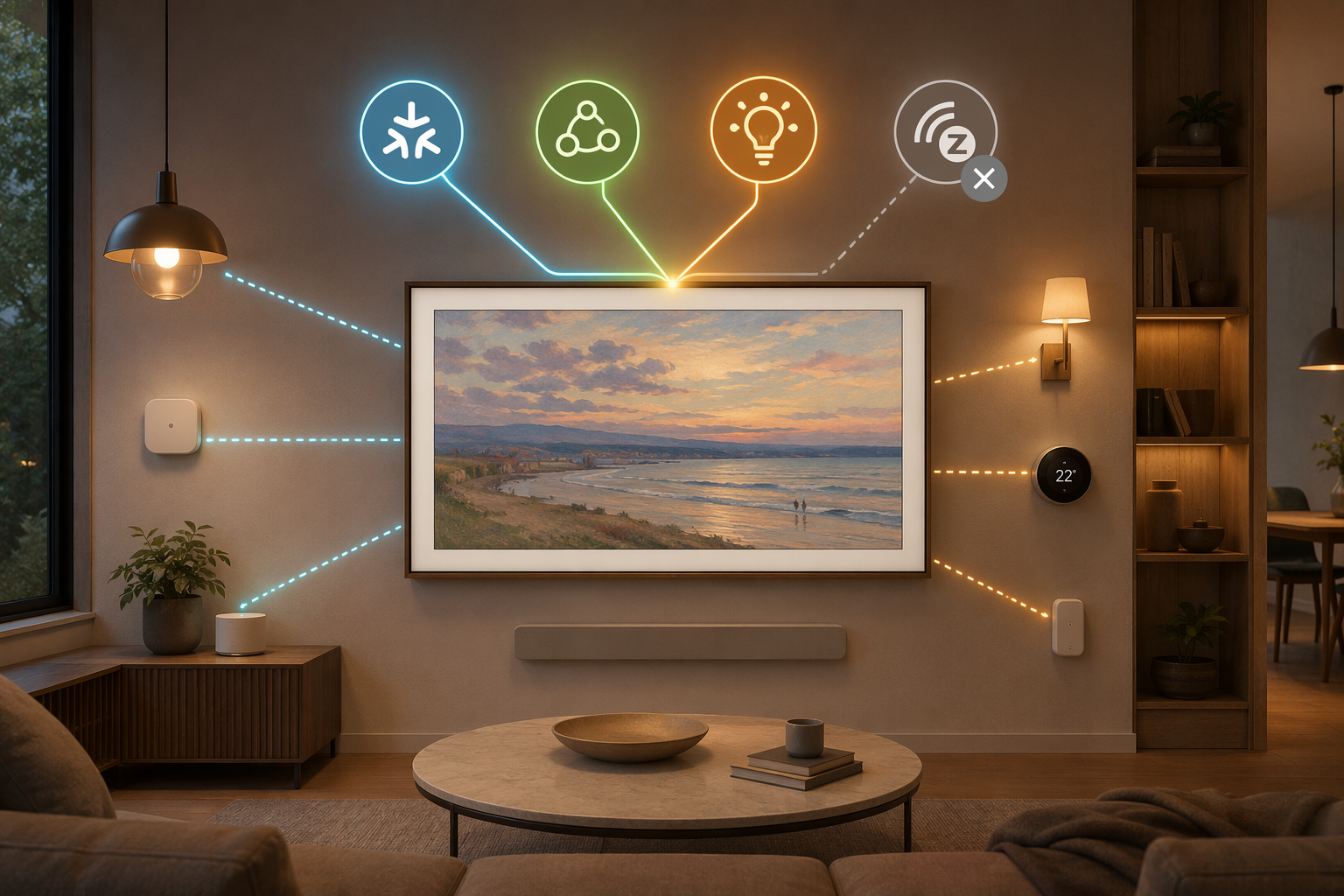
The built-in hub claim, narrowed to the 55-inch Frame
The most useful way to read Samsung’s hub language is by separating the TV line from the exact model year. Samsung’s SmartThings page makes the broad claim: Q60-and-above TVs released after 2022 include a built-in SmartThings hub with Matter, Thread, and Zigbee support.[1] For the buyer comparing a 55-inch Frame against a separate SmartThings Station or Aeotec-style hub, that matters because the hub is part of the television rather than an add-on purchase.
For the Frame models this article is actually about, the cleaner reading is: treat the 2025 LS03FA and 2026 LS03HE/LS03HW 55-inch Frames as hub-capable SmartThings TVs. The 2026 Frame Pro LS03HW adds a display upgrade, but the available hub evidence does not make the smart home hub a Pro-only feature. If the decision is smart home integration rather than picture technology, the important split is not standard Frame versus Frame Pro; it is compatible model year versus older stock.
The Thread part is also not just a vague “works with smart home devices” promise. A Thread Border Router certification listing identifies Samsung Frame model families including LS03F and LS03HE/LS03HW as having an integrated Thread Border Router.[2] That is the detail that makes the 55-inch Frame interesting as infrastructure: it is not only a TV that can show a SmartThings dashboard, but hardware that can participate in the network layer for Thread devices.
What the Frame TV is doing when it acts as a hub
The word “hub” gets too much work dumped on it. In this case, the 55-inch Frame is covering three different jobs: Matter controller, Thread Border Router, and Zigbee coordinator. Those roles overlap in the SmartThings app, but they are not the same piece of plumbing.
| Hub role | What it means in practice | What it can replace |
|---|---|---|
| Matter controller | Adds, manages, and controls Matter devices from SmartThings | A separate Matter-capable SmartThings hub for Matter control |
| Thread Border Router | Connects Thread devices to the home network and the SmartThings ecosystem | A separate Thread Border Router for SmartThings-centered Thread devices |
| Zigbee coordinator | Pairs and coordinates Zigbee devices through SmartThings | A separate Zigbee-capable SmartThings hub for many Zigbee sensors, buttons, and lights |
| Z-Wave hub | Not present on the Frame TV | Not replaced |
As a Matter controller, the Frame can add and control Matter devices inside SmartThings without requiring a second hub only for that controller role. This is the part that matters when a new smart plug, light, thermostat, or sensor arrives with a Matter setup code and the household wants it to live in SmartThings. If you want the longer version of what breaks when the controller role is missing, a dedicated Matter hub explainer is the right place to go deeper; for this buying decision, the key point is that the TV can perform that role.
As a Thread Border Router, the Frame gives Thread devices a route back into the broader IP network. Thread devices do not talk to Wi-Fi directly just because they are Matter devices; they need a border router somewhere in the home. The Frame can be that device for a SmartThings-centered setup, which is why the Thread certification trail matters. For households comparing all the possible boxes and displays that can do this, a Thread Border Router guide helps separate the role from the product category.
As a Zigbee coordinator, the TV can take over the job many people bought a SmartThings hub for in the first place: pairing and managing Zigbee devices such as sensors, buttons, plugs, and lights through SmartThings. This is where the built-in hardware can remove a real box, not just a theoretical one. A house that uses SmartThings routines with Zigbee contact sensors, Matter lights, and Thread accessories is exactly the kind of house where the Frame’s built-in hub earns its keep.
What separate hardware it can realistically replace
The cleanest replacement case is a normal SmartThings home with no Z-Wave devices. In that setup, the 55-inch Frame can stand in for a dedicated SmartThings Station or similar SmartThings hub for Matter, Thread, and Zigbee duties. The hub is already part of the TV, with no separate subscription or separate hub purchase identified as necessary just to activate that built-in hub role.
That means a buyer choosing between “TV plus hub” and “TV as hub” can usually remove one device from the shopping list if the planned device mix is Matter, Thread, Zigbee, and Wi-Fi through SmartThings. The difference is not only the cost of a small hub. It is one less power adapter, one less Ethernet or Wi-Fi client to place, one less thing to label when someone eventually asks why there are three plastic squares blinking in the cabinet.
The Frame also makes sense as the primary hub when the household wants smart home control to remain visually present in the room. A dedicated hub usually disappears into a closet. The Frame is already on the wall or console, already powered, and already tied to Samsung’s interface. For many buyers, that is the whole appeal: the infrastructure hides inside something they were buying for the room anyway.

Where the replacement stops
Z-Wave is the hard stop. A SmartThings Community moderator identified that the TV hub does not include a Z-Wave radio, and Z-Wave users still need a separate Aeotec Smart Home Hub or equivalent.[3] That is not a small footnote if the home already has Z-Wave locks, switches, sensors, or specialty devices. Those devices cannot join the Frame TV directly just because the TV is called a hub.
This is the compatibility trap in its most common form: “hub included” sounds complete until the missing radio is the one your door lock uses. Matter, Thread, Zigbee, and Z-Wave describe different pieces of the smart home stack. The Frame’s hub support is strong for the first three listed in Samsung’s compatibility claim, but Z-Wave remains outside that built-in hardware story.[1][3]
There is also a local-control boundary. Multiple SmartThings hubs can coexist on one account, but routines spanning devices on different hubs run through the cloud rather than locally, according to the SmartThings Community discussion.[3] A household with the Frame as one hub and another hub handling legacy devices may still work day to day, but that is not the same architecture as a single fully local automation system.
That distinction matters most during outages, latency-sensitive automations, or homes deliberately designed around local execution. If a motion sensor on one hub is supposed to trigger a device on another hub, the path can leave the house and come back through cloud services. Readers building around outage resilience should treat the Frame as one capable hub, not as proof that every routine will stay local. A broader local-control guide is more useful than pretending all hubs behave the same under stress.
Account limits still apply
The built-in hub does not create a private unlimited version of SmartThings. Samsung’s SmartThings page footnotes list account and location constraints, including up to 300 devices per location, up to 10 locations per account, and up to 20 rooms per location.[1] Those limits are generous for a normal home, but they are still the boundary for unusually dense installations, multi-property accounts, or test-heavy enthusiast setups.
Most 55-inch Frame buyers will never get near those ceilings. The people who should care are the same people likely to have multiple hubs already: landlords managing several locations, hobbyists with a large device lab, or households that have accumulated years of sensors, buttons, bulbs, bridges, and test devices. For them, the Frame can reduce hardware, but it does not erase SmartThings account design.
The model-year check is not optional
The safest buying language is “2025 or 2026 55-inch Frame,” not simply “a Frame TV.” Samsung’s broad hub statement covers Q60-and-above TVs released after 2022, but buyers looking at discounted inventory should still verify the model year and model code before treating the TV as their primary hub.[1] Retail pages, open-box listings, and warehouse deals are exactly where smart home assumptions go to get expensive.
For the models in scope, LS03FA points to the 2025 Frame family, while LS03HE and LS03HW identify the 2026 standard Frame and Frame Pro families discussed in the research brief. The Thread Border Router certification evidence for LS03F and LS03HE/LS03HW supports the Thread side of the claim for these newer families.[2] If the box, invoice, or product page uses an older or unclear model code, confirm it before removing a separate hub from the plan.
Purchase caveats that should stay in proportion
The 2026 Frame Pro’s Neo QLED upgrade may matter a lot to someone choosing a television, but it does not appear to change the hub story. The hub capability belongs to the supported Frame model families rather than being the reason to buy the Pro version. If the smart home question is the only question, the standard 2026 Frame and the Frame Pro should be judged by compatible hub roles first, display preferences second.
Price comparisons should also be kept in their lane. Samsung.com list prices put the 55-inch Frame 2026 at $1,199.99, the 2025 model at $1,299.99, and the 2026 Frame Pro at $1,499.99, but actual retail pricing can move.[4] Those numbers may affect whether the “free hub inside the TV” feels like a meaningful savings, yet they do not change which radios and controller roles are present.
The upcoming SmartThings API paid-tier note belongs in the same category: relevant for some integrations, not a reason to misread the built-in hub. SmartThings paid API tiers around October 2026, including a $4.99/month Personal plan, may affect future Home Assistant integration functionality.[5] That is separate from the built-in hub itself, which is not identified as requiring that subscription.
The practical buying rule
Treat the 55-inch Samsung Frame TV as your primary smart home hub if the home is SmartThings-first, the model is a 2025 LS03FA or 2026 LS03HE/LS03HW family set, and the device plan is built around Matter, Thread, Zigbee, and Wi-Fi. In that situation, the TV can do the work many households would otherwise assign to a separate SmartThings hub.
Treat it as one hub among others if the home depends on Z-Wave devices, Home Assistant integrations that need their own architecture, or strictly local automations spanning multiple controller ecosystems. The Frame’s smart home integration is genuinely useful because it makes dedicated hardware unnecessary for many homes. It is not useful when the word “hub” is stretched so far that the missing radio or cloud path gets discovered only after the TV is on the wall.
References
- SmartThings, Samsung
- Samsung devices with a built-in Thread Border Router, Matter & Apple HomeKit Blog
- SmartThings Community thread, SmartThings Community
- Samsung.com list prices, Samsung
- SmartThings API paid tiers, SmartThings
Corrections & Community Notes
Spotted an outdated spec, changed compatibility, or new firmware behavior? Submit a correction below to help keep this profile current. For formal editorial updates, use the contact page.
Comments
Join the discussion with an anonymous comment.