
Smart Home Devices Tested for Power Outage Preparedness
A dated, hands-on-verified guide to which smart home devices keep working when the grid fails, organized across four layers: network gear on a UPS, battery-powered devices, local-protocol hubs, and whole-home battery systems. Each device class carries a status label (Confirmed / Workaround / Investigating) with a verification date, so pre-purchase researchers know what to trust before the next outage.
Last updated
As of Aug. 25, 2026, the useful way to shop for smart home devices for power outage preparedness is not to ask whether a product “works in an outage.” That phrase hides too many layers. A smart lock with a healthy battery can still unlock at the door while its app looks dead. A camera can keep recording to local storage while remote viewing disappears. A hub can run a Zigbee automation locally, but only if the hub and the network path it needs are also on backup power.
This is not a niche storm-season concern. U.S. electricity customers averaged 11 hours of electricity interruptions in 2024, roughly double the prior decade’s annual average, and Hurricanes Beryl, Helene, and Milton drove about 80% of those outage hours, according to the U.S. Energy Information Administration.[1] That is long enough for a doorbell battery to look fine, a modem UPS to run out, a cloud routine to stall, and a buyer to discover which layer they never backed up.
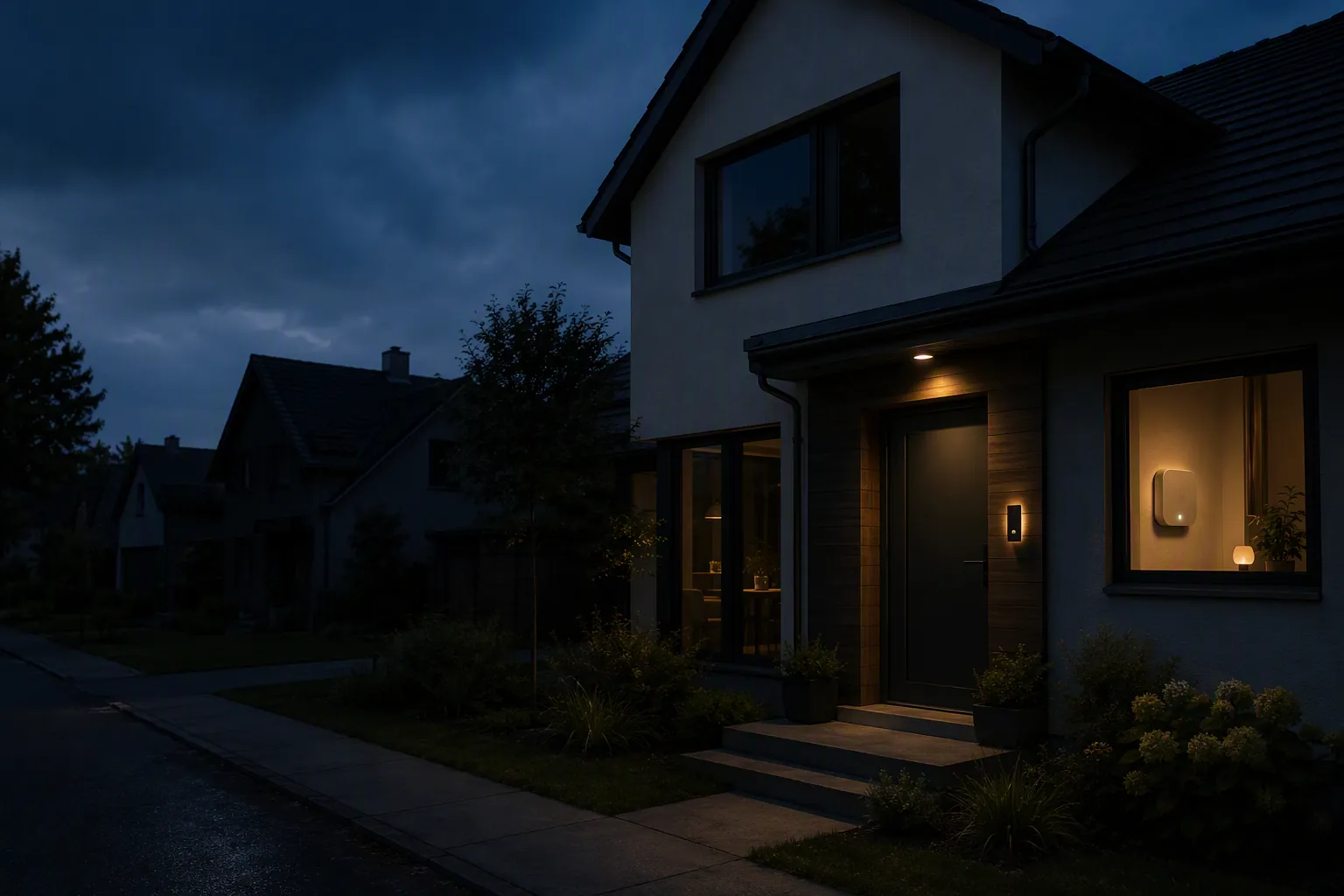
NestGrid uses a four-layer outage model here for pre-purchase screening: network gear on a UPS, battery-powered endpoint devices, local-protocol hubs, and whole-home battery systems. That model is an editorial synthesis for readability, not a framework taken from one manufacturer or lab. The status labels below are dated because an outage claim without a verification date is not a purchase standard; it is a guess with branding attached.
The dated outage report card
Use these labels narrowly. Confirmed means the behavior is supported by dated measurements, documented reviews, or directly stated product behavior under named conditions. Workaround means the device class can help, but only when another layer is also covered. Investigating means the claim is plausible or marketed, but not yet dependable enough to buy around without direct verification.
| Layer or device class | Status as of Aug. 25, 2026 | What is verified | What is not covered by the label |
|---|---|---|---|
| Modem and router on a 600–1000 VA UPS | Confirmed for short-duration connectivity | Typical modem-plus-router loads can be kept online for roughly 90 minutes to 3 hours in measured guide conditions; modem and router draws commonly sit around 10–25 W each.[2][3] | Not all-day internet, not ISP plant power, not cellular fallback, and not smart-home control if the hub or bridge is elsewhere without backup power. |
| Local-protocol hub for Zigbee/Z-Wave-style devices | Workaround | Local processing can keep supported devices and automations functioning when internet access is down, if the hub and required path still have power.[4] | Cloud-dependent hubs, voice assistants, and app routines may stop being useful when they need a cloud round trip. |
| Battery locks, doorbells, cameras, and sensors | Workaround | Battery-powered devices may keep operating as endpoints, and cameras may continue local recording where supported.[5][6] | Remote viewing, push alerts, app control, and cloud clips can fail when the router, modem, internet service, or vendor cloud path is unavailable. |
| Whole-home battery system with critical-load or smart panel design | Confirmed for documented installations | Reviewed EcoFlow-related setups have shown fast backup transfer, including under-20 ms switching and continuity across real documented outages.[7][8] | Runtime and coverage depend on panel design, selected circuits, installation, battery capacity, and the loads actually running. |
| ISP battery or cellular backup service | Investigating / provider-specific workaround | Xfinity and Spectrum market backup options meant to cover the connectivity gap that a local UPS cannot solve by itself.[9][10] | Availability, runtime, authentication requirements, service terms, and actual failover behavior must be checked for the exact address and equipment. Spectrum’s detailed 8-hour/WiFi 7/5G claims were not treated as confirmed here from accessible materials. |
If you want the shorter companion view, keep the quick-reference outage report card open while comparing products. This page is the deeper version: what each layer actually proves, where it stops, and what should still make you pause before buying.
Layer 1: the network only survives if the modem and router do
The least glamorous outage purchase is often the one that makes the rest of the smart home feel sane: a UPS for the modem and router. It will not power a house. It will not make the ISP’s upstream equipment immortal. It will, however, prevent a short outage from immediately turning every app, camera feed, hub dashboard, and cloud alert into a mystery.
The measured planning range is useful because it is modest. Modems and routers commonly draw around 10–25 W each, and a 600–1000 VA UPS can keep a typical modem-plus-router setup running for about 90 minutes to 3 hours under measured guide conditions.[2][3] That is a real result, but it should be read as short-duration connectivity support. It is not a promise that your internet will stay up through a full-day regional outage, a damaged coax line, a dead fiber terminal, or an ISP node without backup.
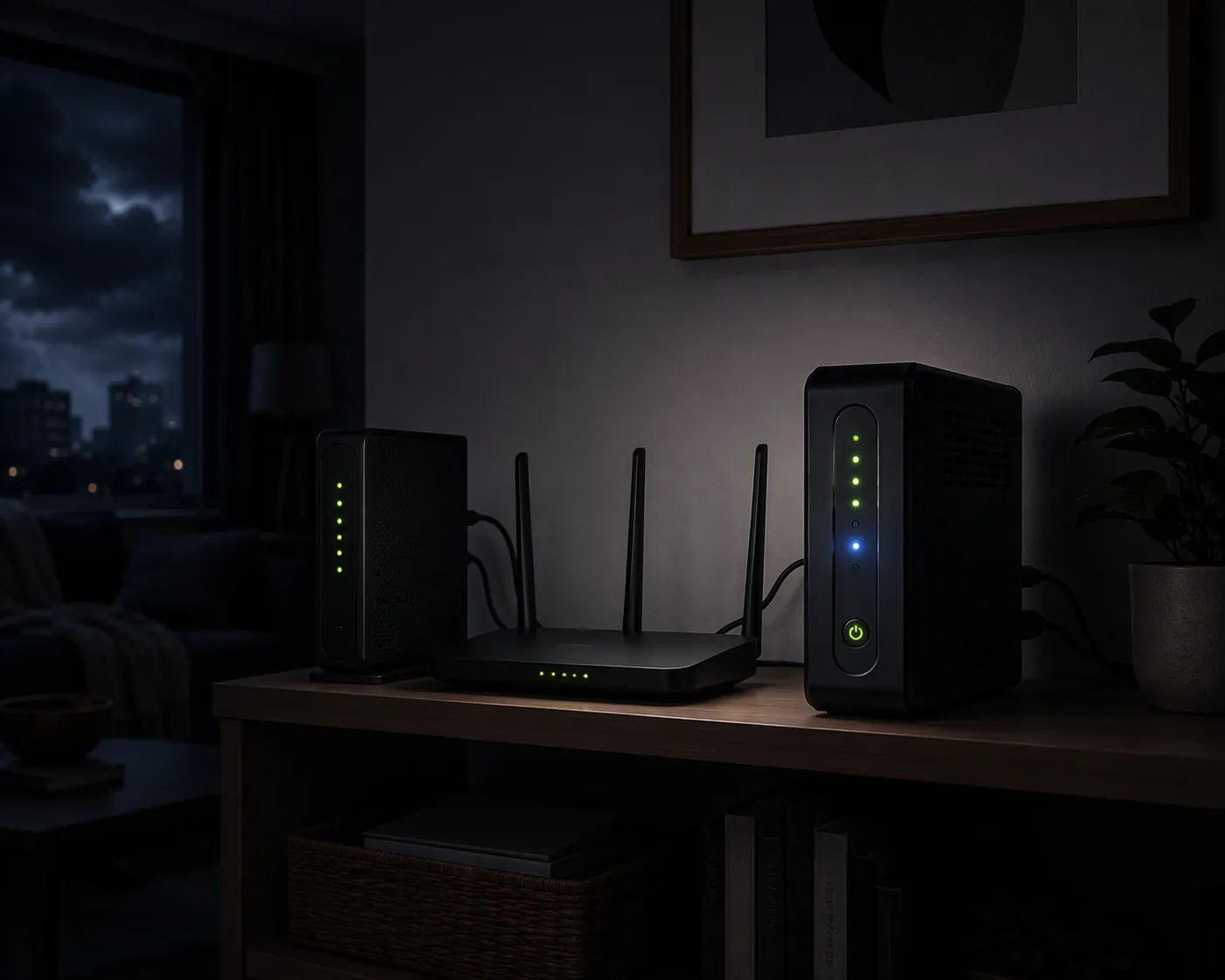
This is where many “outage-ready” carts get built backward. A buyer adds battery cameras, a smart lock, and a hub, then leaves the router on a wall outlet behind a desk. The first grid failure does not test the camera battery; it tests the network path the camera uses to show you anything remotely. If that path dies in the first second, the app may look as if the whole system failed even when several devices are still alive locally.
For pre-purchase sizing, keep the UPS job narrow: modem, router, and any required fiber ONT or gateway that must stay awake for internet access. Do not casually add a desktop PC, NAS, monitor, speaker, or decorative hub power strip to the same battery and expect the measured router runtimes to still apply. If the network shelf includes a PoE switch for cameras or access points, size that as a different load class rather than pretending it is still a simple modem-router setup.
For a more detailed sizing pass, use NestGrid’s smart home UPS sizing guide. If you want product examples rather than the compatibility logic, the tested power-outage buys page is the better continuation.
Layer 2: battery devices keep operating, but the app may not
Battery-powered smart locks, doorbells, cameras, and sensors deserve credit for solving one specific outage problem: they do not need the house circuit to be live at the moment the grid fails. A lock can still be powered by its internal batteries. A wireless camera can continue as a camera. Some camera systems can record locally when internet access is unavailable, where the model supports local storage.[5][6]
That does not mean the whole experience survives. Remote app access depends on the chain from device to router, router to modem, modem to ISP, and then whatever vendor service the app expects. If the router is dark, a battery doorbell may still sit there with power while the phone shows nothing useful. If the router is on a UPS but the internet service is out upstream, local recording may continue while cloud clips, live view, or push notifications fail.
The clean buying question is not “does it have a battery?” It is: what can the device do with only its own battery, and what requires the network layer? For a lock, that may mean keypad, fingerprint, or physical-key fallback at the door. For a camera, it may mean onboard storage or hub-based storage. For a sensor, it may mean whether the hub receives and acts on the signal locally. Treat battery power as endpoint survival, not system survival.
Layer 3: local control works only when the local path is powered
This is the layer that causes the most hallway confusion during a storm. A buyer hears “local control” and reasonably expects the smart home to keep behaving when the internet drops. Sometimes it does. Sometimes the phrase only covers part of the system. A locally processing hub can keep supported Zigbee/Z-Wave-style devices functioning during an internet outage if the hub itself has power and the required local path remains intact.[4]
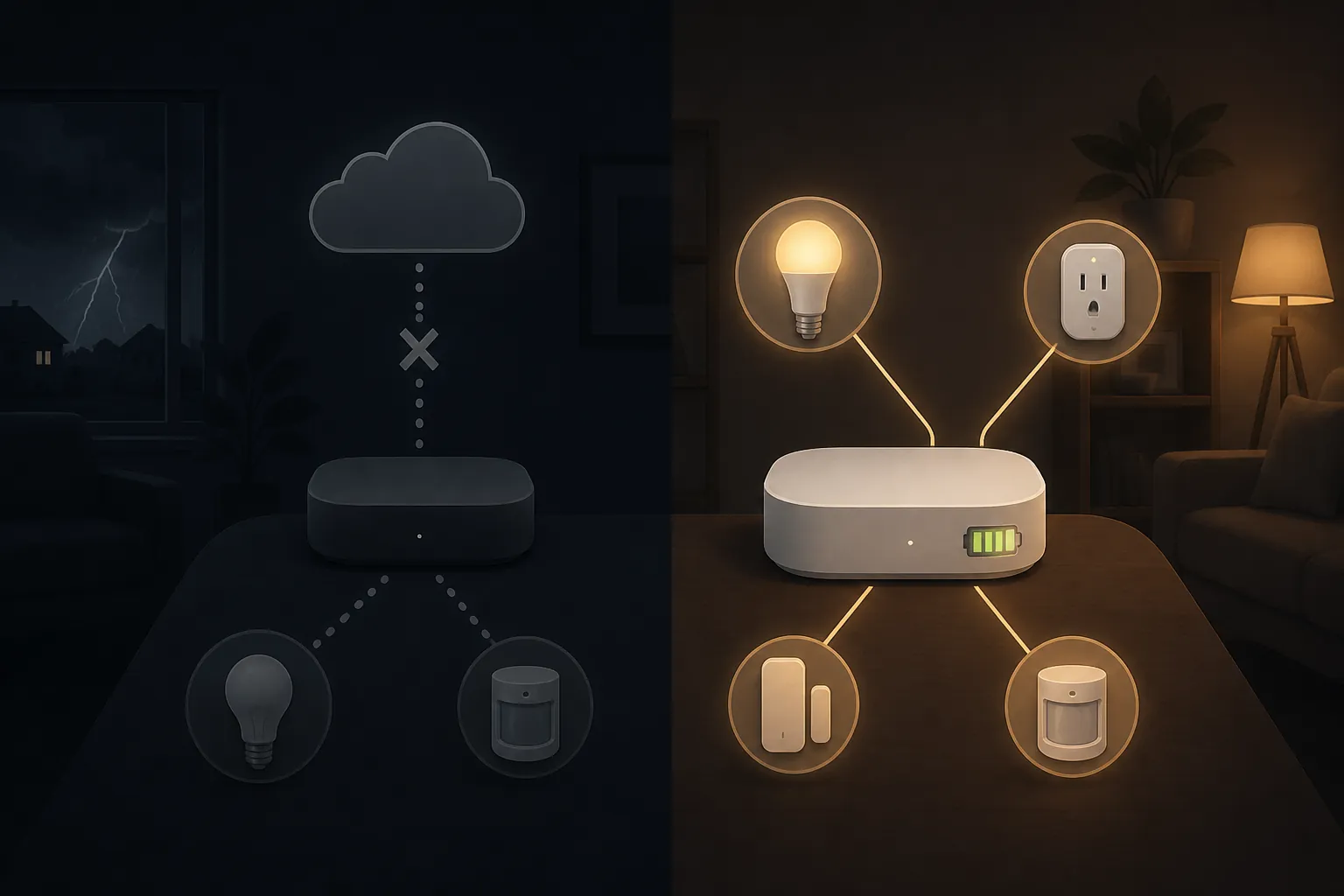
The mechanism matters. A contact sensor using a local radio protocol can report to a powered hub without needing the public internet. A motion rule stored and executed on that hub can still turn on a supported light if that light also has power or is on a backed-up circuit. But a voice assistant command that must go to the cloud, an app routine stored outside the home, or a bridge that lost power can break the chain even though the endpoint device looks healthy.
Local control also does not erase the need to map power. A hub on a desk outlet is not more resilient than the lamp beside it. If the hub depends on Ethernet through a switch in another room, that switch may need backup power too. If a local automation controls mains-powered lighting, the automation may still fire while the target light has no electricity. The protocol survived; the load did not.
Older hub articles and dated vendor pages should be read carefully here. EVVR’s explanation of cloud-dependent versus local processing behavior is useful for the mechanism, but its per-hub battery statements are from November 2021 and should not be treated as current model verification without checking the exact hub revision.[4] Community claims about Zigbee mesh recovery, Matter devices dropping after restore, or specific bridge behavior may be directionally helpful, but they belong in Investigating until reproduced in current hands-on conditions.
If your goal is local operation during storms rather than a product list, NestGrid’s storm survival and local-control explainer goes deeper on what should be stored locally, what can be cloud-dependent without much consequence, and which routines are worth testing before weather arrives.
Layer 4: whole-home batteries can make outages boring, in the right installation
Whole-home battery systems are the closest thing to making a smart home feel normal during a grid failure. The better documented examples are impressive because the handoff is fast enough that household electronics may barely notice. TechSpective’s EcoFlow Smart Home Panel 2 review described backup transfer in under 20 ms, and Bob Vila’s EcoFlow Delta Pro Ultra X review documented continuity across real outages, including clocks not blinking in that reviewed setup.[7][8]
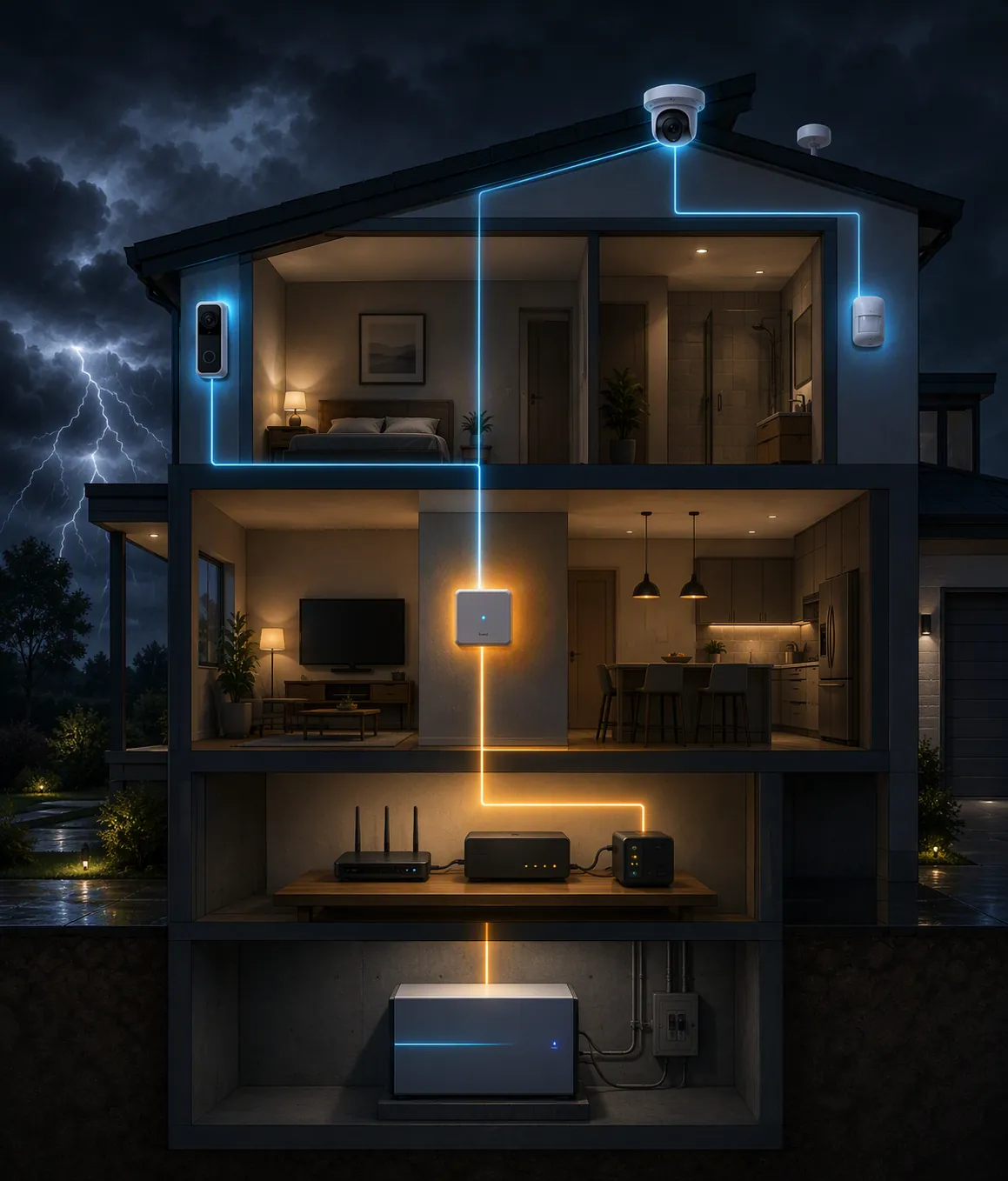
Those are documented setups, not universal promises. A whole-home battery is only as useful as the panel design, selected circuits, installation quality, battery capacity, inverter output, and load choices allow. A system that backs up the refrigerator, network shelf, hub, and a few lighting circuits is a different outage tool from one expected to carry HVAC, cooking loads, laundry, and every smart device in the house.
For smart-home preparedness, the interesting question is not whether the battery is large. It is whether the circuits that make the smart home coherent are included. Router shelf, hub location, garage access, security base station, doorbell transformer, PoE switch, and any critical lighting circuit should be named during design. Otherwise a very capable battery system can still leave the exact smart-home layer you rely on outside the backup panel.
The connectivity gap: when your house has power but the internet does not
A UPS solves the local power problem for network gear. It does not guarantee that the ISP path outside the home is alive. That gap is why provider-level battery or cellular failover products are worth watching. Xfinity publishes outage-connectivity guidance around staying connected during a power outage, and Spectrum markets “Invincible WiFi” as a continuity offering.[9][10]
The label here stays cautious. Provider backup depends on address availability, gateway model, service plan, cell signal, battery condition, and the exact failover behavior. Spectrum’s more specific claims seen in search context, including 8-hour battery/WiFi 7/5G-style language, were not treated as confirmed for this guide because the detailed page could not be fully verified from accessible materials. That does not make the product useless; it means it should not be the invisible assumption behind a purchase decision.
If remote viewing, remote unlock, or away-from-home alerts are the reason you are buying, ask the ISP question before the smart-camera question. A camera that can record locally during an outage and a router that stays on for two hours still may not help you check a live feed from another city if the broadband path is gone.
What to verify before buying
The fastest pre-purchase filter is to write the outage job in plain language. “Keep internet online for short outages” points to a UPS and maybe provider backup. “Keep the front door usable” points to lock battery health and physical fallback. “Keep automations running without cloud access” points to local execution and hub power. “Keep the whole security stack coherent” usually crosses all four layers.
- Name the weakest layer first. If the router is not backed up, remote app claims for cameras and locks become fragile.
- Separate endpoint power from system behavior. A device battery proves the device can stay awake, not that alerts, app control, or cloud clips continue.
- Demand a dated condition. Runtime means little unless the load, battery size, and test conditions are named.
- Check where automations execute. Local rules on a powered hub are different from routines that require a cloud service or voice assistant.
- Treat provider failover as address-specific. Do not assume an ISP backup product works at your home until the exact service, gateway, and terms are verified.
A pre-storm drill is still worth doing, but it belongs after the purchase screen, not in place of it. Use a pre-storm smart home drill to confirm what actually stays online, and set up power-outage alerts and backup automations only after the devices involved have a realistic power path. For network hardening before storm season, the network-layer power-outage prevention guide is the right next stop.
Post-restore behavior is its own mess: devices reconnect in different orders, hubs may see stale states, and automations can misfire after power returns. That is not the purchase question this guide is trying to answer. If the grid has already come back and devices are behaving badly, move to the smart home recovery after power outage troubleshooting page instead.
For buying, keep the standard stricter: buy for the weakest layer in your own setup, trust only dated labels tied to test conditions, and treat anything without a current verification date as not yet dependable for the next outage.
References
- U.S. customers averaged 11 hours of electricity interruptions in 2024 — U.S. Energy Information Administration, Today in Energy
- The Best Uninterruptible Power Supply (UPS) — Wirecutter, The New York Times, 2026
- Best Battery Backup UPS for Router — PowerOutage.us
- What Happens to Your Smart Devices During a Power Outage? — EVVR, November 2021
- Wireless Cameras Power Outage — eufy
- Do Security Systems Work When Power Is Out? — Reolink
- Review: EcoFlow Smart Home Panel 2 — TechSpective, July 21, 2025
- EcoFlow Delta Pro Ultra X Review — Bob Vila
- Stay Connected During a Power Outage — Xfinity
- Invincible WiFi — Spectrum
Known issues with this device / protocol
Spec-version history
For active regressions on this protocol, see Update Watch.
No linked Update Watch entries yet.