
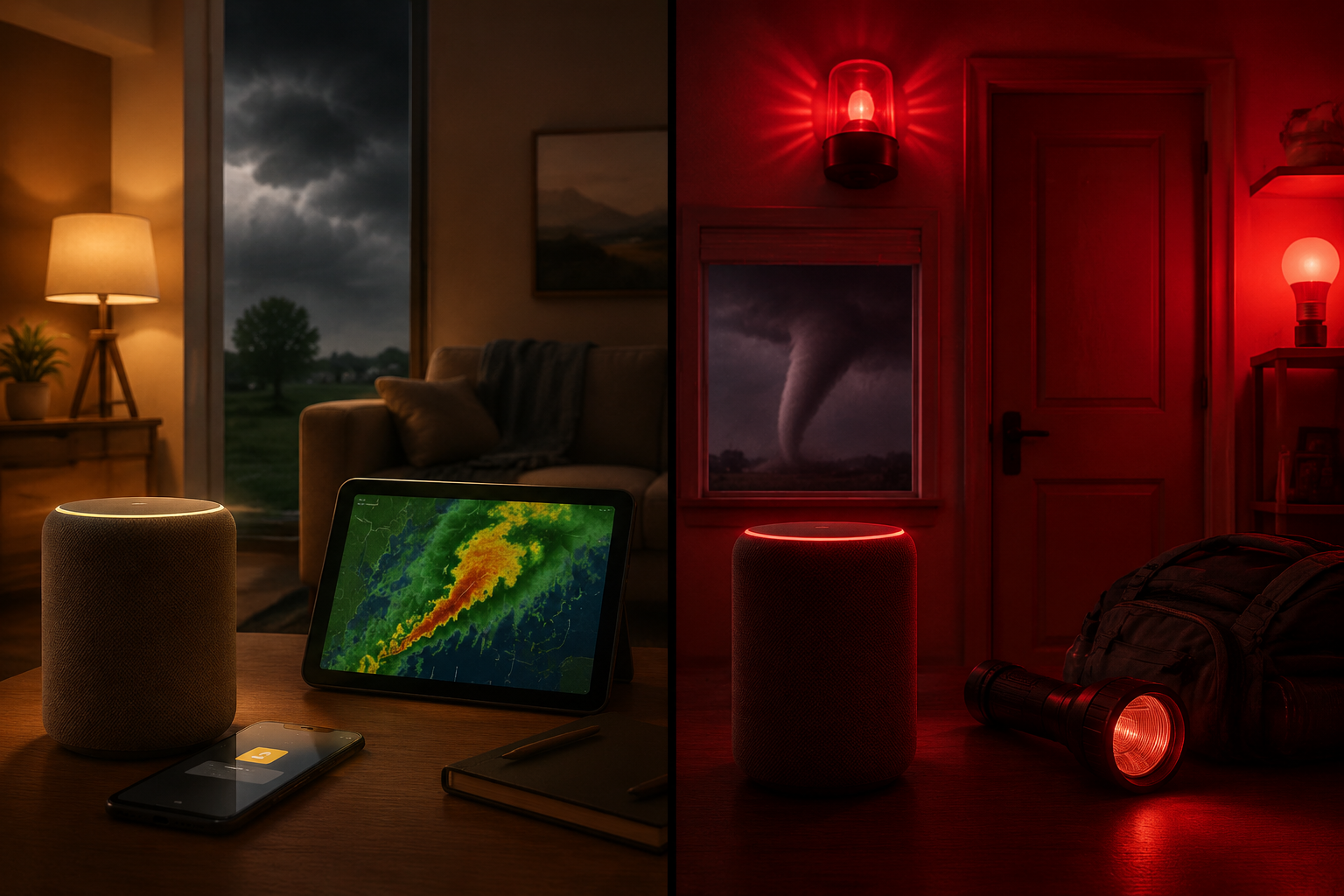
A tornado watch and a tornado warning should not make a smart home behave the same way. A watch is the moment to charge phones, clear the safe room, bring pets inside, and make sure everyone knows the plan. A warning is the moment to stop cooking, wake people up, move to shelter, and stop worrying about whether the automation is being polite.
That distinction matters in a tornado safety automation because alert fatigue is not a small bug. If every severe-weather alert turns the house red and blasts a siren, people start muting the system. If a warning arrives while someone is asleep or in the basement with headphones on, a phone notification alone is not enough.
Home Assistant makes the clean version of this possible through the National Weather Service integration. The NWS integration exposes alert state values including tornado watch and tornado warning, so the automation does not need to scrape a sentence or guess from a keyword buried in a description.[1]
The Response Model
The useful split is simple: a watch should cue preparation; a warning should interrupt normal life. That is the whole design constraint.
| NWS alert state | Household meaning | Automation tone | Typical actions |
|---|---|---|---|
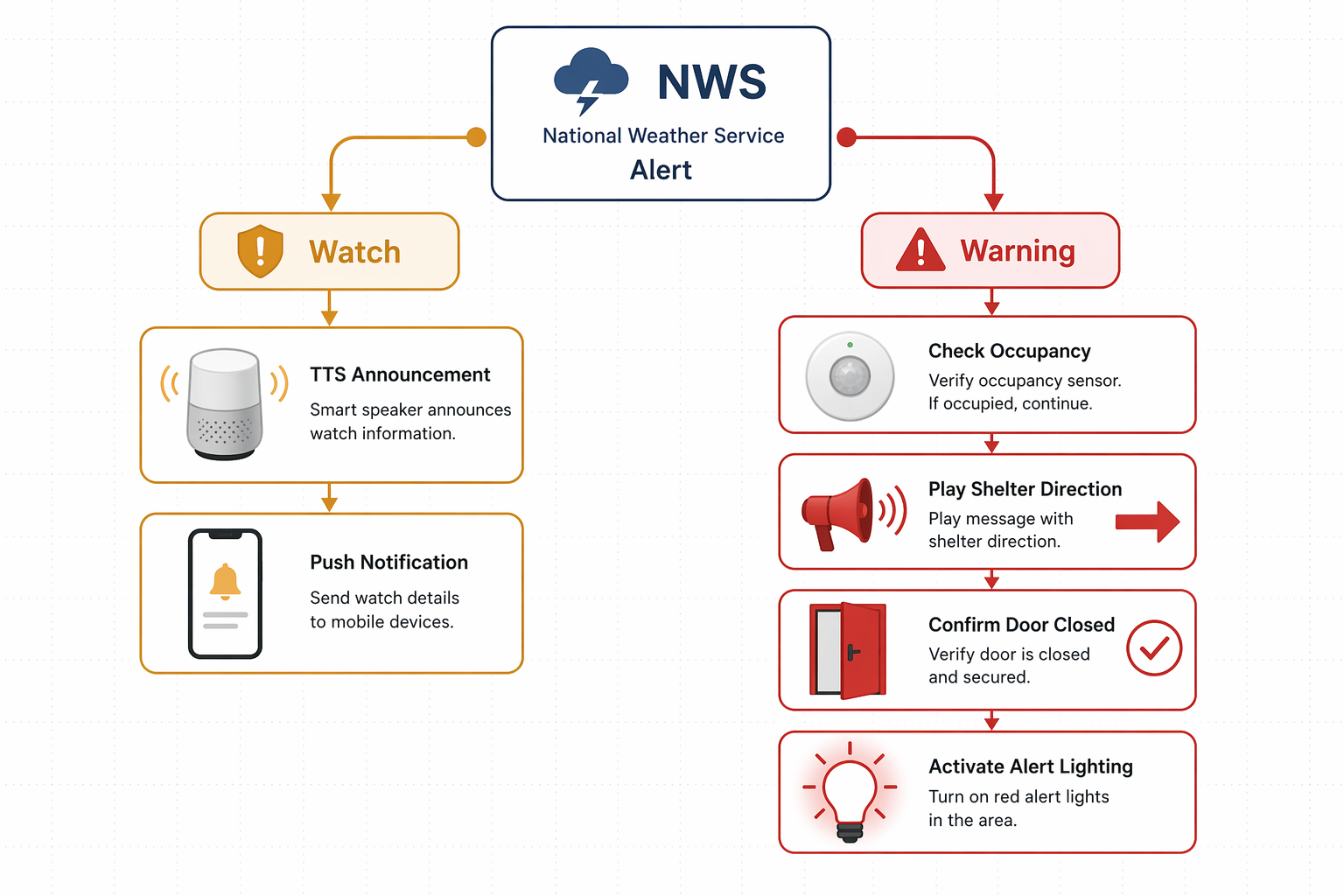
| tornado watch | Conditions are favorable; get ready | Calm and informative | TTS announcement, phone push notification, safe-room prep reminder |
| tornado warning | A tornado threat is active; take shelter now | Urgent and hard to miss | Occupied-room sirens, shelter-direction TTS, red light flashing, door and garage checks |
The warning side deserves more engineering attention because the window is short. Vivint cites an average tornado warning lead time of about 13 minutes, originally attributed to a 2014 report, which is enough time to act but not enough time to debug why a speaker group did not wake the upstairs bedroom.[2]
Prerequisites Before the YAML
This recipe assumes Home Assistant is already running and the NWS integration is installed. The workflow below follows the Home Assistant-specific Selora Homes Tornado Alert Pack, published in May 2026, which provides YAML for separate watch and warning automations, including occupancy-aware siren logic.[3]
- NWS integration: configured for your monitored location, with the alert entity available in Home Assistant.
- Mobile notification service: usually notify.mobile_app_your_phone or a household notification group.
- TTS-capable speakers: one or more media players that can announce clear shelter instructions.
- Occupancy sensors: placed where they reflect actual nighttime and daytime presence, not just motion in a hallway.
- Smart lights: ideally bulbs or switches in bedrooms, hallways, living spaces, and the safe-room path.
- Door, lock, or garage entities: optional, but useful if they can be checked safely without trapping anyone or fighting obstruction sensors.
Entity names vary wildly from house to house, so treat the YAML as a working pattern. Replace the sample entity IDs with your own before enabling the automations.
Automation 1: Tornado Watch as a Preparation Cue
The watch automation should be boring on purpose. It should be clear enough that someone glancing at a phone understands what to do, but restrained enough that the household does not treat a watch like a siren-worthy emergency.
alias: Tornado Watch - Preparation Cue
description: Calm preparation alert when the NWS integration reports a tornado watch.
mode: single

trigger:
  - platform: state
    entity_id: sensor.nws_alerts
    to: "tornado watch"

action:
  - service: tts.cloud_say
    target:
      entity_id:
        - media_player.kitchen_speaker
        - media_player.living_room_speaker
    data:
      message: "A tornado watch has been issued for your area. Please prepare your safe room."

  - service: notify.mobile_app_your_phone
    data:
      title: "Tornado Watch"
      message: "A tornado watch has been issued. Prepare the safe room, charge phones, and bring pets inside."

  - service: light.turn_on
    target:
      entity_id:
        - light.hallway
        - light.safe_room
    data:
      brightness_pct: 60
      color_name: amber
The amber lights are optional. I like them because they make the alert visible without borrowing the visual language of an emergency vehicle. If your household already uses amber for some other routine, skip it or choose a different calm signal.
What to Check After Enabling It
- Confirm the NWS alert entity state exactly matches the value used in the trigger.
- Make sure the TTS volume is audible but not startling.
- Send the push notification to adults who will actually prepare the space, not every tablet in the house.
- Do not add sirens here unless your local risk profile or household needs truly justify it.
Automation 2: Tornado Warning as Coordinated Action
The warning automation is where the smart home earns its keep. The job is not to create a dramatic scene. The job is to wake occupied rooms, give the same shelter instruction everywhere, make the safe path visible, and check common openings while people move.
alias: Tornado Warning - Take Shelter Now
description: Urgent multi-device response when the NWS integration reports a tornado warning.
mode: restart

trigger:
  - platform: state
    entity_id: sensor.nws_alerts
    to: "tornado warning"

variables:
  shelter_message: >-
    Tornado warning. Take shelter now. Move to the basement or the lowest interior room away from windows.
  occupied_rooms:
    - room: primary_bedroom
      occupancy: binary_sensor.primary_bedroom_occupancy
      siren: switch.primary_bedroom_siren
      speaker: media_player.primary_bedroom_speaker
    - room: kids_bedroom
      occupancy: binary_sensor.kids_bedroom_occupancy
      siren: switch.kids_bedroom_siren
      speaker: media_player.kids_bedroom_speaker
    - room: living_room
      occupancy: binary_sensor.living_room_occupancy
      siren: switch.living_room_siren
      speaker: media_player.living_room_speaker

action:
  - service: notify.mobile_app_your_phone
    data:
      title: "TORNADO WARNING"
      message: "Take shelter now. Move to the basement or lowest interior room away from windows."
      data:
        push:
          sound:
            name: default
            critical: 1
            volume: 1.0

  - repeat:
      for_each: "{{ occupied_rooms }}"
      sequence:
        - if:
            - condition: template
              value_template: "{{ is_state(repeat.item.occupancy, 'on') }}"
          then:
            - service: switch.turn_on
              target:
                entity_id: "{{ repeat.item.siren }}"
            - service: media_player.volume_set
              target:
                entity_id: "{{ repeat.item.speaker }}"
              data:
                volume_level: 0.9
            - service: tts.cloud_say
              target:
                entity_id: "{{ repeat.item.speaker }}"
              data:
                message: "{{ shelter_message }}"

  - service: media_player.volume_set
    target:
      entity_id:
        - media_player.kitchen_speaker
        - media_player.hallway_speaker
        - media_player.basement_speaker
    data:
      volume_level: 0.9

  - service: tts.cloud_say
    target:
      entity_id:
        - media_player.kitchen_speaker
        - media_player.hallway_speaker
        - media_player.basement_speaker
    data:
      message: "{{ shelter_message }}"

  - service: light.turn_on
    target:
      entity_id:
        - light.primary_bedroom
        - light.kids_bedroom
        - light.hallway
        - light.stairs
        - light.basement
        - light.safe_room
    data:
      brightness_pct: 100
      color_name: red

  - repeat:
      count: 8
      sequence:
        - service: light.turn_on
          target:
            entity_id:
              - light.hallway
              - light.stairs
              - light.safe_room
          data:
            brightness_pct: 100
            color_name: red
        - delay: "00:00:01"
        - service: light.turn_off
          target:
            entity_id:
              - light.hallway
              - light.stairs
              - light.safe_room
        - delay: "00:00:01"

  - choose:
      - conditions:
          - condition: state
            entity_id: binary_sensor.front_door_contact
            state: "on"
        sequence:
          - service: lock.lock
            target:
              entity_id: lock.front_door
          - service: notify.mobile_app_your_phone
            data:
              title: "Door Check"
              message: "Front door was open or unlocked during tornado warning. Lock command sent."

  - choose:
      - conditions:
          - condition: state
            entity_id: cover.garage_door
            state: "open"
        sequence:
          - service: cover.close_cover
            target:
              entity_id: cover.garage_door
          - service: notify.mobile_app_your_phone
            data:
              title: "Garage Check"
              message: "Garage door was open during tornado warning. Close command sent; verify if safe."

  - delay: "00:02:00"

  - repeat:
      for_each: "{{ occupied_rooms }}"
      sequence:
        - service: switch.turn_off
          target:
            entity_id: "{{ repeat.item.siren }}"
The repeat block is the part worth tuning carefully. It checks each listed occupancy sensor and only turns on that room’s siren when the room appears occupied. That can keep the house from blaring into empty rooms while still waking the bedroom or living area where someone actually is. The tradeoff is obvious: bad occupancy data becomes bad alert routing.
For mmWave or motion-based presence sensors, place them where they reflect people, not pets, ceiling fans, or a half-open door. Bedrooms, living rooms, basement hangout spaces, and hallways near sleeping areas deserve more attention than a room nobody uses during storms. A sensor that is great for turning on lamps may still be too noisy or too blind for life-safety alert routing.
TTS Should Say What to Do, Not Just What Happened
A warning announcement that only says “tornado warning” leaves the hardest step to a half-awake person. The message in the YAML gives the instruction: move to the basement or the lowest interior room away from windows. Keep it short enough that it finishes before someone reaches the hallway.
If your household has a specific shelter room, replace the generic line with that room name. For example, a hypothetical home might use: “Tornado warning. Take shelter now in the basement storage room. Stay away from windows.” Avoid clever phrasing. Nobody needs the automation to sound branded at 2:17 a.m.
Door and Garage Checks Need Restraint
Door and garage actions are useful because wind and debris do not care whether someone forgot the garage after bringing in trash cans. They are also the place where a safety automation can get too confident. Do not close a garage door unless the opener’s obstruction detection is working and your household knows the behavior. Do not lock a door if that could block someone who is still outside moving toward shelter.
The safer pattern is “act and notify,” not “act and assume.” The YAML sends the close or lock command and then pushes a message telling you what happened. If your garage, lock, or contact sensor is unreliable, change these actions to notifications only.
Red Lights Are for Wayfinding
Red flashing lights are easy to overdo. The useful version lights the path: bedrooms, hallway, stairs, basement, safe room. The less useful version turns every RGB bulb in the house into a storm-themed demo. If a light is not helping someone move toward shelter, consider leaving it out.
Testing Without Waiting for a Storm
Do not wait for the first real warning to find out that the upstairs speaker is at 12 percent volume. Test the actions manually from Home Assistant with temporary triggers before relying on the automation.
- Create a temporary helper, such as input_boolean.test_tornado_warning.
- Duplicate the warning automation and replace the NWS trigger with the helper turning on.
- Run it while someone stands in each occupied room to confirm siren routing.
- Check whether TTS interrupts music, sleep sounds, TVs, and grouped speakers the way you expect.
- Watch door, lock, and garage actions in person before letting them run unattended.
- Disable the test automation after the drill so it cannot be triggered accidentally.
A good test is slightly annoying. That is the point. You want to learn, on a normal afternoon, whether the children’s room speaker is too quiet, the basement light is still paired, or the garage cover entity reports “open” for several seconds after it starts moving.
Why This Is Better Than a Single Severe Weather Trigger
Smart home users have been asking for watch-versus-warning differentiation for years. A SmartThings community thread from 2014 shows users discussing tornado warning automation and the difficulty of getting the right alert granularity inside a consumer smart home platform.[4] The frustration is familiar: the platform can turn on lights, but the alert logic is too blunt.
The same pattern shows up outside DIY systems. Connect ONE describes severe-weather automation as a system that can turn different alert types into different automated actions, a commercial parallel to the same graded-response idea used here.[5] For a Home Assistant house, the attraction is that you can make those choices locally around your rooms, sensors, speakers, and family habits.
The temptation is to keep adding branches: thunderstorm warnings, hail alerts, flood advisories, winter weather alerts. Some of that may be useful. But tornado watch and tornado warning are a clean place to start because the household actions are genuinely different. One asks people to prepare. The other tells them to take shelter now.
Operational Limits
This recipe depends on the NWS integration, your internet connection, your Home Assistant instance, and the devices involved. If the network is down, if Home Assistant is unavailable, or if a speaker has silently dropped off Wi-Fi, the automation may not run as expected. That is not a reason to avoid building it; it is a reason not to mistake it for the whole warning system.
Keep the weather radio. Keep phone alerts enabled. Follow official instructions. The smart home’s job is narrower and still valuable: when the alert state changes from watch to warning, it can reduce hesitation, wake the right rooms, light the path, and repeat the shelter instruction at the moment people have the least spare attention.
References
- National Weather Service (NWS), Home Assistant
- How a Smart Home Protects You During a Natural Disaster, Vivint
- Tornado Alert Pack, Selora Homes, May 2026
- Tornado warning, SmartThings Community
- Turning Severe Weather Alerts into Automated Action, Connect ONE
Implementation Notes
Share platform-specific tips, report that a recipe no longer works after a platform update, or contribute variations for different device combinations.
Comments
Join the discussion with an anonymous comment.