
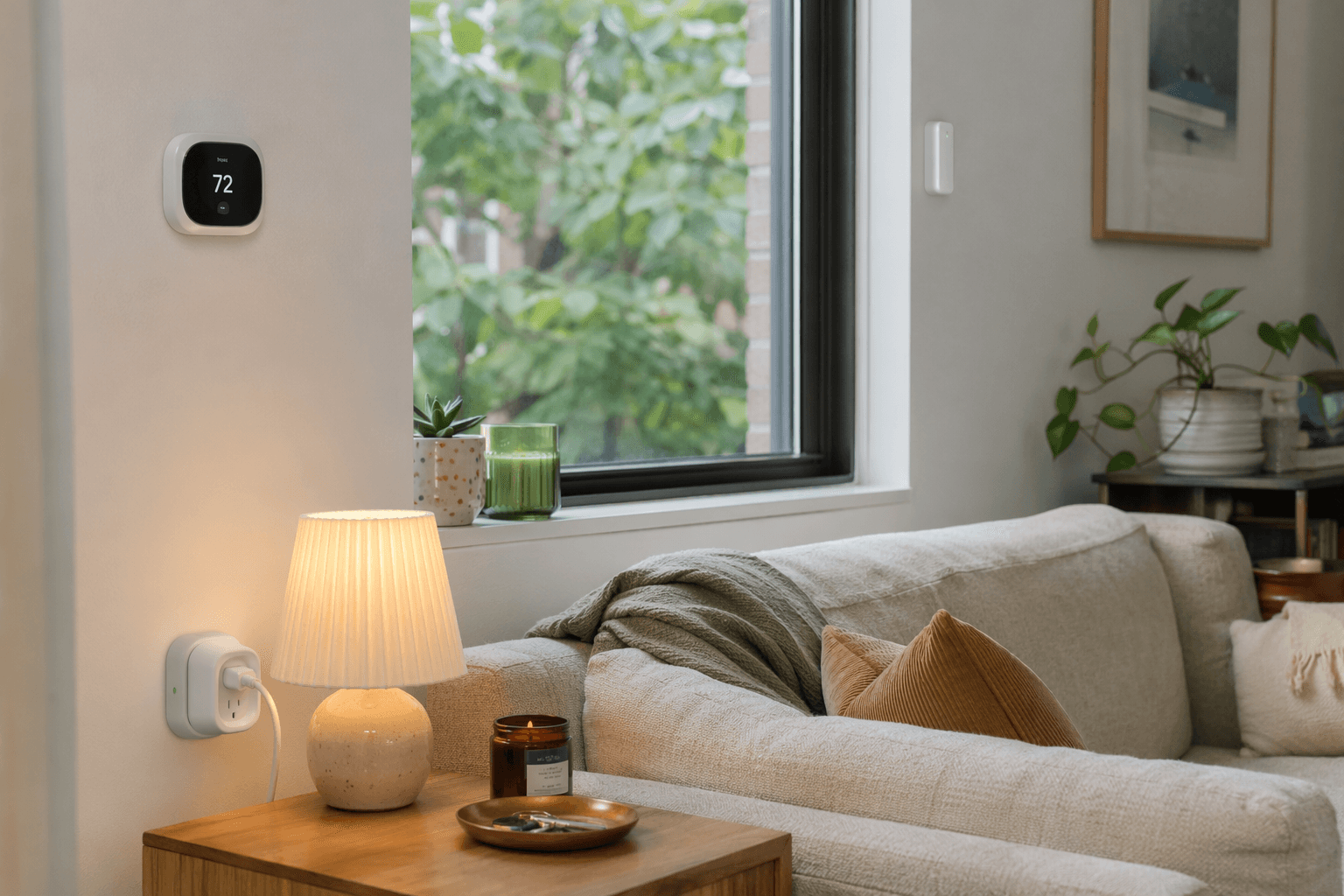
The renter version of a smart home starts with a constraint: the apartment has to go back to looking like nothing happened. No swapped switches, no mystery holes in the trim, no awkward move-out conversation about why the deadbolt looks different from the day you moved in. That still leaves more room than most people think. The best smart home automation ideas for renters use hardware that is battery-powered, plug-in, stick-on, interior-mounted, removable, and easy to explain if a property manager asks.
That boundary matters more than brand loyalty. PCMag’s 2026 renter-focused smart home guide points to battery-powered Wi-Fi cameras, stick-on contact sensors, and smart plugs as practical renter tools, which is the right starting point: small devices that solve specific problems and can leave with you in a moving box.[1]
Before buying anything, do the unglamorous check: read the lease section on alterations, locks, security devices, and exterior mounting. Then check the device’s app support, hub requirements, firmware notes, and whether the exact model works with Apple Home, Google Home, Alexa, or SmartThings in the way you expect. “Works with Matter” or “platform compatible” is not a substitute for confirming the controller and firmware version before the return window closes.
1. Make One Lamp Behave Like Built-In Lighting
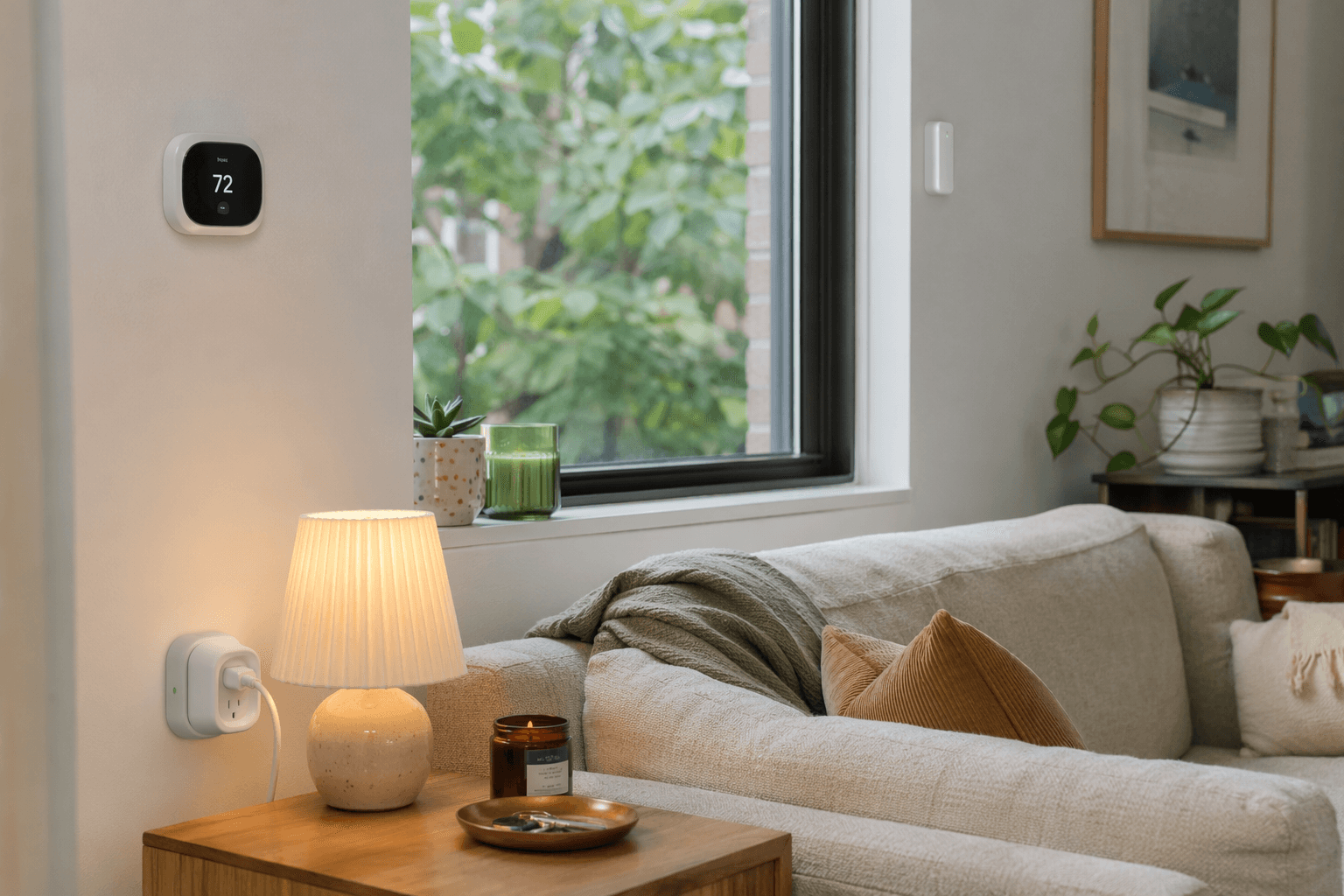
Start here because it is cheap, reversible, and immediately useful. A smart plug in a wall outlet plus an ordinary lamp gives a rental living room scheduled lighting, voice control, and away-mode behavior without touching a switch box. A $15–$30 plug-plus-lamp setup is enough to make a room voice- and schedule-controlled without wiring.
| Renter problem | No-wire hardware | Automation |
|---|---|---|
| Walking into a dark apartment or leaving lights on all day | Indoor smart plug and table or floor lamp | At sunset or at a set time, turn lamp on; at bedtime, turn it off |
| Making the apartment look occupied while away | Smart plug connected to a visible lamp | Turn on during evening hours, then turn off later on a schedule |
In Apple Home, Google Home, Alexa, and SmartThings, this is usually the least fussy automation: choose the plug as the device, choose a time, sunset, voice phrase, or presence trigger, then choose “turn on” or “turn off.” If you already use a voice assistant, name the plug after the object it controls, not the outlet. “Living room lamp” is easier to live with than “Plug 3,” especially after you move and rebuild the system.
Move-out is wonderfully boring: unplug the lamp, remove the smart plug, factory-reset it if needed, and pack it. No adhesive, no paint risk, no tiny plastic bracket you swear you put in the hardware bag.
2. Use Wi-Fi Bulbs for Arrival Lighting
A smart bulb is the next-smallest commitment. It is useful where the lamp itself matters less than the light: an entryway fixture, a bedside lamp, or a hallway lamp that always seems to be off when your hands are full. The hardware is just a Wi-Fi or hub-connected bulb installed into an existing socket. That is not rewiring; it is replacing a bulb.
The cleanest renter automation is arrival lighting: when your phone arrives home after sunset, turn on the entry lamp or a bedroom lamp. In Apple Home, that usually means a personal automation tied to people arriving. In Google Home, Alexa, or SmartThings, use a household presence or location routine if your account and device support it. If presence detection feels unreliable in your building, use a simpler fallback: turn the bulb on at sunset and off at a fixed bedtime.
There is one daily-life catch: smart bulbs need power at the wall switch. If a roommate or guest flips the switch off, the bulb disappears from the app until power returns. In a rental, the low-drama fix is not a switch replacement; it is a small removable label, a lamp placement choice, or using smart plugs for lamps where people instinctively use the plug or voice control instead of the wall switch.
3. Put a Leak Sensor Where the Lease Gets Expensive
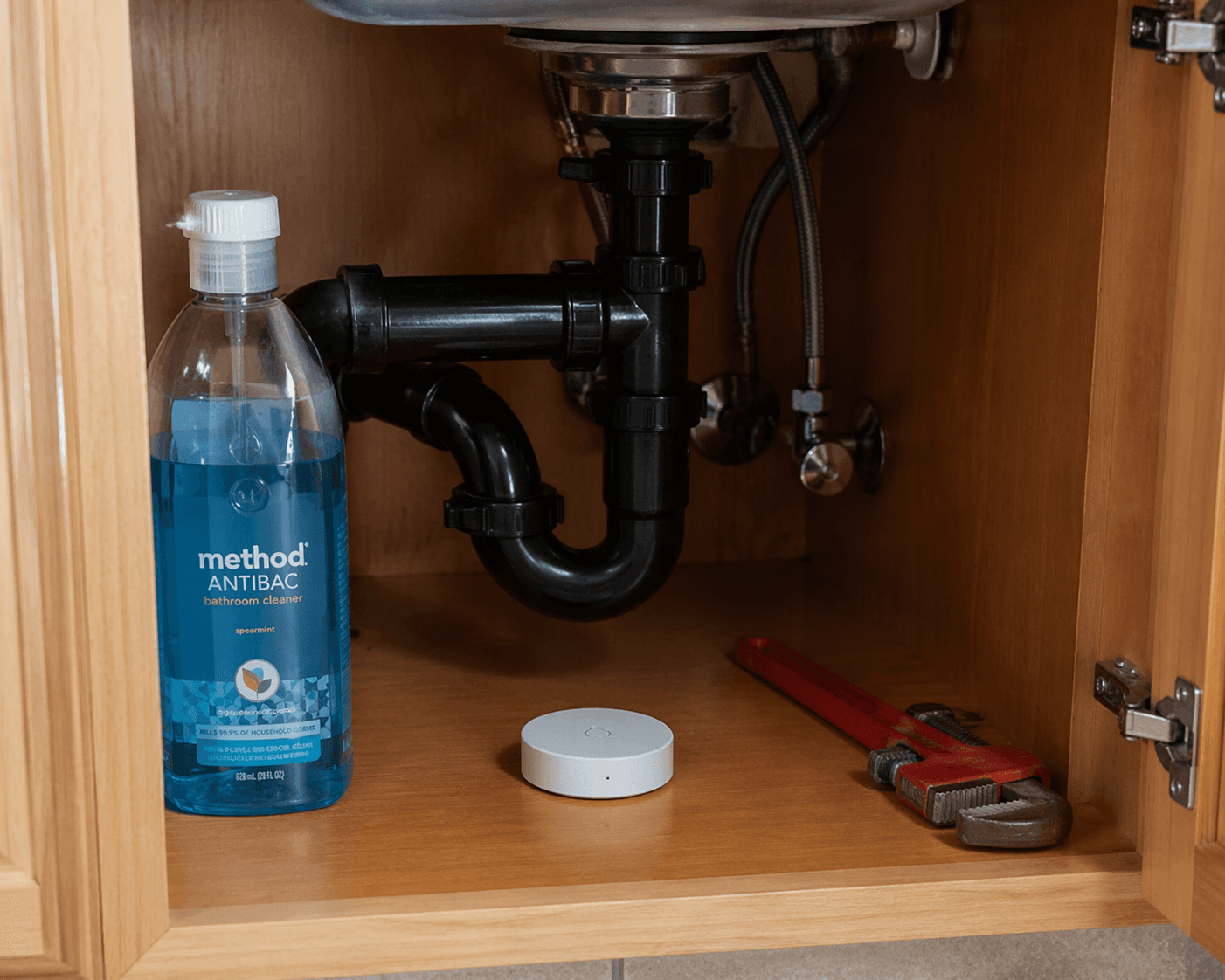
Leak sensors are the renter smart home device that rarely looks exciting in a product photo and suddenly feels brilliant when the sink cabinet is wet. Place a battery-powered water sensor under the kitchen sink, behind the toilet, near the water heater if you have access, or beside a washing machine if it is inside the unit. No plumbing changes, no wiring, no mounting drama.
The automation should be loud and redundant. When water is detected, send a phone notification, turn on a visible lamp, and, if your platform allows it, announce the alert on a smart speaker. In Apple Home or SmartThings, this may require a compatible hub or bridge depending on the sensor. In Alexa and Google Home, check whether the sensor can trigger routines directly or whether it only sends alerts through its own app.
This is where “smart” stops being decorative. A leak alert does not repair a pipe, but it can reduce the time between a problem starting and a human noticing. In an apartment, that human may be you, a neighbor downstairs, maintenance, or all three. The point is to make the first warning arrive before the cabinet floor swells.
- Put the sensor flat on the cabinet floor, not taped halfway up a pipe.
- Test it with a damp fingertip or the manufacturer’s recommended method before trusting it.
- Name the sensor by location, such as “Kitchen sink leak,” so the alert is useful when you are away.
- Replace batteries before a long trip if the app shows a low-battery warning.
Move-out is just retrieval. The sensor may be dusty, but it should not leave a mark. Put it in the same labeled bin as the plug adapters and the command strips you definitely still need.
4. Turn a Stick-On Door Sensor Into a Quiet Security System
A contact sensor is two small pieces: one on the door or window, one on the frame. When the pieces separate, the platform knows the door or window opened. PCMag’s renter guide includes stick-on contact sensors among the practical renter-safe product types, and the reason is obvious once you have lived with a questionable ground-floor window or a front door that opens directly into a shared hallway.[1]
For a front door, the basic automation is simple: if the door opens while you are away, send a notification. If it opens after bedtime, turn on the entry lamp. If your platform supports modes, use “home,” “away,” and “night” to avoid alerting yourself every time you take out the trash.
| Platform | What to verify before buying |
|---|---|
| Apple Home | Whether the sensor needs a bridge and whether it exposes open/closed status to automations |
| Google Home | Whether the sensor can trigger household routines or only report status in its own app |
| Alexa | Whether open/close events can trigger routines and announcements |
| SmartThings | Whether the model is supported directly or through Matter, Zigbee, Z-Wave, or a brand hub |
The removal note is worth taking seriously. Use the adhesive the manufacturer provides, avoid placing sensors on flaking paint, and twist or slowly pull adhesive tabs according to the instructions instead of yanking. A contact sensor that saves you worry but takes paint with it at move-out has failed the renter test.
5. Make Windows Part of the Heating and Cooling Routine
Renters often cannot replace thermostats, and many apartments have building-controlled heat, through-wall AC, radiators, or window units that do not behave like the glossy smart home diagrams. A stick-on window sensor still helps because it can tell the rest of the apartment what is happening.
Use the contact sensor as the trigger. If the bedroom window opens, turn off the smart plug powering a fan or air purifier. If the window has been open for a while, send a reminder. If the window closes, turn the fan back on. This is not the same as a wired HVAC integration, and it should not pretend to be. It is a renter-safe way to stop paying for a fan to push conditioned air toward an open window.
SmartThings is often flexible for this kind of sensor-plus-plug logic. Alexa can handle many “if sensor opens, then plug off” routines when the devices expose the right events. Apple Home can do it cleanly with supported accessories. Google Home support depends heavily on whether the sensor appears as a usable starter in the Home app, so check the exact model before buying.
6. Use a Battery Camera for Interior Monitoring, Not a Construction Project
A battery-powered indoor camera can cover the front door, balcony door, or pet area without drilling into a wall or fishing a cable behind furniture. PCMag’s renter guide treats battery-powered Wi-Fi cameras as part of the renter smart home toolkit, and that is the right lane for them: temporary, movable, and aimed at a specific concern.[1]
The automation should avoid becoming a notification machine. Set the camera to arm when everyone leaves, disarm when someone comes home, and send alerts only for motion in the zone that matters. If the platform supports it, pair the camera with a smart plug lamp: when motion is detected near the entry while the home is in away mode, turn on the lamp. That can make the apartment look occupied without leaving lights on all day.
Placement is the lease-safe part and the privacy part. Use a shelf, bookcase, magnetic stand, or removable mount. Do not aim it into a shared hallway where neighbors are constantly recorded. If you live with roommates, the camera conversation comes before the automation, not after someone receives a motion clip.
7. Add a Battery Doorbell Without Tapping Existing Wiring
Doorbells are where renter advice often gets sloppy. “Easy install” can mean anything from peeling adhesive to removing an existing wired button and connecting low-voltage wires. Those are not the same thing. For a rental, look for a battery video doorbell that can run without using existing doorbell wiring and mount with a removable bracket approved for the surface you have.
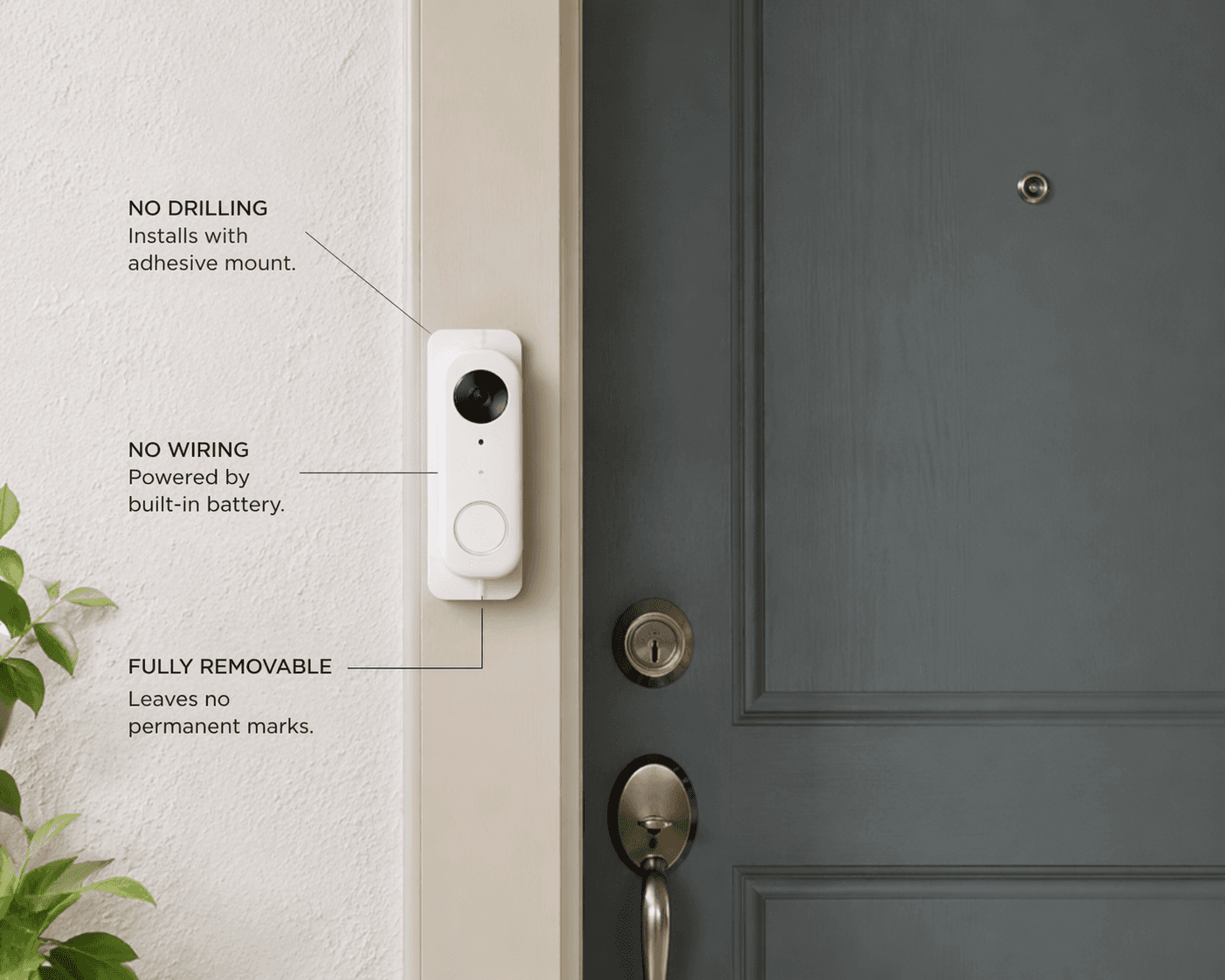
Wireless battery video doorbells such as the Arlo Video Doorbell 2nd Gen can use a bracket-mounted setup that avoids tapping existing doorbell wiring, with an estimated battery life of about four months per charge. Treat that battery estimate as a planning number, not a promise. Motion frequency, temperature, video settings, and Wi-Fi strength can all change how often you are standing in the hallway with a charger.
The useful automation is not complicated: when someone presses the doorbell, send a phone alert and announce it on a speaker. When motion is detected at the door, record a clip or send a notification if your subscription and settings allow it. In Alexa and Google Home households, doorbell announcements are often the most useful integration. Apple Home support depends on the exact doorbell model and whether it supports HomeKit or Matter in the way you need. SmartThings users should check whether the doorbell can trigger routines or only appears through its own app.
The lease check is more serious here because the device faces shared or exterior space. Some buildings restrict hallway cameras, door-frame attachments, or anything visible from common areas. If the only stable mount requires screws into the frame, it is no longer a no-drill renter automation. Choose a door mount, adhesive bracket, or freestanding peephole-friendly option only if it is secure, removable, and permitted where you live.
8. Build a Laundry Reminder for Shared Machines
Laundry automation sounds minor until you live in a building where every forgotten load becomes a tiny diplomatic incident. If you have an in-unit washer or dryer that plugs into a compatible outlet, an energy-monitoring smart plug can sometimes detect when the machine stops drawing power and then send a reminder. Do not use a smart plug with appliances unless the plug is rated for that load and the appliance type; when in doubt, skip this version.
For shared laundry rooms, use a lower-risk version: start a voice routine or phone shortcut when you begin a load. “Start laundry timer” can wait a set amount of time, send a phone notification, and turn a lamp a different color if you use a smart bulb. It is not automatic machine sensing, but it solves the actual renter problem: remembering before someone else needs the washer.
In Alexa and Google Home, this can be a named routine. In Apple’s ecosystem, a Shortcut or reminder can handle the timer side while Home controls the light. SmartThings can run the lamp action if the devices are connected there. The hardware can be as little as one smart bulb or plug in your apartment; nothing goes on the shared machine, and nothing gets left behind in the laundry room.
The Smart Lock Caveat: Interior Hardware Is Still Hardware
A smart lock can be renter-friendly, but it is not in the same category as a smart plug. The August Wi-Fi Smart Lock is notable because it installs on the interior side of an existing deadbolt and preserves the exterior key, so the landlord’s key can still operate the lock from outside. That is the feature renters usually care about most.
Still, this is not a no-tools setup. It replaces or covers the interior thumb-turn hardware and typically requires a screwdriver. That may be completely acceptable in one lease and prohibited in another. It may also interact with local rules about lock changes, emergency access, and landlord entry. Check your lease and local tenant law before changing any lock hardware, even if the outside of the door looks untouched.
If it is allowed, the automation can be genuinely useful: auto-lock after the door has been closed for a short period, unlock when an approved resident arrives, or send an alert if the door is left unlocked. Pairing the lock with a contact sensor is often cleaner than relying on the lock alone because the sensor knows whether the door is actually closed. The move-out rule is nonnegotiable: keep every original screw and interior part in a labeled bag, reinstall them before inspection, and test the landlord’s key after everything is back.
A Renter-Safe Setup Is One You Can Rebuild
Renters can build a real smart home without touching a wire, but the standard is stricter than it is for owners: each device needs a job, each installation needs a clean removal plan, and any lock or exterior-facing device needs a lease check before it goes up. The setup that wins is the one that solves the annoyance, leaves no trace, and survives the next apartment.
Implementation Notes
Share platform-specific tips, report that a recipe no longer works after a platform update, or contribute variations for different device combinations.
Comments
Join the discussion with an anonymous comment.