
Device Summary
| Field | Value |
|---|---|
| Device Category | Hub / Smart Lighting Bridge |
| Manufacturer | Signify (Philips Hue) |
| Model | Hue Bridge v2 (2nd generation) |
| MSRP | $69.99 USD (official Philips Hue store) |
| Street Price | ~$55 USD (Amazon, verified June 2026) |
| Supported Protocols | Zigbee 3.0 / ZLL, Matter (bridge role) |
| Frequency Band | 2400–2483.5 MHz (Zigbee) |
| Compatible Platforms | Amazon Alexa, Google Home, Apple HomeKit, Samsung SmartThings, Matter, IFTTT, Sonos Voice Control |
| Hub Required | N/A — this device is the hub |
| Subscription Required | No — all core features are free |
| Installation Type | DIY |
| Power Source | Wired (100–240V AC universal adapter included) |
| Connectivity | Ethernet (wired to router; no Wi-Fi) |
| Max Lights | 50 (official); 63 reported real-world hard limit |
| Max Accessories | 12 per Bridge |
| Warranty | 2 years |
| Defined Software Support | Minimum 48 months from product introduction |
| Last Verified Date | June 2026 |
Bluetooth-Only vs. Hue Bridge v2 vs. Bridge Pro: At a Glance
Philips Hue devices can operate in three tiers: Bluetooth-only (no Bridge required), with the Bridge v2, or with the Bridge Pro. The table below covers the key decision variables across all three modes.
| Feature | Bluetooth Only | Bridge v2 | Bridge Pro |
|---|---|---|---|
| Protocol | Bluetooth | Zigbee 3.0 / ZLL + Matter bridge | Zigbee 3.0 / ZLL + Matter bridge |
| Max Lights | 10 | 50 (63 hard limit) | 150+ (186 hard limit) |
| Max Accessories | 10 | 12 | 50+ |
| Platform Support | Limited (Alexa, Google Home, HomeKit — Bluetooth only) | Alexa, Google Home, HomeKit, SmartThings, Matter, IFTTT, Sonos | Alexa, Google Home, HomeKit, SmartThings, Matter, IFTTT, Sonos |
| Matter Support | No | Yes (via Bridge) | Yes (via Bridge) |
| Remote Access | No | Yes | Yes |
| Automations | Basic | Full | Full |
| Hue Sync Entertainment | No | Yes | Yes |
| MotionAware | No | No | Yes (subscription req. for security alerts) |
| Connectivity | Bluetooth | Ethernet only | Ethernet or Wi-Fi |
| Encryption | Standard Bluetooth | AES-128 per device | Enhanced AES-128 Zigbee Trust Center |
| Approximate Price | No additional cost | $69.99 MSRP / ~$55 street | $98.99–$139.99 (verify at purchase) |
Technical Specifications
| Specification | Value |
|---|---|
| Dimensions | 3.5 × 3.5 × 1.06 in |
| Weight | 280 g |
| Color | White |
| Material | Synthetic / plastic |
| Frequency Band | 2400–2483.5 MHz (Zigbee) |
| IP Rating | IP20 (indoor use) |
| Operating Power | 3W |
| Standby Power | 0.1W |
| Power Input | 100–240V AC, 50–60 Hz (universal) |
| Power Output | 5V DC, 600mA |
| Included Accessories | Power adapter, LAN cable |
| Mounting Options | Desktop or wall |
| Nominal Lifetime | 25,000 hours |
| Warranty | 2 years |
| Defined Software Support | Minimum 48 months from introduction |
| App Requirements | iOS 17+ or Android 12+ |
Protocol and Connectivity Details
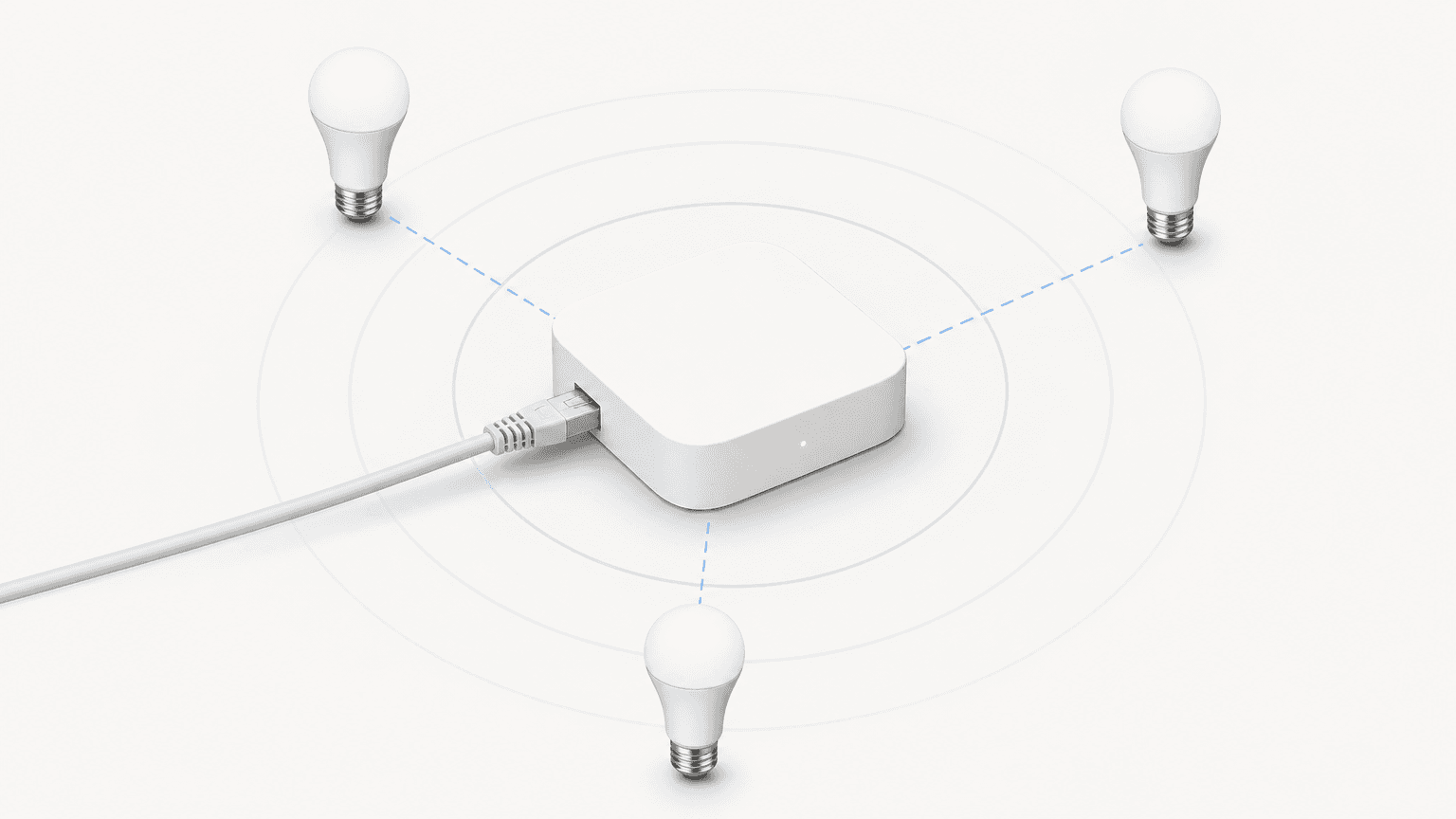
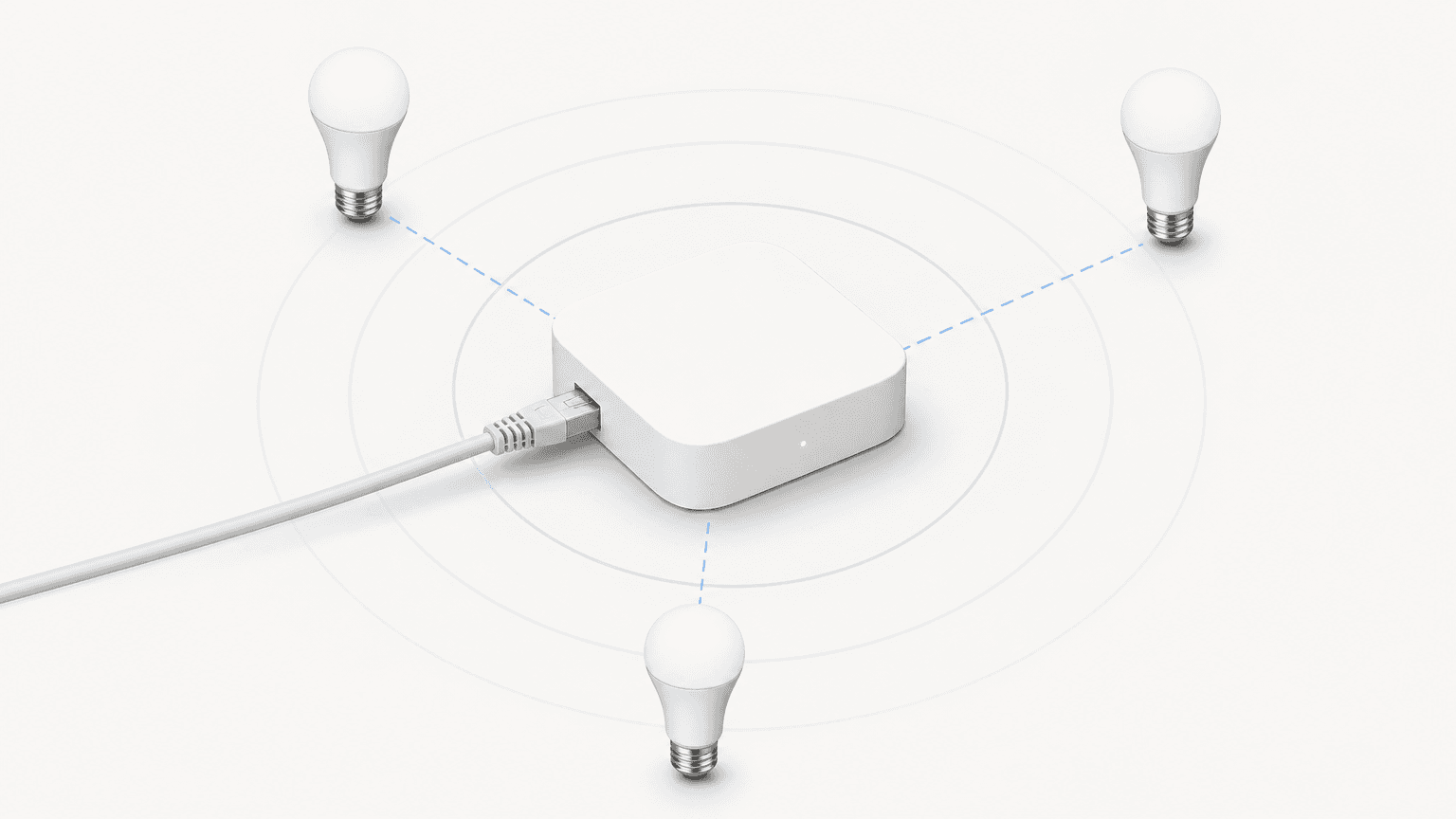
The Hue Bridge v2 serves two distinct connectivity roles simultaneously: it acts as a Zigbee mesh coordinator for Hue and Friends of Hue devices, and it functions as a Matter bridge that exposes all connected lights and accessories to any Matter-compatible controller.
Zigbee Mesh Coordinator
The Bridge uses the Zigbee 3.0 / Zigbee Light Link (ZLL) profile to create a low-power mesh network across your Hue lights and accessories. Each powered Hue bulb acts as a mesh repeater, extending the network range without requiring additional hardware.
Matter Bridge Role
A firmware update released in September 2023 enabled the Bridge v2 to act as a Matter bridge. This means all Hue lights and accessories connected to the Bridge automatically become available to any Matter controller — including Apple Home, Google Home, Amazon Alexa, and Samsung SmartThings — without requiring Matter-native bulbs. Existing Hue bulbs purchased before Matter existed gain Matter compatibility through the Bridge.
For detailed confirmation of this behavior, see the official Philips Hue Matter page.
Ethernet Requirement and Wi-Fi Behavior
The Bridge v2 connects to your router via an included Ethernet cable. It does not have Wi-Fi capability. Because the Bridge communicates with your lights over Zigbee rather than Wi-Fi, it does not increase load on your home wireless network. Importantly, Hue lights remain controllable via the Bridge even if your home Wi-Fi goes down — local control continues uninterrupted.
Local API and Home Assistant Integration
The Bridge v2 exposes the CLIP v2 API on its local LAN IP address, enabling direct control without cloud dependency. Home Assistant integrates natively with the Bridge via the official Philips Hue integration, using this local API.
Platform Compatibility Matrix
| Platform | Supported | Integration Method | Subscription Required |
|---|---|---|---|
| Amazon Alexa | Yes | Official Hue skill | No |
| Google Home | Yes | Official Hue integration | No |
| Apple HomeKit | Yes | Native HomeKit (via Bridge) | No |
| Samsung SmartThings | Yes | Official SmartThings integration | No |
| Matter | Yes | Bridge acts as Matter bridge | No |
| IFTTT | Yes | Official Hue IFTTT service | No |
| Sonos Voice Control | Yes | Official Sonos integration | No |
| Home Assistant | Yes | Native local API (CLIP v2) | No |
Device Capacity and Limits
The official Philips Hue product page states the Bridge v2 supports up to 50 lights and 12 accessories. This is the figure Philips Hue uses in all marketing and product documentation.
If your installation exceeds the Bridge v2's capacity, two options are available:
- Add a second Bridge v2 to the same Hue home — multiple Bridges can coexist under a single Hue account.
- Upgrade to the Bridge Pro, which supports 150+ lights (186 hard limit) and 50+ accessories.
Subscription Requirements
The Hue Bridge v2 does not require any subscription for its core functionality. The following features are entirely free:
| Feature | Bridge v2 Cost | Notes |
|---|---|---|
| Automations | Free | Schedules, timers, triggers |
| Remote access (out-of-home control) | Free | Via Hue cloud account |
| Scenes | Free | Unlimited custom scenes |
| Voice control | Free | Alexa, Google Home, Siri via HomeKit |
| Multi-room control | Free | Zones and rooms in the Hue app |
| Hue Sync entertainment | Free | Sync lights to video, music, games |
| Platform integrations | Free | All five platforms: Alexa, Google Home, HomeKit, SmartThings, Matter |
| MotionAware (light control only) | Not available on v2 | Bridge Pro only; light-control mode is free on Pro |
| MotionAware (security alerts) | Not available on v2 | Bridge Pro only; requires €0.99/month or €9.99/year on Pro |
| Hue Secure camera plans | Separate product | $40–$100/yr; unrelated to Bridge v2 operation |
Hue Bridge v2 vs. Bridge Pro: Full Comparison
| Specification | Bridge v2 | Bridge Pro |
|---|---|---|
| Price (MSRP) | $69.99 USD | $98.99 USD (launch) / verify current price |
| Street Price (Amazon, June 2026) | ~$55 | ~$98.99 (verify at purchase) |
| Official Max Lights | 50 | 150+ |
| Real-World Hard Limit (lights) | 63 (per hueblog.com) | 186 (per hueblog.com) |
| Max Accessories | 12 | 50+ |
| Connectivity | Ethernet only | Ethernet or Wi-Fi |
| Placement Requirement | Near router | Anywhere in home |
| Processor | MIPS 24Kc | Quad-core Cortex A35, 1.7 GHz |
| RAM | 16 MB | 1 GB DDR4 |
| Storage | N/A | 8 GB eMMC |
| MotionAware | Not available | Yes (light control free; security alerts require subscription) |
| Encryption | AES-128 per device | Enhanced AES-128 Zigbee Trust Center |
| Operating Power | 3W | 5W |
| Standby Power | 0.1W | 0.1W |
| Power Connector | DC barrel jack | USB-C |
| Matter Bridge | Yes | Yes |
| Platform Compatibility | Alexa, Google Home, HomeKit, SmartThings, Matter, IFTTT, Sonos | Alexa, Google Home, HomeKit, SmartThings, Matter, IFTTT, Sonos |
| Warranty | 2 years | 2 years |
Which Bridge to Choose
- Choose the Bridge v2 if your installation has fewer than 50 lights, you have an Ethernet port near your router, and you do not need MotionAware or Wi-Fi placement flexibility.
- Choose the Bridge Pro if you need more than 50 lights, want to place the Bridge away from your router (Wi-Fi), plan to use MotionAware, or want the additional processing headroom for AI-driven features Signify plans to add over time.
Installation and Setup
Setup is fully DIY and takes approximately 5–15 minutes. No electrician or professional installation is required.
- Connect the included LAN cable from the Bridge to an available port on your router.
- Connect the power adapter to the Bridge and plug it in.
- Download the Philips Hue app (iOS 17+ or Android 12+) if not already installed.
- Open the app and follow the on-screen setup flow. When prompted, press the physical button on top of the Bridge to authorize the connection.
- Scan the QR code on the bottom of the Bridge using the app to complete pairing.
- Add your Hue bulbs and accessories through the app. The Bridge will discover them via Zigbee.
Known Limitations and Caveats
- Ethernet only (no Wi-Fi): The Bridge v2 must be connected to your router via an Ethernet cable. If your router is in a location where running a cable is impractical, the Bridge Pro's Wi-Fi option may be a better fit.
- MotionAware not available: MotionAware — Philips Hue's feature that uses Zigbee signal fluctuation to detect motion between lights — is exclusive to the Bridge Pro. It is not available on the Bridge v2 in any configuration.
- Not a universal Zigbee hub: The Bridge supports Philips Hue and Friends of Hue devices using the Zigbee 3.0 / ZLL profile. It is not designed as a general-purpose Zigbee coordinator for devices from other manufacturers.
- HTTPS-only local API (since May 2025): Firmware version 1971060010 (May 2025) replaced self-signed certificates and enforces HTTPS for all CLIP v2 API connections. Older third-party integrations or Home Assistant configurations using plain HTTP may require updates.
- Hue Bridge v1 is end-of-life: The original Hue Bridge (v1, round shape) lost cloud support on June 22, 2020. It is no longer supported and should not be purchased. All current Hue products require the Bridge v2 or Bridge Pro.
- Friends of Hue re-pairing on migration: If you migrate from the Bridge v2 to a Bridge Pro, Friends of Hue accessories (third-party Zigbee devices paired to the v2) must be manually re-paired to the Pro — they do not migrate automatically.
- IP20 indoor rating: The Bridge v2 is rated IP20 and is designed for indoor use only. It should not be placed in areas exposed to moisture, dust, or outdoor conditions.
Data Sources and Last-Verified Date
This profile was compiled from the following primary sources, last verified in June 2026:
- Philips Hue official product page (Bridge v2) — dimensions, weight, power, frequency, IP rating, compatibility, warranty, and software support period.
- Philips Hue buying guide (February 2026) — Bluetooth vs. Bridge v2 vs. Bridge Pro comparison data, connectivity descriptions, and MotionAware availability.
- Philips Hue Matter page — Matter bridge confirmation and Bluetooth limitation.
- Philips Hue Bridge firmware release notes — Matter support added September 2023; HTTPS enforcement May 2025; Bridge v1 end-of-support June 2020.
- hueblog.com Bridge Pro technical deep-dive (September 4, 2025) — real-world device limits (63 / 186), processor, RAM, storage, and power specifications for the v2-vs-Pro comparison.
- Signify press release (September 4, 2025) — Bridge Pro launch pricing and specification claims.
- Philips Hue MotionAware support article — MotionAware availability (Bridge Pro only), subscription pricing (€0.99/month or €9.99/year for security alerts).
- Amazon listing (ASIN B016H0QZ7I, verified June 2026) — street price (~$55 USD), box contents confirmation.
Corrections & Community Notes
Spotted an outdated spec, changed compatibility, or new firmware behavior? Submit a correction below to help keep this profile current. For formal editorial updates, use the contact page.
Comments
Join the discussion with an anonymous comment.