Is Your Smart Home's AI Processing Your Data Locally or in the Cloud?
Learn how to verify whether your smart camera, voice assistant, or hub runs AI features locally or sends data to the cloud — and understand why that architectural choice determines your real data-exposure risk.
- Symptom
- AI features stop working when internet is disconnected
- Status
- Workaround
- Difficulty
- Intermediate
The uncomfortable moment usually comes after the device has already done something impressive. A camera says it saw a person, not just motion. A speaker answers a follow-up command without delay. A hub promises “AI detection” across the home. The useful question is not whether the product has privacy settings. It is where the inference happened.
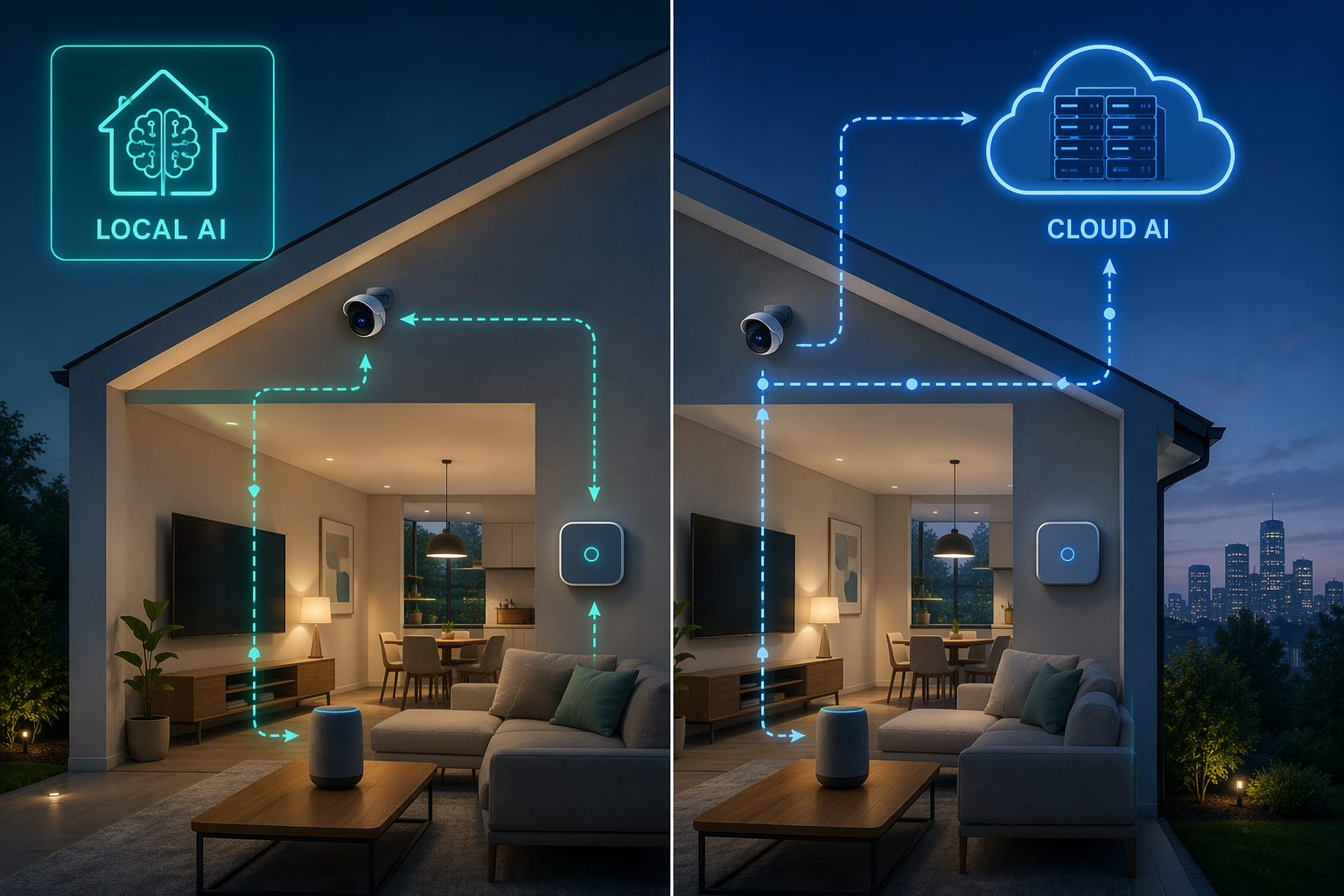
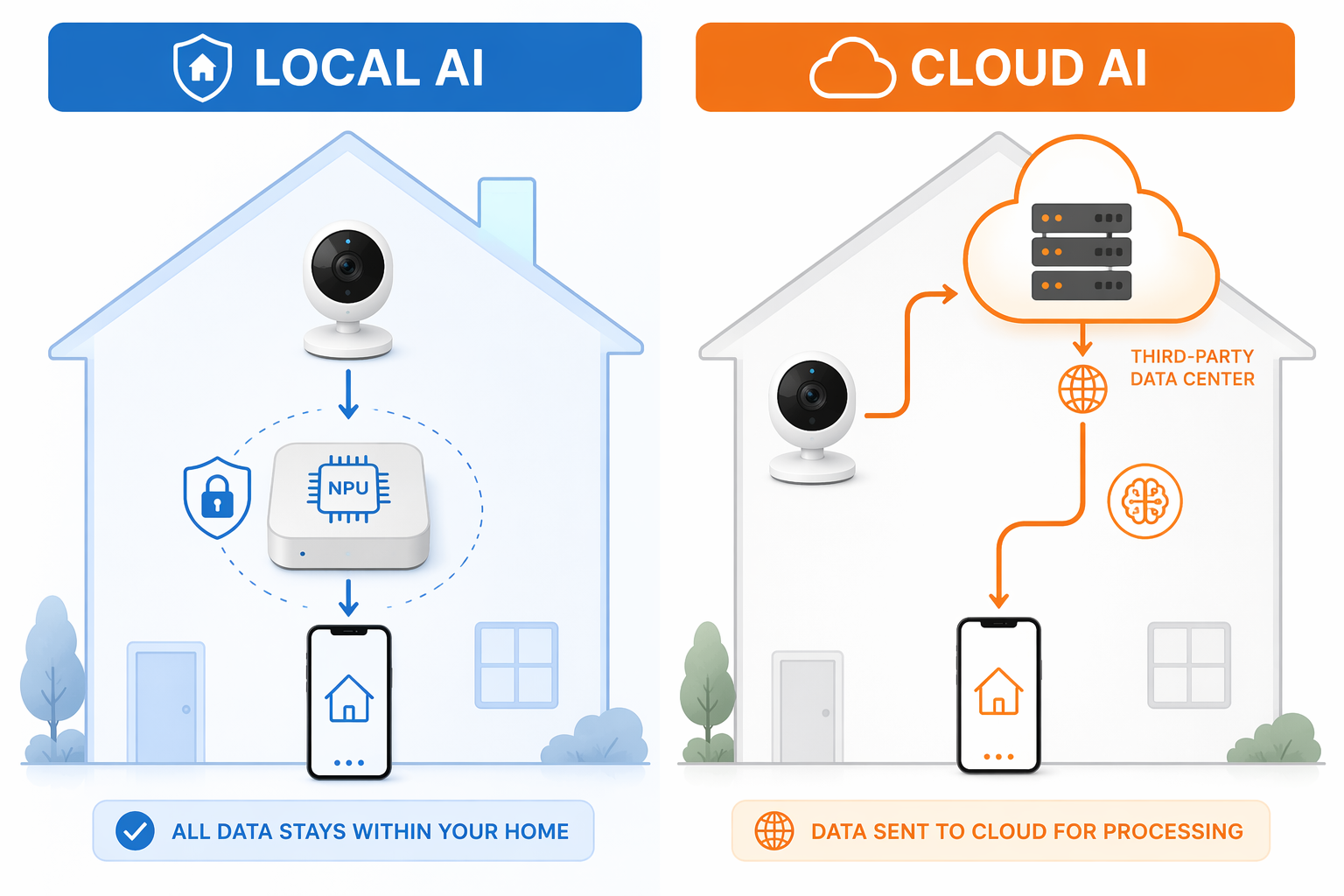
For AI security risks in smart home devices, that architecture is the main divider. If a camera, microphone, or hub sends sensor data to a cloud service so AI can classify it, the data has left the home. If the same inference runs on the device or a local hub, that remote exposure path is reduced. Not eliminated. Reduced.
| Architecture | What usually happens | What to verify |
|---|---|---|
| Local AI | The device or a local hub analyzes video, audio, motion, faces, or occupancy inside the home network. | Product page says on-device, local, edge AI, local NPU, or local inference; the feature still works when internet access is removed. |
| Cloud AI | The device uploads sensor data or event data to a vendor service for recognition, classification, transcription, or alerts. | AI features require an account, cloud processing, subscription plan, or remote storage; features fail when the device loses internet access. |
| Hybrid AI | Some filtering happens locally, while selected clips, commands, thumbnails, events, or model updates still go to the cloud. | Documentation separates what is processed locally from what is uploaded, retained, reviewed, or used to improve services. |
This distinction matters because most buyers are not checking it before purchase. Copeland’s 2026 smart home privacy report, a vendor-sourced survey cited by Forbes, said only 8% of homeowners research data privacy before buying a smart thermostat, while 55% said they do not understand how the device collects data and 70% said they would switch brands for better privacy.[1] Those numbers should not be treated as a neutral census of all smart home behavior, but they describe a familiar gap: people care once the exposure is made visible, yet the product page rarely makes the exposure visible.
A NIST survey of 401 U.S. smart home users, published in December 2025, found that security and privacy perceptions differ by device category, with voice assistants viewed as more problematic and devices such as security products and thermostats viewed as more trusted.[2] That difference is understandable. A speaker with a microphone feels different from a thermostat. A camera facing the driveway feels different from a plug behind a lamp. But the more reliable test is still technical: what data leaves, when it leaves, and which company receives it.
Cloud AI Changes the Exposure Surface
Cloud inference is not just “remote convenience.” It is a data movement decision. A smart camera that depends on a cloud model may upload video clips, thumbnails, event metadata, device identifiers, timestamps, household account data, or telemetry so a remote system can decide whether it saw a person, pet, package, vehicle, face, or unusual sound. A voice assistant may send audio snippets, transcripts, intent data, account identifiers, and device telemetry so the service can interpret a command.
Once that path exists, the risk is no longer limited to the device in the hallway. It includes the vendor account, cloud storage system, retention policy, employee or contractor access controls, law-enforcement request process, third-party integrations, analytics partners, and the user’s own password hygiene. A local camera can still be badly secured. But a cloud-dependent camera has an additional route by which sensitive household data can leave the property by design.
This is why “encrypted in transit” is not a complete answer. Encryption can protect data while it travels between the device and the service. It does not tell you whether the vendor receives the content, how long it keeps it, whether humans can review it, whether it is used to improve AI models, or whether a subscription plan changes what is stored.
The old defense for cloud processing was performance: small household devices could not do enough locally. That argument is weaker in 2026. Synaptics, writing with the Edge AI and Vision Alliance, described current edge AI as capable of real-time tasks such as facial recognition and motion detection with sub-200ms latency.[3] That is a vendor-side technical claim, not a guarantee that every product uses local inference well. It does show that cloud processing is no longer the only plausible way to make common smart home AI features feel responsive.
There is also a cost angle hidden inside the architecture. If person detection, package alerts, familiar-face recognition, or longer clip history only works with a cloud plan, the device is not merely privacy-dependent on the cloud; it is economically dependent on it. That matters when comparing the real price of a camera or hub, especially if subscription fees outlive the hardware purchase. NestGrid’s smart home products cost guide is worth reading alongside the privacy policy for exactly that reason.
How to Check Before You Buy
The cleanest time to evaluate a smart home AI feature is before it is mounted, paired, and depended on. The product box may say “AI powered,” but the useful words are more specific: “on-device processing,” “local inference,” “edge AI,” “local NPU,” “processed on the hub,” or “no cloud required for detection.” If the page only says “AI detection” and never says where the analysis runs, treat that as unknown rather than local.
- Search the product page for local-processing language, not just privacy language. “We protect your data” is a promise; “person detection runs on-device” is an architecture claim.
- Check whether the AI feature requires a subscription. A paid plan does not always mean cloud inference, but cloud-only detection and cloud clip storage often travel together.
- Look for a feature-by-feature table. A good product page separates local recording, remote viewing, person detection, face recognition, voice control, and cloud backup.
- Read the privacy policy for verbs: collect, upload, process, analyze, review, retain, share, improve, train. Those verbs tell you what happens after capture.
- Check support articles, not only marketing pages. Setup documents often disclose when internet access, account login, or cloud services are required.
For cameras, local recording deserves separate attention. A device can record to a microSD card, NAS, or local hub and still upload AI events to the cloud. It can also do the reverse: classify events locally but back up selected clips remotely. If the camera watches a nursery, entryway, garage, or sidewalk, that difference is not academic. NestGrid’s privacy-first smart home camera setup guide goes deeper on local recording choices, but the short version is simple: do not assume “local storage” means “local AI.” Verify both.
For voice assistants, the verification is harder because many mainstream assistants are built around cloud services. A wake word may be detected locally while the command itself is sent out for interpretation. That is a hybrid architecture, and it should be described as such. If a product advertises faster responses or a new local assistant mode, check whether it applies to all commands or only a small set of device controls.
For hubs, the question is whether the hub is actually doing the inference or merely coordinating devices that still call their own clouds. A local hub can make lights and sensors more resilient without making a camera’s face recognition local. The hub’s documentation should name which brands, devices, and AI features run locally. If it cannot, assume the hub is local for automation, not necessarily for AI.
How to Audit Devices Already Installed
Installed devices give you more evidence than a product page. You can inspect the app, test behavior, and look for the places where the product quietly depends on an account or subscription. You do not need to become a packet analyst to get useful answers.
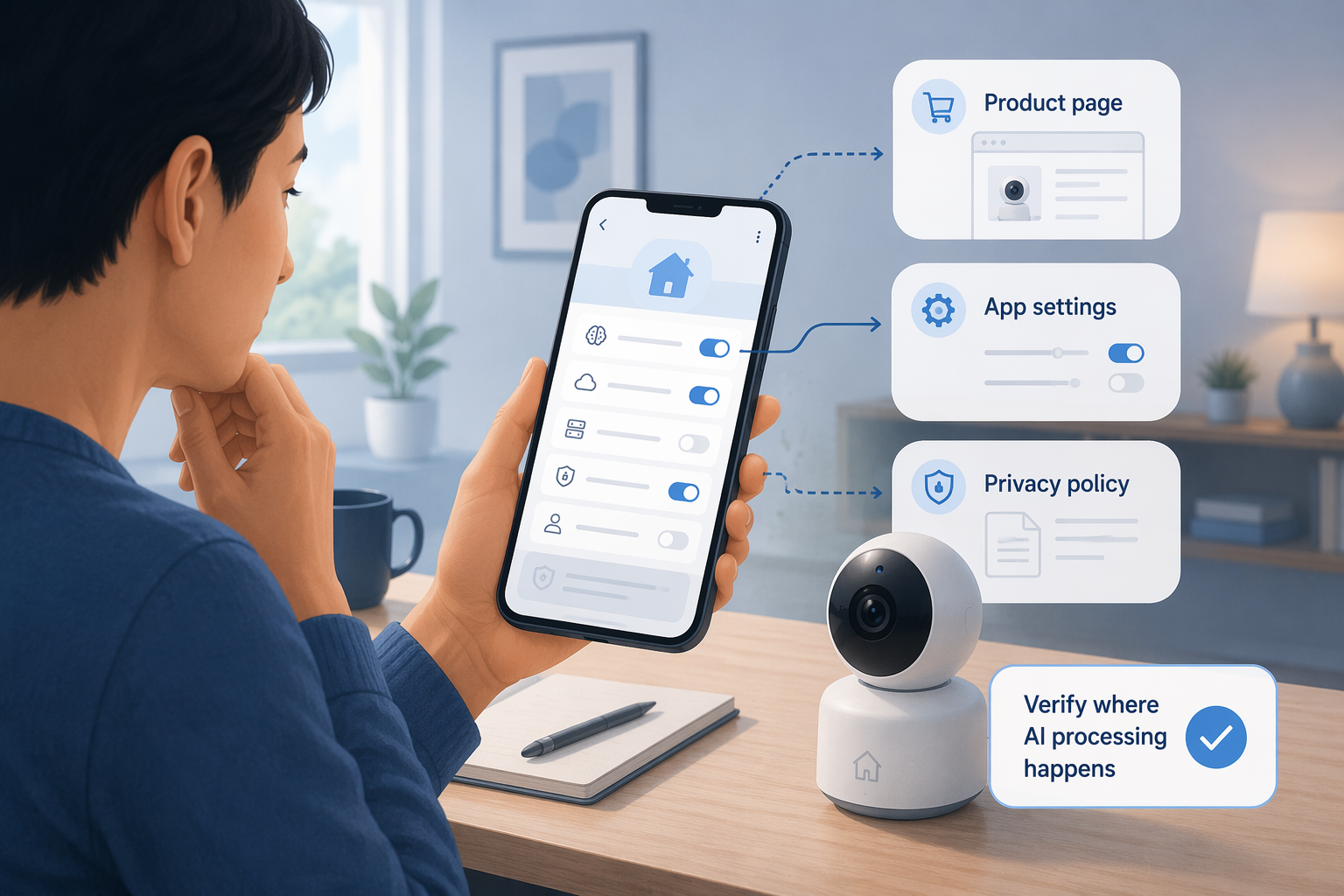
- Open the device app and list every AI feature that is enabled: person detection, package detection, familiar faces, pet alerts, sound recognition, voice history, occupancy sensing, or activity summaries.
- For each feature, check whether the setting mentions cloud processing, cloud recording, event upload, remote review, service improvement, or AI training.
- Open the storage settings separately. Local storage, cloud storage, clip backup, event history, and snapshot notifications may each have different data paths.
- Check the subscription screen. If disabling a plan removes AI classification, the feature is probably cloud-dependent or at least vendor-service-dependent.
- Temporarily block internet access in a controlled way, then observe what still works locally. Do this only when it will not interfere with alarms, locks, medical devices, or safety-critical routines.
- Review account activity and linked services. A local device can still expose data through integrations that forward events to voice assistants, automations, dashboards, or cloud storage.
The internet-disconnect test is blunt but revealing. If the camera still records locally but loses person alerts, the recording path and inference path are different. If a speaker can turn on a local light but cannot interpret a normal command, only a subset of voice control is local. If a hub keeps automations running but cannot classify camera events, the hub is not doing that AI work by itself.
The test should not be performed carelessly. Some devices cache settings, delay status updates, or fail in ways that look like privacy discoveries but are really just connectivity failures. Give the device time, test one feature at a time, and restore service before judging the result. The goal is not to break the home; it is to separate local function from cloud function.
What Good Disclosure Looks Like
A trustworthy disclosure names the feature, the processing location, and the fallback behavior. For example, it might say that motion detection runs on-device, familiar-face recognition runs on the local hub, remote viewing relays through the vendor cloud, and optional cloud backup stores encrypted clips for a chosen retention period. That gives a buyer something to verify.
Weak disclosure stays at the brand level. “Built with privacy in mind,” “secure AI,” “bank-grade encryption,” and “your data is protected” may be true in some narrow sense, but they do not answer the processing question. The sentence you want is operational: this feature runs here, sends this data there, and stops working under these conditions.
Local AI Still Has Privacy Work to Do
Local AI is not a privacy force field. Firmware can have vulnerabilities. Apps can collect telemetry. Integrations can forward events. A local hub can be misconfigured. A device that never uploads video for inference may still announce too much about itself on the network.
The NYU and IMDEA IoT Inspector research is useful here because it complicates the story without flattening it. The researchers examined 93 smart home devices and found that local network protocols such as UPnP and mDNS can expose unique device identifiers and geolocation data without users knowing.[4] That is not the same problem as cloud AI inference, but it means “local” should not be read as “invisible.”
The practical conclusion is narrower and stronger: local inference avoids one large remote data path. It does not automatically fix local network leakage, weak device passwords, insecure firmware, account takeover, or overbroad integrations. A local-first camera still needs updates, network isolation where practical, careful sharing settings, and a sane recording policy.
Broader threat numbers explain why this diligence is not wasted, but they should not be overread. SonicWall’s 2025 Cyber Threat Report reported a 124% year-over-year jump in IoT malware attacks, as cited in a 2026 IoT security statistics roundup.[5] That figure comes from vendor telemetry, not a complete map of every home network. It is still a reminder that smart home devices are computers on a network, even when they are sold as cameras, speakers, thermostats, or hubs.
The Trust Problem Is Really a Verification Problem
Trust in smart home AI is uneven because the user is asked to accept too much at the brand level. Prosper Insights survey data cited by Forbes in May 2026 found that fewer than half of U.S. adults trust Alexa or Google Assistant “like a friend.”[6] That wording is softer than a security audit, but the hesitation is sensible. Voice assistants and AI cameras ask for access to the most revealing parts of domestic life, then often describe their processing in terms that are hard to test.
Verification changes the conversation. Instead of deciding whether a company is “good on privacy,” you decide whether a feature has to export sensor data to work. That is a smaller question, and smaller questions are easier to answer. Does person detection continue without the internet? Does familiar-face recognition require cloud enrollment? Does the assistant retain voice history by default? Does the hub identify local processing per device, or only advertise local control in general?
This is also where the smart home market is becoming more interesting. Local processing is not just a privacy wish; it is increasingly a design response to latency, reliability, data-center constraints, and user distrust. NestGrid’s piece on how data center pressure is driving smart homes local covers that shift in more detail. For buyers, the important result is that local AI claims are becoming realistic enough to demand proof, not rare enough to treat as a luxury.
A Practical Buying Rule
When an AI feature involves cameras, microphones, faces, voices, occupancy, or household routines, prefer devices that explicitly disclose and perform inference locally. That does not mean rejecting every cloud feature. Remote viewing, backup, multi-home access, and emergency sharing may be worth the tradeoff for some households. The point is to make cloud AI justify itself.
The buying rule is simple enough to use in a store and strict enough to matter: if the feature watches or listens inside the home, the vendor should say where the AI runs. If it runs locally, the product should say which features stay local. If it runs in the cloud, the product should say what is uploaded, how long it is retained, who can access it, whether it is used to improve models, and what breaks if the account or subscription goes away.
Cloud-dependent AI is not automatically disqualifying. It is a deliberate exposure tradeoff. Treat it that way, especially for cameras, microphones, face recognition, voice history, and occupancy sensing.
References
- Copeland 2026 Smart Home Data Privacy Report, cited in Forbes by Gary Drenik, May 2026, Forbes
- Survey of Smart Home Users’ Security and Privacy Perceptions and Actions by Device Category, National Institute of Standards and Technology, December 2025
- Smart Home Connectivity Trends, Challenges and the Role of Next-Gen IoT Technology, Edge AI and Vision Alliance, March 2026
- New Research Reveals Alarming Privacy and Security Threats in Smart Homes, NYU Tandon School of Engineering
- 2026 IoT Security Statistics roundup citing SonicWall 2025 Cyber Threat Report, Swif
- Prosper Insights survey cited in Forbes, May 2026, Forbes
Did this fix work for you?
Report whether this fix resolved your case, or flag a correction if firmware or app behavior has since changed.