
Devices
Smart Home Air Purifier Automation for Wildfire Smoke
Learn how to auto-activate your air purifier when PM2.5 from wildfire smoke crosses hazardous thresholds. This guide covers platform-specific recipes for Home Assistant, HomeKit, SmartThings, Alexa, and Google Home, with graduated speed control and automatic shutoff.
Local control & certification
Local vs. cloud control is not yet documented for this device.
The bad version of this setup is familiar: the purifier is still off, the room already has that campfire-in-the-drywall smell, and the app says PM2.5 started climbing an hour ago. At that point the automation has already failed. The useful version turns the purifier on before the house smells wrong.
Use this control rule as the starting point: turn the purifier on at 25 µg/m³, increase speed around 35.5 µg/m³, go to high at 55 µg/m³, and turn it off only after indoor PM2.5 stays below 20 µg/m³ for 30 minutes. The 25 µg/m³ trigger sits around the upper end of the EPA’s Moderate AQI band, 35.5 µg/m³ is around the Unhealthy for Sensitive Groups boundary, and 55 µg/m³ is around the Unhealthy boundary.[1]
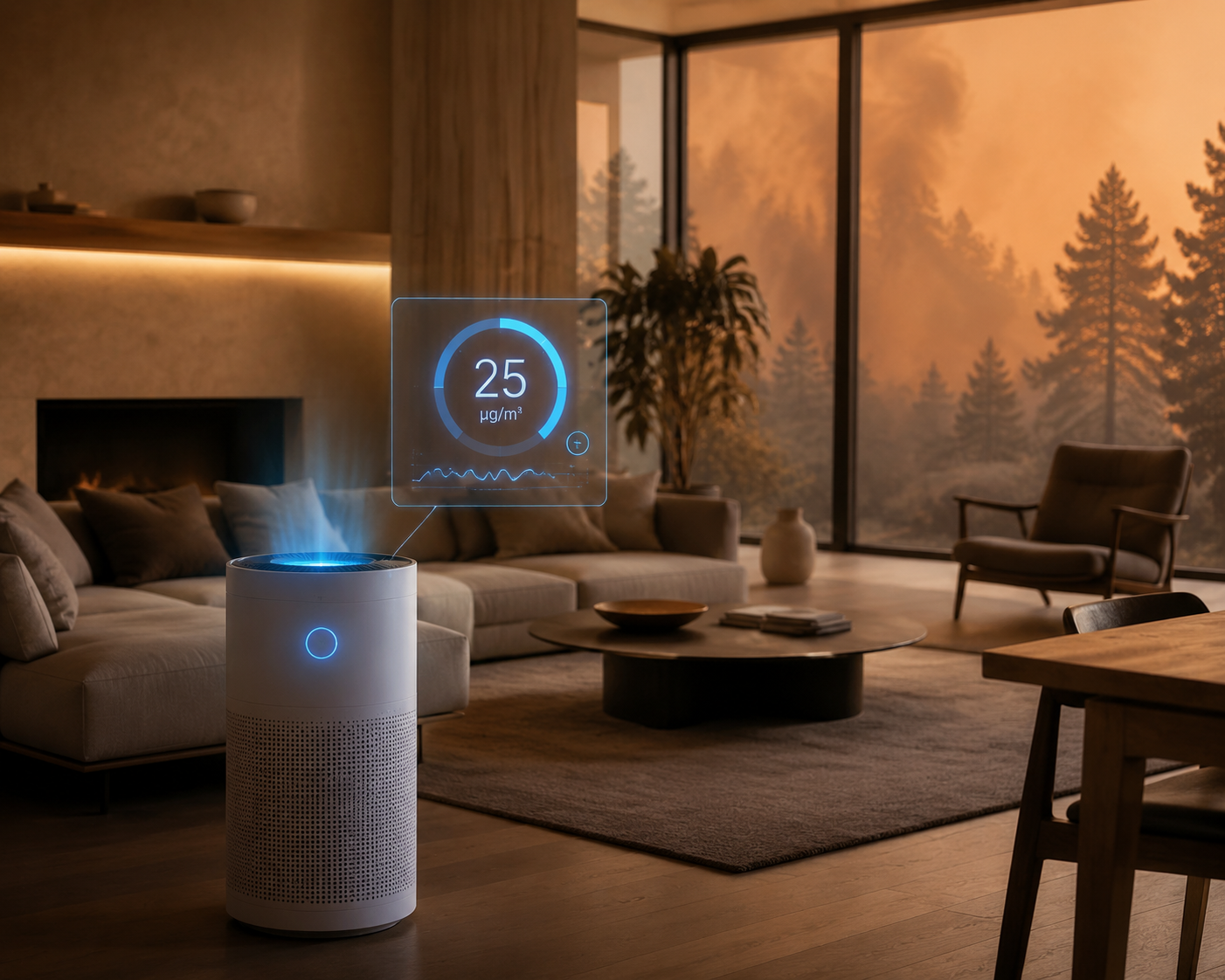
That is aggressive enough to catch the leading edge of a smoke plume without making the purifier chase every tiny background fluctuation. It also gives the automation a job it can actually perform: start early, step up before conditions get ugly, and avoid short on-off cycling when indoor air is recovering.
| Indoor PM2.5 reading | Automation action | Why it matters |
|---|---|---|
| Below 20 µg/m³ for 30 minutes | Turn purifier off or return to auto/quiet | Prevents cycling after a brief clean-air dip |
| 25 µg/m³ | Turn purifier on at low or auto | Catches the first useful smoke signal |
| 35.5 µg/m³ | Move to medium | Treats sensitive-person risk as a control point, not a notification |
| 55 µg/m³ | Move to high | Stops waiting once indoor air reaches unhealthy territory |
Why the automation should use indoor PM2.5, not just outdoor AQI
Outdoor AQI is useful for warnings. It is a shaky trigger for a purifier. Your indoor PM2.5 depends on leakage, window habits, HVAC operation, room volume, filter condition, and whether the purifier is sized correctly. Outdoor smoke can surge while the room stays clean for a while; it can also seep in quietly while the nearest weather station looks less dramatic.
A local indoor PM2.5 sensor turns the automation from a weather reaction into a room reaction. That distinction matters because portable HEPA purifiers can materially reduce indoor fine-particle exposure when they are operating in time. Bard et al. describe HEPA purifiers reducing indoor PM2.5 by 50% to 80% even under high ambient pollution conditions, while also framing the evidence around mitigation rather than guaranteed protection.[2]
So the claim here is narrow on purpose: a properly sized HEPA purifier, triggered early by a usable indoor PM2.5 signal, can reduce exposure during smoke events. It does not make the room medically safe, and it does not replace evacuation guidance, respiratory advice, or building-level filtration.
The complete flow before picking a platform
Before opening Home Assistant, HomeKit, SmartThings, Alexa, or Google Home, decide what each device is allowed to do. A smart purifier can usually accept power and fan-speed commands. A “dumb” HEPA purifier on a smart plug can only be switched on or off, and only if it mechanically resumes its last state when power returns. If it needs a soft-touch button press after every power loss, a smart plug will not save it.
- Put an indoor PM2.5 sensor in the room you want to protect, roughly in the breathing zone, away from the purifier intake, kitchen bursts, humidifier mist, and drafty windows.
- Confirm the sensor reports PM2.5 as a value your platform can use as a trigger, not only as a pretty graph inside the vendor app.
- Set the purifier action at 25 µg/m³: turn on, set auto, or set low.
- Add escalation at 35.5 µg/m³ and 55 µg/m³ if the purifier exposes fan-speed control.
- Add recovery logic: when PM2.5 stays below 20 µg/m³ for 30 minutes, turn off or return to quiet mode.
- Test the automation with temporary lower thresholds before relying on it during a smoke event.
This is the same kind of practical routine that belongs beside broader smart home automation recipes, but smoke automation is less forgiving than most. A porch light routine can be late and merely annoying. A purifier routine that fires late leaves someone breathing the ramp-up.
Home Assistant: the cleanest control path
As of Q3 2026, Home Assistant remains the best answer when the real requirement is “trigger on this PM2.5 number, wait this long, then choose this fan speed.” Its Air Quality integration documents PM2.5 threshold-crossing triggers, and many PM2.5 devices also expose a plain numeric sensor that can be used in automations.[3] The practical advantage is not that Home Assistant knows more about smoke. It is that it lets the threshold, duration, condition, and action live in one place.
If your device exposes an air quality entity with Home Assistant’s PM2.5 threshold trigger, use that. If it exposes PM2.5 as a sensor entity, the numeric-state version below is easier to adapt and is usually what people can paste, test, and fix.
alias: Wildfire smoke purifier control
mode: restart
trigger:
  - id: smoke_start
    platform: numeric_state
    entity_id: sensor.living_room_pm25
    above: 25
  - id: smoke_medium
    platform: numeric_state
    entity_id: sensor.living_room_pm25
    above: 35.5
  - id: smoke_high
    platform: numeric_state
    entity_id: sensor.living_room_pm25
    above: 55
  - id: smoke_recovered
    platform: numeric_state
    entity_id: sensor.living_room_pm25
    below: 20
    for: "00:30:00"
condition: []
action:
  - choose:
      - conditions:
          - condition: trigger
            id: smoke_start
        sequence:
          - service: fan.turn_on
            target:
              entity_id: fan.living_room_purifier
          - service: fan.set_percentage
            target:
              entity_id: fan.living_room_purifier
            data:
              percentage: 35
      - conditions:
          - condition: trigger
            id: smoke_medium
        sequence:
          - service: fan.turn_on
            target:
              entity_id: fan.living_room_purifier
          - service: fan.set_percentage
            target:
              entity_id: fan.living_room_purifier
            data:
              percentage: 65
      - conditions:
          - condition: trigger
            id: smoke_high
        sequence:
          - service: fan.turn_on
            target:
              entity_id: fan.living_room_purifier
          - service: fan.set_percentage
            target:
              entity_id: fan.living_room_purifier
            data:
              percentage: 100
      - conditions:
          - condition: trigger
            id: smoke_recovered
        sequence:
          - service: fan.turn_off
            target:
              entity_id: fan.living_room_purifier
For a non-smart purifier on a smart plug, replace the fan services with switch services. The purifier must have a physical power switch or a memory function that resumes operation when the plug restores power. If it does, this is one of the better uses for the spare plug in the drawer; if it does not, the automation will only energize an appliance that is still logically off.
alias: Wildfire smoke smart plug purifier
mode: restart
trigger:
  - id: smoke_start
    platform: numeric_state
    entity_id: sensor.living_room_pm25
    above: 25
  - id: smoke_recovered
    platform: numeric_state
    entity_id: sensor.living_room_pm25
    below: 20
    for: "00:30:00"
action:
  - choose:
      - conditions:
          - condition: trigger
            id: smoke_start
        sequence:
          - service: switch.turn_on
            target:
              entity_id: switch.hepa_purifier_plug
      - conditions:
          - condition: trigger
            id: smoke_recovered
        sequence:
          - service: switch.turn_off
            target:
              entity_id: switch.hepa_purifier_plug
The community version of this idea is not exotic; Home Automation Cookbook publishes a straightforward air-quality-drops purifier recipe built around the same basic pattern of a sensor threshold causing a purifier action.[4] The difference for wildfire smoke is the threshold ladder and the recovery delay. Those two details stop the routine from being either too lazy or too twitchy.
If you are already comfortable with environmental-threat automations in Home Assistant, this is a close cousin of weather-alert routines such as Home Assistant tropical depression alerts: an outside condition matters, but the automation should still act on the device state you can verify. For plug-based purifiers, the same power-monitoring habits from Home Assistant smart plug recipes help confirm that the purifier actually started drawing power.
HomeKit: strong if the sensor path is real
HomeKit can be a good smoke automation platform, but only when PM2.5 arrives in a form HomeKit automations can use. That usually means a HomeKit-compatible air quality sensor, an Eve or Aqara route that exposes the right measurement, or a bridge that translates the PM2.5 entity into HomeKit. Do not assume that because an air-quality device shows a PM2.5 number in its own app, Apple Home can trigger from that number.
- In Apple Home, check whether the sensor appears with an air quality or PM2.5 value that can be selected in an automation.
- Create an automation for when PM2.5 rises above 25 µg/m³, then turn on the purifier or the smart plug.
- If the purifier exposes fan speeds, add separate automations for 35.5 µg/m³ and 55 µg/m³.
- Create a recovery automation for below 20 µg/m³, then use a 30-minute delay or a controller-supported duration check before turning the purifier off.
- If Apple Home cannot express the duration or threshold cleanly, move the logic into Home Assistant, Eve, Aqara, or Shortcuts and let HomeKit handle the device command.
The trap in HomeKit is false confidence. A tile that says air quality is “Poor” is not the same thing as a numeric PM2.5 trigger. For smoke season, numeric control is worth the extra setup because it lets you start the purifier at 25 µg/m³ instead of waiting for a vendor’s vague air-quality label to change.
SmartThings, Alexa, and Google Home: workable, but coarser
SmartThings can work well when the PM2.5 sensor is supported as a device with numeric air-quality attributes. Build routines for above 25, above 35.5, above 55, and below 20 for 30 minutes if your device and routine builder expose those options. If SmartThings only sees a generic air-quality state, use it for the on/off layer and leave graduated speed control to the purifier app or a bridge.
Alexa is usually more useful for simple routines than for careful PM2.5 control. If a compatible sensor or purifier skill exposes an AQI or PM2.5 trigger, set the first routine to turn the purifier on when air quality worsens. Expect fewer clean options for sustained recovery, fan-speed ladders, and exact microgram thresholds. If the household already runs on Alexa, a coarse “smoke detected, purifier on” routine is still better than remembering after the room smells bad.
Google Home is the weakest native route for this job. It can control plenty of purifiers and plugs, but PM2.5 as an automation trigger often needs a bridge: Home Assistant, a vendor ecosystem, IFTTT-style glue where available, or another controller that can read the sensor and command the Google-visible device. If you want exact 25, 35.5, 55, and 20 µg/m³ logic, do not buy hardware assuming Google Home alone will expose it.
| Platform | Best trigger source | Good fit | Main limit |
|---|---|---|---|
| Home Assistant | Indoor PM2.5 entity or Air Quality integration | Exact thresholds, delays, fan-speed ladders, smart plugs | Requires more setup and entity checking |
| HomeKit | HomeKit-exposed PM2.5 sensor through Eve, Aqara, or bridge | Solid automations when numeric sensor data is exposed | Air quality labels may not equal usable PM2.5 triggers |
| SmartThings | Supported PM2.5 sensor attribute | Routine-based on/off and some speed control | Device handlers and exposed attributes vary |
| Alexa | Compatible air quality sensor or purifier skill | Simple routines and voice ecosystem households | Exact thresholds and recovery logic are often limited |
| Google Home | Bridge from Home Assistant or vendor platform | Device control after another system decides | Weak native PM2.5 trigger support |
The sensor choice decides whether the automation is useful
This is the annoying hardware detail that matters: use a laser-scattering PM2.5 sensor if you can. Sensors based on modules such as Sensirion SPS30 or Plantower PMS5003 are the kind of devices worth building an automation around. Infrared dust sensors can be fine for rough presence-of-dust behavior, but they are not the same thing as a dependable PM2.5 trigger at 25 µg/m³.
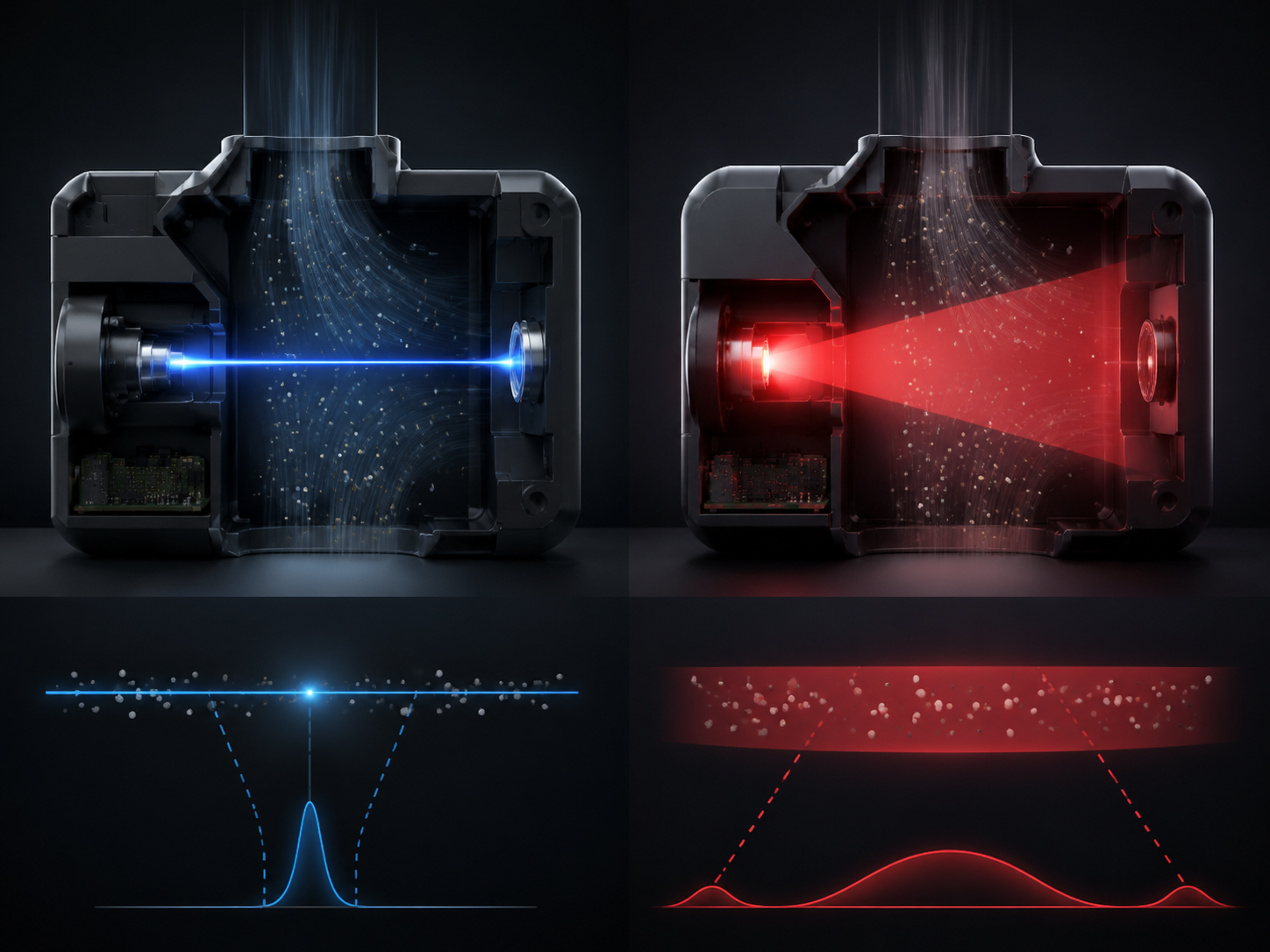
Place the sensor where people breathe, not where the purifier can cheat. If the PM2.5 sensor sits beside the purifier outlet, the automation may declare victory while the couch still sits in smoky air. If it sits next to a window leak, it may overreact compared with the occupied part of the room. A side table, shelf, or wall location away from direct airflow is boring and usually better.
Also watch the reporting interval. A sensor that updates every few minutes can still be useful. A device that hides PM2.5 inside a vendor cloud and only gives HomeKit, Alexa, or Google a broad “Good/Fair/Poor” state is much less useful for wildfire automation. The platform can only automate what it can actually see.
Make sure the purifier can keep up
Automation cannot make an undersized purifier move more air. For smoke, CADR sizing deserves a check before you spend an afternoon perfecting YAML. Use the common AHAM/EPA-style sizing context: a CADR around two-thirds of the room area as a minimum, and closer to one times the room area as the stronger smoke-season target.[5][6]
In plain terms, the routine should not ask a small bedroom purifier to clean an open-plan living room during a regional smoke event. If the purifier is undersized, automation may still reduce exposure near the device, but it will not produce the same room-wide result as a correctly sized HEPA unit.
For smart-plug use, verify three things before smoke season: the purifier restarts when power is restored, the plug is rated for the purifier’s load, and the plug remains online during the Wi-Fi congestion and power blips that often come with bad weather. If the plug reports energy use, add a notification when the purifier is commanded on but power draw stays near zero.
Advanced layer: coordinate HVAC without pretending it is a purifier
A smart thermostat can help during smoke and heat, especially if the home has a forced-air system with a good filter and a recirculation mode. A 2025 Indoor Environments study of about 5,000 California homes found that automated smart thermostat optimization decreased indoor PM2.5 exposure by up to 54%.[7] That is a real coordination signal, not a reason to treat the HVAC system as a replacement for a room HEPA purifier.
A sensible advanced routine is: when indoor PM2.5 crosses 25 µg/m³, turn on the purifier and run HVAC fan recirculation if the system and filter are suitable. When outdoor smoke is bad and indoor temperature is rising, cooling decisions get harder; do not lock out cooling in a way that creates a heat problem. Smoke days are often uncomfortable precisely because opening windows is off the table.
Smoke alarms, Matter, and the automation people accidentally overpromise
A smoke/CO alarm trigger is not the same as a PM2.5 smoke-season trigger. A smoke alarm is for combustion and life safety. PM2.5 automation is for fine-particle exposure management. They can coexist, but do not substitute one for the other.
Matter 1.2 added Smoke and Carbon Monoxide Alarms as a device type, expanding the theoretical path for cross-brand alarm automations.[8] Matter Alpha’s smoke/CO detector overview also frames this as an emerging device category rather than a universal, already-solved automation layer.[9] As of Q3 2026, HomeKit and Home Assistant are the more realistic places to build cross-device “alarm detected, purifier on, HVAC off” logic; Alexa and Google Home still tend to limit these paths by controller support, device exposure, or within-brand behavior.
If you are planning that kind of mixed safety automation, treat the controller as the compatibility boundary, not the Matter logo. The same warning applies to purifier announcements and certification claims: for example, Dyson announced Matter-certified purifiers at IFA in September 2025, but any in-market model should still be checked against the CSA-IOT database before you buy it for a specific automation.
For more on those ecosystem limits, the smart smoke detector compatibility guide is the better place to sort out alarm-controller-device combinations before wiring an air purifier into the response.
Reliability checks before the next plume
The fastest way to test the routine is not to wait for smoke. Temporarily lower the start threshold to a number slightly above the current reading, watch the purifier turn on, then restore 25 µg/m³. Do the same for the recovery automation by raising the off threshold temporarily or using a test sensor value if your platform supports helpers.
- Check the trigger entity: the automation should read indoor PM2.5 in µg/m³, not a vendor label or outdoor AQI forecast.
- Check the action entity: fan-speed commands should actually change the purifier, and plug commands should restart a dumb purifier without a button press.
- Check the placement: the sensor should not sit in the purifier’s clean-air plume or beside a leaky window.
- Check the recovery delay: below 20 µg/m³ for 30 minutes is more stable than turning off after one clean reading.
- Check the fallback: if the hub or Wi-Fi is down, know whether the purifier’s own auto mode still runs.
This is also where platform expectations get honest. Home Assistant is the control-first answer. HomeKit can be strong with the right Eve, Aqara, or bridge path. SmartThings and Alexa can work for coarser routines. Google Home usually needs another system to make the PM2.5 decision and then hand off the device command. If you want to climb from platform-native routines toward YAML and helper entities, the broader home automation ideas by skill level framework maps that progression well.
What to leave running, and what to inspect afterward
During a multi-day smoke event, the purifier may run for long stretches. That is often the point, but it has costs: more electricity, more noise, and faster filter loading. The practical warning is blunt enough to keep: continuous smoke-event operation can halve filter life, so budget for inspection or replacement after the event rather than treating the filter timer as normal-season truth.
The final working setup is not complicated. Use an indoor laser-scattering PM2.5 sensor if possible. Start the purifier at 25 µg/m³. Escalate fan speed around 35.5 and 55 µg/m³ instead of waiting for hazardous indoor air. Shut down only after sustained recovery below 20 µg/m³. Then judge the platform by what it can actually trigger, not by the logo on the box.
References
- EPA AQI Scale — EPA / AirNow
- Portable Air Purifiers to Mitigate the Harms of Wildfire Smoke for People with Asthma — PMC / National Library of Medicine
- Air Quality — Home Assistant
- Activate Air Purifier When Air Quality Drops — Home Automation Cookbook
- Air Purifiers for Wildfire Smoke — HouseFresh
- The Best Air Purifier for Wildfire Smoke — Wirecutter
- Using smart thermostats to reduce indoor exposure to wildfire fine particulate matter (PM2.5) — ScienceDirect / Indoor Environments
- Matter 1.2 Arrives With Nine New Device Types & Improvements Across the Board — CSA-IOT
- Best Matter Smoke & Carbon Monoxide Detectors — Matter Alpha
Known issues
No known issues summary recorded for this device.
No open Troubleshooting entries are currently tracked for this device.
Spot something outdated?
Flag anything that no longer matches current firmware, app, or spec behavior. This is recorded for internal review, not published automatically.