
Devices
Will Your Flood Watch Sensor Connect to Your Smart Home Hub?
A verified sensor×hub compatibility matrix showing which flood watch sensors pair natively with each major smart home hub, and which require a bridge, specific firmware, or a different protocol generation — updated for 2026.
- Apple HomeNot stated
- Google HomeNot stated
- AlexaNot stated
- SmartThingsNot stated
- Home AssistantNot stated
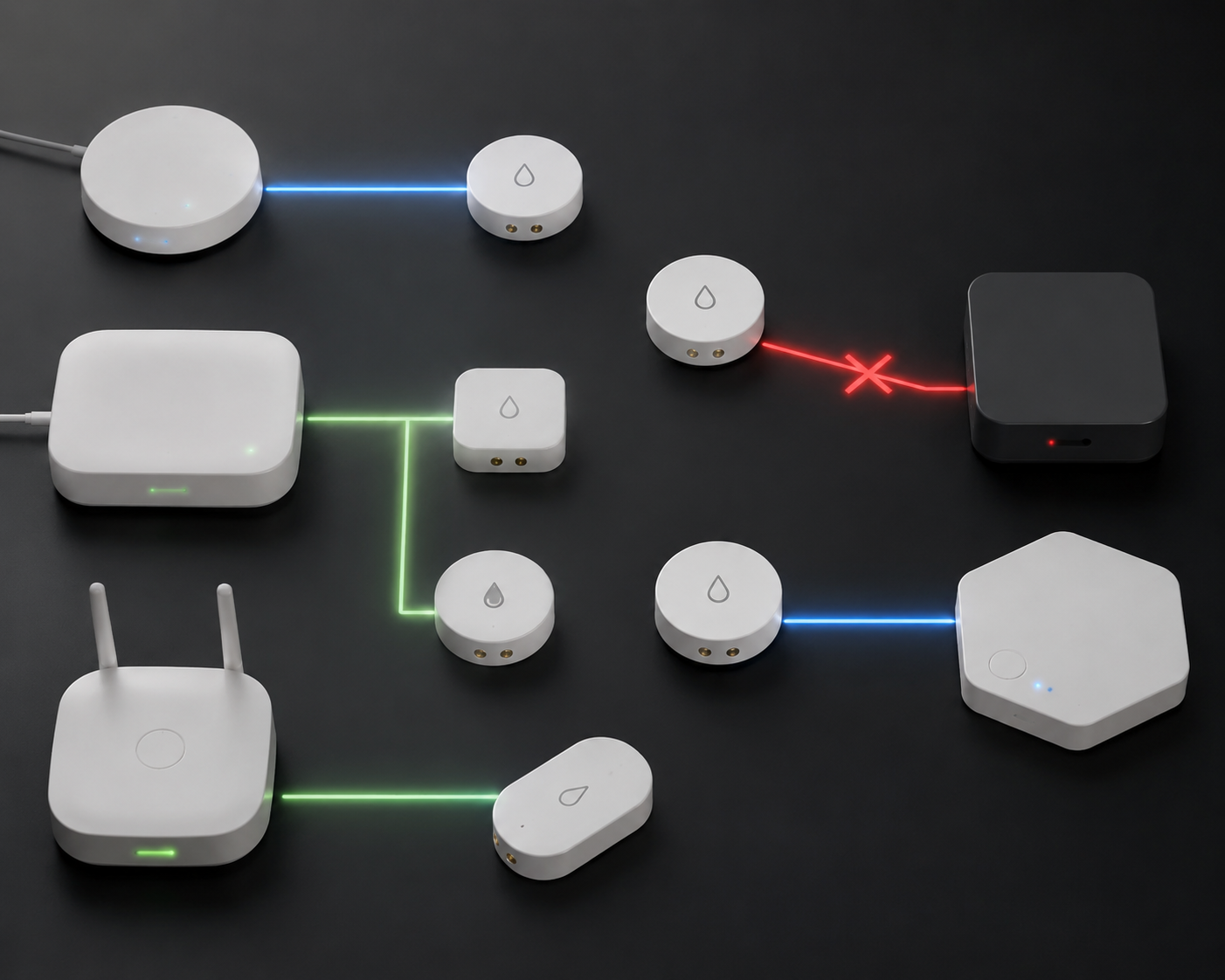
Start with the pairing path, not the sensor name. A flood watch smart home alert system only works if the leak sensor can actually reach the hub, controller, or bridge you already own. “Compatible” is too loose a word here; the useful question is whether the device pairs natively, rides through a vendor bridge, needs a specific controller generation, or only works through a workaround.
Last verified: July 22, 2026. This matrix is a documentation-based compatibility snapshot, not an independent lab certification.
| Flood sensor | Radio / protocol path | SmartThings | Apple Home | Google Home | Home Assistant | Hubitat | Status to trust |
|---|---|---|---|---|---|---|---|
| Aqara Water Leak Sensor T1 | Zigbee to Aqara hub first; Matter exposure through Aqara Hub M3 firmware 4.0.4+ | Bridge required via Aqara M3 Matter path | Bridge required via Aqara M3 Matter path | Bridge required via Aqara M3 Matter path | Possible through Matter-capable setup, but not direct Zigbee-native in this matrix | Not confirmed here as native | Confirmed bridge path; not direct Matter [1][2] |
| THIRDREALITY Smart Water Leak KM1 | Matter over 2.4 GHz Wi-Fi | Matter controller required | Matter controller required | Matter controller required | Matter controller required | Not confirmed here | Confirmed Matter-over-Wi-Fi path; no Zigbee hub [3] |
| Zooz 800 Series Z-Wave Long Range XS Water Leak Sensor ZSE42 | Z-Wave Long Range, with Z-Wave LR-capable hub or stick | Only if the controller path supports Z-Wave LR | Not native | Not native | Confirmed only with a Z-Wave LR-capable controller such as a compatible stick | Only if the controller path supports Z-Wave LR | Confirmed with LR-capable controller; older 500-series controllers do not pair in LR mode [4] |
| Govee Wireless Water Leak Detectors | 433 MHz radio, not Wi-Fi | Not confirmed here as native | Not confirmed here as native | Not confirmed here as native | Workaround through SDR dongle plus rtl_433 and MQTT, or through official Govee hub where supported | Not confirmed here | Workaround; do not treat as native hub pairing [5] |
| Aeotec SmartThings Water Leak Sensor | Zigbee SmartThings path; Matter support via SmartThings Station hub | Confirmed through SmartThings ecosystem | Possible through SmartThings Station Matter path | Possible through SmartThings Station Matter path | Not confirmed here as native | Not confirmed here as native | Vendor-specific path with feature and battery tradeoffs [6] |
The fastest diagnosis after a failed pairing is to read the “radio / protocol path” column aloud. If the words in that column do not exist in your hub, the sensor is probably not broken. It is speaking to the wrong kind of listener.
Aqara T1: the bridge is not optional
The Aqara Water Leak Sensor T1 is the row most likely to get misread. It uses Zigbee, and Aqara’s published path requires pairing it to an Aqara hub first. The Matter part arrives later: with the Aqara Hub M3 on firmware 4.0.4 or newer, the hub can expose the sensor onward to ecosystems such as Apple Home, Google Home, and SmartThings [1][2].
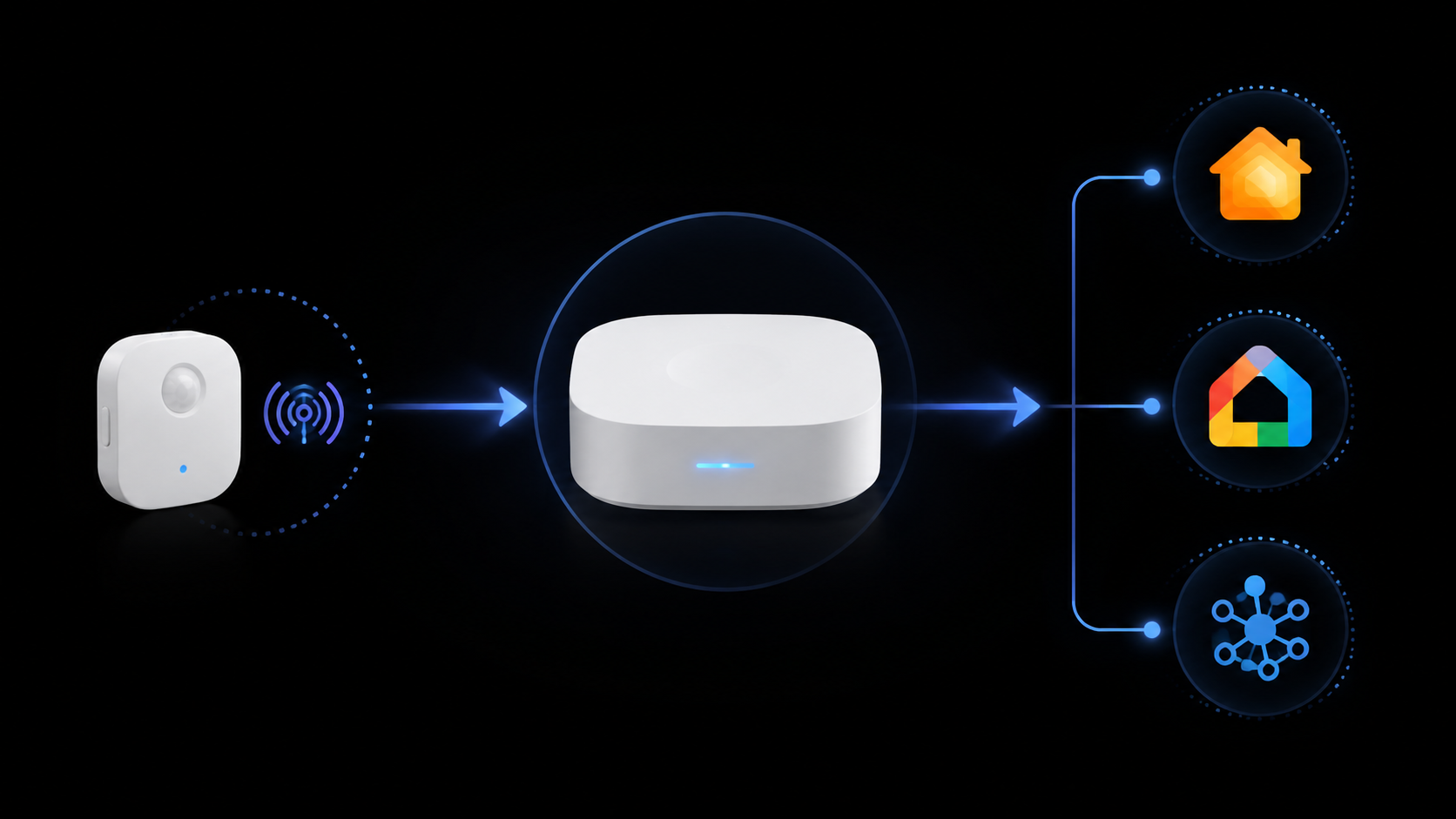
That makes the T1 a bridge-dependent Matter exposure, not a direct Matter sensor. If you try to add the bare T1 straight to Apple Home as though it were a Matter-over-Wi-Fi device, the pairing failure is expected. If you try to join it to a random Zigbee coordinator and then expect the same Matter behavior described for the M3 path, that is a different claim than the one documented here.
This distinction matters most for awkward placements. A leak sensor behind a washing machine or under a utility sink should not depend on an improvised pairing story. If the chosen path is Aqara T1, the path to verify is: T1 to Aqara hub by Zigbee, Aqara Hub M3 on the needed firmware, then exposure to the target Matter ecosystem.
THIRDREALITY KM1: clean Matter path, still a controller requirement
The THIRDREALITY Smart Water Leak KM1 is the clean contrast case. It uses Matter over 2.4 GHz Wi-Fi, so it does not need a Zigbee hub. It does, however, still need a Matter controller; the product page names Apple Home, Alexa, Google Home, Home Assistant, and Homey as supported controller ecosystems [3].
That is a simpler path, not a hubless path in the practical sense. If your phone app is trying to commission the sensor but your home has no available Matter controller, the missing piece is not a proprietary bridge; it is the controller role. For Home Assistant users who are still deciding what should handle Matter, the relevant next read is Best Matter Hardware for Home Assistant in 2026.
The practical tradeoff is placement. Wi-Fi sensors avoid a Zigbee or Z-Wave bridge, but they still depend on reliable 2.4 GHz coverage at floor level, under cabinets, or near appliances. If the utility room has weak Wi-Fi, “no hub needed” stops being the decisive advantage.
Zooz ZSE42: Z-Wave Long Range changes what “Z-Wave compatible” means
The Zooz 800 Series Z-Wave Long Range XS Water Leak Sensor, ZSE42, is where older compatibility habits cause trouble. It is a Z-Wave Long Range device and needs a controller path that supports Z-Wave LR. SmartHomeCompared notes that it can reach 1,000+ feet line-of-sight with the right LR setup, such as a compatible ZST39 stick, but it will not pair with older Z-Wave 500-series controllers in Long Range mode [4].
So the useful question is not “Do I have Z-Wave?” It is “Does my Z-Wave controller support Long Range, and am I joining this sensor in the mode I intend to use?” That is especially important for Hubitat and Home Assistant owners who may have upgraded software for years while keeping an older radio stick in service.
There is also a mesh consequence. Z-Wave Long Range does not behave like the classic mesh path people expect from older Z-Wave devices; LR mode disables mesh repeating. If you need a device to repeat for nearby Z-Wave nodes, a leak sensor joined in LR mode is not the part that will do that job.
Govee 433 MHz: the Home Assistant path is a workaround
Govee’s wireless leak detectors are the outlier that keeps compatibility charts honest. The detector traffic is 433 MHz radio, not Wi-Fi. E.Z. Hart’s Home Assistant hardware walkthrough describes using a Nooelec NESDR Mini SDR dongle, rtl_433, Mosquitto MQTT, and Home Assistant to receive and route the events; the official Govee hub is the other integration route discussed in the material [5].
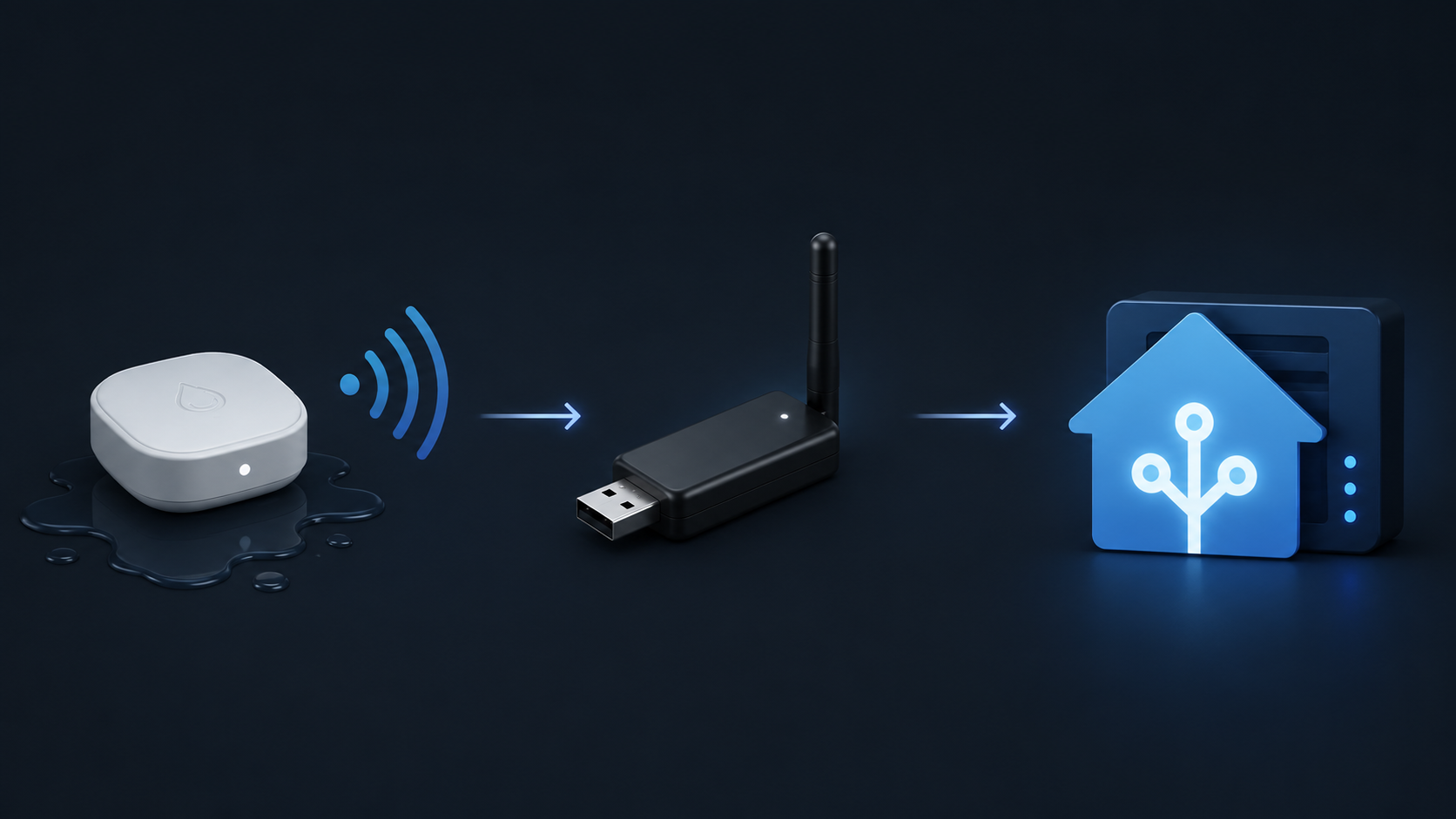
That can be useful. It can also be the wrong answer for someone who wanted a native device pairing screen in SmartThings, Apple Home, Google Home, or Hubitat. SDR plus MQTT is a software-defined receiving path; it is not the same compatibility class as “add device, select leak sensor, pair.”
If you already run Home Assistant and are comfortable maintaining radio decoding and MQTT plumbing, the workaround may be acceptable. If the sensor is going into a crawl space and the household depends on the alert, label it honestly before buying: workaround, not native support.
Aeotec and SmartThings: compact, specific, and not universal
Aeotec’s SmartThings Water Leak Sensor is a vendor-specific compatibility story rather than a broad protocol shortcut. SmartHomeCompared describes it as originally SmartThings-only, with Matter support arriving through the SmartThings Station hub. The same comparison notes temperature monitoring and a roughly one-year CR2 battery rating, shorter than the typical 3–5 years noted for many Zigbee and Z-Wave leak sensors and around two years for Wi-Fi sensors [6].
That does not make it a bad fit. It makes it a specific fit. If your system is centered on SmartThings and the Station path matches your plan, it belongs in the shortlist. If you are trying to build a hub-agnostic sensor layer for Home Assistant or Hubitat, the documented row above does not support treating it as a general-purpose native option.
Why the sensor usually is not the broken part
The pattern across these rows is straightforward. Aqara T1 fails when the Aqara hub step is skipped. THIRDREALITY KM1 fails when there is no Matter controller available. Zooz ZSE42 fails when the controller is too old for Z-Wave Long Range. Govee fails as a native pairing because 433 MHz is not the protocol most smart home hubs are listening for.
Those are not random defects. They are mismatches between the sensor’s radio path and the hub’s actual controller capability. The same mistake is easy to make because product listings compress several different things into one compatibility claim: radio protocol, bridge requirement, controller generation, firmware level, and ecosystem exposure.
| If the listing says | Check this before blaming the sensor |
|---|---|
| Matter | Is it direct Matter over Wi-Fi, or a Zigbee device exposed through a Matter bridge? |
| Zigbee | Does it pair to your hub directly, or only to the vendor’s own bridge? |
| Z-Wave | Does your controller support the required generation or Long Range mode? |
| Wi-Fi | Is the sensor actually Wi-Fi, or does the kit use another radio plus a hub? |
| Home Assistant compatible | Is it native integration support, or SDR/MQTT/API workaround support? |
Battery life belongs in the second pass, after the pairing path is settled. A one-year battery may be fine beside a water heater you walk past every week. It is less appealing in a crawl space, behind a stacked washer, or under a cabinet that needs tools to open. But battery life does not rescue a sensor that cannot join the right network in the first place.
A short decision path
- If you already own SmartThings, match the sensor against the exact SmartThings path: direct support, SmartThings Station, Matter controller role, or bridge exposure.
- If you already own Hubitat, do not stop at the word Z-Wave or Zigbee; check controller generation and whether the specific sensor has a native driver or documented path.
- If you already run Home Assistant, separate native integrations from SDR, MQTT, bridge, and Matter-controller setups before putting the sensor somewhere inconvenient.
- If you use Apple Home or Google Home, distinguish direct Matter sensors from devices exposed through a vendor bridge.
- If the best available row says workaround, treat reliability, maintenance, and household handoff as part of the cost.
For a broader sensor shortlist after the hub path is settled, use Best Smart Flood Sensors for Home Protection in 2026. For a wider compatibility framework, compare this matrix with Which Smart Flood Sensors Actually Work With Your Hub. Once the pairing route is confirmed, move on to Smart Leak Detector Automation Ideas or a full Smart Home Flood Alarm Setup.
Insurance discounts can make the hardware decision easier, but they do not change the compatibility work. Abode’s 2026 guide cites Insurance Information Institute context that water damage claims average $12,514–$13,954, affect 1 in 60 homes, and that carriers such as State Farm and Allstate may offer 5–15% premium discounts for monitored smart water detection, with estimated annual savings of $100–$300 [7]. Those numbers are a reason to install a working alert path, not a reason to trust an unnamed one.
The decision boundary is narrow. If you already own the hub, match its generation and controller type against the matrix before buying another sensor. If you are choosing the sensor first, choose the pairing path that fits your ecosystem without adding a bridge you did not intend to maintain. If the row says workaround, install it like a workaround.
References
- Water Leak Sensor, Aqara.
- The Best Matter-Compatible Water Leak Sensors, Matter Alpha.
- Smart Water Leak KM1, THIRDREALITY.
- Z-Wave Water Leak Sensors, SmartHomeCompared.
- Flood and Leak Detection Hardware, E.Z. Hart.
- Water Leak Sensors, SmartHomeCompared.
- Water Leak Detection Smart Home, Abode, 2026.
Report an issue with this profile
If a compatibility claim looks stale or incorrect, tell us — we re-verify before changing what's published.