
A smart home air quality monitor for health precautions has one job Home Assistant users care about: it must make something happen before the room becomes a problem. A CO2 entity that sits quietly on a dashboard does not open a vent. A PM2.5 graph does not start a purifier. A VOC number that updates whenever it feels like it cannot reliably warn you that cooking haze or off-gassing is building.
The health case is real enough to justify the automation work, as long as it is not treated like panic copy. EPA’s indoor air framing is blunt: Americans spend about 90% of their time indoors, and indoor pollutant concentrations can be 2 to 5 times higher than outdoors.[1] WHO links air pollution to about 7 million premature deaths annually.[2] And in the often-cited CO2 cognition study indexed by NIH, cognitive function scores were reported 15% lower at 945 ppm CO2 and 50% lower at 1,400 ppm compared with lower-exposure conditions.[3] Those CO2 figures are worth checking against the original paper, but they explain why waiting until a bedroom feels stale is a bad control strategy.
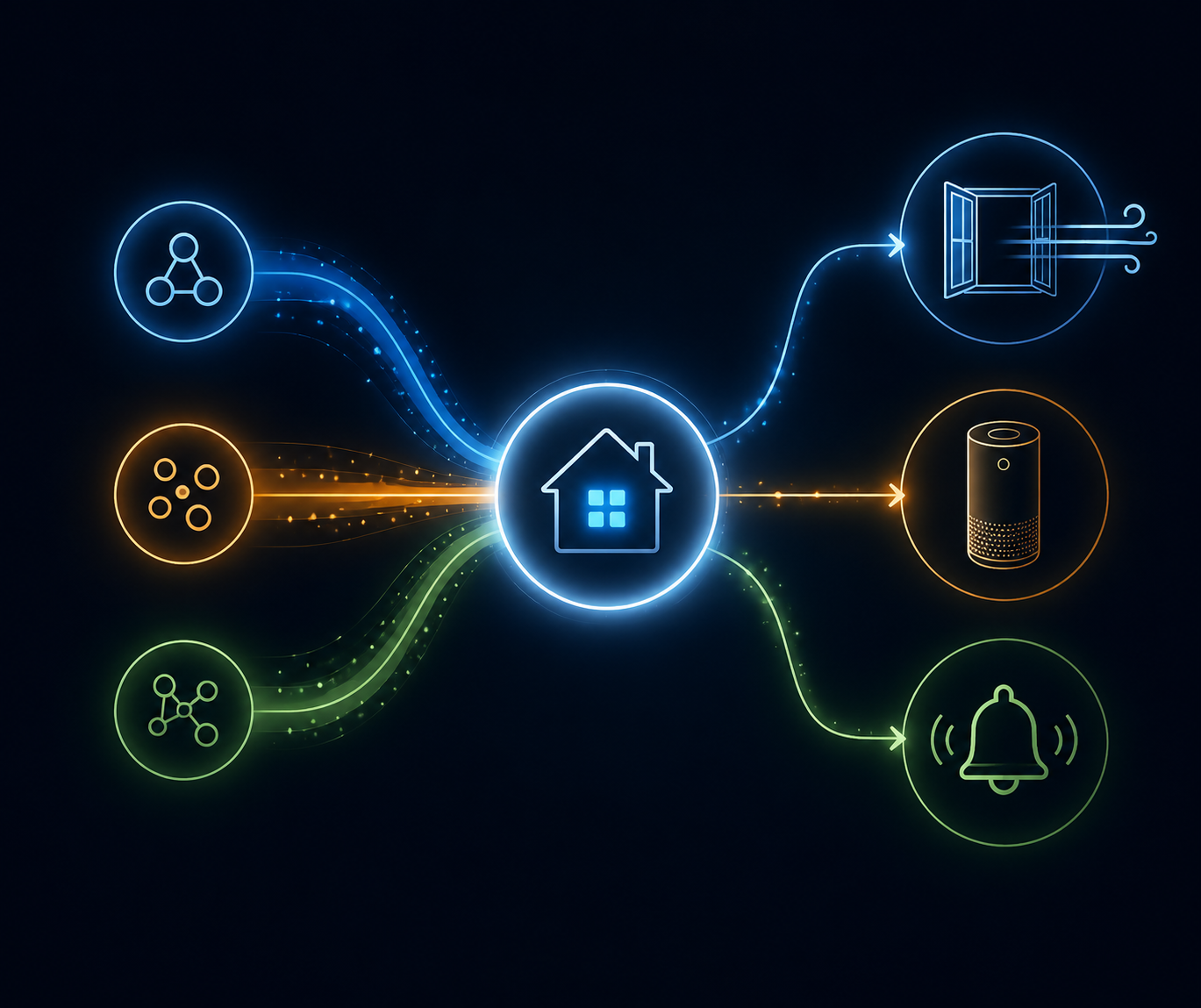
So the first decision is not which card looks best in the Home Assistant dashboard. It is whether the monitor exposes local, timely, stable entities that can safely drive automations after the novelty wears off.
Before YAML, Check Whether the Monitor Can Be Trusted
A useful air-quality automation needs four things from the device: Home Assistant must see the right sensor entities, those entities must update quickly enough for the hazard, the integration must survive reboots and network changes, and any known workaround must be documented where the next person maintaining the house can find it.
| Monitor path | What Home Assistant needs to see | Automation risk | Q3 2026 judgment |
|---|---|---|---|
| AirGradient ONE | Local CO2, PM2.5, VOC-related entities through Home Assistant / ESPHome path | Lowest among the monitors covered here; local operation and Home Assistant certification reduce cloud and entity-exposure risk | Best starting point for health precautions if buying specifically for automation |
| IKEA VINDSTYRKA | Zigbee entities for PM2.5, temperature, humidity, and VOC index depending on integration support | Community reports describe very slow and random reporting, from several minutes to hours, unless polling, firmware, or Zigbee stack changes fix it | Usable only after confirming update cadence on your own network |
| IKEA ALPSTUGA | Matter/Thread air quality entities after successful commissioning | Pairing and re-pairing can fail when Thread credentials are out of sync or IPv6 is not working on the Home Assistant host | Promising, but treat setup reliability as part of the product |
| Sonoff AirGuard | Matter-over-WiFi or integration-exposed sensor entities | A January 2026 community report says the eWeLink integration did not pass sensor data into Home Assistant | Do not build health automations on it until current entity exposure is re-verified |
AirGradient ONE is the cleanest path in this group because it is presented by AirGradient as a Works with Home Assistant certified air quality monitor with full local, cloudless operation and ESPHome customizability.[4] That does not make its readings medical-grade, and it does not make placement irrelevant. It does mean the automation path starts in the right place: local entities that Home Assistant can use without waiting on a vendor cloud.
VINDSTYRKA is more complicated. Community testing has documented a Zigbee reporting pattern described as very slow and random, sometimes taking several minutes to hours, with a custom polling script used to make the device responsive enough for automations.[5] That finding should not be flattened into “VINDSTYRKA is always slow.” Some users report better behavior after firmware updates or after switching from ZHA to Zigbee2MQTT. The right conclusion is narrower: before using it for purifier control, kitchen alerts, or any other response that assumes fresh data, watch the entity history and confirm the update rate yourself.
ALPSTUGA moves the uncertainty to Matter and Thread. The relevant failure is not whether Matter can carry air-quality data in theory; it is whether the device stays commissioned in your fabric. Home Assistant community reports describe frequent pairing failures tied to Thread credential mismatch, with fixes including syncing credentials through the Home Assistant Companion App or enabling IPv6 on the Home Assistant host.[6] If pairing consumes the evening, write down what fixed it. The future you who has to replace a border router will need that note.
Sonoff AirGuard needs the strongest caveat. It supports Matter-over-WiFi for direct pairing, but a Home Assistant community report from January 2026 said the eWeLink integration did not pass sensor data to Home Assistant.[7] That may have changed with firmware, integration, or Matter updates. Treat any Sonoff AirGuard recommendation as having a `last_verified_at` field, and make that field current before you depend on it for health precautions.
Matter does not remove the need for that discipline. Matter Alpha’s database listed only about 13 Matter-compatible air quality sensors as of mid-2026, and the category is changing quickly.[8] A compatibility claim from a product page, forum post, or old review is not enough. The practical test is still whether Home Assistant exposes the entities you need today.
Build the First Automations Around the Pollutant, Not the Product
Once the monitor passes the integration gate, the automation logic can stay fairly simple. The mistake is using the same pattern for every reading. CO2, PM2.5, and VOC values mean different things, update differently, and deserve different actions.
| Sensor | Trigger logic | Best first action | Where automations break |
|---|---|---|---|
| CO2 | Practical alert around 1,000 ppm, with stronger action if it keeps rising | Open a ventilation path, run ERV/HRV boost, or notify someone to crack a window | Slow updates make the alert late; no ventilation device means notification fatigue |
| PM2.5 | Use EPA AQI-style bands rather than a random low-number trigger | Turn on a purifier, raise fan speed, and keep it on until readings remain lower | Short cycling the purifier or reacting to a single noisy sample |
| VOC Index | Compare against the room’s own baseline because many monitors report a relative index, not ppb | Run kitchen exhaust, increase ventilation, or send an off-gassing alert | Treating a Sensirion VOC Index value like an absolute concentration threshold |
If you still need help with placement and basic sensor interpretation before building automations, start with How to Monitor Indoor Air Quality with Smart Sensors. Bad placement can make even a technically correct automation useless.
CO2: Ventilate Before the Room Feels Stale
For everyday Home Assistant use, a 1,000 ppm CO2 threshold is a practical place to start. It is not a universal health boundary, and it is not a diagnosis of poor ventilation by itself. It is a useful automation trigger because it usually catches the situation people care about: a bedroom, office, or classroom-like space where occupancy has outpaced fresh air.
alias: CO2 ventilation reminder
mode: single
trigger:
  - platform: numeric_state
    entity_id: sensor.bedroom_co2
    above: 1000
    for: "00:05:00"
condition:
  - condition: state
    entity_id: binary_sensor.bedroom_window
    state: "off"
action:
  - service: notify.mobile_app_phone
    data:
      title: "Bedroom CO2 is high"
      message: "CO2 has been above 1,000 ppm for 5 minutes. Open a window or start ventilation."
  - service: fan.turn_on
    target:
      entity_id: fan.erv_boost
That five-minute hold matters. Without it, a sensor bump can wake people up or spam phones. With it, the automation responds to a sustained condition. If the room has an ERV, HRV, vent fan, or motorized window, the action can be direct. If it does not, the automation should notify the person who can actually change the air path.
A better version adds escalation instead of repeating the same alert. For example, above 1,000 ppm for several minutes can send a quiet notification; a higher sustained value can turn on ventilation boost; a continued rise can notify again only after a cooldown. The important part is that the automation should fail visibly. If the fan entity is unavailable, send a notification saying the fan action failed rather than pretending the house handled it.
alias: CO2 ventilation escalation
mode: restart
trigger:
  - platform: numeric_state
    entity_id: sensor.office_co2
    above: 1000
    for: "00:05:00"
    id: elevated
  - platform: numeric_state
    entity_id: sensor.office_co2
    above: 1400
    for: "00:05:00"
    id: high
action:
  - choose:
      - conditions:
          - condition: trigger
            id: elevated
        sequence:
          - service: notify.mobile_app_phone
            data:
              title: "Office ventilation suggested"
              message: "CO2 is above 1,000 ppm. Add fresh air when practical."
      - conditions:
          - condition: trigger
            id: high
        sequence:
          - service: fan.turn_on
            target:
              entity_id: fan.erv_boost
          - service: notify.mobile_app_phone
            data:
              title: "Office CO2 is high"
              message: "CO2 is above 1,400 ppm. Ventilation boost has been requested."
PM2.5: Let the Purifier Work, Then Keep It From Short-Cycling
PM2.5 automation is where dashboard watching fails most obviously. Cooking, candles, fireplace use, nearby smoke, or outdoor pollution can raise fine-particle readings faster than anyone wants to babysit a graph. EPA’s AQI structure is a better guide than inventing a magic number, especially if someone in the home is more sensitive to particle pollution.[1]
Home Assistant should avoid rapid fan toggling. Turn the purifier on when the reading crosses your chosen band, then require a cleaner sustained period before turning it off. If the purifier supports speed control, use steps; if it only has power, use a smart plug and a generous cooldown. For more plug-based Home Assistant patterns, the site’s energy-monitoring smart plug recipes are a useful style reference.
alias: PM2.5 purifier boost
mode: restart
trigger:
  - platform: numeric_state
    entity_id: sensor.living_room_pm25
    above: 35
    for: "00:03:00"
action:
  - service: fan.turn_on
    target:
      entity_id: fan.living_room_purifier
  - service: fan.set_percentage
    target:
      entity_id: fan.living_room_purifier
    data:
      percentage: 80
  - wait_for_trigger:
      - platform: numeric_state
        entity_id: sensor.living_room_pm25
        below: 12
        for: "00:20:00"
  - service: fan.set_percentage
    target:
      entity_id: fan.living_room_purifier
    data:
      percentage: 30
The values in that YAML are a starting point, not a medical recommendation. Adjust them to the sensor, room, purifier capacity, and household risk. For asthma, allergies, older adults, infants, or other sensitive-group concerns, monitor selection and thresholds deserve more care than a generic automation recipe can provide; How to Choose a Smart Air Quality Monitor for Sensitive Groups goes deeper on that buying side.
Smoke is the stress test. A Reddit r/homeassistant case described air quality automations being put to the test during a smoke event, which is exactly when slow polling, missing entities, and fragile notification logic stop being cosmetic problems.[9] For active smoke troubleshooting, use Your Smart Air Quality Monitor Detected Smoke: Now What? rather than stretching an everyday PM2.5 recipe into an emergency plan.
VOC: Automate Against Your Baseline, Not a Fake Absolute Threshold
VOC automation is the easiest place to write something that looks precise and behaves badly. Many consumer air quality monitors using Sensirion-style VOC sensing report a VOC Index on a 0 to 500 relative scale rather than an absolute ppb concentration.[10] That index is useful, but it is not the same as saying “this room contains X ppb of a specific compound.”
The automation should learn what normal looks like for the room. A kitchen will not behave like a bedroom. A newly painted office will not behave like the same office three months later. Instead of firing whenever VOC Index crosses a universal number, compare the current reading with a recent baseline and act on a sustained jump.
alias: VOC cooking or off-gassing alert
mode: single
trigger:
  - platform: numeric_state
    entity_id: sensor.kitchen_voc_index
    above: 250
    for: "00:05:00"
condition:
  - condition: time
    after: "06:00:00"
    before: "23:00:00"
action:
  - service: fan.turn_on
    target:
      entity_id: fan.kitchen_exhaust
  - service: notify.mobile_app_phone
    data:
      title: "Kitchen VOC index is elevated"
      message: "VOC Index has stayed high for 5 minutes. Exhaust fan has been requested; check cooking, cleaning products, or off-gassing sources."
That example still uses a simple fixed trigger because it is copyable. The more honest version records normal room behavior first, then alerts on a meaningful rise from that baseline. If your monitor has just been installed, give VOC readings time to settle before trusting them for anything more aggressive than a notification.
- Use VOC alerts first; automate fans after you know the room’s normal pattern.
- Label the entity as VOC Index in dashboards and notifications, not VOC concentration.
- Suppress alerts during known cleaning or cooking windows if they become noise.
- Do not compare VOC Index values across rooms as if they were calibrated lab measurements.
A Practical Build Order
Start with the monitor and integration, not the automation file. In Home Assistant, confirm that each entity exists, updates on a useful schedule, survives a Home Assistant restart, and has a clear unit or index meaning. Then build the mildest automation that would have helped yesterday.
- Watch entity history for at least a normal day and one pollution event such as cooking, cleaning, or occupancy buildup.
- Write down the integration path: ESPHome, ZHA, Zigbee2MQTT, Matter, vendor integration, firmware version, and last verification date.
- Create a notification-only CO2 automation before controlling ventilation hardware.
- Add PM2.5 purifier control with a sustained trigger and a delayed return to lower speed.
- Add VOC alerts only after observing the room’s baseline and labeling the sensor as a relative index.
For hazardous AQI scenarios, this everyday build order is not enough. The thresholding, notification priority, and household actions are different when conditions are severe; use How to Automate a Smart Home Air Quality Monitor for Hazardous Conditions for that layer.
Which Monitor Path Is Safe to Build On?
If the plan is to buy a monitor specifically for Home Assistant health precautions, AirGradient ONE is the safest path in this set because local operation is not an afterthought. It still needs good placement and sensible thresholds, but it does not begin with a fight over whether Home Assistant can see the readings.
IKEA VINDSTYRKA can be a reasonable low-cost path if you already own it or want the IKEA ecosystem, but only after validating the reporting interval. If your unit updates slowly under ZHA, test Zigbee2MQTT, firmware updates, or a polling workaround before writing anything that assumes fresh data.
IKEA ALPSTUGA is worth watching because Matter/Thread air quality devices should eventually make this category cleaner. In Q3 2026, though, the pairing and Thread credential issues are still part of the real setup story, not a footnote.
Sonoff AirGuard is the one to re-check before recommending. If Matter pairing exposes the needed entities locally in your Home Assistant install, it may be usable. If you are relying on an integration path that still does not pass sensor data through, it is not a health-precaution monitor in any practical automation sense.
The answer is still yes: automating health precautions from air-quality data is worth doing. CO2 ventilation alerts, PM2.5 purifier control, and VOC baseline warnings can all reduce the gap between noticing a problem and acting on it. But the device has to earn its place first. If the entities are missing, stale, cloud-dependent, or mislabeled, the monitor is just another dashboard with impressive numbers and no reliable household response.
References
- Report on the Environment: Indoor Air Quality, EPA, https://www.epa.gov/report-environment/indoor-air-quality
- Air pollution, World Health Organization, https://www.who.int/health-topics/air-pollution
- Associations of Cognitive Function Scores with Carbon Dioxide, Ventilation, and Volatile Organic Compound Exposures in Office Workers: A Controlled Exposure Study, NIH / PMC, 2016, https://pmc.ncbi.nlm.nih.gov/articles/PMC4892924/
- AirGradient for Home Assistant, AirGradient, https://www.airgradient.com/home-assistant/
- IKEA VINDSTYRKA Air Quality Sensor, Home Assistant Community, https://community.home-assistant.io/
- IKEA ALPSTUGA Matter/Thread discussion, Home Assistant Community, https://community.home-assistant.io/
- Sonoff AirGuard sensor data discussion, Home Assistant Community, January 2026, https://community.home-assistant.io/
- Matter Alpha air quality sensor database, Matter Alpha, https://www.matteralpha.com/
- Smoke event discussion, Reddit r/homeassistant, https://www.reddit.com/r/homeassistant/
- VOC Index discussion, Home Assistant Community, https://community.home-assistant.io/