
For HomeKit, buy the Ultra 3 now or wait for the Ultra 4?
HomeKit control is generation-independent: the Ultra 3 and the unreleased Ultra 4 are both HomeKit controllers — the watch is not a hub or Thread border router — so smart-home features should not drive the purchase. For anyone buying in the next two weeks, the decision hinges on dated factors: watchOS 27 support, Siri AI requirements, Ultra 3 street discounts, and the Ultra 4's rumored S11 chip and blood-pressure sensor.
Last updated
As of Aug. 25, 2026, if the question is Apple Home control, buying an Apple Watch Ultra 3 now does not give up a known smart-home capability to the still-unannounced Apple Watch Ultra 4. The Ultra 3 is Apple’s current rugged watch, launched from $799, while the Ultra 4 remains an expected September product rather than tested hardware.[1][2] For lights, locks, scenes, Siri requests, and remote Apple Home access, the deciding pieces are watchOS support, Apple Account/iCloud Home setup, the paired iPhone, and the home hub in the house — not whether the watch is Ultra 3 or Ultra 4.
That does not make the choice irrelevant. It makes it narrower. If an Ultra 3 discount is real at checkout, watchOS 27 support meets your runway needs, and HomeKit is the main reason you are buying, the Ultra 3 is the cleaner buy. Waiting for the Ultra 4 makes sense if you would be annoyed to miss the rumored S11 chip, efficiency changes, or expanded blood-pressure feature — all still unconfirmed until Apple announces the device.
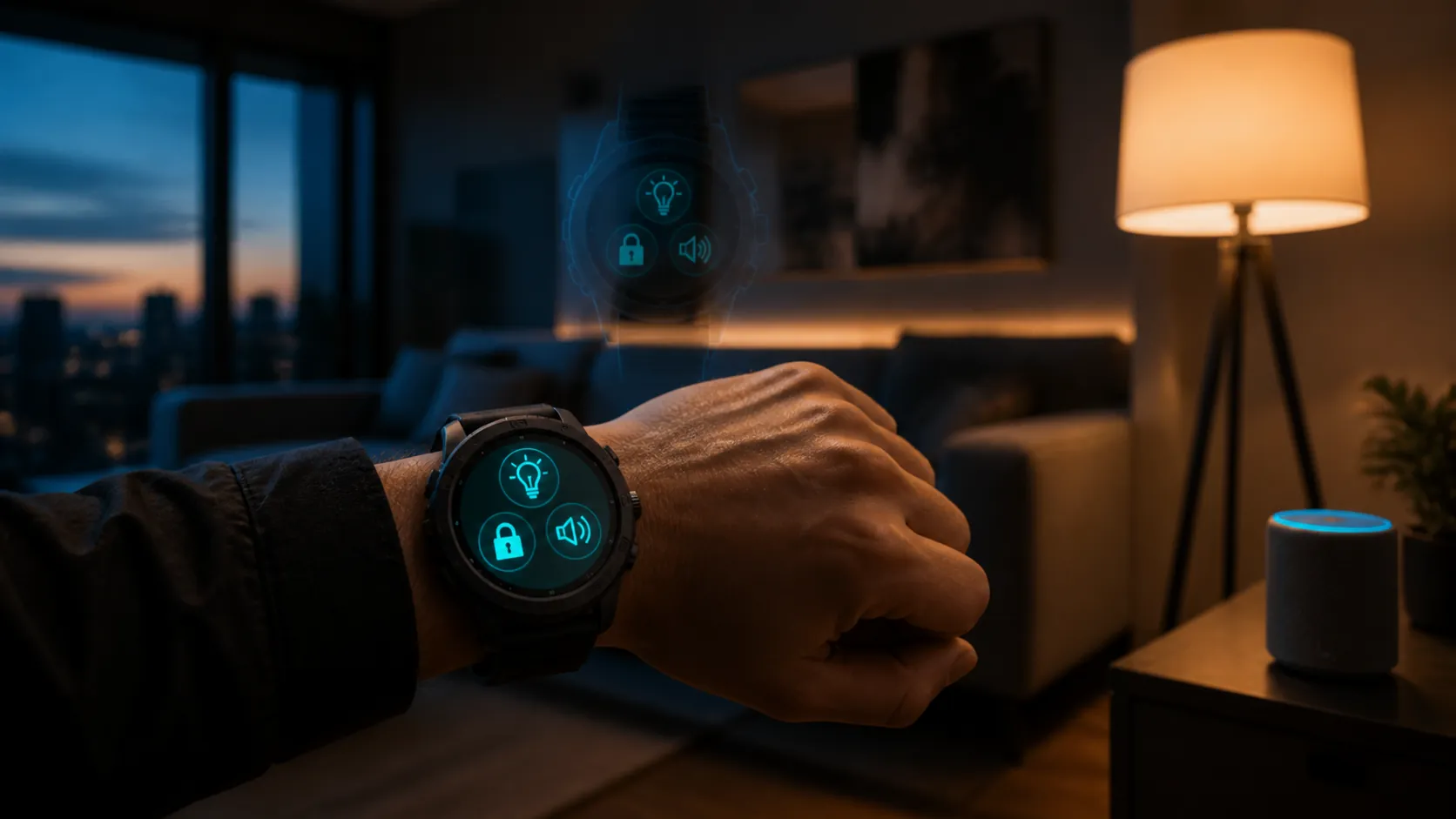
The status check before you compare anything
| Question | Status on Aug. 25, 2026 | HomeKit impact |
|---|---|---|
| Can the Ultra 3 control Apple Home? | Confirmed current product. | Yes, subject to normal Apple Home setup and watchOS support. |
| Is the Ultra 4 confirmed? | No. Expected around Apple’s September iPhone 18 Pro event, with reported same-week preorders and later-September shipping. | No tested Ultra 4-only HomeKit capability exists yet. |
| Is Ultra 3 excluded from watchOS 27? | No. Apple’s watchOS 27 support list includes Ultra 3. | No reason to avoid Ultra 3 for Home control on that basis. |
| Will the watch replace a HomePod or Apple TV hub? | No. | Remote access and some automations still depend on the home hub architecture. |
| Will the Ultra 4 be a Thread border router? | No confirmed evidence, and Apple’s Thread border-router list does not treat Apple Watch as that device class. | Do not buy or wait on that assumption. |
The Ultra 4 timing and price expectations come from rumor and buyer-guide reporting, not from an Apple announcement. The Gadgeteer reported a likely September event window, same-week preorders, shipping in the third or fourth week of September, and a held $799 starting price; those are useful planning assumptions, but they should be refreshed the moment Apple posts official specs and pricing.[2]
The watch controls Apple Home; it does not become the hub
This is the point launch-season comparisons often blur. An Apple Watch is a controller for Apple Home. It can open the Home app, show accessories, run scenes, and send Siri commands. Apple’s own watch Home documentation frames the watch as a way to control home accessories, while setup and accessory configuration are handled from the iPhone.[3]
That distinction matters at checkout. If your living-room lights respond from the watch, the watch did not personally become the authority for the home. It sent a request through the Apple Home setup that already exists around your Apple Account, iPhone, home hub, network, and accessories. A faster future watch chip might make the watch interface feel snappier, but it would not, by itself, add a new Apple Home role.
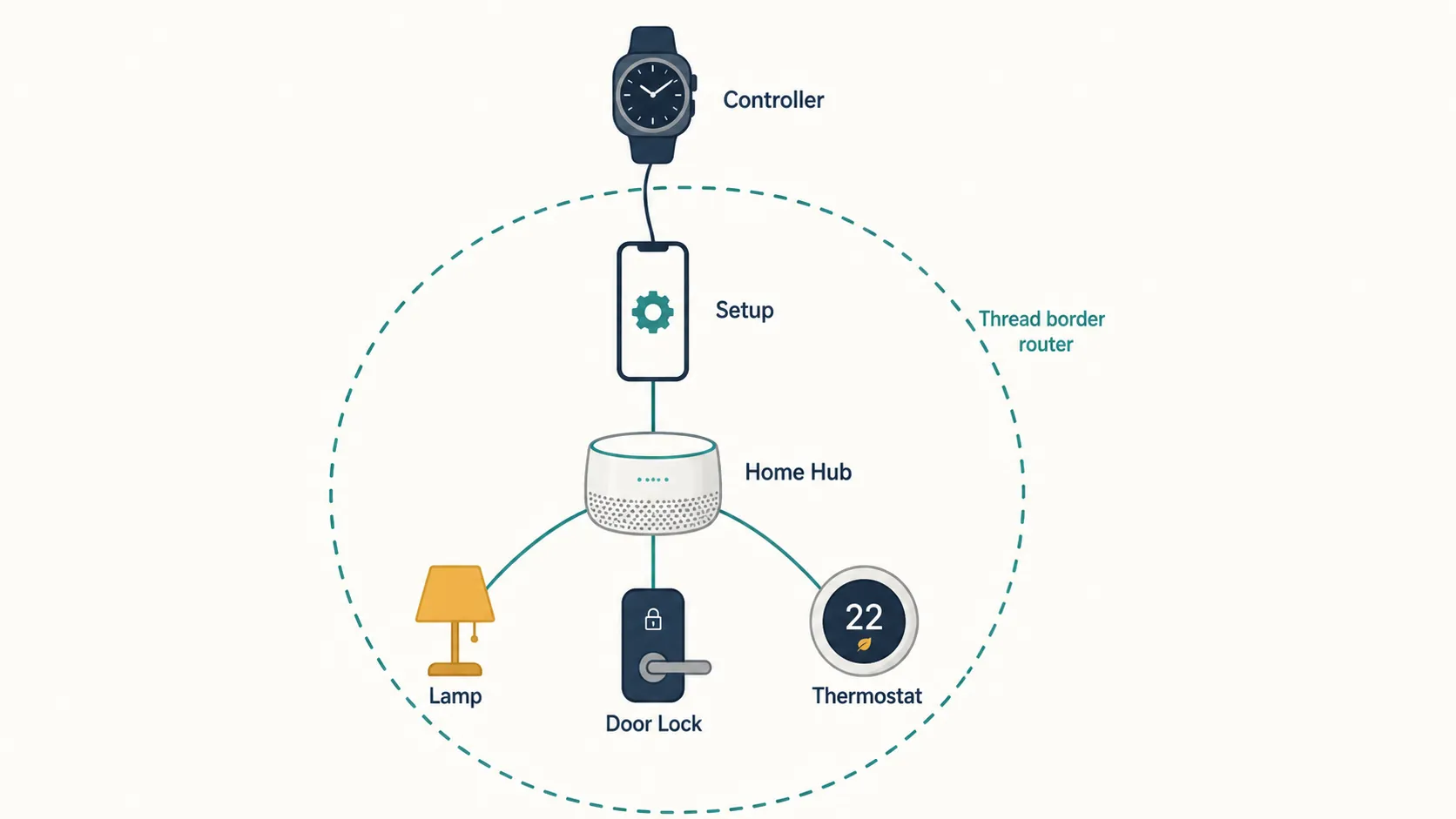
Remote access is the second place where a watch can sound more powerful than it is. Apple’s support documentation says remote access to smart-home accessories from Apple Watch requires a home hub such as an Apple TV or HomePod, iCloud Home, and the same Apple Account.[4] If you leave the house and unlock a compatible door from your wrist, the important home-side device is still the hub at home, not the watch model on your arm.
Thread is the same story. Apple’s list of Thread border routers includes supported Apple TV 4K and HomePod models, and also certain iPhone models, but Apple Watch is not listed as a Thread border router.[5] So an Ultra 4 rumor about a new chip should not be translated into “better Thread HomeKit control” unless Apple actually announces a new role for the watch. Right now, that would be speculation stacked on speculation.
If you want a deeper map of the controller-versus-hub split, our Garmin Fenix 9 vs Apple Watch Ultra compatibility guide covers the same Apple Home/Matter control path from a wearable angle. The short version for this purchase is simple: a watch can be a very good wrist remote without being a home hub.
What the Ultra 3 and a future Ultra 4 should both do for HomeKit
For normal Apple Home use, the Ultra 3 should already cover the jobs people actually mean when they say “smart-home watch”: checking accessory status, toggling lights, controlling locks, running scenes, and asking Siri to do those things. Those are Apple Home and watchOS behaviors. They are not special Ultra-only features, and they are not waiting for an Ultra 4 certification class.
The Action button is convenient, especially if you like assigning a repeatable task to a hardware control. But it is still a usability layer on top of watchOS and Shortcuts-style behavior, not a separate HomeKit radio or hub function. Treat it as a preference feature, not a compatibility divider.
The more practical question is whether your Apple Home is healthy. If the hub is offline, an accessory is unreachable, iCloud Home has not synced properly, or the paired iPhone is in a bad state after a fall software upgrade, the newer watch is not a magic bypass. If you are already seeing failures rather than shopping for a watch, start with troubleshooting, not a hardware purchase; our watchOS 27 Siri/HomeKit fix guide and iOS 27 HomeKit troubleshooting guide are the better paths for “No Response” behavior.
The watchOS 27 support line is the real software cutoff
For a HomeKit buyer in late August 2026, watchOS 27 support deserves more attention than an unreleased hardware rumor. Apple’s watchOS 27 page lists support for Apple Watch SE 3, Series 9, Series 10, Series 11, Ultra 2, and Ultra 3; Series 6, Series 7, Series 8, the original Ultra, and SE 2 are dropped.[6] That is the uncomfortable line for many current owners, especially anyone on an original Ultra or Series 8-or-older watch who expected one more fall update.
The important part for this comparison: Ultra 3 is on the supported side of that line. A buyer should not wait for Ultra 4 because of a mistaken belief that Ultra 3 is excluded from watchOS 27.
Siri AI has a narrower requirement. AppleInsider reported that the new Siri AI features require a supported Apple Watch plus a nearby Apple Intelligence-capable iPhone, with watch-side support beginning at Series 9.[7] That still does not exclude Ultra 3. It does mean older watches can be caught twice: first by the watchOS 27 compatibility list, and then by the Siri AI requirement if the paired iPhone is not Apple Intelligence-capable.
For Apple Home, Siri AI is worth separating from basic Siri control. A voice request to turn on a light is not the same buying question as Apple’s broader AI-assisted Siri behavior. If your smart-home routine is mostly “turn off downstairs,” “lock the front door,” and “set movie scene,” Ultra 3 support matters far more than waiting on an unannounced Ultra 4.
watchOS 27 also brings changes that can make a wrist remote feel better, including a dynamic app grid, a tap gesture, improved battery efficiency, and improved Wi-Fi connectivity, as reported in Apple’s watchOS materials and MacRumors’ WWDC coverage.[6][8] Those are useful improvements, but they reinforce the same point: the Home experience is moving through watchOS and the Apple Home stack, not a watch-exclusive HomeKit mode.
The price gap is real only if it is still live
The strongest buy-now argument for the Ultra 3 is not that it is secretly better for HomeKit. It is that the Ultra 3 has been available below launch price while the Ultra 4 is still expected to start at $799. The Gadgeteer’s May–July 2026 price checks found Ultra 3 pricing at $699 on Amazon, $749 at Best Buy, $729 at Costco, and $679 through Apple’s refurbished store.[2]
Those numbers are dated and need to be checked at the moment you buy. A $699-class Ultra 3 is a different decision from a barely discounted Ultra 3 sitting next to an Apple event invite. If the discount has vanished, the logic shifts toward waiting a little longer for confirmed Ultra 4 pricing, specs, and shipping dates.
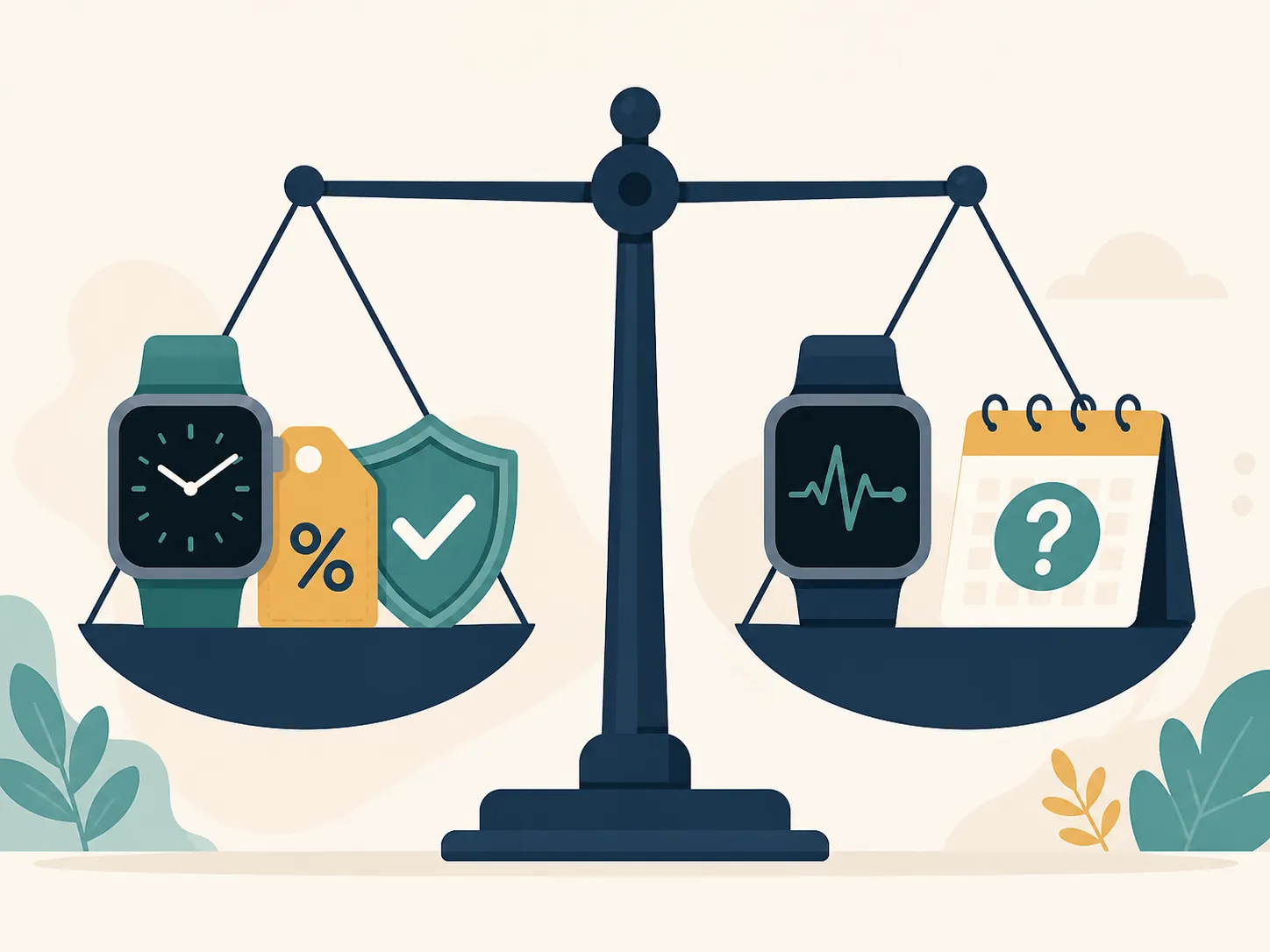
There is one price-related claim to handle carefully: trade-in timing. The Gadgeteer recommends locking in trade-in quotes before a new-model announcement, but that is buyer advice from that article rather than a verified pricing rule.[2] It may be sensible if you are replacing an older Ultra or Series model, but it should not be treated as evidence that Ultra 3 HomeKit compatibility is about to age out.
What would actually justify waiting for Ultra 4
The fair reasons to wait are mostly outside HomeKit. Mark Gurman, via MacRumors, reported that the 2026 Apple Watch lineup is expected to move to an S11 chip, described as the first meaningful performance bump since the S9 generation.[9] If you keep watches for years and care about general responsiveness, that may matter.
9to5Mac’s August roundup points to three expected Ultra 4 themes: the S11 chip, improved efficiency tied to sensor/component changes reported by DigiTimes, and an expanded blood-pressure feature under FDA review, with no major design change and an expected $799 starting price.[10] Those are plausible reasons for a health-focused buyer to wait. They are not confirmed HomeKit advantages.
The blood-pressure item is the cleanest emotional fork. If that feature is something you would regret missing — and if you are comfortable waiting for Apple’s exact language, regional availability, and regulatory status — waiting is reasonable. HomeKit does not need to carry that argument. Health sensors and smart-home control are different purchase standards.
Battery life is less tidy because real-world use varies. DC Rainmaker’s September 2025 Ultra 3 testing found roughly 2.5 days of real-world battery life in his usage, which is already enough for many smart-home users who mainly want a reliable wrist remote and outdoor watch.[11] If Ultra 4 efficiency improves, that is welcome; it still needs post-launch testing before it becomes a reason to rewrite the HomeKit decision.
Which buyer are you?
Buy the Ultra 3 now if the deal is strong and HomeKit is the reason
This is the straightforward case. You want wrist control for Apple Home, you have or will keep a proper home hub, your iPhone and Apple Account setup are in order, and the Ultra 3 price is meaningfully below $799. Nothing in the current evidence says the Ultra 4 will create a different class of Home app, Siri, scenes, locks, lights, or remote access behavior.
Buy now if watchOS 27 is forcing the issue
If you are on an original Ultra, Series 8, Series 7, Series 6, or SE 2, the watchOS 27 support list is not abstract. It affects how long your watch stays aligned with Apple’s fall software cycle. Ultra 3 is included in watchOS 27 support, so it solves that runway problem without waiting for an unannounced model.[6]
Wait if you mainly want the rumored health or silicon update
If the rumored S11 chip, possible efficiency gains, or expanded blood-pressure sensing would change how you feel about the purchase, waiting is reasonable. The cost of waiting is mostly time and possibly the loss of a live Ultra 3 discount. The benefit is that Apple will replace rumor language with actual supported specs.
Wait if the Ultra 3 discount is weak
A small discount two weeks before an expected event is not much of a reward for taking the earlier model. If the Ultra 3 is close to $799, the smarter move is usually to wait for confirmed Ultra 4 pricing and then choose with both products visible.
Do not wait only because of HomeKit
For the target question — Apple Watch Ultra 4 vs Ultra 3 for HomeKit smart-home control — the answer is not a feature race. The watch is the controller. The hub, iCloud Home, Apple Account, paired iPhone, accessories, and watchOS support do the heavier architectural work. Until Apple announces otherwise, the Ultra 4 is not a special HomeKit hub, not a Thread border router, and not a required upgrade for wrist-based Apple Home control.
Status-labeled verdict: buy the Ultra 3 now if the discount is real, watchOS 27 support satisfies your software runway, and HomeKit is the main reason for the purchase. Wait for the Ultra 4 if you can comfortably get through the September event and would regret missing the rumored S11 or blood-pressure feature. Recheck Ultra 3 street pricing and Apple’s official Ultra 4 page after the event before treating any rumor-roundup detail as final.
References
- Apple Watch Ultra 3 — Apple
- Apple Watch Ultra 3 vs Ultra 4 rumors 2026 — The Gadgeteer, May 30, 2026
- Control your home — Apple Support
- Remotely access your smart home accessories — Apple Support
- Thread network technology — Apple Support
- watchOS — Apple
- Siri AI leaves older Apple Watches behind without a clear reason — AppleInsider, June 19, 2026
- watchOS 27 Improves Apple Watch Performance — MacRumors, June 12, 2026
- Apple Watch Series 12 and Ultra 4: New Features Rumored — MacRumors, July 26, 2026
- Apple Watch Ultra 4: Three new features that already have me excited — 9to5Mac, August 5, 2026
- Apple Watch Ultra 3 vs Apple Watch Series 11 In-Depth Review — DC Rainmaker, September 2025
Known issues with this device / protocol
Spec-version history
For active regressions on this protocol, see Update Watch.
No linked Update Watch entries yet.