
Best Smart Flood Sensors for Home Preparation, by Hub
A flood sensor only helps you prepare if it pairs with the hub you already own. This compatibility-first guide matches the best sensors to each ecosystem — Home Assistant, SmartThings, Hubitat, Homey, Apple Home, and app-only setups — and shows how to verify the full alert path before water arrives.
Last updated
Buy the flood sensor that matches the hub you already own, then test the full path from wet contacts to phone notification before you trust it. That rule matters more than the usual “best overall” label, because a water sensor can be excellent in one stack and a nuisance in another. Matter has not erased that problem: as of 2026, current Matter-compatible leak sensors still depend on a hub, bridge, or border router somewhere in the chain, rather than acting as standalone universal pucks. [1]
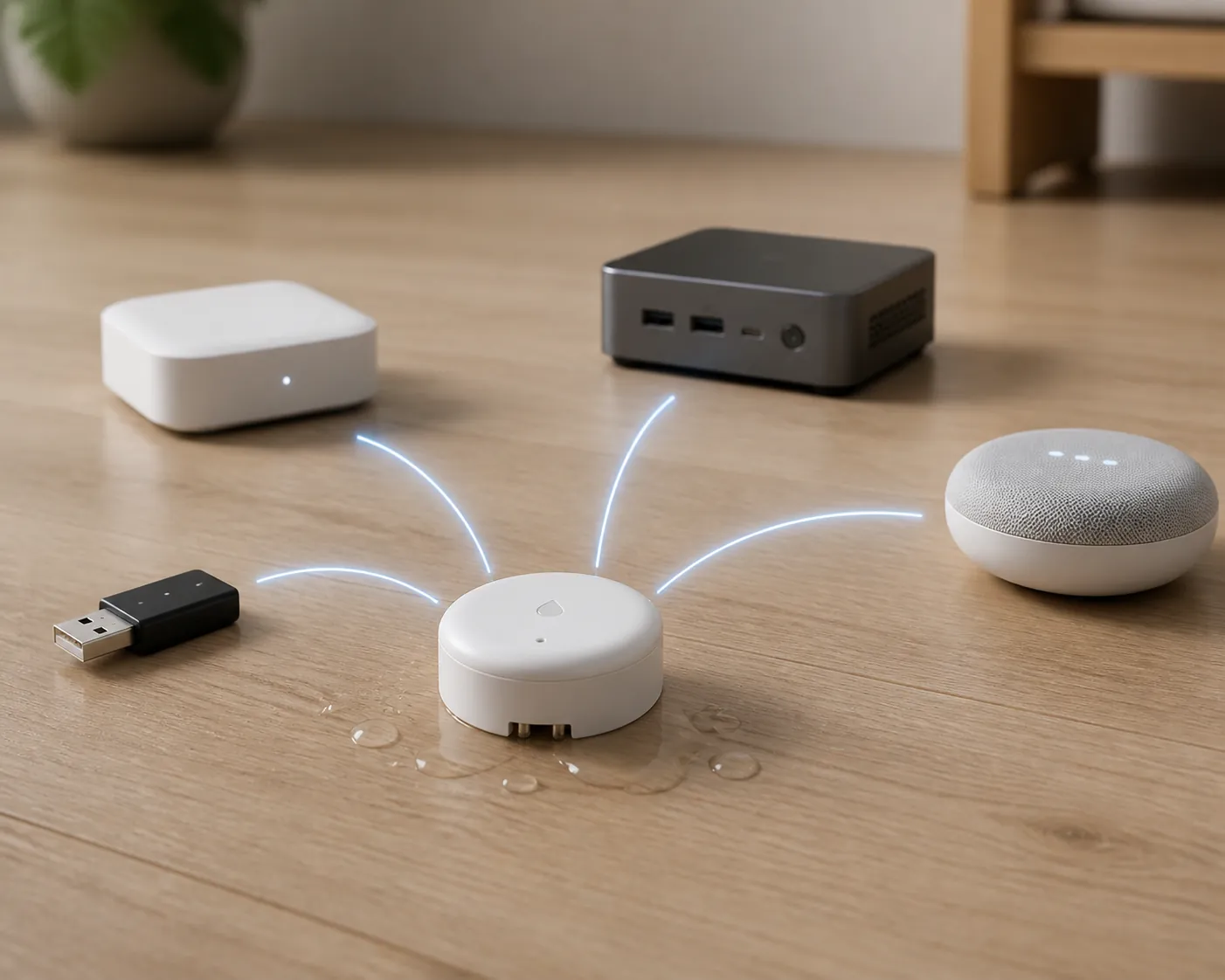
For anyone shopping for the best smart flood sensors for home preparation, start here. Pick your ecosystem first. Product praise comes after the sensor has a credible route into your hub, exposes a leak state you can automate from, and keeps reporting when the battery, radio, or bridge gets boring three months later.
| Your setup | Best first look | Status | What to check before buying | Verification note |
|---|---|---|---|---|
| Home Assistant with Z-Wave JS | Zooz ZSE42 Water Leak XS | Confirmed | Use a real Z-Wave controller and Z-Wave JS. Zooz explicitly lists Home Assistant with Z-Wave JS among supported hubs. [2] | Verified Aug. 3, 2026 against Zooz supported-hub documentation. |
| Home Assistant with Zigbee2MQTT or ZHA | Aqara Water Leak Sensor; Third Reality WL2; Shelly Flood Gen4 only after stack testing | Confirmed for Aqara via Zigbee2MQTT entity exposure; Confirmed for WL2 where your hub supports it; Investigating for Shelly Zigbee mode | Aqara officially pushes its own hub for HomeKit, Alexa, and Google, but the Zigbee model is documented in Zigbee2MQTT with water_leak, battery, voltage, device temperature, power-outage count, trigger count, and battery_low entities. [3][4] Third Reality’s WL2 is a Zigbee sensor sold for common hub ecosystems. [5] Shelly Gen4 is multiprotocol, but Zigbee requires a firmware mode toggle. [6] | Verified Aug. 3, 2026 against Aqara, Zigbee2MQTT, Third Reality, and Shelly documentation. |
| SmartThings | Zooz ZSE42 for Z-Wave; Third Reality WL2 for Zigbee; Aqara through Aqara bridge if you want the vendor-supported route; ThirdReality KM1 Matter kit only as a moving target | Confirmed for Zooz; Confirmed/vendor-listed for WL2; Workaround for Aqara bridge; Investigating for KM1 | Zooz lists SmartThings support for the ZSE42. [2] Third Reality lists SmartThings among WL2-compatible ecosystems. [5] Aqara’s official path for broader platform integrations runs through an Aqara hub. [3] Matter Alpha’s KM1 review documents why Matter bridge support still needs dated verification rather than badge-reading. [7] | Verified Aug. 3, 2026; KM1 remains a check-before-you-buy case because the Matter bridge path has had dated platform-specific failures. |
| Hubitat | Zooz ZSE42 first; Third Reality WL2 if you prefer Zigbee; Shelly Flood Gen4 only after local confirmation | Confirmed for Zooz; Confirmed/vendor-listed for WL2; Investigating for Shelly Zigbee mode | Zooz lists Hubitat support for the ZSE42 with platform version 2.2.9 or newer. [2] Third Reality markets the WL2 as a Zigbee leak sensor for common smart-home hubs. [5] Shelly’s Gen4 leak detector can switch from its default Matter-certified firmware mode into Zigbee with a five-press action, so the exact firmware mode matters. [6] | Verified Aug. 3, 2026 against vendor documentation; test Shelly in the exact Hubitat driver and firmware context you plan to keep. |
| Homey | Zooz ZSE42; Zigbee options only if your Homey model and app support them cleanly | Confirmed for Zooz | Zooz lists Homey support for the ZSE42. [2] Treat Zigbee leak sensors as app-and-driver decisions, not generic Zigbee guarantees. | Verified Aug. 3, 2026 against Zooz supported-hub documentation. |
| Apple Home | Aqara Water Leak Sensor through Aqara hub; Eve Water Guard for a HomeKit/Thread leak-cable design; Matter options only when the required bridge or border router is part of your plan | Confirmed for Aqara bridge route; Confirmed for Eve’s current HomeKit positioning; Workaround/Investigating for Matter-branded paths | Aqara states that its water leak sensor requires an Aqara hub for HomeKit support. [3] Eve’s official Water Guard page still labels the product “Ready for Matter,” which is not the same as a verified, already-updated Matter purchase path. [8] | Verified Aug. 3, 2026 against Aqara and Eve official pages. |
| Alexa or Google app-only home, no real hub | Vendor-bridge or Wi-Fi systems; Aqara only with Aqara hub; Shelly only if you are comfortable with its app/protocol choice | Workaround | Alexa and Google speakers alone are not Z-Wave hubs, and many Zigbee/Z-Wave pucks are non-options without a coordinating hub. Zooz also notes Ring does not support third-party binary sensors like the ZSE42, which is the kind of ecosystem boundary that matters before purchase. [2] | Verified Aug. 3, 2026; buy the bridge or Wi-Fi path intentionally instead of assuming a voice assistant badge equals direct pairing. |
For a deeper sensor-by-hub matrix, use NestGrid’s verified flood sensor compatibility table. The table above is the buying map; the matrix is where to check the exact hub, protocol, and last-verified status before you order multiples.
Matter helps only after you name the bridge
Matter is useful when it gives a product a clearer route into Apple Home, SmartThings, Alexa, Google Home, or another controller. It is not a magic solvent for leak sensors. The current Matter leak-sensor market still routes through a device-specific bridge, a Thread border router, or a hub kit; the phrase “Matter-compatible” does not mean the puck will pair directly with whatever speaker or app happens to be nearby. [1]
That is why the ThirdReality KM1 kit belongs in the “check the dated status” column instead of the impulse-buy column. Matter Alpha’s review is valuable not because it condemns the kit, but because it documents platform-specific Matter behavior over time. That is the exact kind of moving target a leak sensor buyer should know about before putting sensors behind appliances. [7]
Shelly Flood Gen4 is the other easy place to get overconfident. On paper, it is interesting: Matter-certified default firmware, Wi-Fi, Zigbee, and Bluetooth hardware, a five-press switch into Zigbee mode, a 2-meter leak cable extendable to 150 meters, and a 5-second polling interval. It also costs around $39.99 in the current U.S. listing. [6] Those are real strengths for awkward placement, especially where a cable can snake behind a water heater or along a pan edge. They do not remove the need to verify which mode you are actually running and what your hub exposes after pairing.
Home Assistant: split the decision by radio, not brand
Home Assistant buyers have the most freedom and the most ways to fool themselves. “Works with Home Assistant” can mean Z-Wave JS, Zigbee2MQTT, ZHA, a vendor cloud integration, Matter through a border router, or a local Wi-Fi integration. Those are not interchangeable when the sensor is wet and you are waiting for a push notification.
If you run Z-Wave JS
Start with the Zooz ZSE42 Water Leak XS. Zooz’s own compatibility article is unusually specific: it names Z-Box, Alarm.com, Ezlo, Home Assistant with Z-Wave JS, HomeSeer, Homey, Hubitat 2.2.9 or newer, Indigo with a no-S2-security caveat, and SmartThings. [2] That kind of list is more useful than a generic “Z-Wave compatible” badge because it tells you where the vendor has at least drawn a boundary.
The ZSE42 is the cleanest pick when your home already has a stable Z-Wave mesh and you want a small battery sensor near sinks, toilets, pans, or shutoff valves. Before you buy a dozen, pair one, wet-test it, and confirm the binary leak entity in Home Assistant changes the way your automation expects. A sensor that reports beautifully in the device page but never reaches your notification automation is still an untested sensor.
If you run Zigbee2MQTT
Aqara is the classic split-personality choice. Aqara’s official product page says the sensor requires an Aqara hub for HomeKit, Alexa, and Google integrations. [3] Zigbee2MQTT, meanwhile, documents the SJCGQ11LM model with exposed entities including water_leak, battery, voltage, device temperature, power-outage count, trigger count, and battery_low. [4] Both things can be true. The official consumer route is the Aqara hub; the Home Assistant enthusiast route can be a generic Zigbee coordinator, provided your coordinator, converter, and mesh behave.
That makes Aqara attractive for Home Assistant users who already know how their Zigbee mesh behaves. It is less attractive for someone who only wants a box that says Apple Home or Alexa on the front and never wants to read a coordinator log. Also avoid repeating Aqara’s water-resistance rating as settled unless you have checked the current spec sheet; public listings have not always been consistent on that detail.
Third Reality’s WL2 is the simpler Zigbee bargain candidate, with an August 2026 listing around $17.99 and a vendor page aimed at common Zigbee hub users. [5] It is a reasonable first look when you want inexpensive puck-style coverage under multiple fixtures, but the same rule applies: buy one before bulk-buying, then confirm pairing, leak state, battery reporting, and offline behavior in your exact Home Assistant Zigbee stack.
If you are tempted by Shelly
Shelly Flood Gen4 is not a throwaway gadget. The leak cable can solve placements where two metal feet on the bottom of a puck are the wrong geometry, and multiprotocol hardware is genuinely appealing. [6] But for Home Assistant, decide whether you are buying it as Matter, Wi-Fi, or Zigbee hardware, then test that mode as if it were a separate product. A firmware-mode toggle is not just a setup detail; it changes the pairing path you are relying on.
SmartThings, Hubitat, and Homey: direct support beats hopeful pairing
SmartThings users should put Zooz near the top of the Z-Wave list because SmartThings is named in the ZSE42 compatibility documentation. [2] Third Reality WL2 is the Zigbee candidate to compare if you want a lower-cost sensor family listed for common hub ecosystems. [5] Aqara is safer through its own bridge if you care about vendor-supported integrations; direct Zigbee pairing may be possible in some environments, but it is no longer the same buying promise.
Hubitat buyers get a particularly clear Zooz answer: the ZSE42 page names Hubitat and specifies version 2.2.9 or newer. [2] That version detail is the kind of boring line that saves time. It tells you to check the hub before blaming the sensor, the driver, or the battery. Zigbee alternatives can still make sense, especially for larger deployments, but direct driver behavior matters more than the word “Zigbee” on the box.
Homey buyers also get an explicit Zooz listing. [2] That does not mean every other sensor is wrong; it means Zooz has at least published the relationship. For water sensors, that is a higher-quality claim than an app-store logo or a vague “compatible with smart homes” phrase.
If you want more per-ecosystem automation examples after choosing hardware, see NestGrid’s smart water leak detector recipes. Use those after compatibility, not before it.
Apple Home: bridges and Thread details are the buying spec
For Apple Home, Aqara is straightforward only if you accept the Aqara hub as part of the system. Aqara says the water leak sensor needs an Aqara hub for HomeKit support, so the real product is not just the puck; it is the puck plus the bridge and the Aqara-to-Apple path. [3]
Eve Water Guard deserves attention for a different reason: it is a leak-cable design rather than a small puck, and cable coverage can be better under long appliance runs, utility-room edges, or places where water may not pool directly under a sensor body. Eve’s own page, however, still presents it as “Ready for Matter,” meaning buyers should verify the current firmware and Matter status instead of assuming every listing has caught up to the same reality. [8]
Apple Home buyers should also check which HomePod, Apple TV, or border-router hardware is doing the work if Thread or Matter is involved. A flood sensor is not where you want to discover that the controller in the kitchen can see the sensor but the automation you depend on lives in a different, half-updated path.
App-only Alexa and Google homes need a different shopping list
If your “smart home” is a phone app plus an Alexa or Google speaker, do not buy a random Z-Wave or Zigbee leak sensor and expect it to pair. Voice assistants are not automatically Z-Wave hubs, and Zooz’s documentation is a useful reminder of how hard ecosystem lines can be: Ring does not support third-party binary sensors like the ZSE42. [2]
The realistic app-only paths are a vendor bridge, a Wi-Fi sensor, or a kit designed around its own app and notification service. Aqara can be a perfectly reasonable answer if you are willing to buy and maintain the Aqara hub. [3] Shelly can be reasonable if its app, firmware mode, and notification behavior fit how you actually want to be alerted. [6] The mistake is not buying a bridge; the mistake is buying a hub-dependent sensor while pretending you are still hub-free.
The secondary specs still matter, just later
Battery life, range, siren volume, price, and cable shape are filters after compatibility. SmartHomeCompared summarizes a common pattern: Zigbee, Z-Wave, and Thread leak sensors are often rated around 3 to 5 years, while Wi-Fi models tend to have shorter battery life. [9] Treat that as a technology tendency, not a guarantee stamped onto your cabinet floor.
The Hook Up’s field notes are a good antidote to tidy battery claims. It found manufacturer battery estimates worth questioning, noted roughly 18 months for Shelly in its testing context, and pointed out that Phyn’s 2-year claim depended on disabling regular reporting. The same testing also highlighted why long-range systems exist: YoLink’s LoRa setup reached roughly a quarter mile in that field test, while Wi-Fi dropped around 150 feet and Zigbee/Z-Wave around 75 to 110 feet; YoLink also advertised a 105 dB siren and 5-plus years on two AAA batteries. [10] Those figures are useful when you are covering a detached garage or far corner of a basement, but they do not replace a local test in your building.
Audible alarms are also not interchangeable. Wirecutter’s 2026 testing found leak-detector alarm volumes from 49 to 94 dB, and offline reporting took about 3 to 36 minutes depending on the device. [11] A quiet puck under a vanity may be fine if your phone alert works. A sensor in a rental, basement workshop, or laundry room may need a louder local alarm or a separate siren automation.
Place sensors where water starts quietly
The statistics justify caring about the unglamorous spots. Triple-I data cited by This Old House puts water and freezing at 22.6% of homeowners insurance claims, with 1 in 67 insured homes filing such a claim per year and an average claim of $15,400 for 2019 through 2023. The same article cites FEMA/NFIP’s estimate of about $25,000 in damage from 1 inch of water and EPA’s estimate that hidden household leaks can waste around 10,000 gallons per year. [12] None of that tells you which puck to buy, but it does explain why “I’ll add sensors later” is a poor preparation plan.
- Kitchen sink: put the contacts at the lowest likely pooling point, not neatly centered where water will never reach.
- Washer: cover the supply-line area and the pan or floor edge where slow hose leaks first show up.
- Water heater: use a puck near the pan or a cable sensor if the likely leak path runs along a long edge.
- Bathroom sinks and toilets: prioritize upstairs fixtures and cabinets where a small leak can become a ceiling repair.
- Sump pump: place the sensor where rising water or pump failure will reach it early, without submerging electronics unnecessarily.
- Refrigerator, ice maker, and dishwasher: check where the supply line enters and where water would actually pool after flowing under the appliance.
- HVAC condensate: place near the pan or drain line, especially where a clog can overflow slowly.
- Basement or crawl space: favor range and offline reporting, because these are the places where weak radio links make a sensor look paired until you need it.
Placement guides from the Z-Wave Alliance and Vesternet emphasize the same practical targets: appliances, water heaters, basements, sump areas, and shutoff-aware systems where early detection can trigger a response rather than merely log a wet floor. [13] If you plan to automate a shutoff valve, test that chain separately and more often than the sensor itself.
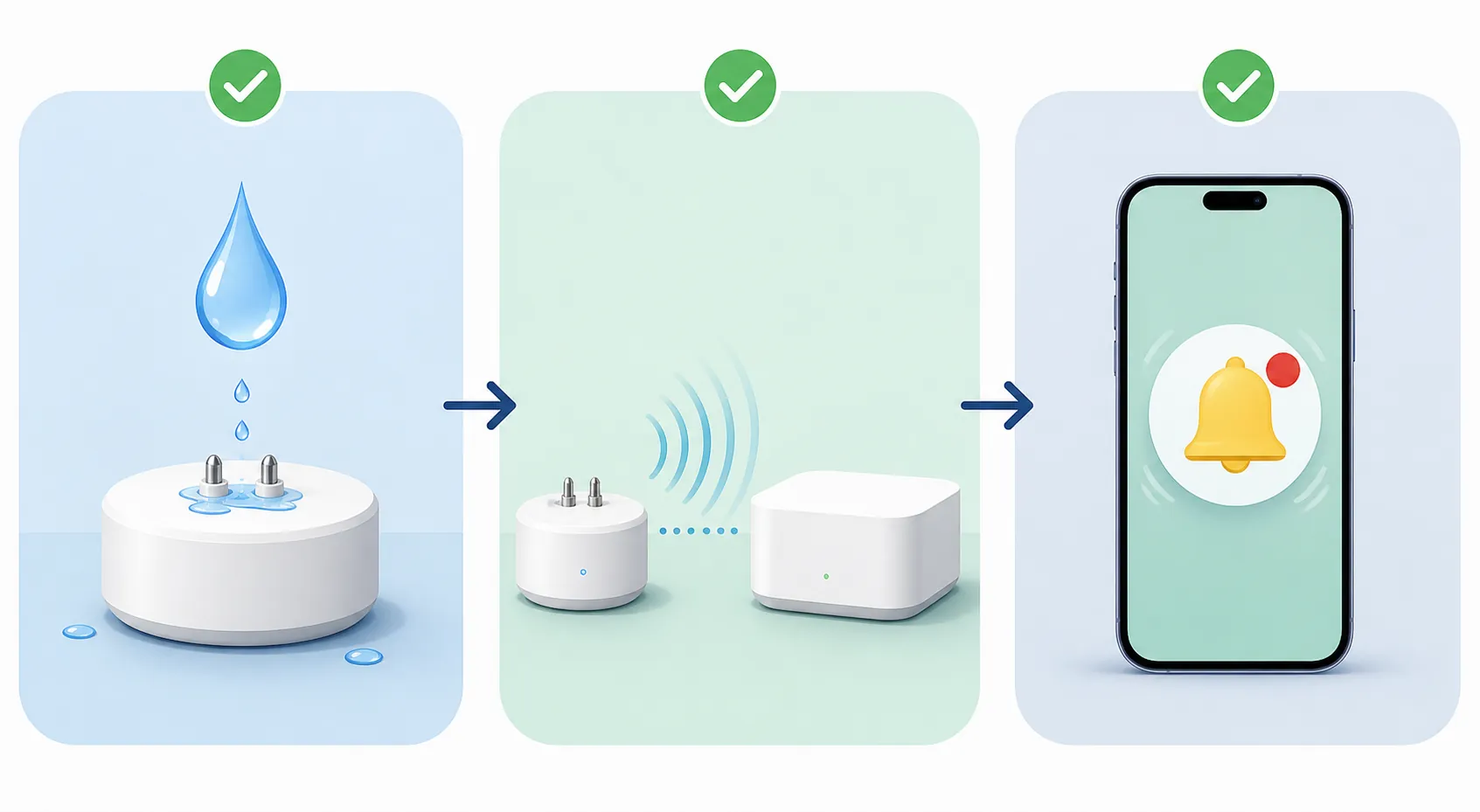
Run the pre-leak test before you install the second sensor
Do this with the first sensor from a batch. A permanently damp paper towel is not elegant, but it is better than learning during a real leak that the device paired as a generic contact sensor or that phone notifications only work while the vendor app is open.
- Pair the sensor in its final protocol path. For example: Z-Wave JS for Zooz, Zigbee2MQTT or ZHA for a direct Zigbee sensor, Aqara hub for the official Aqara-to-Apple route, or the selected Matter bridge path for a Matter kit.
- Name the sensor by location before testing. “Leak sensor 7” is how batteries get ignored; “Washer pan left” is a device someone can find while stressed.
- Wet-test the contacts or cable with a controlled damp towel. Confirm that the leak entity changes state in the hub, not just in a vendor app tile.
- Dry the sensor and confirm it clears. If the state sticks wet, learn the reset behavior now, not while kneeling under a sink.
- Trigger the actual notification route you will notice: iOS or Android push, SMS, siren, smart speaker announcement, dashboard alert, or all of the above.
- Test outside the app. Lock the phone, leave Wi-Fi if relevant, and make sure the alert still arrives through the operating system notification channel.
- Check offline behavior. Move the sensor out of range, remove the battery if safe for that model, or otherwise force a missed-heartbeat condition and record how long your hub takes to complain. Wirecutter’s measured spread of roughly 3 to 36 minutes for offline reporting is wide enough that guessing is not preparation. [11]
- Listen to the local alarm if the device has one. A 49 dB alert and a 94 dB alert are both “audible” in a spec table, but they do not mean the same thing behind a closed laundry-room door. [11]
- Verify automations. If the leak should close a valve, turn on lights, announce on speakers, or message another person, run the complete automation with the water shutoff and recovery plan understood.
- Record battery type, install date, last wet-test date, and retest cadence. Put it somewhere you will actually see, whether that is Home Assistant labels, a maintenance note, or a piece of tape inside the utility-room door.
If a sensor fails any part of that sequence, do not solve it by buying more of the same model. Fix the pairing path, change the placement, choose the vendor bridge, or switch protocols. The best flood sensor is the one that pairs cleanly with your hub, exposes a usable leak state, stays visible, and alerts you through the channel you will actually notice.
References
- The Best Matter-Compatible Water Leak Sensors — Matter Alpha
- ZSE42 Water Leak XS Sensor Compatible Hubs — Zooz Support
- Water Leak Sensor — Aqara
- Aqara Water Leak Sensor SJCGQ11LM — Zigbee2MQTT
- Smart Water Leak Sensor WL2 — Third Reality
- Shelly Flood Gen4 — Shelly
- ThirdReality Water Leak Sensor Kit Review: Long-Range Reliability Meets Matter — Matter Alpha
- Eve Water Guard — Eve
- Water Leak Sensors — SmartHomeCompared
- Wireless Flood Sensors Are They All The Same? — The Hook Up
- The Best Smart Water Leak Detector — Wirecutter
- Water Damage Statistics — This Old House
- Water Leak Detection Systems: Protecting Your Home from Costly Damage — Z-Wave Alliance
Known issues with this device / protocol
Spec-version history
For active regressions on this protocol, see Update Watch.
No linked Update Watch entries yet.