
The POCO M8 Power is a smart home controller, not a hub
The POCO M8 Power can control Wi-Fi and Bluetooth devices through Mi Home and commission Matter via Google Home on paper, but with no Zigbee or Thread radios it can't replace a hub — Zigbee child devices and Matter-over-Thread still need separate hardware. This dated, status-labeled check is for pre-purchase shoppers sorting confirmed controller duties from hub-replacement limits.
Last updated
Status: current as of August 5, 2026. Not hands-on tested.
No published source reviewed here identifies a POCO smart home hub called “M8 Power.” Here, poco m8 power smart home controller means the POCO M8 Power smartphone: an India-launched Android 16 phone announced on August 4, 2026, with a launch price of INR 24,999 and Flipkart sales scheduled from August 7.[1]
Compatibility verdict: the POCO M8 Power is a plausible smart-home controller, not a confirmed hub replacement. It can reasonably be bought as a phone that runs Google Home, Mi Home/Xiaomi Home, Wi-Fi device controls, Bluetooth commissioning, and possibly IR remote duties. It should not be bought on the assumption that it contains Zigbee or Thread gateway hardware.
| Question before buying | Status on August 5, 2026 |
|---|---|
| Is the POCO M8 Power a smart home hub? | No published radio inventory confirms Zigbee or Thread hub hardware. |
| Can it act as a smart home controller? | Yes, on paper, for app-based Wi-Fi/Bluetooth control and Google Home Matter commissioning. |
| Is Xiaomi Smart Hub Control Center proof of hub radios? | No. It is a phone interface feature, not evidence of Zigbee or Thread hardware. |
| Does the verdict rely on hands-on testing? | No. This is a pre-purchase compatibility audit from published specifications and platform requirements. |
Controller duties and hub duties are different jobs
A phone earns controller status by running the right apps and OS services, reaching Wi-Fi devices, using Bluetooth Low Energy for setup, and giving the household a convenient screen for commands. A hub earns hub status by hosting the physical radios and network roles that low-power smart-home devices depend on.
That distinction matters because “hub” appears in Xiaomi’s phone software language. A panel called Smart Hub Control Center can be useful without turning the phone into a Zigbee coordinator or a Thread border router. The panel may gather compatible app controls; it does not, by itself, prove that the phone has the missing radio stack.
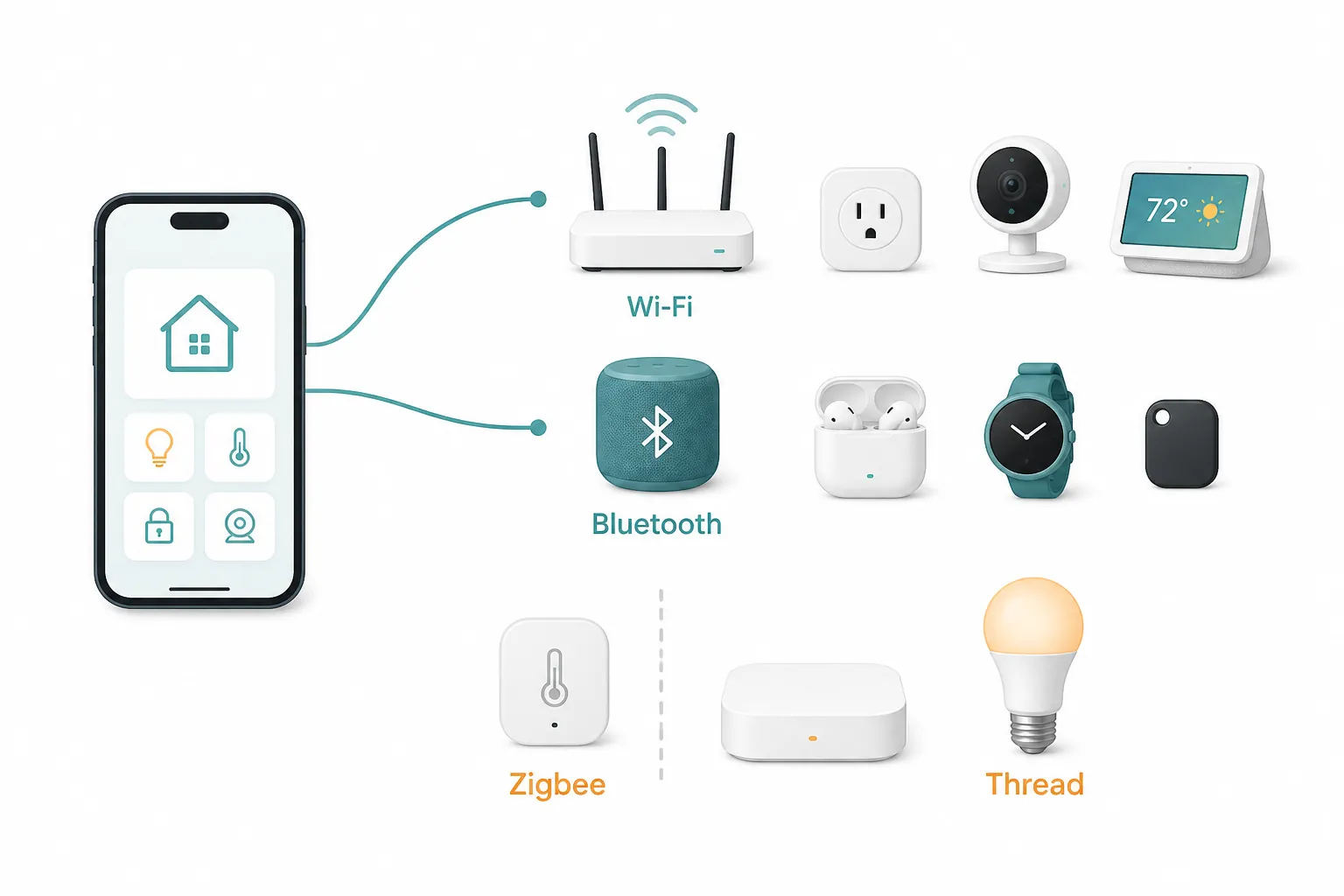
The radio inventory supports control, not hub replacement
The smart-home part of the spec sheet is short, and that is useful. Gadgets360 and GSMArena both point to dual-band Wi-Fi and Bluetooth 5.1, while GSMArena lists Wi-Fi 6 and notes NFC as region-dependent.[1][2] Those radios are enough for ordinary phone-as-controller work. They are not enough to infer Zigbee or Thread.
| Published capability | What it can do for smart-home use | What it does not prove |
|---|---|---|
| Android 16 | Runs modern smart-home apps and meets the Android version floor for Google Home Matter setup on paper. | Does not create Zigbee or Thread hardware. |
| Dual-band Wi-Fi / Wi-Fi 6 | Lets the phone command cloud and local-network devices through apps such as Google Home and Xiaomi Home where the devices support that path. | Does not make the phone a router, Matter hub, or Thread border router. |
| Bluetooth 5.1 | Supports nearby Bluetooth/BLE setup flows and control paths used by apps and accessories. | Does not replace a Xiaomi gateway for Zigbee or Bluetooth child-device networks. |
| NFC, region-dependent | May help with non-smart-home tasks or accessory interactions where enabled. | Should not be treated as a guaranteed feature across regions. |
| No listed Zigbee radio | No direct Zigbee controller role is supported by the published phone specs. | Zigbee child devices still need a gateway. |
| No listed Thread radio | No direct Thread border-router role is supported by the published phone specs. | Matter-over-Thread devices still need a Thread border router. |
What should work: Xiaomi Home and app-based Wi-Fi/Bluetooth control
For Wi-Fi smart plugs, cameras, lights, air purifiers, robot vacuums, and other devices that already live in Mi Home/Xiaomi Home or Google Home, the POCO M8 Power has the ordinary ingredients expected from an Android controller: current Android software, dual-band Wi-Fi, and Bluetooth 5.1.[1][2]
In that role, the phone is not doing anything exotic. It is opening the app, receiving account and cloud state, discovering or commissioning nearby accessories when the app uses Bluetooth, and sending commands over the network. If a Xiaomi-compatible bulb is a Wi-Fi bulb, the phone can be the screen you use to control it. If a device is a Zigbee child device paired behind a Xiaomi gateway, the phone can still control it through Xiaomi Home, but the gateway remains the device actually hosting the child network.
That is the charitable reading of this phone for smart-home shoppers. It is inexpensive compared with flagships, has a large battery, and is plausible as the kitchen-counter Android controller that everyone in the home recognizes. None of that changes the hub verdict; it just explains why the phone is worth auditing in the first place.
Xiaomi Smart Hub Control Center is a phone feature, not a hardware claim
Xiaomi’s own FAQ for another POCO model describes Xiaomi Smart Hub as a feature enabled from Settings > Notifications & status bar and says it is compatible with Mi Home/Xiaomi Home.[3] A separate Xiaomi interconnectivity FAQ for POCO M8-series phones confirms the feature on sibling POCO M8 5G / M8 Pro 5G material, but there is no POCO M8 Power-specific Xiaomi Smart Hub FAQ in the published Xiaomi pages cited here.[4]
That leaves the right label as Investigating, not Confirmed. The feature is credible for the M8 Power because the phone ships in the same ecosystem context and runs Android 16, but model-specific support has not been pinned down by a dedicated Xiaomi support page.
Even if the panel is present, its job is interface consolidation. It may put compatible device controls closer to the notification shade or control surface. It is not a published claim that the POCO M8 Power contains a Zigbee coordinator, a Thread radio, or a Matter hub role.
Matter through Google Home: plausible on paper, not POCO-tested
Google’s Matter setup requirements for the Google Home app set a low phone-side floor: Android 8.1 or higher, Google Play services 22.48.14 or higher, and Bluetooth Low Energy 4.2 or higher.[5] The POCO M8 Power’s published Android 16 and Bluetooth 5.1 specs clear the OS and Bluetooth parts of that requirement on paper.[1][2]
That supports a narrow conclusion: the phone should be able to participate in Google Home Matter setup and control where Google Play services are present, up to date, and the Matter device type is supported by Google Home. It is not a hands-on confirmation that this exact POCO model commissions every Matter device cleanly.
The distinction is important for anyone buying before the first sale window. Matter compatibility here comes from Google’s generic Android controller requirements matched against POCO’s published phone specs. It does not come from a POCO M8 Power lab test, a Google certification note for this model, or a device-by-device pairing matrix.
Where the chain stops: Thread still needs a border router
Matter-over-Wi-Fi and Matter-over-Thread are not the same purchase problem. A Matter Wi-Fi plug can use the home Wi-Fi network. A Matter-over-Thread bulb or sensor needs a Thread mesh, and Google’s Matter preparation guidance treats the Thread border router as separate required infrastructure for Thread devices.[6]
The POCO M8 Power’s published radio inventory does not list Thread.[1][2] Without a listed Thread radio and border-router role, the phone should not be treated as the device that hosts a Thread network. It may run Google Home and start setup, but the Thread device still needs suitable border-router hardware elsewhere in the home.
If your planned cart contains Matter-over-Thread sensors, buttons, locks, bulbs, or plugs, budget for a Thread border router before you count the POCO M8 Power as the only smart-home hardware you need.
Zigbee devices remain behind a Xiaomi hub or equivalent gateway
Zigbee is the cleaner call. No cited POCO M8 Power launch or spec source lists a Zigbee radio.[1][2] Xiaomi’s own Smart Home Hub 2, by contrast, is explicitly positioned as a gateway with Zigbee, Wi-Fi, and Bluetooth support, and Xiaomi says it can connect up to 100 Bluetooth and Zigbee child devices.[7]
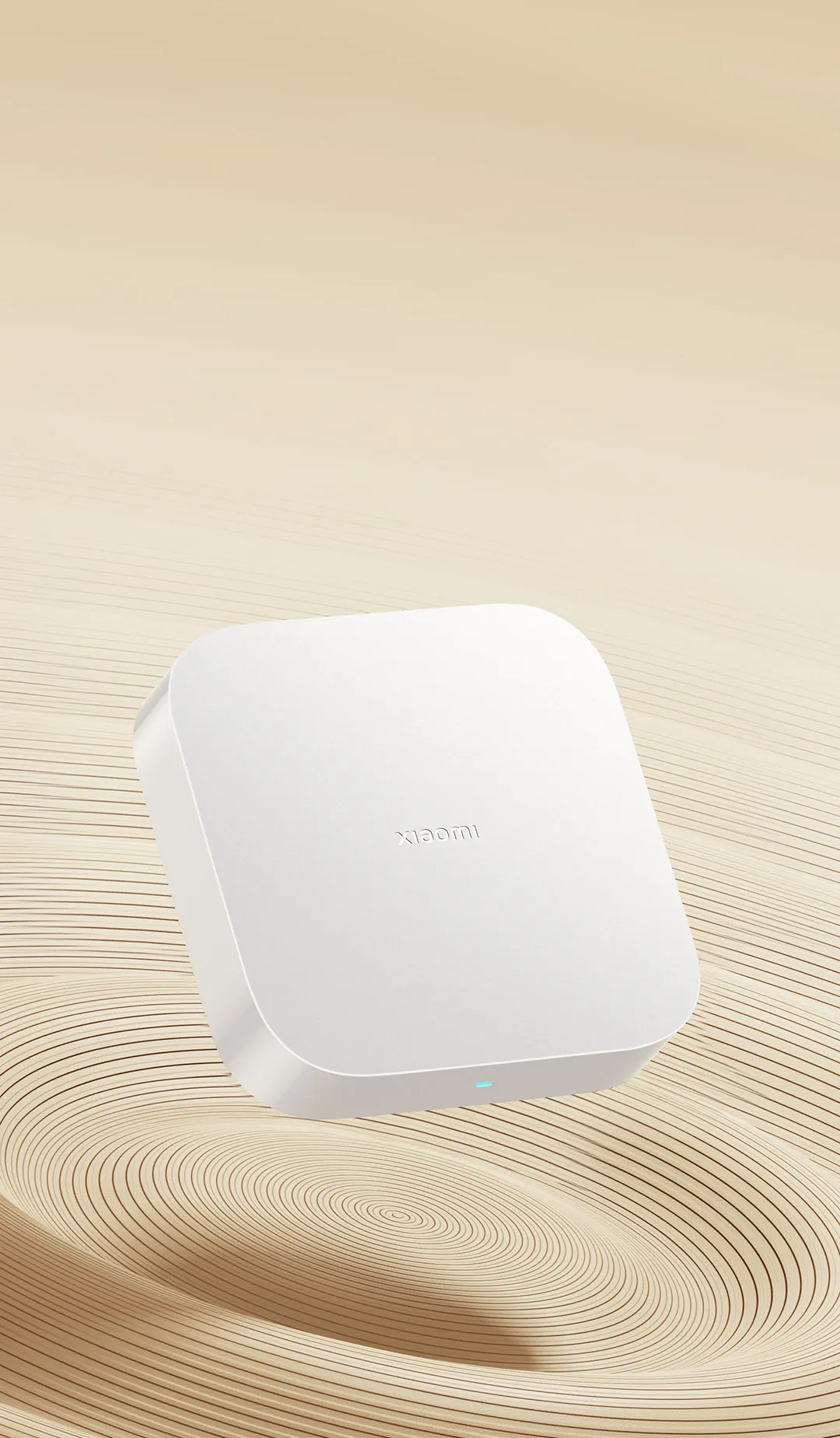
Xiaomi’s support material for accessing sub-devices through the Xiaomi Home Hub 2 also treats those devices as children of the hub, not of the phone.[8] That is the gateway role the POCO M8 Power is missing from its published hardware inventory.
So the practical answer is simple: the POCO can be the screen that commands a Zigbee device after that device is paired to a compatible Xiaomi hub. It should not be expected to pair Zigbee sensors, switches, or bulbs directly.
The IR blaster is useful if confirmed, but it does not change the hub verdict
An IR blaster would make the POCO M8 Power more useful around a living room or kitchen, especially for TVs, set-top boxes, air conditioners, fans, and older appliances that still accept infrared commands. Smartprix lists the POCO M8 Power among phones with an IR blaster, while the Gadgets360 launch report and the GSMArena spec summary used here do not surface IR in the same way.[9][1][2]
That earns the IR feature a provisional label. Treat it as likely enough to check in store photos, POCO retail material, or early hands-on videos before purchase, but not strong enough to carry the smart-home verdict by itself.
IR is also not a smart-home mesh protocol. It is a command surface for one-way appliance control. It can replace a pile of remotes; it cannot replace a Zigbee gateway or Thread border router.
Region and service checks before importing or buying outside India
The launch facts here are India-specific: price, sales timing, and Flipkart availability come from India launch coverage.[1] If you are buying in another region, the safer assumption is that availability, supported bands, NFC behavior, firmware package, and Google Play services should be verified for that exact SKU.
NFC is explicitly listed as region-dependent by GSMArena, and Google Home Matter setup depends on Google Play services meeting Google’s stated version floor.[2][5] Those two facts do not make the India model suspicious; they just keep a compatibility check from overpromising across markets.
What to buy it for, and what not to buy it for
| Buy the POCO M8 Power if you want | Do not buy it expecting |
|---|---|
| An Android phone that can run Google Home and Mi Home/Xiaomi Home. | A replacement for a Xiaomi Smart Home Hub 2 or another Zigbee gateway. |
| A control screen for Wi-Fi smart devices and app-connected appliances. | Direct Zigbee pairing from the phone. |
| Bluetooth/BLE-based setup support where the app and accessory use it. | A built-in Thread border router for Matter-over-Thread devices. |
| Matter commissioning through Google Home on paper, subject to Google Play services and device support. | POCO-tested Matter compatibility for every Matter accessory. |
| Possible IR remote use, pending hands-on confirmation. | IR control that substitutes for mesh smart-home infrastructure. |
If you are comparing the POCO M8 Power with other phone-controller choices, the same boundary shows up in related audits such as the Galaxy A27 5G smart-home control check, the Galaxy S27 Ultra hub audit, and the Pixel 11 Matter/Thread controller check.
The purchase verdict is therefore narrow but usable: buy the POCO M8 Power if you want an affordable Android 16 smart-home controller for app-based Wi-Fi/Bluetooth control, Google Home Matter commissioning on paper, Mi Home/Xiaomi Home access, and possibly IR remote use. Do not buy it to skip a Zigbee hub or a Thread border router.
References
- Poco M8 Power Launched in India With Snapdragon 4 Gen 4 Chip, 8,000mAh Battery — Gadgets360, August 4, 2026
- Xiaomi Poco M8 Power 5G - Full phone specifications — GSMArena
- How to turn on Xiaomi Smart Hub on the POCO F6? — Xiaomi Support
- POCO M8 5G interconnectivity FAQ — Xiaomi Support
- Set up, manage, and control Matter-enabled devices with Google Home — Google Help
- Prepare your smart home for Matter — Google Nest Help
- What are the features of Xiaomi Smart Home Hub 2? — Xiaomi Support
- How to access sub-devices supported by the Xiaomi Home Hub 2 — Xiaomi Support
- Mobile Phones with IR Blaster — Smartprix
Known issues with this device / protocol
Spec-version history
For active regressions on this protocol, see Update Watch.
No linked Update Watch entries yet.