
Can the POCO M8 Power Control Your Smart Home?
A status-labeled, dated compatibility check on the POCO M8 Power as a smart-home control phone: it handles Xiaomi Home app control and IR remote duty on-device and meets Google's phone-side Matter requirements, but it is not a Matter hub and has no Thread radio. Budget for a separate hub or Thread border router if your home runs Matter-over-Thread, Zigbee, or Z-Wave devices.
Last updated
Aug. 5, 2026 verdict: yes as a controller, no as the hub
Status checked on Aug. 5, 2026: the POCO M8 Power can work as a practical smart-home control phone, especially for buyers in India looking at the INR 24,999 launch price before the Aug. 7 sale date. It runs HyperOS 3 on Android 16 and is reported with a long update promise, which matters more here than the usual launch-window camera talk because Google’s Matter phone-side requirements start at Android 8.1, not at a flagship chipset tier.[1][2]
The short answer is: yes, for Xiaomi Home-style app control, Google Home control, Matter commissioning as a phone-side client, and old-school IR remote duty. No, if the expectation is that the phone itself replaces a Matter hub, Thread border router, Zigbee bridge, or Z-Wave controller.
| Smart-home role | POCO M8 Power status on Aug. 5, 2026 | What that means |
|---|---|---|
| Android smart-home app controller | Confirmed | The phone has the Android platform needed to run controller apps such as Xiaomi Home and Google Home. Device availability still depends on app region, account, and the smart devices themselves.[1][2] |
| IR remote for legacy appliances | Confirmed-with-caveat | MensXP notes an IR blaster on the top edge, and 91mobiles lists IR Blaster: Yes. The caveat is that an official POCO/Xiaomi M8 Power spec page was not available among the sources checked.[3][4] |
| Google Home Matter phone-side prerequisites | Confirmed at platform level | Google requires Android 8.1 or later, Google Play services 22.48.14 or later, BLE 4.2 or later, and IPv6 on the home network. Android 16 clears the OS requirement; the radio listing should still be treated as single-source until official specs arrive.[5] |
| Actual M8 Power Matter commissioning in Google Home | Investigating | The platform requirements line up, but no published hands-on test has shown this exact phone adding a Matter device in Google Home yet. |
| Matter hub or Thread border router | Not supported | Google says adding Matter devices to Google Home requires a Matter-enabled hub on the home network, and Matter-over-Thread needs a Thread border router. Phones are not on Google’s hub list.[6] |
| Zigbee or Z-Wave bridge | Not supported by the phone itself | Nothing in the available M8 Power material turns the handset into a Zigbee or Z-Wave coordinator. Those ecosystems still need their own bridge, hub, or controller. |
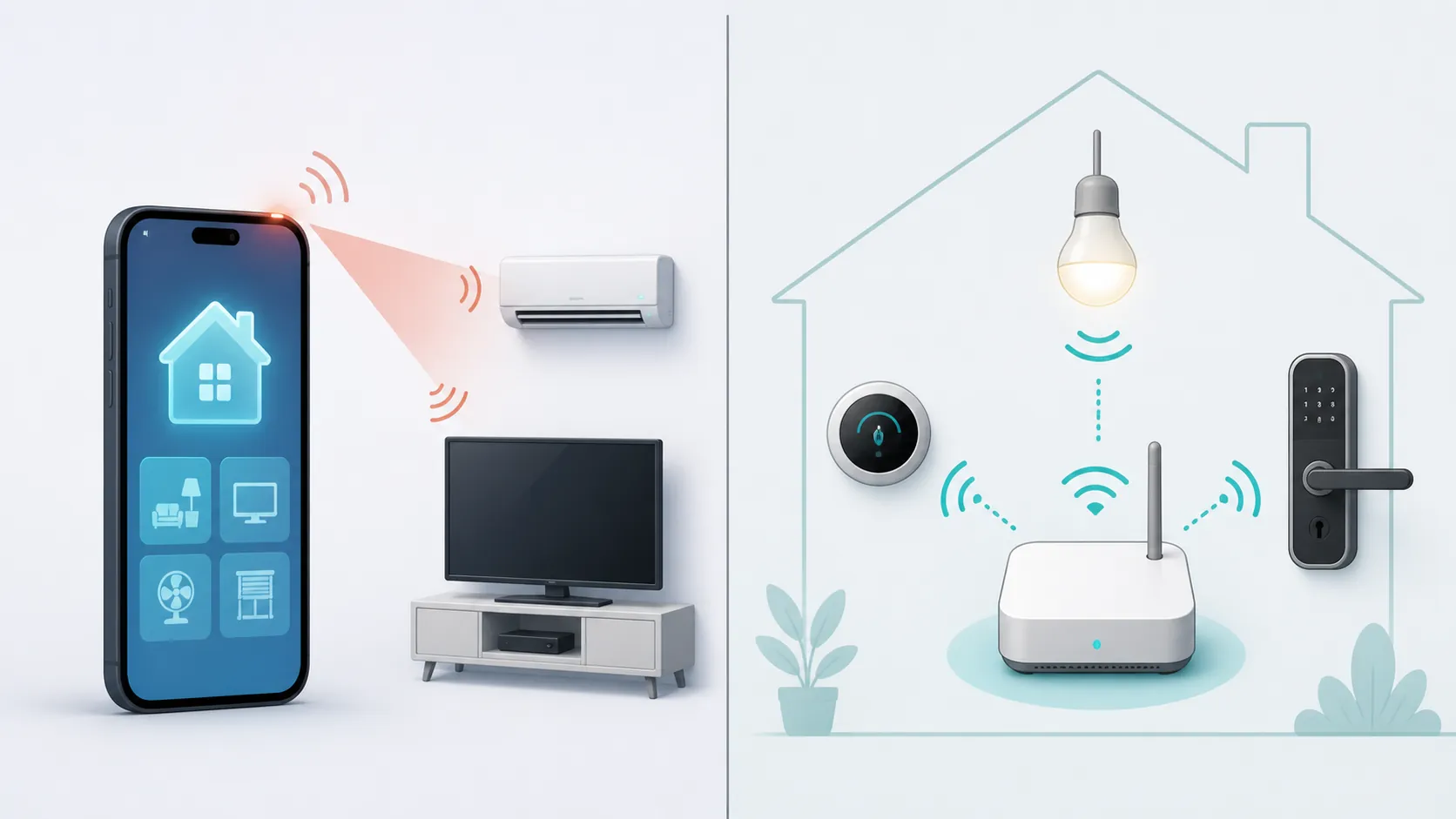
The useful part: a phone that can control apps and infrared devices
For normal app-based control, the M8 Power is in the easy category. It is an Android 16 phone, so the relevant question is less whether it is “smart-home compatible” in the abstract and more whether the service you use supports your region, account, and device type. Xiaomi Home, Google Home, manufacturer apps for lights and cameras, and voice-control apps all live on the phone side of the setup. The phone sends commands; the cloud service, local hub, Wi-Fi device, or bridge does the rest.
The IR blaster is more concrete. It is not a promise about an ecosystem or a logo on a box; it is hardware on the handset. Xiaomi’s Mi Remote support article describes IR control for TVs, set-top boxes, DVD players, smart boxes, air conditioners, projectors, and cameras, with brand coverage including Samsung, LG, Sony, Panasonic, Sharp, Haier, Videocon, Micromax, and Onida.[7] For an Indian living room with a TV, set-top box, and AC, that can be the difference between “another phone with a smart-home app” and a phone that actually removes two remotes from the table.
The caveat is verification quality. The IR blaster is supported by two launch-window sources, including a hands-on review and an India spec listing.[3][4] That is enough to treat it as a real buying point, but it is still not the same as an official POCO specification page for the M8 Power. If POCO publishes a regional FAQ later, the status should be rechecked against that page.
Matter support is where the wording gets slippery
The M8 Power clears the phone-side Matter checklist in the way that matters for a buyer comparing Android control phones. Google’s requirements for setting up and controlling Matter-enabled devices include Android 8.1 or later, Google Play services 22.48.14 or later, Bluetooth Low Energy 4.2 or later, and IPv6 on the home network.[5] Android 16 is comfortably above the OS floor. The available radio listing says Bluetooth 5.1, although that radio detail is still single-source in the launch-window material.[4]
That does not make the phone a Matter hub. Google separates the device used to start setup from the Matter-enabled hub that must be present on the home network. Its hub documentation lists Nest speakers and displays, Nest Wifi Pro, Google TV Streamer, and select TVs as Matter-enabled hubs; phones are not in that list. Google also says Matter-over-Thread devices require a Thread border router.[6]
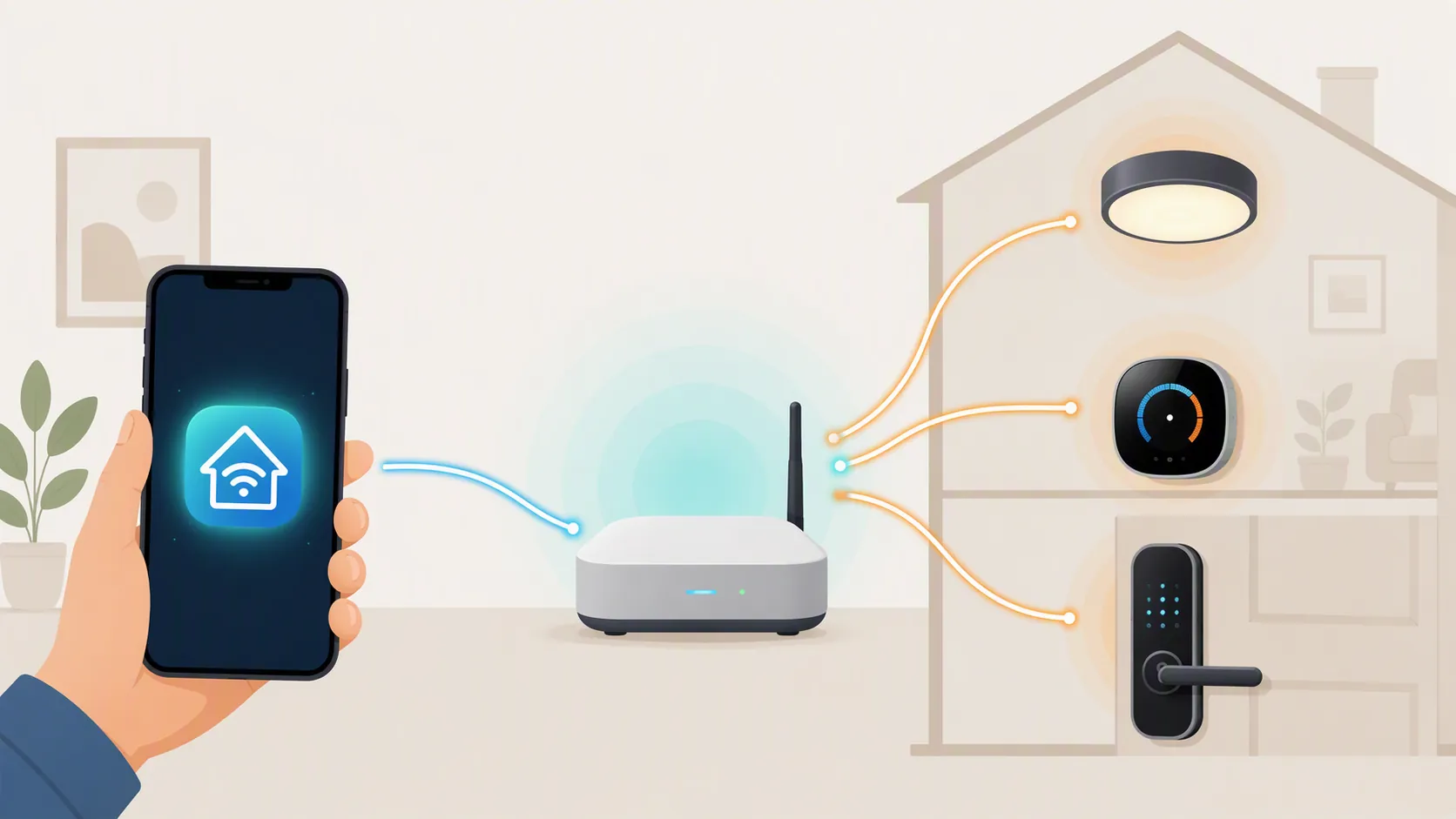
So the cleaner wording is this: the POCO M8 Power is a Matter commissioning and control candidate, not Matter infrastructure. It may be the screen where you scan the QR code, name the device, assign the room, and later tap the on/off button. The always-on bridge role belongs somewhere else: a compatible Google hub for Google Home Matter setups, and a Thread border router when the end device uses Thread.
This same split shows up outside Google’s ecosystem too. Home Assistant’s Matter documentation also treats the Android phone as part of the commissioning path, with Play services Matter modules involved, while Thread still requires Thread border-router hardware.[8] That is a useful reality check for buyers who plan to avoid Google Home later. Changing the platform does not turn the phone into the missing radio infrastructure.
If you already own the phone and a Matter device is not appearing in Google Home, the likely failure point is not automatically the M8 Power. Check the hub, IPv6, account, Bluetooth, Wi-Fi network, and Thread border-router path first; this site’s Matter device not showing in Google Home guide is the better next stop for that situation.
What the M8 Power still cannot replace
A smart-home phone can look central because it is the device in your hand. That is not the same as being the device your home depends on when you leave, reboot, run out of battery, or turn off Bluetooth. The M8 Power can be the controller you interact with. It is not the always-available fabric device that Google requires for Matter in Google Home, and it is not the Thread border router needed by Matter-over-Thread accessories.[6]
The same logic applies to Zigbee and Z-Wave. A Zigbee bulb or Z-Wave lock does not become directly controlled by the phone because the phone has a smart-home app. The app can talk to a bridge, hub, or controller that understands those radios. Without that companion hardware, the phone has no separate Zigbee or Z-Wave coordinator role to step into.
This is why “controls your smart home” is too blunt for this phone. It controls Wi-Fi and cloud-linked devices through apps. It controls many legacy infrared appliances directly. It can satisfy Google’s phone-side Matter requirements at the platform level. It does not remove the need for the network hardware that Matter-over-Thread, Zigbee, and Z-Wave devices rely on.
Launch-window uncertainty worth keeping in the verdict
The M8 Power was still in its launch window when this check was written. The available material supports a practical verdict, but not a lab-style final certification.
- No official POCO/Xiaomi M8 Power FAQ or full regional spec page was available in the sources checked, so the IR blaster is Confirmed-with-caveat rather than stamped from an official spec sheet.
- No published hands-on Google Home Matter commissioning test for this exact phone was available, so device-specific Matter commissioning stays Investigating even though the platform requirements line up.
- The detailed radio set is single-sourced to 91mobiles in the research material. That is enough to note, not enough to overbuild a compatibility claim around it.[4]
- There is a microSD conflict in launch-window sources: GSMArena and MensXP report expandable storage, while 91mobiles lists non-expandable storage.[1][3][4] That matters for media and app storage, but it does not decide the smart-home control verdict.
- India-first availability means global variants should be checked separately if POCO ships different regional hardware or software packages.
For comparison shoppers, that role split is not unusual in this price band. The Lava Virat 5G smart-home setup and Galaxy A27 5G smart-home control verdicts land in the same general pattern: capable Android control surface first, hub replacement never assumed.
Buy it for the controller role, not the infrastructure role
Buy the POCO M8 Power as a budget Android smart-home dashboard, Xiaomi Home controller, Google Home controller, Matter commissioning candidate, voice-control phone, and IR remote. That is a useful bundle, and the IR blaster gives it one on-device smart-home advantage that many newer phones skip.
Do not buy it expecting it to replace a Matter hub, Thread border router, Zigbee hub, or Z-Wave controller. If your home includes Matter-over-Thread, Zigbee, or Z-Wave devices, budget for a compatible hub or Thread border router, and treat the M8 Power’s device-specific Matter status as re-testable once hands-on Google Home commissioning results are available.
References
- POCO M8 Power features, price, sale date — GSMArena
- POCO M8 Power box contents officially confirmed, specifications — Gizmochina, Aug. 3, 2026
- POCO M8 Power Review: Battery Beast Gets the Basics Right — MensXP
- POCO M8 Power 5G Price in India — 91mobiles
- Set up and control Matter-enabled devices — Google Home Help
- Manage Matter-enabled devices in the Google Home app — Google Nest Help
- How to use the Mi Remote app — Xiaomi Support
- Matter — Home Assistant
Known issues with this device / protocol
Spec-version history
For active regressions on this protocol, see Update Watch.
No linked Update Watch entries yet.