
Can the Lava Virat V1 5G Run Your Smart Home Setup?
Hands-on, dated verification of whether the Lava Virat V1 5G can commission and control Matter devices from the Google Home app — the phone clears Google's control-surface requirements, but a separate Matter-enabled hub must already be on the network, and Matter-over-Thread still needs a border router the phone lacks. The virtual-RAM background-kill risk is labeled Investigating until reproduced.
Last updated
Compatibility verdict — July 31, 2026
If you came here looking for a Lava Virat 5G hands-on smart home setup review, the useful answer is narrower than most phone coverage makes it sound: the Lava Virat V1 5G can be the cheap Android phone you use to add and control Matter devices in Google Home, but it is not the hub that makes a Google Home Matter setup work. The ₹11,999 phone went on sale in India after its July 24, 2026 launch, with full Android 16, a Unisoc T8200, 4GB physical RAM plus 4GB virtual RAM, 64GB storage, a 6000mAh battery, and a 10W charger in the launch coverage [1].
Status as of July 31, 2026: Compatibility Pass for Google Home Matter commissioning/control as a mobile device, Hub Required for the actual Matter fabric in Google Home, Thread Border Router Required for Matter-over-Thread devices, and Investigating for whether the 4GB+4GB virtual RAM configuration survives a full Google Home commissioning session without app-kill behavior.
| Question | July 31, 2026 status | Why it matters |
|---|---|---|
| Can the Lava Virat V1 5G add Matter devices in Google Home? | Yes, as the phone-side commissioning surface, assuming Google Home and Google Play services are current. | Google’s mobile-side Matter requirements start far below this phone’s Android 16 and Bluetooth 5.0 spec [2][3][4]. |
| Can it replace a Google Matter hub? | No. | Google says a Matter-enabled hub must be set up before Matter devices can be added or controlled in Google Home [2]. |
| Can it cover Matter-over-Thread by itself? | No evidence that it can. | Available spec sheets list Wi-Fi, Bluetooth, IR, and FM, but no Thread radio; this is an inference from listed specs, not an explicit Lava statement [4][5]. |
| Does no NFC block pairing? | No. | Google Home supports QR-code and manual-code setup paths, so NFC tap-to-pair is not the gatekeeper [2]. |
| Is the 4GB physical + 4GB virtual RAM setup safe for commissioning? | Investigating. | The real test is whether Google Home stays alive through the handoff steps; launch materials alone do not prove that behavior [1]. |
The phone clears the easy part
Google’s phone-side floor for Matter is not demanding. For Android commissioning, Google’s published requirements include Android 8.1 or later, Google Play services 22.48.14 or later, and Bluetooth Low Energy 4.2 or later [3]. The Virat V1 5G is not being stretched by that checklist: the published phone specs put it on Android 16 with Bluetooth 5.0 [1][4][5].
That is the part of the answer where the budget phone looks better than its price suggests. For a DIY user who wants a dedicated Google Home controller on the coffee table, or a low-cost Android device for setup work instead of handing the family flagship around, the Virat V1 5G has enough baseline hardware to start the Matter commissioning flow.
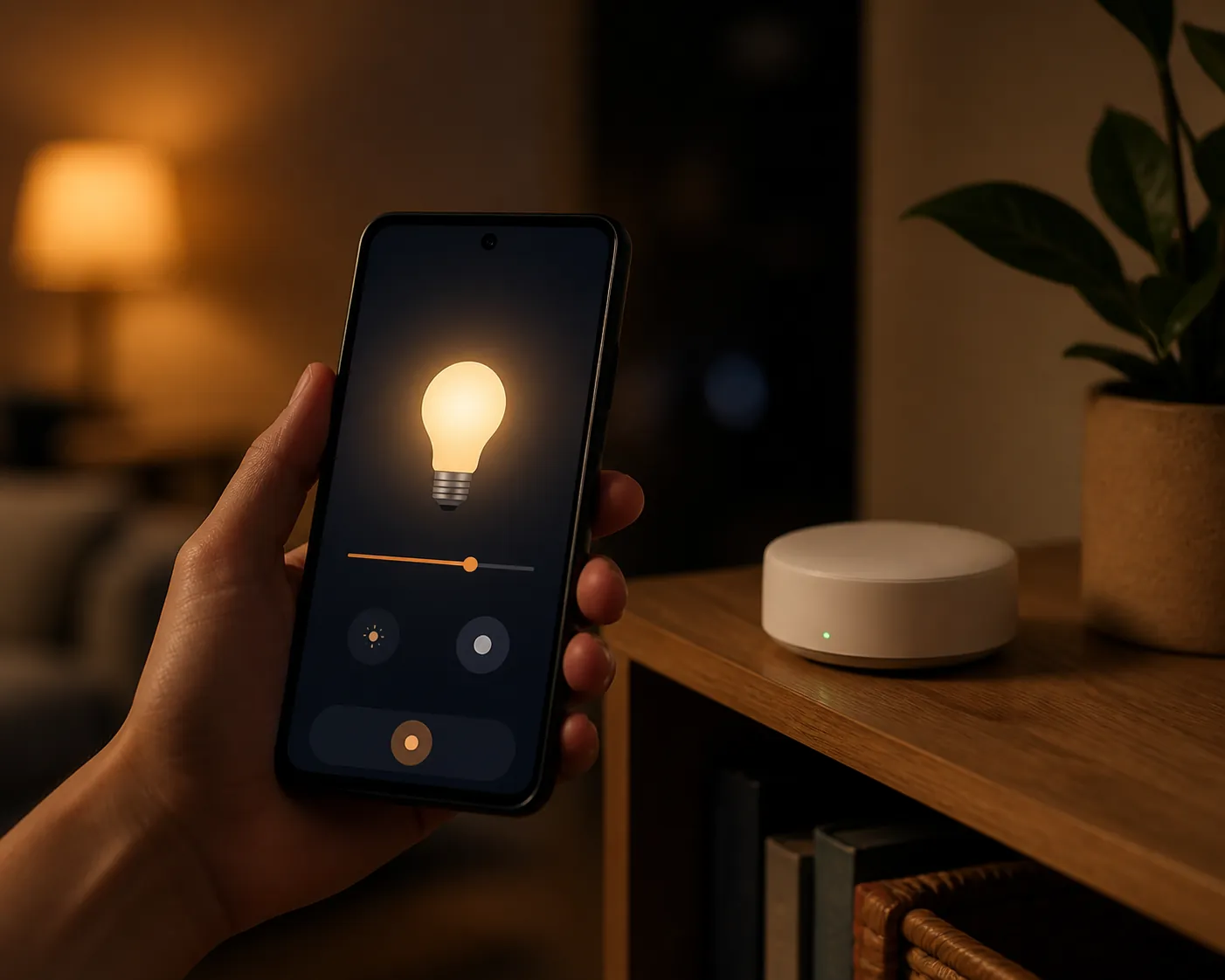
The line is here: clearing the mobile requirements does not make the phone a Matter hub. A phone can start pairing, scan the code, pass credentials, and later show controls in the Google Home app. It is still only the surface you touch.
The hub is the part the phone cannot silently replace
Google’s Matter instructions are blunt about the missing piece: before you add Matter-enabled devices to Google Home, a Matter-enabled hub must already be set up on the same home network [2]. Google lists hub hardware such as Nest Hub 2nd gen, Nest Hub Max, Nest Wifi Pro, and Google TV Streamer 4K for Google Home Matter setups [2].
That requirement is easy to miss because the phone is the thing in your hand when pairing starts. It opens Google Home. It sees the Matter device. It scans the QR code. It shows the room picker. Then the home infrastructure has to do its part. If there is no eligible Google Matter hub already set up, the cheap phone has nowhere to hand the setup off.
This is also where network basics matter. Google’s preparation guide warns that Matter needs IPv6 support and that setup may appear to work at first before control eventually fails if the network is not properly prepared [6]. That is not a Lava-specific warning, but it is exactly the sort of failure that gets wrongly blamed on the phone when the real problem is the router or hub path.
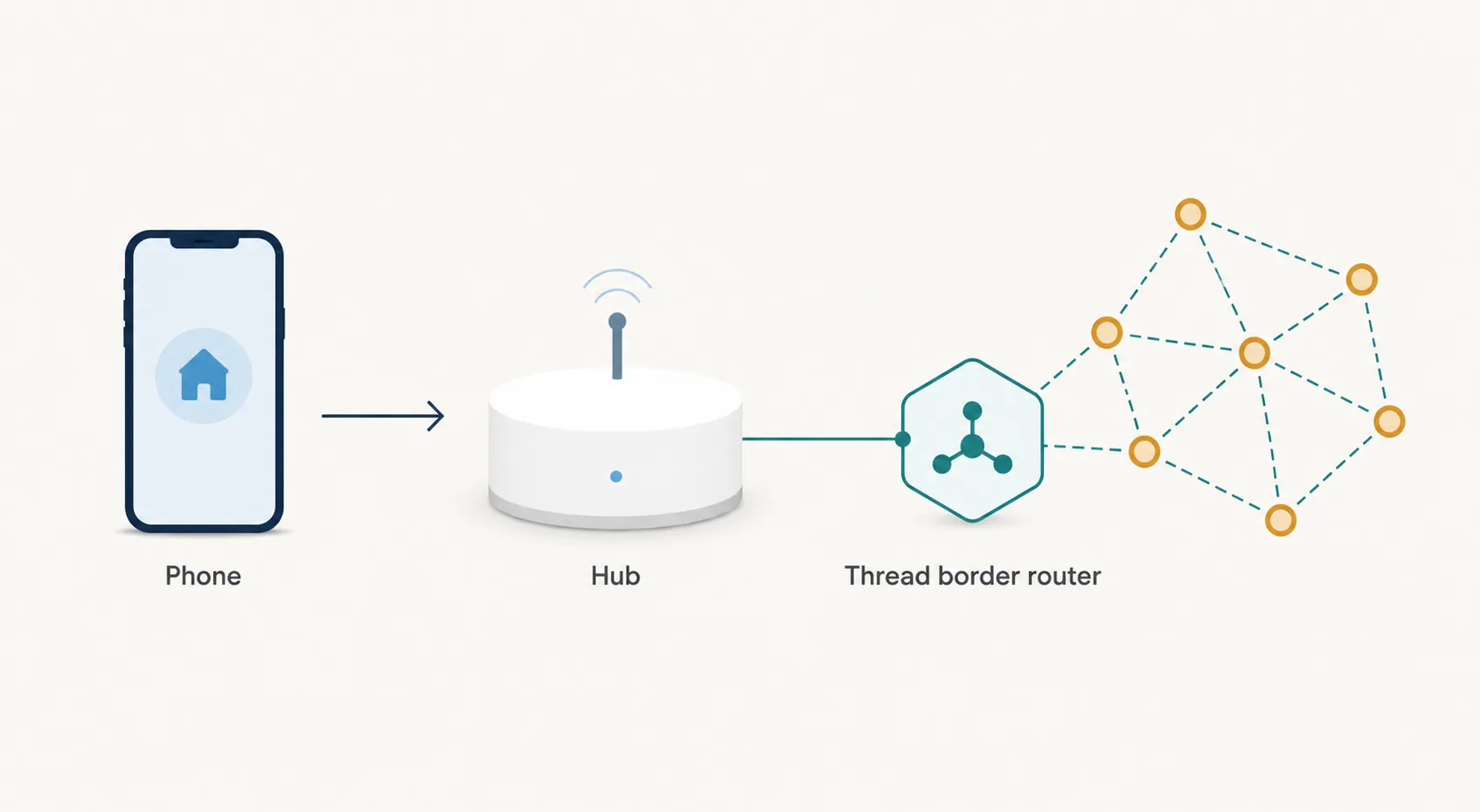
If you are not sure whether the missing piece is just a Matter hub or also Thread hardware, start with what a Matter border router is before buying the phone as a smart-home shortcut. The Virat V1 5G can be a useful controller; it should not be budgeted as the only hardware in the system.
Matter-over-Wi-Fi and Matter-over-Thread are different tests
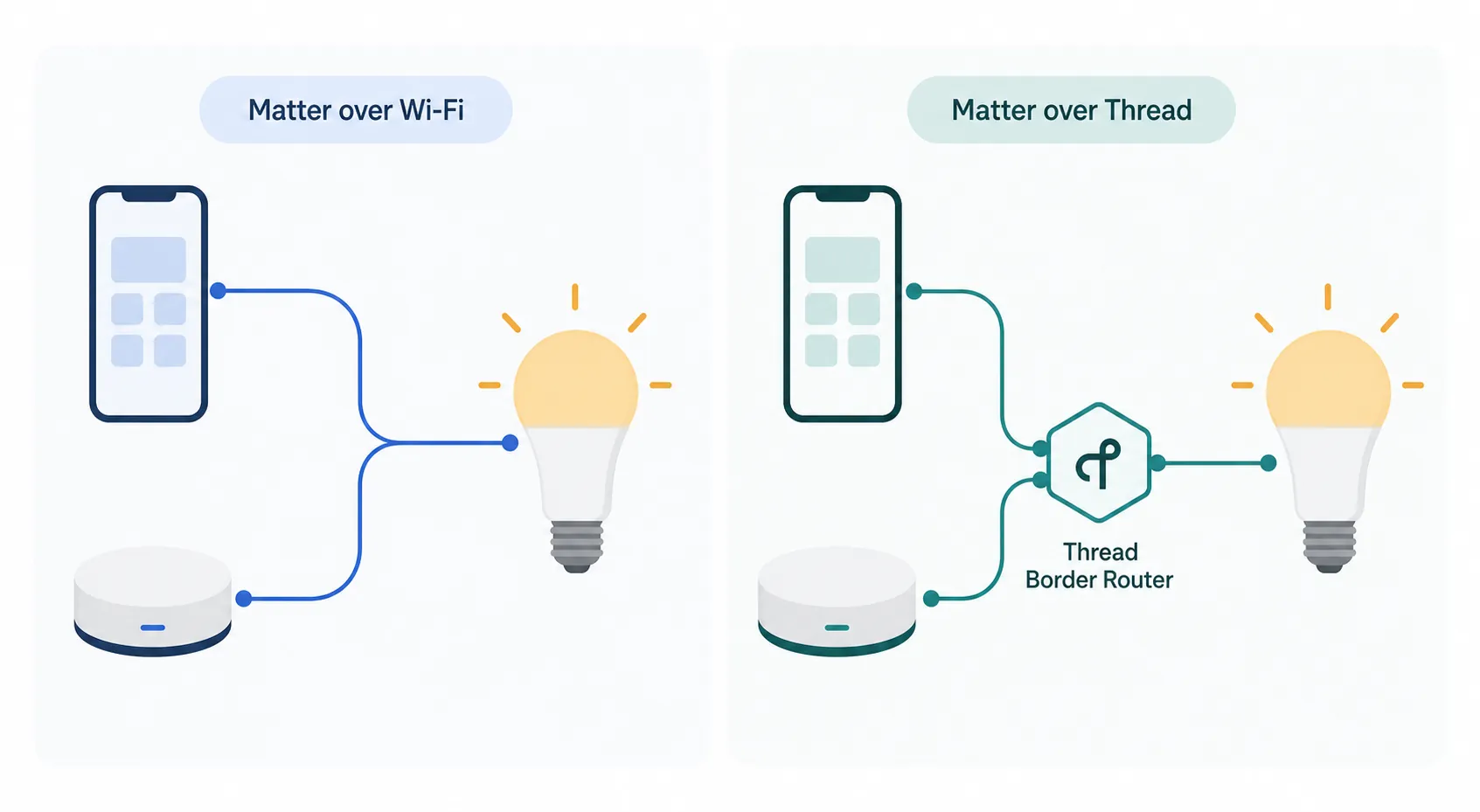
A Matter bulb or plug that uses Wi-Fi and a Matter sensor that uses Thread may both show up in Google Home, but they do not ask the house for the same hardware. For the Virat V1 5G, that distinction decides whether the phone is merely qualified or completely irrelevant to the missing part.
Matter-over-Wi-Fi
For a Matter-over-Wi-Fi device, the expected Google Home path is comparatively direct. The phone runs Google Home, discovers or scans the device, uses Bluetooth LE during commissioning, puts the device onto the home Wi-Fi network, and then the Google Matter hub keeps the device available to the home. The Virat V1 5G’s Android 16 and Bluetooth 5.0 spec clear the phone-side part of that chain [3][4][5].
The useful pre-test here is simple: update Google Home, update Google Play services, confirm the Matter hub is visible in the same Google Home household, and avoid a captive or guest Wi-Fi network. If the device pairs and later becomes unreachable, do not start by blaming the ₹11,999 phone. Check the hub, IPv6, router isolation, and whether the device is actually on the same home network.
Matter-over-Thread
For Matter-over-Thread, Bluetooth on the phone is still useful during commissioning, but it does not create the Thread mesh. A Thread device needs a Thread border router to connect the Thread network to the rest of the smart home. Google’s Android help separates this requirement from the phone, and independent border-router lists treat Thread border routers as their own hardware category [3][7].
The Virat V1 5G should be treated as lacking Thread unless Lava documents otherwise. The available phone spec sheets list Wi-Fi b/g/n/ac, Bluetooth 5.0, IR, and FM, but they do not list a Thread radio [4][5]. That is an inference from the published specifications, not a manufacturer-confirmed teardown result.
If you are buying Thread sensors, buttons, door locks, or bulbs, price the border router separately. For Google Home buyers, compare current options in the 2026 Thread border router guide. The phone can help start setup; it cannot become the Thread bridge.
Commissioning notes that need real testing
The Virat V1 5G is new enough that launch-day phone coverage does not yet answer the smart-home behavior questions. These are the checks that matter before treating it as a reliable setup handset.
- No NFC: Not a blocker. The published phone specs do not list NFC, but Google Home’s Matter setup supports QR-code scanning and manual setup-code entry, so NFC tap-to-pair is convenient rather than required [2][4].
- Bluetooth version discrepancy: Low concern for commissioning unless testing proves otherwise. Lava and GSMArena list Bluetooth 5.0, while launch coverage discussing the T8200 platform mentions Bluetooth 5.4 support [1][4][5]. Google’s requirement is BLE 4.2 or later, so both listed versions clear the published floor [3].
- 4GB physical + 4GB virtual RAM: Investigating. Virtual RAM is not the same as extra physical memory, and launch analysis notes that swap-backed virtual RAM can add latency [1]. The smart-home question is whether Google Home stays alive during scanning, account handoff, Wi-Fi credential transfer, hub handoff, and final room assignment.
- “Zero bloatware” claim: Not enough by itself. The launch claim is useful if it means fewer background services competing with Google Home, but there was no independent bloatware audit in the launch material [1].
The RAM failure mode is specific
The risk is not that a 4GB budget phone cannot open Google Home. It can. The risk is a mid-commissioning interruption: Google Home gets pushed out of memory while the user jumps to Wi-Fi settings, waits for a device to join, responds to a permission prompt, or returns from a backgrounded state. If the app restarts cleanly and the Matter device recovers, fine. If the phone drops the flow and leaves the accessory half-added, that is the failure worth recording.
Until that failure is reproduced on the Virat V1 5G, it stays labeled Investigating. Budget hardware deserves testing, not preemptive punishment.
What should already be on the network before you try
For a clean Google Home Matter setup with the Lava phone, have the infrastructure ready before opening the box for the new smart device. The phone is the last mile, not the foundation.
| Before pairing | Why it is needed |
|---|---|
| A Google Home household with an eligible Matter-enabled hub already set up | Google requires the hub before Matter devices can be added or controlled [2]. |
| Updated Google Home app and current Google Play services on the Lava phone | Google’s mobile requirements include a minimum Play services version, and setup depends on Google’s commissioning flow [3]. |
| IPv6-capable home network, with guest-network isolation avoided | Google warns that Matter control can eventually fail even after apparently successful setup if IPv6/network preparation is wrong [6]. |
| A Thread border router if the device is Matter-over-Thread | The phone’s Bluetooth and Wi-Fi do not create the Thread network [3][7]. |
| The Matter QR code or manual setup code | No NFC path is needed if QR/manual pairing is available in Google Home [2]. |
If pairing fails after those pieces are in place, use a failure log rather than guessing. Note whether the device failed before Bluetooth discovery, during Wi-Fi transfer, during hub handoff, during room assignment, or only later during control. The troubleshooting path is different for each stage; the Matter smart home troubleshooting checklist is a better next step than repeatedly factory-resetting the bulb.
Old Matter setup pain is context, not a 2026 verdict
Matter’s early real-world setup reputation was messy. The Verge’s December 2022 hands-on testing across Eve, Google, Apple, and Samsung showed the kind of beta-era pairing friction that made “it supports Matter” feel less reassuring than it should have [8]. That history is useful because it explains why dated testing matters. It should not be used as proof that a July 2026 Lava phone will fail in the same way.
The correct 2026 test is boring and repeatable: current Google Home app, current Play services, known-good Matter hub, known-good Matter-over-Wi-Fi device, then a known-good Matter-over-Thread device with a known-good Thread border router. Only after that should the Virat V1 5G’s RAM behavior, Bluetooth handoff, and app persistence get blamed or cleared.
Buying decision
Buy the Lava Virat V1 5G as a low-cost Google Home control surface if you already have the required Google Matter hub, or if you are budgeting for that hub separately. It clears Google’s published mobile-device requirements for Matter commissioning and control, and nothing in the listed phone specs blocks QR/manual-code setup.
Do not buy it thinking “Android 16 + 5G” means it runs the smart home by itself. Matter-over-Wi-Fi still needs the Google Matter hub. Matter-over-Thread still needs a Thread border router. The remaining phone-specific item to verify is whether 4GB physical RAM plus virtual RAM keeps Google Home stable through a complete commissioning session.
References
- Lava Virat V1 5G Launches With Full Android 16, No Bloatware in India — TechTimes, July 24, 2026
- Set up, manage, and control Matter-enabled devices with Google Home — Google Home Help
- Connect Thread smart home devices with your Android device — Android Help
- Lava Virat V1 5G — GSMArena
- Virat V1 5G — Lava
- Prepare your smart home for Matter — Google Nest Help
- Complete List: Thread Border Routers — Matter Alpha
- Matter smart home device testing: Eve, Google, Apple, and Samsung — The Verge, December 2022
Known issues with this device / protocol
Spec-version history
For active regressions on this protocol, see Update Watch.
No linked Update Watch entries yet.