
Mac mini M6 or Mac Studio for a smart home server?
The M6 Mac mini and Mac Studio hit the same smart-home ceiling — neither is a HomeKit hub or Thread border router, and both need a VM plus USB radios for Home Assistant, Zigbee, and Z-Wave. This comparison shows why the mini is the right server for nearly every smart-home setup and what workloads actually justify the Studio's premium.
Last updated
First correction: this is a Mac mini M6 vs Mac Studio smart home server comparison, not a comparison with an “M6 Mac Studio.” As of Aug. 25, 2026, the Mac Studio story is reported around M5 Max and M5 Ultra, while the M6 Mac mini is the new desktop in play; the “no M6 Studio” point still depends on consistent reporting rather than an Apple spec page for an M6 Studio that does not exist.[1][2][3] That matters, but it is not the real smart-home issue. The real issue is that both Macs stop at the same protocol wall.
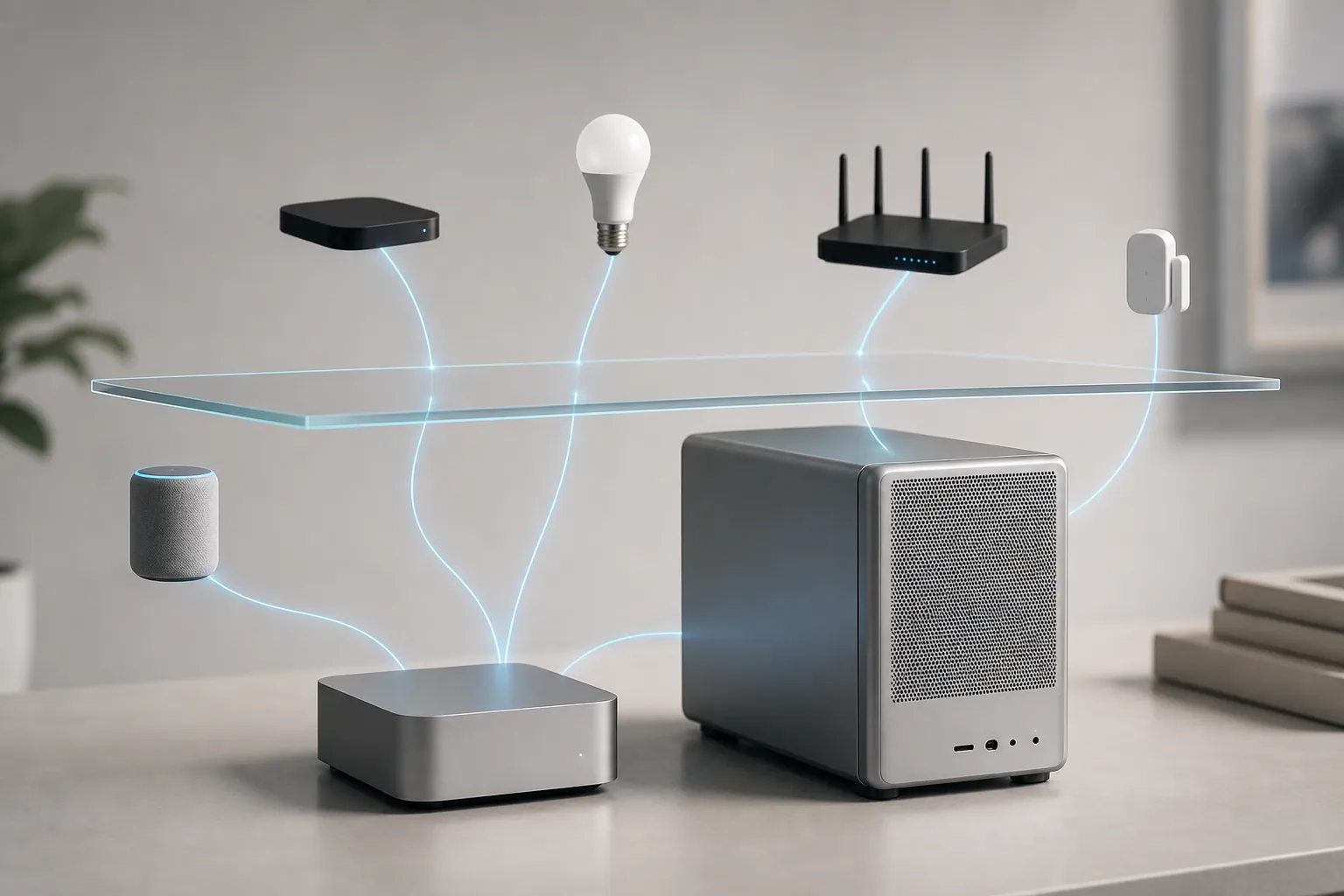
Verdict as of Aug. 25, 2026
- Confirmed: neither the M6 Mac mini nor the 2026 Mac Studio is an Apple Home hub. Apple’s home-hub support list is HomePod, HomePod mini, and Apple TV, with iPad home-hub support ending Feb. 10, 2026.[4]
- Confirmed: neither Mac is an Apple Thread border router. Apple’s Thread border-router list includes Apple TV 4K, HomePod, HomePod mini, and iPhone 15 Pro or later models; it does not include Macs.[5]
- Confirmed: Home Assistant on macOS is a virtual-machine install, not a bare-metal Home Assistant OS install. Home Assistant’s macOS path calls for a VM with UEFI, a bridged network adapter, and at least 2 GB of RAM and 2 vCPUs.[6]
- Workaround: Zigbee and Z-Wave still need external radios. For Zigbee2MQTT, the adapter has to be on its supported-adapter list; for USB behavior, expect the usual macOS driver and passthrough chores rather than Apple-magic radio hosting.[7]
- Announcement-based: the M6 mini’s reported 2 nm chip, roughly 200 GB/s memory bandwidth, 12-core GPU, and upgraded Neural Engine are useful computer specs, not new smart-home protocol roles.[8]
- Buying answer: buy the M6 Mac mini for a smart-home server unless you can name the non-smart-home workloads that will run on the same box. The Studio only starts making sense when those extra workloads are real, heavy, and concurrent.
The role map makes the spec sheet much less interesting
A smart-home server is not one job. It can be an automation engine, a controller, a hub, a bridge, a Thread border router, a VM host, or a USB radio host. Those roles get blurred in casual Apple coverage, and that is how people talk themselves into a $1,999-plus Mac Studio for a job a small box can do.
If you need a refresher on the controller-versus-hub distinction, this is the part to get straight before comparing CPU bins. A Mac can be a fine always-on computer. It still does not become a HomePod, an Apple TV, a Thread border router, or a Zigbee/Z-Wave stick.
| Smart-home role | M6 Mac mini | 2026 Mac Studio | Practical consequence |
|---|---|---|---|
| Apple Home hub | No | No | You still need HomePod, HomePod mini, or Apple TV for Apple’s home-hub role.[4] |
| Apple Thread border router | No | No | You still need an Apple device that Apple lists for Thread border-router duty, such as Apple TV 4K or HomePod mini.[5] |
| Home Assistant host | Yes, inside a VM | Yes, inside a VM | Both machines are macOS hosts first; Home Assistant runs through UTM, VMware Fusion, or VirtualBox-style virtualization rather than native HA OS on the Mac.[6] |
| Zigbee radio host | Yes, with external supported USB adapter | Yes, with external supported USB adapter | The radio decision lives outside the Mac purchase. Pick the adapter first, then make passthrough stable.[7] |
| Z-Wave radio host | Yes, with external USB Z-Wave adapter | Yes, with external USB Z-Wave adapter | The Mac’s GPU, Neural Engine, and memory bandwidth do not replace a Z-Wave controller stick. |
| Automation engine | Yes | Yes | For ordinary Home Assistant automations, the machines are separated more by cost and workload stacking than by protocol capability. |
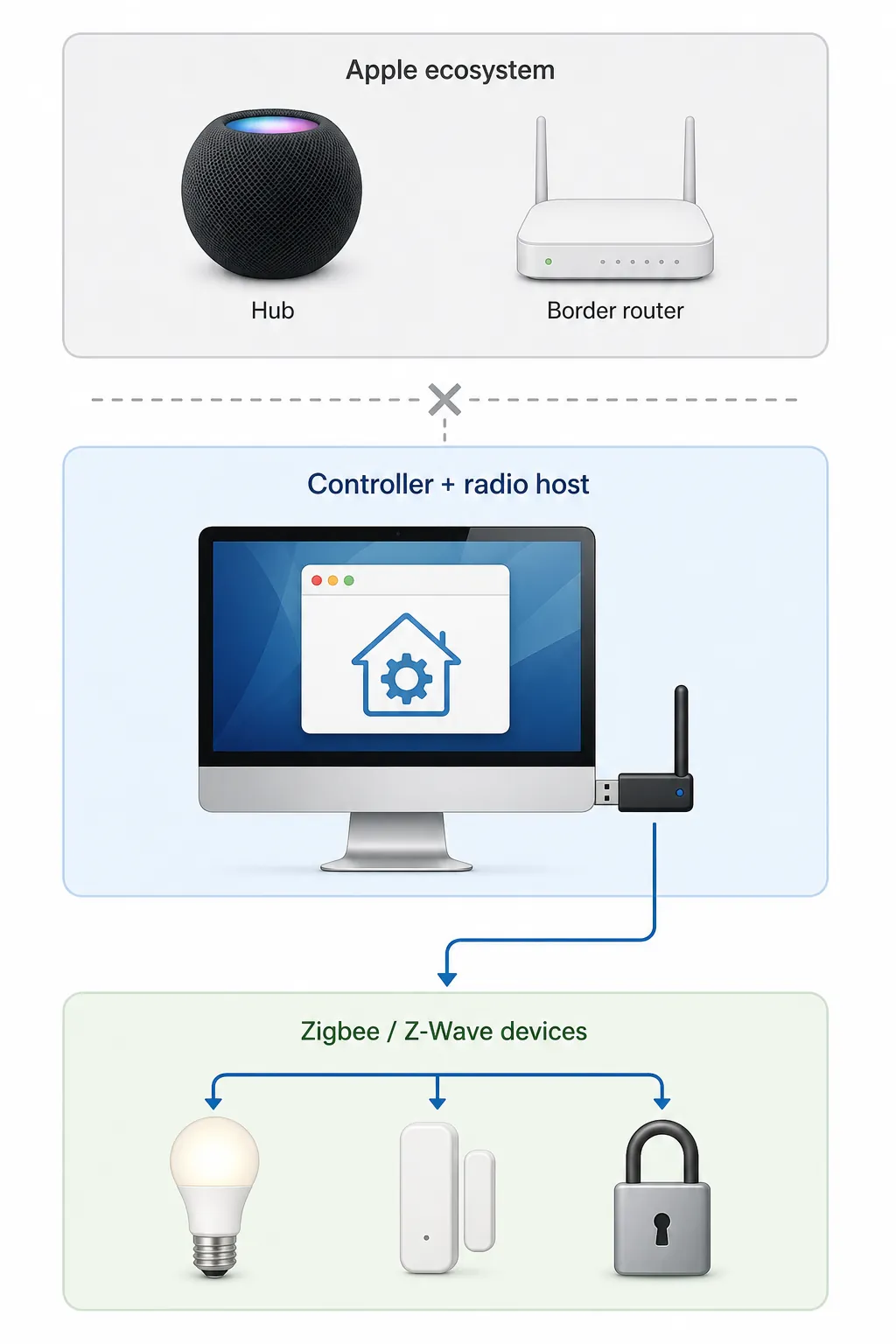
That table is the center of the comparison. Once the Apple Home hub and Thread border-router roles are off the table, the mini and Studio collapse toward the same smart-home shape: macOS host, VM, bridged networking, USB radios, and whatever integrations you choose to run inside Home Assistant.
This is also why Neural Engine upgrades are mostly a distraction for the base smart-home job. They may matter for local AI workloads, voice pipelines, or other compute-heavy services. They do not make Thread packets route through the Mac, and they do not turn an aluminum desktop into a HomeKit hub.
Home Assistant on either Mac is a VM-plus-radio project
The clean version sounds simple: run Home Assistant in a VM, bridge the VM onto your LAN, pass through the USB radios, and keep the Mac awake. The annoying version is the one that matters: your devices only pair reliably if the network mode, adapter choice, driver layer, and USB behavior are boring.
| Layer | What you actually configure | Why it matters |
|---|---|---|
| macOS host | Keep the machine on stable power and wired networking where possible. | The Mac is the container for the stack, not the smart-home radio. |
| Virtual machine | Use Home Assistant’s macOS VM path with UEFI, a bridged adapter, and at least 2 GB RAM / 2 vCPUs.[6] | Bridged networking keeps discovery and device communication from turning into a self-inflicted troubleshooting session. |
| Zigbee | Choose a Zigbee2MQTT supported adapter and pass it through to the VM or service that owns the radio.[7] | The supported-radio list matters more than whether the host is a mini or Studio. |
| Z-Wave | Use an external Z-Wave controller stick and confirm macOS/VM visibility before migrating devices. | The stick is the controller hardware. The Mac is just hosting the software that talks to it. |
| USB drivers and boot behavior | Be prepared for USB-to-UART VCP driver work on chipsets such as Silicon Labs, FTDI, or WCH CH34x, and test cold boots with the radios attached. | A setup that works after manual reconnects is not the same as a 24/7 server. |
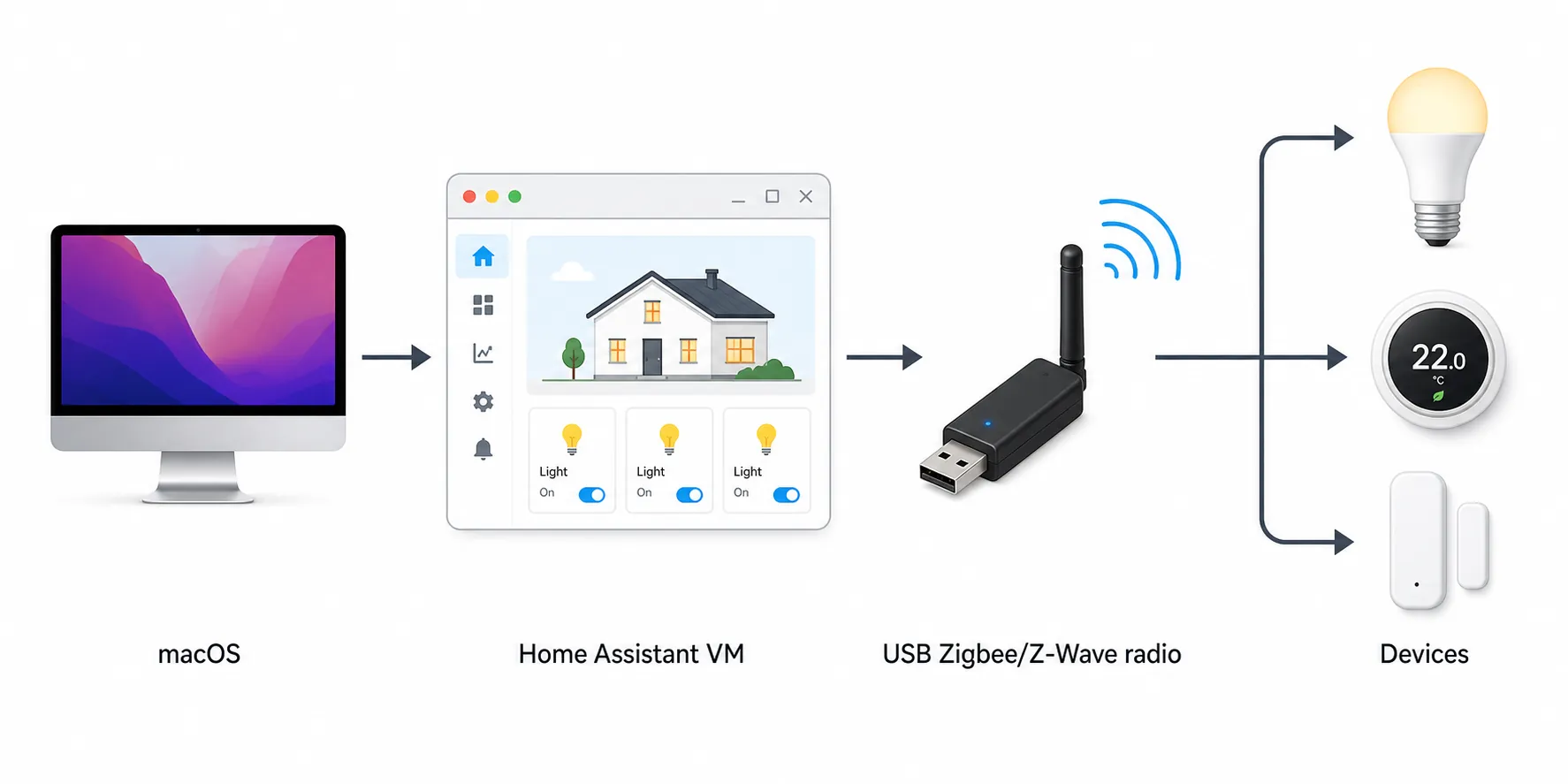
The Home Assistant minimum of 2 GB RAM and 2 vCPUs is an operating-system floor, not a sensible target for every real install.[6] Once you add bridges, databases, cameras, local voice, dashboards, or extra containers, the useful allocation rises. That still does not automatically push you into Studio territory; it just means you should size the VM for the services you are actually running rather than for the cheapest line in a requirements page.
The USB part deserves more respect than it usually gets. A Home Assistant Community thread from July 2025 reported a Mac mini failing to boot with Z-Wave/Zigbee dongles attached, including an Aeotec Gen5 stick, and a USB hub was reported as the workaround.[9] That is one community case, not proof that every Mac mini or every adapter will behave that way. It is still exactly the sort of thing that eats a Saturday if you assume “new Mac” means “USB radio layer solved.”
If you plan to expose Home Assistant devices back into Apple Home, keep the home-hub boundary clear. The Mac-hosted Home Assistant bridge can make devices appear in the Apple Home app, but Apple’s hub functions still belong to Apple’s listed hub hardware. The same role separation applies if you are building a voice path with Home Assistant Assist or other assistant-to-device chains. The computer can run the software; the radios and ecosystem hubs still have their own jobs.
Where the M6 Mac mini actually differs
The M6 mini’s announcement-based spec story is attractive: a reported 2 nm M6, roughly 200 GB/s memory bandwidth versus 153 GB/s for M5, a 12-core GPU, and an upgraded Neural Engine aimed at on-device AI.[8] Pre-orders are reported open today, with Sept. 22 availability.[8] Fine. None of that changes the HomeKit hub list, the Thread border-router list, or the need for USB radios.
What the M6 mini does change is the buyer’s comfort level. It gives you a modern, quiet, small desktop with enough headroom for a Home Assistant VM and a reasonable pile of adjacent services without paying for a workstation-class enclosure. The 2026 base mini is reported at $799 with 512 GB entry storage, after the 256 GB tier was discontinued in May 2026 and a $200 price hike followed in June.[8] The Mac Studio starts at $1,999-plus, before any high-memory configuration decisions.[1]
That price gap is not buying you a better Zigbee network. It is buying you more computer. If you need more computer, say so plainly. If you do not, the extra spend is mostly emotional insulation against a problem you probably do not have.
Power and always-on economics favor the smaller box, with caveats
A smart-home server is not a benchmark run. It sits in a cabinet or on a shelf, idling most of the time, then waking up for automations, database writes, camera events, backups, or voice work. For that kind of machine, idle behavior and heat are not side details.
| Evidence | What it says | How to use it |
|---|---|---|
| Apple official Mac mini power table | M4 Mac mini: 4 W idle / 65 W max; M4 Pro Mac mini: 5 W idle / 140 W max; M1 Mac mini: 6.8 W idle / 39 W max.[10] | Useful directionally for the mini family, not a measured M6 result. |
| Real M1 Mac mini home-server example | A Home Assistant VM plus Plex, AdGuard, and Homebridge idled around 6 W at 3–5% CPU and 2.6–2.8 GB RAM used.[11] | A helpful single setup, not a guarantee for your add-ons, disks, radios, or cameras. |
| Real Mac Studio home-server example | One 16-day Mac Studio M1 Max wattmeter run averaged 11.6 W under 25 containers plus Ollama, with a 50 W LLM peak and an estimated 101.6 kWh/year, or about $16.26/year at $0.16/kWh.[12] | Interesting because it shows a Studio can be efficient, but it is still one user’s stack and electricity assumption. |
Do not stretch those numbers further than they go. Apple’s M4 mini table is not an M6 mini measurement. A single M1 Mac mini setup is not every home server. A single Mac Studio container stack is not proof that a Studio is the efficient choice for your cabinet. The safe reading is narrower: Apple’s small desktops have a strong low-idle history, and the Mac Studio can also be surprisingly efficient when used well, but the Studio still asks you to spend far more up front for smart-home capabilities that are unchanged.
When the Mac Studio is the right answer
The Studio is not a bad home server. It is just usually the wrong smart-home purchase if smart-home control is the main workload. Its case gets much better when the same always-on machine is also expected to do work that has nothing to do with pairing light bulbs.
- You are running heavy local AI, such as LLM-backed voice pipelines, and you want the headroom on the same box as Home Assistant.
- You are stacking larger camera workloads, such as Frigate-style detection, alongside normal automations.
- You need multiple simultaneous VMs, not just one Home Assistant VM with a few nearby services.
- You are also using the machine for 10GbE-heavy media, NAS-adjacent work, or multi-display desktop duties.
- You already know your memory and I/O needs exceed the mini configuration you would otherwise buy.
Those are Studio reasons. “It feels more server-grade” is not. A smart-home stack that consists of Home Assistant, a bridge or two, a couple of USB radios, and ordinary automations is not made more compatible by a larger aluminum case.
This is the same hub-infrastructure mapping problem that shows up with phones, watches, speakers, and displays: the expensive device in front of you is not automatically the device that owns the network role. Buy for the role that is actually missing.
The buying rule
Buy the M6 Mac mini if the primary job is a smart-home server: Home Assistant in a VM, Apple Home bridging, Zigbee and Z-Wave through USB radios, and normal always-on services. Spend the saved money on the right Apple Home hub, a listed Thread border router, supported radios, good USB placement, backup hardware, and network reliability.
Buy the Mac Studio only if you can name the extra workloads that will run at the same time: local AI, heavier camera processing, multiple VMs, 10GbE media work, or desktop tasks that would make the mini the wrong computer even without the smart-home stack.
Buy neither expecting it to replace a HomePod, Apple TV, Thread border router, Zigbee coordinator, or Z-Wave controller. That is the compatibility ceiling, and both Macs hit it in the same place.
References
- 2026 Mac Studio: M5 release date, specs, price, rumors — Macworld, updated Aug. 25, 2026.
- Apple’s M6 chip is coming soon: Here’s everything we know — 9to5Mac, July 16, 2026.
- M6 MacBook Pro 2026 — MacRumors, June 25, 2026.
- Set up your HomePod, HomePod mini, Apple TV, or iPad as a home hub — Apple Support, Sept. 15, 2025.
- Use Thread network devices with Apple products — Apple Support, Jan. 13, 2026.
- Home Assistant on macOS — Home Assistant.
- Supported adapters — Zigbee2MQTT.
- 2026 Mac mini: M5 Pro design, specs, release date — Macworld.
- Mac Mini failed boot with Z-Wave/Zigbee Dongles — Home Assistant Community, July 2025.
- Mac mini power consumption and thermal output (BTU) information — Apple Support, Nov. 8, 2024.
- Mac mini as a home server — stealthpuppy, updated Aug. 24, 2026.
- Mac Mini / Mac Studio Home Server Power Consumption — famstack.dev, March 2026.
Known issues with this device / protocol
Spec-version history
For active regressions on this protocol, see Update Watch.
No linked Update Watch entries yet.