
What It Takes to Run an M6 Mac mini as a Smart Home Hub
Running the M6 Mac mini as a 24/7 smart home hub comes down to four weak points: USB radio passthrough into the Home Assistant VM, Matter provisioning in a VM, sleep/headless behavior, and macOS auto-updates. This hands-on failure log marks every fix Confirmed, Workaround, or Investigating with dated verification and measured wall power, so pre-purchase readers know what the M6 actually demands before checkout.
Last updated
Before buying the M6 Mac mini as a smart home hub, the useful question is not whether the little aluminum box has enough CPU. It does. The question is whether the stack around it can survive the boring events that happen in real houses: a host restart, a VM restart, a Zigbee or Thread stick that does not come back, a Matter pairing that stalls inside a VM, a headless Mac that decides it is allowed to sleep, or a macOS update that lands at the wrong hour. Apple announced the M6 Mac mini on August 25, 2026, with preorders open then, shipping September 22, and macOS 27 Golden Gate as the launch operating system; as of August 26, no one outside early access to shipping hardware can honestly mark M6-specific Home Assistant behavior or wall power as Confirmed on retail units.[1]
| Item to verify before treating it as a hub | Status on August 26, 2026 | Checkout consequence |
|---|---|---|
| M6 hardware and macOS 27 availability | Confirmed: announced August 25, ships September 22 with macOS 27 Golden Gate.[1] | Any M6-specific “hands-on” claim before shipping hardware is available should be treated as pending unless the tester documents retail hardware. |
| Apple Home hub role | Confirmed: Apple’s own home hub path names HomePod, HomePod mini, and Apple TV; the Mac mini is not the Apple Home hub.[2][3] | The Mac can host third-party software behind Apple Home, but it does not replace the Apple TV or HomePod role. |
| Home Assistant OS on macOS | Confirmed path: Home Assistant’s macOS installation route is HAOS in a virtual machine, with UEFI, at least 2 GB RAM, and at least 2 vCPUs; UTM is the Apple silicon alternative called out by the Home Assistant instructions.[4] | You are buying a Mac that will run an always-on VM, not a native Apple appliance. |
| USB radio passthrough after restart | Workaround: UTM/HAOS users have documented USB re-attach friction and a utmctl-based recovery path; M6 retail retest still required.[5][6] | Budget time for a radio recovery script before moving Zigbee or Thread duties onto the Mac. |
| Matter commissioning inside the VM | Investigating: a Mac M4 mini + UTM + HAOS community report says Matter did not work in that stack; it is a warning signal, not an M6 verdict.[7] | Do not assume newer silicon fixes Matter-in-VM behavior until it is tested on the actual M6 setup. |
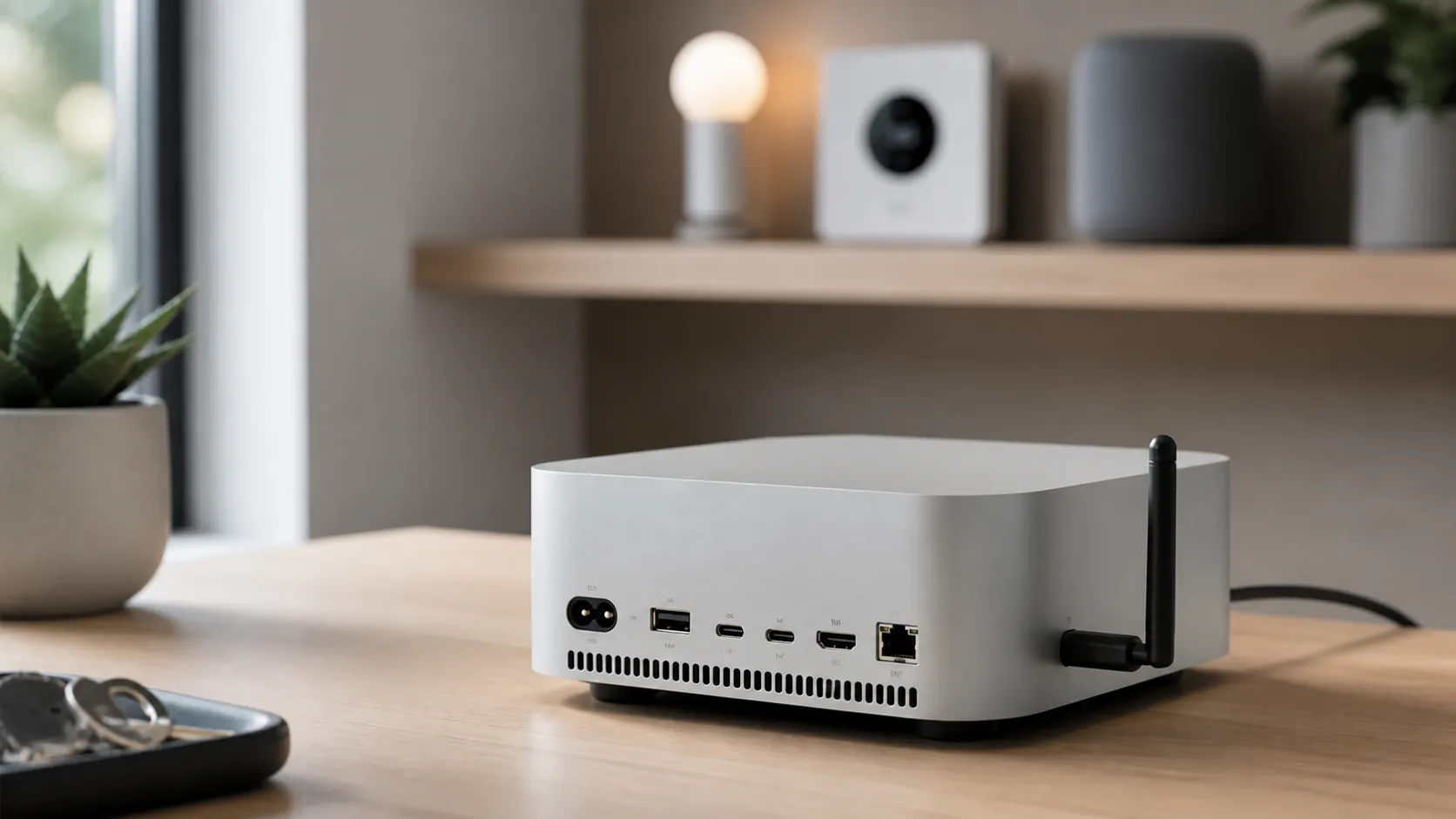
That is the frame for a useful hands-on review in Q3 2026. The machine is overqualified for Homebridge, Scrypted, and a Home Assistant VM. The compatibility question lives lower down, where radios are attached, routes are advertised, bridges are exposed, and a restart turns one neat desk object into several separate failure domains.
For the broader yes/no role breakdown, including which Apple Home and Thread jobs the Mac does not own, use the existing Mac mini M6 smart home hub verdict. For the basic three-path setup—Home Assistant, Scrypted, and Homebridge—use the Mac mini M6 smart home hub recipe. This piece starts after that, at the point where the system is installed and the owner has to make it stay installed.
The Apple boundary matters before the first automation
Apple Home hubs are not “whatever Apple computer is always on.” Apple’s support path for home hubs points to HomePod, HomePod mini, and Apple TV, and Apple’s Home guide describes remote access and automation through those hub devices.[2][3] The Mac mini can run Home Assistant OS in a VM, Scrypted for cameras, or Homebridge for accessories. Those services can then present devices into Apple Home. That is useful, but it is not the same job.
The distinction becomes visible during a failure. If the Mac-hosted bridge is down, the devices exposed through that bridge may disappear or stop responding in Apple Home even if the Apple TV is still online. If the Apple Home hub is down, Apple’s own remote access and home automation layer is the one in trouble. A dependable setup can include both, but the Mac does not quietly inherit the HomePod or Apple TV role just because it is made by Apple.
USB radio passthrough is the first appliance-fiction test
Home Assistant’s official macOS route is not a native Home Assistant app taking over the machine. It is Home Assistant OS in a virtual machine. The documented minimums are modest—2 GB of RAM, 2 vCPUs, and UEFI—but the VM boundary is the point: Zigbee, Thread, or multi-protocol USB radios must be attached through that boundary to the guest OS, and they must still be there after a reboot.[4]
On Apple silicon, UTM is the practical VM route many users reach for. The problem is not that a USB coordinator can never be attached. It is that the attachment is a stateful thing. A host restart, VM restart, or device reset can leave the Home Assistant VM running while the radio is no longer attached where Home Assistant expects it. In a smart home, that is not a cosmetic error. Zigbee devices stop routing through the coordinator. Thread experiments stop being meaningful. Automations depending on those devices fail while the dashboard may still look broadly alive.
The UTM issue to watch is auto-attach behavior. Community discussion around UTM USB passthrough documents the missing “just mount this device for this VM every time” behavior, and Home Assistant-on-Apple-silicon users have worked around it with utmctl-based scripting.[5][6] That is enough to call the recovery pattern a Workaround as of August 26, 2026. It is not enough to call a retail M6 Mac mini appliance-stable until the same script is tested across host reboot, VM reboot, unplug/replug, and macOS 27 behavior on shipping hardware.
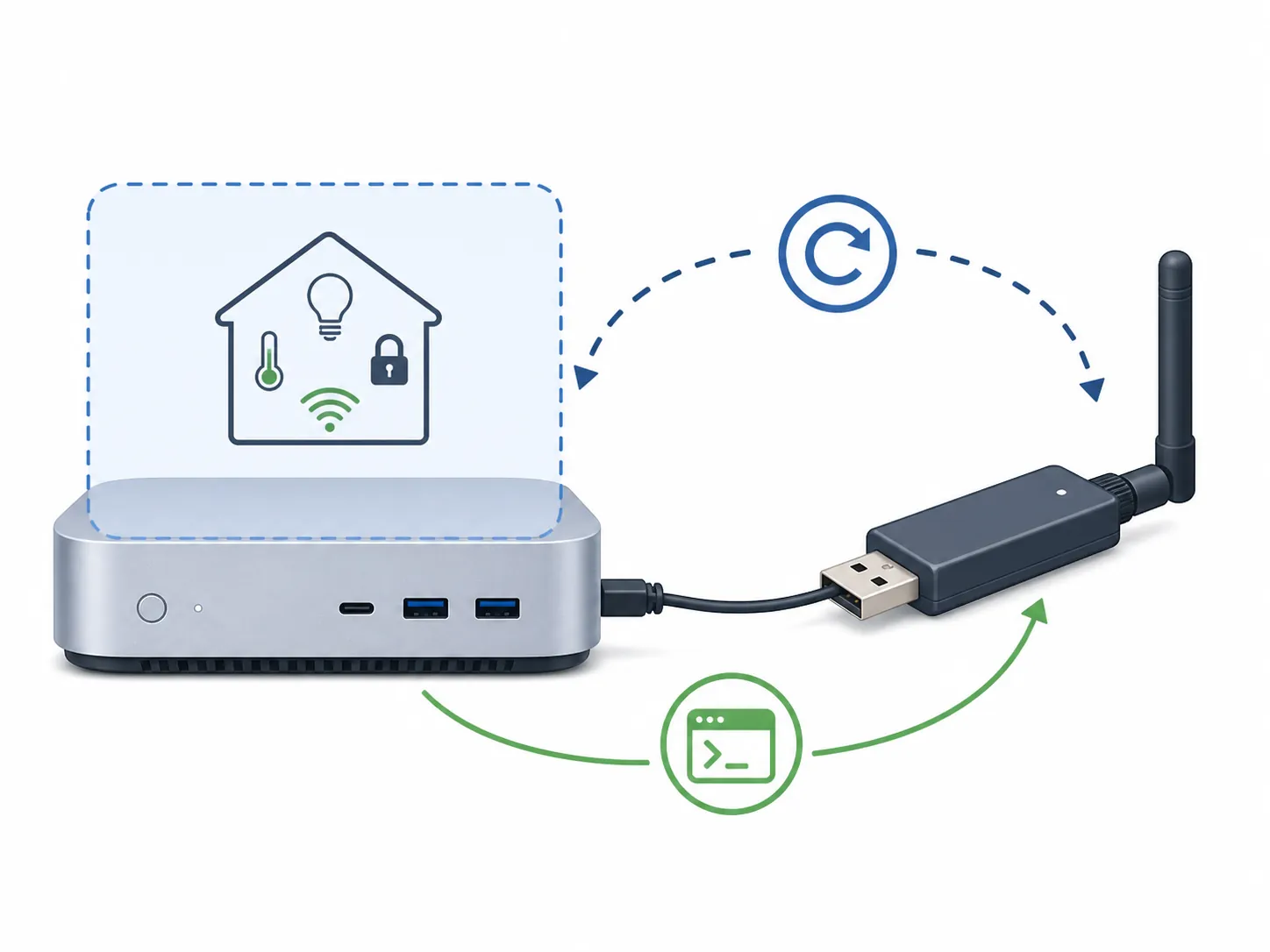
The practical shape of the fix is simple even if the implementation is fiddly: identify the VM, identify the USB radio, wait until both UTM and the device are visible after boot, attach the device to the VM, and log whether the operation succeeded. That last part matters. A silent launch script that sometimes fails is worse than no script, because it lets the owner blame Zigbee, Home Assistant, or the radio when the missing step was USB attachment.
- Workaround label: USB radio re-attach via utmctl.
- Verification date: August 26, 2026 for the documented workaround pattern, pending retail M6 retest.
- Minimum reboot test: cold boot the Mac, confirm the VM starts, confirm the radio is attached inside HAOS, then restart only the VM and confirm the radio returns again.
- Failure symptom to record: Home Assistant is reachable, but the coordinator or radio integration is missing, unavailable, or no longer receiving device traffic.
There is also the unglamorous physical layer. A USB radio crammed directly into the back of a computer is often the worst possible placement. Use a short extension cable, keep the coordinator away from high-speed USB devices, and treat radio placement as part of the build, not decoration. If the goal is to move a serious Zigbee network, the Zigbee coordinator comparison and Zigbee drop-offline troubleshooting guide are more relevant than the Mac’s processor tier.
Matter in a VM is a gate, not a spec-sheet assumption
Matter deserves a different status from USB. The USB problem has a recognizable mechanism and a known class of workaround. Matter commissioning inside a UTM-hosted HAOS VM is still an Investigating item for the M6 Mac mini because the strongest warning in the current material is a community report from a Mac M4 mini running UTM where Matter did not work in that installation.[7]
That report should not be inflated into an M6 verdict. Different macOS version, UTM version, Home Assistant version, network layout, and radio path can change the result. It also should not be waved away. Matter setup is unusually sensitive to network discovery, IPv6 behavior, border-router availability, credentials, and commissioning state. If the smart home plan depends on pairing Matter devices through Home Assistant inside the VM, that pairing flow must be tested on the actual M6 stack before the Mac becomes the primary hub host.
Apple’s own Thread support language allows for “compatible third-party Thread border routers,” but the support page does not give a buyer a simple device list that settles whether a specific Home Assistant plus USB-radio border-router setup will be accepted by Apple Home in the way they expect.[8] That makes Apple Home recognition a verification item, not a promise carried by the words Thread, Matter, or Apple silicon.
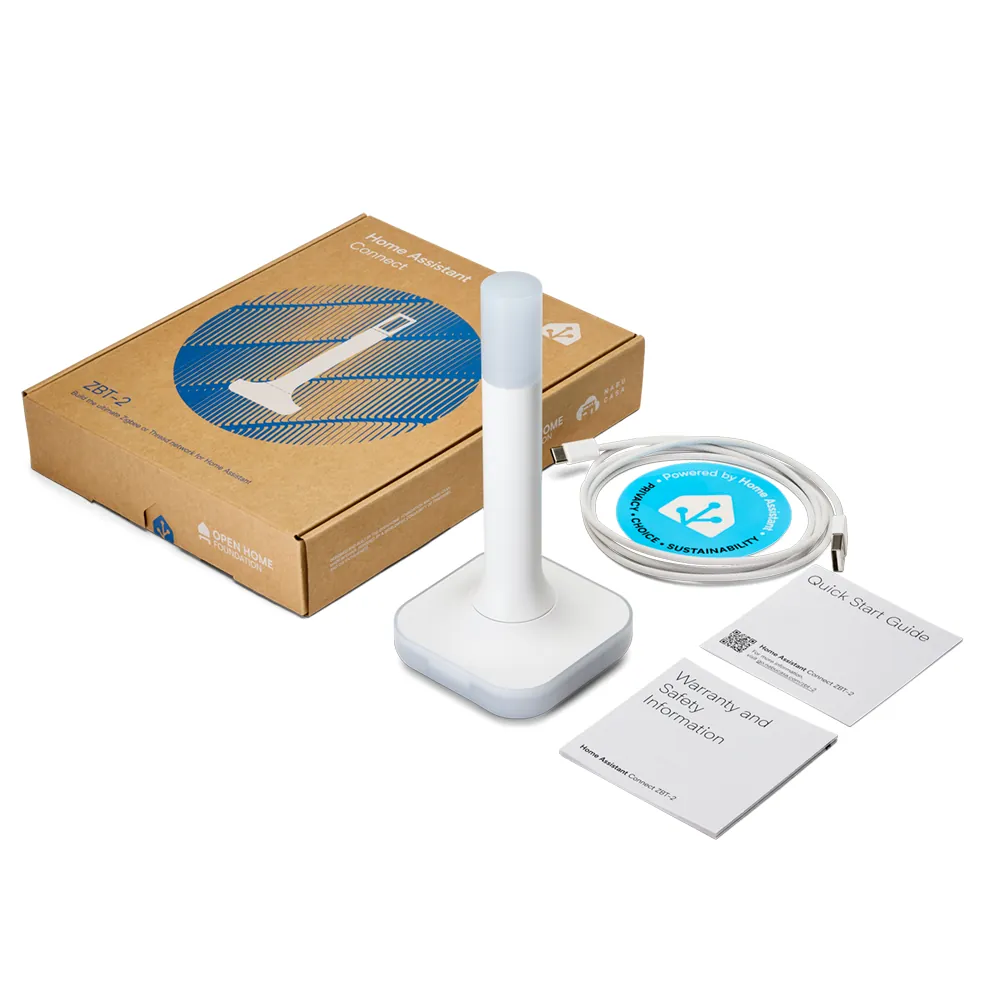
The Home Assistant Connect ZBT-2 is relevant here only because it concentrates several expectations into one small USB stick. It was introduced as a $49 Zigbee, Thread, and Matter-capable successor to the ZBT-1/SkyConnect line.[9] That does not remove the VM boundary. A capable radio attached unreliably is still unreliable, and a Thread/Matter-capable radio does not by itself prove that Matter commissioning inside a macOS-hosted HAOS VM is clean.
| Matter test | What counts as passing | Current M6 label |
|---|---|---|
| Commission a Matter-over-Wi-Fi device through Home Assistant in the VM | The device pairs, survives Home Assistant restart, and remains controllable after Mac host reboot. | Investigating until tested on retail M6 hardware |
| Commission or import a Thread Matter device through the intended radio path | The Thread path is visible, the device remains reachable, and logs do not show repeated commissioning or routing failures. | Investigating until tested on retail M6 hardware |
| Expose the device into Apple Home | Apple Home sees and controls the device through the intended bridge without confusing the Mac with an Apple Home hub. | Investigating for the exact M6 + HAOS + radio + Apple Home stack |
Scrypted and Homebridge are easier, but they do not erase the hub boundary
Scrypted and Homebridge are less interesting as raw compatibility problems because they are software services running on a very capable Mac. Scrypted’s own hardware guidance says a 16 GB Mac mini can support more than 20 cameras for NVR use, and its HomeKit documentation still places HomeKit Secure Video analysis on the Apple hub side rather than turning the Mac into the Apple Home hub.[10][11] That is exactly the pattern to keep in mind: the Mac can host heavy third-party services, but Apple’s home architecture still has its own hub.
This is where the M6 Mac mini looks attractive without becoming magic. A base 16 GB machine should have plenty of headroom for Home Assistant, Scrypted, Homebridge, MQTT, databases, and a few support containers if the operator is comfortable running that stack. The harder question is whether those services restart in the right order, whether their bridges are reachable after login, and whether the Apple Home side still has a real Apple hub available when the Mac-hosted services come back.
Sleep, headless operation, and updates are discipline problems
The Mac mini can be made to behave like a small server, but macOS is still a desktop operating system. Practitioners setting up Home Assistant or Mac-based home servers commonly harden the machine with keep-awake settings or tools, auto-login where appropriate, wake-for-network-access behavior, headless display handling, and a deliberate update policy rather than letting consumer defaults decide uptime.[12][13]
- Prevent sleep for the host. Use pmset or a trusted keep-awake utility, then verify the setting after macOS updates.
- Enable wake for network access if the Mac must answer LAN requests after display sleep or low-power states.
- Decide whether auto-login is acceptable for the home. If services only start after login, a power outage can become a smart-home outage.
- Handle headless operation. If the Mac behaves differently with no display attached, test with the exact HDMI dummy plug or remote-management setup you plan to leave installed.
- Disable or schedule background features that are not part of the hub job if they create measurable load, indexing, prompts, or restarts.
- Turn operating-system updates into a maintenance window. Apply macOS 27 updates deliberately, snapshot or back up the VM first, then run the radio and Matter reboot tests again.
None of those steps is exotic. That is the point. The Mac mini does not usually fail as a smart home host because it lacks compute. It fails when its owner assumes desktop convenience and 24/7 infrastructure are the same operating model.
Power expectations are promising, but M6 wall power is still pending
Apple has not published retail M6 Mac mini wall-power measurements for this smart home workload. The closest official reference point is Apple’s published M4 Mac mini power table, which lists 4 W idle and 65 W maximum for the M4 model.[14] That helps set expectations, but it is not an M6 measurement and it is not a Home Assistant plus radios plus camera-services measurement.
Practitioner reports make the low-power premise believable without proving the M6 result. One M1 Mac mini home-server writeup reported Home Assistant idling around 6 W with 3–5% CPU use, and a separate Mac Studio M1 Max home-server measurement reported an 11.6 W average over 16 days while running 25 containers.[13][15] Those are useful context points because they show Apple silicon can be efficient as always-on home infrastructure. They do not replace an outlet meter on the M6 Mac mini after September 22.
| Power claim | Supported today? | How to use it |
|---|---|---|
| M4 Mac mini official idle/max figures | Yes: 4 W idle, 65 W max from Apple’s M4 table.[14] | Context for Apple silicon efficiency, not an M6 smart-home workload result. |
| M1 Mac mini practitioner Home Assistant idle | Yes as a single practitioner report: about 6 W at 3–5% CPU.[13] | Useful expectation-setting for light Home Assistant loads. |
| Mac Studio M1 Max container workload average | Yes as a single practitioner report: 11.6 W average over 16 days with 25 containers.[15] | Useful context for efficient always-on Apple silicon servers. |
| M6 Mac mini at-the-wall idle with HAOS VM, USB radio, and services | No, pending retail hardware measurement. | Do not publish as Confirmed until measured at the outlet on shipping M6 hardware. |
The reboot-hour acceptance test
A clean install is not the acceptance test. The useful test begins after the Mac has been restarted and nobody is touching the keyboard. If this machine is going to replace a smaller hub box or become the primary third-party host behind Apple Home, the owner should be able to run one boring procedure and get the same result every time.
- Cold boot the Mac mini with no display, keyboard, or mouse attached except whatever you plan to leave permanently connected.
- Confirm macOS reaches the state required for services to start, whether that means auto-login, launch agents, or background services.
- Confirm UTM starts the HAOS VM without manual interaction.
- Confirm the USB radio is attached inside HAOS, not merely visible to macOS.
- Restart only the HAOS VM and confirm the radio re-attaches again.
- Commission or control the Matter devices that actually matter to the house, rather than relying on a generic Matter success screen.
- Open Apple Home from outside the Mac-hosted services and confirm bridged devices, cameras, and automations are in the expected state.
- Check the logs for the re-attach script, VM startup, Home Assistant integrations, and bridge services before calling the reboot successful.
That procedure is intentionally plain. It catches the failures that matter: the Mac is on but the VM is not useful, the VM is up but the radio is gone, the radio is visible but Matter will not provision, or Apple Home still has a hub while the third-party bridge behind it has disappeared.
What the buyer is agreeing to
The M6 Mac mini can be a dependable smart home host if the buyer wants to operate it like a small server. That means scripting USB radio recovery, verifying Matter on the actual M6 + macOS 27 + UTM + HAOS stack, hardening sleep and headless behavior, and treating macOS updates as maintenance events. It also means keeping the Apple Home boundary straight: this is not an Apple Home hub, not a plug-and-forget replacement for an Apple TV or HomePod, and not fully Confirmed on M6 until retail hardware has been tested after shipping.
If that engineering work sounds normal, the M6 Mac mini is a powerful, quiet, flexible third-party hub host. If it sounds like cleanup you thought Apple would have hidden, the checkout page is the right place to stop.
References
- Apple unveils a more powerful Mac mini featuring the all-new M6 and M5 Pro — Apple Newsroom, August 25, 2026
- Set up your HomePod, HomePod mini, or Apple TV as a home hub — Apple Support
- Access your smart home remotely — Apple Home User Guide
- macOS — Home Assistant
- UTM issue #5497 — GitHub
- [GUIDE] Home Assistant on Apple Silicon Mac using HA OS aarch64 image — Home Assistant Community
- Matter not working on Mac M4 Mini with UTM installation — Home Assistant Community
- Use Thread accessories with Apple Home — Apple Support
- Home Assistant has a new Thread/Zigbee stick — The Verge
- Server Hardware — Scrypted
- HomeKit — Scrypted
- How to Set Up Home Assistant on a Mac Mini or MacBook — How-To Geek
- Mac mini home server — stealthpuppy
- Mac mini power consumption and thermal output (BTU/h) information — Apple Support
- Mac Mini Mac Studio Home Server Power Consumption — Famstack
Known issues with this device / protocol
Spec-version history
For active regressions on this protocol, see Update Watch.
No linked Update Watch entries yet.