
Can the Lava Virat V1 5G Control Your Smart Home?
Find out what the Lava Virat V1 5G can do for smart home control — which apps and Matter-over-Wi-Fi devices work out of the box, why a Thread Border Router is needed for Thread devices, and the unresolved IR blaster status. Based on spec sheets and platform requirements, this guide gives a clear compatibility outlook for pre-purchase and initial setup decisions.
Last updated
| Smart-home control path | Status on Lava Virat V1 5G | What you can safely act on | Evidence type / checked |
|---|---|---|---|
| Google Home app | Supported outlook | The phone’s full Android 16 with Google Mobile Services gives it the normal Android baseline for Google Home app control and Google’s Android smart-device controls. Treat this as platform support, not a hands-on Virat V1 5G test yet. [1][2] | Spec + platform requirements / 2026-07-31 |
| Alexa app | Supported outlook | No app-store compromise is evident from the published Android 16 + GMS spec. This supports ordinary Alexa app use, but device-specific behavior has not been reproduced on a retail unit. [1] | Spec-based outlook / 2026-07-31 |
| SmartThings app | Supported outlook | Same practical reading: full Android with GMS supports normal app-based smart-home control. This does not prove every paired device or routine has been tested on this handset. [1] | Spec-based outlook / 2026-07-31 |
| Vendor apps for Wi-Fi/Bluetooth devices | Supported outlook | For typical smart plugs, bulbs, cameras, locks, and appliance apps that rely on Android app control, the phone has the expected Android/GMS base. Each vendor’s own app requirements still matter. [1] | Spec-based outlook / 2026-07-31 |
| Matter-over-Wi-Fi | Supported outlook | Google lists Android 8.1+, Google Play services 22.48.14+, and BLE 4.2+ for Matter setup; the Virat V1 5G ships Android 16 with GMS, Bluetooth at least 5.0, and Wi-Fi 5. QR-code or manual-code pairing should be the normal route. [1][3] | Spec + platform requirements / 2026-07-31 |
| Matter-over-Thread | Needs separate Thread Border Router | The phone can run the controller app, but it is not itself evidence of a Thread radio. Google’s Thread setup path depends on a Thread Border Router, and the Unisoc T8200 page does not list 802.15.4 or Thread. [4][5] | Platform requirement + chipset check / 2026-07-31 |
| NFC tap commissioning | Unavailable | GSMArena lists no NFC for the Lava Virat V1 5G. Matter setup can still use QR codes or manual setup codes where the device and app support them; tap-to-commission should not be expected. [6][3] | Spec-based limitation / 2026-07-31 |
| IR remote control | Investigating | Do not buy on an IR assumption yet. GSMArena lists an infrared port, Lava’s own spec page does not mention IR, and The Mobile Indian leaves the field blank. [6][1][7] | Conflicting source check / 2026-07-31 |
For Lava Virat V1 5G smart-home control, the short answer is fairly good if the phone is going to be your daily control screen. It should run the major smart-home apps and handle Matter-over-Wi-Fi setup paths that meet Google’s Android requirements. The part to keep separate is radio replacement: the phone should not be treated as a Thread Border Router, it does not give you NFC tap pairing, and IR remote control is still too conflicted to call.
That distinction matters more on launch day than it might after a lab pass. The Virat V1 5G has only just reached launch coverage, so this article uses public specifications and platform requirements rather than a retail-unit setup log. [8] If you need NestGrid-style reproduced certainty, this model is not there yet.
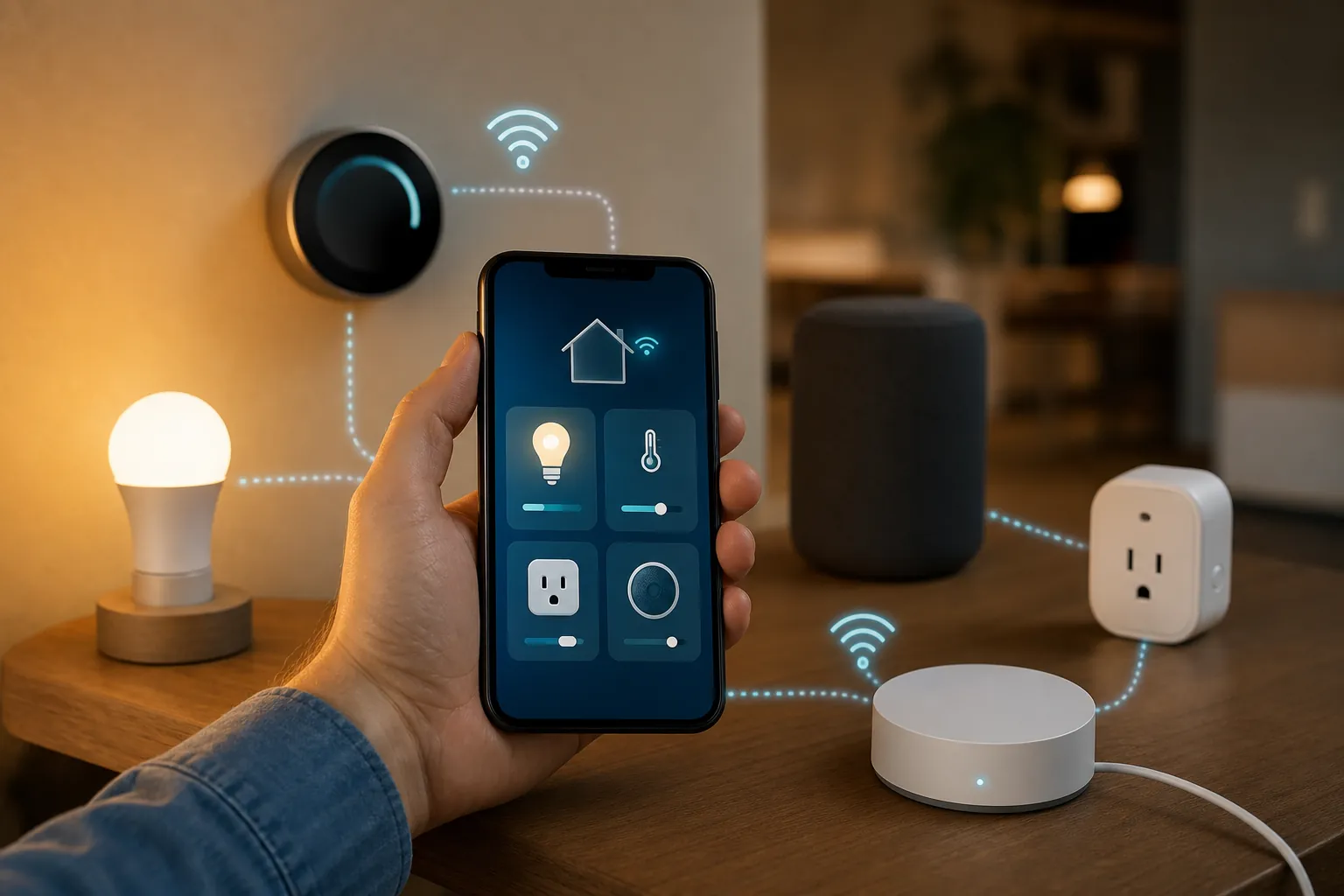
Matter is where the hub question matters
Matter is one badge, but it does not mean one radio path. A Matter plug or bulb on Wi-Fi is a different buying decision from a Matter sensor or lock on Thread. The Virat V1 5G looks ready for the first case because its Android, Google Mobile Services, Bluetooth, and Wi-Fi baseline clears the practical phone-side requirements. The second case still needs a device in the home that speaks Thread.
Matter-over-Wi-Fi: the phone has the required baseline
Google’s Matter setup requirements for Android list Android 8.1 or later, Google Play services 22.48.14 or later, and Bluetooth Low Energy 4.2 or later. [3] The Lava page gives the Virat V1 5G full Android 16 with GMS, Bluetooth 5.0, and Wi-Fi 802.11 b/g/n/ac. [1] On a pre-purchase checklist, that is enough to expect normal Matter-over-Wi-Fi commissioning through supported apps, using the device’s QR code or manual setup code rather than NFC.
Wi-Fi 5 is not a problem for this specific job. Nothing in Google’s Android Matter setup threshold turns this into a Wi-Fi 6 or Wi-Fi 7 requirement. [3] The more ordinary setup problems are likely to be the same ones buyers already know from budget smart-home gear: the accessory’s app flow, 2.4 GHz network expectations on some devices, router isolation settings, and whether the device is actually Matter-certified by the vendor.
Matter-over-Thread: Android is not the missing hub
Thread devices are where the shop-counter answer often gets too loose. The phone app can start the setup, but a Thread device needs a Thread network in the home. Google’s support page names Thread Border Router devices such as Nest Hub 2nd gen, Nest Hub Max, Nest Wifi Pro, and Google TV Streamer 4K. [4] Without one of those, or another compatible Thread Border Router in the ecosystem you use, a Thread-only Matter device has nowhere useful to join.
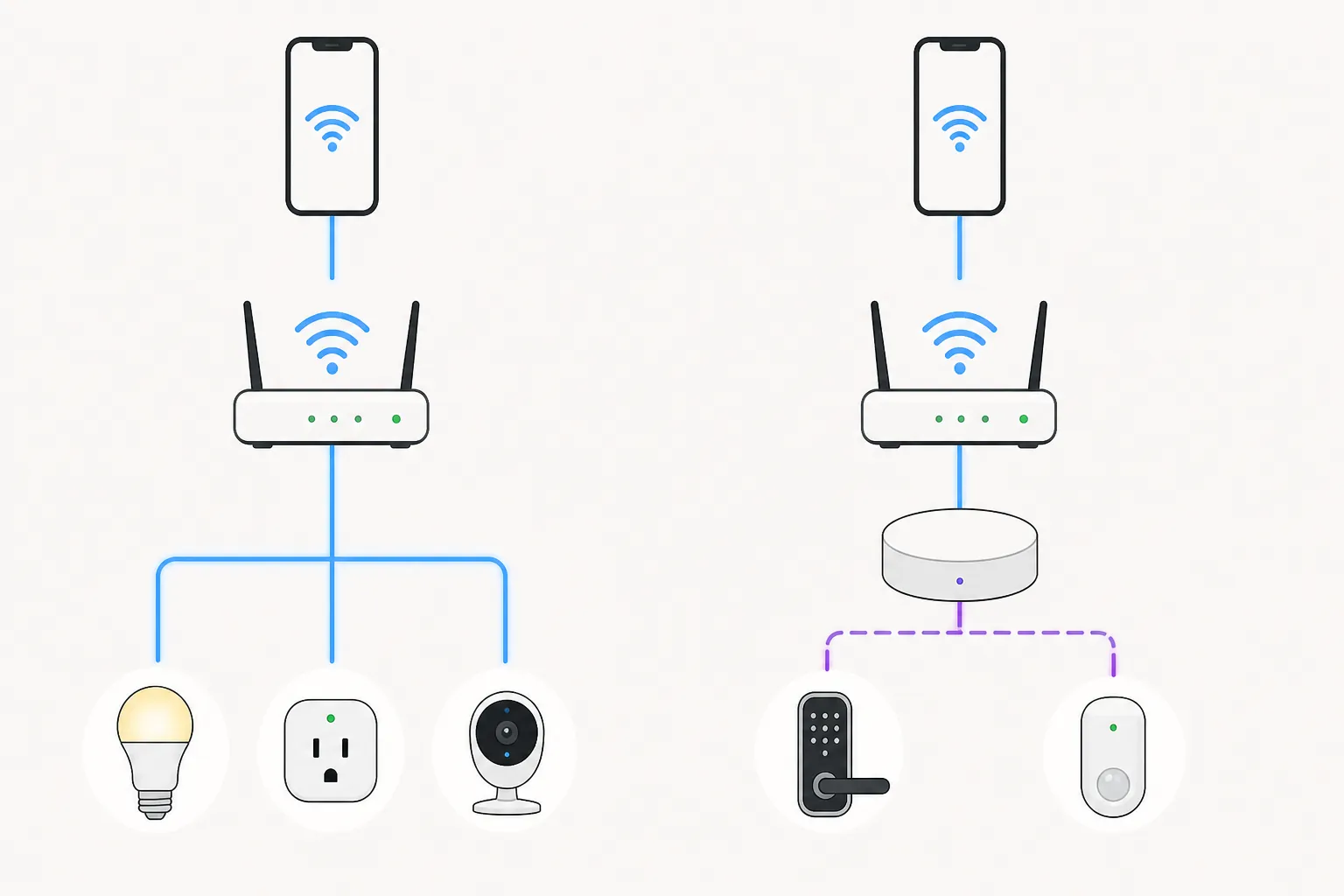
The chipset evidence does not rescue the phone here. UNISOC’s T8200 product page lists connectivity such as Wi-Fi, Bluetooth 5.4, GNSS, and FM, but it does not list 802.15.4 or Thread. [5] That absence is important because Thread is a hardware radio capability, not a feature a normal Android update can invent after purchase; Android Authority’s coverage of Android Thread support made the same hardware dependency clear when discussing phones with Thread radios. [10]
So the safe setup plan is simple. If your Matter device says Wi-Fi, the Virat V1 5G should be a suitable Android controller. If the device says Thread, put a Thread Border Router in the budget before you blame the phone.
The hardware facts that actually affect smart-home control
| Phone fact | Smart-home meaning |
|---|---|
| Android 16 with Google Mobile Services | Strongest positive signal. It supports normal Google Play-based smart-home app use and clears Google’s Android version baseline for Matter setup. [1][3] |
| Bluetooth listed as 5.0 by Lava, GSMArena, and The Mobile Indian; 5.4 on UNISOC’s T8200 page and in TechTimes coverage | The version conflict should be noted, but it does not change the Matter setup outlook because both 5.0 and 5.4 exceed Google’s BLE 4.2+ requirement. [1][6][7][5][9][3] |
| Wi-Fi 802.11 b/g/n/ac | This is Wi-Fi 5. It is sufficient for app control and Matter-over-Wi-Fi expectations; the phone does not need a newer Wi-Fi generation just to be a controller. [1][3] |
| No NFC listed | Do not expect tap-to-pair Matter commissioning. Use QR-code or manual-code setup where supported. [6][3] |
| No 802.15.4 or Thread listed on the Unisoc T8200 page | Do not treat the phone as a Thread radio or Thread Border Router. Thread accessories still need a separate border-router device. [5][4] |
| IP64 listed by GSMArena | Useful but modest reassurance if the phone is used around a kitchen counter, entryway, or near a smart lock. It is not a reason to expose the phone to heavy water. [6] |
Everything else on the phone spec sheet is secondary for this question. Processor class, camera count, display claims, and storage options may matter for phone value, but they do not decide whether the handset can open Google Home, scan a Matter QR code, or bridge a Thread lock. Radios and platform services do.
Google Home, Alexa, SmartThings, and vendor apps
For Google Home, the outlook is the cleanest because Google documents the Android-side control and Matter setup requirements. The Virat V1 5G’s Android 16 + GMS baseline sits well above the Android version requirement, and its Bluetooth baseline exceeds the BLE threshold. [1][2][3] That supports using the phone as the screen you reach for to turn devices on, adjust rooms, and add supported Matter-over-Wi-Fi accessories.
Alexa, SmartThings, and individual vendor apps are less about a special Lava feature and more about the absence of a platform obstacle. This is not a forked Android phone with a missing Google app layer in the published spec; it is listed with Android 16 and GMS. [1] For a buyer who just wants one inexpensive phone to run the usual control apps, that is the right baseline to see.
The careful wording is still necessary. A phone being able to run SmartThings or Alexa does not mean every device in those ecosystems stops needing its own hub, bridge, cloud account, or border router. If you already own Zigbee devices behind a SmartThings hub, the phone can be the app controller; it does not become the Zigbee radio. If you own Thread devices, the same logic applies with a Thread Border Router.
Readers who want to compare this launch-day, requirement-based approach with a reproduced phone-as-controller test can look at the hands-on methodology in Can the Galaxy Z Fold 8 Control Your Smart Home Without a Hub?. The same Matter-over-Wi-Fi versus Thread split is the part worth watching, even when the phone price and chipset are completely different.
IR blaster: leave it as Investigating
| Source | IR claim |
|---|---|
| GSMArena | Lists “Infrared port: Yes.” [6] |
| Lava official Virat V1 5G spec page | Does not list IR in the published spec page reviewed here. [1] |
| The Mobile Indian product finder | Leaves the field blank. [7] |
That is not a harmless disagreement. If you are buying the phone to replace a TV remote, AC remote, or set-top-box remote, one line in an aggregator is not enough. Lava’s own omission keeps the status at Investigating until a retail unit is checked, Lava publishes a clear model-specific confirmation, or multiple hands-on reviewers verify the port and remote app behavior.
Also separate IR from app-based control. A Wi-Fi smart AC controlled through its vendor app is one thing; a traditional AC controlled by infrared pulses is another. The Virat V1 5G has a good outlook for the first kind of control. The second remains unresolved.
Buying verdict
If you are buying the Lava Virat V1 5G as an app-based smart-home controller, it looks compatible for mainstream use: Google Home, Alexa, SmartThings, vendor apps, and Matter-over-Wi-Fi all have a strong spec-and-platform basis. For a budget Android phone, the important comfort is not raw performance; it is full Android 16 with Google Mobile Services, Bluetooth above the Matter setup threshold, and ordinary Wi-Fi support.
If your shopping list includes Thread sensors, a Thread lock, or other Matter-over-Thread devices, buy or keep a Thread Border Router. If you rely on NFC tap commissioning, this is the wrong phone for that setup method. If your real requirement is a guaranteed IR remote, wait for a hands-on confirmation or choose a model where the manufacturer clearly lists the IR blaster.
References
- Lava Virat V1 5G official spec page — Lava Mobiles
- Control smart devices on your Android phone — Google Support
- Set up Matter-enabled devices with Google Home — Google Help
- Connect Thread smart home devices with Android — Google Support
- UNISOC T8200 product page — UNISOC
- Lava Virat V1 5G — GSMArena
- Lava Virat V1 5G — The Mobile Indian
- Lava Virat V1 5G, 4G Price in India Launch Specifications Sale Features — Gadgets 360
- Lava Virat V1 5G Launches With Full Android 16, No Bloatware in India — TechTimes
- Android 15 Thread network — Android Authority
Known issues with this device / protocol
Spec-version history
For active regressions on this protocol, see Update Watch.
No linked Update Watch entries yet.