
Can the Galaxy Z Fold 8 Control Your Smart Home Without a Hub?
Hands-on protocol verification of the Galaxy Z Fold 8's smart home capabilities: Matter-over-Wi-Fi works directly, but Thread, Zigbee, and Z-Wave still require a separate hub. Here's what Samsung's 'Hub Everywhere' strategy actually means for your setup.
Last updated
If the cart already has a Galaxy Z Fold 8 in it, the smart-home question is not whether the unfolded screen makes SmartThings nicer to use. It does. The question is whether that phone lets you remove the SmartThings Station, Aeotec-style hub, or another bridge from the same cart. The short protocol answer is narrower: Matter-over-Wi-Fi devices can be commissioned and controlled directly from SmartThings on the phone; Thread, Zigbee, and Z-Wave devices still need hub hardware somewhere else on the network.
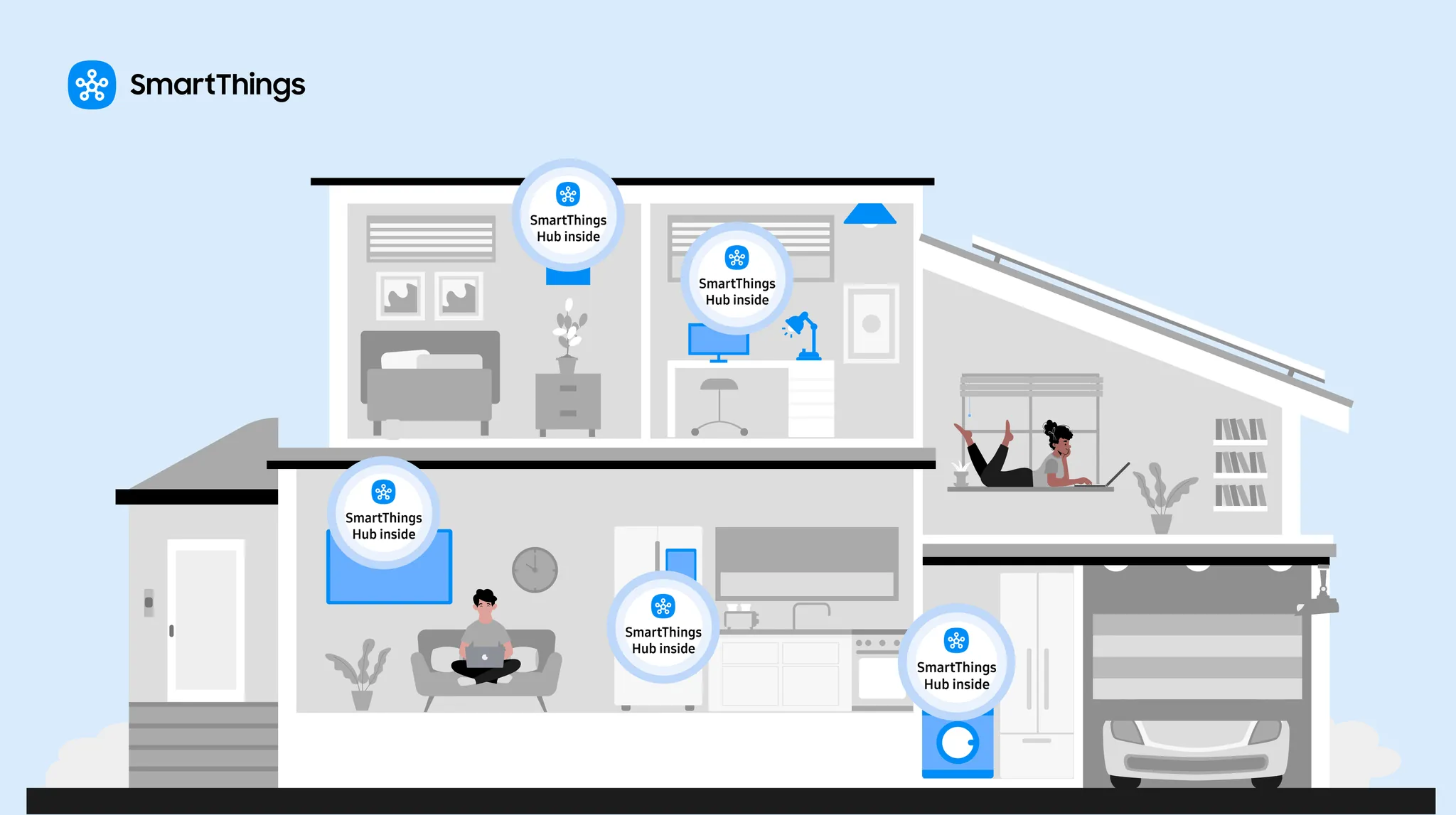
That is also where Samsung’s “Hub Everywhere” wording needs a hard stop. In Samsung’s own SmartThings hub lineup, the integrated hubs are TVs, monitors, refrigerators, soundbars, the SmartThings Station, and Aeotec hub hardware — not Galaxy phones [1]. A Galaxy phone can be an excellent controller in your hand. It is not listed as a SmartThings hub, Thread border router, Zigbee radio, or Z-Wave radio.
One small naming cleanup before getting into the protocol details: “Wide” is not a separate retail SKU to hunt for. The device here is the Galaxy Z Fold 8, whose wider foldable form factor has been discussed against the Galaxy Z Fold 8 Ultra naming split. Early “Wide” language belongs to search and rumor shorthand, not to a separate smart-home model.
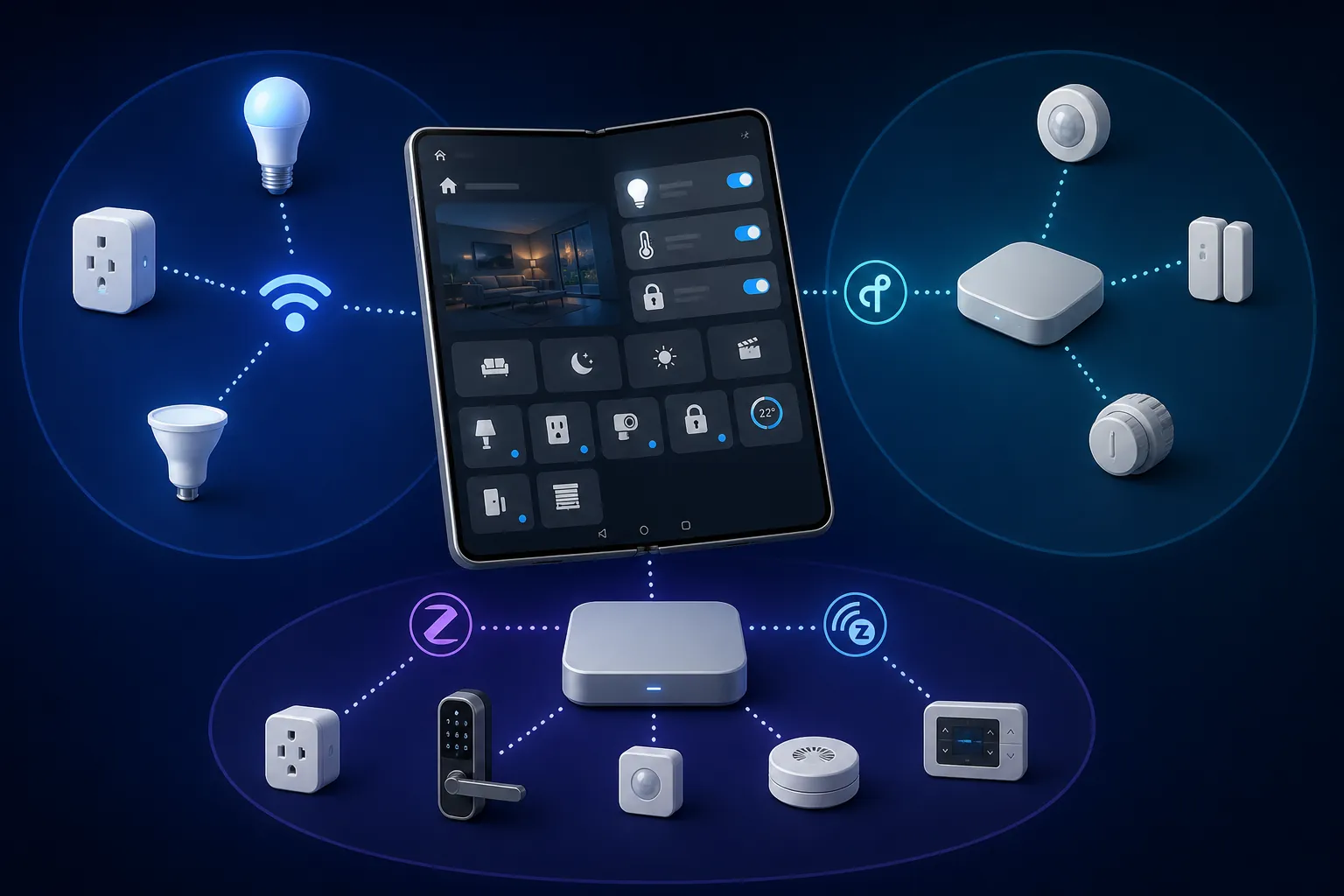
Protocol Verdict
| Device type | Can the Z Fold 8 control it without a separate hub? | What is still required |
|---|---|---|
| Matter-over-Wi-Fi plug, bulb, switch, or appliance | Yes, through SmartThings on the phone | The device joins your Wi-Fi network; SmartThings handles commissioning and control |
| Matter-over-Thread device | No, not by the phone alone | A Thread border router from another device on the network |
| Zigbee bulb, sensor, button, or outlet | No | A SmartThings Hub 2, Aeotec hub, Samsung device with integrated hub, or compatible bridge |
| Z-Wave lock, sensor, switch, or module | No | A compatible Z-Wave hub or bridge |
This split matters because the word “control” hides several different jobs. A phone can open an app, display device tiles, send cloud commands, commission a Matter device, or talk to a hub that then talks to a low-power radio network. Those are not interchangeable jobs when you are trying to decide whether to buy hardware.
The Z Fold 8’s best no-hub case is Matter-over-Wi-Fi. In that setup, the phone runs SmartThings, scans the Matter setup code, puts the device onto the home network, and then shows it as a controllable device. CNET, PCMag, and Engadget’s pre-release reviews support the basic SmartThings-on-Fold experience, and Samsung’s SmartThings Matter material supports SmartThings’ role in Matter commissioning [2][3][4][5][6].
The result is simple enough for a buyer: if the device box says Matter and Wi-Fi, and you are using SmartThings on the Z Fold 8, the phone can be the setup screen and daily remote without adding a SmartThings hub for that device. The device’s own Wi-Fi radio is doing the network work. The phone is not secretly becoming a multi-protocol hub; it is commissioning and controlling a Wi-Fi device through the app.
Where the Phone Stops and the Network Starts
Matter-over-Thread is the first place the no-hub story breaks. A Thread device does not join your Wi-Fi network directly. It needs a Thread mesh, and that mesh needs a Thread border router to connect it to the rest of your home network. Samsung’s public Hub Everywhere catalog lists hub-capable TVs, monitors, fridges, soundbars, SmartThings Station, and Aeotec hardware, but it does not list Galaxy phones as integrated SmartThings hubs or Thread border routers [1][7].
So a Matter-over-Thread plug or bulb may appear in SmartThings eventually, but the phone is not the missing radio. Something else has to provide the Thread border-router role. Without that, SmartThings on the Z Fold 8 has a polished screen and no path to the device.
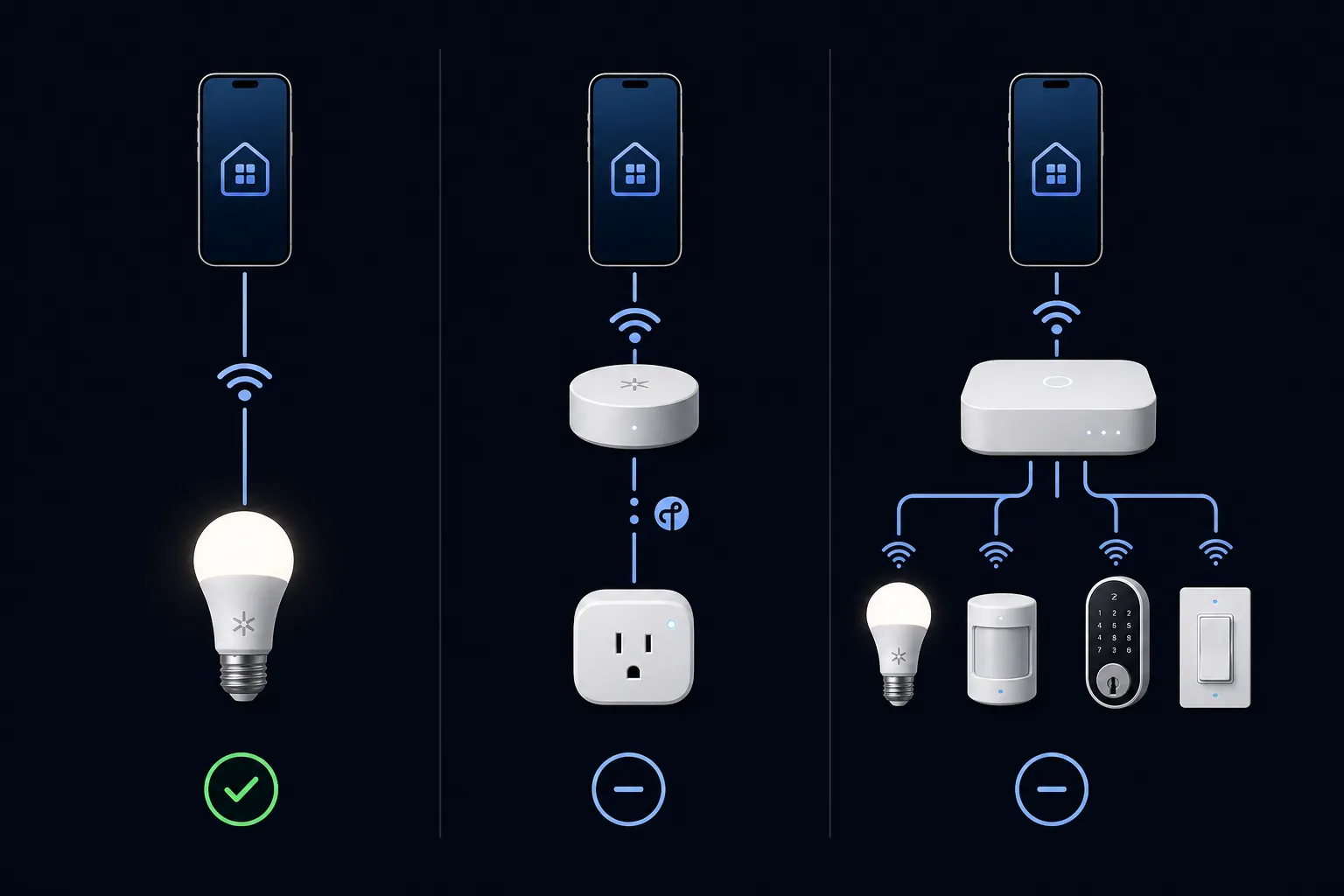
Zigbee and Z-Wave are even less ambiguous. Those devices require a compatible hub or bridge because the Z Fold 8 does not include Zigbee or Z-Wave radios. Samsung’s SmartThings support material describes hub requirements for supported device types, and SmartThings partner documentation keeps Matter onboarding separate from legacy radio bridging [2][3].
That means an older Zigbee motion sensor, a Z-Wave lock, or a drawer full of inexpensive Zigbee bulbs will not become phone-native because you upgraded to a foldable. SmartThings can still be the app you use. The Fold can still be the best screen in the house for routines and device groups. The radio path still runs through a hub.
What Was Actually Verified
There is a difference between hands-on phone review use and protocol verification. The Z Fold 8 was announced on July 22, 2026, with shipping scheduled for August 7, 2026, and the major reviews available before retail release were based on short pre-release windows of 1 to 7 days [4][5][6]. Those reviews are useful for judging the hardware, the larger unfolded interface, One UI 9 behavior, and whether SmartThings feels cramped or comfortable on the device.
They are not, by themselves, proof that the phone replaces a hub. None of the major reviews cited here performed a protocol-by-protocol smart-home controller test covering Matter-over-Wi-Fi, Matter-over-Thread, Zigbee, and Z-Wave. The protocol verdict comes from matching what SmartThings and Samsung document against the hub hardware Samsung actually lists, then separating that from the reviewers’ hands-on phone experience [1][2][3][4][5][6][7].
That distinction is important for anyone trying to avoid a bad purchase. A reviewer opening SmartThings on the Fold proves the app runs and benefits from the large display. A successful Matter-over-Wi-Fi setup proves a Wi-Fi Matter path works. Neither proves the phone has a Thread border router, Zigbee radio, or Z-Wave radio.
The Wide Screen Is Useful, Just Not a Radio
As a control surface, the Z Fold 8 makes sense. SmartThings dashboards, camera tiles, room lists, and routine editing all benefit from a display that opens wider than a slab phone. If your smart home is already arranged in SmartThings, the Fold’s appeal is not imaginary; fewer cramped panels and easier multi-window use can make daily control less annoying. For setup walkthroughs focused on the foldable interface rather than protocol limits, NestGrid’s guide to controlling smart home devices with the Galaxy Z Fold 8 is the more practical companion.
But screen space changes the operator experience, not the network topology. A bigger SmartThings view does not make a Zigbee bulb speak Wi-Fi. A better routine editor does not remove the Thread border router. This is the line phone reviews often blur when smart-home convenience becomes smart-home compatibility.
Now Nudge Is a Convenience Layer
Now Nudge in One UI 9 is the kind of feature that can make the Fold feel more like a home command panel. CNET’s testing found that it surfaced useful context-aware smart-home suggestions in roughly 60% of scenarios, while missing examples such as calendar-based thermostat suggestions and time-of-day lighting triggers [4]. That is a meaningful app-layer convenience when it works.
It should not be read as connectivity evidence. Now Nudge can suggest an action only after the underlying integration exists. If a Thread bulb still needs a border router, or a Z-Wave lock still needs a hub, an AI suggestion layer does not create the missing protocol path.
Battery and Pre-Release Software Caveats
The 4,800 mAh silicon-carbon battery is larger than the previous 4,400 mAh pack, which helps the case for using the Z Fold 8 as an all-day remote [4][5][6]. What the available reviews do not provide is a smart-home-specific battery drain measurement: continuous SmartThings background activity, frequent camera tile checks, and repeated routine editing were not isolated from normal phone use.
There is also the normal pre-release caveat. Retail firmware, the final One UI 9 build, and SmartThings app updates can change Matter onboarding behavior or Now Nudge reliability after the first review units. The hardware radio boundary is less likely to move; app behavior can.
Buying Judgment
Buy the Galaxy Z Fold 8 for the wide SmartThings dashboard, Samsung ecosystem convenience, and direct Matter-over-Wi-Fi control. If your planned setup is mostly new Wi-Fi Matter plugs, bulbs, switches, and appliances, the phone can be the controller in your hand without adding a SmartThings hub just for those devices.
Keep or budget for real hub hardware if your device list includes Matter-over-Thread, Zigbee, or Z-Wave. In that mixed home, the Z Fold 8 is a strong control surface, not the network infrastructure. The extra box is not redundant if it is the only device in the house with the radio your bulbs, sensors, locks, or plugs actually use.
References
- Where Did Smart Home Hubs Go? Everywhere! — Samsung Newsroom
- SmartThings compatibility support page — Samsung Support
- Matter — SmartThings Partners
- Galaxy Z Fold 8 Review — CNET
- Samsung Galaxy Z Fold 8 Review — PCMag
- Samsung Galaxy Z Fold 8 review — Engadget
- Samsung devices with integrated SmartThings hubs — matter-smarthome.de
Known issues with this device / protocol
Spec-version history
For active regressions on this protocol, see Update Watch.
No linked Update Watch entries yet.