
Galaxy A27 5G or OPPO A6 Pro for smart home control?
Neither the Galaxy A27 5G nor the OPPO A6 Pro can replace a Matter hub, so the real decision is which one makes the more reliable everyday control surface. See how update support, ColorOS background behavior, NFC, and battery endurance split the safer buy by ecosystem and region.
Last updated
The first thing to settle in a Galaxy A27 5G vs OPPO A6 Pro for smart home performance comparison is that neither phone is the thing your Matter home is missing. They are phones, not hubs. In a Matter setup, the phone can help commission a device, open Google Home or SmartThings, receive alerts, and act as the screen you tap. The hub or controller is still the device that keeps the home running.
That boundary matters more than the usual budget-phone ranking. Google Home’s Matter setup requirements describe the Android phone as part of the setup path, but also require a Matter-enabled hub; Google’s support flow says commands are executed locally by the hub, while remote control routes from the cloud to the hub and then to the device.[1] SmartThings draws the same line even more explicitly: the phone with the SmartThings app can act as the Matter commissioner, but the controller must be a dedicated hub, and Thread devices need a controller with a Thread border router.[2]
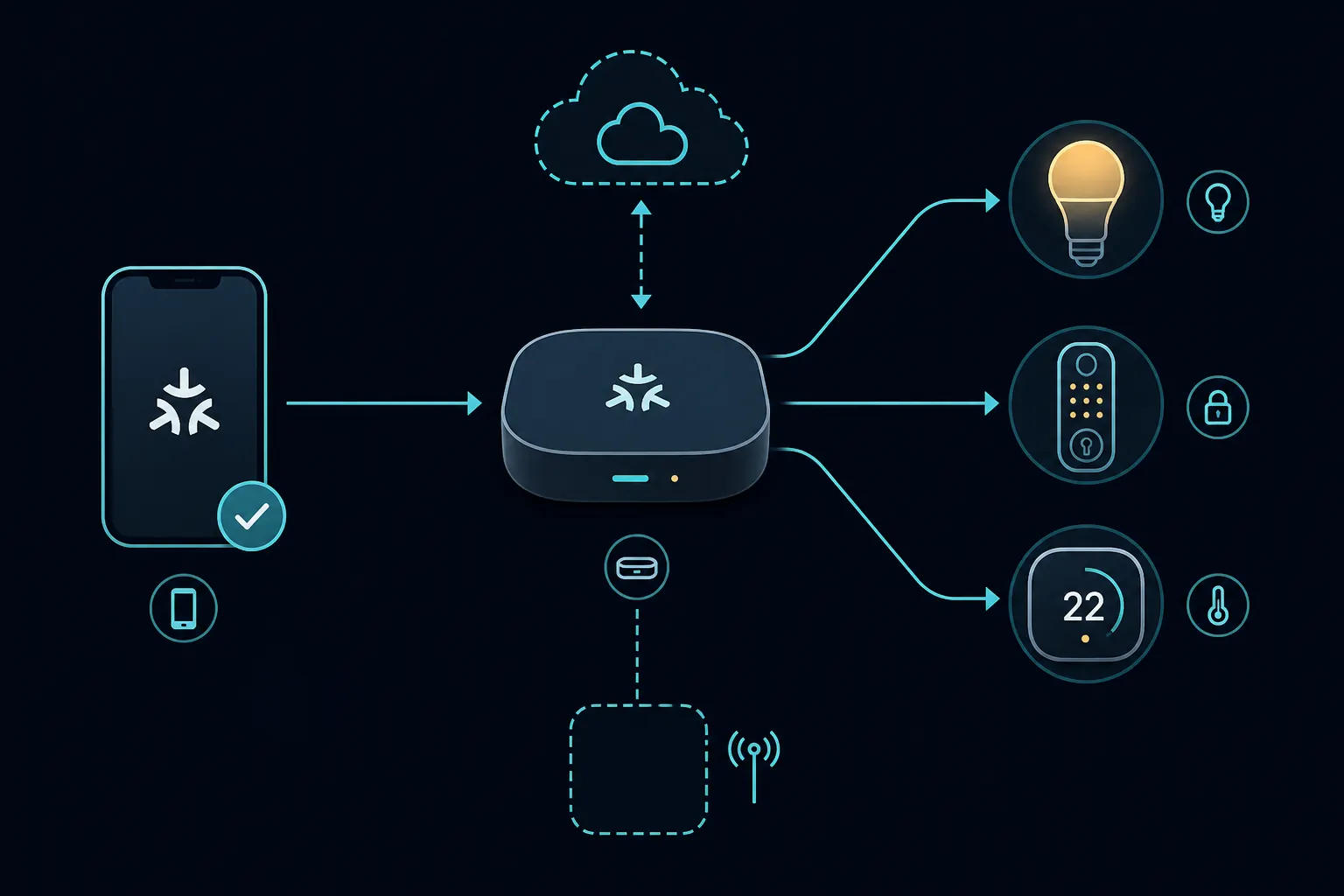
So “smart home performance” here does not mean a synthetic benchmark. It means: how reliably the phone commissions devices, keeps Google Home or SmartThings usable as a daily control surface, receives time-sensitive notifications, survives long dashboard sessions, stays patched, and avoids region or variant surprises such as missing NFC. On that definition, the Galaxy A27 5G is the safer everyday controller. The OPPO A6 Pro is the more tempting battery-and-durability slab, but it asks the buyer to verify too many details before it can be recommended with the same confidence.
What neither phone can do for Matter or Thread
Neither the Galaxy A27 5G nor the OPPO A6 Pro 5G has a Thread radio in the cited specifications. Both are also Wi-Fi 5 phones, not Wi-Fi 6 or Wi-Fi 7 devices.[4][5][7] That does not prevent either one from opening smart-home apps or commissioning compatible devices over the normal Android setup path, but it does prevent the phone from becoming the always-on Thread border router that a Thread light, lock, sensor, or plug may need.
Thread in phones remains unusual, and even when a phone has the radio, it is a poor substitute for an always-powered border router because the phone moves around, sleeps, runs on battery, and is not guaranteed to stay present in the home.[3] A wall-mounted phone can look like a control panel. It still should not be treated as the network appliance underneath the control panel.
| Smart-home job | Galaxy A27 5G | OPPO A6 Pro 5G | What still needs separate hardware |
|---|---|---|---|
| Commission Matter devices | Supported through Android app workflow when app and ecosystem requirements are met | Supported through Android app workflow when app and ecosystem requirements are met | A compatible Matter hub/controller for the ecosystem |
| Control Matter devices in Google Home | Phone opens the app; hub executes local control | Phone opens the app; hub executes local control | Matter-enabled Google Home hub |
| Control Matter devices in SmartThings | Phone can commission through SmartThings; dedicated hub remains the controller | Phone can commission through SmartThings; dedicated hub remains the controller | SmartThings hub; Thread border router for Thread devices |
| Act as a Thread border router | Not supported by the cited phone specs | Not supported by the cited phone specs | A Thread border router |
| Serve as always-on dashboard | Plausible, with stronger update and ecosystem certainty | Plausible, with better endurance hardware but more setup caveats | Still not a hub replacement |
This is also why a buyer troubleshooting a Matter bulb that will not appear in Google Home should not start by shopping for a faster phone. The failure may be the QR code path, IPv6, ecosystem support, a hub mismatch, or a missing Thread border router. A faster phone may make the app feel better, but it does not create the missing controller layer. For that kind of commissioning problem, the better next stop is a Matter-specific troubleshooting path such as Matter device not showing in Google Home.
Why the Galaxy A27 5G is the safer smart-home remote
The Galaxy A27 5G’s strongest smart-home argument is not raw speed. It is legibility. Samsung India’s official product page lists SmartThings support, NFC as “Yes,” DeX as “No,” IP64 protection, and security support through 31 July 2032.[4] Samsung also lists six major OS upgrades and six years of security updates for the device, which matters when the phone is meant to remain a household control surface rather than a disposable personal handset.[4]
That published update window is unusually important in a smart-home role. Google Home, SmartThings, Matter commissioning flows, lock alerts, account security prompts, and Play Services requirements all keep moving. A phone that still turns on in four years but is outside its security and OS-support window is a poor place to park door locks, cameras, routines, and family-home permissions.
The A27 5G also benefits from being a Galaxy inside Samsung’s own smart-home ecosystem. SmartThings support documentation says the phone app can be the Matter commissioner, while the controller remains a dedicated hub; Samsung’s ecosystem positioning makes the path easier to verify than a generic Android phone plus a separate hub story.[2][4] SmartThings also supports up to 300 devices per location, so the A27’s role is not to be the hub for that device count, but to remain a clean, patched, predictable interface into it.[2]
NFC is another small feature that becomes less small in a real home. If the phone is also used for tap-to-pay, transit, quick pairing, or household credential workflows, the India A27 5G page gives a clean “Yes” for NFC.[4] That should still be checked on the exact regional SKU before purchase, especially outside India, but at least the official page resolves the India model clearly.
There are limits. The A27 5G is IP64, not a rugged control tablet; Samsung India’s official sheet says DeX is not supported, despite a conflicting comparison claim elsewhere; and eSIM should be treated as market-dependent because availability can differ by unit and region.[4][5] None of those limits damages the main smart-home case. They simply keep the phone in its proper category: a long-supported controller screen, not a desktop dock, not an outdoor panel, and not hub hardware.
Where the OPPO A6 Pro is genuinely better
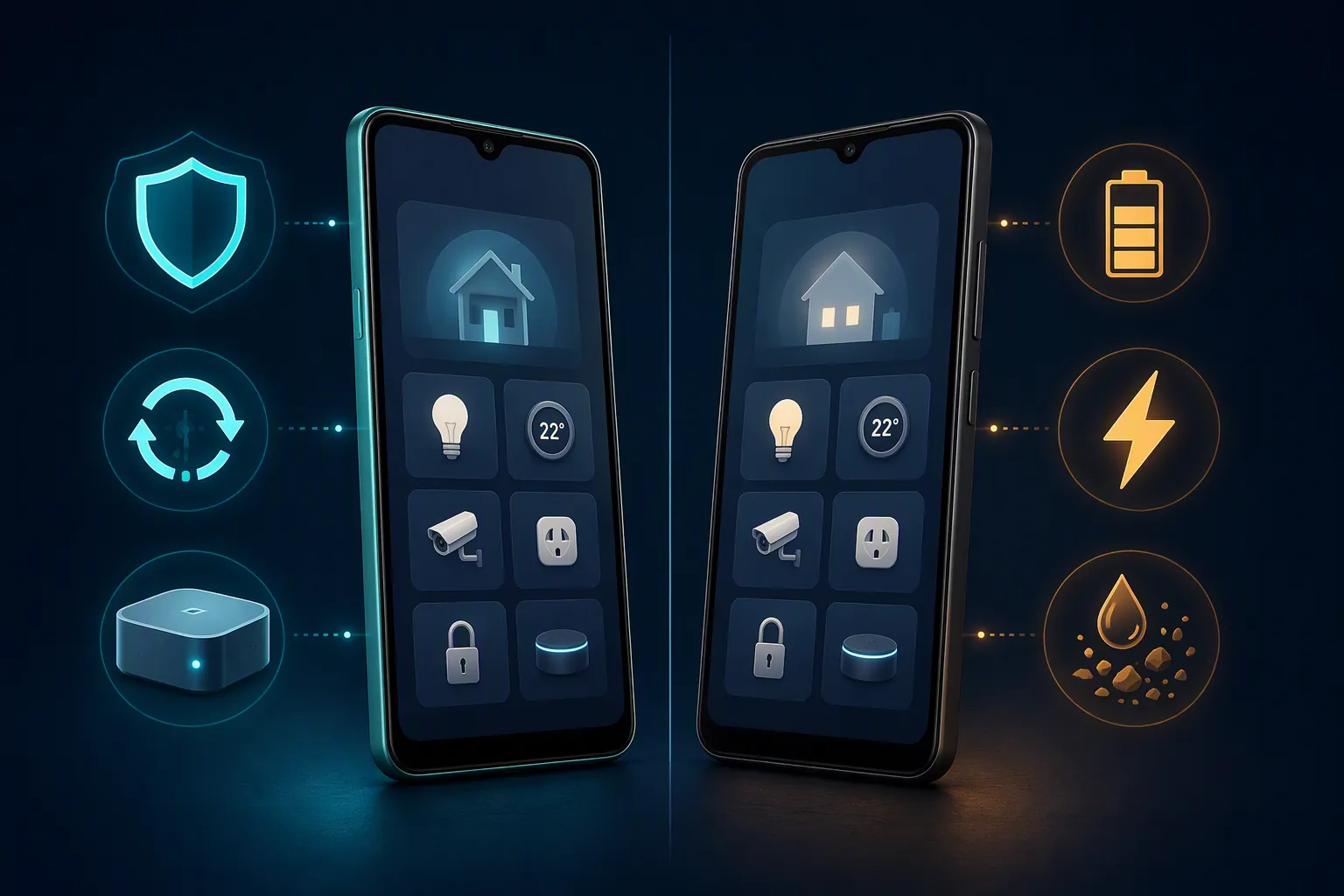
The OPPO A6 Pro 5G has the hardware traits that make a dedicated smart-home screen feel less annoying. GSMArena lists the A6 Pro 5G with IP68/IP69 protection, MIL-STD-810H compliance, Bluetooth 5.4 with aptX HD and LDAC, Wi-Fi 5, and a market-dependent NFC field.[7] On paper, that is a better physical dashboard candidate than the A27 5G if the phone will sit near a kitchen sink, garage entrance, patio door, or workshop bench.
The endurance gap is real in the available lab-style figures. GSMArena’s endurance listing gives the OPPO A6 Pro 5G an EU active-use endurance rating of 69:15h, compared with 51:10h for the Galaxy A27 5G.[5][7] Gizguide’s OPPO A6 Pro 5G review reported 17h36m in PCMark and a charge to 100% in about 50 minutes using 80W charging; GSMArena’s Galaxy A27 review reported 11h00m in PCMark and 88 minutes to full with 25W charging.[6][10]
For a normal phone review, those numbers would be the center of the story. For smart-home control, they are useful in a narrower way. A dashboard that dies before the evening routine is not a good dashboard. A phone that can be topped up quickly after being left unplugged is easier to live with. A tougher ingress rating helps if the phone is being handled with wet hands or moved around a utility space. The A6 Pro earns those points.
Bluetooth is a quieter advantage. The A6 Pro 5G’s Bluetooth 5.4 and codec support can matter for audio handoff or higher-quality Bluetooth listening around the house, while the A27 5G is listed with Bluetooth 5.1.[5][7] That is not Matter control performance, and it will not make a lock notification arrive faster. It is still a legitimate win if this phone is doubling as a kitchen speaker source or family-room media remote.
The A6 Pro buying problem: the name is not enough
The A6 Pro is where the spec sheet starts to demand receipts. GSMArena’s OPPO A6 Pro 5G page identifies the 5G model with the Dimensity 6300 platform and notes NFC as market-dependent.[7] OPPO’s own global A6 Pro specs page, however, presents a 4G variant with the Helio G100 platform rather than the same 5G model.[8] That is not a small footnote when someone is shopping by name.
Battery capacity is also market-sensitive in the research materials, with the A6 Pro family appearing in 7000mAh and 6500mAh forms depending on market. NFC is another region trap: GSMArena marks it as market-dependent, while a 91mobiles India comparison lists NFC as “No” for the OPPO A6 Pro and contrasts it with the Galaxy A27 5G.[7][9] If NFC is part of the household use case, the A6 Pro cannot be bought from a generic listing and assumed safe.
The practical checklist before considering the OPPO is therefore stricter than it is for the Samsung:
- Confirm that the device is the OPPO A6 Pro 5G variant, not the 4G A6 Pro variant shown on OPPO’s global specs page.
- Confirm the chipset and model identifier with the seller, not just the marketing name.
- Confirm the exact battery capacity for the region.
- Confirm NFC on the exact SKU if tap-to-pay, transit, pairing, or credential workflows matter.
- Confirm update-policy expectations, because the research materials do not include a published OPPO OS-update commitment comparable to Samsung’s A27 5G window.
That last point is the one that turns the recommendation. A large battery helps today. A published support window helps the household plan around the phone for years. In this comparison, the Samsung side gives a date. The OPPO side, based on the available sources, does not.
Background behavior matters more than peak speed
A smart-home control phone has one boring job that spec tables rarely measure: it must let the right apps stay awake enough to notify you. Doorbell rings, leak alerts, lock events, camera motion, garage-door status, and automation failures are not helped by a battery score if the OS aggressively suppresses the app that should have delivered them.
The ColorOS concern should be treated carefully. The available evidence is documentation and community-supported workaround risk, not hands-on confirmation on this exact A6 Pro 5G. XDA forum discussion around OPPO/ColorOS background management describes aggressive app killing, a five-app autostart limit, a five-app recent-tray lock limit, push-notification failures, and per-app whitelisting workarounds.[11] That is enough to raise a real buying caution for Google Home and SmartThings notification reliability, but not enough to claim that this exact A6 Pro unit has failed a controlled smart-home test.
For an A6 Pro used as a home controller, the setup work should be assumed rather than hoped away: disable or relax battery optimization for Google Home, SmartThings, camera apps, lock apps, and any bridge vendor apps; allow unrestricted background activity where ColorOS permits it; lock critical apps in recents if that remains part of the OS behavior; then test lock, doorbell, motion, and leak alerts after the phone has been idle for hours. If the household depends on those alerts, the test has to happen before the return window closes.
The Galaxy A27 5G is not magically exempt from Android battery management. Any Android phone can misbehave if permissions, notification channels, Do Not Disturb, or app battery settings are wrong. The difference is that the available materials do not raise the same ColorOS-specific background-kill warning for One UI, and Samsung’s own SmartThings integration gives the A27 a cleaner starting point for this role.[4]
Commissioning and daily control: what actually changes
During Matter commissioning, both phones are mostly front ends. Google’s requirements call for Android 8.1 or higher, Google Play Services 22.48.14 or higher, Bluetooth Low Energy 4.2 or higher, and a Matter-enabled hub.[1] SmartThings requires the SmartThings app version 1.7.91 or higher for the phone commissioner role, while the Matter controller remains a hub such as the 2018 SmartThings Hub or Aeotec Smart Home Hub; older 2015 SmartThings hub support is limited to Wi-Fi/LAN Matter devices, and Thread devices require a Thread border router.[2]
In plain use, that means the A27’s advantage is less about discovering a bulb one second faster and more about staying a known-good Samsung/SmartThings control surface over time. If the home is already built around SmartThings, Samsung phones simply have a more verifiable path: official SmartThings support on the product page, a published update runway, and no need to sort through a 4G/5G naming trap before knowing what was bought.[2][4][8]
The OPPO’s advantage appears after the device is already commissioned and sitting on a counter or wall mount. Its stronger endurance and faster charging can make it a better physical remote if the buyer confirms the exact variant and is willing to manage background behavior.[7][10][11] That is a valid use case. It is just not the lower-risk default for a household that wants smart-home control to fade into the background.
Which one to buy
Choose the Galaxy A27 5G if the home is SmartThings-heavy, if long-term patching matters, if NFC needs to be known on the India model, or if the phone is meant to be a shared household controller rather than a personal experiment. The combination of Samsung’s official SmartThings presence, six major OS upgrades, security support through 31 July 2032, and fewer variant traps makes it the safer smart-home control surface.[4]
Consider the OPPO A6 Pro 5G if the exact 5G variant is confirmed, the regional battery and NFC situation is acceptable, and the buyer values endurance, 80W charging, tougher ingress protection, and newer Bluetooth more than update-policy certainty.[7][10] It is the more appealing dashboard body. It is not the cleaner smart-home recommendation unless the setup owner is comfortable verifying SKUs and testing notification behavior.
For a Samsung-only setup guide, the more specific path is using the Galaxy A27 5G as a SmartThings remote. The same rule applies there: the phone can be a useful day-to-day remote, but the hub decision remains separate.
References
- Set up and control Matter-enabled devices — Google Home Help — https://support.google.com/googlehome/answer/13127223?hl=en
- SmartThings x Matter Integration — SmartThings Support — https://support.smartthings.com/hc/en-us/articles/11219700390804-SmartThings-x-Matter-Integration
- Smartphone With Thread Radio: Use Cases — 7labs — https://7labs.io/article/smartphone-with-thread-radio-use-cases.html
- Galaxy A27 5G Black 128GB — Samsung India — https://www.samsung.com/in/smartphones/galaxy-a/galaxy-a27-5g-black-128gb-sm-a276bzkdins/
- Samsung Galaxy A27 5G — GSMArena — https://www.gsmarena.com/samsung_galaxy_a27_5g-14606.php
- Samsung Galaxy A27 review — GSMArena — https://www.gsmarena.com/samsung_galaxy_a27-review-2977p3.php
- Oppo A6 Pro 5G — GSMArena — https://www.gsmarena.com/oppo_a6_pro_5g-14171.php
- OPPO A6 Pro Specs — OPPO — https://www.oppo.com/en/smartphones/series-a/a6-pro/specs/
- OPPO A6 Pro vs Samsung Galaxy A27 5G — 91mobiles — https://www.91mobiles.com/compare/oppo/a6+pro/vs/samsung/galaxy+a27+5g.html
- OPPO A6 Pro 5G Review — Gizguide — https://www.gizguide.com/2026/01/oppo-a6-pro-5g-review.html
- Any easy solution for the aggressive app killing? — XDA Forums — https://xdaforums.com/t/any-easy-solution-for-the-aggressive-app-killing.4384549/
Known issues with this device / protocol
Spec-version history
For active regressions on this protocol, see Update Watch.
No linked Update Watch entries yet.