
5G Standalone Home Internet, Explained for Smart Homes
Most '5G home internet' marketing doesn't make clear that standalone 5G and non-standalone 5G are different architectures. Knowing which one your connection uses tells you what to expect from a network upgrade — real gains in latency and uploads, but no change to Wi-Fi band behavior, gateway placement, or CGNAT limitations.
Last updated
The first trap in 5G standalone home internet is the phrase itself. “5G home internet” is a retail product: a carrier gateway in your house talks to a cellular tower instead of a cable or fiber line. “5G Standalone,” or 5G SA, is a network architecture. A home can buy the first without actually using the second.
That distinction is not academic. T-Mobile launched what it described as the world’s first nationwide 5G standalone network in 2020, but its G4AR home internet gateway did not gain 5G SA support until firmware 1.00.13 began rolling out on March 22, 2025. Before that gateway firmware change, some customers were still using LTE-assisted uplinks even though the carrier’s SA network already existed in the broader product story [1].
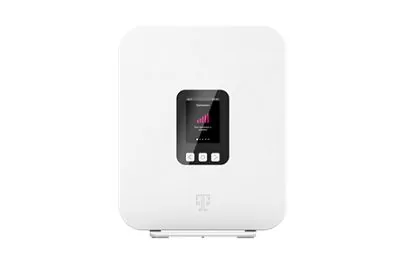
For a smart home, that is the useful starting point. Cameras, speakers, hubs, locks, thermostats, and remote-access apps do not care what slogan sits on the bill. They experience a chain: device Wi-Fi, gateway firmware, cellular radio link, carrier core, internet route, cloud service, and then the return trip. 5G SA can improve one important part of that chain. It does not rewrite all of it.
The word “standalone” is doing architecture work
Non-standalone 5G, usually shortened to NSA, uses 5G radio access but keeps the existing 4G LTE core involved for major control functions such as authentication, mobility, and session management. Standalone 5G uses a 5G radio access network with a dedicated 5G core, rather than leaning on the LTE core underneath it [2][3].
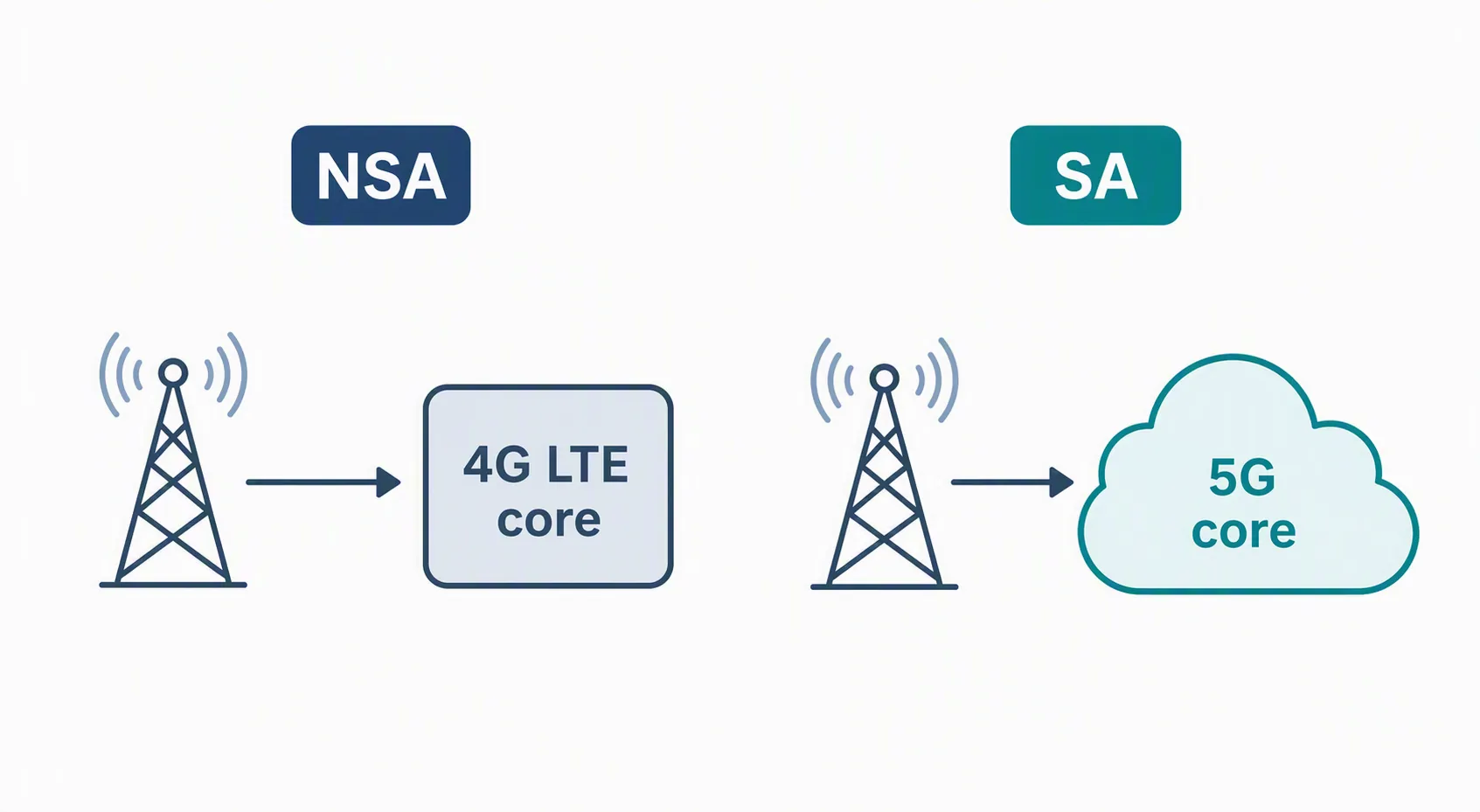
Carriers launched with NSA first for a practical reason: it let them add 5G radios while reusing 4G infrastructure that already covered the country. That lowered cost and sped up rollout. It also meant early 5G could look better on speed tests without yet using the full 5G system end to end [2].
SA is the cleaner architecture. It is the mode associated with lower latency, more efficient uplinks, and the foundation for features such as network slicing, ultra-reliable low-latency communications, and massive machine-type communications. Those last two phrases matter more to industrial and carrier planning than to a normal smart-home router today, but they help explain why SA is more than a badge change [3][4].
| Layer | 5G NSA | 5G SA |
|---|---|---|
| Radio access | Uses 5G radios | Uses 5G radios |
| Core network | Still depends on the 4G LTE core for key control functions | Uses a dedicated 5G core |
| Why carriers used it | Faster and cheaper early rollout by reusing LTE infrastructure | Fuller 5G architecture after deeper network investment |
| What it can unlock | Better radio speeds than LTE, but with LTE-core limits | Lower latency, more efficient uploads, and the foundation for slicing, URLLC, and mMTC |
| What it means at home | The gateway may still behave like a 5G product while depending partly on LTE | The carrier-side path can become more responsive if the tower, gateway, firmware, and plan support it |
The realistic performance gain: latency first, uploads second
The strongest home benefit of SA is not that every download suddenly becomes magical. It is that the path between the gateway and carrier network can spend less time waiting on LTE-era control pieces. 3GPP Release 15, fully specified in September 2019, set an end-to-end latency target below 10 ms for 5G SA. Real-world fixed wireless access is less tidy: reported 5G FWA latency is roughly 10–25 ms, compared with about 30–50 ms on 4G FWA, while fiber is commonly around 5–15 ms [5].
Those ranges are useful because they are not promises. A gateway on a clean SA connection near a lightly loaded site may feel close to fiber for ordinary app responsiveness. The same gateway behind Low-E glass, pointed at a congested sector, or falling back to another band will not behave like the best-case chart.
Uploads are the other place smart homes may notice a difference. Cloud cameras, video doorbells, remote viewing, cloud-based automations, and backup jobs all push traffic upstream. 5G home internet is still typically asymmetric, and reported upload expectations around 20–35 Mbps are much lower than download marketing numbers, but SA can make the radio-side uplink more efficient when the network and gateway both support it [5].
That means the practical improvement is usually about fewer upstream bottleneck moments, not unlimited camera capacity. If several cameras are uploading motion clips while someone starts a video call, a better uplink and lower latency can help the queue clear faster. If the cameras are already choking on weak 2.4 GHz Wi-Fi inside the house, SA is not the part of the system that hears them first.
What may improve for smart devices
A smart home does not become “standalone-aware.” Your thermostat will not know that the carrier core changed. The possible improvement appears when a device’s traffic has already reached the gateway and is waiting on the cellular side of the connection.
| Smart-home behavior | How 5G SA can help | Boundary |
|---|---|---|
| Remote camera viewing | Lower carrier-side latency can reduce the delay between opening the app and receiving the live stream. | It will not fix weak Wi-Fi from the camera to the gateway. |
| Cloud automations | Commands that leave the house, hit a cloud service, and return may feel more responsive when the WAN path is cleaner. | Local automations inside a hub are mostly unaffected. |
| Video doorbell uploads | More efficient uplink handling can help clips and live video leave the home more smoothly. | Upload capacity remains asymmetric and condition-dependent. |
| Voice assistant response | Requests that go to the cloud may shave off some waiting time on the network path. | Speaker processing, cloud service delay, and Wi-Fi still matter. |
| Gaming or low-latency apps on the same network | Lower WAN latency can reduce the baseline delay seen by the whole household. | Carrier congestion and routing still decide the final number. |
The pattern is narrow but real: SA can improve the carrier-side trip. It is most visible when the old bottleneck was the cellular uplink or LTE-assisted control path. It is least visible when the problem starts inside the house.
What 5G SA does not change inside the house
The naming collision between 5G cellular and 5 GHz Wi-Fi is still doing damage. 5G SA is not the same thing as the 5 GHz Wi-Fi band, and it does not decide whether a plug, camera, or sensor joins 2.4 GHz or 5 GHz. If that distinction is still muddy, start with the 5G vs. 5GHz Wi-Fi explainer before blaming a carrier-core change for a band-steering problem.
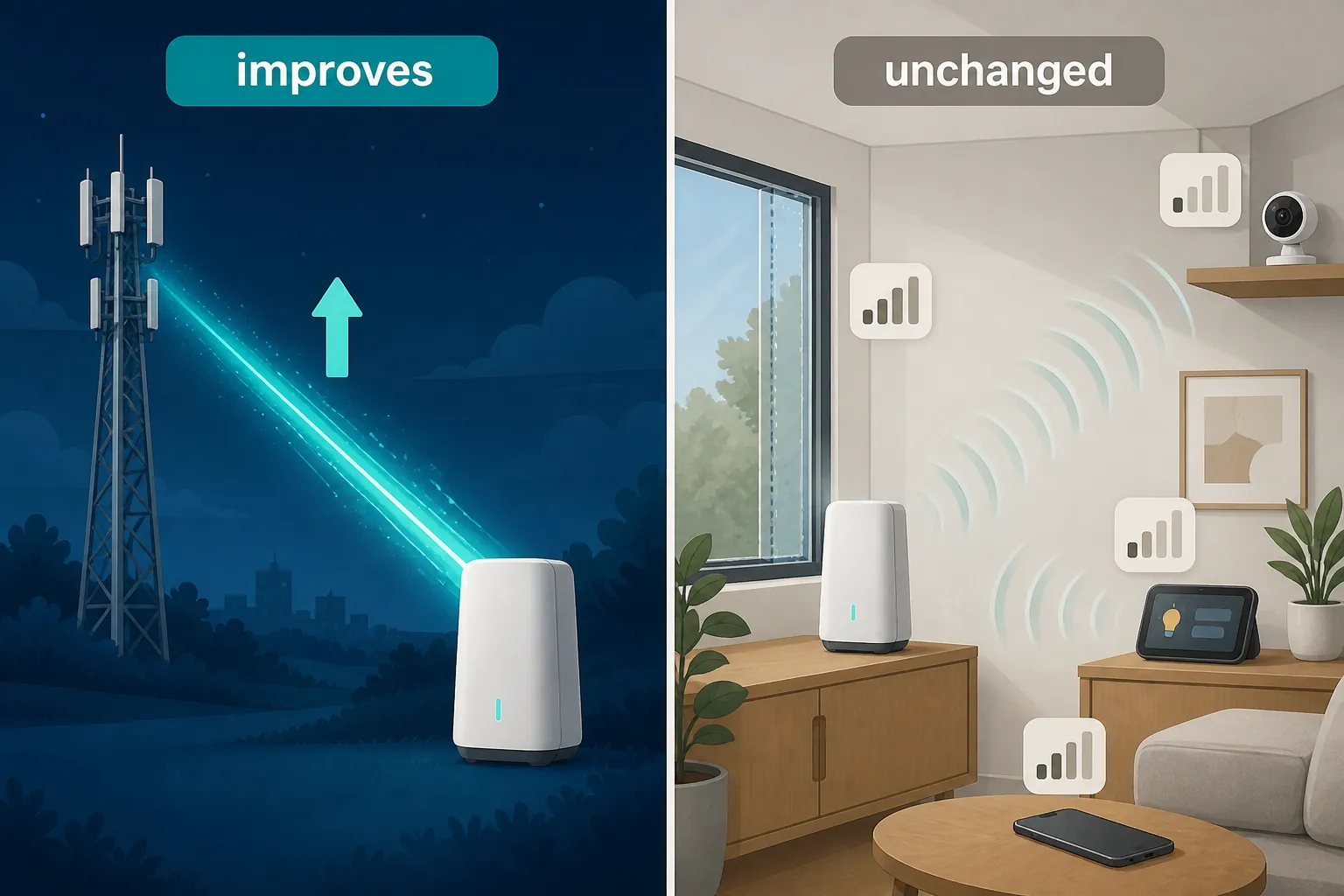
- Wi-Fi band selection: SA does not make a 2.4 GHz-only plug understand 5 GHz Wi-Fi, and it does not change how a gateway steers devices between bands.
- Gateway placement: the cellular signal still depends on where the gateway sits, what tower it sees, and what materials sit between them. Carrier and home-internet explainers still treat address coverage and placement as practical limits of 5G home internet service [6].
- Low-E windows and walls: SA can improve the network after the signal is established, but it does not make radio waves ignore coated glass, foil-backed insulation, masonry, or a gateway shoved behind a television.
- CGNAT and port forwarding: many cellular home internet services use carrier-grade NAT, which limits inbound connections and traditional port forwarding. A lower-latency SA path does not, by itself, give your home a public IPv4 address [7].
- Unsupported addresses: if the carrier will not sell or support fixed wireless service at a specific address, SA availability somewhere else in the network does not make that address qualified.
CGNAT deserves special suspicion in smart-home discussions because it is easy to misdiagnose. If a camera, NAS, home server, or automation platform depends on inbound access from the public internet, the issue may be address translation rather than radio latency. SA can make packets move faster once a permitted path exists. It does not change the carrier’s NAT policy.
The G4AR firmware update is the cleanest lesson
The T-Mobile G4AR case is useful because it puts dates and layers in the same frame. The carrier’s nationwide SA network existed in 2020. The home-internet product existed. The G4AR gateway existed. But for that gateway, the SA behavior customers were watching for arrived through firmware 1.00.13 beginning March 22, 2025 [1].
That is exactly how a smart-home owner should read any future SA claim. The carrier network has to support SA in the area. The plan or product has to allow the gateway to use it. The gateway hardware has to be capable. The firmware has to expose it. The device then has to hold the right radio connection under the conditions in that room, window, and tower sector.
This is also why gateway model names and firmware versions matter more than broad brand claims. A home with an older gateway may remain on NSA or LTE-assisted behavior while a newer or updated model on the same carrier begins using SA. If you are already tracking gateway behavior after carrier changes, the same discipline applies as in a post-outage recovery check: note the model, firmware, signal metrics, and the before-and-after behavior rather than treating the network name as the whole diagnosis. The T-Mobile smart-device outage recovery guide is a related example of why model and firmware details are worth writing down.
Market context should stay in the background
5G home internet is no longer a fringe product. Aggregator estimates for 2026 put 5G home internet availability around 50–60% of U.S. households and roughly 12% of the fixed-broadband market, though those figures should be treated as estimates and checked against address-level availability before making a service decision [8].
That scale explains why carriers talk so broadly about 5G home internet. It does not prove that a particular smart home is on SA. Coverage maps, market share, and brand positioning operate at the product and geography layer. SA support still comes down to the network path and the exact gateway.
Security claims need the same restraint. A standalone 5G core can bring architectural security advantages compared with earlier network arrangements, and carriers describe SA as a foundation for stronger authentication, isolation, and policy control [9]. That is not the same as saying your camera is now secure, your router password no longer matters, or a vulnerable smart plug is protected from bad firmware. Device security remains device security.
Network slicing belongs in the same bucket of real capability, limited household relevance. SA is the architecture that makes slicing possible, and carrier-facing discussions describe slices as a way to reserve or tailor network behavior for different service types [10]. As of Q3 2026, ordinary U.S. home-internet plans should not be read as giving consumers a visible smart-home slice they can configure for cameras, hubs, or alarms.
How to read a 5G SA claim on your own gateway
A useful check starts with the boring fields: gateway model, firmware version, radio mode if the admin interface exposes it, signal quality, and upload latency before and after the update. If the only evidence is a carrier email saying the network is better, you do not yet know whether your household is using SA.
- Confirm the exact gateway model, not just the carrier.
- Check the firmware version and release notes when available.
- Look for a radio or network-mode indicator, if the gateway exposes one.
- Test latency and upload behavior from a wired device or a strong nearby Wi-Fi client so weak in-home Wi-Fi does not contaminate the result.
- Retest the smart-home symptom that actually matters: camera live view, doorbell upload, voice assistant delay, cloud automation response, or remote access.
If latency falls and uploads hold steadier after an SA-capable firmware update, that is a real improvement. If a 2.4 GHz camera still drops at the far end of the house, the answer is still Wi-Fi coverage, placement, interference, or device behavior. If port forwarding still fails, look at CGNAT. If service is not offered at the address, SA coverage in a nearby market does not change the qualification system.
5G standalone is real network progress. For a smart home, its value is practical and bounded: expect possible latency and upload gains when the carrier rollout, gateway hardware, and firmware line up. Do not expect it to change Wi-Fi band behavior, fix bad gateway placement, bypass CGNAT, or make an unsupported address supported.
References
- Some T-Mobile Home Internet Customers Just Gained Faster Upload Speeds, How-To Geek
- Standalone Mode vs. Non-Standalone Mode in 5G, Qualcomm Academy
- What is 5G Standalone (5G SA)?, Digi International
- What is 5G Standalone and How Will it Benefit Massive IoT?, Eseye
- What Is 5G Fixed Wireless Access (FWA)? A Complete Beginner's Guide, Eseye
- What Is 5G Home Internet? Coverage & Speed, Astound
- Before You Switch to 5G Home Internet: 6 Things That Might Break, CompareInternet
- 5G Home Internet Statistics 2026: Coverage, Speed, Market Share, BroadbandSearch
- The Security Advantages of 5G Standalone Networks, T-Mobile
- 5G Standalone and Network Slicing, 5Gstore, June 25, 2025
Known issues with this device / protocol
Spec-version history
For active regressions on this protocol, see Update Watch.
No linked Update Watch entries yet.