
If you are choosing smart home platforms in 2026, start with the boring questions before the exciting devices: what phone does your household use, how much cloud processing are you comfortable with, who will fix the system when it breaks, and which devices are already installed? A platform that looks “most compatible” on a product page can still be the wrong choice if one person in the house cannot control the lights, the useful automation lives in the wrong app, or the best features move behind a subscription later.
For most homes, the short answer is this: choose Alexa for broad device compatibility and an easy entry point, Google Home for Android households and strong voice AI, Apple HomeKit for Apple households that care about privacy, Samsung SmartThings for protocol flexibility, and Home Assistant only if you actually want to maintain a more technical local system.
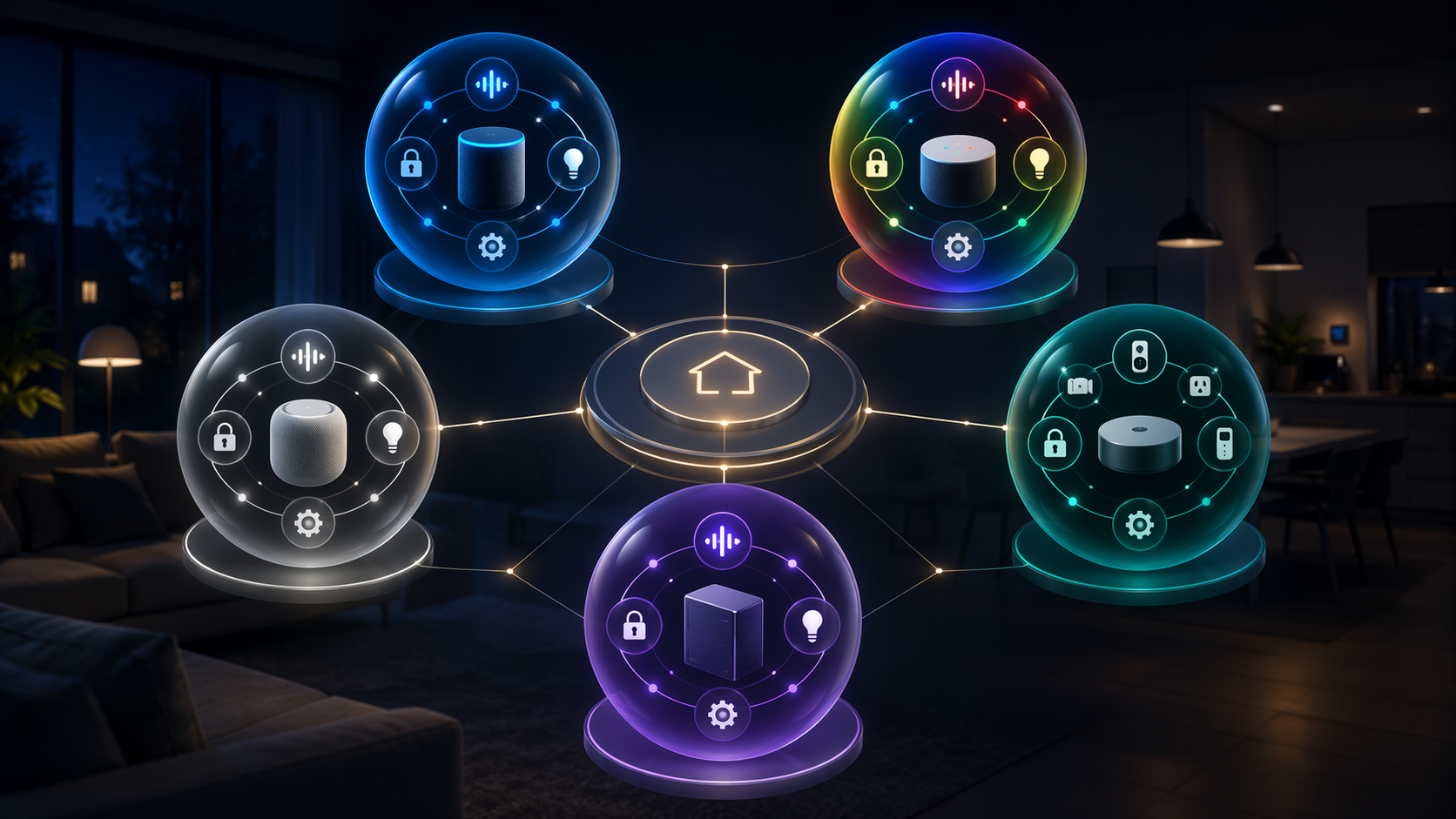
Smart home platforms compared at a glance
| Platform | Best fit | Compatibility | Voice and AI | Privacy and local control | Protocols and hubs | Cost and lock-in watchout |
|---|---|---|---|---|---|---|
| Amazon Alexa | Prime households, renters, and first-time buyers who want the widest device choice | 140,000+ compatible devices, with counting-method caveats [1] | Alexa+ adds more advanced AI features and natural-language automation creation; Prime members get Alexa+ included, while non-Prime pricing was reported at $20/month [3][7] | Cloud-dependent for most commands and AI features | Echo 4th Gen and newer models can double as Zigbee hubs [1] | Easy to start, but subscriptions and Alexa-only routines can make switching annoying |
| Google Home | Android households and users who rely heavily on voice control | 50,000+ compatible devices, also subject to nonstandard counting [1] | Google Assistant scored 93% accuracy in Security.org testing; Gemini adds natural-language automation features [1] | Cloud-dependent for most commands and AI features | Works broadly with Matter and Google Nest hardware | Google Home Premium was reported at $10–$20/month; strongest if your household already lives in Google services [3][7] |
| Apple HomeKit | iPhone households and privacy-conscious buyers | Smaller device universe than Alexa or Google, but cleaner inside Apple homes | Siri is convenient for Apple users, though not the main reason to choose the platform | Local automation processing and end-to-end encryption are central strengths [5][6] | Requires a HomePod mini or Apple TV 4K as a home hub; reported prices include $99 for HomePod mini and $129 for Apple TV 4K [4][5][6] | Less attractive for mixed Android/iPhone homes; hub requirement adds upfront cost |
| Samsung SmartThings | Homes with mixed devices or older Zigbee/Z-Wave gear | Broad ecosystem, especially when protocol support matters more than app polish | Works with voice assistants rather than trying to be the main voice AI itself | More local/protocol-flexible than cloud-first voice platforms, but not as self-contained as Home Assistant | Supports Matter, Zigbee, Z-Wave, and Thread under one hub [6][9] | Good bridge platform, but still another app and account to maintain |
| Home Assistant | Power users who want local control and do not mind setup work | 2,500+ integrations [1][8] | Can integrate voice and AI tools, but this is not the low-friction path | Can run entirely locally with no cloud dependency [8] | Home Assistant Green was reported at $159; optional Nabu Casa remote access at $6.50/month [1][8] | The trade-off is time: setup is commonly estimated at 10–40 hours, plus ongoing maintenance [1][8] |
Those compatibility numbers are useful, but they should not be treated like a scoreboard. “Compatible device” counts are not standardized across platforms; one ecosystem may count individual SKUs, another may count product lines, certified integrations, or supported categories. The practical question is not which platform has the biggest number. It is whether the lock, thermostat, doorbell, lights, sensors, and speakers you are likely to buy will work well together in the app your household will actually open.
Start with the phone already in your pocket
The phone question sounds too simple until the first shared household problem appears. If two adults need to unlock the door, run the lights, and check cameras, the platform has to fit the phones they carry every day. Nobody should need a lecture on interoperability just to turn off a lamp from bed.
For an iPhone-heavy household, Apple HomeKit deserves to be the default starting point, not the fallback after comparing every possible device count. The Home app is already on the phone, Siri is built in, and Apple’s iCloud security model is part of the platform’s appeal. The catch is hardware: for remote access and automations, HomeKit needs a home hub such as a HomePod mini or Apple TV 4K, with reported prices of $99 and $129 respectively [4][5][6].
For an Android-heavy household, Google Home has the same kind of native gravity. Google Assistant and Gemini integration matter because they reduce the amount of app-hopping a household has to tolerate. Security.org’s testing put Google Assistant at 93% accuracy, the highest result it measured, though the methodology was limited enough that this should be read as a directional signal rather than a universal proof that Google is “best” [1].
Alexa is less tied to one phone ecosystem, which is part of its appeal. If your household is mixed between iPhone and Android, or if you already have Echo speakers in several rooms, Alexa often becomes the path of least resistance. That does not make it neutral; it just means the control surface is more likely to be a speaker, routine, or Alexa app than the phone’s native smart home layer.
Decide how much cloud processing you can live with
Privacy in a smart home is not only about whether a company has a better-sounding policy. It shows up in where automations run, whether commands depend on the cloud, whether remote access requires a subscription, and how much of the system still works when the internet is down.
HomeKit is the cleanest mainstream answer for Apple households that want a privacy-forward platform. Its automations can process locally, and end-to-end encryption is one of the reasons privacy-conscious buyers keep choosing it even when the compatible-device shelf is smaller than Alexa’s or Google’s [5][6]. That smaller shelf is real, but it may not matter if your planned home is lights, locks, thermostats, sensors, and a few cameras chosen carefully.
Home Assistant goes further because it can run entirely locally with no cloud dependency [8]. That is appealing if you want control over what talks to the internet and when. It is also where a lot of casual buyers underestimate the work. Local control is not magic dust sprinkled on a starter kit; it usually means you become the person responsible for integrations, backups, updates, dashboards, and the small failures that a cloud platform would otherwise hide from you.
Alexa and Google Home sit on the other side of the trade. They are easier for most households to start with because the cloud does much of the work, especially for voice commands and AI features. That convenience is the point. It is also the privacy trade-off. If the best part of the platform is a smarter assistant that interprets natural language, you should assume more dependence on the company’s cloud services, not less.
Be honest about your technical comfort
The most expensive smart home mistake is not always buying the wrong hub. It is building a system that only one person in the house understands. If that person is away, busy, or simply tired of troubleshooting, the “smart” home becomes a collection of devices everyone else works around.
Alexa and Google Home are strongest when the setup needs to be ordinary. Add a device, link an account, assign a room, try a voice command, and move on. That flow is not elegant in every case, and account linking can still be tedious, but it matches what many households are willing to do on a weeknight.
SmartThings asks for a little more platform thinking but pays it back with protocol flexibility. Its support for Matter, Zigbee, Z-Wave, and Thread under one hub makes it useful in homes that already have devices from different eras or brands [6][9]. If you have a box of older sensors, a few Zigbee bulbs, a Z-Wave lock, and new Matter gear, SmartThings may prevent a full rebuild.
Home Assistant is in a different category. The reward is huge: more than 2,500 integrations, local control, and the ability to shape the system around your home instead of around one company’s app [1][8]. The cost is also real. Setup is commonly estimated at 10–40 hours, and that does not include the ongoing attention required when integrations change or hardware needs maintenance [1][8]. For some readers, that is the fun part. For many households, it is the part that quietly kills the project.
If you are building your first system and still deciding what to buy, a simpler starting plan is usually safer than a perfect architecture diagram. A room of lights, one speaker or hub, and one or two automations will teach you more about your household’s tolerance than a cart full of discounted devices. For a broader beginner path, see Your First Smart Home: Where to Start, What to Buy, and How to Set It Up.
Existing devices and budget can overrule the cleanest recommendation
A platform choice is easiest before you own anything. Most people are not choosing from zero. They already have a video doorbell, a few bulbs, an old Echo, a Nest thermostat, a HomePod mini, or a smart lock installed by a previous homeowner. Those devices should not automatically dictate the platform, but they deserve a vote.
Alexa has the strongest argument when the home already contains a scattered mix of affordable devices. Its 140,000+ compatible-device count is directionally useful because it reflects how often manufacturers target Alexa support first or early [1]. If you are trying to avoid replacing hardware, Alexa often gives you the best chance that a random plug, bulb, or camera will at least have an integration.
Google Home’s 50,000+ compatible-device count is smaller but still broad enough for most mainstream homes [1]. The more important budget question is whether you already pay for, or are willing to pay for, Google’s home services. Google Home Premium was reported in the $10–$20/month range, which makes the platform feel different for a household that only wants lights and a thermostat than for one already invested in Nest cameras and Google services [3][7].
Apple’s cost picture is different. HomeKit does not win by supporting every cheap device in the aisle. It wins when the household is already Apple-first and is willing to buy compatible gear more selectively. The required home hub adds upfront cost, but it also gives the platform its stable center for remote access and automations [4][5][6].
Home Assistant can look cheap or expensive depending on whose time is counted. Home Assistant Green was reported at $159, and optional Nabu Casa remote access at $6.50/month [1][8]. That hardware cost is modest compared with replacing a whole system. The time cost is the line item many buyers leave out.
Platform-by-platform fit
Amazon Alexa: the easiest broad-compatibility default
Alexa is the platform to beat when the goal is simple entry and a wide shopping aisle. The 140,000+ device figure should not be treated as perfectly comparable to other platforms, but it does capture Alexa’s real strength: manufacturers support it because customers have Echo speakers and expect the badge on the box [1].
It is especially practical for renters, Prime households, and people who want to build slowly with affordable devices. Echo 4th Gen and newer models can also act as Zigbee hubs, which reduces the need for a separate box in some setups [1]. Alexa+ adds the 2026 AI layer, including more natural-language smart home features, and was reported as included for Amazon Prime members while priced at $20/month for non-Prime users [3][7].
The caution is that Alexa’s convenience can hide future mess. Routines built in Alexa do not necessarily transfer cleanly elsewhere. A camera or doorbell may work with Alexa but reserve storage, detection, or event history for its own subscription. The platform is easy to enter; it is not automatically easy to leave.
Google Home: strongest for Android homes and voice-first control
Google Home makes the most sense when Android phones, Nest devices, Google Assistant, and Gemini already shape the household. Its compatible-device count is reported at 50,000+, which is enough for most mainstream buying, even if it is not the largest published number [1].
Voice is the main reason to give Google extra weight. Security.org measured Google Assistant at 93% accuracy, the best result in its testing [1]. That does not mean every command in every house will work better on Google, and it does not settle questions about privacy or subscription value. It does mean that a voice-first household should put Google near the top of the list.
The subscription question is becoming harder to ignore. Google Home Premium was reported at $10–$20/month, and the value depends on whether the paid features replace something you already use or simply add another recurring charge [3][7]. If you are choosing Google only for a few bulbs, the platform may be more than you need. If you already rely on Nest cameras, Android, and Google services, the integration may be worth it.
Apple HomeKit: the privacy-first answer for Apple households
HomeKit is not the universal compatibility winner, and it does not need to be. It is the strongest choice when the household is already on iPhone and wants a platform that treats privacy and local automation as core design points. Local processing and end-to-end encryption are the reasons many buyers accept a narrower device list [5][6].
The home hub requirement is the part to budget for early. A HomePod mini or Apple TV 4K is needed for remote access and automations, with reported prices of $99 and $129 [4][5][6]. If you already want one of those devices, HomeKit’s cost feels more reasonable. If not, it is an upfront platform fee that Alexa and Google often avoid at the beginning.
HomeKit becomes less attractive in mixed-phone households unless everyone is willing to live inside Apple’s control model. For a deeper look at the Apple-specific trade-offs, see the Apple HomeKit Platform Overview 2026.
Samsung SmartThings: the middle path for mixed protocols
SmartThings is the platform I would look at when the home is already messy in a normal way: some Zigbee devices, a Z-Wave lock, newer Matter products, maybe a Samsung appliance, and no desire to replace everything just to satisfy a cleaner ecosystem story. Its support for Matter, Zigbee, Z-Wave, and Thread under one hub is the headline advantage [6][9].
It is not as beginner-simple as Alexa, not as phone-native as HomeKit or Google Home, and not as fully controllable as Home Assistant. Its value is practical: it can keep more kinds of devices in the same working system. That makes it a good choice for owners of older smart home gear and for households that want protocol flexibility without taking on the full maintenance load of Home Assistant.
Home Assistant: powerful, local, and not casual
Home Assistant is the best choice here for people who want to own the system logic. With 2,500+ integrations and the ability to run entirely locally, it can produce a smart home that is more private, more resilient, and more personally tuned than the big consumer platforms [1][8].
It is also the easiest platform to recommend badly. A technical reader may see the $159 Home Assistant Green and optional $6.50/month Nabu Casa remote access and think the decision is obvious [1][8]. For that reader, it might be. For a household that wants the porch light and thermostat to work without weekend maintenance, the estimated 10–40 hours of setup is the more honest number [1][8].
Choose Home Assistant when the maintenance is part of the appeal, or when local control is important enough that you are willing to learn the system. Do not choose it because a forum made every other platform sound unserious.
Matter helps, but it does not erase lock-in
Matter has made this comparison less risky than it used to be. Matter 1.6, released in June 2026, added NFC commissioning and Joint Fabric, while Matter multi-admin can let certified devices be controlled by up to five ecosystems at the same time [10][11]. That is real progress. It means a compatible device is less likely to be trapped inside one app forever.
The problem is that devices are only part of the system. Automations, subscriptions, camera storage, AI features, household permissions, dashboards, and habits still live somewhere. A Matter bulb may move from Alexa to Apple Home cleanly. Your Alexa routine, Google camera subscription, HomeKit hub setup, or Home Assistant dashboard will not necessarily come with it.
Switching can also become expensive once enough devices are installed. SmartHomeExplorer estimates that replacing 10 devices to switch ecosystems can average more than $1,000 in replacement and reconfiguration costs, though the actual number varies heavily by device mix and how much labor you count [2]. That estimate should not scare you away from smart home gear; it should stop you from treating the first platform choice as disposable.
The subscription layer is the newer lock-in pressure. Alexa+ was reported at $20/month for non-Prime users, while Google Home Premium was reported at $10–$20/month [3][7]. If the automation creation, AI interpretation, or camera intelligence you rely on sits behind one platform’s paid tier, the device may be interoperable while the experience is not.
For a fuller status check on what Matter does and does not solve in mid-2026, see Matter in Mid-2026: What Works, What Doesn’t, and What to Buy.
How much should market size influence your choice?
The smart home platforms market was valued at $27.31 billion in 2026, with a reported 16.72% compound annual growth rate [12]. That matters as context: platforms are not side projects anymore, and companies have strong incentives to keep building services around them.
It does not tell you which platform belongs in your house. A growing market can mean better features, more integrations, and longer support. It can also mean more subscriptions and more attempts to turn the home into recurring software revenue. The useful buyer question remains smaller: which platform minimizes the tax you are least willing to pay — money, privacy, time, or maintenance?
Scenario-based verdict
- Choose Amazon Alexa if you want the broadest device compatibility, already use Echo speakers, have Amazon Prime, or need the lowest-friction starting point.
- Choose Google Home if your household is Android-first, you rely on Google services, or voice control and AI-assisted automations matter more than local control.
- Choose Apple HomeKit if your household is mostly iPhone users, you value local processing and encryption, and you are comfortable buying a HomePod mini or Apple TV 4K as the hub.
- Choose Samsung SmartThings if you have a mixed-protocol home or want one hub that can handle Matter, Zigbee, Z-Wave, and Thread without rebuilding everything.
- Choose Home Assistant if local control, deep customization, and 2,500+ integrations are worth 10–40 hours of setup and continuing maintenance.
If you are still split between two platforms, let the household decide instead of the spec sheet. The right platform is the one the least technical person in the home can use comfortably, the most technical person can maintain without resentment, and everyone can afford to keep using two years from now.
References
- Best Smart Home Platforms of 2026 — Security.org
- Alexa+ vs Google Home 2026 — SmartHomeExplorer
- Alexa Versus Google Home 2026 — Forbes Vetted
- Smart Home Ecosystem Guide (2026) — WIRED
- Your Most Important Smart Home Decision Is the Ecosystem You Choose — Lifehacker
- Best home automation systems 2026 — ZDNET
- The cost of the smart home is going up — The Verge
- Home Assistant vs Ecosystem Platforms — Revimote
- Apple HomeKit vs Google Home vs Alexa vs SmartThings in 2026 — ththeater
- Matter 1.6 status — Data Wire Solutions
- Matter multi-admin capabilities — matter-smarthome.de
- Smart Home Platforms Market — Mordor Intelligence, updated January 2026
Reader Feedback
Share your purchase experience, flag outdated picks, or ask clarifying questions about the checklist items.
Comments
Join the discussion with an anonymous comment.