
The useful test for smart home devices for hurricane preparedness starts after the lights go out and the router stops pretending it is still connected. If a device needs grid power, home Wi-Fi, and a cloud server before it can do its one important job, it belongs in the “nice when things are normal” pile, not at the center of a storm setup.
That does not mean a hurricane-ready home has to be low-tech. It means the smart parts need a fallback: battery power, local memory, cellular service, offline schedules, or enough backup power to keep the small network pieces alive for a few more hours.
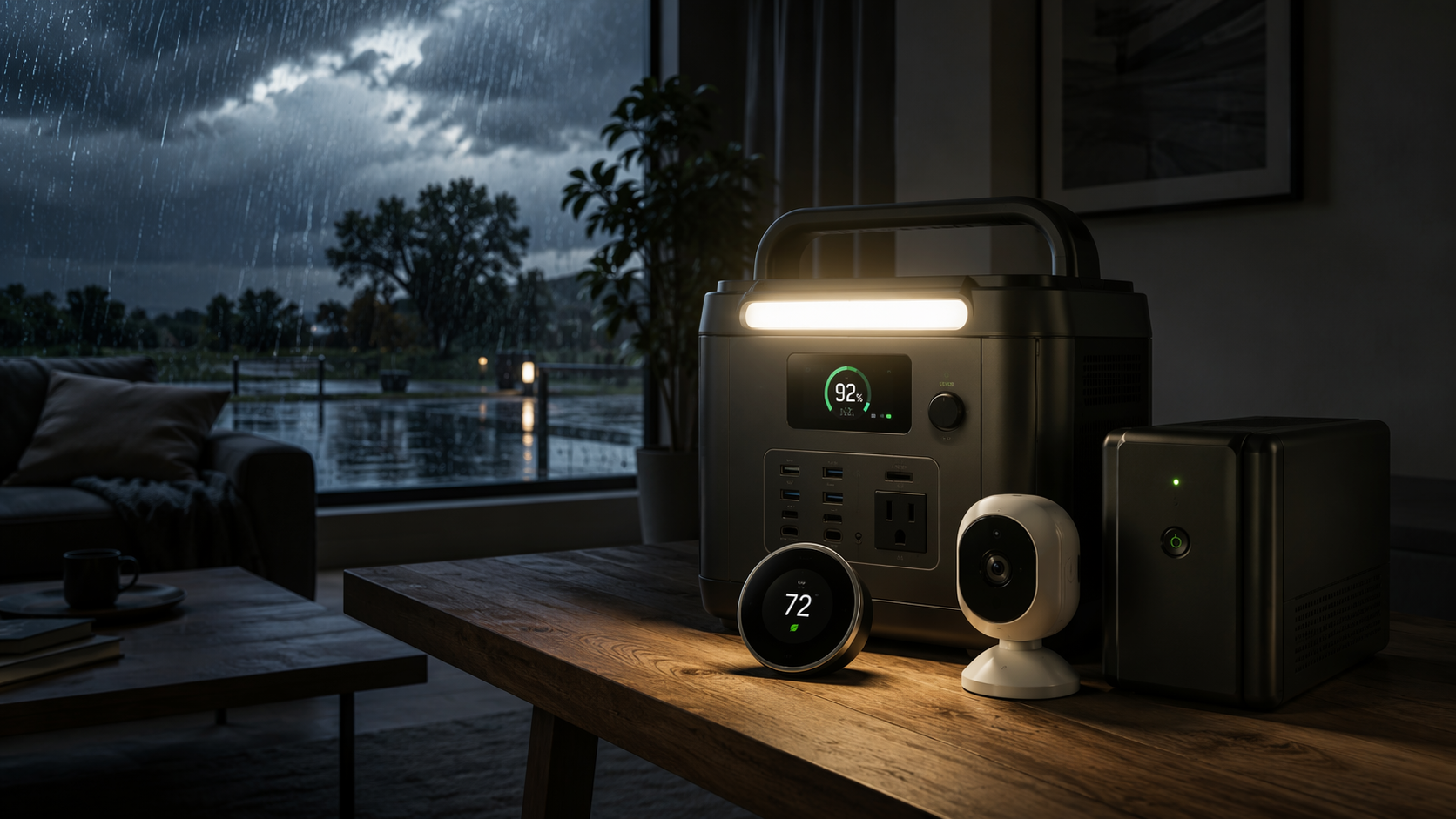
The sizing problem is not theoretical. U.S. electric customers averaged 11 hours of power interruptions in 2024, nearly double the prior decade’s annual average; Hurricanes Beryl, Helene, and Milton accounted for 80% of all lost hours that year. South Carolina averaged 53 outage hours, the highest in the country, and Helene left 5.9 million customers across 10 states without power while utilities replaced about 16,000 transformers.[1]
NOAA’s May 2026 outlook called for a below-normal Atlantic hurricane season, with 8 to 14 named storms, 3 to 6 hurricanes, and 1 to 3 major hurricanes.[2] That label should not lull anyone in Florida, Texas, South Carolina, North Carolina, Louisiana, or Georgia into buying for a short inconvenience. One landfall is enough to turn a forecast category into a household logistics problem.
The Five-Device Stack That Still Has a Job During an Outage
Before getting into models, it helps to separate the devices by what they actually keep doing when power and Wi-Fi fail.
| Device category | What it protects | What must be true during the outage | Main limitation |
|---|---|---|---|
| Portable power station | Refrigerator, phones, lights, router, small electronics | Enough watt-hours for the outage window and enough output for the appliance | Runtime varies with appliance efficiency, temperature, and usage |
| Cellular or offline security camera | Visibility after home Wi-Fi fails | Battery power, cellular signal or local microSD recording | Streaming can burn through data quickly |
| Smart water shutoff with battery backup | Internal plumbing leaks | Valve has power and learned shutoff logic stored locally | Does not stop storm surge, rain intrusion, or sump pump failure |
| Wi-Fi-independent smart thermostat | HVAC schedules and temperature settings | HVAC system has power and the thermostat retains its programming | Remote app control disappears without internet |
| UPS for modem and router | Short-term connectivity and local network functions | Cable/fiber service is still live and the UPS battery is charged | Buys hours, not days, and cannot guarantee internet service |
If the budget cannot cover everything at once, start with power. A camera that cannot charge, a router with no electricity, and a smart valve without backup all collapse into the same problem.
1. Portable Power Station: Size It for the Outage, Not the Box Photo
A portable power station is the least glamorous purchase in the stack and the one that decides whether the rest of it matters. For hurricane use, its advantage over a gas generator is not total capacity; it is that it can run indoors without exhaust. Gas generators belong outside, away from windows, doors, and vents. A battery station can sit in the kitchen, garage, or hallway and quietly keep small loads alive.
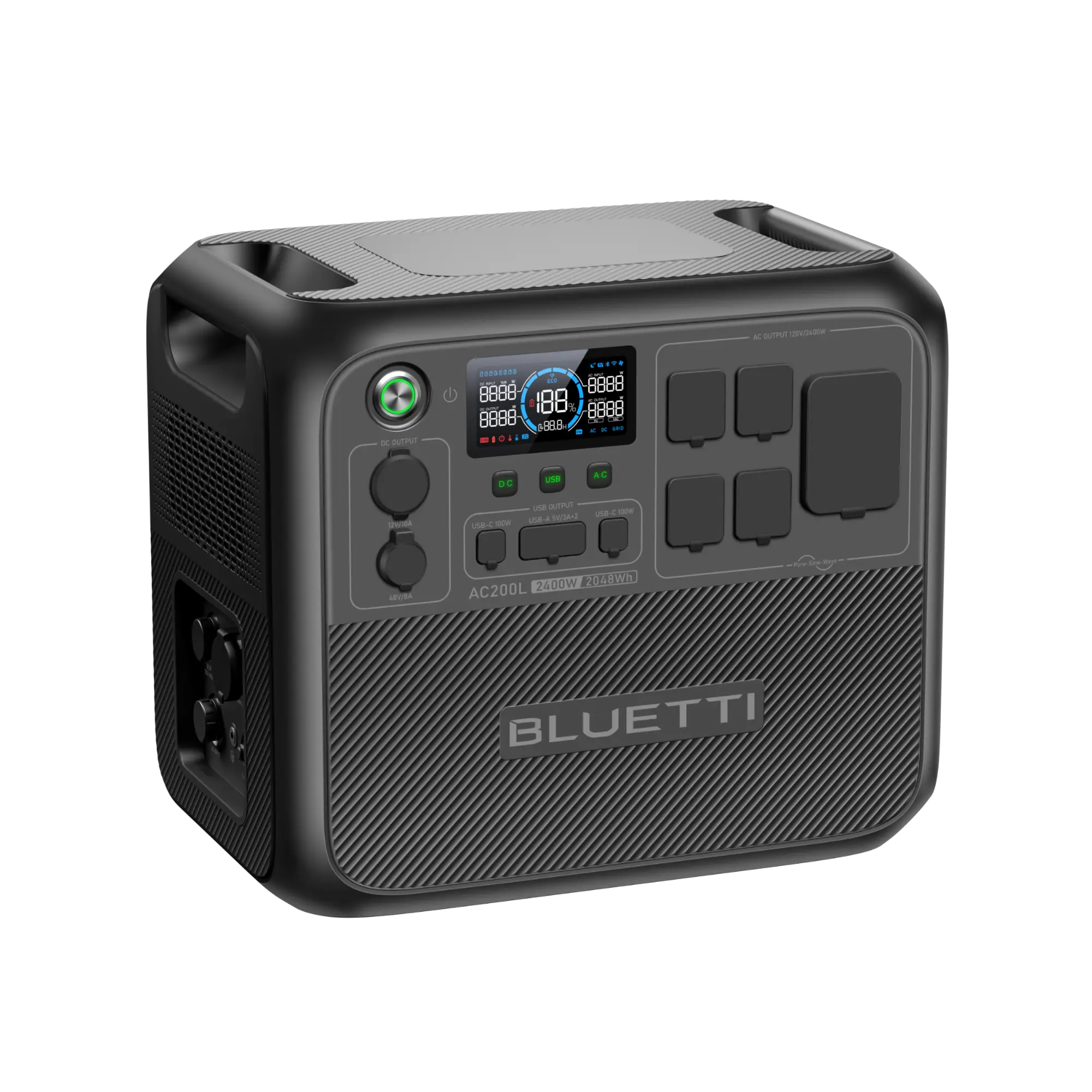
The mistake is buying a 1,000Wh unit because it sounds large. A modest 24-hour essential-load example can already run past that: a refrigerator at about 1,440Wh, router at 360Wh, phones at 160Wh, and lights at 240Wh totals roughly 2,200Wh. That pushes the practical target into the Bluetti AC200L class at 2,048Wh, not the smaller 1,000Wh tier.
| Model | Capacity | Approximate price | Best fit |
|---|---|---|---|
| Anker SOLIX C1000 | 1,056Wh | About $900 | Short outages, phones, lights, router, brief refrigerator support |
| EcoFlow Delta 3 Plus | 1,024Wh | About $1,000 | Similar short-duration essentials with fast recharge needs |
| Jackery 1500 v2 | 1,536Wh | About $1,300 | Middle ground when a full 2,000Wh unit is too expensive |
| Bluetti AC200L | 2,048Wh, expandable to 8,192Wh | About $1,600 | Better match for a 24-hour essentials plan |
Those numbers are decision anchors, not guarantees. Refrigerator runtime changes with the age of the appliance, how hot the room gets, how often the door opens, and whether the compressor is cycling hard after the outage begins. A power station also loses some capacity converting stored DC battery power into AC power for household plugs.
For most first-time buyers, the clean split is this: buy around 1,000Wh if the goal is phones, lights, router, and occasional refrigerator support; buy around 2,000Wh if the refrigerator is part of the plan for a full day; consider expansion batteries or a generator strategy if the local outage history looks more like South Carolina’s 2024 average than a half-day interruption.[1]
What to Plug In First
- Refrigerator or freezer in timed sessions, rather than leaving every convenience load connected.
- Phones and battery banks, because cellular may be the only way to receive alerts or reach family.
- A modem and router only if the service line is still active or the local network needs to stay up.
- A few LED lamps, not whole-room lighting habits from normal days.
- Medical or accessibility devices before comfort electronics.
Skip the power station as a first purchase only if a professionally installed whole-home generator is already maintained, fueled, tested, and safe. A generator that has not been exercised since last season is not a plan; it is an assumption.
2. Cellular or Offline Security Camera: Keep Recording When the Router Is Gone
A normal Wi-Fi camera is often the first smart device to become decorative during a hurricane outage. The battery may be full, the lens may be pointed at the driveway, and the app may still show the last thumbnail from before the router died. For storm use, the camera needs either cellular service, local recording, or both.
Security.org identifies no-Wi-Fi cameras such as the Arlo Go 2, around $250 plus an estimated $10 to $15 per month for a 30GB data plan, and the Reolink Go, around $250 plus a SIM. Its testing also notes that HD streaming can use about 1GB of data per 2 hours, while tuning motion zones can cut false alerts by 70%.[3]
That data math matters. A cellular camera is not a license to watch a live feed all afternoon from a hotel room after evacuating. It is better used as an event device: record motion, send clips, and reserve live view for moments when something actually needs checking.
Camera Settings to Change Before the Storm
- Install a microSD card if the model supports it, so footage can keep saving locally when cloud uploads fail.
- Narrow motion zones to doors, gates, vehicles, or the main walkway instead of trees and street traffic.
- Lower unnecessary clip length and resolution if the priority is conserving cellular data.
- Charge or swap camera batteries before watches and warnings turn into evacuation errands.
- Confirm the camera’s carrier has usable signal at the mounting location, not just somewhere in the house.
A cellular camera is most useful for people who evacuate, own a second home, or need to see whether a gate, driveway, porch, or entry point is still intact. It is less urgent for someone who will be home, has no reliable cellular signal, or only wants indoor footage that a local microSD Wi-Fi camera can capture without uploading.
3. Smart Water Shutoff: Good for Burst Pipes, Not Floodwater
This is the category where the wrong assumption can get expensive. A smart water shutoff valve can protect against internal plumbing leaks. It cannot protect the house from storm surge, wind-driven rain, rising groundwater, or a sump pump that loses power. Those are flood and drainage problems, not supply-line problems.
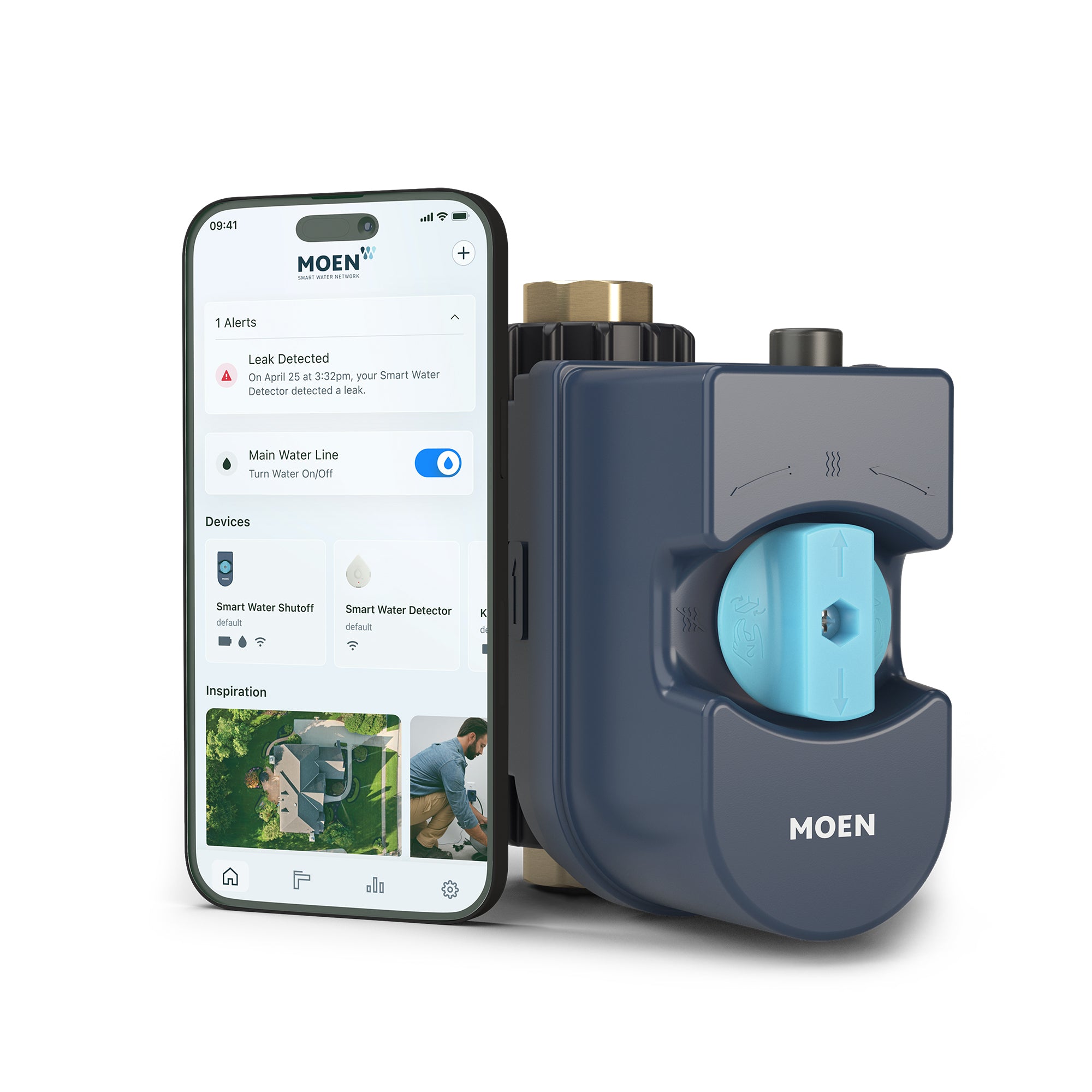
The Moen Flo smart water monitor and shutoff is listed at $623.99 on Moen’s official store, with a Battery Backup Kit listed at $343.20 and leak detectors in a 3-pack listed at $153.68. Moen says Flo can detect microleaks at 1 drop per minute using internal flow sensors, stores learned water patterns locally, and can continue automatic shutoff if Wi-Fi drops; the battery backup provides up to 4 hours of protection during power loss.[4]
That local behavior is the reason the device belongs in a hurricane-prep guide at all. If a supply line breaks while the internet is down, the valve’s job is not to wait for an app tap from a homeowner who may be driving inland. Its job is to recognize abnormal flow and close the line.
The battery limit is just as important as the automation. Four hours can bridge a short outage or the beginning of a longer one; it is not a multi-day power plan by itself.[4] If the valve is part of a larger hurricane setup, it should sit behind either its own battery kit, a power station, or both, depending on how long outages usually last in the area.
Where Leak Detectors Still Matter
Point leak detectors are still useful under sinks, near the water heater, beside a washing machine, and in rooms where an appliance hose can fail. They detect standing water where the sensor sits. They are not a substitute for a shutoff valve, and the valve is not a substitute for flood insurance, drainage work, or sump backup.
Prioritize a shutoff valve if the home will be empty during hurricane season, has aging plumbing, has a second-floor laundry room, or has had prior supply-line issues. Deprioritize it if the main fear is coastal flooding; spend that money on the systems that address water entering from outside.
4. Smart Thermostat: Make Sure the Schedule Lives on the Device
A thermostat is not useful during a full-house power outage unless the HVAC system has backup power. Its hurricane value shows up in the messier situations: the internet is down but power remains, power drops and comes back, or the homeowner evacuates and wants the system to resume a safe schedule without waiting for cloud control.
Ecobee says its thermostats retain settings and data through a power outage, and Ecobee and Nest thermostats retain programmed HVAC schedules without Wi-Fi. Remote app control is lost without internet, but local HVAC operation continues if the system itself has power. Ecobee also has a severe weather alert feature.[5]
For storm prep, the practical setting is not a perfect comfort schedule. It is a conservative temperature and humidity strategy the house can follow without the app. In a hot, humid region, that may mean avoiding a setting that lets indoor humidity climb for days if the grid returns while no one is home.
- Before evacuation, set a schedule directly in the thermostat, not only in an app routine.
- Confirm the thermostat reconnects correctly after a breaker test or brief power interruption.
- Disable fragile automations that depend on cloud scenes, voice assistants, or geofencing.
- Check whether the HVAC equipment itself is on generator or backup power before assuming the thermostat can control anything.
A smart thermostat is a good hurricane-prep buy when the home already needs a thermostat upgrade or when humidity control during evacuations is a real concern. It should not come before backup power if the house regularly loses electricity for long stretches.
5. UPS for Modem and Router: Useful, Brief, and Often Misunderstood
A UPS is the small battery box that sits between the wall outlet and equipment such as a modem, router, network switch, or smart-home hub. It is not a whole-home backup system. It is a way to keep low-power electronics alive through flickers, short outages, and the first stretch of a longer outage.
A CyberPower CP900AVR is a common example in this category and is cited for keeping a modem and router running for about 4 hours.[6] That can be enough for continued alerts, local network control, or a few hours of internet if the cable or fiber provider’s equipment is still operating.
The last condition is the catch. A UPS can power your router; it cannot repair the provider’s line, power the neighborhood node, or force a cloud service to respond. If the broader connection is gone, the remaining value is local: controlling devices that still respond on the home network, accessing a local camera feed, or keeping a hub alive long enough for an orderly shutdown.
What Belongs on the UPS
- Modem or fiber terminal.
- Primary router or mesh base station.
- A smart-home hub if local automations depend on it.
- A small network switch only if it is needed for cameras or wired devices.
Do not plug lamps, TVs, desktop PCs, or chargers into the same UPS unless they are part of the actual communication plan. Every extra load shortens the runtime of the equipment that needs the battery most.
A Small Add-On: Smart Plugs That Remember Their State
Smart plugs are not one of the five core hurricane devices because they do not solve power loss. They can still prevent an annoying recovery problem: what turns back on when the grid returns.
TP-Link Kasa and some Leviton models include power-loss memory, meaning they can return to their previous state after electricity comes back. That matters for lamps, fans, dehumidifiers, or small appliances that should not all restart in a surprise pileup. Use this feature carefully; refrigerators, medical devices, sump equipment, and safety-critical loads should not be managed casually through a plug chosen for convenience.
What to Buy First
The right order depends less on gadget preference than on outage duration. A homeowner planning for a few hours has a different shopping cart than one planning for a day or more without grid power.
| If your realistic outage window is... | Start here | Add next |
|---|---|---|
| Under 4 hours | UPS for modem/router and charged phones | Thermostat schedule check, smart plugs with memory |
| 4 to 12 hours | 1,000Wh-class portable power station | Cellular or microSD camera, water shutoff battery backup |
| 12 to 24 hours | 2,000Wh-class portable power station | Cellular camera with tuned motion zones, Moen Flo with backup if plumbing risk is high |
| More than 24 hours | Expanded battery capacity, solar recharging, or a maintained generator plan | Local-first devices only; avoid anything that depends entirely on cloud control |
For a first hurricane season setup, the strongest practical sequence is: size backup power to the outage you are actually preparing for, keep one camera working without home Wi-Fi, protect internal plumbing if the home may sit empty, confirm the thermostat keeps its schedule locally, and give the modem and router a UPS for the short window when the connection may still be alive.
Buy fewer devices if necessary, but make each one answer the same question: what still works when the grid, the router, and the app are no longer helping?
References
- U.S. electricity customers averaged 11 hours of power interruptions in 2024, Energy Information Administration, December 2025, link
- NOAA predicts below-normal 2026 Atlantic hurricane season, NOAA, May 2026, link
- Best Security Cameras That Don’t Need Wi-Fi, Security.org, link
- Flo Smart Water Monitor and Shutoff, Moen, link
- Will I lose my thermostat settings and data if there is a power outage?, ecobee Support, link
- CyberPower CP900AVR modem/router runtime information, Portable Power Nerd
Reader Feedback
Share your purchase experience, flag outdated picks, or ask clarifying questions about the checklist items.
Comments
Join the discussion with an anonymous comment.